 |
eVision C++ API 26.10.0-beta.2.dev
|
|
eVision C++ API 26.10.0-beta.2.dev
|
Describes a color lookup table, that is used to speed-up complex conversions between color systems. More...
#include <eVision/EasyColor/EColorLookup.h>
Public Member Functions | |
| EColorLookup () | |
| Creates a EColorLookup. | |
| EColorLookup (const eVision::EColorLookup &other) | |
| Creates a EColorLookup. | |
| virtual | ~EColorLookup () throw () |
| eVision::EColorLookup & | operator= (const eVision::EColorLookup &other) |
| Assignment operator. | |
| void | SetInterpolation (bool bInterpolation) |
| Interpolation mode. | |
| bool | GetInterpolation () const |
| Interpolation mode. | |
| void | SetIndexBits (uint32_t un32IndexBits) |
| Number of bits used for indexing the lookup table. | |
| uint32_t | GetIndexBits () const |
| Number of bits used for indexing the lookup table. | |
| eVision::EColorSystem | GetColorSystemIn () const |
| Input color system. | |
| eVision::EColorSystem | GetColorSystemOut () const |
| Output color system. | |
| void | WhiteBalance (float gain, float gamma, float balanceRed, float balanceGreen, float balanceBlue) |
| Initializes a color lookup table that can be used for color adjustment, including a global gain, gamma pre-compensation [cancellation] and white balancing. | |
| void | WhiteBalance (float gain, float gamma, float balanceRed, float balanceGreen) |
| Initializes a color lookup table that can be used for color adjustment, including a global gain, gamma pre-compensation [cancellation] and white balancing. | |
| void | WhiteBalance (float gain, float gamma, float balanceRed) |
| Initializes a color lookup table that can be used for color adjustment, including a global gain, gamma pre-compensation [cancellation] and white balancing. | |
| void | WhiteBalance (float gain, float gamma) |
| Initializes a color lookup table that can be used for color adjustment, including a global gain, gamma pre-compensation [cancellation] and white balancing. | |
| void | WhiteBalance (float gain) |
| Initializes a color lookup table that can be used for color adjustment, including a global gain, gamma pre-compensation [cancellation] and white balancing. | |
| void | WhiteBalance () |
| Initializes a color lookup table that can be used for color adjustment, including a global gain, gamma pre-compensation [cancellation] and white balancing. | |
| void | AdjustGainOffset (eVision::EColorSystem colorSystem, float gain0, float offset0, float gain1, float offset1, float gain2, float offset2) |
| Sets a color transformation such that a gain and offset is applied separately to each color component of a target color system. | |
| void | AdjustGainOffset (eVision::EColorSystem colorSystem, float gain0, float offset0, float gain1, float offset1, float gain2) |
| Sets a color transformation such that a gain and offset is applied separately to each color component of a target color system. | |
| void | AdjustGainOffset (eVision::EColorSystem colorSystem, float gain0, float offset0, float gain1, float offset1) |
| Sets a color transformation such that a gain and offset is applied separately to each color component of a target color system. | |
| void | AdjustGainOffset (eVision::EColorSystem colorSystem, float gain0, float offset0, float gain1) |
| Sets a color transformation such that a gain and offset is applied separately to each color component of a target color system. | |
| void | AdjustGainOffset (eVision::EColorSystem colorSystem, float gain0, float offset0) |
| Sets a color transformation such that a gain and offset is applied separately to each color component of a target color system. | |
| void | AdjustGainOffset (eVision::EColorSystem colorSystem, float gain0) |
| Sets a color transformation such that a gain and offset is applied separately to each color component of a target color system. | |
| void | AdjustGainOffset (eVision::EColorSystem colorSystem) |
| Sets a color transformation such that a gain and offset is applied separately to each color component of a target color system. | |
| void | ConvertToRgb (eVision::EColorSystem colorSystem) |
| Sets a color transformation from any color system, as defined by EColorSystem, to the EColorSystem::EColorSystem_Rgb representation. | |
| void | ConvertFromRgb (eVision::EColorSystem colorSystem) |
| Sets a color transformation from the EColorSystem::EColorSystem_Rgb representation to another system, as defined by EColorSystem. | |
| void | Calibrate (eVision::EC24 Color0, float x0, float y0, float z0, eVision::EC24 Color1, float x1, float y1, float z1, eVision::EC24 Color2, float x2, float y2, float z2) |
| Sets a color transformation to recalibrate. | |
| void | Calibrate (eVision::EC24 Color0, float x0, float y0, float z0, eVision::EC24 Color1, float x1, float y1, float z1, eVision::EC24 Color2, float x2, float y2, float z2, eVision::EC24 Color3, float x3, float y3, float z3) |
| Sets a color transformation to recalibrate. | |
| void | Calibrate (eVision::EC24 color, float x, float y, float z) |
| void | Transform (eVision::EC24 sourceImageColor, eVision::EC24 &destinationImageColor) const |
| Transforms a quantized color image/pixel to another quantized color image/pixel, using the previously initialized color lookup table. | |
| void | Transform (const eVision::EROIC24 *sourceImage, eVision::EROIC24 *destinationImage) const |
| Transforms a quantized color image/pixel to another quantized color image/pixel, using the previously initialized color lookup table. | |
| EColorLookup (CppWrapperInternal::InternalConstructor) | |
Public Attributes | |
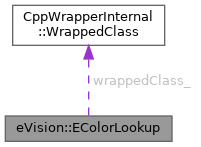
| CppWrapperInternal::WrappedClass | wrappedClass_ |
Describes a color lookup table, that is used to speed-up complex conversions between color systems.
License(s): EasyColor
| eVision::EColorLookup::EColorLookup | ( | ) |
Creates a EColorLookup.
| eVision::EColorLookup::EColorLookup | ( | const eVision::EColorLookup & | other | ) |
Creates a EColorLookup.
| other | Another EColorLookup to be copied in the new EColorLookup. |
|
virtual | ||||||||||||
| eVision::EColorLookup::EColorLookup | ( | CppWrapperInternal::InternalConstructor | ) |
| void eVision::EColorLookup::AdjustGainOffset | ( | eVision::EColorSystem | colorSystem | ) |
Sets a color transformation such that a gain and offset is applied separately to each color component of a target color system.
| colorSystem | Target color system, as defined by EColorSystem. |
The input and output color systems are both EColorSystem::EColorSystem_Rgb. To apply some transform to a color image, you initialize a color lookup once for all and use it at will in a transformation operation such as EColorLookup::Transform.
| void eVision::EColorLookup::AdjustGainOffset | ( | eVision::EColorSystem | colorSystem, |
| float | gain0 ) |
Sets a color transformation such that a gain and offset is applied separately to each color component of a target color system.
| colorSystem | Target color system, as defined by EColorSystem. |
| gain0 | Gain to be applied to color component 0. |
The input and output color systems are both EColorSystem::EColorSystem_Rgb. To apply some transform to a color image, you initialize a color lookup once for all and use it at will in a transformation operation such as EColorLookup::Transform.
| void eVision::EColorLookup::AdjustGainOffset | ( | eVision::EColorSystem | colorSystem, |
| float | gain0, | ||
| float | offset0 ) |
Sets a color transformation such that a gain and offset is applied separately to each color component of a target color system.
| colorSystem | Target color system, as defined by EColorSystem. |
| gain0 | Gain to be applied to color component 0. |
| offset0 | Offset to be applied to color component 0. |
The input and output color systems are both EColorSystem::EColorSystem_Rgb. To apply some transform to a color image, you initialize a color lookup once for all and use it at will in a transformation operation such as EColorLookup::Transform.
| void eVision::EColorLookup::AdjustGainOffset | ( | eVision::EColorSystem | colorSystem, |
| float | gain0, | ||
| float | offset0, | ||
| float | gain1 ) |
Sets a color transformation such that a gain and offset is applied separately to each color component of a target color system.
| colorSystem | Target color system, as defined by EColorSystem. |
| gain0 | Gain to be applied to color component 0. |
| offset0 | Offset to be applied to color component 0. |
| gain1 | Gain to be applied to color component 1. |
The input and output color systems are both EColorSystem::EColorSystem_Rgb. To apply some transform to a color image, you initialize a color lookup once for all and use it at will in a transformation operation such as EColorLookup::Transform.
| void eVision::EColorLookup::AdjustGainOffset | ( | eVision::EColorSystem | colorSystem, |
| float | gain0, | ||
| float | offset0, | ||
| float | gain1, | ||
| float | offset1 ) |
Sets a color transformation such that a gain and offset is applied separately to each color component of a target color system.
| colorSystem | Target color system, as defined by EColorSystem. |
| gain0 | Gain to be applied to color component 0. |
| offset0 | Offset to be applied to color component 0. |
| gain1 | Gain to be applied to color component 1. |
| offset1 | Offset to be applied to color component 1. |
The input and output color systems are both EColorSystem::EColorSystem_Rgb. To apply some transform to a color image, you initialize a color lookup once for all and use it at will in a transformation operation such as EColorLookup::Transform.
| void eVision::EColorLookup::AdjustGainOffset | ( | eVision::EColorSystem | colorSystem, |
| float | gain0, | ||
| float | offset0, | ||
| float | gain1, | ||
| float | offset1, | ||
| float | gain2 ) |
Sets a color transformation such that a gain and offset is applied separately to each color component of a target color system.
| colorSystem | Target color system, as defined by EColorSystem. |
| gain0 | Gain to be applied to color component 0. |
| offset0 | Offset to be applied to color component 0. |
| gain1 | Gain to be applied to color component 1. |
| offset1 | Offset to be applied to color component 1. |
| gain2 | Gain to be applied to color component 2. |
The input and output color systems are both EColorSystem::EColorSystem_Rgb. To apply some transform to a color image, you initialize a color lookup once for all and use it at will in a transformation operation such as EColorLookup::Transform.
| void eVision::EColorLookup::AdjustGainOffset | ( | eVision::EColorSystem | colorSystem, |
| float | gain0, | ||
| float | offset0, | ||
| float | gain1, | ||
| float | offset1, | ||
| float | gain2, | ||
| float | offset2 ) |
Sets a color transformation such that a gain and offset is applied separately to each color component of a target color system.
| colorSystem | Target color system, as defined by EColorSystem. |
| gain0 | Gain to be applied to color component 0. |
| offset0 | Offset to be applied to color component 0. |
| gain1 | Gain to be applied to color component 1. |
| offset1 | Offset to be applied to color component 1. |
| gain2 | Gain to be applied to color component 2. |
| offset2 | Offset to be applied to color component 2. |
The input and output color systems are both EColorSystem::EColorSystem_Rgb. To apply some transform to a color image, you initialize a color lookup once for all and use it at will in a transformation operation such as EColorLookup::Transform.
| void eVision::EColorLookup::Calibrate | ( | eVision::EC24 | color, |
| float | x, | ||
| float | y, | ||
| float | z ) |
| void eVision::EColorLookup::Calibrate | ( | eVision::EC24 | Color0, |
| float | x0, | ||
| float | y0, | ||
| float | z0, | ||
| eVision::EC24 | Color1, | ||
| float | x1, | ||
| float | y1, | ||
| float | z1, | ||
| eVision::EC24 | Color2, | ||
| float | x2, | ||
| float | y2, | ||
| float | z2 ) |
Sets a color transformation to recalibrate.
| Color0 | Measured quantized values of a pixel of color 0. |
| x0 | CIE XYZ tri-stimulus unquantized values corresponding to color 0. |
| y0 | CIE XYZ tri-stimulus unquantized values corresponding to color 0. |
| z0 | CIE XYZ tri-stimulus unquantized values corresponding to color 0. |
| Color1 | Measured quantized values of a pixel of color 1. |
| x1 | CIE XYZ tri-stimulus unquantized values corresponding to color 1. |
| y1 | CIE XYZ tri-stimulus unquantized values corresponding to color 1. |
| z1 | CIE XYZ tri-stimulus unquantized values corresponding to color 1. |
| Color2 | Measured quantized values of a pixel of color 2. |
| x2 | CIE XYZ tri-stimulus unquantized values corresponding to color 2. |
| y2 | CIE XYZ tri-stimulus unquantized values corresponding to color 2. |
| z2 | CIE XYZ tri-stimulus unquantized values corresponding to color 2. |
The first prototype uses 3 reference colors. The second uses 4 reference colors. To apply some transform to a color image, you initialize a color lookup once for all and use it at will in a transformation operation such as EColorLookup::Transform.
| void eVision::EColorLookup::Calibrate | ( | eVision::EC24 | Color0, |
| float | x0, | ||
| float | y0, | ||
| float | z0, | ||
| eVision::EC24 | Color1, | ||
| float | x1, | ||
| float | y1, | ||
| float | z1, | ||
| eVision::EC24 | Color2, | ||
| float | x2, | ||
| float | y2, | ||
| float | z2, | ||
| eVision::EC24 | Color3, | ||
| float | x3, | ||
| float | y3, | ||
| float | z3 ) |
Sets a color transformation to recalibrate.
| Color0 | Measured quantized values of a pixel of color 0. |
| x0 | CIE XYZ tri-stimulus unquantized values corresponding to color 0. |
| y0 | CIE XYZ tri-stimulus unquantized values corresponding to color 0. |
| z0 | CIE XYZ tri-stimulus unquantized values corresponding to color 0. |
| Color1 | Measured quantized values of a pixel of color 1. |
| x1 | CIE XYZ tri-stimulus unquantized values corresponding to color 1. |
| y1 | CIE XYZ tri-stimulus unquantized values corresponding to color 1. |
| z1 | CIE XYZ tri-stimulus unquantized values corresponding to color 1. |
| Color2 | Measured quantized values of a pixel of color 2. |
| x2 | CIE XYZ tri-stimulus unquantized values corresponding to color 2. |
| y2 | CIE XYZ tri-stimulus unquantized values corresponding to color 2. |
| z2 | CIE XYZ tri-stimulus unquantized values corresponding to color 2. |
| Color3 | Measured quantized values of a pixel of color 3. |
| x3 | CIE XYZ tri-stimulus unquantized values corresponding to color 3. |
| y3 | CIE XYZ tri-stimulus unquantized values corresponding to color 3. |
| z3 | CIE XYZ tri-stimulus unquantized values corresponding to color 3. |
The first prototype uses 3 reference colors. The second uses 4 reference colors. To apply some transform to a color image, you initialize a color lookup once for all and use it at will in a transformation operation such as EColorLookup::Transform.
| void eVision::EColorLookup::ConvertFromRgb | ( | eVision::EColorSystem | colorSystem | ) |
Sets a color transformation from the EColorSystem::EColorSystem_Rgb representation to another system, as defined by EColorSystem.
| colorSystem | Color system, as defined by EColorSystem. |
The input and output color systems are respectively EColorSystem::EColorSystem_Rgb and colorSystem. To apply some transform to a color image, you initialize a color lookup once for all and use it at will in a transformation operation such as EColorLookup::Transform.
| void eVision::EColorLookup::ConvertToRgb | ( | eVision::EColorSystem | colorSystem | ) |
Sets a color transformation from any color system, as defined by EColorSystem, to the EColorSystem::EColorSystem_Rgb representation.
| colorSystem | Color system, as defined by EColorSystem. |
The input and output color systems are respectively colorSystem and EColorSystem::EColorSystem_Rgb. To apply some transform to a color image, you initialize a color lookup once for all and use it at will in a transformation operation such as EColorLookup::Transform.
| eVision::EColorSystem eVision::EColorLookup::GetColorSystemIn | ( | ) | const |
Input color system.
The EColorLookup objects keep track of the color system transformation, for consistency. When applying a transformation, the source image color system (usually EColorSystem::EColorSystem_Rgb) must match the input color system; the destination image will be automatically be typed with the output color system. In case of a mismatch, an error message is issued. These two values are set by the lookup table initialization functions. An uninitialized lookup table has both color systems set to EColorSystem::EColorSystem_NoColor.
| eVision::EColorSystem eVision::EColorLookup::GetColorSystemOut | ( | ) | const |
Output color system.
The EColorLookup objects keep track of the color system transformation, for consistency. When applying a transformation, the source image color system (usually EColorSystem::EColorSystem_Rgb) must match the input color system; the destination image will be automatically be typed with the output color system. In case of a mismatch, an error message is issued. These two values are set by the lookup table initialization functions. An uninitialized lookup table has both color systems set to EColorSystem::EColorSystem_NoColor.
| uint32_t eVision::EColorLookup::GetIndexBits | ( | ) | const |
Number of bits used for indexing the lookup table.
Before filling in a lookup table, it is necessary to decide how many table entries it requires. This property indicates how many (high-order) bits of the input components are used. The relation between this property, the number of table entries and the corresponding table size are given below:
| IndexBits | Number of entries | Table size (bytes) |
|---|---|---|
| 4 | \(2^{3\times4}=4096\) | 14739 |
| 5 | \(2^{3\times5}=32768\) | 107811 |
| 6 | \(2^{3\times6}=262144\) | 823875 |
The larger the number of entries, the more accuracy is obtained. After this property has been changed, the lookup table needs to be recomputed.
| bool eVision::EColorLookup::GetInterpolation | ( | ) | const |
Interpolation mode.
When applying a lookup table to transform pixel values, tri-linear interpolation can be used:
| eVision::EColorLookup & eVision::EColorLookup::operator= | ( | const eVision::EColorLookup & | other | ) |
Assignment operator.
| other | Another EColorLookup to be assigned in the new EColorLookup. |
| void eVision::EColorLookup::SetIndexBits | ( | uint32_t | un32IndexBits | ) |
Number of bits used for indexing the lookup table.
Before filling in a lookup table, it is necessary to decide how many table entries it requires. This property indicates how many (high-order) bits of the input components are used. The relation between this property, the number of table entries and the corresponding table size are given below:
| IndexBits | Number of entries | Table size (bytes) |
|---|---|---|
| 4 | \(2^{3\times4}=4096\) | 14739 |
| 5 | \(2^{3\times5}=32768\) | 107811 |
| 6 | \(2^{3\times6}=262144\) | 823875 |
The larger the number of entries, the more accuracy is obtained. After this property has been changed, the lookup table needs to be recomputed.
| void eVision::EColorLookup::SetInterpolation | ( | bool | bInterpolation | ) |
Interpolation mode.
When applying a lookup table to transform pixel values, tri-linear interpolation can be used:
| void eVision::EColorLookup::Transform | ( | const eVision::EROIC24 * | sourceImage, |
| eVision::EROIC24 * | destinationImage ) const |
Transforms a quantized color image/pixel to another quantized color image/pixel, using the previously initialized color lookup table.
| sourceImage | Input color image. |
| destinationImage | Output color image. |
| void eVision::EColorLookup::Transform | ( | eVision::EC24 | sourceImageColor, |
| eVision::EC24 & | destinationImageColor ) const |
Transforms a quantized color image/pixel to another quantized color image/pixel, using the previously initialized color lookup table.
| sourceImageColor | Input color image. |
| destinationImageColor | Output color image. |
| void eVision::EColorLookup::WhiteBalance | ( | ) |
Initializes a color lookup table that can be used for color adjustment, including a global gain, gamma pre-compensation [cancellation] and white balancing.
To apply some transform to a color image, you initialize the color lookup once for all and use it at will with EColorLookup::Transform or EasyColor::TransformBayer operation.
| void eVision::EColorLookup::WhiteBalance | ( | float | gain | ) |
Initializes a color lookup table that can be used for color adjustment, including a global gain, gamma pre-compensation [cancellation] and white balancing.
| gain | Global gain to be applied to all three color components. By default, the image intensity remains unchanged. |
To apply some transform to a color image, you initialize the color lookup once for all and use it at will with EColorLookup::Transform or EasyColor::TransformBayer operation.
| void eVision::EColorLookup::WhiteBalance | ( | float | gain, |
| float | gamma ) |
Initializes a color lookup table that can be used for color adjustment, including a global gain, gamma pre-compensation [cancellation] and white balancing.
| gain | Global gain to be applied to all three color components. By default, the image intensity remains unchanged. |
| gamma | Gamma exponent. Setting this parameter will cancel the gamma pre-compensation feature of the camera, or apply it. By default, the no gamma pre-compensation is assumed (linear response). The gamma exponent can be chosen among the predefined values EasyColor::GetCompensateNtscGamma/EasyColor::GetCompensatePalGamma/EasyColor::GetCompensateSmpteGamma (pre-compensation) or EasyColor::GetNtscGamma/EasyColor::GetPalGamma/EasyColor::GetSmpteGamma (pre-compensation cancellation), or be user-defined. |
To apply some transform to a color image, you initialize the color lookup once for all and use it at will with EColorLookup::Transform or EasyColor::TransformBayer operation.
| void eVision::EColorLookup::WhiteBalance | ( | float | gain, |
| float | gamma, | ||
| float | balanceRed ) |
Initializes a color lookup table that can be used for color adjustment, including a global gain, gamma pre-compensation [cancellation] and white balancing.
| gain | Global gain to be applied to all three color components. By default, the image intensity remains unchanged. |
| gamma | Gamma exponent. Setting this parameter will cancel the gamma pre-compensation feature of the camera, or apply it. By default, the no gamma pre-compensation is assumed (linear response). The gamma exponent can be chosen among the predefined values EasyColor::GetCompensateNtscGamma/EasyColor::GetCompensatePalGamma/EasyColor::GetCompensateSmpteGamma (pre-compensation) or EasyColor::GetNtscGamma/EasyColor::GetPalGamma/EasyColor::GetSmpteGamma (pre-compensation cancellation), or be user-defined. |
| balanceRed | Color values to be used for white balance. These parameters should be set to the measured average values of a white (or gray) pixels area, allowing the white balance to adjust pre-component gains appropriately. Use function EImageStatisticsBW8::GetPixelAverage to obtain them. By default, no white balancing is performed. |
To apply some transform to a color image, you initialize the color lookup once for all and use it at will with EColorLookup::Transform or EasyColor::TransformBayer operation.
| void eVision::EColorLookup::WhiteBalance | ( | float | gain, |
| float | gamma, | ||
| float | balanceRed, | ||
| float | balanceGreen ) |
Initializes a color lookup table that can be used for color adjustment, including a global gain, gamma pre-compensation [cancellation] and white balancing.
| gain | Global gain to be applied to all three color components. By default, the image intensity remains unchanged. |
| gamma | Gamma exponent. Setting this parameter will cancel the gamma pre-compensation feature of the camera, or apply it. By default, the no gamma pre-compensation is assumed (linear response). The gamma exponent can be chosen among the predefined values EasyColor::GetCompensateNtscGamma/EasyColor::GetCompensatePalGamma/EasyColor::GetCompensateSmpteGamma (pre-compensation) or EasyColor::GetNtscGamma/EasyColor::GetPalGamma/EasyColor::GetSmpteGamma (pre-compensation cancellation), or be user-defined. |
| balanceRed | Color values to be used for white balance. These parameters should be set to the measured average values of a white (or gray) pixels area, allowing the white balance to adjust pre-component gains appropriately. Use function EImageStatisticsBW8::GetPixelAverage to obtain them. By default, no white balancing is performed. |
| balanceGreen | Color values to be used for white balance. These parameters should be set to the measured average values of a white (or gray) pixels area, allowing the white balance to adjust pre-component gains appropriately. Use function EImageStatisticsBW8::GetPixelAverage to obtain them. By default, no white balancing is performed. |
To apply some transform to a color image, you initialize the color lookup once for all and use it at will with EColorLookup::Transform or EasyColor::TransformBayer operation.
| void eVision::EColorLookup::WhiteBalance | ( | float | gain, |
| float | gamma, | ||
| float | balanceRed, | ||
| float | balanceGreen, | ||
| float | balanceBlue ) |
Initializes a color lookup table that can be used for color adjustment, including a global gain, gamma pre-compensation [cancellation] and white balancing.
| gain | Global gain to be applied to all three color components. By default, the image intensity remains unchanged. |
| gamma | Gamma exponent. Setting this parameter will cancel the gamma pre-compensation feature of the camera, or apply it. By default, the no gamma pre-compensation is assumed (linear response). The gamma exponent can be chosen among the predefined values EasyColor::GetCompensateNtscGamma/EasyColor::GetCompensatePalGamma/EasyColor::GetCompensateSmpteGamma (pre-compensation) or EasyColor::GetNtscGamma/EasyColor::GetPalGamma/EasyColor::GetSmpteGamma (pre-compensation cancellation), or be user-defined. |
| balanceRed | Color values to be used for white balance. These parameters should be set to the measured average values of a white (or gray) pixels area, allowing the white balance to adjust pre-component gains appropriately. Use function EImageStatisticsBW8::GetPixelAverage to obtain them. By default, no white balancing is performed. |
| balanceGreen | Color values to be used for white balance. These parameters should be set to the measured average values of a white (or gray) pixels area, allowing the white balance to adjust pre-component gains appropriately. Use function EImageStatisticsBW8::GetPixelAverage to obtain them. By default, no white balancing is performed. |
| balanceBlue | Color values to be used for white balance. These parameters should be set to the measured average values of a white (or gray) pixels area, allowing the white balance to adjust pre-component gains appropriately. Use function EImageStatisticsBW8::GetPixelAverage to obtain them. By default, no white balancing is performed. |
To apply some transform to a color image, you initialize the color lookup once for all and use it at will with EColorLookup::Transform or EasyColor::TransformBayer operation.
| CppWrapperInternal::WrappedClass eVision::EColorLookup::wrappedClass_ |
 1.17.0