 |
eVision .NET API
|
|
eVision .NET API
|
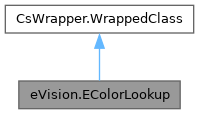
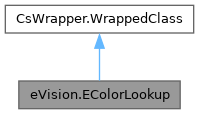
Describes a color lookup table, that is used to speed-up complex conversions between color systems. More...
Public Member Functions | |
| EColorLookup () | |
| Creates a EColorLookup. | |
| EColorLookup (eVision.EColorLookup other) | |
| Creates a EColorLookup. | |
| void | WhiteBalance (float gain, float gamma, float balanceRed, float balanceGreen, float balanceBlue) |
| Initializes a color lookup table that can be used for color adjustment, including a global gain, gamma pre-compensation [cancellation] and white balancing. | |
| void | WhiteBalance (float gain, float gamma, float balanceRed, float balanceGreen) |
| Initializes a color lookup table that can be used for color adjustment, including a global gain, gamma pre-compensation [cancellation] and white balancing. | |
| void | WhiteBalance (float gain, float gamma, float balanceRed) |
| Initializes a color lookup table that can be used for color adjustment, including a global gain, gamma pre-compensation [cancellation] and white balancing. | |
| void | WhiteBalance (float gain, float gamma) |
| Initializes a color lookup table that can be used for color adjustment, including a global gain, gamma pre-compensation [cancellation] and white balancing. | |
| void | WhiteBalance (float gain) |
| Initializes a color lookup table that can be used for color adjustment, including a global gain, gamma pre-compensation [cancellation] and white balancing. | |
| void | WhiteBalance () |
| Initializes a color lookup table that can be used for color adjustment, including a global gain, gamma pre-compensation [cancellation] and white balancing. | |
| void | AdjustGainOffset (eVision.EColorSystem colorSystem, float gain0, float offset0, float gain1, float offset1, float gain2, float offset2) |
| Sets a color transformation such that a gain and offset is applied separately to each color component of a target color system. | |
| void | AdjustGainOffset (eVision.EColorSystem colorSystem, float gain0, float offset0, float gain1, float offset1, float gain2) |
| Sets a color transformation such that a gain and offset is applied separately to each color component of a target color system. | |
| void | AdjustGainOffset (eVision.EColorSystem colorSystem, float gain0, float offset0, float gain1, float offset1) |
| Sets a color transformation such that a gain and offset is applied separately to each color component of a target color system. | |
| void | AdjustGainOffset (eVision.EColorSystem colorSystem, float gain0, float offset0, float gain1) |
| Sets a color transformation such that a gain and offset is applied separately to each color component of a target color system. | |
| void | AdjustGainOffset (eVision.EColorSystem colorSystem, float gain0, float offset0) |
| Sets a color transformation such that a gain and offset is applied separately to each color component of a target color system. | |
| void | AdjustGainOffset (eVision.EColorSystem colorSystem, float gain0) |
| Sets a color transformation such that a gain and offset is applied separately to each color component of a target color system. | |
| void | AdjustGainOffset (eVision.EColorSystem colorSystem) |
| Sets a color transformation such that a gain and offset is applied separately to each color component of a target color system. | |
| void | ConvertToRgb (eVision.EColorSystem colorSystem) |
| Sets a color transformation from any color system, as defined by EColorSystem, to the EColorSystem.EColorSystem_Rgb representation. | |
| void | ConvertFromRgb (eVision.EColorSystem colorSystem) |
| Sets a color transformation from the EColorSystem.EColorSystem_Rgb representation to another system, as defined by EColorSystem. | |
| void | Calibrate (eVision.EC24 Color0, float x0, float y0, float z0, eVision.EC24 Color1, float x1, float y1, float z1, eVision.EC24 Color2, float x2, float y2, float z2) |
| Sets a color transformation to recalibrate. | |
| void | Calibrate (eVision.EC24 Color0, float x0, float y0, float z0, eVision.EC24 Color1, float x1, float y1, float z1, eVision.EC24 Color2, float x2, float y2, float z2, eVision.EC24 Color3, float x3, float y3, float z3) |
| Sets a color transformation to recalibrate. | |
| void | Calibrate (eVision.EC24 color, float x, float y, float z) |
| void | Transform (eVision.EC24 sourceImageColor, out eVision.EC24 destinationImageColor) |
| Transforms a quantized color image/pixel to another quantized color image/pixel, using the previously initialized color lookup table. | |
| void | Transform (eVision.EROIC24 sourceImage, eVision.EROIC24 destinationImage) |
| Transforms a quantized color image/pixel to another quantized color image/pixel, using the previously initialized color lookup table. | |
Properties | |
| bool | Interpolation [get, set] |
| Interpolation mode. | |
| uint | IndexBits [get, set] |
| Number of bits used for indexing the lookup table. | |
| eVision.EColorSystem | ColorSystemIn [get] |
| Input color system. | |
| eVision.EColorSystem | ColorSystemOut [get] |
| Output color system. | |
Describes a color lookup table, that is used to speed-up complex conversions between color systems.
License(s): EasyColor
| eVision.EColorLookup.EColorLookup | ( | ) |
Creates a EColorLookup.
| eVision.EColorLookup.EColorLookup | ( | eVision.EColorLookup | other | ) |
Creates a EColorLookup.
| other | Another EColorLookup to be copied in the new EColorLookup. |
| void eVision.EColorLookup.AdjustGainOffset | ( | eVision.EColorSystem | colorSystem | ) |
Sets a color transformation such that a gain and offset is applied separately to each color component of a target color system.
| colorSystem | Target color system, as defined by EColorSystem. |
The input and output color systems are both EColorSystem.EColorSystem_Rgb. To apply some transform to a color image, you initialize a color lookup once for all and use it at will in a transformation operation such as EColorLookup.Transform.
| void eVision.EColorLookup.AdjustGainOffset | ( | eVision.EColorSystem | colorSystem, |
| float | gain0 ) |
Sets a color transformation such that a gain and offset is applied separately to each color component of a target color system.
| colorSystem | Target color system, as defined by EColorSystem. |
| gain0 | Gain to be applied to color component 0. |
The input and output color systems are both EColorSystem.EColorSystem_Rgb. To apply some transform to a color image, you initialize a color lookup once for all and use it at will in a transformation operation such as EColorLookup.Transform.
| void eVision.EColorLookup.AdjustGainOffset | ( | eVision.EColorSystem | colorSystem, |
| float | gain0, | ||
| float | offset0 ) |
Sets a color transformation such that a gain and offset is applied separately to each color component of a target color system.
| colorSystem | Target color system, as defined by EColorSystem. |
| gain0 | Gain to be applied to color component 0. |
| offset0 | Offset to be applied to color component 0. |
The input and output color systems are both EColorSystem.EColorSystem_Rgb. To apply some transform to a color image, you initialize a color lookup once for all and use it at will in a transformation operation such as EColorLookup.Transform.
| void eVision.EColorLookup.AdjustGainOffset | ( | eVision.EColorSystem | colorSystem, |
| float | gain0, | ||
| float | offset0, | ||
| float | gain1 ) |
Sets a color transformation such that a gain and offset is applied separately to each color component of a target color system.
| colorSystem | Target color system, as defined by EColorSystem. |
| gain0 | Gain to be applied to color component 0. |
| offset0 | Offset to be applied to color component 0. |
| gain1 | Gain to be applied to color component 1. |
The input and output color systems are both EColorSystem.EColorSystem_Rgb. To apply some transform to a color image, you initialize a color lookup once for all and use it at will in a transformation operation such as EColorLookup.Transform.
| void eVision.EColorLookup.AdjustGainOffset | ( | eVision.EColorSystem | colorSystem, |
| float | gain0, | ||
| float | offset0, | ||
| float | gain1, | ||
| float | offset1 ) |
Sets a color transformation such that a gain and offset is applied separately to each color component of a target color system.
| colorSystem | Target color system, as defined by EColorSystem. |
| gain0 | Gain to be applied to color component 0. |
| offset0 | Offset to be applied to color component 0. |
| gain1 | Gain to be applied to color component 1. |
| offset1 | Offset to be applied to color component 1. |
The input and output color systems are both EColorSystem.EColorSystem_Rgb. To apply some transform to a color image, you initialize a color lookup once for all and use it at will in a transformation operation such as EColorLookup.Transform.
| void eVision.EColorLookup.AdjustGainOffset | ( | eVision.EColorSystem | colorSystem, |
| float | gain0, | ||
| float | offset0, | ||
| float | gain1, | ||
| float | offset1, | ||
| float | gain2 ) |
Sets a color transformation such that a gain and offset is applied separately to each color component of a target color system.
| colorSystem | Target color system, as defined by EColorSystem. |
| gain0 | Gain to be applied to color component 0. |
| offset0 | Offset to be applied to color component 0. |
| gain1 | Gain to be applied to color component 1. |
| offset1 | Offset to be applied to color component 1. |
| gain2 | Gain to be applied to color component 2. |
The input and output color systems are both EColorSystem.EColorSystem_Rgb. To apply some transform to a color image, you initialize a color lookup once for all and use it at will in a transformation operation such as EColorLookup.Transform.
| void eVision.EColorLookup.AdjustGainOffset | ( | eVision.EColorSystem | colorSystem, |
| float | gain0, | ||
| float | offset0, | ||
| float | gain1, | ||
| float | offset1, | ||
| float | gain2, | ||
| float | offset2 ) |
Sets a color transformation such that a gain and offset is applied separately to each color component of a target color system.
| colorSystem | Target color system, as defined by EColorSystem. |
| gain0 | Gain to be applied to color component 0. |
| offset0 | Offset to be applied to color component 0. |
| gain1 | Gain to be applied to color component 1. |
| offset1 | Offset to be applied to color component 1. |
| gain2 | Gain to be applied to color component 2. |
| offset2 | Offset to be applied to color component 2. |
The input and output color systems are both EColorSystem.EColorSystem_Rgb. To apply some transform to a color image, you initialize a color lookup once for all and use it at will in a transformation operation such as EColorLookup.Transform.
| void eVision.EColorLookup.Calibrate | ( | eVision.EC24 | color, |
| float | x, | ||
| float | y, | ||
| float | z ) |
| void eVision.EColorLookup.Calibrate | ( | eVision.EC24 | Color0, |
| float | x0, | ||
| float | y0, | ||
| float | z0, | ||
| eVision.EC24 | Color1, | ||
| float | x1, | ||
| float | y1, | ||
| float | z1, | ||
| eVision.EC24 | Color2, | ||
| float | x2, | ||
| float | y2, | ||
| float | z2 ) |
Sets a color transformation to recalibrate.
| Color0 | Measured quantized values of a pixel of color 0. |
| x0 | CIE XYZ tri-stimulus unquantized values corresponding to color 0. |
| y0 | CIE XYZ tri-stimulus unquantized values corresponding to color 0. |
| z0 | CIE XYZ tri-stimulus unquantized values corresponding to color 0. |
| Color1 | Measured quantized values of a pixel of color 1. |
| x1 | CIE XYZ tri-stimulus unquantized values corresponding to color 1. |
| y1 | CIE XYZ tri-stimulus unquantized values corresponding to color 1. |
| z1 | CIE XYZ tri-stimulus unquantized values corresponding to color 1. |
| Color2 | Measured quantized values of a pixel of color 2. |
| x2 | CIE XYZ tri-stimulus unquantized values corresponding to color 2. |
| y2 | CIE XYZ tri-stimulus unquantized values corresponding to color 2. |
| z2 | CIE XYZ tri-stimulus unquantized values corresponding to color 2. |
The first prototype uses 3 reference colors. The second uses 4 reference colors. To apply some transform to a color image, you initialize a color lookup once for all and use it at will in a transformation operation such as EColorLookup.Transform.
| void eVision.EColorLookup.Calibrate | ( | eVision.EC24 | Color0, |
| float | x0, | ||
| float | y0, | ||
| float | z0, | ||
| eVision.EC24 | Color1, | ||
| float | x1, | ||
| float | y1, | ||
| float | z1, | ||
| eVision.EC24 | Color2, | ||
| float | x2, | ||
| float | y2, | ||
| float | z2, | ||
| eVision.EC24 | Color3, | ||
| float | x3, | ||
| float | y3, | ||
| float | z3 ) |
Sets a color transformation to recalibrate.
| Color0 | Measured quantized values of a pixel of color 0. |
| x0 | CIE XYZ tri-stimulus unquantized values corresponding to color 0. |
| y0 | CIE XYZ tri-stimulus unquantized values corresponding to color 0. |
| z0 | CIE XYZ tri-stimulus unquantized values corresponding to color 0. |
| Color1 | Measured quantized values of a pixel of color 1. |
| x1 | CIE XYZ tri-stimulus unquantized values corresponding to color 1. |
| y1 | CIE XYZ tri-stimulus unquantized values corresponding to color 1. |
| z1 | CIE XYZ tri-stimulus unquantized values corresponding to color 1. |
| Color2 | Measured quantized values of a pixel of color 2. |
| x2 | CIE XYZ tri-stimulus unquantized values corresponding to color 2. |
| y2 | CIE XYZ tri-stimulus unquantized values corresponding to color 2. |
| z2 | CIE XYZ tri-stimulus unquantized values corresponding to color 2. |
| Color3 | Measured quantized values of a pixel of color 3. |
| x3 | CIE XYZ tri-stimulus unquantized values corresponding to color 3. |
| y3 | CIE XYZ tri-stimulus unquantized values corresponding to color 3. |
| z3 | CIE XYZ tri-stimulus unquantized values corresponding to color 3. |
The first prototype uses 3 reference colors. The second uses 4 reference colors. To apply some transform to a color image, you initialize a color lookup once for all and use it at will in a transformation operation such as EColorLookup.Transform.
| void eVision.EColorLookup.ConvertFromRgb | ( | eVision.EColorSystem | colorSystem | ) |
Sets a color transformation from the EColorSystem.EColorSystem_Rgb representation to another system, as defined by EColorSystem.
| colorSystem | Color system, as defined by EColorSystem. |
The input and output color systems are respectively EColorSystem.EColorSystem_Rgb and colorSystem. To apply some transform to a color image, you initialize a color lookup once for all and use it at will in a transformation operation such as EColorLookup.Transform.
| void eVision.EColorLookup.ConvertToRgb | ( | eVision.EColorSystem | colorSystem | ) |
Sets a color transformation from any color system, as defined by EColorSystem, to the EColorSystem.EColorSystem_Rgb representation.
| colorSystem | Color system, as defined by EColorSystem. |
The input and output color systems are respectively colorSystem and EColorSystem.EColorSystem_Rgb. To apply some transform to a color image, you initialize a color lookup once for all and use it at will in a transformation operation such as EColorLookup.Transform.
| void eVision.EColorLookup.Transform | ( | eVision.EC24 | sourceImageColor, |
| out eVision.EC24 | destinationImageColor ) |
Transforms a quantized color image/pixel to another quantized color image/pixel, using the previously initialized color lookup table.
| sourceImageColor | Input color image. |
| destinationImageColor | Output color image. |
| void eVision.EColorLookup.Transform | ( | eVision.EROIC24 | sourceImage, |
| eVision.EROIC24 | destinationImage ) |
Transforms a quantized color image/pixel to another quantized color image/pixel, using the previously initialized color lookup table.
| sourceImage | Input color image. |
| destinationImage | Output color image. |
| void eVision.EColorLookup.WhiteBalance | ( | ) |
Initializes a color lookup table that can be used for color adjustment, including a global gain, gamma pre-compensation [cancellation] and white balancing.
To apply some transform to a color image, you initialize the color lookup once for all and use it at will with EColorLookup.Transform or EasyColor.TransformBayer operation.
| void eVision.EColorLookup.WhiteBalance | ( | float | gain | ) |
Initializes a color lookup table that can be used for color adjustment, including a global gain, gamma pre-compensation [cancellation] and white balancing.
| gain | Global gain to be applied to all three color components. By default, the image intensity remains unchanged. |
To apply some transform to a color image, you initialize the color lookup once for all and use it at will with EColorLookup.Transform or EasyColor.TransformBayer operation.
| void eVision.EColorLookup.WhiteBalance | ( | float | gain, |
| float | gamma ) |
Initializes a color lookup table that can be used for color adjustment, including a global gain, gamma pre-compensation [cancellation] and white balancing.
| gain | Global gain to be applied to all three color components. By default, the image intensity remains unchanged. |
| gamma | Gamma exponent. Setting this parameter will cancel the gamma pre-compensation feature of the camera, or apply it. By default, the no gamma pre-compensation is assumed (linear response). The gamma exponent can be chosen among the predefined values EasyColor.CompensateNtscGamma/EasyColor.CompensatePalGamma/EasyColor.CompensateSmpteGamma (pre-compensation) or EasyColor.NtscGamma/EasyColor.PalGamma/EasyColor.SmpteGamma (pre-compensation cancellation), or be user-defined. |
To apply some transform to a color image, you initialize the color lookup once for all and use it at will with EColorLookup.Transform or EasyColor.TransformBayer operation.
| void eVision.EColorLookup.WhiteBalance | ( | float | gain, |
| float | gamma, | ||
| float | balanceRed ) |
Initializes a color lookup table that can be used for color adjustment, including a global gain, gamma pre-compensation [cancellation] and white balancing.
| gain | Global gain to be applied to all three color components. By default, the image intensity remains unchanged. |
| gamma | Gamma exponent. Setting this parameter will cancel the gamma pre-compensation feature of the camera, or apply it. By default, the no gamma pre-compensation is assumed (linear response). The gamma exponent can be chosen among the predefined values EasyColor.CompensateNtscGamma/EasyColor.CompensatePalGamma/EasyColor.CompensateSmpteGamma (pre-compensation) or EasyColor.NtscGamma/EasyColor.PalGamma/EasyColor.SmpteGamma (pre-compensation cancellation), or be user-defined. |
| balanceRed | Color values to be used for white balance. These parameters should be set to the measured average values of a white (or gray) pixels area, allowing the white balance to adjust pre-component gains appropriately. Use function EImageStatisticsBW8.PixelAverage to obtain them. By default, no white balancing is performed. |
To apply some transform to a color image, you initialize the color lookup once for all and use it at will with EColorLookup.Transform or EasyColor.TransformBayer operation.
| void eVision.EColorLookup.WhiteBalance | ( | float | gain, |
| float | gamma, | ||
| float | balanceRed, | ||
| float | balanceGreen ) |
Initializes a color lookup table that can be used for color adjustment, including a global gain, gamma pre-compensation [cancellation] and white balancing.
| gain | Global gain to be applied to all three color components. By default, the image intensity remains unchanged. |
| gamma | Gamma exponent. Setting this parameter will cancel the gamma pre-compensation feature of the camera, or apply it. By default, the no gamma pre-compensation is assumed (linear response). The gamma exponent can be chosen among the predefined values EasyColor.CompensateNtscGamma/EasyColor.CompensatePalGamma/EasyColor.CompensateSmpteGamma (pre-compensation) or EasyColor.NtscGamma/EasyColor.PalGamma/EasyColor.SmpteGamma (pre-compensation cancellation), or be user-defined. |
| balanceRed | Color values to be used for white balance. These parameters should be set to the measured average values of a white (or gray) pixels area, allowing the white balance to adjust pre-component gains appropriately. Use function EImageStatisticsBW8.PixelAverage to obtain them. By default, no white balancing is performed. |
| balanceGreen | Color values to be used for white balance. These parameters should be set to the measured average values of a white (or gray) pixels area, allowing the white balance to adjust pre-component gains appropriately. Use function EImageStatisticsBW8.PixelAverage to obtain them. By default, no white balancing is performed. |
To apply some transform to a color image, you initialize the color lookup once for all and use it at will with EColorLookup.Transform or EasyColor.TransformBayer operation.
| void eVision.EColorLookup.WhiteBalance | ( | float | gain, |
| float | gamma, | ||
| float | balanceRed, | ||
| float | balanceGreen, | ||
| float | balanceBlue ) |
Initializes a color lookup table that can be used for color adjustment, including a global gain, gamma pre-compensation [cancellation] and white balancing.
| gain | Global gain to be applied to all three color components. By default, the image intensity remains unchanged. |
| gamma | Gamma exponent. Setting this parameter will cancel the gamma pre-compensation feature of the camera, or apply it. By default, the no gamma pre-compensation is assumed (linear response). The gamma exponent can be chosen among the predefined values EasyColor.CompensateNtscGamma/EasyColor.CompensatePalGamma/EasyColor.CompensateSmpteGamma (pre-compensation) or EasyColor.NtscGamma/EasyColor.PalGamma/EasyColor.SmpteGamma (pre-compensation cancellation), or be user-defined. |
| balanceRed | Color values to be used for white balance. These parameters should be set to the measured average values of a white (or gray) pixels area, allowing the white balance to adjust pre-component gains appropriately. Use function EImageStatisticsBW8.PixelAverage to obtain them. By default, no white balancing is performed. |
| balanceGreen | Color values to be used for white balance. These parameters should be set to the measured average values of a white (or gray) pixels area, allowing the white balance to adjust pre-component gains appropriately. Use function EImageStatisticsBW8.PixelAverage to obtain them. By default, no white balancing is performed. |
| balanceBlue | Color values to be used for white balance. These parameters should be set to the measured average values of a white (or gray) pixels area, allowing the white balance to adjust pre-component gains appropriately. Use function EImageStatisticsBW8.PixelAverage to obtain them. By default, no white balancing is performed. |
To apply some transform to a color image, you initialize the color lookup once for all and use it at will with EColorLookup.Transform or EasyColor.TransformBayer operation.
|
get |
Input color system.
The EColorLookup objects keep track of the color system transformation, for consistency. When applying a transformation, the source image color system (usually EColorSystem.EColorSystem_Rgb) must match the input color system; the destination image will be automatically be typed with the output color system. In case of a mismatch, an error message is issued. These two values are set by the lookup table initialization functions. An uninitialized lookup table has both color systems set to EColorSystem.EColorSystem_NoColor.
|
get |
Output color system.
The EColorLookup objects keep track of the color system transformation, for consistency. When applying a transformation, the source image color system (usually EColorSystem.EColorSystem_Rgb) must match the input color system; the destination image will be automatically be typed with the output color system. In case of a mismatch, an error message is issued. These two values are set by the lookup table initialization functions. An uninitialized lookup table has both color systems set to EColorSystem.EColorSystem_NoColor.
|
getset |
Number of bits used for indexing the lookup table.
Before filling in a lookup table, it is necessary to decide how many table entries it requires. This property indicates how many (high-order) bits of the input components are used. The relation between this property, the number of table entries and the corresponding table size are given below:
| IndexBits | Number of entries | Table size (bytes) |
|---|---|---|
| 4 | \(2^{3\times4}=4096\) | 14739 |
| 5 | \(2^{3\times5}=32768\) | 107811 |
| 6 | \(2^{3\times6}=262144\) | 823875 |
The larger the number of entries, the more accuracy is obtained. After this property has been changed, the lookup table needs to be recomputed.
|
getset |
Interpolation mode.
When applying a lookup table to transform pixel values, tri-linear interpolation can be used:
 1.17.0