 |
eVision Python API
|
|
eVision Python API
|
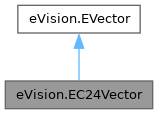
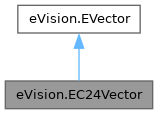
Vector objects are used to store 1-dimensional data. More...
Public Member Functions | |
| None | __init__ (self) |
| Constructs a vector. | |
| None | __init__ (self, int maxNumberOfElements) |
| Constructs a vector. | |
| None | __init__ (self, eVision.EC24Vector other) |
| Constructs a vector. | |
| None | AddElement (self, eVision.EC24 element) |
| Appends (adds at the tail) an element to the vector. | |
| eVision.EC24 | GetElement (self, int index) |
| Returns the vector element at the given index. | |
| None | SetElement (self, int index, eVision.EC24 value) |
| Modifies the vector element at the given index by the given value. | |
| None | SetYRange (self, int n32YMin, int un32YMax) |
| None | SetYRange (self, int n32YMin) |
| None | SetYRange (self) |
| None | Draw (self, eVision.EDrawAdapter|None graphicContext, float width, float height) |
| Draws a plot of the vector element values. | |
| None | Draw (self, eVision.EDrawAdapter|None graphicContext, float width, float height, float originX, float originY) |
| Draws a plot of the vector element values. | |
| None | Draw (self, eVision.EDrawAdapter|None graphicContext, float width, float height, float originX, float originY, eVision.ERGBColor color0, eVision.ERGBColor color1, eVision.ERGBColor color2) |
| Draws a plot of the vector element values. | |
| None | Draw (self, eVision.EDrawAdapter|None graphicContext, float width, float height, eVision.ERGBColor color0, eVision.ERGBColor color1, eVision.ERGBColor color2) |
| Draws a plot of the vector element values. | |
| eVision.EC24 | IndexOperator_Getter (self, int index) |
| None | IndexOperator_Setter (self, int index, eVision.EC24 value) |
| ctypes.c_void_p | RawDataPtr (self) |
| Pointer to the vector data. | |
| Public Member Functions inherited from eVision.EVector | |
| None | Empty (self) |
| Resets the number of elements to 0. | |
| None | RemoveElement (self, int index) |
| Removes the element at the specified position. | |
| None | Save (self, str path) |
| Saves the eVision.EVector object with all its attributes. | |
| None | Save (self, eVision.ESerializer|None serializer) |
| Saves the eVision.EVector object with all its attributes. | |
| None | Save (self, str path, int un32Version) |
| Saves the eVision.EVector object with all its attributes. | |
| None | Save (self, eVision.ESerializer|None serializer, int un32Version) |
| Saves the eVision.EVector object with all its attributes. | |
| None | Load (self, str path) |
| Loads the eVision.EVector object with all its attributes. | |
| None | Load (self, eVision.ESerializer|None serializer) |
| Loads the eVision.EVector object with all its attributes. | |
| None | Load (self, str path, int un32Version) |
| Loads the eVision.EVector object with all its attributes. | |
| None | Load (self, eVision.ESerializer|None serializer, int un32Version) |
| Loads the eVision.EVector object with all its attributes. | |
| int | NumElements (self) |
| Number of elements in the vector. | |
| NumElements (self, int value) | |
| Number of elements in the vector. | |
Vector objects are used to store 1-dimensional data.
Remarks:
Using vectors is very similar to using 1-dimensional arrays, except that the size can vary at runtime. Memory allocation is handled internally.
License(s): BasicTypes
| None eVision.EC24Vector.__init__ | ( | self | ) |
Constructs a vector.
| None eVision.EC24Vector.__init__ | ( | self, | |
| int | maxNumberOfElements ) |
Constructs a vector.
| maxNumberOfElements | Optionally, memory can be pre-allocated to accommodate a given number of elements. |
| None eVision.EC24Vector.__init__ | ( | self, | |
| eVision.EC24Vector | other ) |
Constructs a vector.
| other | eVision.EC24Vector object to be copied |
| None eVision.EC24Vector.AddElement | ( | self, | |
| eVision.EC24 | element ) |
Appends (adds at the tail) an element to the vector.
| element | The element to be added. |
| None eVision.EC24Vector.Draw | ( | self, | |
| eVision.EDrawAdapter | None | graphicContext, | ||
| float | width, | ||
| float | height ) |
Draws a plot of the vector element values.
Remarks:
A vector is able to draw itself in a window. The vector plots the element values as a function of the element indices. The drawing appears on a neutral background.
In the special case of the eVision.EC24Vector, three curves are drawn instead of one, each corresponding to a color component. Three pen objects must be provided to draw the curves with appropriate attributes.
| graphicContext | Handle of the device context on which to draw. |
| width | Outermost horizontal size, in pixels. |
| height | Outermost vertical size, in pixels. |
| None eVision.EC24Vector.Draw | ( | self, | |
| eVision.EDrawAdapter | None | graphicContext, | ||
| float | width, | ||
| float | height, | ||
| eVision.ERGBColor | color0, | ||
| eVision.ERGBColor | color1, | ||
| eVision.ERGBColor | color2 ) |
Draws a plot of the vector element values.
Remarks:
A vector is able to draw itself in a window. The vector plots the element values as a function of the element indices. The drawing appears on a neutral background.
In the special case of the eVision.EC24Vector, three curves are drawn instead of one, each corresponding to a color component. Three pen objects must be provided to draw the curves with appropriate attributes.
| graphicContext | Handle of the device context on which to draw. |
| width | Outermost horizontal size, in pixels. |
| height | Outermost vertical size, in pixels. |
| color0 | The color to be used when drawing the curve of the first color component of the vector, as an RGB color. By default, the current pen is used to draw the curve. |
| color1 | The color to be used when drawing the curve of the second color component of the vector, as an RGB color. By default, the current pen is used to draw the curve. |
| color2 | The color to be used when drawing the curve of the third color component of the vector, as an RGB color. By default, the current pen is used to draw the curve. |
| None eVision.EC24Vector.Draw | ( | self, | |
| eVision.EDrawAdapter | None | graphicContext, | ||
| float | width, | ||
| float | height, | ||
| float | originX, | ||
| float | originY ) |
Draws a plot of the vector element values.
Remarks:
A vector is able to draw itself in a window. The vector plots the element values as a function of the element indices. The drawing appears on a neutral background.
In the special case of the eVision.EC24Vector, three curves are drawn instead of one, each corresponding to a color component. Three pen objects must be provided to draw the curves with appropriate attributes.
| graphicContext | Handle of the device context on which to draw. |
| width | Outermost horizontal size, in pixels. |
| height | Outermost vertical size, in pixels. |
| originX | Abscissa of the upper left corner of the plot's bounding rectangle, in pixels. By default, the upper left corner of the window is used. |
| originY | Ordinate of the upper left corner of the plot's bounding rectangle, in pixels. By default, the upper left corner of the window is used. |
| None eVision.EC24Vector.Draw | ( | self, | |
| eVision.EDrawAdapter | None | graphicContext, | ||
| float | width, | ||
| float | height, | ||
| float | originX, | ||
| float | originY, | ||
| eVision.ERGBColor | color0, | ||
| eVision.ERGBColor | color1, | ||
| eVision.ERGBColor | color2 ) |
Draws a plot of the vector element values.
Remarks:
A vector is able to draw itself in a window. The vector plots the element values as a function of the element indices. The drawing appears on a neutral background.
In the special case of the eVision.EC24Vector, three curves are drawn instead of one, each corresponding to a color component. Three pen objects must be provided to draw the curves with appropriate attributes.
| graphicContext | Handle of the device context on which to draw. |
| width | Outermost horizontal size, in pixels. |
| height | Outermost vertical size, in pixels. |
| originX | Abscissa of the upper left corner of the plot's bounding rectangle, in pixels. By default, the upper left corner of the window is used. |
| originY | Ordinate of the upper left corner of the plot's bounding rectangle, in pixels. By default, the upper left corner of the window is used. |
| color0 | The color to be used when drawing the curve of the first color component of the vector, as an RGB color. By default, the current pen is used to draw the curve. |
| color1 | The color to be used when drawing the curve of the second color component of the vector, as an RGB color. By default, the current pen is used to draw the curve. |
| color2 | The color to be used when drawing the curve of the third color component of the vector, as an RGB color. By default, the current pen is used to draw the curve. |
| eVision.EC24 eVision.EC24Vector.GetElement | ( | self, | |
| int | index ) |
Returns the vector element at the given index.
Remarks:
If the given index is outside the bounds of the vector, the error code eVision.EError.Parameter1OutOfRange is set.
| index | Index, between 0 and eVision.EVector.NumElements (excluded) of the element to be accessed. |
| eVision.EC24 eVision.EC24Vector.IndexOperator_Getter | ( | self, | |
| int | index ) |
| None eVision.EC24Vector.IndexOperator_Setter | ( | self, | |
| int | index, | ||
| eVision.EC24 | value ) |
| ctypes.c_void_p eVision.EC24Vector.RawDataPtr | ( | self | ) |
Pointer to the vector data.
| None eVision.EC24Vector.SetElement | ( | self, | |
| int | index, | ||
| eVision.EC24 | value ) |
Modifies the vector element at the given index by the given value.
Remarks:
If the given index is outside the bounds of the vector, the error code eVision.EError.Parameter1OutOfRange is set.
| index | Index, between 0 and eVision.EVector.NumElements (excluded), of the element to be modified. |
| value | The new value for the element. |
| None eVision.EC24Vector.SetYRange | ( | self | ) |
| None eVision.EC24Vector.SetYRange | ( | self, | |
| int | n32YMin ) |
| None eVision.EC24Vector.SetYRange | ( | self, | |
| int | n32YMin, | ||
| int | un32YMax ) |
 1.17.0