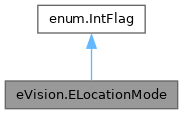
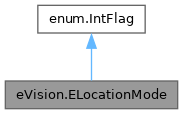
Allowed values for the kind of pre-processing to be applied to the sample image in EasyOCV.
More...
|
| int | Raw = 0 |
| | The raw gray-level image is used to locate the characters.
|
| int | Binarized = 1 |
| | The gray-level image is thresholded before location, thus enhancing contrast between the characters and the foreground.
|
| int | Gradient = 2 |
| | The gradient (edge-detection) of the image is operated on.
|
| int | Laplacian = 3 |
| | The Laplacian of the image is operated on.
|
Allowed values for the kind of pre-processing to be applied to the sample image in EasyOCV.
Remarks:
Experience reveals that the best location reliability is achieved by the eVision.ELocationMode.Binarized and eVision.ELocationMode.Gradient modes. Additionally, the eVision.ELocationMode.Gradient mode is not sensitive to the choice of a threshold level. Use of the eVision.ELocationMode.Laplacian mode is not recommended.
- Deprecated
- Deprecated in version 23.12. Scheduled to be removed in version 27.6.
◆ Binarized
| int eVision.ELocationMode.Binarized = 1 |
|
static |
The gray-level image is thresholded before location, thus enhancing contrast between the characters and the foreground.
◆ Gradient
| int eVision.ELocationMode.Gradient = 2 |
|
static |
The gradient (edge-detection) of the image is operated on.
◆ Laplacian
| int eVision.ELocationMode.Laplacian = 3 |
|
static |
The Laplacian of the image is operated on.
◆ Raw
| int eVision.ELocationMode.Raw = 0 |
|
static |
The raw gray-level image is used to locate the characters.

 1.17.0