 |
eVision .NET API
|
|
eVision .NET API
|
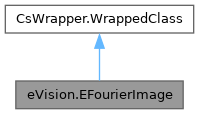
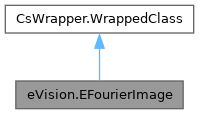
The EFourierImage class is used to represent rectangular regions of interest inside EBW32f gray-level images. See ROIs. More...
Public Member Functions | |
| EFourierImage () | |
| Constructs a EFourierImage image. | |
| EFourierImage (eVision.EFrequentialDomainFormat domainFormat) | |
| Constructs a EFourierImage image. | |
| EFourierImage (eVision.EFrequentialDomainFormat domainFormat, int width, int height) | |
| Constructs a EFourierImage image. | |
| EFourierImage (eVision.EFrequentialDomainFormat domainFormat, int width, int height, eVision.EBW32f constant) | |
| Constructs a EFourierImage image. | |
| EFourierImage (eVision.EFourierImage other) | |
| Constructs a EFourierImage image. | |
| void | InitializeFromUnalignedBuffer (int width, int height, IntPtr buffer, int pitch) |
| Initializes image from an unaligned buffer. | |
| void | InitializeFromUnalignedBuffer (int width, int height, IntPtr buffer) |
| Initializes image from an unaligned buffer. | |
| void | ComputeMagnitude (eVision.EImageBW8 dest) |
| Computes and outputs the magnitude of each pixel into a new image. A normalization is applied when outputting a EImageBW8 image so that every magnitude values lies inside the [0; 255] range. This is useful when visualizing. | |
| void | ComputeMagnitude (eVision.EImageBW32f dest) |
| Computes and outputs the magnitude of each pixel into a new image. A normalization is applied when outputting a EImageBW8 image so that every magnitude values lies inside the [0; 255] range. This is useful when visualizing. | |
| void | ComputePhase (eVision.EImageBW8 dest) |
| Computes and outputs the phase of each pixel into a new image. A normalization is applied when outputting into a EImageBW8 image so that every magnitude values lie inside the [0; 255] range. This is useful when visualizing. | |
| void | ComputePhase (eVision.EImageBW32f dest) |
| Computes and outputs the phase of each pixel into a new image. A normalization is applied when outputting into a EImageBW8 image so that every magnitude values lie inside the [0; 255] range. This is useful when visualizing. | |
| void | Shift () |
| Rearranges this Fourier transform by shifting the zero-frequency component to the center of the image. Shift and InverseShift can only be applied on an EFourierImage when its format is EFrequentialDomainFormat_ComplexExtended. This method will throw an exception if it's not the case. Will throw an exception if the method is applied on an image that has already been shifted first with EFourierImage.Shift. | |
| void | Shift (eVision.EFourierImage dest) |
| Rearranges this Fourier transform by shifting the zero-frequency component to the center of the image. Shift and InverseShift can only be applied on an EFourierImage when its format is EFrequentialDomainFormat_ComplexExtended. This method will throw an exception if it's not the case. Will throw an exception if the method is applied on an image that has already been shifted first with EFourierImage.Shift. | |
| void | Mask (eVision.EFourierImage dest, eVision.ERegion mask) |
| Applies a mask, an element wise multiplication between pixel values of the mask (represented as a grayscale image) with the complex number of the fourier image. When using a region as a mask, element of this fourier image contained in the region coordinates will be nullified. | |
| void | Mask (eVision.EFourierImage dest, eVision.EImageBW8 region) |
| Applies a mask, an element wise multiplication between pixel values of the mask (represented as a grayscale image) with the complex number of the fourier image. When using a region as a mask, element of this fourier image contained in the region coordinates will be nullified. | |
| void | InverseShift () |
| Inverses rearrangement of EFourierImage.Shift. Shift and InverseShift can only be applied on an EFourierImage when its format is EFrequentialDomainFormat_ComplexExtended. Will throw an exception if it's not the case. Will throw an exception if the method is applied on an image that hasn't been shifted first with EFourierImage.Shift. | |
| void | InverseShift (eVision.EFourierImage dest) |
| Inverses rearrangement of EFourierImage.Shift. Shift and InverseShift can only be applied on an EFourierImage when its format is EFrequentialDomainFormat_ComplexExtended. Will throw an exception if it's not the case. Will throw an exception if the method is applied on an image that hasn't been shifted first with EFourierImage.Shift. | |
| void | ExtractReal (eVision.EImageBW32f dest) |
| Extract the real components. When the frequential domain format is extended, this is equivalent to extract all columns whose indices are even. If the format is EFrequentialDomainFormat_Packed, an implicit conversion to the extended format is applied before extracting. | |
| void | ExtractImaginary (eVision.EImageBW32f dest) |
| Extract the imaginary components. When the frequential domain format is extended, this is equivalent to extract all columns whose indices are odd. If the format is EFrequentialDomainFormat_Packed, an implicit conversion to the extended format is applied before extracting. | |
| IntPtr | GetImagePtr () |
| Returns a pointer to the pixel buffer. | |
| void | Save (string path) |
| Save the EFourierImage object to the given file. Object is saved using the Euresys proprietary file format. | |
| void | Save (eVision.ESerializer serializer) |
| Save the EFourierImage object to the given file. Object is saved using the Euresys proprietary file format. | |
| void | Load (string path) |
| Load the EFourierImage object from the given file. Object is loaded assuming the file is in Euresys proprietary format. | |
| void | Load (eVision.ESerializer serializer) |
| Load the EFourierImage object from the given file. Object is loaded assuming the file is in Euresys proprietary format. | |
| void | SaveImage (string path) |
| Saves the content of this complex image to a Tiff file. | |
| void | Load (string path, eVision.EFrequentialDomainFormat domainFormat) |
| Restores an image stored in the given file. | |
| void | SetImagePtr (int width, int height, IntPtr imagePointer, eVision.EFrequentialDomainFormat domainFormat, int bitsPerRow) |
| Sets the pointer to an externally allocated image buffer. | |
| void | SetImagePtr (int width, int height, IntPtr imagePointer, eVision.EFrequentialDomainFormat domainFormat) |
| Sets the pointer to an externally allocated image buffer. | |
| void | UseExternalBuffer (int width, int height, IntPtr buffer, eVision.EFrequentialDomainFormat domainFormat, int rowPitch) |
| Sets the pointer to an externally allocated image buffer. | |
| void | SetSize (int width, int height) |
| Sets the width and height. | |
| bool | IsVoid () |
| Tests whether if the topmost parent image of this hierarchy has a zero size. | |
| void | CopyTo (eVision.EFourierImage other) |
| Copies all the data of the current EFourierImage object into another EFourierImage object. | |
Static Public Member Functions | |
| static void | ShiftMask (eVision.ERegion region, eVision.ERegion shiftedRegion, int regionWidth, int regionHeight) |
| Shifts the mask that can be a region or a grayscale image. This method can be used in case EFourierImage.Mask is applied on a previously shifted frequency image, and if the mask isn't centered properly. | |
| static void | ShiftMask (eVision.EImageBW8 mask, eVision.EImageBW8 shiftedMask) |
| Shifts the mask that can be a region or a grayscale image. This method can be used in case EFourierImage.Mask is applied on a previously shifted frequency image, and if the mask isn't centered properly. | |
Properties | |
| eVision.EFrequentialDomainFormat | FrequentialDomainFormat [get] |
| Returns the frequential domain format. | |
| bool | IsShifted [set] |
| Sets whether the image has been shifted by EFourierImage.Shift. | |
| int | RowPitch [get] |
| Gets the pitch of a row (the number of bytes between two vertically adjacent pixels). | |
| int | ColPitch [get] |
| Gets the pitch of a column (number of bytes between two horizontally adjacent pixels). | |
| int | Width [get] |
| Gets the width of the underlying image. | |
| int | Height [get] |
| Gets the height of the underlying image. | |
| uint | BitsPerPixel [get] |
| Gets the number of storage bits per pixel. | |
| uint | PlanesPerPixel [get] |
| Gets the number of color components in each pixel of the image. | |
| eVision.EImageType | Type [get] |
| Gets the image pixel type, as defined by the EImageType enumeration. | |
The EFourierImage class is used to represent rectangular regions of interest inside EBW32f gray-level images. See ROIs.
License(s): BasicTypes
| eVision.EFourierImage.EFourierImage | ( | ) |
Constructs a EFourierImage image.
The constructor with no arguments creates a zero-sized image. You can modify the image size by calling EBaseROI.SetSize method.
The sizing constructor constructs an image of the given size. See EBaseROI.SetSize for informations about the sizing restrictions.
The copy constructor copies all the supplied image properties (content, attributes, sub-ROIs...) into the current object. Note that if you used EFourierImage.UseExternalBuffer to assign an external buffer to the image, that buffer will not be copied, the resulting image will just point to the same buffer as the original.
| eVision.EFourierImage.EFourierImage | ( | eVision.EFrequentialDomainFormat | domainFormat | ) |
Constructs a EFourierImage image.
| domainFormat | The EFrequentialDomainFormat of the EFourierImage. |
The constructor with no arguments creates a zero-sized image. You can modify the image size by calling EBaseROI.SetSize method.
The sizing constructor constructs an image of the given size. See EBaseROI.SetSize for informations about the sizing restrictions.
The copy constructor copies all the supplied image properties (content, attributes, sub-ROIs...) into the current object. Note that if you used EFourierImage.UseExternalBuffer to assign an external buffer to the image, that buffer will not be copied, the resulting image will just point to the same buffer as the original.
| eVision.EFourierImage.EFourierImage | ( | eVision.EFrequentialDomainFormat | domainFormat, |
| int | width, | ||
| int | height ) |
Constructs a EFourierImage image.
| domainFormat | The EFrequentialDomainFormat of the EFourierImage. |
| width | The width, in pixels. |
| height | The height, in pixels. |
The constructor with no arguments creates a zero-sized image. You can modify the image size by calling EBaseROI.SetSize method.
The sizing constructor constructs an image of the given size. See EBaseROI.SetSize for informations about the sizing restrictions.
The copy constructor copies all the supplied image properties (content, attributes, sub-ROIs...) into the current object. Note that if you used EFourierImage.UseExternalBuffer to assign an external buffer to the image, that buffer will not be copied, the resulting image will just point to the same buffer as the original.
| eVision.EFourierImage.EFourierImage | ( | eVision.EFrequentialDomainFormat | domainFormat, |
| int | width, | ||
| int | height, | ||
| eVision.EBW32f | constant ) |
Constructs a EFourierImage image.
| domainFormat | The EFrequentialDomainFormat of the EFourierImage. |
| width | The width, in pixels. |
| height | The height, in pixels. |
| constant | Gray-level constant. |
The constructor with no arguments creates a zero-sized image. You can modify the image size by calling EBaseROI.SetSize method.
The sizing constructor constructs an image of the given size. See EBaseROI.SetSize for informations about the sizing restrictions.
The copy constructor copies all the supplied image properties (content, attributes, sub-ROIs...) into the current object. Note that if you used EFourierImage.UseExternalBuffer to assign an external buffer to the image, that buffer will not be copied, the resulting image will just point to the same buffer as the original.
| eVision.EFourierImage.EFourierImage | ( | eVision.EFourierImage | other | ) |
Constructs a EFourierImage image.
| other | Another EFourierImage object. |
The constructor with no arguments creates a zero-sized image. You can modify the image size by calling EBaseROI.SetSize method.
The sizing constructor constructs an image of the given size. See EBaseROI.SetSize for informations about the sizing restrictions.
The copy constructor copies all the supplied image properties (content, attributes, sub-ROIs...) into the current object. Note that if you used EFourierImage.UseExternalBuffer to assign an external buffer to the image, that buffer will not be copied, the resulting image will just point to the same buffer as the original.
| void eVision.EFourierImage.ComputeMagnitude | ( | eVision.EImageBW32f | dest | ) |
Computes and outputs the magnitude of each pixel into a new image. A normalization is applied when outputting a EImageBW8 image so that every magnitude values lies inside the [0; 255] range. This is useful when visualizing.
| dest | The image that will contain the magnitude. |
| void eVision.EFourierImage.ComputeMagnitude | ( | eVision.EImageBW8 | dest | ) |
Computes and outputs the magnitude of each pixel into a new image. A normalization is applied when outputting a EImageBW8 image so that every magnitude values lies inside the [0; 255] range. This is useful when visualizing.
| dest | The image that will contain the magnitude. |
| void eVision.EFourierImage.ComputePhase | ( | eVision.EImageBW32f | dest | ) |
Computes and outputs the phase of each pixel into a new image. A normalization is applied when outputting into a EImageBW8 image so that every magnitude values lie inside the [0; 255] range. This is useful when visualizing.
| dest | The image that will contain the phase. |
| void eVision.EFourierImage.ComputePhase | ( | eVision.EImageBW8 | dest | ) |
Computes and outputs the phase of each pixel into a new image. A normalization is applied when outputting into a EImageBW8 image so that every magnitude values lie inside the [0; 255] range. This is useful when visualizing.
| dest | The image that will contain the phase. |
| void eVision.EFourierImage.CopyTo | ( | eVision.EFourierImage | other | ) |
Copies all the data of the current EFourierImage object into another EFourierImage object.
| other | An EFourierImage object in which the current EFourierImage object data have to be copied. |
| void eVision.EFourierImage.ExtractImaginary | ( | eVision.EImageBW32f | dest | ) |
Extract the imaginary components. When the frequential domain format is extended, this is equivalent to extract all columns whose indices are odd. If the format is EFrequentialDomainFormat_Packed, an implicit conversion to the extended format is applied before extracting.
| dest | Image contains the real components |
| void eVision.EFourierImage.ExtractReal | ( | eVision.EImageBW32f | dest | ) |
Extract the real components. When the frequential domain format is extended, this is equivalent to extract all columns whose indices are even. If the format is EFrequentialDomainFormat_Packed, an implicit conversion to the extended format is applied before extracting.
| dest | Image contains the real components |
| IntPtr eVision.EFourierImage.GetImagePtr | ( | ) |
Returns a pointer to the pixel buffer.
| void eVision.EFourierImage.InitializeFromUnalignedBuffer | ( | int | width, |
| int | height, | ||
| IntPtr | buffer ) |
Initializes image from an unaligned buffer.
| width | Width of the image in the buffer. |
| height | Height of the image in the buffer. |
| buffer | Address of the buffer. |
The image will be initialized to fit the width and height passed as arguments. The contents of the buffer will then be copied into the image. The buffer contents must be compatible with the pixel type of the image.
| void eVision.EFourierImage.InitializeFromUnalignedBuffer | ( | int | width, |
| int | height, | ||
| IntPtr | buffer, | ||
| int | pitch ) |
Initializes image from an unaligned buffer.
| width | Width of the image in the buffer. |
| height | Height of the image in the buffer. |
| buffer | Address of the buffer. |
| pitch | Pitch of the buffer (in bytes). If omitted, the method assumes there is no padding (the pitch is assumed be equal (width * sizeOfAPixel)) |
The image will be initialized to fit the width and height passed as arguments. The contents of the buffer will then be copied into the image. The buffer contents must be compatible with the pixel type of the image.
| void eVision.EFourierImage.InverseShift | ( | ) |
Inverses rearrangement of EFourierImage.Shift. Shift and InverseShift can only be applied on an EFourierImage when its format is EFrequentialDomainFormat_ComplexExtended. Will throw an exception if it's not the case. Will throw an exception if the method is applied on an image that hasn't been shifted first with EFourierImage.Shift.
When not referencing an image, the method is applied in-place.
| void eVision.EFourierImage.InverseShift | ( | eVision.EFourierImage | dest | ) |
Inverses rearrangement of EFourierImage.Shift. Shift and InverseShift can only be applied on an EFourierImage when its format is EFrequentialDomainFormat_ComplexExtended. Will throw an exception if it's not the case. Will throw an exception if the method is applied on an image that hasn't been shifted first with EFourierImage.Shift.
| dest | The image that will contain the shifted image. |
When not referencing an image, the method is applied in-place.
| bool eVision.EFourierImage.IsVoid | ( | ) |
Tests whether if the topmost parent image of this hierarchy has a zero size.
| void eVision.EFourierImage.Load | ( | eVision.ESerializer | serializer | ) |
Load the EFourierImage object from the given file. Object is loaded assuming the file is in Euresys proprietary format.
| serializer | The ESerializer file-like object that is read from. |
| void eVision.EFourierImage.Load | ( | string | path | ) |
Load the EFourierImage object from the given file. Object is loaded assuming the file is in Euresys proprietary format.
| path | The full path of the file to be loaded. |
| void eVision.EFourierImage.Load | ( | string | path, |
| eVision.EFrequentialDomainFormat | domainFormat ) |
Restores an image stored in the given file.
| path | Full path of the file. |
| domainFormat | Frequential domain format of the loaded image. |
| void eVision.EFourierImage.Mask | ( | eVision.EFourierImage | dest, |
| eVision.EImageBW8 | region ) |
Applies a mask, an element wise multiplication between pixel values of the mask (represented as a grayscale image) with the complex number of the fourier image. When using a region as a mask, element of this fourier image contained in the region coordinates will be nullified.
| dest | Masked frequency image. |
| region | Region to use as a mask. |
The mask is expected to have the same dimension as the spatial image used to compute this fourier transform result. The masking of a packed EFourierImage and the masking of a complex extended EFourierImage computed from the direct fourier transform of the same image yield an equivalent EFourierImage only if:
| void eVision.EFourierImage.Mask | ( | eVision.EFourierImage | dest, |
| eVision.ERegion | mask ) |
Applies a mask, an element wise multiplication between pixel values of the mask (represented as a grayscale image) with the complex number of the fourier image. When using a region as a mask, element of this fourier image contained in the region coordinates will be nullified.
| dest | Masked frequency image. |
| mask | Grayscale image to use as a mask. |
The mask is expected to have the same dimension as the spatial image used to compute this fourier transform result. The masking of a packed EFourierImage and the masking of a complex extended EFourierImage computed from the direct fourier transform of the same image yield an equivalent EFourierImage only if:
| void eVision.EFourierImage.Save | ( | eVision.ESerializer | serializer | ) |
Save the EFourierImage object to the given file. Object is saved using the Euresys proprietary file format.
| serializer | The ESerializer file-like object that is written to. |
| void eVision.EFourierImage.Save | ( | string | path | ) |
Save the EFourierImage object to the given file. Object is saved using the Euresys proprietary file format.
| path | The full path of the destination file. |
| void eVision.EFourierImage.SaveImage | ( | string | path | ) |
Saves the content of this complex image to a Tiff file.
| path | Path to the file to save to. |
| void eVision.EFourierImage.SetImagePtr | ( | int | width, |
| int | height, | ||
| IntPtr | imagePointer, | ||
| eVision.EFrequentialDomainFormat | domainFormat ) |
Sets the pointer to an externally allocated image buffer.
| width | The width of the supplied buffer, in pixels. |
| height | The height of the supplied buffer, in pixels. |
| imagePointer | The pointer (aligned on 4 bytes) to the buffer, which must be large enough to hold the image. |
| domainFormat | Frequential domain format of the loaded image. |
Use EFourierImage.UseExternalBuffer instead.
Deprecated in version 26.2. Scheduled to be removed in version 27.6.
| void eVision.EFourierImage.SetImagePtr | ( | int | width, |
| int | height, | ||
| IntPtr | imagePointer, | ||
| eVision.EFrequentialDomainFormat | domainFormat, | ||
| int | bitsPerRow ) |
Sets the pointer to an externally allocated image buffer.
| width | The width of the supplied buffer, in pixels. |
| height | The height of the supplied buffer, in pixels. |
| imagePointer | The pointer (aligned on 4 bytes) to the buffer, which must be large enough to hold the image. |
| domainFormat | Frequential domain format of the loaded image. |
| bitsPerRow | The total number of bits contained in a row, padding included. Using the value 0 (default) means that this size is computed from the buffer width and the pixel size plus a padding with the smallest possible value that leads to a multiple of 4 bytes (32 bits), which is the minimum padding accepted by EFourierImage.UseExternalBuffer. |
Use EFourierImage.UseExternalBuffer instead.
Deprecated in version 26.2. Scheduled to be removed in version 27.6.
| void eVision.EFourierImage.SetSize | ( | int | width, |
| int | height ) |
Sets the width and height.
| width | The new requested image width. |
| height | The new requested image height. |
| void eVision.EFourierImage.Shift | ( | ) |
Rearranges this Fourier transform by shifting the zero-frequency component to the center of the image. Shift and InverseShift can only be applied on an EFourierImage when its format is EFrequentialDomainFormat_ComplexExtended. This method will throw an exception if it's not the case. Will throw an exception if the method is applied on an image that has already been shifted first with EFourierImage.Shift.
When using the no-argument overload, the method is applied in-place.
| void eVision.EFourierImage.Shift | ( | eVision.EFourierImage | dest | ) |
Rearranges this Fourier transform by shifting the zero-frequency component to the center of the image. Shift and InverseShift can only be applied on an EFourierImage when its format is EFrequentialDomainFormat_ComplexExtended. This method will throw an exception if it's not the case. Will throw an exception if the method is applied on an image that has already been shifted first with EFourierImage.Shift.
| dest | The image that will contain the shifted image. |
When using the no-argument overload, the method is applied in-place.
|
static |
Shifts the mask that can be a region or a grayscale image. This method can be used in case EFourierImage.Mask is applied on a previously shifted frequency image, and if the mask isn't centered properly.
| mask | Grayscale image to use as a mask. |
| shiftedMask | Shifted grayscale mask. |
|
static |
Shifts the mask that can be a region or a grayscale image. This method can be used in case EFourierImage.Mask is applied on a previously shifted frequency image, and if the mask isn't centered properly.
| region | Region to use as a mask. |
| shiftedRegion | Shifted region. |
| regionWidth | Width of the region. |
| regionHeight | Height of the region. |
| void eVision.EFourierImage.UseExternalBuffer | ( | int | width, |
| int | height, | ||
| IntPtr | buffer, | ||
| eVision.EFrequentialDomainFormat | domainFormat, | ||
| int | rowPitch ) |
Sets the pointer to an externally allocated image buffer.
| width | The width of the supplied buffer, in pixels. |
| height | The height of the supplied buffer, in pixels. |
| buffer | The pointer (aligned on 4 bytes) to the buffer, which must be large enough to hold the image. |
| domainFormat | Frequential domain format of the loaded image. |
| rowPitch | The total number of bytes contained in a row, padding included. |
|
get |
Gets the number of storage bits per pixel.
|
get |
Gets the pitch of a column (number of bytes between two horizontally adjacent pixels).
|
get |
Returns the frequential domain format.
|
get |
Gets the height of the underlying image.
|
set |
Sets whether the image has been shifted by EFourierImage.Shift.
|
get |
Gets the number of color components in each pixel of the image.
|
get |
Gets the pitch of a row (the number of bytes between two vertically adjacent pixels).
|
get |
Gets the image pixel type, as defined by the EImageType enumeration.
|
get |
Gets the width of the underlying image.
 1.17.0