 |
eVision .NET API
|
|
eVision .NET API
|
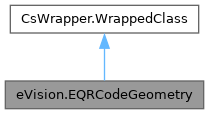
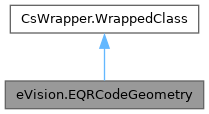
Represents the geometry of a QR code. More...
Public Member Functions | |
| EQRCodeGeometry () | |
| Constructs an EQRCodeGeometry.EQRCodeGeometry object. | |
| EQRCodeGeometry (eVision.EQRCodeGeometry other) | |
| Constructs an EQRCodeGeometry.EQRCodeGeometry object. | |
| EQRCodeGeometry (eVision.EQuadrangle position, eVision.EPoint[] finderPatternCenters) | |
| Constructs an EQRCodeGeometry.EQRCodeGeometry object. | |
| eVision.ERegion | ToRegion () |
| Creates an ERegion from the EQRCodeGeometry. | |
| void | Draw (eVision.EDrawAdapter drawAdapter, float zoomX, float zoomY, float panX, float panY) |
| Draws the QR code geometry. | |
| void | Draw (IntPtr hdc, float zoomX, float zoomY, float panX, float panY) |
| Draws the QR code geometry. | |
| void | DrawWithCurrentPen (IntPtr hDC, float zoomX, float zoomY, float panX, float panY) |
| Draws the QR code geometry using the pen currently set in the graphical context. | |
| void | Draw (System.Drawing.Graphics hdc, float zoomX, float zoomY, float panX, float panY) |
| Draws the QR code geometry. | |
Properties | |
| eVision.EQuadrangle | Position [get] |
| Position of the QR code returned as an EQuadrangle object. | |
| eVision.EPoint[] | FinderPatternCenters [get] |
| Finder patterns centers. | |
Represents the geometry of a QR code.
This geometry is composed of the position of the QR code and the finder pattern centers.
License(s): EasyQRCode
| eVision.EQRCodeGeometry.EQRCodeGeometry | ( | ) |
Constructs an EQRCodeGeometry.EQRCodeGeometry object.
In case of a Micro QR code (not yet supported), there must be only one finder pattern center. In case of another QR code, there must be three finder pattern centers, entered in the following order: top right, top left, bottom left.
The corners of the EQuadrangle must be entered in the following order : top right, top left, bottom left, bottom right.
| eVision.EQRCodeGeometry.EQRCodeGeometry | ( | eVision.EQRCodeGeometry | other | ) |
Constructs an EQRCodeGeometry.EQRCodeGeometry object.
| other | Another EQRCodeGeometry.EQRCodeGeometry. |
In case of a Micro QR code (not yet supported), there must be only one finder pattern center. In case of another QR code, there must be three finder pattern centers, entered in the following order: top right, top left, bottom left.
The corners of the EQuadrangle must be entered in the following order : top right, top left, bottom left, bottom right.
| eVision.EQRCodeGeometry.EQRCodeGeometry | ( | eVision.EQuadrangle | position, |
| eVision.EPoint[] | finderPatternCenters ) |
Constructs an EQRCodeGeometry.EQRCodeGeometry object.
| position | The position of the QR code represented as an EQuadrangle object. |
| finderPatternCenters | The vector of Finder Pattern centers. |
In case of a Micro QR code (not yet supported), there must be only one finder pattern center. In case of another QR code, there must be three finder pattern centers, entered in the following order: top right, top left, bottom left.
The corners of the EQuadrangle must be entered in the following order : top right, top left, bottom left, bottom right.
| void eVision.EQRCodeGeometry.Draw | ( | eVision.EDrawAdapter | drawAdapter, |
| float | zoomX, | ||
| float | zoomY, | ||
| float | panX, | ||
| float | panY ) |
Draws the QR code geometry.
| drawAdapter | Draw adapter. |
| zoomX | Horizontal zooming factor. |
| zoomY | Vertical zooming factor. |
| panX | Horizontal panning value expressed in pixels. |
| panY | Vertical panning value expressed in pixels. |
The zoomX, zoomY, panX and panY parameters can be used to scale and/or translate the drawing operations.
| void eVision.EQRCodeGeometry.Draw | ( | IntPtr | hdc, |
| float | zoomX, | ||
| float | zoomY, | ||
| float | panX, | ||
| float | panY ) |
Draws the QR code geometry.
| hdc | Graphics context. |
| zoomX | Horizontal zooming factor. |
| zoomY | Vertical zooming factor. |
| panX | Horizontal panning value expressed in pixels. |
| panY | Vertical panning value expressed in pixels. |
The zoomX, zoomY, panX and panY parameters can be used to scale and/or translate the drawing operations.
Use the overload taking an EDrawAdapter by using an instance of EWindowsDrawAdapter.
Deprecated in version 23.12. Scheduled to be removed in version 27.6.
| void eVision.EQRCodeGeometry.Draw | ( | System.Drawing.Graphics | hdc, |
| float | zoomX, | ||
| float | zoomY, | ||
| float | panX, | ||
| float | panY ) |
Draws the QR code geometry.
| hdc | Graphics context. |
| zoomX | Horizontal zooming factor. |
| zoomY | Vertical zooming factor. |
| panX | Horizontal panning value expressed in pixels. |
| panY | Vertical panning value expressed in pixels. |
The zoomX, zoomY, panX and panY parameters can be used to scale and/or translate the drawing operations.
Use the overload taking an EDrawAdapter by using an instance of EWindowsDrawAdapter.
Deprecated in version 23.12. Scheduled to be removed in version 27.6.
| void eVision.EQRCodeGeometry.DrawWithCurrentPen | ( | IntPtr | hDC, |
| float | zoomX, | ||
| float | zoomY, | ||
| float | panX, | ||
| float | panY ) |
Draws the QR code geometry using the pen currently set in the graphical context.
| hDC | Handle to the device context of the destination window. |
| zoomX | Horizontal zooming factor. |
| zoomY | Vertical zooming factor. |
| panX | Horizontal panning value expressed in pixels. |
| panY | Vertical panning value expressed in pixels. |
The zoomX, zoomY, panX and panY parameters can be used to scale and/or translate the drawing operations.
Use the overload of EQRCodeGeometry.Draw taking an EDrawAdapter by using an instance of EWindowsDrawAdapter.
Deprecated in version 23.12. Scheduled to be removed in version 27.6.
| eVision.ERegion eVision.EQRCodeGeometry.ToRegion | ( | ) |
Creates an ERegion from the EQRCodeGeometry.
|
get |
Finder patterns centers.
In case of a Micro QR code, there is only one finder pattern center. In case of another QR code, there are three finder pattern centers, returned in the following order: top right, top left, bottom left.
|
get |
Position of the QR code returned as an EQuadrangle object.
The EQuadrangle's corners are in the following order: top right, top left, bottom left, bottom right.
 1.17.0