 |
eVision .NET API
|
|
eVision .NET API
|
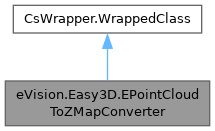
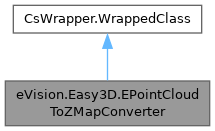
Computes an EZMap from an EPointCloud. The value of the pixels of the ZMap are the distance between the 3D points and the reference plane. All 3D points under the reference plane are discarded. Various options can be set with methods EPointCloudToZMapConverter.ReferencePlane, EPointCloudToZMapConverter.SetFillMode, EPointCloudToZMapConverter.SetMapXYResolution, EPointCloudToZMapConverter.MapZResolution, EPointCloudToZMapConverter.OrientationVector... When the conversion is called without defining specific parameters, the algorithm uses the following options: More...
Public Member Functions | |
| EPointCloudToZMapConverter () | |
| Creates an EPointCloudToZMapConverter object. | |
| EPointCloudToZMapConverter (eVision.Easy3D.EPointCloudToZMapConverter other) | |
| Creates an EPointCloudToZMapConverter object. | |
| void | Convert (eVision.Easy3D.EPointCloud cloud, eVision.Easy3D.EZMap8 zmap) |
| Computes an EZMap from a world space EPointCloud. The value of the pixels of the ZMap are the distance between the 3D points and the reference plane. Various options can be set with methods EPointCloudToZMapConverter.ReferencePlane, EPointCloudToZMapConverter.OrientationVector, EPointCloudToZMapConverter.SetMapSize, ... | |
| void | Convert (eVision.Easy3D.EPointCloud cloud, eVision.Easy3D.EZMap16 zmap) |
| Computes an EZMap from a world space EPointCloud. The value of the pixels of the ZMap are the distance between the 3D points and the reference plane. Various options can be set with methods EPointCloudToZMapConverter.ReferencePlane, EPointCloudToZMapConverter.OrientationVector, EPointCloudToZMapConverter.SetMapSize, ... | |
| void | Convert (eVision.Easy3D.EPointCloud cloud, eVision.Easy3D.EZMap32f zmap) |
| Computes an EZMap from a world space EPointCloud. The value of the pixels of the ZMap are the distance between the 3D points and the reference plane. Various options can be set with methods EPointCloudToZMapConverter.ReferencePlane, EPointCloudToZMapConverter.OrientationVector, EPointCloudToZMapConverter.SetMapSize, ... | |
| void | Convert (eVision.Easy3D.EPointCloud cloud, eVision.Easy3D.EZMap zmap) |
| Computes an EZMap from a world space EPointCloud. The value of the pixels of the ZMap are the distance between the 3D points and the reference plane. Various options can be set with methods EPointCloudToZMapConverter.ReferencePlane, EPointCloudToZMapConverter.OrientationVector, EPointCloudToZMapConverter.SetMapSize, ... | |
| void | UnsetWorldToZMapTransform () |
| Disables the explicit world to ZMap transformation, set with EPointCloudToZMapConverter.WorldToZMapTransform. | |
| void | UnsetOrigin () |
| Lets the conversion process decides for the EZMap origin position (based on projected point cloud on the reference plane). | |
| bool | IsOriginSet () |
| Gets whether the Origin of the ZMap is set or not. Use EPointCloudToZMapConverter.Origin to enable and choose the ZMap origin. | |
| void | EnableFillMode (bool state) |
| Enables or disables fill mode. Fill mode parameters are defined by method EPointCloudToZMapConverter.SetFillMode or EPointCloudToZMapConverter.SetFillModeMedian. | |
| void | EnableFillMode () |
| Enables or disables fill mode. Fill mode parameters are defined by method EPointCloudToZMapConverter.SetFillMode or EPointCloudToZMapConverter.SetFillModeMedian. | |
| bool | IsFillModeEnabled () |
| Tells if the fill mode is enabled or not. | |
| bool | IsFillModeMedian () |
| Tells if the fill mode is in median mode or not, this value is not affected by EPointCloudToZMapConverter.EnableFillMode. Use EPointCloudToZMapConverter.EnableFillMode to toggle the fill mode and EPointCloudToZMapConverter.SetFillMode or EPointCloudToZMapConverter.SetFillModeMedian to set the filling parameters. | |
| void | SetFillMode (eVision.Easy3D.EFillUndefinedPixelsDirection direction, eVision.Easy3D.EFillUndefinedPixelsMethod method) |
| Inpainting options used to fill the "holes" in the EZMap. A hole exists when no 3D point is projected at that pixel position in the ZMap. | |
| void | SetFillModeMedian (uint halfOfKernelWidth, uint halfOfKernelHeight) |
| Inpainting options used to fill the "holes" in the EZMap using a median rectangular kernel of odd size. A hole exists when no 3D point is projected at that pixel position in the ZMap. | |
| void | SetFillModeMedian (uint halfOfKernelWidth) |
| Inpainting options used to fill the "holes" in the EZMap using a median rectangular kernel of odd size. A hole exists when no 3D point is projected at that pixel position in the ZMap. | |
| void | SetFillModeMedian () |
| Inpainting options used to fill the "holes" in the EZMap using a median rectangular kernel of odd size. A hole exists when no 3D point is projected at that pixel position in the ZMap. | |
| void | SetMapSize (int width, int height) |
| Sets the required size of the generated EZMap; expressed in number of pixels for width and height dimensions. | |
| void | UnsetMapSize () |
| Unsets the resolution. Lets the conversion decides for the optimum resolution, depending on the projected point cloud and pixel scale. | |
| void | SetMapXYResolution (float resolution) |
| Sets the resolution (possibly anisotropic) of the EZMap pixels along the X and Y axes, in world space units per pixel (e.g mm/pixel). | |
| void | SetMapXYResolution (float resolutionX, float resolutionY) |
| Sets the resolution (possibly anisotropic) of the EZMap pixels along the X and Y axes, in world space units per pixel (e.g mm/pixel). | |
| void | UnsetMapXYResolution () |
| Unsets the X and Y resolutions. Lets the conversion decide the optimal resolution, depending on the projected point cloud and EZMap size. | |
| void | UnsetMapZResolution () |
| Unsets the EPointCloudToZMapConverter.MapZResolution (as well as the EPointCloudToZMapConverter.MapZResolutionFailureHandler). Lets the conversion decide the optimal Z resolution. | |
| void | Load (string path) |
| Loads the converter configuration. The given ESerializer must have been created for reading. | |
| void | Load (eVision.ESerializer serializer) |
| Loads the converter configuration. The given ESerializer must have been created for reading. | |
| void | Save (string path) |
| Saves the converter configuration. The given ESerializer must have been created for writing. | |
| void | Save (eVision.ESerializer serializer) |
| Saves the converter configuration. The given ESerializer must have been created for writing. | |
Properties | |
| eVision.Easy3D.E3DTransformMatrix | WorldToZMapTransform [get, set] |
| Explicitly sets the world to ZMap transformation. | |
| eVision.Easy3D.E3DTransformMatrix | ZMaptoWorldTransform [get, set] |
| Explicitly sets the ZMap to World transformation. | |
| eVision.Easy3D.E3DPlane | ReferencePlane [get, set] |
| Gets the E3DPlane reference plane. | |
| eVision.Easy3D.EZMapReferencePlaneMode | ReferencePlaneMode [get, set] |
| Sets an axis aligned reference plane. | |
| eVision.Easy3D.E3DPoint | OrientationVector [get, set] |
| Sets an explicit orientation for the EZMap. | |
| eVision.Easy3D.EZMapOrientationVectorMode | OrientationVectorMode [get, set] |
| Chooses the EZMap orientation from a list of predefined axis, automatic mode or user defined vector. | |
| eVision.Easy3D.E3DPoint | Origin [get, set] |
| Chooses the EZMap origin. It is the 3D world position used as origin of the ZMap upper left pixel (0,0). | |
| uint | FillModeMedianHalfKernelX [get] |
| Returns the last halfKernelX set by EPointCloudToZMapConverter.SetFillModeMedian. | |
| uint | FillModeMedianHalfKernelY [get] |
| Returns the last halfKernelX set by EPointCloudToZMapConverter.SetFillModeMedian. | |
| eVision.Easy3D.EFillUndefinedPixelsDirection | FillUndefinedPixelsDirection [get] |
| Gets the undefined pixel fill direction (see EFillUndefinedPixelsDirection). | |
| eVision.Easy3D.EFillUndefinedPixelsMethod | FillUndefinedPixelsMethod [get] |
| Gets the undefined pixel fill method (see EFillUndefinedPixelsMethod). | |
| int | MapWidth [get] |
| Gets the required width (number of pixels) of the generated EZMap. | |
| int | MapHeight [get] |
| Gets the required height (number of pixels) of the generated EZMap. | |
| float | MapXResolution [get] |
| Gets the resolution of the EZMap pixels along the X axis. | |
| float | MapYResolution [get] |
| Gets the resolution of the EZMap pixels along the Y axis. | |
| float | MapZResolution [get, set] |
| Gets/Sets the EZMap Z resolution, in world space units per gray value. | |
| eVision.Easy3D.EZMapGeneratorZResolutionFailureHandler | MapZResolutionFailureHandler [get, set] |
| Gets/Sets the method to handle failures in EPointCloudToZMapConverter.Convert when the EZMap Z resolution is set explicitly (EPointCloudToZMapConverter.MapZResolution). | |
| float | Extension [get, set] |
| Gets the 3D point cloud extension. | |
Computes an EZMap from an EPointCloud. The value of the pixels of the ZMap are the distance between the 3D points and the reference plane. All 3D points under the reference plane are discarded. Various options can be set with methods EPointCloudToZMapConverter.ReferencePlane, EPointCloudToZMapConverter.SetFillMode, EPointCloudToZMapConverter.SetMapXYResolution, EPointCloudToZMapConverter.MapZResolution, EPointCloudToZMapConverter.OrientationVector... When the conversion is called without defining specific parameters, the algorithm uses the following options:
License(s): Easy3D
| eVision.Easy3D.EPointCloudToZMapConverter.EPointCloudToZMapConverter | ( | ) |
Creates an EPointCloudToZMapConverter object.
| eVision.Easy3D.EPointCloudToZMapConverter.EPointCloudToZMapConverter | ( | eVision.Easy3D.EPointCloudToZMapConverter | other | ) |
Creates an EPointCloudToZMapConverter object.
| other | Reference to the EPointCloudToZMapConverter object used for the initialization. |
| void eVision.Easy3D.EPointCloudToZMapConverter.Convert | ( | eVision.Easy3D.EPointCloud | cloud, |
| eVision.Easy3D.EZMap | zmap ) |
Computes an EZMap from a world space EPointCloud. The value of the pixels of the ZMap are the distance between the 3D points and the reference plane. Various options can be set with methods EPointCloudToZMapConverter.ReferencePlane, EPointCloudToZMapConverter.OrientationVector, EPointCloudToZMapConverter.SetMapSize, ...
| cloud | The input 3D point cloud. |
| zmap | The generated ZMap in 8, 16 or 32 bits format. |
| void eVision.Easy3D.EPointCloudToZMapConverter.Convert | ( | eVision.Easy3D.EPointCloud | cloud, |
| eVision.Easy3D.EZMap16 | zmap ) |
Computes an EZMap from a world space EPointCloud. The value of the pixels of the ZMap are the distance between the 3D points and the reference plane. Various options can be set with methods EPointCloudToZMapConverter.ReferencePlane, EPointCloudToZMapConverter.OrientationVector, EPointCloudToZMapConverter.SetMapSize, ...
| cloud | The input 3D point cloud. |
| zmap | The generated ZMap in 8, 16 or 32 bits format. |
| void eVision.Easy3D.EPointCloudToZMapConverter.Convert | ( | eVision.Easy3D.EPointCloud | cloud, |
| eVision.Easy3D.EZMap32f | zmap ) |
Computes an EZMap from a world space EPointCloud. The value of the pixels of the ZMap are the distance between the 3D points and the reference plane. Various options can be set with methods EPointCloudToZMapConverter.ReferencePlane, EPointCloudToZMapConverter.OrientationVector, EPointCloudToZMapConverter.SetMapSize, ...
| cloud | The input 3D point cloud. |
| zmap | The generated ZMap in 8, 16 or 32 bits format. |
| void eVision.Easy3D.EPointCloudToZMapConverter.Convert | ( | eVision.Easy3D.EPointCloud | cloud, |
| eVision.Easy3D.EZMap8 | zmap ) |
Computes an EZMap from a world space EPointCloud. The value of the pixels of the ZMap are the distance between the 3D points and the reference plane. Various options can be set with methods EPointCloudToZMapConverter.ReferencePlane, EPointCloudToZMapConverter.OrientationVector, EPointCloudToZMapConverter.SetMapSize, ...
| cloud | The input 3D point cloud. |
| zmap | The generated ZMap in 8, 16 or 32 bits format. |
| void eVision.Easy3D.EPointCloudToZMapConverter.EnableFillMode | ( | ) |
Enables or disables fill mode. Fill mode parameters are defined by method EPointCloudToZMapConverter.SetFillMode or EPointCloudToZMapConverter.SetFillModeMedian.
Fill mode is enabled by default. If fill mode is disable, undefined pixels may remain in the EZMap.
| void eVision.Easy3D.EPointCloudToZMapConverter.EnableFillMode | ( | bool | state | ) |
Enables or disables fill mode. Fill mode parameters are defined by method EPointCloudToZMapConverter.SetFillMode or EPointCloudToZMapConverter.SetFillModeMedian.
Fill mode is enabled by default. If fill mode is disable, undefined pixels may remain in the EZMap.
| state | Set to true to enable fill mode. |
| bool eVision.Easy3D.EPointCloudToZMapConverter.IsFillModeEnabled | ( | ) |
Tells if the fill mode is enabled or not.
Use EPointCloudToZMapConverter.EnableFillMode to toggle the fill mode and EPointCloudToZMapConverter.SetFillMode or EPointCloudToZMapConverter.SetFillModeMedian to set the filling parameters.
| bool eVision.Easy3D.EPointCloudToZMapConverter.IsFillModeMedian | ( | ) |
Tells if the fill mode is in median mode or not, this value is not affected by EPointCloudToZMapConverter.EnableFillMode. Use EPointCloudToZMapConverter.EnableFillMode to toggle the fill mode and EPointCloudToZMapConverter.SetFillMode or EPointCloudToZMapConverter.SetFillModeMedian to set the filling parameters.
| bool eVision.Easy3D.EPointCloudToZMapConverter.IsOriginSet | ( | ) |
Gets whether the Origin of the ZMap is set or not. Use EPointCloudToZMapConverter.Origin to enable and choose the ZMap origin.
| void eVision.Easy3D.EPointCloudToZMapConverter.Load | ( | eVision.ESerializer | serializer | ) |
Loads the converter configuration. The given ESerializer must have been created for reading.
| serializer | The serializer. |
| void eVision.Easy3D.EPointCloudToZMapConverter.Load | ( | string | path | ) |
Loads the converter configuration. The given ESerializer must have been created for reading.
| path | The file path. |
| void eVision.Easy3D.EPointCloudToZMapConverter.Save | ( | eVision.ESerializer | serializer | ) |
Saves the converter configuration. The given ESerializer must have been created for writing.
| serializer | Pointer to the ESerializer created for writing. |
| void eVision.Easy3D.EPointCloudToZMapConverter.Save | ( | string | path | ) |
Saves the converter configuration. The given ESerializer must have been created for writing.
| path | The file path. |
| void eVision.Easy3D.EPointCloudToZMapConverter.SetFillMode | ( | eVision.Easy3D.EFillUndefinedPixelsDirection | direction, |
| eVision.Easy3D.EFillUndefinedPixelsMethod | method ) |
Inpainting options used to fill the "holes" in the EZMap. A hole exists when no 3D point is projected at that pixel position in the ZMap.
| direction | Direction in which the undefined pixels are filled in a depthmap from EFillUndefinedPixelsDirection |
| method | Which values used to fill the undefined pixels in a depthmap from EFillUndefinedPixelsMethod |
| void eVision.Easy3D.EPointCloudToZMapConverter.SetFillModeMedian | ( | ) |
Inpainting options used to fill the "holes" in the EZMap using a median rectangular kernel of odd size. A hole exists when no 3D point is projected at that pixel position in the ZMap.
| void eVision.Easy3D.EPointCloudToZMapConverter.SetFillModeMedian | ( | uint | halfOfKernelWidth | ) |
Inpainting options used to fill the "holes" in the EZMap using a median rectangular kernel of odd size. A hole exists when no 3D point is projected at that pixel position in the ZMap.
| halfOfKernelWidth | Half of the box width minus one (by default, halfOfKernelWidth = 2). |
| void eVision.Easy3D.EPointCloudToZMapConverter.SetFillModeMedian | ( | uint | halfOfKernelWidth, |
| uint | halfOfKernelHeight ) |
Inpainting options used to fill the "holes" in the EZMap using a median rectangular kernel of odd size. A hole exists when no 3D point is projected at that pixel position in the ZMap.
| halfOfKernelWidth | Half of the box width minus one (by default, halfOfKernelWidth = 2). |
| halfOfKernelHeight | Half of the box height minus one (by default, same as halfOfKernelWidth). |
| void eVision.Easy3D.EPointCloudToZMapConverter.SetMapSize | ( | int | width, |
| int | height ) |
Sets the required size of the generated EZMap; expressed in number of pixels for width and height dimensions.
By default, the required size is not set.
| width | The required width for the Generated ZMap. |
| height | The required height for the Generated ZMap. |
| void eVision.Easy3D.EPointCloudToZMapConverter.SetMapXYResolution | ( | float | resolution | ) |
Sets the resolution (possibly anisotropic) of the EZMap pixels along the X and Y axes, in world space units per pixel (e.g mm/pixel).
The resolution is used to compute the ZMap size (width and height), depending on the projected point cloud on the reference plane.
| resolution | The resolution for the isotropic case. |
The isotropic scale, for X and Y axis is in metric world units.
| void eVision.Easy3D.EPointCloudToZMapConverter.SetMapXYResolution | ( | float | resolutionX, |
| float | resolutionY ) |
Sets the resolution (possibly anisotropic) of the EZMap pixels along the X and Y axes, in world space units per pixel (e.g mm/pixel).
The resolution is used to compute the ZMap size (width and height), depending on the projected point cloud on the reference plane.
| resolutionX | The resolution for the X axis. |
| resolutionY | The resolution for the Y axis. |
The isotropic scale, for X and Y axis is in metric world units.
| void eVision.Easy3D.EPointCloudToZMapConverter.UnsetMapSize | ( | ) |
Unsets the resolution. Lets the conversion decides for the optimum resolution, depending on the projected point cloud and pixel scale.
| void eVision.Easy3D.EPointCloudToZMapConverter.UnsetMapXYResolution | ( | ) |
Unsets the X and Y resolutions. Lets the conversion decide the optimal resolution, depending on the projected point cloud and EZMap size.
| void eVision.Easy3D.EPointCloudToZMapConverter.UnsetMapZResolution | ( | ) |
Unsets the EPointCloudToZMapConverter.MapZResolution (as well as the EPointCloudToZMapConverter.MapZResolutionFailureHandler). Lets the conversion decide the optimal Z resolution.
| void eVision.Easy3D.EPointCloudToZMapConverter.UnsetOrigin | ( | ) |
Lets the conversion process decides for the EZMap origin position (based on projected point cloud on the reference plane).
Use EPointCloudToZMapConverter.Origin to enable and choose the ZMap origin.
| void eVision.Easy3D.EPointCloudToZMapConverter.UnsetWorldToZMapTransform | ( | ) |
Disables the explicit world to ZMap transformation, set with EPointCloudToZMapConverter.WorldToZMapTransform.
|
getset |
Gets the 3D point cloud extension.
|
get |
Returns the last halfKernelX set by EPointCloudToZMapConverter.SetFillModeMedian.
|
get |
Returns the last halfKernelX set by EPointCloudToZMapConverter.SetFillModeMedian.
|
get |
Gets the undefined pixel fill direction (see EFillUndefinedPixelsDirection).
|
get |
Gets the undefined pixel fill method (see EFillUndefinedPixelsMethod).
|
get |
Gets the required height (number of pixels) of the generated EZMap.
By default, the required size is not set.
|
get |
Gets the required width (number of pixels) of the generated EZMap.
By default, the required size is not set.
|
get |
Gets the resolution of the EZMap pixels along the X axis.
|
get |
Gets the resolution of the EZMap pixels along the Y axis.
|
getset |
Gets/Sets the EZMap Z resolution, in world space units per gray value.
The resolution is used to compute the transformation of the world Z position to an integer 8, 16 or 32 bits pixel value.
If the resolution set is too small to represent the whole 3D data, it will have to be cropped, saturated or an exception will be thrown. By default, the data is cropped. To specify another behavior, use EPointCloudToZMapConverter.MapZResolutionFailureHandler.
|
getset |
Gets/Sets the method to handle failures in EPointCloudToZMapConverter.Convert when the EZMap Z resolution is set explicitly (EPointCloudToZMapConverter.MapZResolution).
If the resolution set by EPointCloudToZMapConverter.MapZResolution is too small to represent the whole 3D data, it may be cropped, saturated or an exception may be thrown. By default, data is cropped.
|
getset |
Sets an explicit orientation for the EZMap.
Overrides the orientation mode given by the method EPointCloudToZMapConverter.OrientationVectorMode.
The direction should be an E3DPoint representing the expected direction of the X (width) axis of the ZMap. That direction will be used after projection on the reference plane normal. That direction must NOT be aligned with the reference plane normal.
|
getset |
Chooses the EZMap orientation from a list of predefined axis, automatic mode or user defined vector.
Use EPointCloudToZMapConverter.OrientationVector to set an explicit orientation vector for the ZMap.
Choose between Automatic mode (default), world space axis or explicit user defined vector (see EZMapOrientationVectorMode).
|
getset |
Chooses the EZMap origin. It is the 3D world position used as origin of the ZMap upper left pixel (0,0).
That position will be projected on the reference plane. To let the conversion choose for the origin, call EPointCloudToZMapConverter.UnsetOrigin.
|
getset |
Gets the E3DPlane reference plane.
Use EPointCloudToZMapConverter.ReferencePlane to set an explicit reference plane.
|
getset |
Sets an axis aligned reference plane.
Overrides the explicit reference plane given by the method EPointCloudToZMapConverter.ReferencePlane.
Choose between X, Y or Z reference plane (see EZMapReferencePlaneMode).
The plane offset is set automatically on the point cloud lowest 3D point.
|
getset |
Explicitly sets the world to ZMap transformation.
EPointCloudToZMapConverter.WorldToZMapTransform overrides the settings done by EPointCloudToZMapConverter.ReferencePlane, EPointCloudToZMapConverter.OrientationVector and EPointCloudToZMapConverter.Origin. That E3DTransformMatrix transform expresses how the world positions are transformed to the EZMap space. The matrix must be a rigid transformation (translation and rotation only).
The resolutions of the ZMap are defined by the EPointCloudToZMapConverter.SetMapXYResolution and EPointCloudToZMapConverter.MapZResolution methods.
|
getset |
Explicitly sets the ZMap to World transformation.
"SetZMaptoWorldTransform" overrides the settings done by EPointCloudToZMapConverter.ReferencePlane, EPointCloudToZMapConverter.OrientationVector and EPointCloudToZMapConverter.Origin. That E3DTransformMatrix transform expresses how the EZMap positions are transformed to the World space. The matrix must be a rigid transformation (translation and rotation only).
The resolutions of the World are defined by the EPointCloudToZMapConverter.SetMapXYResolution and EPointCloudToZMapConverter.MapZResolution methods.
 1.17.0