 |
eVision Python API
|
|
eVision Python API
|
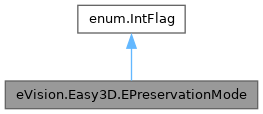
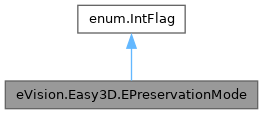
Enum defining what quantities related to the X, Y and Z axes are preserved by eVision.Easy3D.EZMapLeveler. More...
Static Public Attributes | |
| int | XYResolution = 1 |
| In this mode, the destination ZMap's XY resolution approximatively matches the source ZMap's resolution. | |
| int | Size = 2 |
| In this mode, the destination ZMap's size matches the source ZMap's size. | |
| int | ZResolution = 4 |
| In this mode, the destination ZMap's Z resolution matches the source ZMap's Z resolution. | |
Enum defining what quantities related to the X, Y and Z axes are preserved by eVision.Easy3D.EZMapLeveler.
Values can be combined together with the | operator.
Remarks:
When using both eVision.Easy3D.EPreservationMode.XYResolution and eVision.Easy3D.EPreservationMode.Size, the destination ZMap's is centered on the center of the source ZMap's and data may be cropped out of the ZMap or a large part of the ZMap may be undefined pixels.
|
static |
In this mode, the destination ZMap's size matches the source ZMap's size.
Note that using this mode may result in "holes" in the destination ZMap's.
|
static |
In this mode, the destination ZMap's XY resolution approximatively matches the source ZMap's resolution.
Resolution along each axis can still change due to projection but "3D" resolution stays the same.
|
static |
In this mode, the destination ZMap's Z resolution matches the source ZMap's Z resolution.
Otherwise, the resolution on the Z-axis is recomputed to use the full 8 or 16 bit range for corresponding ZMap.
Using this mode may cause loss of data if the destination ZMap's range on the Z-axis is bigger than the source one. To specify how data loss should be handled, use eVision.Easy3D.EZMapLeveler.PreserveZResolutionFailureHandler.
 1.17.0