 |
eVision C++ API 26.10.0-beta.2.dev
|
|
eVision C++ API 26.10.0-beta.2.dev
|
Manages a complete matching context in EasyMatch. More...
#include <eVision/EasyMatch/EMatcher.h>
Public Member Functions | |
| EMatcher () | |
| Constructs a matching context. | |
| EMatcher (uint32_t maxNumDOF) | |
| Constructs a matching context. | |
| EMatcher (const eVision::EMatcher &other) | |
| Constructs a matching context. | |
| virtual | ~EMatcher () throw () |
| eVision::EMatcher & | operator= (const eVision::EMatcher &other) |
| Copies all the data from another EMatcher object into the current EMatcher object. | |
| uint64_t | GetLearnTimeOut () const |
| Time-out for the EMatcher::LearnPattern and EMatcher::LearnPatterns methods. | |
| void | SetLearnTimeOut (uint64_t value) |
| Time-out for the EMatcher::LearnPattern and EMatcher::LearnPatterns methods. | |
| uint64_t | GetMatchTimeOut () const |
| Time-out for the EMatcher::Match method. | |
| void | SetMatchTimeOut (uint64_t value) |
| Time-out for the EMatcher::Match method. | |
| void | CopyTo (eVision::EMatcher &other) const |
| Copies all the data of the current EMatcher object into another EMatcher object and returns it. | |
| void | Save (const std::string &path) |
| Saves the EMatcher. The given ESerializer must have been created for writing. | |
| void | Save (eVision::ESerializer *serializer) |
| Saves the EMatcher. The given ESerializer must have been created for writing. | |
| void | Load (const std::string &path) |
| Loads the EMatcher. The given ESerializer must have been created for reading. | |
| void | Load (eVision::ESerializer *serializer) |
| Loads the EMatcher. The given ESerializer must have been created for reading. | |
| void | LearnPattern (eVision::EROIBW8 *pattern) |
| Learns a pattern to subsequently match in an image. | |
| void | LearnPattern (eVision::EROIC24 *pattern) |
| Learns a pattern to subsequently match in an image. | |
| void | LearnPattern (eVision::EROIBW8 *pattern, const eVision::ERegion ®ion) |
| Learns a pattern to subsequently match in an image. | |
| void | LearnPattern (eVision::EROIC24 *pattern, const eVision::ERegion ®ion) |
| Learns a pattern to subsequently match in an image. | |
| void | LearnPattern (eVision::EROIBW8 *pattern, const eVision::EFrame &frame) |
| Learns a pattern to subsequently match in an image. | |
| void | LearnPattern (eVision::EROIC24 *pattern, const eVision::EFrame &frame) |
| Learns a pattern to subsequently match in an image. | |
| void | LearnPattern (eVision::EROIBW8 *pattern, const eVision::ERegion ®ion, const eVision::EFrame &frame) |
| Learns a pattern to subsequently match in an image. | |
| void | LearnPattern (eVision::EROIC24 *pattern, const eVision::ERegion ®ion, const eVision::EFrame &frame) |
| Learns a pattern to subsequently match in an image. | |
| void | LearnPatterns (const std::vector< eVision::EROIBW8 > &patterns) |
| Learns multiple (at least 2) patterns. | |
| void | LearnPatterns (const std::vector< eVision::EROIBW8 > &patterns, const std::vector< eVision::ERegion > ®ions) |
| Learns multiple (at least 2) patterns. | |
| void | LearnPatterns (const std::vector< eVision::EROIBW8 > &patterns, const std::vector< eVision::ERegion > ®ions, const eVision::EFrame &frame) |
| Learns multiple (at least 2) patterns. | |
| void | LearnPatterns (const std::vector< eVision::EROIBW8 > &patterns, const eVision::EFrame &frame) |
| Learns multiple (at least 2) patterns. | |
| void | LearnPatterns (const std::vector< eVision::EROIC24 > &patterns) |
| Learns multiple (at least 2) patterns. | |
| void | LearnPatterns (const std::vector< eVision::EROIC24 > &patterns, const std::vector< eVision::ERegion > ®ions) |
| Learns multiple (at least 2) patterns. | |
| void | LearnPatterns (const std::vector< eVision::EROIC24 > &patterns, const std::vector< eVision::ERegion > ®ions, const eVision::EFrame &frame) |
| Learns multiple (at least 2) patterns. | |
| void | LearnPatterns (const std::vector< eVision::EROIC24 > &patterns, const eVision::EFrame &frame) |
| Learns multiple (at least 2) patterns. | |
| void | LearnPatterns (const std::vector< eVision::EImageBW8 > &patterns) |
| Learns multiple (at least 2) patterns. | |
| void | LearnPatterns (const std::vector< eVision::EImageBW8 > &patterns, const std::vector< eVision::ERegion > ®ions) |
| Learns multiple (at least 2) patterns. | |
| void | LearnPatterns (const std::vector< eVision::EImageBW8 > &patterns, const std::vector< eVision::ERegion > ®ions, const eVision::EFrame &frame) |
| Learns multiple (at least 2) patterns. | |
| void | LearnPatterns (const std::vector< eVision::EImageBW8 > &patterns, const eVision::EFrame &frame) |
| Learns multiple (at least 2) patterns. | |
| void | LearnPatterns (const std::vector< eVision::EImageC24 > &patterns) |
| Learns multiple (at least 2) patterns. | |
| void | LearnPatterns (const std::vector< eVision::EImageC24 > &patterns, const std::vector< eVision::ERegion > ®ions) |
| Learns multiple (at least 2) patterns. | |
| void | LearnPatterns (const std::vector< eVision::EImageC24 > &patterns, const std::vector< eVision::ERegion > ®ions, const eVision::EFrame &frame) |
| Learns multiple (at least 2) patterns. | |
| void | LearnPatterns (const std::vector< eVision::EImageC24 > &patterns, const eVision::EFrame &frame) |
| Learns multiple (at least 2) patterns. | |
| void | LearnPatterns (const std::vector< eVision::EROIBW8 * > &patterns) |
| Learns multiple (at least 2) patterns. | |
| void | LearnPatterns (const std::vector< eVision::EROIBW8 * > &patterns, const std::vector< eVision::ERegion * > ®ions) |
| Learns multiple (at least 2) patterns. | |
| void | LearnPatterns (const std::vector< eVision::EROIBW8 * > &patterns, const std::vector< eVision::ERegion * > ®ions, const eVision::EFrame &frame) |
| Learns multiple (at least 2) patterns. | |
| void | LearnPatterns (const std::vector< eVision::EROIBW8 * > &patterns, const eVision::EFrame &frame) |
| Learns multiple (at least 2) patterns. | |
| void | LearnPatterns (const std::vector< eVision::EROIC24 * > &patterns) |
| Learns multiple (at least 2) patterns. | |
| void | LearnPatterns (const std::vector< eVision::EROIC24 * > &patterns, const std::vector< eVision::ERegion * > ®ions) |
| Learns multiple (at least 2) patterns. | |
| void | LearnPatterns (const std::vector< eVision::EROIC24 * > &patterns, const std::vector< eVision::ERegion * > ®ions, const eVision::EFrame &frame) |
| Learns multiple (at least 2) patterns. | |
| void | LearnPatterns (const std::vector< eVision::EROIC24 * > &patterns, const eVision::EFrame &frame) |
| Learns multiple (at least 2) patterns. | |
| void | LearnPatterns (const std::vector< eVision::EBaseROI * > &patterns) |
| Learns multiple (at least 2) patterns. | |
| void | LearnPatterns (const std::vector< eVision::EBaseROI * > &patterns, const std::vector< eVision::ERegion * > ®ions) |
| Learns multiple (at least 2) patterns. | |
| void | LearnPatterns (const std::vector< eVision::EBaseROI * > &patterns, const std::vector< eVision::ERegion * > ®ions, const eVision::EFrame &frame) |
| Learns multiple (at least 2) patterns. | |
| void | LearnPatterns (const std::vector< eVision::EBaseROI * > &patterns, const eVision::EFrame &frame) |
| Learns multiple (at least 2) patterns. | |
| uint32_t | GetNumLearnedPatterns () const |
| Indicates the number of patterns learnt. 0 is returned if no learning was performed. | |
| void | ClearImage () |
| Releases the pointer to the image object that has been passed to the EMatcher object. | |
| bool | GetPatternLearnt () const |
| Returns true after a learning operation has been successfully performed, indicating that the EMatcher object is ready for matching, and false otherwise. | |
| bool | GetLearningHasRegion () const |
| Indicates whether a ERegion was used alongside the last learned pattern. Returns false if no learning was performed. | |
| void | SetExtension (eVision::EIntSize extension) |
| Sets/Gets the extension of the matching ROI, i.e. puts the horizontal and vertical distances, in pixels, that the found pattern occurrences may fall outside the matching ROI. Such occurrences partially outside the ROI have their score corrected by the ratio between the pattern area outside the ROI and the pattern area inside. | |
| eVision::EIntSize | GetExtension () const |
| Sets/Gets the extension of the matching ROI, i.e. puts the horizontal and vertical distances, in pixels, that the found pattern occurrences may fall outside the matching ROI. Such occurrences partially outside the ROI have their score corrected by the ratio between the pattern area outside the ROI and the pattern area inside. | |
| void | SetExtension (int32_t n32ExtensionX, int32_t n32ExtensionY) |
| Sets the extension of the matching ROI, i.e. puts the horizontal and vertical distances, in pixels, that the found pattern occurrences may fall outside the matching ROI. Such occurrences partially outside the ROI have their score corrected by the ratio between the pattern area outside the ROI and the pattern area inside. | |
| void | GetExtension (int32_t &n32ExtensionX, int32_t &n32ExtensionY) const |
| Gets the extension of the matching ROI, i.e. the horizontal and vertical distances, in pixels, that the found pattern occurrences may fall outside the matching ROI. Such occurrences partially outside the ROI have their score corrected by the ratio between the pattern area outside the ROI and the pattern area inside. | |
| void | CopyLearntPattern (eVision::EImageBW8 &image, uint32_t learntPatternIndex) const |
| Copies the learned pattern in the supplied image. If no pattern has been learned, an exception with code EError::EError_NoPatternLearnt will be thrown. | |
| void | CopyLearntPattern (eVision::EImageBW8 &image) const |
| Copies the learned pattern in the supplied image. If no pattern has been learned, an exception with code EError::EError_NoPatternLearnt will be thrown. | |
| void | CopyLearntPattern (eVision::EImageC24 &image, uint32_t learntPatternIndex) const |
| Copies the learned pattern in the supplied image. If no pattern has been learned, an exception with code EError::EError_NoPatternLearnt will be thrown. | |
| void | CopyLearntPattern (eVision::EImageC24 &image) const |
| Copies the learned pattern in the supplied image. If no pattern has been learned, an exception with code EError::EError_NoPatternLearnt will be thrown. | |
| std::vector< eVision::EFoundPattern > | Match (eVision::EROIBW8 *image) |
| Matches the pattern against an image. | |
| std::vector< eVision::EFoundPattern > | Match (eVision::EROIBW8 *image, const eVision::ERegion ®ion) |
| Matches the pattern against an image. | |
| std::vector< eVision::EFoundPattern > | Match (eVision::EROIC24 *image) |
| Matches the pattern against an image. | |
| std::vector< eVision::EFoundPattern > | Match (eVision::EROIC24 *image, const eVision::ERegion ®ion) |
| Matches the pattern against an image. | |
| std::vector< eVision::EFoundPattern > | Match (eVision::EROIBW8 *image, const eVision::EFrame &frame) |
| Matches the pattern against an image. | |
| std::vector< eVision::EFoundPattern > | Match (eVision::EROIBW8 *image, const eVision::ERegion ®ion, const eVision::EFrame &frame) |
| Matches the pattern against an image. | |
| std::vector< eVision::EFoundPattern > | Match (eVision::EROIC24 *image, const eVision::EFrame &frame) |
| Matches the pattern against an image. | |
| std::vector< eVision::EFoundPattern > | Match (eVision::EROIC24 *image, const eVision::ERegion ®ion, const eVision::EFrame &frame) |
| Matches the pattern against an image. | |
| void | SetMinReducedArea (uint32_t un32Area) |
| Minimum reduced area parameter. | |
| uint32_t | GetMinReducedArea () const |
| Minimum reduced area parameter. | |
| void | SetAdvancedLearning (bool bState) |
| Toggle advanced learning. | |
| bool | GetAdvancedLearning () const |
| Toggle advanced learning. | |
| void | SetDontCareThreshold (uint32_t un32Threshold) |
| "Don't care" threshold. | |
| uint32_t | GetDontCareThreshold () const |
| "Don't care" threshold. | |
| void | SetCorrelationMode (eVision::ECorrelationMode eMode) |
| Correlation mode. | |
| eVision::ECorrelationMode | GetCorrelationMode () const |
| Correlation mode. | |
| void | SetContrastMode (eVision::EMatchContrastMode eMode) |
| Contrast mode. | |
| eVision::EMatchContrastMode | GetContrastMode () const |
| Contrast mode. | |
| uint32_t | GetMaxPositions () const |
| Maximum number of positions. | |
| void | SetMaxPositions (uint32_t un32MaxPositions) |
| Maximum number of positions. | |
| uint32_t | GetMaxInitialPositions () const |
| Maximum number of positions at the first stage of the matching process. | |
| void | SetMaxInitialPositions (uint32_t un32MaxInitialPositions) |
| Maximum number of positions at the first stage of the matching process. | |
| float | GetInitialMinScore () const |
| Minimum score applied as a selection criterion in the early stages of the matching process. | |
| void | SetInitialMinScore (float f32InitialMinScore) |
| Minimum score applied as a selection criterion in the early stages of the matching process. | |
| float | GetMinScore () const |
| Minimum score. | |
| void | SetMinScore (float f32MinScore) |
| Minimum score. | |
| float | GetMinAngle () const |
| Minimum angle, in the current angle unit. | |
| void | SetMinAngle (float f32MinAngle) |
| Minimum angle, in the current angle unit. | |
| float | GetMaxAngle () const |
| Maximum angle, in the current angle unit. | |
| void | SetMaxAngle (float f32MaxAngle) |
| Maximum angle, in the current angle unit. | |
| float | GetMinScale () const |
| Minimum scale factor for isotropic scaling. | |
| void | SetMinScale (float f32Scale) |
| Minimum scale factor for isotropic scaling. | |
| float | GetMaxScale () const |
| Maximum scale factor for isotropic scaling. | |
| void | SetMaxScale (float f32Scale) |
| Maximum scale factor for isotropic scaling. | |
| float | GetMinScaleX () const |
| Minimum horizontal scale factor for anisotropic scaling. | |
| void | SetMinScaleX (float f32MinScaleX) |
| Minimum horizontal scale factor for anisotropic scaling. | |
| float | GetMaxScaleX () const |
| Maximum horizontal scale factor for anisotropic scaling. | |
| void | SetMaxScaleX (float f32MaxScaleX) |
| Maximum horizontal scale factor for anisotropic scaling. | |
| float | GetMinScaleY () const |
| Minimum vertical scale factor for anisotropic scaling. | |
| void | SetMinScaleY (float f32MinScaleY) |
| Minimum vertical scale factor for anisotropic scaling. | |
| float | GetMaxScaleY () const |
| Maximum vertical scale factor for anisotropic scaling. | |
| void | SetMaxScaleY (float f32MaxScaleY) |
| Maximum vertical scale factor for anisotropic scaling. | |
| bool | GetIsotropicScale () const |
| Flag indicating whether isotropic (as opposed to anisotropic) scaling is used. | |
| float | GetAngleStep (uint32_t reduction, uint32_t learntPatternIndex) const |
| Gets the angle step used at the given reduction. | |
| float | GetAngleStep (uint32_t reduction) const |
| Gets the angle step used at the given reduction. | |
| float | GetScaleStep (uint32_t reduction, uint32_t learntPatternIndex) const |
| Gets the scale step used at the given reduction. | |
| float | GetScaleStep (uint32_t reduction) const |
| Gets the scale step used at the given reduction. | |
| float | GetScaleXStep (uint32_t reduction, uint32_t learntPatternIndex) const |
| Gets the scale step used on the X axis at the given reduction. | |
| float | GetScaleXStep (uint32_t reduction) const |
| Gets the scale step used on the X axis at the given reduction. | |
| float | GetScaleYStep (uint32_t reduction, uint32_t learntPatternIndex) const |
| Gets the scale step used on the Y axis at the given reduction. | |
| float | GetScaleYStep (uint32_t reduction) const |
| Gets the scale step used on the Y axis at the given reduction. | |
| void | SetPixelDimensions (eVision::ESize pixelDimensions) |
| Gets/Sets the physical pixel dimensions. | |
| eVision::ESize | GetPixelDimensions () const |
| Gets/Sets the physical pixel dimensions. | |
| void | SetPixelDimensions (float width, float height) |
| Sets the physical pixel dimensions. | |
| void | GetPixelDimensions (float &width, float &height) const |
| Gets the physical pixel dimensions. | |
| bool | GetInterpolate () const |
| Interpolation mode. | |
| void | SetInterpolate (bool bInterpolate) |
| Interpolation mode. | |
| bool | GetEnableEarlyCandidateRejection () const |
| Whether to remove bad candidates in the early phases of the processing or not. Enabled by default. | |
| void | SetEnableEarlyCandidateRejection (bool earlyCandidateRejection) |
| Whether to remove bad candidates in the early phases of the processing or not. Enabled by default. | |
| eVision::EFilteringMode | GetFilteringMode () const |
| Filtering mode. | |
| void | SetFilteringMode (eVision::EFilteringMode eFilteringMode) |
| Filtering mode. | |
| float | GetMaxOverlap () const |
| Overlapping tolerance. | |
| void | SetMaxOverlap (float f32MaxOverlap) |
| Overlapping tolerance. | |
| uint32_t | GetNumPositions () const |
| Number of good matches found, as defined by EMatcher::GetMinScore and EMatcher::GetMaxPositions properties. | |
| eVision::EMatchPosition | GetPosition (uint32_t index) const |
| Returns an EMatchPosition object containing the position coordinates. | |
| std::vector< eVision::EMatchPosition > | GetPositions () const |
| Returns a vector of EMatchPosition objects, each containing the position coordinates and other matching results. | |
| uint32_t | GetNumReductions () const |
| Number of reduction steps used in the matching process. | |
| eVision::EImageType | GetPatternType () const |
| Pixel type of the learned pattern. | |
| void | DrawPosition (eVision::EDrawAdapter *graphicContext, uint32_t index, bool bCorner, float zoomX, float zoomY, float panX, float panY) const |
| Draws a graphical representation of a given occurrence of the pattern in the image, using a rectangle and possibly a small line segment in the upper-left corner. | |
| void | DrawPosition (eVision::EDrawAdapter *graphicContext, uint32_t index, bool bCorner, float zoomX, float zoomY, float panX) const |
| Draws a graphical representation of a given occurrence of the pattern in the image, using a rectangle and possibly a small line segment in the upper-left corner. | |
| void | DrawPosition (eVision::EDrawAdapter *graphicContext, uint32_t index, bool bCorner, float zoomX, float zoomY) const |
| Draws a graphical representation of a given occurrence of the pattern in the image, using a rectangle and possibly a small line segment in the upper-left corner. | |
| void | DrawPosition (eVision::EDrawAdapter *graphicContext, uint32_t index, bool bCorner, float zoomX) const |
| Draws a graphical representation of a given occurrence of the pattern in the image, using a rectangle and possibly a small line segment in the upper-left corner. | |
| void | DrawPosition (eVision::EDrawAdapter *graphicContext, uint32_t index, bool bCorner) const |
| Draws a graphical representation of a given occurrence of the pattern in the image, using a rectangle and possibly a small line segment in the upper-left corner. | |
| void | DrawPosition (eVision::EDrawAdapter *graphicContext, uint32_t index) const |
| Draws a graphical representation of a given occurrence of the pattern in the image, using a rectangle and possibly a small line segment in the upper-left corner. | |
| void | DrawPosition (HDC graphicContext, uint32_t index, bool bCorner, float zoomX, float zoomY, float panX, float panY) const |
| Draws a graphical representation of a given occurrence of the pattern in the image, using a rectangle and possibly a small line segment in the upper-left corner. | |
| void | DrawPosition (HDC graphicContext, uint32_t index, bool bCorner, float zoomX, float zoomY, float panX) const |
| Draws a graphical representation of a given occurrence of the pattern in the image, using a rectangle and possibly a small line segment in the upper-left corner. | |
| void | DrawPosition (HDC graphicContext, uint32_t index, bool bCorner, float zoomX, float zoomY) const |
| Draws a graphical representation of a given occurrence of the pattern in the image, using a rectangle and possibly a small line segment in the upper-left corner. | |
| void | DrawPosition (HDC graphicContext, uint32_t index, bool bCorner, float zoomX) const |
| Draws a graphical representation of a given occurrence of the pattern in the image, using a rectangle and possibly a small line segment in the upper-left corner. | |
| void | DrawPosition (HDC graphicContext, uint32_t index, bool bCorner) const |
| Draws a graphical representation of a given occurrence of the pattern in the image, using a rectangle and possibly a small line segment in the upper-left corner. | |
| void | DrawPosition (HDC graphicContext, uint32_t index) const |
| Draws a graphical representation of a given occurrence of the pattern in the image, using a rectangle and possibly a small line segment in the upper-left corner. | |
| void | DrawPosition (HDC graphicContext, const eVision::ERGBColor &color, uint32_t index, bool bCorner, float zoomX, float zoomY, float panX, float panY) const |
| Draws a graphical representation of a given occurrence of the pattern in the image, using a rectangle and possibly a small line segment in the upper-left corner. | |
| void | DrawPosition (HDC graphicContext, const eVision::ERGBColor &color, uint32_t index, bool bCorner, float zoomX, float zoomY, float panX) const |
| Draws a graphical representation of a given occurrence of the pattern in the image, using a rectangle and possibly a small line segment in the upper-left corner. | |
| void | DrawPosition (HDC graphicContext, const eVision::ERGBColor &color, uint32_t index, bool bCorner, float zoomX, float zoomY) const |
| Draws a graphical representation of a given occurrence of the pattern in the image, using a rectangle and possibly a small line segment in the upper-left corner. | |
| void | DrawPosition (HDC graphicContext, const eVision::ERGBColor &color, uint32_t index, bool bCorner, float zoomX) const |
| Draws a graphical representation of a given occurrence of the pattern in the image, using a rectangle and possibly a small line segment in the upper-left corner. | |
| void | DrawPosition (HDC graphicContext, const eVision::ERGBColor &color, uint32_t index, bool bCorner) const |
| Draws a graphical representation of a given occurrence of the pattern in the image, using a rectangle and possibly a small line segment in the upper-left corner. | |
| void | DrawPosition (HDC graphicContext, const eVision::ERGBColor &color, uint32_t index) const |
| Draws a graphical representation of a given occurrence of the pattern in the image, using a rectangle and possibly a small line segment in the upper-left corner. | |
| void | DrawPositionWithCurrentPen (HDC graphicContext, uint32_t index, bool bCorner, float zoomX, float zoomY, float panX, float panY) const |
| Draws a graphical representation of a given occurrence of the pattern in the image, using a rectangle and possibly a small line segment in the upper-left corner. | |
| void | DrawPositionWithCurrentPen (HDC graphicContext, uint32_t index, bool bCorner, float zoomX, float zoomY, float panX) const |
| Draws a graphical representation of a given occurrence of the pattern in the image, using a rectangle and possibly a small line segment in the upper-left corner. | |
| void | DrawPositionWithCurrentPen (HDC graphicContext, uint32_t index, bool bCorner, float zoomX, float zoomY) const |
| Draws a graphical representation of a given occurrence of the pattern in the image, using a rectangle and possibly a small line segment in the upper-left corner. | |
| void | DrawPositionWithCurrentPen (HDC graphicContext, uint32_t index, bool bCorner, float zoomX) const |
| Draws a graphical representation of a given occurrence of the pattern in the image, using a rectangle and possibly a small line segment in the upper-left corner. | |
| void | DrawPositionWithCurrentPen (HDC graphicContext, uint32_t index, bool bCorner) const |
| Draws a graphical representation of a given occurrence of the pattern in the image, using a rectangle and possibly a small line segment in the upper-left corner. | |
| void | DrawPositionWithCurrentPen (HDC graphicContext, uint32_t index) const |
| Draws a graphical representation of a given occurrence of the pattern in the image, using a rectangle and possibly a small line segment in the upper-left corner. | |
| void | DrawPositions (eVision::EDrawAdapter *graphicContext, bool bCorner, float zoomX, float zoomY, float panX, float panY) const |
| Draws a graphical representation of all occurrences of the pattern in the image, using a rectangle and possibly a small line segment in the upper-left corner. | |
| void | DrawPositions (eVision::EDrawAdapter *graphicContext, bool bCorner, float zoomX, float zoomY, float panX) const |
| Draws a graphical representation of all occurrences of the pattern in the image, using a rectangle and possibly a small line segment in the upper-left corner. | |
| void | DrawPositions (eVision::EDrawAdapter *graphicContext, bool bCorner, float zoomX, float zoomY) const |
| Draws a graphical representation of all occurrences of the pattern in the image, using a rectangle and possibly a small line segment in the upper-left corner. | |
| void | DrawPositions (eVision::EDrawAdapter *graphicContext, bool bCorner, float zoomX) const |
| Draws a graphical representation of all occurrences of the pattern in the image, using a rectangle and possibly a small line segment in the upper-left corner. | |
| void | DrawPositions (eVision::EDrawAdapter *graphicContext, bool bCorner) const |
| Draws a graphical representation of all occurrences of the pattern in the image, using a rectangle and possibly a small line segment in the upper-left corner. | |
| void | DrawPositions (eVision::EDrawAdapter *graphicContext) const |
| Draws a graphical representation of all occurrences of the pattern in the image, using a rectangle and possibly a small line segment in the upper-left corner. | |
| void | DrawPositions (HDC graphicContext, bool bCorner, float zoomX, float zoomY, float panX, float panY) const |
| Draws a graphical representation of all occurrences of the pattern in the image, using a rectangle and possibly a small line segment in the upper-left corner. | |
| void | DrawPositions (HDC graphicContext, bool bCorner, float zoomX, float zoomY, float panX) const |
| Draws a graphical representation of all occurrences of the pattern in the image, using a rectangle and possibly a small line segment in the upper-left corner. | |
| void | DrawPositions (HDC graphicContext, bool bCorner, float zoomX, float zoomY) const |
| Draws a graphical representation of all occurrences of the pattern in the image, using a rectangle and possibly a small line segment in the upper-left corner. | |
| void | DrawPositions (HDC graphicContext, bool bCorner, float zoomX) const |
| Draws a graphical representation of all occurrences of the pattern in the image, using a rectangle and possibly a small line segment in the upper-left corner. | |
| void | DrawPositions (HDC graphicContext, bool bCorner) const |
| Draws a graphical representation of all occurrences of the pattern in the image, using a rectangle and possibly a small line segment in the upper-left corner. | |
| void | DrawPositions (HDC graphicContext) const |
| Draws a graphical representation of all occurrences of the pattern in the image, using a rectangle and possibly a small line segment in the upper-left corner. | |
| void | DrawPositions (HDC graphicContext, const eVision::ERGBColor &color, bool bCorner, float zoomX, float zoomY, float panX, float panY) const |
| Draws a graphical representation of all occurrences of the pattern in the image, using a rectangle and possibly a small line segment in the upper-left corner. | |
| void | DrawPositions (HDC graphicContext, const eVision::ERGBColor &color, bool bCorner, float zoomX, float zoomY, float panX) const |
| Draws a graphical representation of all occurrences of the pattern in the image, using a rectangle and possibly a small line segment in the upper-left corner. | |
| void | DrawPositions (HDC graphicContext, const eVision::ERGBColor &color, bool bCorner, float zoomX, float zoomY) const |
| Draws a graphical representation of all occurrences of the pattern in the image, using a rectangle and possibly a small line segment in the upper-left corner. | |
| void | DrawPositions (HDC graphicContext, const eVision::ERGBColor &color, bool bCorner, float zoomX) const |
| Draws a graphical representation of all occurrences of the pattern in the image, using a rectangle and possibly a small line segment in the upper-left corner. | |
| void | DrawPositions (HDC graphicContext, const eVision::ERGBColor &color, bool bCorner) const |
| Draws a graphical representation of all occurrences of the pattern in the image, using a rectangle and possibly a small line segment in the upper-left corner. | |
| void | DrawPositions (HDC graphicContext, const eVision::ERGBColor &color) const |
| Draws a graphical representation of all occurrences of the pattern in the image, using a rectangle and possibly a small line segment in the upper-left corner. | |
| void | DrawPositionsWithCurrentPen (HDC graphicContext, bool bCorner, float zoomX, float zoomY, float panX, float panY) const |
| Draws a graphical representation of all occurrences of the pattern in the image, using a rectangle and possibly a small line segment in the upper-left corner. | |
| void | DrawPositionsWithCurrentPen (HDC graphicContext, bool bCorner, float zoomX, float zoomY, float panX) const |
| Draws a graphical representation of all occurrences of the pattern in the image, using a rectangle and possibly a small line segment in the upper-left corner. | |
| void | DrawPositionsWithCurrentPen (HDC graphicContext, bool bCorner, float zoomX, float zoomY) const |
| Draws a graphical representation of all occurrences of the pattern in the image, using a rectangle and possibly a small line segment in the upper-left corner. | |
| void | DrawPositionsWithCurrentPen (HDC graphicContext, bool bCorner, float zoomX) const |
| Draws a graphical representation of all occurrences of the pattern in the image, using a rectangle and possibly a small line segment in the upper-left corner. | |
| void | DrawPositionsWithCurrentPen (HDC graphicContext, bool bCorner) const |
| Draws a graphical representation of all occurrences of the pattern in the image, using a rectangle and possibly a small line segment in the upper-left corner. | |
| void | DrawPositionsWithCurrentPen (HDC graphicContext) const |
| Draws a graphical representation of all occurrences of the pattern in the image, using a rectangle and possibly a small line segment in the upper-left corner. | |
| void | SetFinalReduction (uint32_t un32FinalReduction) |
| Index of the last reduction. | |
| uint32_t | GetFinalReduction () const |
| Index of the last reduction. | |
| int32_t | GetPatternWidth () const |
| Learned pattern width. | |
| int32_t | GetPatternWidth (uint32_t learntPatternIndex) const |
| Learned pattern width. | |
| int32_t | GetPatternHeight () const |
| Learned pattern height. | |
| int32_t | GetPatternHeight (uint32_t learntPatternIndex) const |
| Learned pattern height. | |
| EMatcher (CppWrapperInternal::InternalConstructor) | |
Static Public Member Functions | |
| static uint32_t | GetVersion () |
| Version number of the EMatcher object. | |
Public Attributes | |
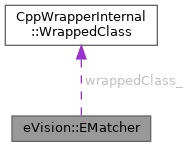
| CppWrapperInternal::WrappedClass | wrappedClass_ |
Manages a complete matching context in EasyMatch.
A matching context consists of a learned pattern and of the parameters required to locate one or more instances of the pattern in a search field.
License(s): EasyMatch
| eVision::EMatcher::EMatcher | ( | ) |
Constructs a matching context.
With the default constructor (no argument), all parameters are initialized to their respective default values. The copy constructor constructs a matching context based on a pre-existing EMatcher object. The last constructor constructs a matching context with a specified number of degrees of freedom. maximumNumberOfDegreesOfFreedom is the maximum number of degrees of freedom that the EMatcher object being constructed will be allowed to use during its life. All other parameters are initialized to their respective default values. The degrees of freedom for a matching operation are the translation (2 modes), the rotation (1 mode), the isotropic scaling (1 mode) and the anisotropic scaling (1 more mode). There is no way to modify this parameter for an existing EMatcher object. The default value for maximumNumberOfDegreesOfFreedom is 5, that is the maximum value. The minimum value for the number of degrees of freedom is 2, in order to allow, at least, the pattern translation.
| eVision::EMatcher::EMatcher | ( | uint32_t | maxNumDOF | ) |
Constructs a matching context.
| maxNumDOF | Maximum number of degrees of freedom (this number must be comprised between 2 and 5). |
With the default constructor (no argument), all parameters are initialized to their respective default values. The copy constructor constructs a matching context based on a pre-existing EMatcher object. The last constructor constructs a matching context with a specified number of degrees of freedom. maximumNumberOfDegreesOfFreedom is the maximum number of degrees of freedom that the EMatcher object being constructed will be allowed to use during its life. All other parameters are initialized to their respective default values. The degrees of freedom for a matching operation are the translation (2 modes), the rotation (1 mode), the isotropic scaling (1 mode) and the anisotropic scaling (1 more mode). There is no way to modify this parameter for an existing EMatcher object. The default value for maximumNumberOfDegreesOfFreedom is 5, that is the maximum value. The minimum value for the number of degrees of freedom is 2, in order to allow, at least, the pattern translation.
| eVision::EMatcher::EMatcher | ( | const eVision::EMatcher & | other | ) |
Constructs a matching context.
With the default constructor (no argument), all parameters are initialized to their respective default values. The copy constructor constructs a matching context based on a pre-existing EMatcher object. The last constructor constructs a matching context with a specified number of degrees of freedom. maximumNumberOfDegreesOfFreedom is the maximum number of degrees of freedom that the EMatcher object being constructed will be allowed to use during its life. All other parameters are initialized to their respective default values. The degrees of freedom for a matching operation are the translation (2 modes), the rotation (1 mode), the isotropic scaling (1 mode) and the anisotropic scaling (1 more mode). There is no way to modify this parameter for an existing EMatcher object. The default value for maximumNumberOfDegreesOfFreedom is 5, that is the maximum value. The minimum value for the number of degrees of freedom is 2, in order to allow, at least, the pattern translation.
|
virtual | ||||||||||||
| eVision::EMatcher::EMatcher | ( | CppWrapperInternal::InternalConstructor | ) |
| void eVision::EMatcher::ClearImage | ( | ) |
Releases the pointer to the image object that has been passed to the EMatcher object.
It is the way to tell to the EMatcher object that its pointer is not valid anymore. The EMatcher::Match method keeps a copy of the image pointer given as parameter. So, if the user deletes this pointer, the EMatcher object should be informed.
| void eVision::EMatcher::CopyLearntPattern | ( | eVision::EImageBW8 & | image | ) | const |
Copies the learned pattern in the supplied image. If no pattern has been learned, an exception with code EError::EError_NoPatternLearnt will be thrown.
| image | Pointer to the image in which the learned pattern will be returned. |
| void eVision::EMatcher::CopyLearntPattern | ( | eVision::EImageBW8 & | image, |
| uint32_t | learntPatternIndex ) const |
Copies the learned pattern in the supplied image. If no pattern has been learned, an exception with code EError::EError_NoPatternLearnt will be thrown.
| image | Pointer to the image in which the learned pattern will be returned. |
| learntPatternIndex | Index of the learnt pattern. Default: 0. |
| void eVision::EMatcher::CopyLearntPattern | ( | eVision::EImageC24 & | image | ) | const |
Copies the learned pattern in the supplied image. If no pattern has been learned, an exception with code EError::EError_NoPatternLearnt will be thrown.
| image | Pointer to the image in which the learned pattern will be returned. |
| void eVision::EMatcher::CopyLearntPattern | ( | eVision::EImageC24 & | image, |
| uint32_t | learntPatternIndex ) const |
Copies the learned pattern in the supplied image. If no pattern has been learned, an exception with code EError::EError_NoPatternLearnt will be thrown.
| image | Pointer to the image in which the learned pattern will be returned. |
| learntPatternIndex | Index of the learnt pattern. Default: 0. |
| void eVision::EMatcher::CopyTo | ( | eVision::EMatcher & | other | ) | const |
| void eVision::EMatcher::DrawPosition | ( | eVision::EDrawAdapter * | graphicContext, |
| uint32_t | index ) const |
Draws a graphical representation of a given occurrence of the pattern in the image, using a rectangle and possibly a small line segment in the upper-left corner.
When multiple patterns are learned, only the positions corresponding to the first pattern are drawn.
| graphicContext | Handle of the device context on which to draw. |
| index | Occurrence index, in range 0..NumPositions-1. |
Drawing is done in the device context associated to the desired window. The current pen is used.
Use the EFoundPattern::Draw method of the EFoundPattern objects returned by EMatcher::Match instead.
Deprecated in version 25.2. Scheduled to be removed in version 27.6.
| void eVision::EMatcher::DrawPosition | ( | eVision::EDrawAdapter * | graphicContext, |
| uint32_t | index, | ||
| bool | bCorner ) const |
Draws a graphical representation of a given occurrence of the pattern in the image, using a rectangle and possibly a small line segment in the upper-left corner.
When multiple patterns are learned, only the positions corresponding to the first pattern are drawn.
| graphicContext | Handle of the device context on which to draw. |
| index | Occurrence index, in range 0..NumPositions-1. |
| bCorner | true if the corner mark is to be drawn. false by default. (This mark is useful when large rotations are allowed.) |
Drawing is done in the device context associated to the desired window. The current pen is used.
Use the EFoundPattern::Draw method of the EFoundPattern objects returned by EMatcher::Match instead.
Deprecated in version 25.2. Scheduled to be removed in version 27.6.
| void eVision::EMatcher::DrawPosition | ( | eVision::EDrawAdapter * | graphicContext, |
| uint32_t | index, | ||
| bool | bCorner, | ||
| float | zoomX ) const |
Draws a graphical representation of a given occurrence of the pattern in the image, using a rectangle and possibly a small line segment in the upper-left corner.
When multiple patterns are learned, only the positions corresponding to the first pattern are drawn.
| graphicContext | Handle of the device context on which to draw. |
| index | Occurrence index, in range 0..NumPositions-1. |
| bCorner | true if the corner mark is to be drawn. false by default. (This mark is useful when large rotations are allowed.) |
| zoomX | Horizontal zooming factor. By default, true scale is used. |
Drawing is done in the device context associated to the desired window. The current pen is used.
Use the EFoundPattern::Draw method of the EFoundPattern objects returned by EMatcher::Match instead.
Deprecated in version 25.2. Scheduled to be removed in version 27.6.
| void eVision::EMatcher::DrawPosition | ( | eVision::EDrawAdapter * | graphicContext, |
| uint32_t | index, | ||
| bool | bCorner, | ||
| float | zoomX, | ||
| float | zoomY ) const |
Draws a graphical representation of a given occurrence of the pattern in the image, using a rectangle and possibly a small line segment in the upper-left corner.
When multiple patterns are learned, only the positions corresponding to the first pattern are drawn.
| graphicContext | Handle of the device context on which to draw. |
| index | Occurrence index, in range 0..NumPositions-1. |
| bCorner | true if the corner mark is to be drawn. false by default. (This mark is useful when large rotations are allowed.) |
| zoomX | Horizontal zooming factor. By default, true scale is used. |
| zoomY | Vertical zooming factor. If set to 0 (default), the horizontal zooming factor is used instead, so as to provide isotropic zooming. |
Drawing is done in the device context associated to the desired window. The current pen is used.
Use the EFoundPattern::Draw method of the EFoundPattern objects returned by EMatcher::Match instead.
Deprecated in version 25.2. Scheduled to be removed in version 27.6.
| void eVision::EMatcher::DrawPosition | ( | eVision::EDrawAdapter * | graphicContext, |
| uint32_t | index, | ||
| bool | bCorner, | ||
| float | zoomX, | ||
| float | zoomY, | ||
| float | panX ) const |
Draws a graphical representation of a given occurrence of the pattern in the image, using a rectangle and possibly a small line segment in the upper-left corner.
When multiple patterns are learned, only the positions corresponding to the first pattern are drawn.
| graphicContext | Handle of the device context on which to draw. |
| index | Occurrence index, in range 0..NumPositions-1. |
| bCorner | true if the corner mark is to be drawn. false by default. (This mark is useful when large rotations are allowed.) |
| zoomX | Horizontal zooming factor. By default, true scale is used. |
| zoomY | Vertical zooming factor. If set to 0 (default), the horizontal zooming factor is used instead, so as to provide isotropic zooming. |
| panX | Horizontal panning value expressed in pixels. By default, no panning occurs. |
Drawing is done in the device context associated to the desired window. The current pen is used.
Use the EFoundPattern::Draw method of the EFoundPattern objects returned by EMatcher::Match instead.
Deprecated in version 25.2. Scheduled to be removed in version 27.6.
| void eVision::EMatcher::DrawPosition | ( | eVision::EDrawAdapter * | graphicContext, |
| uint32_t | index, | ||
| bool | bCorner, | ||
| float | zoomX, | ||
| float | zoomY, | ||
| float | panX, | ||
| float | panY ) const |
Draws a graphical representation of a given occurrence of the pattern in the image, using a rectangle and possibly a small line segment in the upper-left corner.
When multiple patterns are learned, only the positions corresponding to the first pattern are drawn.
| graphicContext | Handle of the device context on which to draw. |
| index | Occurrence index, in range 0..NumPositions-1. |
| bCorner | true if the corner mark is to be drawn. false by default. (This mark is useful when large rotations are allowed.) |
| zoomX | Horizontal zooming factor. By default, true scale is used. |
| zoomY | Vertical zooming factor. If set to 0 (default), the horizontal zooming factor is used instead, so as to provide isotropic zooming. |
| panX | Horizontal panning value expressed in pixels. By default, no panning occurs. |
| panY | Vertical panning value expressed in pixels. By default, no panning occurs. |
Drawing is done in the device context associated to the desired window. The current pen is used.
Use the EFoundPattern::Draw method of the EFoundPattern objects returned by EMatcher::Match instead.
Deprecated in version 25.2. Scheduled to be removed in version 27.6.
| void eVision::EMatcher::DrawPosition | ( | HDC | graphicContext, |
| const eVision::ERGBColor & | color, | ||
| uint32_t | index ) const |
Draws a graphical representation of a given occurrence of the pattern in the image, using a rectangle and possibly a small line segment in the upper-left corner.
When multiple patterns are learned, only the positions corresponding to the first pattern are drawn.
| graphicContext | Handle of the device context on which to draw. |
| color | The color in which to draw the overlay. |
| index | Occurrence index, in range 0..NumPositions-1. |
Drawing is done in the device context associated to the desired window. The current pen is used.
Use the EFoundPattern::Draw method of the EFoundPattern objects returned by EMatcher::Match instead.
Deprecated in version 23.12. Scheduled to be removed in version 27.6.
| void eVision::EMatcher::DrawPosition | ( | HDC | graphicContext, |
| const eVision::ERGBColor & | color, | ||
| uint32_t | index, | ||
| bool | bCorner ) const |
Draws a graphical representation of a given occurrence of the pattern in the image, using a rectangle and possibly a small line segment in the upper-left corner.
When multiple patterns are learned, only the positions corresponding to the first pattern are drawn.
| graphicContext | Handle of the device context on which to draw. |
| color | The color in which to draw the overlay. |
| index | Occurrence index, in range 0..NumPositions-1. |
| bCorner | true if the corner mark is to be drawn. false by default. (This mark is useful when large rotations are allowed.) |
Drawing is done in the device context associated to the desired window. The current pen is used.
Use the EFoundPattern::Draw method of the EFoundPattern objects returned by EMatcher::Match instead.
Deprecated in version 23.12. Scheduled to be removed in version 27.6.
| void eVision::EMatcher::DrawPosition | ( | HDC | graphicContext, |
| const eVision::ERGBColor & | color, | ||
| uint32_t | index, | ||
| bool | bCorner, | ||
| float | zoomX ) const |
Draws a graphical representation of a given occurrence of the pattern in the image, using a rectangle and possibly a small line segment in the upper-left corner.
When multiple patterns are learned, only the positions corresponding to the first pattern are drawn.
| graphicContext | Handle of the device context on which to draw. |
| color | The color in which to draw the overlay. |
| index | Occurrence index, in range 0..NumPositions-1. |
| bCorner | true if the corner mark is to be drawn. false by default. (This mark is useful when large rotations are allowed.) |
| zoomX | Horizontal zooming factor. By default, true scale is used. |
Drawing is done in the device context associated to the desired window. The current pen is used.
Use the EFoundPattern::Draw method of the EFoundPattern objects returned by EMatcher::Match instead.
Deprecated in version 23.12. Scheduled to be removed in version 27.6.
| void eVision::EMatcher::DrawPosition | ( | HDC | graphicContext, |
| const eVision::ERGBColor & | color, | ||
| uint32_t | index, | ||
| bool | bCorner, | ||
| float | zoomX, | ||
| float | zoomY ) const |
Draws a graphical representation of a given occurrence of the pattern in the image, using a rectangle and possibly a small line segment in the upper-left corner.
When multiple patterns are learned, only the positions corresponding to the first pattern are drawn.
| graphicContext | Handle of the device context on which to draw. |
| color | The color in which to draw the overlay. |
| index | Occurrence index, in range 0..NumPositions-1. |
| bCorner | true if the corner mark is to be drawn. false by default. (This mark is useful when large rotations are allowed.) |
| zoomX | Horizontal zooming factor. By default, true scale is used. |
| zoomY | Vertical zooming factor. If set to 0 (default), the horizontal zooming factor is used instead, so as to provide isotropic zooming. |
Drawing is done in the device context associated to the desired window. The current pen is used.
Use the EFoundPattern::Draw method of the EFoundPattern objects returned by EMatcher::Match instead.
Deprecated in version 23.12. Scheduled to be removed in version 27.6.
| void eVision::EMatcher::DrawPosition | ( | HDC | graphicContext, |
| const eVision::ERGBColor & | color, | ||
| uint32_t | index, | ||
| bool | bCorner, | ||
| float | zoomX, | ||
| float | zoomY, | ||
| float | panX ) const |
Draws a graphical representation of a given occurrence of the pattern in the image, using a rectangle and possibly a small line segment in the upper-left corner.
When multiple patterns are learned, only the positions corresponding to the first pattern are drawn.
| graphicContext | Handle of the device context on which to draw. |
| color | The color in which to draw the overlay. |
| index | Occurrence index, in range 0..NumPositions-1. |
| bCorner | true if the corner mark is to be drawn. false by default. (This mark is useful when large rotations are allowed.) |
| zoomX | Horizontal zooming factor. By default, true scale is used. |
| zoomY | Vertical zooming factor. If set to 0 (default), the horizontal zooming factor is used instead, so as to provide isotropic zooming. |
| panX | Horizontal panning value expressed in pixels. By default, no panning occurs. |
Drawing is done in the device context associated to the desired window. The current pen is used.
Use the EFoundPattern::Draw method of the EFoundPattern objects returned by EMatcher::Match instead.
Deprecated in version 23.12. Scheduled to be removed in version 27.6.
| void eVision::EMatcher::DrawPosition | ( | HDC | graphicContext, |
| const eVision::ERGBColor & | color, | ||
| uint32_t | index, | ||
| bool | bCorner, | ||
| float | zoomX, | ||
| float | zoomY, | ||
| float | panX, | ||
| float | panY ) const |
Draws a graphical representation of a given occurrence of the pattern in the image, using a rectangle and possibly a small line segment in the upper-left corner.
When multiple patterns are learned, only the positions corresponding to the first pattern are drawn.
| graphicContext | Handle of the device context on which to draw. |
| color | The color in which to draw the overlay. |
| index | Occurrence index, in range 0..NumPositions-1. |
| bCorner | true if the corner mark is to be drawn. false by default. (This mark is useful when large rotations are allowed.) |
| zoomX | Horizontal zooming factor. By default, true scale is used. |
| zoomY | Vertical zooming factor. If set to 0 (default), the horizontal zooming factor is used instead, so as to provide isotropic zooming. |
| panX | Horizontal panning value expressed in pixels. By default, no panning occurs. |
| panY | Vertical panning value expressed in pixels. By default, no panning occurs. |
Drawing is done in the device context associated to the desired window. The current pen is used.
Use the EFoundPattern::Draw method of the EFoundPattern objects returned by EMatcher::Match instead.
Deprecated in version 23.12. Scheduled to be removed in version 27.6.
| void eVision::EMatcher::DrawPosition | ( | HDC | graphicContext, |
| uint32_t | index ) const |
Draws a graphical representation of a given occurrence of the pattern in the image, using a rectangle and possibly a small line segment in the upper-left corner.
When multiple patterns are learned, only the positions corresponding to the first pattern are drawn.
| graphicContext | Handle of the device context on which to draw. |
| index | Occurrence index, in range 0..NumPositions-1. |
Drawing is done in the device context associated to the desired window. The current pen is used.
Use the EFoundPattern::Draw method of the EFoundPattern objects returned by EMatcher::Match instead.
Deprecated in version 23.12. Scheduled to be removed in version 27.6.
| void eVision::EMatcher::DrawPosition | ( | HDC | graphicContext, |
| uint32_t | index, | ||
| bool | bCorner ) const |
Draws a graphical representation of a given occurrence of the pattern in the image, using a rectangle and possibly a small line segment in the upper-left corner.
When multiple patterns are learned, only the positions corresponding to the first pattern are drawn.
| graphicContext | Handle of the device context on which to draw. |
| index | Occurrence index, in range 0..NumPositions-1. |
| bCorner | true if the corner mark is to be drawn. false by default. (This mark is useful when large rotations are allowed.) |
Drawing is done in the device context associated to the desired window. The current pen is used.
Use the EFoundPattern::Draw method of the EFoundPattern objects returned by EMatcher::Match instead.
Deprecated in version 23.12. Scheduled to be removed in version 27.6.
| void eVision::EMatcher::DrawPosition | ( | HDC | graphicContext, |
| uint32_t | index, | ||
| bool | bCorner, | ||
| float | zoomX ) const |
Draws a graphical representation of a given occurrence of the pattern in the image, using a rectangle and possibly a small line segment in the upper-left corner.
When multiple patterns are learned, only the positions corresponding to the first pattern are drawn.
| graphicContext | Handle of the device context on which to draw. |
| index | Occurrence index, in range 0..NumPositions-1. |
| bCorner | true if the corner mark is to be drawn. false by default. (This mark is useful when large rotations are allowed.) |
| zoomX | Horizontal zooming factor. By default, true scale is used. |
Drawing is done in the device context associated to the desired window. The current pen is used.
Use the EFoundPattern::Draw method of the EFoundPattern objects returned by EMatcher::Match instead.
Deprecated in version 23.12. Scheduled to be removed in version 27.6.
| void eVision::EMatcher::DrawPosition | ( | HDC | graphicContext, |
| uint32_t | index, | ||
| bool | bCorner, | ||
| float | zoomX, | ||
| float | zoomY ) const |
Draws a graphical representation of a given occurrence of the pattern in the image, using a rectangle and possibly a small line segment in the upper-left corner.
When multiple patterns are learned, only the positions corresponding to the first pattern are drawn.
| graphicContext | Handle of the device context on which to draw. |
| index | Occurrence index, in range 0..NumPositions-1. |
| bCorner | true if the corner mark is to be drawn. false by default. (This mark is useful when large rotations are allowed.) |
| zoomX | Horizontal zooming factor. By default, true scale is used. |
| zoomY | Vertical zooming factor. If set to 0 (default), the horizontal zooming factor is used instead, so as to provide isotropic zooming. |
Drawing is done in the device context associated to the desired window. The current pen is used.
Use the EFoundPattern::Draw method of the EFoundPattern objects returned by EMatcher::Match instead.
Deprecated in version 23.12. Scheduled to be removed in version 27.6.
| void eVision::EMatcher::DrawPosition | ( | HDC | graphicContext, |
| uint32_t | index, | ||
| bool | bCorner, | ||
| float | zoomX, | ||
| float | zoomY, | ||
| float | panX ) const |
Draws a graphical representation of a given occurrence of the pattern in the image, using a rectangle and possibly a small line segment in the upper-left corner.
When multiple patterns are learned, only the positions corresponding to the first pattern are drawn.
| graphicContext | Handle of the device context on which to draw. |
| index | Occurrence index, in range 0..NumPositions-1. |
| bCorner | true if the corner mark is to be drawn. false by default. (This mark is useful when large rotations are allowed.) |
| zoomX | Horizontal zooming factor. By default, true scale is used. |
| zoomY | Vertical zooming factor. If set to 0 (default), the horizontal zooming factor is used instead, so as to provide isotropic zooming. |
| panX | Horizontal panning value expressed in pixels. By default, no panning occurs. |
Drawing is done in the device context associated to the desired window. The current pen is used.
Use the EFoundPattern::Draw method of the EFoundPattern objects returned by EMatcher::Match instead.
Deprecated in version 23.12. Scheduled to be removed in version 27.6.
| void eVision::EMatcher::DrawPosition | ( | HDC | graphicContext, |
| uint32_t | index, | ||
| bool | bCorner, | ||
| float | zoomX, | ||
| float | zoomY, | ||
| float | panX, | ||
| float | panY ) const |
Draws a graphical representation of a given occurrence of the pattern in the image, using a rectangle and possibly a small line segment in the upper-left corner.
When multiple patterns are learned, only the positions corresponding to the first pattern are drawn.
| graphicContext | Handle of the device context on which to draw. |
| index | Occurrence index, in range 0..NumPositions-1. |
| bCorner | true if the corner mark is to be drawn. false by default. (This mark is useful when large rotations are allowed.) |
| zoomX | Horizontal zooming factor. By default, true scale is used. |
| zoomY | Vertical zooming factor. If set to 0 (default), the horizontal zooming factor is used instead, so as to provide isotropic zooming. |
| panX | Horizontal panning value expressed in pixels. By default, no panning occurs. |
| panY | Vertical panning value expressed in pixels. By default, no panning occurs. |
Drawing is done in the device context associated to the desired window. The current pen is used.
Use the EFoundPattern::Draw method of the EFoundPattern objects returned by EMatcher::Match instead.
Deprecated in version 23.12. Scheduled to be removed in version 27.6.
| void eVision::EMatcher::DrawPositions | ( | eVision::EDrawAdapter * | graphicContext | ) | const |
Draws a graphical representation of all occurrences of the pattern in the image, using a rectangle and possibly a small line segment in the upper-left corner.
When multiple patterns are learned, only the positions corresponding to the first pattern are drawn.
| graphicContext | Handle of the device context on which to draw. |
Drawing is done in the device context associated to the desired window. The current pen is used for all occurrences (to vary the colors, draw the objects separately using the EMatcher::DrawPosition method instead).
Use the EFoundPattern::Draw method of the EFoundPattern objects returned by EMatcher::Match instead.
Deprecated in version 25.2. Scheduled to be removed in version 27.6.
| void eVision::EMatcher::DrawPositions | ( | eVision::EDrawAdapter * | graphicContext, |
| bool | bCorner ) const |
Draws a graphical representation of all occurrences of the pattern in the image, using a rectangle and possibly a small line segment in the upper-left corner.
When multiple patterns are learned, only the positions corresponding to the first pattern are drawn.
| graphicContext | Handle of the device context on which to draw. |
| bCorner | true if the corner mark is to be drawn. false by default. (This mark is useful when large rotations are allowed.) |
Drawing is done in the device context associated to the desired window. The current pen is used for all occurrences (to vary the colors, draw the objects separately using the EMatcher::DrawPosition method instead).
Use the EFoundPattern::Draw method of the EFoundPattern objects returned by EMatcher::Match instead.
Deprecated in version 25.2. Scheduled to be removed in version 27.6.
| void eVision::EMatcher::DrawPositions | ( | eVision::EDrawAdapter * | graphicContext, |
| bool | bCorner, | ||
| float | zoomX ) const |
Draws a graphical representation of all occurrences of the pattern in the image, using a rectangle and possibly a small line segment in the upper-left corner.
When multiple patterns are learned, only the positions corresponding to the first pattern are drawn.
| graphicContext | Handle of the device context on which to draw. |
| bCorner | true if the corner mark is to be drawn. false by default. (This mark is useful when large rotations are allowed.) |
| zoomX | Horizontal zooming factor. By default, true scale is used. |
Drawing is done in the device context associated to the desired window. The current pen is used for all occurrences (to vary the colors, draw the objects separately using the EMatcher::DrawPosition method instead).
Use the EFoundPattern::Draw method of the EFoundPattern objects returned by EMatcher::Match instead.
Deprecated in version 25.2. Scheduled to be removed in version 27.6.
| void eVision::EMatcher::DrawPositions | ( | eVision::EDrawAdapter * | graphicContext, |
| bool | bCorner, | ||
| float | zoomX, | ||
| float | zoomY ) const |
Draws a graphical representation of all occurrences of the pattern in the image, using a rectangle and possibly a small line segment in the upper-left corner.
When multiple patterns are learned, only the positions corresponding to the first pattern are drawn.
| graphicContext | Handle of the device context on which to draw. |
| bCorner | true if the corner mark is to be drawn. false by default. (This mark is useful when large rotations are allowed.) |
| zoomX | Horizontal zooming factor. By default, true scale is used. |
| zoomY | Vertical zooming factor. If set to 0 (default), the horizontal zooming factor is used instead, so as to provide isotropic zooming. |
Drawing is done in the device context associated to the desired window. The current pen is used for all occurrences (to vary the colors, draw the objects separately using the EMatcher::DrawPosition method instead).
Use the EFoundPattern::Draw method of the EFoundPattern objects returned by EMatcher::Match instead.
Deprecated in version 25.2. Scheduled to be removed in version 27.6.
| void eVision::EMatcher::DrawPositions | ( | eVision::EDrawAdapter * | graphicContext, |
| bool | bCorner, | ||
| float | zoomX, | ||
| float | zoomY, | ||
| float | panX ) const |
Draws a graphical representation of all occurrences of the pattern in the image, using a rectangle and possibly a small line segment in the upper-left corner.
When multiple patterns are learned, only the positions corresponding to the first pattern are drawn.
| graphicContext | Handle of the device context on which to draw. |
| bCorner | true if the corner mark is to be drawn. false by default. (This mark is useful when large rotations are allowed.) |
| zoomX | Horizontal zooming factor. By default, true scale is used. |
| zoomY | Vertical zooming factor. If set to 0 (default), the horizontal zooming factor is used instead, so as to provide isotropic zooming. |
| panX | Horizontal panning value expressed in pixels. By default, no panning occurs. |
Drawing is done in the device context associated to the desired window. The current pen is used for all occurrences (to vary the colors, draw the objects separately using the EMatcher::DrawPosition method instead).
Use the EFoundPattern::Draw method of the EFoundPattern objects returned by EMatcher::Match instead.
Deprecated in version 25.2. Scheduled to be removed in version 27.6.
| void eVision::EMatcher::DrawPositions | ( | eVision::EDrawAdapter * | graphicContext, |
| bool | bCorner, | ||
| float | zoomX, | ||
| float | zoomY, | ||
| float | panX, | ||
| float | panY ) const |
Draws a graphical representation of all occurrences of the pattern in the image, using a rectangle and possibly a small line segment in the upper-left corner.
When multiple patterns are learned, only the positions corresponding to the first pattern are drawn.
| graphicContext | Handle of the device context on which to draw. |
| bCorner | true if the corner mark is to be drawn. false by default. (This mark is useful when large rotations are allowed.) |
| zoomX | Horizontal zooming factor. By default, true scale is used. |
| zoomY | Vertical zooming factor. If set to 0 (default), the horizontal zooming factor is used instead, so as to provide isotropic zooming. |
| panX | Horizontal panning value expressed in pixels. By default, no panning occurs. |
| panY | Vertical panning value expressed in pixels. By default, no panning occurs. |
Drawing is done in the device context associated to the desired window. The current pen is used for all occurrences (to vary the colors, draw the objects separately using the EMatcher::DrawPosition method instead).
Use the EFoundPattern::Draw method of the EFoundPattern objects returned by EMatcher::Match instead.
Deprecated in version 25.2. Scheduled to be removed in version 27.6.
| void eVision::EMatcher::DrawPositions | ( | HDC | graphicContext | ) | const |
Draws a graphical representation of all occurrences of the pattern in the image, using a rectangle and possibly a small line segment in the upper-left corner.
When multiple patterns are learned, only the positions corresponding to the first pattern are drawn.
| graphicContext | Handle of the device context on which to draw. |
Drawing is done in the device context associated to the desired window. The current pen is used for all occurrences (to vary the colors, draw the objects separately using the EMatcher::DrawPosition method instead).
Use the EFoundPattern::Draw method of the EFoundPattern objects returned by EMatcher::Match instead.
Deprecated in version 23.12. Scheduled to be removed in version 27.6.
| void eVision::EMatcher::DrawPositions | ( | HDC | graphicContext, |
| bool | bCorner ) const |
Draws a graphical representation of all occurrences of the pattern in the image, using a rectangle and possibly a small line segment in the upper-left corner.
When multiple patterns are learned, only the positions corresponding to the first pattern are drawn.
| graphicContext | Handle of the device context on which to draw. |
| bCorner | true if the corner mark is to be drawn. false by default. (This mark is useful when large rotations are allowed.) |
Drawing is done in the device context associated to the desired window. The current pen is used for all occurrences (to vary the colors, draw the objects separately using the EMatcher::DrawPosition method instead).
Use the EFoundPattern::Draw method of the EFoundPattern objects returned by EMatcher::Match instead.
Deprecated in version 23.12. Scheduled to be removed in version 27.6.
| void eVision::EMatcher::DrawPositions | ( | HDC | graphicContext, |
| bool | bCorner, | ||
| float | zoomX ) const |
Draws a graphical representation of all occurrences of the pattern in the image, using a rectangle and possibly a small line segment in the upper-left corner.
When multiple patterns are learned, only the positions corresponding to the first pattern are drawn.
| graphicContext | Handle of the device context on which to draw. |
| bCorner | true if the corner mark is to be drawn. false by default. (This mark is useful when large rotations are allowed.) |
| zoomX | Horizontal zooming factor. By default, true scale is used. |
Drawing is done in the device context associated to the desired window. The current pen is used for all occurrences (to vary the colors, draw the objects separately using the EMatcher::DrawPosition method instead).
Use the EFoundPattern::Draw method of the EFoundPattern objects returned by EMatcher::Match instead.
Deprecated in version 23.12. Scheduled to be removed in version 27.6.
| void eVision::EMatcher::DrawPositions | ( | HDC | graphicContext, |
| bool | bCorner, | ||
| float | zoomX, | ||
| float | zoomY ) const |
Draws a graphical representation of all occurrences of the pattern in the image, using a rectangle and possibly a small line segment in the upper-left corner.
When multiple patterns are learned, only the positions corresponding to the first pattern are drawn.
| graphicContext | Handle of the device context on which to draw. |
| bCorner | true if the corner mark is to be drawn. false by default. (This mark is useful when large rotations are allowed.) |
| zoomX | Horizontal zooming factor. By default, true scale is used. |
| zoomY | Vertical zooming factor. If set to 0 (default), the horizontal zooming factor is used instead, so as to provide isotropic zooming. |
Drawing is done in the device context associated to the desired window. The current pen is used for all occurrences (to vary the colors, draw the objects separately using the EMatcher::DrawPosition method instead).
Use the EFoundPattern::Draw method of the EFoundPattern objects returned by EMatcher::Match instead.
Deprecated in version 23.12. Scheduled to be removed in version 27.6.
| void eVision::EMatcher::DrawPositions | ( | HDC | graphicContext, |
| bool | bCorner, | ||
| float | zoomX, | ||
| float | zoomY, | ||
| float | panX ) const |
Draws a graphical representation of all occurrences of the pattern in the image, using a rectangle and possibly a small line segment in the upper-left corner.
When multiple patterns are learned, only the positions corresponding to the first pattern are drawn.
| graphicContext | Handle of the device context on which to draw. |
| bCorner | true if the corner mark is to be drawn. false by default. (This mark is useful when large rotations are allowed.) |
| zoomX | Horizontal zooming factor. By default, true scale is used. |
| zoomY | Vertical zooming factor. If set to 0 (default), the horizontal zooming factor is used instead, so as to provide isotropic zooming. |
| panX | Horizontal panning value expressed in pixels. By default, no panning occurs. |
Drawing is done in the device context associated to the desired window. The current pen is used for all occurrences (to vary the colors, draw the objects separately using the EMatcher::DrawPosition method instead).
Use the EFoundPattern::Draw method of the EFoundPattern objects returned by EMatcher::Match instead.
Deprecated in version 23.12. Scheduled to be removed in version 27.6.
| void eVision::EMatcher::DrawPositions | ( | HDC | graphicContext, |
| bool | bCorner, | ||
| float | zoomX, | ||
| float | zoomY, | ||
| float | panX, | ||
| float | panY ) const |
Draws a graphical representation of all occurrences of the pattern in the image, using a rectangle and possibly a small line segment in the upper-left corner.
When multiple patterns are learned, only the positions corresponding to the first pattern are drawn.
| graphicContext | Handle of the device context on which to draw. |
| bCorner | true if the corner mark is to be drawn. false by default. (This mark is useful when large rotations are allowed.) |
| zoomX | Horizontal zooming factor. By default, true scale is used. |
| zoomY | Vertical zooming factor. If set to 0 (default), the horizontal zooming factor is used instead, so as to provide isotropic zooming. |
| panX | Horizontal panning value expressed in pixels. By default, no panning occurs. |
| panY | Vertical panning value expressed in pixels. By default, no panning occurs. |
Drawing is done in the device context associated to the desired window. The current pen is used for all occurrences (to vary the colors, draw the objects separately using the EMatcher::DrawPosition method instead).
Use the EFoundPattern::Draw method of the EFoundPattern objects returned by EMatcher::Match instead.
Deprecated in version 23.12. Scheduled to be removed in version 27.6.
| void eVision::EMatcher::DrawPositions | ( | HDC | graphicContext, |
| const eVision::ERGBColor & | color ) const |
Draws a graphical representation of all occurrences of the pattern in the image, using a rectangle and possibly a small line segment in the upper-left corner.
When multiple patterns are learned, only the positions corresponding to the first pattern are drawn.
| graphicContext | Handle of the device context on which to draw. |
| color | The color in which to draw the overlay. |
Drawing is done in the device context associated to the desired window. The current pen is used for all occurrences (to vary the colors, draw the objects separately using the EMatcher::DrawPosition method instead).
Use the EFoundPattern::Draw method of the EFoundPattern objects returned by EMatcher::Match instead.
Deprecated in version 23.12. Scheduled to be removed in version 27.6.
| void eVision::EMatcher::DrawPositions | ( | HDC | graphicContext, |
| const eVision::ERGBColor & | color, | ||
| bool | bCorner ) const |
Draws a graphical representation of all occurrences of the pattern in the image, using a rectangle and possibly a small line segment in the upper-left corner.
When multiple patterns are learned, only the positions corresponding to the first pattern are drawn.
| graphicContext | Handle of the device context on which to draw. |
| color | The color in which to draw the overlay. |
| bCorner | true if the corner mark is to be drawn. false by default. (This mark is useful when large rotations are allowed.) |
Drawing is done in the device context associated to the desired window. The current pen is used for all occurrences (to vary the colors, draw the objects separately using the EMatcher::DrawPosition method instead).
Use the EFoundPattern::Draw method of the EFoundPattern objects returned by EMatcher::Match instead.
Deprecated in version 23.12. Scheduled to be removed in version 27.6.
| void eVision::EMatcher::DrawPositions | ( | HDC | graphicContext, |
| const eVision::ERGBColor & | color, | ||
| bool | bCorner, | ||
| float | zoomX ) const |
Draws a graphical representation of all occurrences of the pattern in the image, using a rectangle and possibly a small line segment in the upper-left corner.
When multiple patterns are learned, only the positions corresponding to the first pattern are drawn.
| graphicContext | Handle of the device context on which to draw. |
| color | The color in which to draw the overlay. |
| bCorner | true if the corner mark is to be drawn. false by default. (This mark is useful when large rotations are allowed.) |
| zoomX | Horizontal zooming factor. By default, true scale is used. |
Drawing is done in the device context associated to the desired window. The current pen is used for all occurrences (to vary the colors, draw the objects separately using the EMatcher::DrawPosition method instead).
Use the EFoundPattern::Draw method of the EFoundPattern objects returned by EMatcher::Match instead.
Deprecated in version 23.12. Scheduled to be removed in version 27.6.
| void eVision::EMatcher::DrawPositions | ( | HDC | graphicContext, |
| const eVision::ERGBColor & | color, | ||
| bool | bCorner, | ||
| float | zoomX, | ||
| float | zoomY ) const |
Draws a graphical representation of all occurrences of the pattern in the image, using a rectangle and possibly a small line segment in the upper-left corner.
When multiple patterns are learned, only the positions corresponding to the first pattern are drawn.
| graphicContext | Handle of the device context on which to draw. |
| color | The color in which to draw the overlay. |
| bCorner | true if the corner mark is to be drawn. false by default. (This mark is useful when large rotations are allowed.) |
| zoomX | Horizontal zooming factor. By default, true scale is used. |
| zoomY | Vertical zooming factor. If set to 0 (default), the horizontal zooming factor is used instead, so as to provide isotropic zooming. |
Drawing is done in the device context associated to the desired window. The current pen is used for all occurrences (to vary the colors, draw the objects separately using the EMatcher::DrawPosition method instead).
Use the EFoundPattern::Draw method of the EFoundPattern objects returned by EMatcher::Match instead.
Deprecated in version 23.12. Scheduled to be removed in version 27.6.
| void eVision::EMatcher::DrawPositions | ( | HDC | graphicContext, |
| const eVision::ERGBColor & | color, | ||
| bool | bCorner, | ||
| float | zoomX, | ||
| float | zoomY, | ||
| float | panX ) const |
Draws a graphical representation of all occurrences of the pattern in the image, using a rectangle and possibly a small line segment in the upper-left corner.
When multiple patterns are learned, only the positions corresponding to the first pattern are drawn.
| graphicContext | Handle of the device context on which to draw. |
| color | The color in which to draw the overlay. |
| bCorner | true if the corner mark is to be drawn. false by default. (This mark is useful when large rotations are allowed.) |
| zoomX | Horizontal zooming factor. By default, true scale is used. |
| zoomY | Vertical zooming factor. If set to 0 (default), the horizontal zooming factor is used instead, so as to provide isotropic zooming. |
| panX | Horizontal panning value expressed in pixels. By default, no panning occurs. |
Drawing is done in the device context associated to the desired window. The current pen is used for all occurrences (to vary the colors, draw the objects separately using the EMatcher::DrawPosition method instead).
Use the EFoundPattern::Draw method of the EFoundPattern objects returned by EMatcher::Match instead.
Deprecated in version 23.12. Scheduled to be removed in version 27.6.
| void eVision::EMatcher::DrawPositions | ( | HDC | graphicContext, |
| const eVision::ERGBColor & | color, | ||
| bool | bCorner, | ||
| float | zoomX, | ||
| float | zoomY, | ||
| float | panX, | ||
| float | panY ) const |
Draws a graphical representation of all occurrences of the pattern in the image, using a rectangle and possibly a small line segment in the upper-left corner.
When multiple patterns are learned, only the positions corresponding to the first pattern are drawn.
| graphicContext | Handle of the device context on which to draw. |
| color | The color in which to draw the overlay. |
| bCorner | true if the corner mark is to be drawn. false by default. (This mark is useful when large rotations are allowed.) |
| zoomX | Horizontal zooming factor. By default, true scale is used. |
| zoomY | Vertical zooming factor. If set to 0 (default), the horizontal zooming factor is used instead, so as to provide isotropic zooming. |
| panX | Horizontal panning value expressed in pixels. By default, no panning occurs. |
| panY | Vertical panning value expressed in pixels. By default, no panning occurs. |
Drawing is done in the device context associated to the desired window. The current pen is used for all occurrences (to vary the colors, draw the objects separately using the EMatcher::DrawPosition method instead).
Use the EFoundPattern::Draw method of the EFoundPattern objects returned by EMatcher::Match instead.
Deprecated in version 23.12. Scheduled to be removed in version 27.6.
| void eVision::EMatcher::DrawPositionsWithCurrentPen | ( | HDC | graphicContext | ) | const |
Draws a graphical representation of all occurrences of the pattern in the image, using a rectangle and possibly a small line segment in the upper-left corner.
When multiple patterns are learned, only the positions corresponding to the first pattern are drawn.
| graphicContext | Handle of the device context on which to draw. |
Drawing is done in the device context associated to the desired window. The current pen is used for all occurrences (to vary the colors, draw the objects separately using the EMatcher::DrawPosition method instead).
Use the EFoundPattern::Draw method of the EFoundPattern objects returned by EMatcher::Match instead.
Deprecated in version 23.12. Scheduled to be removed in version 27.6.
| void eVision::EMatcher::DrawPositionsWithCurrentPen | ( | HDC | graphicContext, |
| bool | bCorner ) const |
Draws a graphical representation of all occurrences of the pattern in the image, using a rectangle and possibly a small line segment in the upper-left corner.
When multiple patterns are learned, only the positions corresponding to the first pattern are drawn.
| graphicContext | Handle of the device context on which to draw. |
| bCorner | true if the corner mark is to be drawn. false by default. (This mark is useful when large rotations are allowed.) |
Drawing is done in the device context associated to the desired window. The current pen is used for all occurrences (to vary the colors, draw the objects separately using the EMatcher::DrawPosition method instead).
Use the EFoundPattern::Draw method of the EFoundPattern objects returned by EMatcher::Match instead.
Deprecated in version 23.12. Scheduled to be removed in version 27.6.
| void eVision::EMatcher::DrawPositionsWithCurrentPen | ( | HDC | graphicContext, |
| bool | bCorner, | ||
| float | zoomX ) const |
Draws a graphical representation of all occurrences of the pattern in the image, using a rectangle and possibly a small line segment in the upper-left corner.
When multiple patterns are learned, only the positions corresponding to the first pattern are drawn.
| graphicContext | Handle of the device context on which to draw. |
| bCorner | true if the corner mark is to be drawn. false by default. (This mark is useful when large rotations are allowed.) |
| zoomX | Horizontal zooming factor. By default, true scale is used. |
Drawing is done in the device context associated to the desired window. The current pen is used for all occurrences (to vary the colors, draw the objects separately using the EMatcher::DrawPosition method instead).
Use the EFoundPattern::Draw method of the EFoundPattern objects returned by EMatcher::Match instead.
Deprecated in version 23.12. Scheduled to be removed in version 27.6.
| void eVision::EMatcher::DrawPositionsWithCurrentPen | ( | HDC | graphicContext, |
| bool | bCorner, | ||
| float | zoomX, | ||
| float | zoomY ) const |
Draws a graphical representation of all occurrences of the pattern in the image, using a rectangle and possibly a small line segment in the upper-left corner.
When multiple patterns are learned, only the positions corresponding to the first pattern are drawn.
| graphicContext | Handle of the device context on which to draw. |
| bCorner | true if the corner mark is to be drawn. false by default. (This mark is useful when large rotations are allowed.) |
| zoomX | Horizontal zooming factor. By default, true scale is used. |
| zoomY | Vertical zooming factor. If set to 0 (default), the horizontal zooming factor is used instead, so as to provide isotropic zooming. |
Drawing is done in the device context associated to the desired window. The current pen is used for all occurrences (to vary the colors, draw the objects separately using the EMatcher::DrawPosition method instead).
Use the EFoundPattern::Draw method of the EFoundPattern objects returned by EMatcher::Match instead.
Deprecated in version 23.12. Scheduled to be removed in version 27.6.
| void eVision::EMatcher::DrawPositionsWithCurrentPen | ( | HDC | graphicContext, |
| bool | bCorner, | ||
| float | zoomX, | ||
| float | zoomY, | ||
| float | panX ) const |
Draws a graphical representation of all occurrences of the pattern in the image, using a rectangle and possibly a small line segment in the upper-left corner.
When multiple patterns are learned, only the positions corresponding to the first pattern are drawn.
| graphicContext | Handle of the device context on which to draw. |
| bCorner | true if the corner mark is to be drawn. false by default. (This mark is useful when large rotations are allowed.) |
| zoomX | Horizontal zooming factor. By default, true scale is used. |
| zoomY | Vertical zooming factor. If set to 0 (default), the horizontal zooming factor is used instead, so as to provide isotropic zooming. |
| panX | Horizontal panning value expressed in pixels. By default, no panning occurs. |
Drawing is done in the device context associated to the desired window. The current pen is used for all occurrences (to vary the colors, draw the objects separately using the EMatcher::DrawPosition method instead).
Use the EFoundPattern::Draw method of the EFoundPattern objects returned by EMatcher::Match instead.
Deprecated in version 23.12. Scheduled to be removed in version 27.6.
| void eVision::EMatcher::DrawPositionsWithCurrentPen | ( | HDC | graphicContext, |
| bool | bCorner, | ||
| float | zoomX, | ||
| float | zoomY, | ||
| float | panX, | ||
| float | panY ) const |
Draws a graphical representation of all occurrences of the pattern in the image, using a rectangle and possibly a small line segment in the upper-left corner.
When multiple patterns are learned, only the positions corresponding to the first pattern are drawn.
| graphicContext | Handle of the device context on which to draw. |
| bCorner | true if the corner mark is to be drawn. false by default. (This mark is useful when large rotations are allowed.) |
| zoomX | Horizontal zooming factor. By default, true scale is used. |
| zoomY | Vertical zooming factor. If set to 0 (default), the horizontal zooming factor is used instead, so as to provide isotropic zooming. |
| panX | Horizontal panning value expressed in pixels. By default, no panning occurs. |
| panY | Vertical panning value expressed in pixels. By default, no panning occurs. |
Drawing is done in the device context associated to the desired window. The current pen is used for all occurrences (to vary the colors, draw the objects separately using the EMatcher::DrawPosition method instead).
Use the EFoundPattern::Draw method of the EFoundPattern objects returned by EMatcher::Match instead.
Deprecated in version 23.12. Scheduled to be removed in version 27.6.
| void eVision::EMatcher::DrawPositionWithCurrentPen | ( | HDC | graphicContext, |
| uint32_t | index ) const |
Draws a graphical representation of a given occurrence of the pattern in the image, using a rectangle and possibly a small line segment in the upper-left corner.
When multiple patterns are learned, only the positions corresponding to the first pattern are drawn.
| graphicContext | Handle of the device context on which to draw. |
| index | Occurrence index, in range 0..NumPositions-1. |
Drawing is done in the device context associated to the desired window. The current pen is used.
Use the EFoundPattern::Draw method of the EFoundPattern objects returned by EMatcher::Match instead.
Deprecated in version 23.12. Scheduled to be removed in version 27.6.
| void eVision::EMatcher::DrawPositionWithCurrentPen | ( | HDC | graphicContext, |
| uint32_t | index, | ||
| bool | bCorner ) const |
Draws a graphical representation of a given occurrence of the pattern in the image, using a rectangle and possibly a small line segment in the upper-left corner.
When multiple patterns are learned, only the positions corresponding to the first pattern are drawn.
| graphicContext | Handle of the device context on which to draw. |
| index | Occurrence index, in range 0..NumPositions-1. |
| bCorner | true if the corner mark is to be drawn. false by default. (This mark is useful when large rotations are allowed.) |
Drawing is done in the device context associated to the desired window. The current pen is used.
Use the EFoundPattern::Draw method of the EFoundPattern objects returned by EMatcher::Match instead.
Deprecated in version 23.12. Scheduled to be removed in version 27.6.
| void eVision::EMatcher::DrawPositionWithCurrentPen | ( | HDC | graphicContext, |
| uint32_t | index, | ||
| bool | bCorner, | ||
| float | zoomX ) const |
Draws a graphical representation of a given occurrence of the pattern in the image, using a rectangle and possibly a small line segment in the upper-left corner.
When multiple patterns are learned, only the positions corresponding to the first pattern are drawn.
| graphicContext | Handle of the device context on which to draw. |
| index | Occurrence index, in range 0..NumPositions-1. |
| bCorner | true if the corner mark is to be drawn. false by default. (This mark is useful when large rotations are allowed.) |
| zoomX | Horizontal zooming factor. By default, true scale is used. |
Drawing is done in the device context associated to the desired window. The current pen is used.
Use the EFoundPattern::Draw method of the EFoundPattern objects returned by EMatcher::Match instead.
Deprecated in version 23.12. Scheduled to be removed in version 27.6.
| void eVision::EMatcher::DrawPositionWithCurrentPen | ( | HDC | graphicContext, |
| uint32_t | index, | ||
| bool | bCorner, | ||
| float | zoomX, | ||
| float | zoomY ) const |
Draws a graphical representation of a given occurrence of the pattern in the image, using a rectangle and possibly a small line segment in the upper-left corner.
When multiple patterns are learned, only the positions corresponding to the first pattern are drawn.
| graphicContext | Handle of the device context on which to draw. |
| index | Occurrence index, in range 0..NumPositions-1. |
| bCorner | true if the corner mark is to be drawn. false by default. (This mark is useful when large rotations are allowed.) |
| zoomX | Horizontal zooming factor. By default, true scale is used. |
| zoomY | Vertical zooming factor. If set to 0 (default), the horizontal zooming factor is used instead, so as to provide isotropic zooming. |
Drawing is done in the device context associated to the desired window. The current pen is used.
Use the EFoundPattern::Draw method of the EFoundPattern objects returned by EMatcher::Match instead.
Deprecated in version 23.12. Scheduled to be removed in version 27.6.
| void eVision::EMatcher::DrawPositionWithCurrentPen | ( | HDC | graphicContext, |
| uint32_t | index, | ||
| bool | bCorner, | ||
| float | zoomX, | ||
| float | zoomY, | ||
| float | panX ) const |
Draws a graphical representation of a given occurrence of the pattern in the image, using a rectangle and possibly a small line segment in the upper-left corner.
When multiple patterns are learned, only the positions corresponding to the first pattern are drawn.
| graphicContext | Handle of the device context on which to draw. |
| index | Occurrence index, in range 0..NumPositions-1. |
| bCorner | true if the corner mark is to be drawn. false by default. (This mark is useful when large rotations are allowed.) |
| zoomX | Horizontal zooming factor. By default, true scale is used. |
| zoomY | Vertical zooming factor. If set to 0 (default), the horizontal zooming factor is used instead, so as to provide isotropic zooming. |
| panX | Horizontal panning value expressed in pixels. By default, no panning occurs. |
Drawing is done in the device context associated to the desired window. The current pen is used.
Use the EFoundPattern::Draw method of the EFoundPattern objects returned by EMatcher::Match instead.
Deprecated in version 23.12. Scheduled to be removed in version 27.6.
| void eVision::EMatcher::DrawPositionWithCurrentPen | ( | HDC | graphicContext, |
| uint32_t | index, | ||
| bool | bCorner, | ||
| float | zoomX, | ||
| float | zoomY, | ||
| float | panX, | ||
| float | panY ) const |
Draws a graphical representation of a given occurrence of the pattern in the image, using a rectangle and possibly a small line segment in the upper-left corner.
When multiple patterns are learned, only the positions corresponding to the first pattern are drawn.
| graphicContext | Handle of the device context on which to draw. |
| index | Occurrence index, in range 0..NumPositions-1. |
| bCorner | true if the corner mark is to be drawn. false by default. (This mark is useful when large rotations are allowed.) |
| zoomX | Horizontal zooming factor. By default, true scale is used. |
| zoomY | Vertical zooming factor. If set to 0 (default), the horizontal zooming factor is used instead, so as to provide isotropic zooming. |
| panX | Horizontal panning value expressed in pixels. By default, no panning occurs. |
| panY | Vertical panning value expressed in pixels. By default, no panning occurs. |
Drawing is done in the device context associated to the desired window. The current pen is used.
Use the EFoundPattern::Draw method of the EFoundPattern objects returned by EMatcher::Match instead.
Deprecated in version 23.12. Scheduled to be removed in version 27.6.
| bool eVision::EMatcher::GetAdvancedLearning | ( | ) | const |
Toggle advanced learning.
When enabled, the advanced learning process will try to optimize learning parameters like the Minimum Reduced Area. Advanced learning uses the whole image context (parent EImage for an EROI) to optimize the parameters. The learning will take more time (from 1x to 5x longer) but the matching probability could be improved. The improvement strongly depends on the pattern source image.
The advanced learning is automatically disabled when the method EMatcher::SetMinReducedArea is called. In addition, advanced learning does not work when using EMatcher::SetDontCareThreshold and a masked image. However, it is compatible with the overload of EMatcher::LearnPattern taking an ERegion, which allows to do the same as EMatcher::SetDontCareThreshold.
| float eVision::EMatcher::GetAngleStep | ( | uint32_t | reduction | ) | const |
Gets the angle step used at the given reduction.
| reduction | Offset of the reduction in the pyramid, must be between EMatcher::SetFinalReduction and EMatcher::GetNumReductions - 1. |
| float eVision::EMatcher::GetAngleStep | ( | uint32_t | reduction, |
| uint32_t | learntPatternIndex ) const |
Gets the angle step used at the given reduction.
| reduction | Offset of the reduction in the pyramid, must be between EMatcher::SetFinalReduction and EMatcher::GetNumReductions - 1. |
| learntPatternIndex | Index of the learnt pattern. Defaults to 0. |
| eVision::EMatchContrastMode eVision::EMatcher::GetContrastMode | ( | ) | const |
Contrast mode.
By default, the contrast mode is set to EMatchContrastMode::EMatchContrastMode_Normal.
| eVision::ECorrelationMode eVision::EMatcher::GetCorrelationMode | ( | ) | const |
Correlation mode.
This property tells what normalization rule is used to correlate the pattern to the image. By default, the correlation mode is set to ECorrelationMode::ECorrelationMode_Normalized.
| uint32_t eVision::EMatcher::GetDontCareThreshold | ( | ) | const |
"Don't care" threshold.
If the pattern cannot be inscribed in a rectangle because there are foreign objects in a close neighborhood, mismatches can be avoided by using "don't care" pixels: all the pattern pixels whose value is strictly below DontCareThreshold will be ignored. By default, this property is set to 0: no "don't care" pixel exists.
In addition, EMatcher::SetAdvancedLearning does not work when using a don't care threshold and a masked image. However, it is compatible with the overload of EMatcher::LearnPattern taking an ERegion, which allows to do the same as EMatcher::SetDontCareThreshold.
| bool eVision::EMatcher::GetEnableEarlyCandidateRejection | ( | ) | const |
Whether to remove bad candidates in the early phases of the processing or not. Enabled by default.
To reduce the number of candidates, those failing to fill some criterion are removed. This makes processing faster, a downside is that some good candidates can be erroneously removed. We recommend setting this parameter to false if you observe that a slight change in the input conditions make processing fail. For example: changing the search ROI in the image slightly.
After disabling the early candidate rejection, you will probably have to increase EMatcher::GetMaxInitialPositions as more candidates will now be kept.
| eVision::EIntSize eVision::EMatcher::GetExtension | ( | ) | const |
Sets/Gets the extension of the matching ROI, i.e. puts the horizontal and vertical distances, in pixels, that the found pattern occurrences may fall outside the matching ROI. Such occurrences partially outside the ROI have their score corrected by the ratio between the pattern area outside the ROI and the pattern area inside.
| void eVision::EMatcher::GetExtension | ( | int32_t & | n32ExtensionX, |
| int32_t & | n32ExtensionY ) const |
Gets the extension of the matching ROI, i.e. the horizontal and vertical distances, in pixels, that the found pattern occurrences may fall outside the matching ROI. Such occurrences partially outside the ROI have their score corrected by the ratio between the pattern area outside the ROI and the pattern area inside.
| n32ExtensionX | extension outside the matching ROI along its Width, in pixels. |
| n32ExtensionY | extension outside the matching ROI along its Height, in pixels. |
Use EMatcher::SetExtension instead.
Deprecated in version 24.6. Scheduled to be removed in version 27.6.
| eVision::EFilteringMode eVision::EMatcher::GetFilteringMode | ( | ) | const |
Filtering mode.
To achieve acceptable time performance, EasyMatch works by sub-sampling the pattern in the early phases of the processing. The filtering mode parameter allows to select the pre-processing type applied to the image before the decimation: averaging or low-pass filtering. By default, this property is set to EFilteringMode::EFilteringMode_Uniform, whereas the EFilteringMode::EFilteringMode_LowPass mode is indicated if the image presents sharp gray-level transitions.
| uint32_t eVision::EMatcher::GetFinalReduction | ( | ) | const |
Index of the last reduction.
The pattern matching process is comprised of a few passes (typically 4) during which the position accuracy is improved by a factor of 2 (for all degrees of freedom). This is called a reduction. By default, the computation continues until an accuracy of one pixel is obtained. To speed up the process, the last reduction passes can be dropped, so lowering the accuracy. Anyway, the interpolation mode can then still be used. By default, this property is set to 0 (pixel accuracy). Value 1 corresponds to 2-pixels accuracy, 2 to 4, and so on. The range of values that can be used for this property is 0 to NumReductions-1.
| float eVision::EMatcher::GetInitialMinScore | ( | ) | const |
Minimum score applied as a selection criterion in the early stages of the matching process.
When the search for matches starts, EasyMatch considers a set of candidate positions that it progressively refines. When they later appear to be bad candidates, they are rejected. Though it is the minimum score level that is used to reject bad matching positions at the final step of the matching process, the "initial minimum score" parameter is used to eliminate bad positions (whose score is not high enough) in the early stages of the matching processing. If the matching process is achieved in one step, only the minimum score parameter will be considered. By default, this property is set to -1.
| bool eVision::EMatcher::GetInterpolate | ( | ) | const |
Interpolation mode.
By default, matching is done with a one-pixel precision for all degrees of freedom (translation, rotation and scaling). You can use an additional interpolation process to achieve sub-pixel accuracy. This generally leads to an improvement of the sub-pixel accuracy by a factor larger than 10. This is possible only when the found instances match closely the model. A score higher than 0.99 indicates that the instances are a close match of the model. In other words, the instance is considered to be more accurate when the score is higher. The added computational cost is low. By default, this property is set to false.
| bool eVision::EMatcher::GetIsotropicScale | ( | ) | const |
Flag indicating whether isotropic (as opposed to anisotropic) scaling is used.
true if isotropic (as opposed to anisotropic) scaling is used, i.e. when the scale factors in both the X and Y directions are equal.
| bool eVision::EMatcher::GetLearningHasRegion | ( | ) | const |
Indicates whether a ERegion was used alongside the last learned pattern. Returns false if no learning was performed.
| uint64_t eVision::EMatcher::GetLearnTimeOut | ( | ) | const |
Time-out for the EMatcher::LearnPattern and EMatcher::LearnPatterns methods.
If the processing time of one of these functions becomes longer than the set time-out, the processing is stopped and an exception is thrown. In that case, the error code of the exception is EError::EError_TimeoutReached.
The time-out is set in microseconds.
This time-out is not a real time-out. The processing is stopped as soon as possible after the time-out has been reached. This means that the time elapsed effectively in the method can be greater than the time-out itself.
| uint64_t eVision::EMatcher::GetMatchTimeOut | ( | ) | const |
Time-out for the EMatcher::Match method.
If the processing time of one of these functions becomes longer than the set time-out, the processing is stopped and an exception is thrown. In that case, the error code of the exception is EError::EError_TimeoutReached.
The time-out is set in microseconds.
This time-out is not a real time-out. The processing is stopped as soon as possible after the time-out has been reached. This means that the time elapsed effectively in the method can be greater than the time-out itself.
| float eVision::EMatcher::GetMaxAngle | ( | ) | const |
Maximum angle, in the current angle unit.
The rotation of the pattern is allowed within the range (-1 <= MinAngle < MaxAngle <= 1 revolution). By default, both remain 0.
| uint32_t eVision::EMatcher::GetMaxInitialPositions | ( | ) | const |
Maximum number of positions at the first stage of the matching process.
When the search for matches starts, EasyMatch considers a set of candidate positions that it progressively refines. When they later appear to be bad candidates, they are rejected. Eventually, a maximum of EMatcher::GetMaxPositions is returned. In some circumstances, when the image contains features roughly similar to the pattern, these can confuse the matching process, resulting in false matches. To overcome this situation, increasing the number of initial positions will help. By default, this property is set to 0, indicating that the value of EMatcher::GetMaxPositions should be used instead.
| float eVision::EMatcher::GetMaxOverlap | ( | ) | const |
Overlapping tolerance.
0.0 means all found patterns must be disconnected, 1.0 means they can fully overlap. Default: 1.0.
| uint32_t eVision::EMatcher::GetMaxPositions | ( | ) | const |
Maximum number of positions.
Indicates how many matching positions have to be returned at a maximum. This number corresponds to the expected maximum number of occurrences of the pattern (it is sometimes advisable to use a few additional positions). By default, this property is set to 1.
| float eVision::EMatcher::GetMaxScale | ( | ) | const |
Maximum scale factor for isotropic scaling.
Two scaling modes are allowed: in isotropic mode, the scale factor is identical in all directions; in anisotropic mode, the scale factors differ in the horizontal and vertical directions. To select the appropriate mode, it suffices to call the relevant Set member. The scaling of the pattern is recommended within the range (0.5 <= MinScale < MaxScale <= 2). By default, both remain 1. The same holds for anisotropic scale factors.
| float eVision::EMatcher::GetMaxScaleX | ( | ) | const |
Maximum horizontal scale factor for anisotropic scaling.
Two scaling modes are allowed: in isotropic mode, the scale factor is identical in all directions; in anisotropic mode, the scale factors differ in the horizontal and vertical directions. To select the appropriate mode, it suffices to call the relevant Set member. The scaling of the pattern is recommended within the range (0.5 <= MinScaleX < MaxScaleX <= 2). By default, both remain 1. The same holds for anisotropic scale factors.
| float eVision::EMatcher::GetMaxScaleY | ( | ) | const |
Maximum vertical scale factor for anisotropic scaling.
Two scaling modes are allowed: in isotropic mode, the scale factor is identical in all directions; in anisotropic mode, the scale factors differ in the horizontal and vertical directions. To select the appropriate mode, it suffices to call the relevant Set member. The scaling of the pattern is recommended within the range (0.5 <= MinScaleY < MaxScaleY <= 2). By default, both remain 1. The same holds for anisotropic scale factors.
| float eVision::EMatcher::GetMinAngle | ( | ) | const |
Minimum angle, in the current angle unit.
The rotation of the pattern is allowed within the range (-1 <= MinAngle < MaxAngle <= 1 revolution). By default, both remain 0.
| uint32_t eVision::EMatcher::GetMinReducedArea | ( | ) | const |
Minimum reduced area parameter.
To achieve acceptable time performance, EasyMatch works by under-sampling the pattern in the early phases of the processing. This property tells how many pixels of the pattern are kept, at a minimum. By default, this property is set to 64, which is the right choice in most situations. Higher values are not recommended. Lower values can speed up the processing, but sometimes cause the matching process fail to find the best matches. To circumvent this problem, you can use guard positions, that is find more matches than expected and keep the good ones only.
| float eVision::EMatcher::GetMinScale | ( | ) | const |
Minimum scale factor for isotropic scaling.
Two scaling modes are allowed: in isotropic mode, the scale factor is identical in all directions; in anisotropic mode, the scale factors differ in the horizontal and vertical directions. To select the appropriate mode, it suffices to call the relevant Set member. The scaling of the pattern is recommended within the range (0.5 <= MinScale < MaxScale <= 2). By default, both remain 1. The same holds for anisotropic scale factors.
| float eVision::EMatcher::GetMinScaleX | ( | ) | const |
Minimum horizontal scale factor for anisotropic scaling.
Two scaling modes are allowed: in isotropic mode, the scale factor is identical in all directions; in anisotropic mode, the scale factors differ in the horizontal and vertical directions. To select the appropriate mode, it suffices to call the relevant Set member. The scaling of the pattern is recommended within the range (0.5 <= MinScaleX < MaxScaleX <= 2). By default, both remain 1. The same holds for anisotropic scale factors.
| float eVision::EMatcher::GetMinScaleY | ( | ) | const |
Minimum vertical scale factor for anisotropic scaling.
Two scaling modes are allowed: in isotropic mode, the scale factor is identical in all directions; in anisotropic mode, the scale factors differ in the horizontal and vertical directions. To select the appropriate mode, it suffices to call the relevant Set member. The scaling of the pattern is recommended within the range (0.5 <= MinScaleY < MaxScaleY <= 2). By default, both remain 1. The same holds for anisotropic scale factors.
| float eVision::EMatcher::GetMinScore | ( | ) | const |
Minimum score.
This property indicates what score a match must reach to be considered as good, and to be returned in the list of positions; this selection criterion is applied at the final stage of the matching process. One good way to select the appropriate EMatcher::GetMinScore in a given context is to set it to -1 (any match will be retained), set EMatcher::GetMaxPositions to more than needed, and examine the returned scores after a matching. By default, this property is set to -1.
| uint32_t eVision::EMatcher::GetNumLearnedPatterns | ( | ) | const |
Indicates the number of patterns learnt. 0 is returned if no learning was performed.
| uint32_t eVision::EMatcher::GetNumPositions | ( | ) | const |
Number of good matches found, as defined by EMatcher::GetMinScore and EMatcher::GetMaxPositions properties.
When multiple patterns are learned, the number of positions corresponding to the first pattern is returned.
Use the number of EFoundPattern objects returned by EMatcher::Match instead.
Deprecated in version 25.2. Scheduled to be removed in version 27.6.
| uint32_t eVision::EMatcher::GetNumReductions | ( | ) | const |
Number of reduction steps used in the matching process.
These depend on the actual pattern size, and on the MinReducedArea property. The FinalReduction property, used to speed up matching when coarse location is sufficient, must be set in range 0..NumReductions-1.
| int32_t eVision::EMatcher::GetPatternHeight | ( | ) | const |
Learned pattern height.
When multiple patterns are learned, the height of the first pattern is returned. Use EMatcher::GetPatternHeight for other learnt patterns.
| int32_t eVision::EMatcher::GetPatternHeight | ( | uint32_t | learntPatternIndex | ) | const |
Learned pattern height.
| learntPatternIndex | Index of the learnt pattern. |
| bool eVision::EMatcher::GetPatternLearnt | ( | ) | const |
Returns true after a learning operation has been successfully performed, indicating that the EMatcher object is ready for matching, and false otherwise.
| eVision::EImageType eVision::EMatcher::GetPatternType | ( | ) | const |
Pixel type of the learned pattern.
| int32_t eVision::EMatcher::GetPatternWidth | ( | ) | const |
Learned pattern width.
When multiple patterns are learned, the width of the first pattern is returned. Use EMatcher::GetPatternWidth for other learnt patterns.
| int32_t eVision::EMatcher::GetPatternWidth | ( | uint32_t | learntPatternIndex | ) | const |
Learned pattern width.
| learntPatternIndex | Index of the learnt pattern. |
| eVision::ESize eVision::EMatcher::GetPixelDimensions | ( | ) | const |
Gets/Sets the physical pixel dimensions.
When an image has been acquired in such a way that the pixels are "non-square" the physical width and height of the area covered by a pixel are unequal, a form of anisotropy results. When rotated, the objects become skewed; rectangles become parallelograms.
In such a situation, the pixel aspect ratio must be known to compensate it during matching. The aspect ratio is given by specifying the true width and height of a pixel.
The specification of the pixel dimensions is only useful when rotation is used.
Only the aspect ratio matters, so that relative width and height values can be given.
By default, the pixel width and height are set to 1.0.
| void eVision::EMatcher::GetPixelDimensions | ( | float & | width, |
| float & | height ) const |
Gets the physical pixel dimensions.
| width | Width of a pixel. |
| height | Height of a pixel. |
| eVision::EMatchPosition eVision::EMatcher::GetPosition | ( | uint32_t | index | ) | const |
Returns an EMatchPosition object containing the position coordinates.
When multiple patterns are learned, the position corresponding to the first pattern at the given index is returned.
| index | 0-based index to the desired position. The positions are ordered by decreasing score. |
Use the EFoundPattern objects returned by EMatcher::Match instead.
Deprecated in version 25.2. Scheduled to be removed in version 27.6.
| std::vector< eVision::EMatchPosition > eVision::EMatcher::GetPositions | ( | ) | const |
Returns a vector of EMatchPosition objects, each containing the position coordinates and other matching results.
When multiple patterns are learned, the positions corresponding to the first pattern are returned.
Use the EFoundPattern objects returned by EMatcher::Match instead.
Deprecated in version 25.2. Scheduled to be removed in version 27.6.
| float eVision::EMatcher::GetScaleStep | ( | uint32_t | reduction | ) | const |
Gets the scale step used at the given reduction.
When multiple patterns are learned, the scale step corresponding to the first pattern at the given reduction is returned.
| reduction | Offset of the reduction in the pyramid, must be between EMatcher::SetFinalReduction and EMatcher::GetNumReductions - 1. |
| float eVision::EMatcher::GetScaleStep | ( | uint32_t | reduction, |
| uint32_t | learntPatternIndex ) const |
Gets the scale step used at the given reduction.
When multiple patterns are learned, the scale step corresponding to the first pattern at the given reduction is returned.
| reduction | Offset of the reduction in the pyramid, must be between EMatcher::SetFinalReduction and EMatcher::GetNumReductions - 1. |
| learntPatternIndex | Index of the learnt pattern. Defaults to 0. |
| float eVision::EMatcher::GetScaleXStep | ( | uint32_t | reduction | ) | const |
Gets the scale step used on the X axis at the given reduction.
When multiple patterns are learned, the scale X step corresponding to the first pattern at the given reduction is returned.
| reduction | Offset of the reduction in the pyramid, must be between EMatcher::SetFinalReduction and EMatcher::GetNumReductions - 1. |
| float eVision::EMatcher::GetScaleXStep | ( | uint32_t | reduction, |
| uint32_t | learntPatternIndex ) const |
Gets the scale step used on the X axis at the given reduction.
When multiple patterns are learned, the scale X step corresponding to the first pattern at the given reduction is returned.
| reduction | Offset of the reduction in the pyramid, must be between EMatcher::SetFinalReduction and EMatcher::GetNumReductions - 1. |
| learntPatternIndex | Index of the learnt pattern. Defaults to 0. |
| float eVision::EMatcher::GetScaleYStep | ( | uint32_t | reduction | ) | const |
Gets the scale step used on the Y axis at the given reduction.
When multiple patterns are learned, the scale Y step corresponding to the first pattern at the given reduction is returned.
| reduction | Offset of the reduction in the pyramid, must be between EMatcher::SetFinalReduction and EMatcher::GetNumReductions - 1. |
| float eVision::EMatcher::GetScaleYStep | ( | uint32_t | reduction, |
| uint32_t | learntPatternIndex ) const |
Gets the scale step used on the Y axis at the given reduction.
When multiple patterns are learned, the scale Y step corresponding to the first pattern at the given reduction is returned.
| reduction | Offset of the reduction in the pyramid, must be between EMatcher::SetFinalReduction and EMatcher::GetNumReductions - 1. |
| learntPatternIndex | Index of the learnt pattern. Defaults to 0. |
|
static |
Version number of the EMatcher object.
| void eVision::EMatcher::LearnPattern | ( | eVision::EROIBW8 * | pattern | ) |
Learns a pattern to subsequently match in an image.
| pattern | Pattern to learn. |
The maximum size for a pattern is \((\sqrt{Minimum Reduced Area} - 1) * 2^8\). For the default Minimum Reduced Area of 64, this corresponds to a 1792x1792 maximum size. Increasing the Minimum Reduced Area enables larger pattern size but reduces the processing speed.
When a region is given, the method will ignore the pixels outside the region by internally setting them to 0 and setting EMatcher::SetDontCareThreshold to 1 if it wasn't set by the user. Thus, when working with an ERegion, all pixels that are black in the pattern will be discarded.
Consequently, when using binary images, the value 0 shouldn't be used if you use an ERegion for learning. 0's in your images should be replaced by 1's. This can be done with the EArithmeticLogicOperation::EArithmeticLogicOperation_Add mode of EasyImage::Oper.
| void eVision::EMatcher::LearnPattern | ( | eVision::EROIBW8 * | pattern, |
| const eVision::EFrame & | frame ) |
Learns a pattern to subsequently match in an image.
| pattern | Pattern to learn. |
| frame | Reference frame of the learned image |
The maximum size for a pattern is \((\sqrt{Minimum Reduced Area} - 1) * 2^8\). For the default Minimum Reduced Area of 64, this corresponds to a 1792x1792 maximum size. Increasing the Minimum Reduced Area enables larger pattern size but reduces the processing speed.
When a region is given, the method will ignore the pixels outside the region by internally setting them to 0 and setting EMatcher::SetDontCareThreshold to 1 if it wasn't set by the user. Thus, when working with an ERegion, all pixels that are black in the pattern will be discarded.
Consequently, when using binary images, the value 0 shouldn't be used if you use an ERegion for learning. 0's in your images should be replaced by 1's. This can be done with the EArithmeticLogicOperation::EArithmeticLogicOperation_Add mode of EasyImage::Oper.
| void eVision::EMatcher::LearnPattern | ( | eVision::EROIBW8 * | pattern, |
| const eVision::ERegion & | region ) |
Learns a pattern to subsequently match in an image.
| pattern | Pattern to learn. |
| region | Region in the pattern image to consider |
The maximum size for a pattern is \((\sqrt{Minimum Reduced Area} - 1) * 2^8\). For the default Minimum Reduced Area of 64, this corresponds to a 1792x1792 maximum size. Increasing the Minimum Reduced Area enables larger pattern size but reduces the processing speed.
When a region is given, the method will ignore the pixels outside the region by internally setting them to 0 and setting EMatcher::SetDontCareThreshold to 1 if it wasn't set by the user. Thus, when working with an ERegion, all pixels that are black in the pattern will be discarded.
Consequently, when using binary images, the value 0 shouldn't be used if you use an ERegion for learning. 0's in your images should be replaced by 1's. This can be done with the EArithmeticLogicOperation::EArithmeticLogicOperation_Add mode of EasyImage::Oper.
| void eVision::EMatcher::LearnPattern | ( | eVision::EROIBW8 * | pattern, |
| const eVision::ERegion & | region, | ||
| const eVision::EFrame & | frame ) |
Learns a pattern to subsequently match in an image.
| pattern | Pattern to learn. |
| region | Region in the pattern image to consider |
| frame | Reference frame of the learned image |
The maximum size for a pattern is \((\sqrt{Minimum Reduced Area} - 1) * 2^8\). For the default Minimum Reduced Area of 64, this corresponds to a 1792x1792 maximum size. Increasing the Minimum Reduced Area enables larger pattern size but reduces the processing speed.
When a region is given, the method will ignore the pixels outside the region by internally setting them to 0 and setting EMatcher::SetDontCareThreshold to 1 if it wasn't set by the user. Thus, when working with an ERegion, all pixels that are black in the pattern will be discarded.
Consequently, when using binary images, the value 0 shouldn't be used if you use an ERegion for learning. 0's in your images should be replaced by 1's. This can be done with the EArithmeticLogicOperation::EArithmeticLogicOperation_Add mode of EasyImage::Oper.
| void eVision::EMatcher::LearnPattern | ( | eVision::EROIC24 * | pattern | ) |
Learns a pattern to subsequently match in an image.
| pattern | Pattern to learn. |
The maximum size for a pattern is \((\sqrt{Minimum Reduced Area} - 1) * 2^8\). For the default Minimum Reduced Area of 64, this corresponds to a 1792x1792 maximum size. Increasing the Minimum Reduced Area enables larger pattern size but reduces the processing speed.
When a region is given, the method will ignore the pixels outside the region by internally setting them to 0 and setting EMatcher::SetDontCareThreshold to 1 if it wasn't set by the user. Thus, when working with an ERegion, all pixels that are black in the pattern will be discarded.
Consequently, when using binary images, the value 0 shouldn't be used if you use an ERegion for learning. 0's in your images should be replaced by 1's. This can be done with the EArithmeticLogicOperation::EArithmeticLogicOperation_Add mode of EasyImage::Oper.
| void eVision::EMatcher::LearnPattern | ( | eVision::EROIC24 * | pattern, |
| const eVision::EFrame & | frame ) |
Learns a pattern to subsequently match in an image.
| pattern | Pattern to learn. |
| frame | Reference frame of the learned image |
The maximum size for a pattern is \((\sqrt{Minimum Reduced Area} - 1) * 2^8\). For the default Minimum Reduced Area of 64, this corresponds to a 1792x1792 maximum size. Increasing the Minimum Reduced Area enables larger pattern size but reduces the processing speed.
When a region is given, the method will ignore the pixels outside the region by internally setting them to 0 and setting EMatcher::SetDontCareThreshold to 1 if it wasn't set by the user. Thus, when working with an ERegion, all pixels that are black in the pattern will be discarded.
Consequently, when using binary images, the value 0 shouldn't be used if you use an ERegion for learning. 0's in your images should be replaced by 1's. This can be done with the EArithmeticLogicOperation::EArithmeticLogicOperation_Add mode of EasyImage::Oper.
| void eVision::EMatcher::LearnPattern | ( | eVision::EROIC24 * | pattern, |
| const eVision::ERegion & | region ) |
Learns a pattern to subsequently match in an image.
| pattern | Pattern to learn. |
| region | Region in the pattern image to consider |
The maximum size for a pattern is \((\sqrt{Minimum Reduced Area} - 1) * 2^8\). For the default Minimum Reduced Area of 64, this corresponds to a 1792x1792 maximum size. Increasing the Minimum Reduced Area enables larger pattern size but reduces the processing speed.
When a region is given, the method will ignore the pixels outside the region by internally setting them to 0 and setting EMatcher::SetDontCareThreshold to 1 if it wasn't set by the user. Thus, when working with an ERegion, all pixels that are black in the pattern will be discarded.
Consequently, when using binary images, the value 0 shouldn't be used if you use an ERegion for learning. 0's in your images should be replaced by 1's. This can be done with the EArithmeticLogicOperation::EArithmeticLogicOperation_Add mode of EasyImage::Oper.
| void eVision::EMatcher::LearnPattern | ( | eVision::EROIC24 * | pattern, |
| const eVision::ERegion & | region, | ||
| const eVision::EFrame & | frame ) |
Learns a pattern to subsequently match in an image.
| pattern | Pattern to learn. |
| region | Region in the pattern image to consider |
| frame | Reference frame of the learned image |
The maximum size for a pattern is \((\sqrt{Minimum Reduced Area} - 1) * 2^8\). For the default Minimum Reduced Area of 64, this corresponds to a 1792x1792 maximum size. Increasing the Minimum Reduced Area enables larger pattern size but reduces the processing speed.
When a region is given, the method will ignore the pixels outside the region by internally setting them to 0 and setting EMatcher::SetDontCareThreshold to 1 if it wasn't set by the user. Thus, when working with an ERegion, all pixels that are black in the pattern will be discarded.
Consequently, when using binary images, the value 0 shouldn't be used if you use an ERegion for learning. 0's in your images should be replaced by 1's. This can be done with the EArithmeticLogicOperation::EArithmeticLogicOperation_Add mode of EasyImage::Oper.
| void eVision::EMatcher::LearnPatterns | ( | const std::vector< eVision::EBaseROI * > & | patterns | ) |
Learns multiple (at least 2) patterns.
| patterns | Vector of models to be learned (ROI). |
Learning multiple patterns is useful when your object presents slight variations: shape deformation, lighting, perspective,... Each pattern is Learned and Matched independently and only the best patterns are kept. The options of the EMatcher are used for all of the patterns. We recommend setting a EMatcher::GetMaxOverlap when using this feature.
| void eVision::EMatcher::LearnPatterns | ( | const std::vector< eVision::EBaseROI * > & | patterns, |
| const eVision::EFrame & | frame ) |
Learns multiple (at least 2) patterns.
| patterns | Vector of models to be learned (ROI). |
| frame | Reference frame of the learned image |
Learning multiple patterns is useful when your object presents slight variations: shape deformation, lighting, perspective,... Each pattern is Learned and Matched independently and only the best patterns are kept. The options of the EMatcher are used for all of the patterns. We recommend setting a EMatcher::GetMaxOverlap when using this feature.
| void eVision::EMatcher::LearnPatterns | ( | const std::vector< eVision::EBaseROI * > & | patterns, |
| const std::vector< eVision::ERegion * > & | regions ) |
Learns multiple (at least 2) patterns.
| patterns | Vector of models to be learned (ROI). |
| regions | Vector of regions into the ROI where the learning is performed |
Learning multiple patterns is useful when your object presents slight variations: shape deformation, lighting, perspective,... Each pattern is Learned and Matched independently and only the best patterns are kept. The options of the EMatcher are used for all of the patterns. We recommend setting a EMatcher::GetMaxOverlap when using this feature.
| void eVision::EMatcher::LearnPatterns | ( | const std::vector< eVision::EBaseROI * > & | patterns, |
| const std::vector< eVision::ERegion * > & | regions, | ||
| const eVision::EFrame & | frame ) |
Learns multiple (at least 2) patterns.
| patterns | Vector of models to be learned (ROI). |
| regions | Vector of regions into the ROI where the learning is performed |
| frame | Reference frame of the learned image |
Learning multiple patterns is useful when your object presents slight variations: shape deformation, lighting, perspective,... Each pattern is Learned and Matched independently and only the best patterns are kept. The options of the EMatcher are used for all of the patterns. We recommend setting a EMatcher::GetMaxOverlap when using this feature.
| void eVision::EMatcher::LearnPatterns | ( | const std::vector< eVision::EImageBW8 > & | patterns | ) |
Learns multiple (at least 2) patterns.
| patterns | Vector of models to be learned (ROI). |
Learning multiple patterns is useful when your object presents slight variations: shape deformation, lighting, perspective,... Each pattern is Learned and Matched independently and only the best patterns are kept. The options of the EMatcher are used for all of the patterns. We recommend setting a EMatcher::GetMaxOverlap when using this feature.
| void eVision::EMatcher::LearnPatterns | ( | const std::vector< eVision::EImageBW8 > & | patterns, |
| const eVision::EFrame & | frame ) |
Learns multiple (at least 2) patterns.
| patterns | Vector of models to be learned (ROI). |
| frame | Reference frame of the learned image |
Learning multiple patterns is useful when your object presents slight variations: shape deformation, lighting, perspective,... Each pattern is Learned and Matched independently and only the best patterns are kept. The options of the EMatcher are used for all of the patterns. We recommend setting a EMatcher::GetMaxOverlap when using this feature.
| void eVision::EMatcher::LearnPatterns | ( | const std::vector< eVision::EImageBW8 > & | patterns, |
| const std::vector< eVision::ERegion > & | regions ) |
Learns multiple (at least 2) patterns.
| patterns | Vector of models to be learned (ROI). |
| regions | Vector of regions into the ROI where the learning is performed |
Learning multiple patterns is useful when your object presents slight variations: shape deformation, lighting, perspective,... Each pattern is Learned and Matched independently and only the best patterns are kept. The options of the EMatcher are used for all of the patterns. We recommend setting a EMatcher::GetMaxOverlap when using this feature.
| void eVision::EMatcher::LearnPatterns | ( | const std::vector< eVision::EImageBW8 > & | patterns, |
| const std::vector< eVision::ERegion > & | regions, | ||
| const eVision::EFrame & | frame ) |
Learns multiple (at least 2) patterns.
| patterns | Vector of models to be learned (ROI). |
| regions | Vector of regions into the ROI where the learning is performed |
| frame | Reference frame of the learned image |
Learning multiple patterns is useful when your object presents slight variations: shape deformation, lighting, perspective,... Each pattern is Learned and Matched independently and only the best patterns are kept. The options of the EMatcher are used for all of the patterns. We recommend setting a EMatcher::GetMaxOverlap when using this feature.
| void eVision::EMatcher::LearnPatterns | ( | const std::vector< eVision::EImageC24 > & | patterns | ) |
Learns multiple (at least 2) patterns.
| patterns | Vector of models to be learned (ROI). |
Learning multiple patterns is useful when your object presents slight variations: shape deformation, lighting, perspective,... Each pattern is Learned and Matched independently and only the best patterns are kept. The options of the EMatcher are used for all of the patterns. We recommend setting a EMatcher::GetMaxOverlap when using this feature.
| void eVision::EMatcher::LearnPatterns | ( | const std::vector< eVision::EImageC24 > & | patterns, |
| const eVision::EFrame & | frame ) |
Learns multiple (at least 2) patterns.
| patterns | Vector of models to be learned (ROI). |
| frame | Reference frame of the learned image |
Learning multiple patterns is useful when your object presents slight variations: shape deformation, lighting, perspective,... Each pattern is Learned and Matched independently and only the best patterns are kept. The options of the EMatcher are used for all of the patterns. We recommend setting a EMatcher::GetMaxOverlap when using this feature.
| void eVision::EMatcher::LearnPatterns | ( | const std::vector< eVision::EImageC24 > & | patterns, |
| const std::vector< eVision::ERegion > & | regions ) |
Learns multiple (at least 2) patterns.
| patterns | Vector of models to be learned (ROI). |
| regions | Vector of regions into the ROI where the learning is performed |
Learning multiple patterns is useful when your object presents slight variations: shape deformation, lighting, perspective,... Each pattern is Learned and Matched independently and only the best patterns are kept. The options of the EMatcher are used for all of the patterns. We recommend setting a EMatcher::GetMaxOverlap when using this feature.
| void eVision::EMatcher::LearnPatterns | ( | const std::vector< eVision::EImageC24 > & | patterns, |
| const std::vector< eVision::ERegion > & | regions, | ||
| const eVision::EFrame & | frame ) |
Learns multiple (at least 2) patterns.
| patterns | Vector of models to be learned (ROI). |
| regions | Vector of regions into the ROI where the learning is performed |
| frame | Reference frame of the learned image |
Learning multiple patterns is useful when your object presents slight variations: shape deformation, lighting, perspective,... Each pattern is Learned and Matched independently and only the best patterns are kept. The options of the EMatcher are used for all of the patterns. We recommend setting a EMatcher::GetMaxOverlap when using this feature.
| void eVision::EMatcher::LearnPatterns | ( | const std::vector< eVision::EROIBW8 * > & | patterns | ) |
Learns multiple (at least 2) patterns.
| patterns | Vector of models to be learned (ROI). |
Learning multiple patterns is useful when your object presents slight variations: shape deformation, lighting, perspective,... Each pattern is Learned and Matched independently and only the best patterns are kept. The options of the EMatcher are used for all of the patterns. We recommend setting a EMatcher::GetMaxOverlap when using this feature.
| void eVision::EMatcher::LearnPatterns | ( | const std::vector< eVision::EROIBW8 * > & | patterns, |
| const eVision::EFrame & | frame ) |
Learns multiple (at least 2) patterns.
| patterns | Vector of models to be learned (ROI). |
| frame | Reference frame of the learned image |
Learning multiple patterns is useful when your object presents slight variations: shape deformation, lighting, perspective,... Each pattern is Learned and Matched independently and only the best patterns are kept. The options of the EMatcher are used for all of the patterns. We recommend setting a EMatcher::GetMaxOverlap when using this feature.
| void eVision::EMatcher::LearnPatterns | ( | const std::vector< eVision::EROIBW8 * > & | patterns, |
| const std::vector< eVision::ERegion * > & | regions ) |
Learns multiple (at least 2) patterns.
| patterns | Vector of models to be learned (ROI). |
| regions | Vector of regions into the ROI where the learning is performed |
Learning multiple patterns is useful when your object presents slight variations: shape deformation, lighting, perspective,... Each pattern is Learned and Matched independently and only the best patterns are kept. The options of the EMatcher are used for all of the patterns. We recommend setting a EMatcher::GetMaxOverlap when using this feature.
| void eVision::EMatcher::LearnPatterns | ( | const std::vector< eVision::EROIBW8 * > & | patterns, |
| const std::vector< eVision::ERegion * > & | regions, | ||
| const eVision::EFrame & | frame ) |
Learns multiple (at least 2) patterns.
| patterns | Vector of models to be learned (ROI). |
| regions | Vector of regions into the ROI where the learning is performed |
| frame | Reference frame of the learned image |
Learning multiple patterns is useful when your object presents slight variations: shape deformation, lighting, perspective,... Each pattern is Learned and Matched independently and only the best patterns are kept. The options of the EMatcher are used for all of the patterns. We recommend setting a EMatcher::GetMaxOverlap when using this feature.
| void eVision::EMatcher::LearnPatterns | ( | const std::vector< eVision::EROIBW8 > & | patterns | ) |
Learns multiple (at least 2) patterns.
| patterns | Vector of models to be learned (ROI). |
Learning multiple patterns is useful when your object presents slight variations: shape deformation, lighting, perspective,... Each pattern is Learned and Matched independently and only the best patterns are kept. The options of the EMatcher are used for all of the patterns. We recommend setting a EMatcher::GetMaxOverlap when using this feature.
| void eVision::EMatcher::LearnPatterns | ( | const std::vector< eVision::EROIBW8 > & | patterns, |
| const eVision::EFrame & | frame ) |
Learns multiple (at least 2) patterns.
| patterns | Vector of models to be learned (ROI). |
| frame | Reference frame of the learned image |
Learning multiple patterns is useful when your object presents slight variations: shape deformation, lighting, perspective,... Each pattern is Learned and Matched independently and only the best patterns are kept. The options of the EMatcher are used for all of the patterns. We recommend setting a EMatcher::GetMaxOverlap when using this feature.
| void eVision::EMatcher::LearnPatterns | ( | const std::vector< eVision::EROIBW8 > & | patterns, |
| const std::vector< eVision::ERegion > & | regions ) |
Learns multiple (at least 2) patterns.
| patterns | Vector of models to be learned (ROI). |
| regions | Vector of regions into the ROI where the learning is performed |
Learning multiple patterns is useful when your object presents slight variations: shape deformation, lighting, perspective,... Each pattern is Learned and Matched independently and only the best patterns are kept. The options of the EMatcher are used for all of the patterns. We recommend setting a EMatcher::GetMaxOverlap when using this feature.
| void eVision::EMatcher::LearnPatterns | ( | const std::vector< eVision::EROIBW8 > & | patterns, |
| const std::vector< eVision::ERegion > & | regions, | ||
| const eVision::EFrame & | frame ) |
Learns multiple (at least 2) patterns.
| patterns | Vector of models to be learned (ROI). |
| regions | Vector of regions into the ROI where the learning is performed |
| frame | Reference frame of the learned image |
Learning multiple patterns is useful when your object presents slight variations: shape deformation, lighting, perspective,... Each pattern is Learned and Matched independently and only the best patterns are kept. The options of the EMatcher are used for all of the patterns. We recommend setting a EMatcher::GetMaxOverlap when using this feature.
| void eVision::EMatcher::LearnPatterns | ( | const std::vector< eVision::EROIC24 * > & | patterns | ) |
Learns multiple (at least 2) patterns.
| patterns | Vector of models to be learned (ROI). |
Learning multiple patterns is useful when your object presents slight variations: shape deformation, lighting, perspective,... Each pattern is Learned and Matched independently and only the best patterns are kept. The options of the EMatcher are used for all of the patterns. We recommend setting a EMatcher::GetMaxOverlap when using this feature.
| void eVision::EMatcher::LearnPatterns | ( | const std::vector< eVision::EROIC24 * > & | patterns, |
| const eVision::EFrame & | frame ) |
Learns multiple (at least 2) patterns.
| patterns | Vector of models to be learned (ROI). |
| frame | Reference frame of the learned image |
Learning multiple patterns is useful when your object presents slight variations: shape deformation, lighting, perspective,... Each pattern is Learned and Matched independently and only the best patterns are kept. The options of the EMatcher are used for all of the patterns. We recommend setting a EMatcher::GetMaxOverlap when using this feature.
| void eVision::EMatcher::LearnPatterns | ( | const std::vector< eVision::EROIC24 * > & | patterns, |
| const std::vector< eVision::ERegion * > & | regions ) |
Learns multiple (at least 2) patterns.
| patterns | Vector of models to be learned (ROI). |
| regions | Vector of regions into the ROI where the learning is performed |
Learning multiple patterns is useful when your object presents slight variations: shape deformation, lighting, perspective,... Each pattern is Learned and Matched independently and only the best patterns are kept. The options of the EMatcher are used for all of the patterns. We recommend setting a EMatcher::GetMaxOverlap when using this feature.
| void eVision::EMatcher::LearnPatterns | ( | const std::vector< eVision::EROIC24 * > & | patterns, |
| const std::vector< eVision::ERegion * > & | regions, | ||
| const eVision::EFrame & | frame ) |
Learns multiple (at least 2) patterns.
| patterns | Vector of models to be learned (ROI). |
| regions | Vector of regions into the ROI where the learning is performed |
| frame | Reference frame of the learned image |
Learning multiple patterns is useful when your object presents slight variations: shape deformation, lighting, perspective,... Each pattern is Learned and Matched independently and only the best patterns are kept. The options of the EMatcher are used for all of the patterns. We recommend setting a EMatcher::GetMaxOverlap when using this feature.
| void eVision::EMatcher::LearnPatterns | ( | const std::vector< eVision::EROIC24 > & | patterns | ) |
Learns multiple (at least 2) patterns.
| patterns | Vector of models to be learned (ROI). |
Learning multiple patterns is useful when your object presents slight variations: shape deformation, lighting, perspective,... Each pattern is Learned and Matched independently and only the best patterns are kept. The options of the EMatcher are used for all of the patterns. We recommend setting a EMatcher::GetMaxOverlap when using this feature.
| void eVision::EMatcher::LearnPatterns | ( | const std::vector< eVision::EROIC24 > & | patterns, |
| const eVision::EFrame & | frame ) |
Learns multiple (at least 2) patterns.
| patterns | Vector of models to be learned (ROI). |
| frame | Reference frame of the learned image |
Learning multiple patterns is useful when your object presents slight variations: shape deformation, lighting, perspective,... Each pattern is Learned and Matched independently and only the best patterns are kept. The options of the EMatcher are used for all of the patterns. We recommend setting a EMatcher::GetMaxOverlap when using this feature.
| void eVision::EMatcher::LearnPatterns | ( | const std::vector< eVision::EROIC24 > & | patterns, |
| const std::vector< eVision::ERegion > & | regions ) |
Learns multiple (at least 2) patterns.
| patterns | Vector of models to be learned (ROI). |
| regions | Vector of regions into the ROI where the learning is performed |
Learning multiple patterns is useful when your object presents slight variations: shape deformation, lighting, perspective,... Each pattern is Learned and Matched independently and only the best patterns are kept. The options of the EMatcher are used for all of the patterns. We recommend setting a EMatcher::GetMaxOverlap when using this feature.
| void eVision::EMatcher::LearnPatterns | ( | const std::vector< eVision::EROIC24 > & | patterns, |
| const std::vector< eVision::ERegion > & | regions, | ||
| const eVision::EFrame & | frame ) |
Learns multiple (at least 2) patterns.
| patterns | Vector of models to be learned (ROI). |
| regions | Vector of regions into the ROI where the learning is performed |
| frame | Reference frame of the learned image |
Learning multiple patterns is useful when your object presents slight variations: shape deformation, lighting, perspective,... Each pattern is Learned and Matched independently and only the best patterns are kept. The options of the EMatcher are used for all of the patterns. We recommend setting a EMatcher::GetMaxOverlap when using this feature.
| void eVision::EMatcher::Load | ( | const std::string & | path | ) |
Loads the EMatcher. The given ESerializer must have been created for reading.
| path | The file path. |
| void eVision::EMatcher::Load | ( | eVision::ESerializer * | serializer | ) |
Loads the EMatcher. The given ESerializer must have been created for reading.
| serializer | The serializer. |
| std::vector< eVision::EFoundPattern > eVision::EMatcher::Match | ( | eVision::EROIBW8 * | image | ) |
Matches the pattern against an image.
| image | Pointer to the image/ROI within which the pattern will be searched for. |
| std::vector< eVision::EFoundPattern > eVision::EMatcher::Match | ( | eVision::EROIBW8 * | image, |
| const eVision::EFrame & | frame ) |
Matches the pattern against an image.
| image | Pointer to the image/ROI within which the pattern will be searched for. |
| frame | Reference frame of the image |
| std::vector< eVision::EFoundPattern > eVision::EMatcher::Match | ( | eVision::EROIBW8 * | image, |
| const eVision::ERegion & | region ) |
Matches the pattern against an image.
| image | Pointer to the image/ROI within which the pattern will be searched for. |
| region | Region within which the pattern will be searched for. |
| std::vector< eVision::EFoundPattern > eVision::EMatcher::Match | ( | eVision::EROIBW8 * | image, |
| const eVision::ERegion & | region, | ||
| const eVision::EFrame & | frame ) |
Matches the pattern against an image.
| image | Pointer to the image/ROI within which the pattern will be searched for. |
| region | Region within which the pattern will be searched for. |
| frame | Reference frame of the image |
| std::vector< eVision::EFoundPattern > eVision::EMatcher::Match | ( | eVision::EROIC24 * | image | ) |
Matches the pattern against an image.
| image | Pointer to the image/ROI within which the pattern will be searched for. |
| std::vector< eVision::EFoundPattern > eVision::EMatcher::Match | ( | eVision::EROIC24 * | image, |
| const eVision::EFrame & | frame ) |
Matches the pattern against an image.
| image | Pointer to the image/ROI within which the pattern will be searched for. |
| frame | Reference frame of the image |
| std::vector< eVision::EFoundPattern > eVision::EMatcher::Match | ( | eVision::EROIC24 * | image, |
| const eVision::ERegion & | region ) |
Matches the pattern against an image.
| image | Pointer to the image/ROI within which the pattern will be searched for. |
| region | Region within which the pattern will be searched for. |
| std::vector< eVision::EFoundPattern > eVision::EMatcher::Match | ( | eVision::EROIC24 * | image, |
| const eVision::ERegion & | region, | ||
| const eVision::EFrame & | frame ) |
Matches the pattern against an image.
| image | Pointer to the image/ROI within which the pattern will be searched for. |
| region | Region within which the pattern will be searched for. |
| frame | Reference frame of the image |
| eVision::EMatcher & eVision::EMatcher::operator= | ( | const eVision::EMatcher & | other | ) |
| void eVision::EMatcher::Save | ( | const std::string & | path | ) |
Saves the EMatcher. The given ESerializer must have been created for writing.
| path | The file path. |
| void eVision::EMatcher::Save | ( | eVision::ESerializer * | serializer | ) |
Saves the EMatcher. The given ESerializer must have been created for writing.
| serializer | The serializer. |
| void eVision::EMatcher::SetAdvancedLearning | ( | bool | bState | ) |
Toggle advanced learning.
When enabled, the advanced learning process will try to optimize learning parameters like the Minimum Reduced Area. Advanced learning uses the whole image context (parent EImage for an EROI) to optimize the parameters. The learning will take more time (from 1x to 5x longer) but the matching probability could be improved. The improvement strongly depends on the pattern source image.
The advanced learning is automatically disabled when the method EMatcher::SetMinReducedArea is called. In addition, advanced learning does not work when using EMatcher::SetDontCareThreshold and a masked image. However, it is compatible with the overload of EMatcher::LearnPattern taking an ERegion, which allows to do the same as EMatcher::SetDontCareThreshold.
| void eVision::EMatcher::SetContrastMode | ( | eVision::EMatchContrastMode | eMode | ) |
Contrast mode.
By default, the contrast mode is set to EMatchContrastMode::EMatchContrastMode_Normal.
| void eVision::EMatcher::SetCorrelationMode | ( | eVision::ECorrelationMode | eMode | ) |
Correlation mode.
This property tells what normalization rule is used to correlate the pattern to the image. By default, the correlation mode is set to ECorrelationMode::ECorrelationMode_Normalized.
| void eVision::EMatcher::SetDontCareThreshold | ( | uint32_t | un32Threshold | ) |
"Don't care" threshold.
If the pattern cannot be inscribed in a rectangle because there are foreign objects in a close neighborhood, mismatches can be avoided by using "don't care" pixels: all the pattern pixels whose value is strictly below DontCareThreshold will be ignored. By default, this property is set to 0: no "don't care" pixel exists.
In addition, EMatcher::SetAdvancedLearning does not work when using a don't care threshold and a masked image. However, it is compatible with the overload of EMatcher::LearnPattern taking an ERegion, which allows to do the same as EMatcher::SetDontCareThreshold.
Use the EMatcher::LearnPattern overloads taking an ERegion instead.
Deprecated in version 25.2. Scheduled to be removed in version 27.6.
| void eVision::EMatcher::SetEnableEarlyCandidateRejection | ( | bool | earlyCandidateRejection | ) |
Whether to remove bad candidates in the early phases of the processing or not. Enabled by default.
To reduce the number of candidates, those failing to fill some criterion are removed. This makes processing faster, a downside is that some good candidates can be erroneously removed. We recommend setting this parameter to false if you observe that a slight change in the input conditions make processing fail. For example: changing the search ROI in the image slightly.
After disabling the early candidate rejection, you will probably have to increase EMatcher::GetMaxInitialPositions as more candidates will now be kept.
| void eVision::EMatcher::SetExtension | ( | eVision::EIntSize | extension | ) |
Sets/Gets the extension of the matching ROI, i.e. puts the horizontal and vertical distances, in pixels, that the found pattern occurrences may fall outside the matching ROI. Such occurrences partially outside the ROI have their score corrected by the ratio between the pattern area outside the ROI and the pattern area inside.
| extension | extension outside the matching ROI along its Width and Height, in pixels. |
| void eVision::EMatcher::SetExtension | ( | int32_t | n32ExtensionX, |
| int32_t | n32ExtensionY ) |
Sets the extension of the matching ROI, i.e. puts the horizontal and vertical distances, in pixels, that the found pattern occurrences may fall outside the matching ROI. Such occurrences partially outside the ROI have their score corrected by the ratio between the pattern area outside the ROI and the pattern area inside.
| n32ExtensionX | extension outside the matching ROI along its Width, in pixels. |
| n32ExtensionY | extension outside the matching ROI along its Height, in pixels. |
Use EMatcher::SetExtension instead.
Deprecated in version 24.6. Scheduled to be removed in version 27.6.
| void eVision::EMatcher::SetFilteringMode | ( | eVision::EFilteringMode | eFilteringMode | ) |
Filtering mode.
To achieve acceptable time performance, EasyMatch works by sub-sampling the pattern in the early phases of the processing. The filtering mode parameter allows to select the pre-processing type applied to the image before the decimation: averaging or low-pass filtering. By default, this property is set to EFilteringMode::EFilteringMode_Uniform, whereas the EFilteringMode::EFilteringMode_LowPass mode is indicated if the image presents sharp gray-level transitions.
| void eVision::EMatcher::SetFinalReduction | ( | uint32_t | un32FinalReduction | ) |
Index of the last reduction.
The pattern matching process is comprised of a few passes (typically 4) during which the position accuracy is improved by a factor of 2 (for all degrees of freedom). This is called a reduction. By default, the computation continues until an accuracy of one pixel is obtained. To speed up the process, the last reduction passes can be dropped, so lowering the accuracy. Anyway, the interpolation mode can then still be used. By default, this property is set to 0 (pixel accuracy). Value 1 corresponds to 2-pixels accuracy, 2 to 4, and so on. The range of values that can be used for this property is 0 to NumReductions-1.
| void eVision::EMatcher::SetInitialMinScore | ( | float | f32InitialMinScore | ) |
Minimum score applied as a selection criterion in the early stages of the matching process.
When the search for matches starts, EasyMatch considers a set of candidate positions that it progressively refines. When they later appear to be bad candidates, they are rejected. Though it is the minimum score level that is used to reject bad matching positions at the final step of the matching process, the "initial minimum score" parameter is used to eliminate bad positions (whose score is not high enough) in the early stages of the matching processing. If the matching process is achieved in one step, only the minimum score parameter will be considered. By default, this property is set to -1.
| void eVision::EMatcher::SetInterpolate | ( | bool | bInterpolate | ) |
Interpolation mode.
By default, matching is done with a one-pixel precision for all degrees of freedom (translation, rotation and scaling). You can use an additional interpolation process to achieve sub-pixel accuracy. This generally leads to an improvement of the sub-pixel accuracy by a factor larger than 10. This is possible only when the found instances match closely the model. A score higher than 0.99 indicates that the instances are a close match of the model. In other words, the instance is considered to be more accurate when the score is higher. The added computational cost is low. By default, this property is set to false.
| void eVision::EMatcher::SetLearnTimeOut | ( | uint64_t | value | ) |
Time-out for the EMatcher::LearnPattern and EMatcher::LearnPatterns methods.
If the processing time of one of these functions becomes longer than the set time-out, the processing is stopped and an exception is thrown. In that case, the error code of the exception is EError::EError_TimeoutReached.
The time-out is set in microseconds.
This time-out is not a real time-out. The processing is stopped as soon as possible after the time-out has been reached. This means that the time elapsed effectively in the method can be greater than the time-out itself.
| void eVision::EMatcher::SetMatchTimeOut | ( | uint64_t | value | ) |
Time-out for the EMatcher::Match method.
If the processing time of one of these functions becomes longer than the set time-out, the processing is stopped and an exception is thrown. In that case, the error code of the exception is EError::EError_TimeoutReached.
The time-out is set in microseconds.
This time-out is not a real time-out. The processing is stopped as soon as possible after the time-out has been reached. This means that the time elapsed effectively in the method can be greater than the time-out itself.
| void eVision::EMatcher::SetMaxAngle | ( | float | f32MaxAngle | ) |
Maximum angle, in the current angle unit.
The rotation of the pattern is allowed within the range (-1 <= MinAngle < MaxAngle <= 1 revolution). By default, both remain 0.
| void eVision::EMatcher::SetMaxInitialPositions | ( | uint32_t | un32MaxInitialPositions | ) |
Maximum number of positions at the first stage of the matching process.
When the search for matches starts, EasyMatch considers a set of candidate positions that it progressively refines. When they later appear to be bad candidates, they are rejected. Eventually, a maximum of EMatcher::GetMaxPositions is returned. In some circumstances, when the image contains features roughly similar to the pattern, these can confuse the matching process, resulting in false matches. To overcome this situation, increasing the number of initial positions will help. By default, this property is set to 0, indicating that the value of EMatcher::GetMaxPositions should be used instead.
| void eVision::EMatcher::SetMaxOverlap | ( | float | f32MaxOverlap | ) |
Overlapping tolerance.
0.0 means all found patterns must be disconnected, 1.0 means they can fully overlap. Default: 1.0.
| void eVision::EMatcher::SetMaxPositions | ( | uint32_t | un32MaxPositions | ) |
Maximum number of positions.
Indicates how many matching positions have to be returned at a maximum. This number corresponds to the expected maximum number of occurrences of the pattern (it is sometimes advisable to use a few additional positions). By default, this property is set to 1.
| void eVision::EMatcher::SetMaxScale | ( | float | f32Scale | ) |
Maximum scale factor for isotropic scaling.
Two scaling modes are allowed: in isotropic mode, the scale factor is identical in all directions; in anisotropic mode, the scale factors differ in the horizontal and vertical directions. To select the appropriate mode, it suffices to call the relevant Set member. The scaling of the pattern is recommended within the range (0.5 <= MinScale < MaxScale <= 2). By default, both remain 1. The same holds for anisotropic scale factors.
| void eVision::EMatcher::SetMaxScaleX | ( | float | f32MaxScaleX | ) |
Maximum horizontal scale factor for anisotropic scaling.
Two scaling modes are allowed: in isotropic mode, the scale factor is identical in all directions; in anisotropic mode, the scale factors differ in the horizontal and vertical directions. To select the appropriate mode, it suffices to call the relevant Set member. The scaling of the pattern is recommended within the range (0.5 <= MinScaleX < MaxScaleX <= 2). By default, both remain 1. The same holds for anisotropic scale factors.
| void eVision::EMatcher::SetMaxScaleY | ( | float | f32MaxScaleY | ) |
Maximum vertical scale factor for anisotropic scaling.
Two scaling modes are allowed: in isotropic mode, the scale factor is identical in all directions; in anisotropic mode, the scale factors differ in the horizontal and vertical directions. To select the appropriate mode, it suffices to call the relevant Set member. The scaling of the pattern is recommended within the range (0.5 <= MinScaleY < MaxScaleY <= 2). By default, both remain 1. The same holds for anisotropic scale factors.
| void eVision::EMatcher::SetMinAngle | ( | float | f32MinAngle | ) |
Minimum angle, in the current angle unit.
The rotation of the pattern is allowed within the range (-1 <= MinAngle < MaxAngle <= 1 revolution). By default, both remain 0.
| void eVision::EMatcher::SetMinReducedArea | ( | uint32_t | un32Area | ) |
Minimum reduced area parameter.
To achieve acceptable time performance, EasyMatch works by under-sampling the pattern in the early phases of the processing. This property tells how many pixels of the pattern are kept, at a minimum. By default, this property is set to 64, which is the right choice in most situations. Higher values are not recommended. Lower values can speed up the processing, but sometimes cause the matching process fail to find the best matches. To circumvent this problem, you can use guard positions, that is find more matches than expected and keep the good ones only.
| void eVision::EMatcher::SetMinScale | ( | float | f32Scale | ) |
Minimum scale factor for isotropic scaling.
Two scaling modes are allowed: in isotropic mode, the scale factor is identical in all directions; in anisotropic mode, the scale factors differ in the horizontal and vertical directions. To select the appropriate mode, it suffices to call the relevant Set member. The scaling of the pattern is recommended within the range (0.5 <= MinScale < MaxScale <= 2). By default, both remain 1. The same holds for anisotropic scale factors.
| void eVision::EMatcher::SetMinScaleX | ( | float | f32MinScaleX | ) |
Minimum horizontal scale factor for anisotropic scaling.
Two scaling modes are allowed: in isotropic mode, the scale factor is identical in all directions; in anisotropic mode, the scale factors differ in the horizontal and vertical directions. To select the appropriate mode, it suffices to call the relevant Set member. The scaling of the pattern is recommended within the range (0.5 <= MinScaleX < MaxScaleX <= 2). By default, both remain 1. The same holds for anisotropic scale factors.
| void eVision::EMatcher::SetMinScaleY | ( | float | f32MinScaleY | ) |
Minimum vertical scale factor for anisotropic scaling.
Two scaling modes are allowed: in isotropic mode, the scale factor is identical in all directions; in anisotropic mode, the scale factors differ in the horizontal and vertical directions. To select the appropriate mode, it suffices to call the relevant Set member. The scaling of the pattern is recommended within the range (0.5 <= MinScaleY < MaxScaleY <= 2). By default, both remain 1. The same holds for anisotropic scale factors.
| void eVision::EMatcher::SetMinScore | ( | float | f32MinScore | ) |
Minimum score.
This property indicates what score a match must reach to be considered as good, and to be returned in the list of positions; this selection criterion is applied at the final stage of the matching process. One good way to select the appropriate EMatcher::GetMinScore in a given context is to set it to -1 (any match will be retained), set EMatcher::GetMaxPositions to more than needed, and examine the returned scores after a matching. By default, this property is set to -1.
| void eVision::EMatcher::SetPixelDimensions | ( | eVision::ESize | pixelDimensions | ) |
Gets/Sets the physical pixel dimensions.
| pixelDimensions | Width and Height of a pixel. |
When an image has been acquired in such a way that the pixels are "non-square" the physical width and height of the area covered by a pixel are unequal, a form of anisotropy results. When rotated, the objects become skewed; rectangles become parallelograms.
In such a situation, the pixel aspect ratio must be known to compensate it during matching. The aspect ratio is given by specifying the true width and height of a pixel.
The specification of the pixel dimensions is only useful when rotation is used.
Only the aspect ratio matters, so that relative width and height values can be given.
By default, the pixel width and height are set to 1.0.
| void eVision::EMatcher::SetPixelDimensions | ( | float | width, |
| float | height ) |
Sets the physical pixel dimensions.
| width | Width of a pixel. |
| height | Height of a pixel. |
When an image has been acquired in such a way that the pixels are "non-square" the physical width and height of the area covered by a pixel are unequal, a form of anisotropy results. When rotated, the objects become skewed; rectangles become parallelograms. In such a situation, the pixel aspect ratio must be known to compensate it during matching. The aspect ratio is given by specifying the true width and height of a pixel. The specification of the pixel dimensions is only useful when rotation is used. Only the aspect ratio matters, so that relative width and height values can be given. By default, the pixel width and height are set to 1.0.
| CppWrapperInternal::WrappedClass eVision::EMatcher::wrappedClass_ |
 1.17.0