 |
eVision C++ API 26.10.0-beta.2.dev
|
|
eVision C++ API 26.10.0-beta.2.dev
|
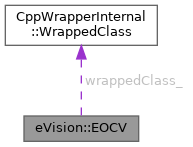
Manages a complete context for the optical character verification tool implemented in EasyOCV. More...
#include <eVision/EasyOcv/EOCV.h>
Public Member Functions | |
| EOCV () | |
| Constructs an OCV context. | |
| virtual | ~EOCV () throw () |
| void | Dump () |
| void | ComputeDefaultTolerances (eVision::EROIBW8 *roi, uint32_t threshold) |
| Computes or recomputes the default tolerances of the quality indicators currently in use for all characters of all texts from the given ROI and threshold. | |
| void | ComputeDefaultTolerances (eVision::EROIBW8 *roi) |
| Computes or recomputes the default tolerances of the quality indicators currently in use for all characters of all texts from the given ROI and threshold. | |
| void | Save (const std::string &path) |
| Saves the EOCV. The given ESerializer must have been created for writing. | |
| void | Save (eVision::ESerializer *serializer) |
| Saves the EOCV. The given ESerializer must have been created for writing. | |
| void | Load (const std::string &path) |
| Loads the EOCV. The given ESerializer must have been created for reading. | |
| void | Load (eVision::ESerializer *serializer) |
| Loads the EOCV. The given ESerializer must have been created for reading. | |
| bool | AreAllFreeObjectsSelected () const |
| void | DrawTemplateObjects (eVision::EDrawAdapter *graphicContext, eVision::ESelectionFlag objectsSelectionFlag, float zoomX, float zoomY, float originX, float originY) |
| Draws the free objects as blobs. | |
| void | DrawTemplateObjects (eVision::EDrawAdapter *graphicContext, eVision::ESelectionFlag objectsSelectionFlag, float zoomX, float zoomY, float originX) |
| Draws the free objects as blobs. | |
| void | DrawTemplateObjects (eVision::EDrawAdapter *graphicContext, eVision::ESelectionFlag objectsSelectionFlag, float zoomX, float zoomY) |
| Draws the free objects as blobs. | |
| void | DrawTemplateObjects (eVision::EDrawAdapter *graphicContext, eVision::ESelectionFlag objectsSelectionFlag, float zoomX) |
| Draws the free objects as blobs. | |
| void | DrawTemplateObjects (eVision::EDrawAdapter *graphicContext, eVision::ESelectionFlag objectsSelectionFlag) |
| Draws the free objects as blobs. | |
| void | DrawTemplateObjects (eVision::EDrawAdapter *graphicContext) |
| Draws the free objects as blobs. | |
| void | DrawTemplateObjects (HDC graphicContext, eVision::ESelectionFlag objectsSelectionFlag, float zoomX, float zoomY, float originX, float originY) |
| Draws the free objects as blobs. | |
| void | DrawTemplateObjects (HDC graphicContext, eVision::ESelectionFlag objectsSelectionFlag, float zoomX, float zoomY, float originX) |
| Draws the free objects as blobs. | |
| void | DrawTemplateObjects (HDC graphicContext, eVision::ESelectionFlag objectsSelectionFlag, float zoomX, float zoomY) |
| Draws the free objects as blobs. | |
| void | DrawTemplateObjects (HDC graphicContext, eVision::ESelectionFlag objectsSelectionFlag, float zoomX) |
| Draws the free objects as blobs. | |
| void | DrawTemplateObjects (HDC graphicContext, eVision::ESelectionFlag objectsSelectionFlag) |
| Draws the free objects as blobs. | |
| void | DrawTemplateObjects (HDC graphicContext) |
| Draws the free objects as blobs. | |
| void | DrawTemplateObjects (HDC graphicContext, const eVision::ERGBColor &color, eVision::ESelectionFlag objectsSelectionFlag, float zoomX, float zoomY, float originX, float originY) |
| Draws the free objects as blobs. | |
| void | DrawTemplateObjects (HDC graphicContext, const eVision::ERGBColor &color, eVision::ESelectionFlag objectsSelectionFlag, float zoomX, float zoomY, float originX) |
| Draws the free objects as blobs. | |
| void | DrawTemplateObjects (HDC graphicContext, const eVision::ERGBColor &color, eVision::ESelectionFlag objectsSelectionFlag, float zoomX, float zoomY) |
| Draws the free objects as blobs. | |
| void | DrawTemplateObjects (HDC graphicContext, const eVision::ERGBColor &color, eVision::ESelectionFlag objectsSelectionFlag, float zoomX) |
| Draws the free objects as blobs. | |
| void | DrawTemplateObjects (HDC graphicContext, const eVision::ERGBColor &color, eVision::ESelectionFlag objectsSelectionFlag) |
| Draws the free objects as blobs. | |
| void | DrawTemplateObjects (HDC graphicContext, const eVision::ERGBColor &color) |
| Draws the free objects as blobs. | |
| void | DrawTemplateObjectsWithCurrentPen (HDC graphicContext, eVision::ESelectionFlag objectsSelectionFlag, float zoomX, float zoomY, float originX, float originY) |
| Draws the free objects as blobs. | |
| void | DrawTemplateObjectsWithCurrentPen (HDC graphicContext, eVision::ESelectionFlag objectsSelectionFlag, float zoomX, float zoomY, float originX) |
| Draws the free objects as blobs. | |
| void | DrawTemplateObjectsWithCurrentPen (HDC graphicContext, eVision::ESelectionFlag objectsSelectionFlag, float zoomX, float zoomY) |
| Draws the free objects as blobs. | |
| void | DrawTemplateObjectsWithCurrentPen (HDC graphicContext, eVision::ESelectionFlag objectsSelectionFlag, float zoomX) |
| Draws the free objects as blobs. | |
| void | DrawTemplateObjectsWithCurrentPen (HDC graphicContext, eVision::ESelectionFlag objectsSelectionFlag) |
| Draws the free objects as blobs. | |
| void | DrawTemplateObjectsWithCurrentPen (HDC graphicContext) |
| Draws the free objects as blobs. | |
| eVision::EOCVChar & | GetFreeChar (int32_t index) |
| Gets an individual free character of the OCV context. | |
| void | SetFreeChar (int32_t index, eVision::EOCVChar &freeChar) |
| Sets an individual free character of the OCV context. | |
| uint32_t | GetFreeCharCount () const |
| Return the number of free characters of the OCV context. | |
| void | DrawTemplateChars (eVision::EDrawAdapter *graphicContext, eVision::ESelectionFlag charsSelectionFlag, float zoomX, float zoomY, float originX, float originY) |
| Draws the free characters as bounding rectangles. | |
| void | DrawTemplateChars (eVision::EDrawAdapter *graphicContext, eVision::ESelectionFlag charsSelectionFlag, float zoomX, float zoomY, float originX) |
| Draws the free characters as bounding rectangles. | |
| void | DrawTemplateChars (eVision::EDrawAdapter *graphicContext, eVision::ESelectionFlag charsSelectionFlag, float zoomX, float zoomY) |
| Draws the free characters as bounding rectangles. | |
| void | DrawTemplateChars (eVision::EDrawAdapter *graphicContext, eVision::ESelectionFlag charsSelectionFlag, float zoomX) |
| Draws the free characters as bounding rectangles. | |
| void | DrawTemplateChars (eVision::EDrawAdapter *graphicContext, eVision::ESelectionFlag charsSelectionFlag) |
| Draws the free characters as bounding rectangles. | |
| void | DrawTemplateChars (eVision::EDrawAdapter *graphicContext) |
| Draws the free characters as bounding rectangles. | |
| void | DrawTemplateChars (HDC graphicContext, eVision::ESelectionFlag charsSelectionFlag, float zoomX, float zoomY, float originX, float originY) |
| Draws the free characters as bounding rectangles. | |
| void | DrawTemplateChars (HDC graphicContext, eVision::ESelectionFlag charsSelectionFlag, float zoomX, float zoomY, float originX) |
| Draws the free characters as bounding rectangles. | |
| void | DrawTemplateChars (HDC graphicContext, eVision::ESelectionFlag charsSelectionFlag, float zoomX, float zoomY) |
| Draws the free characters as bounding rectangles. | |
| void | DrawTemplateChars (HDC graphicContext, eVision::ESelectionFlag charsSelectionFlag, float zoomX) |
| Draws the free characters as bounding rectangles. | |
| void | DrawTemplateChars (HDC graphicContext, eVision::ESelectionFlag charsSelectionFlag) |
| Draws the free characters as bounding rectangles. | |
| void | DrawTemplateChars (HDC graphicContext) |
| Draws the free characters as bounding rectangles. | |
| void | DrawTemplateChars (HDC graphicContext, const eVision::ERGBColor &color, eVision::ESelectionFlag charsSelectionFlag, float zoomX, float zoomY, float originX, float originY) |
| Draws the free characters as bounding rectangles. | |
| void | DrawTemplateChars (HDC graphicContext, const eVision::ERGBColor &color, eVision::ESelectionFlag charsSelectionFlag, float zoomX, float zoomY, float originX) |
| Draws the free characters as bounding rectangles. | |
| void | DrawTemplateChars (HDC graphicContext, const eVision::ERGBColor &color, eVision::ESelectionFlag charsSelectionFlag, float zoomX, float zoomY) |
| Draws the free characters as bounding rectangles. | |
| void | DrawTemplateChars (HDC graphicContext, const eVision::ERGBColor &color, eVision::ESelectionFlag charsSelectionFlag, float zoomX) |
| Draws the free characters as bounding rectangles. | |
| void | DrawTemplateChars (HDC graphicContext, const eVision::ERGBColor &color, eVision::ESelectionFlag charsSelectionFlag) |
| Draws the free characters as bounding rectangles. | |
| void | DrawTemplateChars (HDC graphicContext, const eVision::ERGBColor &color) |
| Draws the free characters as bounding rectangles. | |
| void | DrawTemplateCharsWithCurrentPen (HDC graphicContext, eVision::ESelectionFlag charsSelectionFlag, float zoomX, float zoomY, float originX, float originY) |
| Draws the free characters as bounding rectangles. | |
| void | DrawTemplateCharsWithCurrentPen (HDC graphicContext, eVision::ESelectionFlag charsSelectionFlag, float zoomX, float zoomY, float originX) |
| Draws the free characters as bounding rectangles. | |
| void | DrawTemplateCharsWithCurrentPen (HDC graphicContext, eVision::ESelectionFlag charsSelectionFlag, float zoomX, float zoomY) |
| Draws the free characters as bounding rectangles. | |
| void | DrawTemplateCharsWithCurrentPen (HDC graphicContext, eVision::ESelectionFlag charsSelectionFlag, float zoomX) |
| Draws the free characters as bounding rectangles. | |
| void | DrawTemplateCharsWithCurrentPen (HDC graphicContext, eVision::ESelectionFlag charsSelectionFlag) |
| Draws the free characters as bounding rectangles. | |
| void | DrawTemplateCharsWithCurrentPen (HDC graphicContext) |
| Draws the free characters as bounding rectangles. | |
| eVision::EOCVText & | GetText (int32_t index) |
| Returns an individual text of the OCV context. | |
| void | SetText (int32_t index, eVision::EOCVText &text) |
| Modifies the individual text at the given index by the given value. | |
| void | DrawTemplateTexts (eVision::EDrawAdapter *graphicContext, eVision::ESelectionFlag textsSelectionFlag, float zoomX, float zoomY, float originX, float originY) |
| Draws the texts as bounding rectangles. | |
| void | DrawTemplateTexts (eVision::EDrawAdapter *graphicContext, eVision::ESelectionFlag textsSelectionFlag, float zoomX, float zoomY, float originX) |
| Draws the texts as bounding rectangles. | |
| void | DrawTemplateTexts (eVision::EDrawAdapter *graphicContext, eVision::ESelectionFlag textsSelectionFlag, float zoomX, float zoomY) |
| Draws the texts as bounding rectangles. | |
| void | DrawTemplateTexts (eVision::EDrawAdapter *graphicContext, eVision::ESelectionFlag textsSelectionFlag, float zoomX) |
| Draws the texts as bounding rectangles. | |
| void | DrawTemplateTexts (eVision::EDrawAdapter *graphicContext, eVision::ESelectionFlag textsSelectionFlag) |
| Draws the texts as bounding rectangles. | |
| void | DrawTemplateTexts (eVision::EDrawAdapter *graphicContext) |
| Draws the texts as bounding rectangles. | |
| void | DrawTemplateTexts (HDC graphicContext, eVision::ESelectionFlag textsSelectionFlag, float zoomX, float zoomY, float originX, float originY) |
| Draws the texts as bounding rectangles. | |
| void | DrawTemplateTexts (HDC graphicContext, eVision::ESelectionFlag textsSelectionFlag, float zoomX, float zoomY, float originX) |
| Draws the texts as bounding rectangles. | |
| void | DrawTemplateTexts (HDC graphicContext, eVision::ESelectionFlag textsSelectionFlag, float zoomX, float zoomY) |
| Draws the texts as bounding rectangles. | |
| void | DrawTemplateTexts (HDC graphicContext, eVision::ESelectionFlag textsSelectionFlag, float zoomX) |
| Draws the texts as bounding rectangles. | |
| void | DrawTemplateTexts (HDC graphicContext, eVision::ESelectionFlag textsSelectionFlag) |
| Draws the texts as bounding rectangles. | |
| void | DrawTemplateTexts (HDC graphicContext) |
| Draws the texts as bounding rectangles. | |
| void | DrawTemplateTexts (HDC graphicContext, const eVision::ERGBColor &color, eVision::ESelectionFlag textsSelectionFlag, float zoomX, float zoomY, float originX, float originY) |
| Draws the texts as bounding rectangles. | |
| void | DrawTemplateTexts (HDC graphicContext, const eVision::ERGBColor &color, eVision::ESelectionFlag textsSelectionFlag, float zoomX, float zoomY, float originX) |
| Draws the texts as bounding rectangles. | |
| void | DrawTemplateTexts (HDC graphicContext, const eVision::ERGBColor &color, eVision::ESelectionFlag textsSelectionFlag, float zoomX, float zoomY) |
| Draws the texts as bounding rectangles. | |
| void | DrawTemplateTexts (HDC graphicContext, const eVision::ERGBColor &color, eVision::ESelectionFlag textsSelectionFlag, float zoomX) |
| Draws the texts as bounding rectangles. | |
| void | DrawTemplateTexts (HDC graphicContext, const eVision::ERGBColor &color, eVision::ESelectionFlag textsSelectionFlag) |
| Draws the texts as bounding rectangles. | |
| void | DrawTemplateTexts (HDC graphicContext, const eVision::ERGBColor &color) |
| Draws the texts as bounding rectangles. | |
| void | DrawTemplateTextsWithCurrentPen (HDC graphicContext, eVision::ESelectionFlag textsSelectionFlag, float zoomX, float zoomY, float originX, float originY) |
| Draws the texts as bounding rectangles. | |
| void | DrawTemplateTextsWithCurrentPen (HDC graphicContext, eVision::ESelectionFlag textsSelectionFlag, float zoomX, float zoomY, float originX) |
| Draws the texts as bounding rectangles. | |
| void | DrawTemplateTextsWithCurrentPen (HDC graphicContext, eVision::ESelectionFlag textsSelectionFlag, float zoomX, float zoomY) |
| Draws the texts as bounding rectangles. | |
| void | DrawTemplateTextsWithCurrentPen (HDC graphicContext, eVision::ESelectionFlag textsSelectionFlag, float zoomX) |
| Draws the texts as bounding rectangles. | |
| void | DrawTemplateTextsWithCurrentPen (HDC graphicContext, eVision::ESelectionFlag textsSelectionFlag) |
| Draws the texts as bounding rectangles. | |
| void | DrawTemplateTextsWithCurrentPen (HDC graphicContext) |
| Draws the texts as bounding rectangles. | |
| void | DrawTemplateTextsChars (eVision::EDrawAdapter *graphicContext, eVision::ESelectionFlag textsSelectionFlag, eVision::ESelectionFlag charsSelectionFlag, float zoomX, float zoomY, float originX, float originY) |
| Draws the characters of the texts as bounding rectangles. | |
| void | DrawTemplateTextsChars (eVision::EDrawAdapter *graphicContext, eVision::ESelectionFlag textsSelectionFlag, eVision::ESelectionFlag charsSelectionFlag, float zoomX, float zoomY, float originX) |
| Draws the characters of the texts as bounding rectangles. | |
| void | DrawTemplateTextsChars (eVision::EDrawAdapter *graphicContext, eVision::ESelectionFlag textsSelectionFlag, eVision::ESelectionFlag charsSelectionFlag, float zoomX, float zoomY) |
| Draws the characters of the texts as bounding rectangles. | |
| void | DrawTemplateTextsChars (eVision::EDrawAdapter *graphicContext, eVision::ESelectionFlag textsSelectionFlag, eVision::ESelectionFlag charsSelectionFlag, float zoomX) |
| Draws the characters of the texts as bounding rectangles. | |
| void | DrawTemplateTextsChars (eVision::EDrawAdapter *graphicContext, eVision::ESelectionFlag textsSelectionFlag, eVision::ESelectionFlag charsSelectionFlag) |
| Draws the characters of the texts as bounding rectangles. | |
| void | DrawTemplateTextsChars (eVision::EDrawAdapter *graphicContext, eVision::ESelectionFlag textsSelectionFlag) |
| Draws the characters of the texts as bounding rectangles. | |
| void | DrawTemplateTextsChars (eVision::EDrawAdapter *graphicContext) |
| Draws the characters of the texts as bounding rectangles. | |
| void | DrawTemplateTextsChars (HDC graphicContext, eVision::ESelectionFlag textsSelectionFlag, eVision::ESelectionFlag charsSelectionFlag, float zoomX, float zoomY, float originX, float originY) |
| Draws the characters of the texts as bounding rectangles. | |
| void | DrawTemplateTextsChars (HDC graphicContext, eVision::ESelectionFlag textsSelectionFlag, eVision::ESelectionFlag charsSelectionFlag, float zoomX, float zoomY, float originX) |
| Draws the characters of the texts as bounding rectangles. | |
| void | DrawTemplateTextsChars (HDC graphicContext, eVision::ESelectionFlag textsSelectionFlag, eVision::ESelectionFlag charsSelectionFlag, float zoomX, float zoomY) |
| Draws the characters of the texts as bounding rectangles. | |
| void | DrawTemplateTextsChars (HDC graphicContext, eVision::ESelectionFlag textsSelectionFlag, eVision::ESelectionFlag charsSelectionFlag, float zoomX) |
| Draws the characters of the texts as bounding rectangles. | |
| void | DrawTemplateTextsChars (HDC graphicContext, eVision::ESelectionFlag textsSelectionFlag, eVision::ESelectionFlag charsSelectionFlag) |
| Draws the characters of the texts as bounding rectangles. | |
| void | DrawTemplateTextsChars (HDC graphicContext, eVision::ESelectionFlag textsSelectionFlag) |
| Draws the characters of the texts as bounding rectangles. | |
| void | DrawTemplateTextsChars (HDC graphicContext) |
| Draws the characters of the texts as bounding rectangles. | |
| void | DrawTemplateTextsChars (HDC graphicContext, const eVision::ERGBColor &color, eVision::ESelectionFlag textsSelectionFlag, eVision::ESelectionFlag charsSelectionFlag, float zoomX, float zoomY, float originX, float originY) |
| Draws the characters of the texts as bounding rectangles. | |
| void | DrawTemplateTextsChars (HDC graphicContext, const eVision::ERGBColor &color, eVision::ESelectionFlag textsSelectionFlag, eVision::ESelectionFlag charsSelectionFlag, float zoomX, float zoomY, float originX) |
| Draws the characters of the texts as bounding rectangles. | |
| void | DrawTemplateTextsChars (HDC graphicContext, const eVision::ERGBColor &color, eVision::ESelectionFlag textsSelectionFlag, eVision::ESelectionFlag charsSelectionFlag, float zoomX, float zoomY) |
| Draws the characters of the texts as bounding rectangles. | |
| void | DrawTemplateTextsChars (HDC graphicContext, const eVision::ERGBColor &color, eVision::ESelectionFlag textsSelectionFlag, eVision::ESelectionFlag charsSelectionFlag, float zoomX) |
| Draws the characters of the texts as bounding rectangles. | |
| void | DrawTemplateTextsChars (HDC graphicContext, const eVision::ERGBColor &color, eVision::ESelectionFlag textsSelectionFlag, eVision::ESelectionFlag charsSelectionFlag) |
| Draws the characters of the texts as bounding rectangles. | |
| void | DrawTemplateTextsChars (HDC graphicContext, const eVision::ERGBColor &color, eVision::ESelectionFlag textsSelectionFlag) |
| Draws the characters of the texts as bounding rectangles. | |
| void | DrawTemplateTextsChars (HDC graphicContext, const eVision::ERGBColor &color) |
| Draws the characters of the texts as bounding rectangles. | |
| void | DrawTemplateTextsCharsWithCurrentPen (HDC graphicContext, eVision::ESelectionFlag textsSelectionFlag, eVision::ESelectionFlag charsSelectionFlag, float zoomX, float zoomY, float originX, float originY) |
| Draws the characters of the texts as bounding rectangles. | |
| void | DrawTemplateTextsCharsWithCurrentPen (HDC graphicContext, eVision::ESelectionFlag textsSelectionFlag, eVision::ESelectionFlag charsSelectionFlag, float zoomX, float zoomY, float originX) |
| Draws the characters of the texts as bounding rectangles. | |
| void | DrawTemplateTextsCharsWithCurrentPen (HDC graphicContext, eVision::ESelectionFlag textsSelectionFlag, eVision::ESelectionFlag charsSelectionFlag, float zoomX, float zoomY) |
| Draws the characters of the texts as bounding rectangles. | |
| void | DrawTemplateTextsCharsWithCurrentPen (HDC graphicContext, eVision::ESelectionFlag textsSelectionFlag, eVision::ESelectionFlag charsSelectionFlag, float zoomX) |
| Draws the characters of the texts as bounding rectangles. | |
| void | DrawTemplateTextsCharsWithCurrentPen (HDC graphicContext, eVision::ESelectionFlag textsSelectionFlag, eVision::ESelectionFlag charsSelectionFlag) |
| Draws the characters of the texts as bounding rectangles. | |
| void | DrawTemplateTextsCharsWithCurrentPen (HDC graphicContext, eVision::ESelectionFlag textsSelectionFlag) |
| Draws the characters of the texts as bounding rectangles. | |
| void | DrawTemplateTextsCharsWithCurrentPen (HDC graphicContext) |
| Draws the characters of the texts as bounding rectangles. | |
| void | SetTemplateImage2 (eVision::EROIBW8 *templateImage, eVision::EROIBW8 *objectsImage) |
| void | SetTemplateImage (eVision::EROIBW8 *templateImage) |
| Source template image associated to the OCV context during model edition. | |
| eVision::EROIBW8 * | GetTemplateImage () |
| Source template image associated to the OCV context during model edition. | |
| void | CreateTemplateObjects (eVision::ECodedImage *codedImage, eVision::ESelectionFlag codedObjectsSelectionFlag) |
| Adds to the OCV context the objects from the list of the associated coded image. | |
| void | CreateTemplateObjects (eVision::ECodedImage *codedImage) |
| Adds to the OCV context the objects from the list of the associated coded image. | |
| void | SelectTemplateObjects (int32_t originX, int32_t originY, int32_t width, int32_t height, eVision::ESelectionFlag objectsSelectionFlag) |
| Toggles selection of the objects whose bounding box intersects a given rectangle. | |
| void | SelectTemplateObjects (int32_t originX, int32_t originY, int32_t width, int32_t height) |
| Toggles selection of the objects whose bounding box intersects a given rectangle. | |
| void | DeleteTemplateObjects (eVision::ESelectionFlag objectsSelectionFlag) |
| Removes free objects from the OCV context. | |
| void | DeleteTemplateObjects () |
| Removes free objects from the OCV context. | |
| void | CreateTemplateChars (eVision::ESelectionFlag objectsSelectionFlag, eVision::ECharCreationMode creationMode) |
| Adds to the OCV context the characters formed from the list of free objects. | |
| void | CreateTemplateChars (eVision::ESelectionFlag objectsSelectionFlag) |
| Adds to the OCV context the characters formed from the list of free objects. | |
| void | CreateTemplateChars () |
| Adds to the OCV context the characters formed from the list of free objects. | |
| void | SelectTemplateChars (int32_t originX, int32_t originY, int32_t width, int32_t height, eVision::ESelectionFlag charsSelectionFlag) |
| Toggles selection of the free characters whose bounding box intersects a given rectangle. | |
| void | SelectTemplateChars (int32_t originX, int32_t originY, int32_t width, int32_t height) |
| Toggles selection of the free characters whose bounding box intersects a given rectangle. | |
| void | DeleteTemplateChars (eVision::ESelectionFlag charsSelectionFlag) |
| Removes free characters from the OCV context. | |
| void | DeleteTemplateChars () |
| Removes free characters from the OCV context. | |
| void | CreateTemplateTexts (eVision::ESelectionFlag charsSelectionFlag) |
| Adds to the OCV context a piece of text formed from the list of free characters. | |
| void | CreateTemplateTexts () |
| Adds to the OCV context a piece of text formed from the list of free characters. | |
| void | SelectTemplateTexts (int32_t originX, int32_t originY, int32_t width, int32_t height, eVision::ESelectionFlag textsSelectionFlag) |
| Toggles selection of the template texts whose bounding box intersects a given rectangle. | |
| void | SelectTemplateTexts (int32_t originX, int32_t originY, int32_t width, int32_t height) |
| Toggles selection of the template texts whose bounding box intersects a given rectangle. | |
| void | DeleteTemplateTexts (eVision::ESelectionFlag textsSelectionFlag) |
| Removes template texts from the OCV context. | |
| void | DeleteTemplateTexts () |
| Removes template texts from the OCV context. | |
| void | SelectSampleTexts (int32_t originX, int32_t originY, int32_t width, int32_t height, eVision::ESelectionFlag textsSelectionFlag) |
| Toggles selection of the template texts whose bounding box intersects a given rectangle. | |
| void | SelectSampleTexts (int32_t originX, int32_t originY, int32_t width, int32_t height) |
| Toggles selection of the template texts whose bounding box intersects a given rectangle. | |
| void | SelectSampleTextsChars (int32_t originX, int32_t originY, int32_t width, int32_t height, eVision::ESelectionFlag textsSelectionFlag, eVision::ESelectionFlag charsSelectionFlag) |
| Toggles selection of the template text characters whose bounding box intersects a given rectangle. | |
| void | SelectSampleTextsChars (int32_t originX, int32_t originY, int32_t width, int32_t height, eVision::ESelectionFlag textsSelectionFlag) |
| Toggles selection of the template text characters whose bounding box intersects a given rectangle. | |
| void | SelectSampleTextsChars (int32_t originX, int32_t originY, int32_t width, int32_t height) |
| Toggles selection of the template text characters whose bounding box intersects a given rectangle. | |
| void | Learn (eVision::EROIBW8 *image, eVision::ESelectionFlag textsSelectionFlag, eVision::ESelectionFlag charsSelectionFlag) |
| Pre-processes the model so that all required internal data structures are set up. | |
| void | Learn (eVision::EROIBW8 *image, eVision::ESelectionFlag textsSelectionFlag) |
| Pre-processes the model so that all required internal data structures are set up. | |
| void | Learn (eVision::EROIBW8 *image) |
| Pre-processes the model so that all required internal data structures are set up. | |
| int | GetWhiteOnBlack () const |
| Flag indicating whether the learning and inspection steps use white characters on a black background, or black characters on a white background. | |
| void | SetWhiteOnBlack (int bWhiteOnBlack) |
| Flag indicating whether the learning and inspection steps use white characters on a black background, or black characters on a white background. | |
| eVision::EBW8 | GetTemplateThreshold () const |
| Threshold level applied to the template during learning. | |
| void | SetTemplateThreshold (eVision::EBW8 value) |
| Threshold level applied to the template during learning. | |
| float | GetTemplateBackground () const |
| Reference background gray levels determined during learning of the template. | |
| void | SetTemplateBackground (float value) |
| Reference background gray levels determined during learning of the template. | |
| float | GetTemplateForeground () const |
| Reference foreground gray levels determined during learning of the template. | |
| void | SetTemplateForeground (float value) |
| Reference foreground gray levels determined during learning of the template. | |
| eVision::EBW8 | GetSampleThreshold () const |
| Threshold level applied to the sample during inspection. | |
| void | SetSampleThreshold (eVision::EBW8 value) |
| Threshold level applied to the sample during inspection. | |
| float | GetSampleBackground () const |
| Reference background gray levels determined during inspection of the sample. | |
| void | SetSampleBackground (float value) |
| Reference background gray levels determined during inspection of the sample. | |
| float | GetSampleForeground () const |
| Reference foreground gray levels determined during inspection of the sample. | |
| void | SetSampleForeground (float value) |
| Reference foreground gray levels determined during inspection of the sample. | |
| float | GetSampleContrast () |
| Global contrast of the last inspected image, or FLOAT32_UNDEFINED if it has not been computed. | |
| float | GetContrastAverage () |
| Average contrast of last images added to statistics, or FLOAT32_UNDEFINED if it cannot be computed. | |
| float | GetContrastDeviation () |
| Standard deviation of the contrast of the last images added to statistics, or FLOAT32_UNDEFINED if it cannot be computed. | |
| void | SetContrastTolerance (float contrastTolerance) |
| Allowed tolerance on the global contrast (allowed difference between the sample and template values). | |
| float | GetContrastTolerance () |
| Allowed tolerance on the global contrast (allowed difference between the sample and template values). | |
| float | GetTemplateContrast () |
| Global contrast of the template image, or FLOAT32_UNDEFINED if it has not been computed. | |
| eVision::ELocationMode | GetLocationMode () const |
| Kind of pre-processing should be applied to the sample image, as defined by ELocationMode. | |
| void | SetLocationMode (eVision::ELocationMode locationMode) |
| Kind of pre-processing should be applied to the sample image, as defined by ELocationMode. | |
| bool | GetReduceLocationScore () const |
| Current location score reduction mode. | |
| void | SetReduceLocationScore (bool bReduceLocationScore) |
| Current location score reduction mode. | |
| bool | GetNormalizeLocationScore () const |
| Current location score normalization mode. | |
| void | SetNormalizeLocationScore (bool bNormalizeLocationScore) |
| Current location score normalization mode. | |
| bool | GetAccurateTextsLocationScores () const |
| Current texts location scoring mode. | |
| void | SetAccurateTextsLocationScores (bool bAccurateTextsLocationScores) |
| Current texts location scoring mode. | |
| uint32_t | GetNumTexts () |
| Number of texts in the current OCV context. | |
| void | GetTextParameters (eVision::EOCVText &Text, uint32_t textIndex) |
| Copies the parameters from the text of given index to the temporary text. | |
| void | SetTextParameters (eVision::EOCVText &Text, uint32_t textIndex) |
| Copies the desired parameters from the temporary text to the text of given index. | |
| void | GatherTextsParameters (eVision::EOCVText &Text, eVision::ESelectionFlag textsSelectionFlag) |
| Copies the parameters from the texts specified by the selection mode to the temporary text. | |
| void | ScatterTextsParameters (eVision::EOCVText &Text, eVision::ESelectionFlag textsSelectionFlag) |
| Copies the desired parameters from the temporary text to the texts specified by the selection mode. | |
| uint32_t | GetNumTextChars (uint32_t index) |
| Returns the number of characters in this OCV context. | |
| void | GetTextCharParameters (eVision::EOCVChar &ocvChar, uint32_t textIndex, uint32_t charIndex) |
| Copies the parameters from the character of given index to the temporary character. | |
| void | SetTextCharParameters (eVision::EOCVChar &ocvChar, uint32_t textIndex, uint32_t charIndex) |
| Copies the desired parameters from the temporary character to the character of given index. | |
| void | GatherTextsCharsParameters (eVision::EOCVChar &ocvChar, eVision::ESelectionFlag textsSelectionFlag, eVision::ESelectionFlag charsSelectionFlag) |
| Copies the parameters from the characters specified by the selection modes to the temporary character. | |
| void | ScatterTextsCharsParameters (eVision::EOCVChar &ocvChar, eVision::ESelectionFlag textsSelectionFlag, eVision::ESelectionFlag charsSelectionFlag) |
| Copies the desired parameters from the temporary character to the characters specified by the selection mode. | |
| void | DrawText (eVision::EDrawAdapter *graphicContext, eVision::EOCVText &text, float zoomX, float zoomY, float originX, float originY) |
| Draws a tight bounding box around a single text, possibly with the main diagonal where diagnostics occur. | |
| void | DrawText (eVision::EDrawAdapter *graphicContext, eVision::EOCVText &text, float zoomX, float zoomY, float originX) |
| Draws a tight bounding box around a single text, possibly with the main diagonal where diagnostics occur. | |
| void | DrawText (eVision::EDrawAdapter *graphicContext, eVision::EOCVText &text, float zoomX, float zoomY) |
| Draws a tight bounding box around a single text, possibly with the main diagonal where diagnostics occur. | |
| void | DrawText (eVision::EDrawAdapter *graphicContext, eVision::EOCVText &text, float zoomX) |
| Draws a tight bounding box around a single text, possibly with the main diagonal where diagnostics occur. | |
| void | DrawText (eVision::EDrawAdapter *graphicContext, eVision::EOCVText &text) |
| Draws a tight bounding box around a single text, possibly with the main diagonal where diagnostics occur. | |
| void | DrawText (HDC graphicContext, eVision::EOCVText &text, float zoomX, float zoomY, float originX, float originY) |
| Draws a tight bounding box around a single text, possibly with the main diagonal where diagnostics occur. | |
| void | DrawText (HDC graphicContext, eVision::EOCVText &text, float zoomX, float zoomY, float originX) |
| Draws a tight bounding box around a single text, possibly with the main diagonal where diagnostics occur. | |
| void | DrawText (HDC graphicContext, eVision::EOCVText &text, float zoomX, float zoomY) |
| Draws a tight bounding box around a single text, possibly with the main diagonal where diagnostics occur. | |
| void | DrawText (HDC graphicContext, eVision::EOCVText &text, float zoomX) |
| Draws a tight bounding box around a single text, possibly with the main diagonal where diagnostics occur. | |
| void | DrawText (HDC graphicContext, eVision::EOCVText &text) |
| Draws a tight bounding box around a single text, possibly with the main diagonal where diagnostics occur. | |
| void | DrawText (HDC graphicContext, const eVision::ERGBColor &color, eVision::EOCVText &text, float zoomX, float zoomY, float originX, float originY) |
| Draws a tight bounding box around a single text, possibly with the main diagonal where diagnostics occur. | |
| void | DrawText (HDC graphicContext, const eVision::ERGBColor &color, eVision::EOCVText &text, float zoomX, float zoomY, float originX) |
| Draws a tight bounding box around a single text, possibly with the main diagonal where diagnostics occur. | |
| void | DrawText (HDC graphicContext, const eVision::ERGBColor &color, eVision::EOCVText &text, float zoomX, float zoomY) |
| Draws a tight bounding box around a single text, possibly with the main diagonal where diagnostics occur. | |
| void | DrawText (HDC graphicContext, const eVision::ERGBColor &color, eVision::EOCVText &text, float zoomX) |
| Draws a tight bounding box around a single text, possibly with the main diagonal where diagnostics occur. | |
| void | DrawText (HDC graphicContext, const eVision::ERGBColor &color, eVision::EOCVText &text) |
| Draws a tight bounding box around a single text, possibly with the main diagonal where diagnostics occur. | |
| void | DrawTextWithCurrentPen (HDC graphicContext, eVision::EOCVText &text, float zoomX, float zoomY, float originX, float originY) |
| Draws a tight bounding box around a single text, possibly with the main diagonal where diagnostics occur. | |
| void | DrawTextWithCurrentPen (HDC graphicContext, eVision::EOCVText &text, float zoomX, float zoomY, float originX) |
| Draws a tight bounding box around a single text, possibly with the main diagonal where diagnostics occur. | |
| void | DrawTextWithCurrentPen (HDC graphicContext, eVision::EOCVText &text, float zoomX, float zoomY) |
| Draws a tight bounding box around a single text, possibly with the main diagonal where diagnostics occur. | |
| void | DrawTextWithCurrentPen (HDC graphicContext, eVision::EOCVText &text, float zoomX) |
| Draws a tight bounding box around a single text, possibly with the main diagonal where diagnostics occur. | |
| void | DrawTextWithCurrentPen (HDC graphicContext, eVision::EOCVText &text) |
| Draws a tight bounding box around a single text, possibly with the main diagonal where diagnostics occur. | |
| void | DrawTexts (eVision::EDrawAdapter *graphicContext, eVision::ESelectionFlag textsSelectionFlag, float zoomX, float zoomY, float originX, float originY) |
| Draws a tight bounding box around all texts, possibly with the main diagonal where diagnostics occur. | |
| void | DrawTexts (eVision::EDrawAdapter *graphicContext, eVision::ESelectionFlag textsSelectionFlag, float zoomX, float zoomY, float originX) |
| Draws a tight bounding box around all texts, possibly with the main diagonal where diagnostics occur. | |
| void | DrawTexts (eVision::EDrawAdapter *graphicContext, eVision::ESelectionFlag textsSelectionFlag, float zoomX, float zoomY) |
| Draws a tight bounding box around all texts, possibly with the main diagonal where diagnostics occur. | |
| void | DrawTexts (eVision::EDrawAdapter *graphicContext, eVision::ESelectionFlag textsSelectionFlag, float zoomX) |
| Draws a tight bounding box around all texts, possibly with the main diagonal where diagnostics occur. | |
| void | DrawTexts (eVision::EDrawAdapter *graphicContext, eVision::ESelectionFlag textsSelectionFlag) |
| Draws a tight bounding box around all texts, possibly with the main diagonal where diagnostics occur. | |
| void | DrawTexts (eVision::EDrawAdapter *graphicContext) |
| Draws a tight bounding box around all texts, possibly with the main diagonal where diagnostics occur. | |
| void | DrawTexts (HDC graphicContext, eVision::ESelectionFlag textsSelectionFlag, float zoomX, float zoomY, float originX, float originY) |
| Draws a tight bounding box around all texts, possibly with the main diagonal where diagnostics occur. | |
| void | DrawTexts (HDC graphicContext, eVision::ESelectionFlag textsSelectionFlag, float zoomX, float zoomY, float originX) |
| Draws a tight bounding box around all texts, possibly with the main diagonal where diagnostics occur. | |
| void | DrawTexts (HDC graphicContext, eVision::ESelectionFlag textsSelectionFlag, float zoomX, float zoomY) |
| Draws a tight bounding box around all texts, possibly with the main diagonal where diagnostics occur. | |
| void | DrawTexts (HDC graphicContext, eVision::ESelectionFlag textsSelectionFlag, float zoomX) |
| Draws a tight bounding box around all texts, possibly with the main diagonal where diagnostics occur. | |
| void | DrawTexts (HDC graphicContext, eVision::ESelectionFlag textsSelectionFlag) |
| Draws a tight bounding box around all texts, possibly with the main diagonal where diagnostics occur. | |
| void | DrawTexts (HDC graphicContext) |
| Draws a tight bounding box around all texts, possibly with the main diagonal where diagnostics occur. | |
| void | DrawTexts (HDC graphicContext, const eVision::ERGBColor &color, eVision::ESelectionFlag textsSelectionFlag, float zoomX, float zoomY, float originX, float originY) |
| Draws a tight bounding box around all texts, possibly with the main diagonal where diagnostics occur. | |
| void | DrawTexts (HDC graphicContext, const eVision::ERGBColor &color, eVision::ESelectionFlag textsSelectionFlag, float zoomX, float zoomY, float originX) |
| Draws a tight bounding box around all texts, possibly with the main diagonal where diagnostics occur. | |
| void | DrawTexts (HDC graphicContext, const eVision::ERGBColor &color, eVision::ESelectionFlag textsSelectionFlag, float zoomX, float zoomY) |
| Draws a tight bounding box around all texts, possibly with the main diagonal where diagnostics occur. | |
| void | DrawTexts (HDC graphicContext, const eVision::ERGBColor &color, eVision::ESelectionFlag textsSelectionFlag, float zoomX) |
| Draws a tight bounding box around all texts, possibly with the main diagonal where diagnostics occur. | |
| void | DrawTexts (HDC graphicContext, const eVision::ERGBColor &color, eVision::ESelectionFlag textsSelectionFlag) |
| Draws a tight bounding box around all texts, possibly with the main diagonal where diagnostics occur. | |
| void | DrawTexts (HDC graphicContext, const eVision::ERGBColor &color) |
| Draws a tight bounding box around all texts, possibly with the main diagonal where diagnostics occur. | |
| void | DrawTextsWithCurrentPen (HDC graphicContext, eVision::ESelectionFlag textsSelectionFlag, float zoomX, float zoomY, float originX, float originY) |
| Draws a tight bounding box around all texts, possibly with the main diagonal where diagnostics occur. | |
| void | DrawTextsWithCurrentPen (HDC graphicContext, eVision::ESelectionFlag textsSelectionFlag, float zoomX, float zoomY, float originX) |
| Draws a tight bounding box around all texts, possibly with the main diagonal where diagnostics occur. | |
| void | DrawTextsWithCurrentPen (HDC graphicContext, eVision::ESelectionFlag textsSelectionFlag, float zoomX, float zoomY) |
| Draws a tight bounding box around all texts, possibly with the main diagonal where diagnostics occur. | |
| void | DrawTextsWithCurrentPen (HDC graphicContext, eVision::ESelectionFlag textsSelectionFlag, float zoomX) |
| Draws a tight bounding box around all texts, possibly with the main diagonal where diagnostics occur. | |
| void | DrawTextsWithCurrentPen (HDC graphicContext, eVision::ESelectionFlag textsSelectionFlag) |
| Draws a tight bounding box around all texts, possibly with the main diagonal where diagnostics occur. | |
| void | DrawTextsWithCurrentPen (HDC graphicContext) |
| Draws a tight bounding box around all texts, possibly with the main diagonal where diagnostics occur. | |
| void | GetTextPoint (uint32_t textIndex, int32_t &x, int32_t &y, float reducedX, float reducedY, float zoomX, float zoomY, float panX, float panY) |
| Computes the coordinates of a point located relatively to a given text. | |
| void | GetTextPoint (uint32_t textIndex, int32_t &x, int32_t &y, float reducedX, float reducedY, float zoomX, float zoomY, float panX) |
| Computes the coordinates of a point located relatively to a given text. | |
| void | GetTextPoint (uint32_t textIndex, int32_t &x, int32_t &y, float reducedX, float reducedY, float zoomX, float zoomY) |
| Computes the coordinates of a point located relatively to a given text. | |
| void | GetTextPoint (uint32_t textIndex, int32_t &x, int32_t &y, float reducedX, float reducedY, float zoomX) |
| Computes the coordinates of a point located relatively to a given text. | |
| void | GetTextPoint (uint32_t textIndex, int32_t &x, int32_t &y, float reducedX, float reducedY) |
| Computes the coordinates of a point located relatively to a given text. | |
| void | GetTextPoint (uint32_t textIndex, int32_t &x, int32_t &y, float reducedX) |
| Computes the coordinates of a point located relatively to a given text. | |
| void | GetTextPoint (uint32_t textIndex, int32_t &x, int32_t &y) |
| Computes the coordinates of a point located relatively to a given text. | |
| void | DrawTextChars (eVision::EDrawAdapter *graphicContext, eVision::EOCVText &text, eVision::ESelectionFlag charsSelectionFlag, float zoomX, float zoomY, float originX, float originY) |
| Draws a tight bounding box around all characters of a single text, possibly with the main diagonal where diagnostics occur. | |
| void | DrawTextChars (eVision::EDrawAdapter *graphicContext, eVision::EOCVText &text, eVision::ESelectionFlag charsSelectionFlag, float zoomX, float zoomY, float originX) |
| Draws a tight bounding box around all characters of a single text, possibly with the main diagonal where diagnostics occur. | |
| void | DrawTextChars (eVision::EDrawAdapter *graphicContext, eVision::EOCVText &text, eVision::ESelectionFlag charsSelectionFlag, float zoomX, float zoomY) |
| Draws a tight bounding box around all characters of a single text, possibly with the main diagonal where diagnostics occur. | |
| void | DrawTextChars (eVision::EDrawAdapter *graphicContext, eVision::EOCVText &text, eVision::ESelectionFlag charsSelectionFlag, float zoomX) |
| Draws a tight bounding box around all characters of a single text, possibly with the main diagonal where diagnostics occur. | |
| void | DrawTextChars (eVision::EDrawAdapter *graphicContext, eVision::EOCVText &text, eVision::ESelectionFlag charsSelectionFlag) |
| Draws a tight bounding box around all characters of a single text, possibly with the main diagonal where diagnostics occur. | |
| void | DrawTextChars (eVision::EDrawAdapter *graphicContext, eVision::EOCVText &text) |
| Draws a tight bounding box around all characters of a single text, possibly with the main diagonal where diagnostics occur. | |
| void | DrawTextChars (HDC graphicContext, eVision::EOCVText &text, eVision::ESelectionFlag charsSelectionFlag, float zoomX, float zoomY, float originX, float originY) |
| Draws a tight bounding box around all characters of a single text, possibly with the main diagonal where diagnostics occur. | |
| void | DrawTextChars (HDC graphicContext, eVision::EOCVText &text, eVision::ESelectionFlag charsSelectionFlag, float zoomX, float zoomY, float originX) |
| Draws a tight bounding box around all characters of a single text, possibly with the main diagonal where diagnostics occur. | |
| void | DrawTextChars (HDC graphicContext, eVision::EOCVText &text, eVision::ESelectionFlag charsSelectionFlag, float zoomX, float zoomY) |
| Draws a tight bounding box around all characters of a single text, possibly with the main diagonal where diagnostics occur. | |
| void | DrawTextChars (HDC graphicContext, eVision::EOCVText &text, eVision::ESelectionFlag charsSelectionFlag, float zoomX) |
| Draws a tight bounding box around all characters of a single text, possibly with the main diagonal where diagnostics occur. | |
| void | DrawTextChars (HDC graphicContext, eVision::EOCVText &text, eVision::ESelectionFlag charsSelectionFlag) |
| Draws a tight bounding box around all characters of a single text, possibly with the main diagonal where diagnostics occur. | |
| void | DrawTextChars (HDC graphicContext, eVision::EOCVText &text) |
| Draws a tight bounding box around all characters of a single text, possibly with the main diagonal where diagnostics occur. | |
| void | DrawTextChars (HDC graphicContext, const eVision::ERGBColor &color, eVision::EOCVText &text, eVision::ESelectionFlag charsSelectionFlag, float zoomX, float zoomY, float originX, float originY) |
| Draws a tight bounding box around all characters of a single text, possibly with the main diagonal where diagnostics occur. | |
| void | DrawTextChars (HDC graphicContext, const eVision::ERGBColor &color, eVision::EOCVText &text, eVision::ESelectionFlag charsSelectionFlag, float zoomX, float zoomY, float originX) |
| Draws a tight bounding box around all characters of a single text, possibly with the main diagonal where diagnostics occur. | |
| void | DrawTextChars (HDC graphicContext, const eVision::ERGBColor &color, eVision::EOCVText &text, eVision::ESelectionFlag charsSelectionFlag, float zoomX, float zoomY) |
| Draws a tight bounding box around all characters of a single text, possibly with the main diagonal where diagnostics occur. | |
| void | DrawTextChars (HDC graphicContext, const eVision::ERGBColor &color, eVision::EOCVText &text, eVision::ESelectionFlag charsSelectionFlag, float zoomX) |
| Draws a tight bounding box around all characters of a single text, possibly with the main diagonal where diagnostics occur. | |
| void | DrawTextChars (HDC graphicContext, const eVision::ERGBColor &color, eVision::EOCVText &text, eVision::ESelectionFlag charsSelectionFlag) |
| Draws a tight bounding box around all characters of a single text, possibly with the main diagonal where diagnostics occur. | |
| void | DrawTextChars (HDC graphicContext, const eVision::ERGBColor &color, eVision::EOCVText &text) |
| Draws a tight bounding box around all characters of a single text, possibly with the main diagonal where diagnostics occur. | |
| void | DrawTextCharsWithCurrentPen (HDC graphicContext, eVision::EOCVText &text, eVision::ESelectionFlag charsSelectionFlag, float zoomX, float zoomY, float originX, float originY) |
| Draws a tight bounding box around all characters of a single text, possibly with the main diagonal where diagnostics occur. | |
| void | DrawTextCharsWithCurrentPen (HDC graphicContext, eVision::EOCVText &text, eVision::ESelectionFlag charsSelectionFlag, float zoomX, float zoomY, float originX) |
| Draws a tight bounding box around all characters of a single text, possibly with the main diagonal where diagnostics occur. | |
| void | DrawTextCharsWithCurrentPen (HDC graphicContext, eVision::EOCVText &text, eVision::ESelectionFlag charsSelectionFlag, float zoomX, float zoomY) |
| Draws a tight bounding box around all characters of a single text, possibly with the main diagonal where diagnostics occur. | |
| void | DrawTextCharsWithCurrentPen (HDC graphicContext, eVision::EOCVText &text, eVision::ESelectionFlag charsSelectionFlag, float zoomX) |
| Draws a tight bounding box around all characters of a single text, possibly with the main diagonal where diagnostics occur. | |
| void | DrawTextCharsWithCurrentPen (HDC graphicContext, eVision::EOCVText &text, eVision::ESelectionFlag charsSelectionFlag) |
| Draws a tight bounding box around all characters of a single text, possibly with the main diagonal where diagnostics occur. | |
| void | DrawTextCharsWithCurrentPen (HDC graphicContext, eVision::EOCVText &text) |
| Draws a tight bounding box around all characters of a single text, possibly with the main diagonal where diagnostics occur. | |
| void | DrawTextsChars (eVision::EDrawAdapter *graphicContext, eVision::ESelectionFlag textsSelectionFlag, eVision::ESelectionFlag charsSelectionFlag, float zoomX, float zoomY, float originX, float originY) |
| Draws a tight bounding box around all characters of all texts. | |
| void | DrawTextsChars (eVision::EDrawAdapter *graphicContext, eVision::ESelectionFlag textsSelectionFlag, eVision::ESelectionFlag charsSelectionFlag, float zoomX, float zoomY, float originX) |
| Draws a tight bounding box around all characters of all texts. | |
| void | DrawTextsChars (eVision::EDrawAdapter *graphicContext, eVision::ESelectionFlag textsSelectionFlag, eVision::ESelectionFlag charsSelectionFlag, float zoomX, float zoomY) |
| Draws a tight bounding box around all characters of all texts. | |
| void | DrawTextsChars (eVision::EDrawAdapter *graphicContext, eVision::ESelectionFlag textsSelectionFlag, eVision::ESelectionFlag charsSelectionFlag, float zoomX) |
| Draws a tight bounding box around all characters of all texts. | |
| void | DrawTextsChars (eVision::EDrawAdapter *graphicContext, eVision::ESelectionFlag textsSelectionFlag, eVision::ESelectionFlag charsSelectionFlag) |
| Draws a tight bounding box around all characters of all texts. | |
| void | DrawTextsChars (eVision::EDrawAdapter *graphicContext, eVision::ESelectionFlag textsSelectionFlag) |
| Draws a tight bounding box around all characters of all texts. | |
| void | DrawTextsChars (eVision::EDrawAdapter *graphicContext) |
| Draws a tight bounding box around all characters of all texts. | |
| void | DrawTextsChars (HDC graphicContext, eVision::ESelectionFlag textsSelectionFlag, eVision::ESelectionFlag charsSelectionFlag, float zoomX, float zoomY, float originX, float originY) |
| Draws a tight bounding box around all characters of all texts. | |
| void | DrawTextsChars (HDC graphicContext, eVision::ESelectionFlag textsSelectionFlag, eVision::ESelectionFlag charsSelectionFlag, float zoomX, float zoomY, float originX) |
| Draws a tight bounding box around all characters of all texts. | |
| void | DrawTextsChars (HDC graphicContext, eVision::ESelectionFlag textsSelectionFlag, eVision::ESelectionFlag charsSelectionFlag, float zoomX, float zoomY) |
| Draws a tight bounding box around all characters of all texts. | |
| void | DrawTextsChars (HDC graphicContext, eVision::ESelectionFlag textsSelectionFlag, eVision::ESelectionFlag charsSelectionFlag, float zoomX) |
| Draws a tight bounding box around all characters of all texts. | |
| void | DrawTextsChars (HDC graphicContext, eVision::ESelectionFlag textsSelectionFlag, eVision::ESelectionFlag charsSelectionFlag) |
| Draws a tight bounding box around all characters of all texts. | |
| void | DrawTextsChars (HDC graphicContext, eVision::ESelectionFlag textsSelectionFlag) |
| Draws a tight bounding box around all characters of all texts. | |
| void | DrawTextsChars (HDC graphicContext) |
| Draws a tight bounding box around all characters of all texts. | |
| void | DrawTextsChars (HDC graphicContext, const eVision::ERGBColor &color, eVision::ESelectionFlag textsSelectionFlag, eVision::ESelectionFlag charsSelectionFlag, float zoomX, float zoomY, float originX, float originY) |
| Draws a tight bounding box around all characters of all texts. | |
| void | DrawTextsChars (HDC graphicContext, const eVision::ERGBColor &color, eVision::ESelectionFlag textsSelectionFlag, eVision::ESelectionFlag charsSelectionFlag, float zoomX, float zoomY, float originX) |
| Draws a tight bounding box around all characters of all texts. | |
| void | DrawTextsChars (HDC graphicContext, const eVision::ERGBColor &color, eVision::ESelectionFlag textsSelectionFlag, eVision::ESelectionFlag charsSelectionFlag, float zoomX, float zoomY) |
| Draws a tight bounding box around all characters of all texts. | |
| void | DrawTextsChars (HDC graphicContext, const eVision::ERGBColor &color, eVision::ESelectionFlag textsSelectionFlag, eVision::ESelectionFlag charsSelectionFlag, float zoomX) |
| Draws a tight bounding box around all characters of all texts. | |
| void | DrawTextsChars (HDC graphicContext, const eVision::ERGBColor &color, eVision::ESelectionFlag textsSelectionFlag, eVision::ESelectionFlag charsSelectionFlag) |
| Draws a tight bounding box around all characters of all texts. | |
| void | DrawTextsChars (HDC graphicContext, const eVision::ERGBColor &color, eVision::ESelectionFlag textsSelectionFlag) |
| Draws a tight bounding box around all characters of all texts. | |
| void | DrawTextsChars (HDC graphicContext, const eVision::ERGBColor &color) |
| Draws a tight bounding box around all characters of all texts. | |
| void | DrawTextsCharsWithCurrentPen (HDC graphicContext, eVision::ESelectionFlag textsSelectionFlag, eVision::ESelectionFlag charsSelectionFlag, float zoomX, float zoomY, float originX, float originY) |
| Draws a tight bounding box around all characters of all texts. | |
| void | DrawTextsCharsWithCurrentPen (HDC graphicContext, eVision::ESelectionFlag textsSelectionFlag, eVision::ESelectionFlag charsSelectionFlag, float zoomX, float zoomY, float originX) |
| Draws a tight bounding box around all characters of all texts. | |
| void | DrawTextsCharsWithCurrentPen (HDC graphicContext, eVision::ESelectionFlag textsSelectionFlag, eVision::ESelectionFlag charsSelectionFlag, float zoomX, float zoomY) |
| Draws a tight bounding box around all characters of all texts. | |
| void | DrawTextsCharsWithCurrentPen (HDC graphicContext, eVision::ESelectionFlag textsSelectionFlag, eVision::ESelectionFlag charsSelectionFlag, float zoomX) |
| Draws a tight bounding box around all characters of all texts. | |
| void | DrawTextsCharsWithCurrentPen (HDC graphicContext, eVision::ESelectionFlag textsSelectionFlag, eVision::ESelectionFlag charsSelectionFlag) |
| Draws a tight bounding box around all characters of all texts. | |
| void | DrawTextsCharsWithCurrentPen (HDC graphicContext, eVision::ESelectionFlag textsSelectionFlag) |
| Draws a tight bounding box around all characters of all texts. | |
| void | DrawTextsCharsWithCurrentPen (HDC graphicContext) |
| Draws a tight bounding box around all characters of all texts. | |
| void | GetTextCharPoint (uint32_t textIndex, uint32_t charIndex, int32_t &x, int32_t &y, float reducedX, float reducedY, float zoomX, float zoomY, float panX, float panY) |
| Computes the coordinates of a point located relatively to a given character. | |
| void | GetTextCharPoint (uint32_t textIndex, uint32_t charIndex, int32_t &x, int32_t &y, float reducedX, float reducedY, float zoomX, float zoomY, float panX) |
| Computes the coordinates of a point located relatively to a given character. | |
| void | GetTextCharPoint (uint32_t textIndex, uint32_t charIndex, int32_t &x, int32_t &y, float reducedX, float reducedY, float zoomX, float zoomY) |
| Computes the coordinates of a point located relatively to a given character. | |
| void | GetTextCharPoint (uint32_t textIndex, uint32_t charIndex, int32_t &x, int32_t &y, float reducedX, float reducedY, float zoomX) |
| Computes the coordinates of a point located relatively to a given character. | |
| void | GetTextCharPoint (uint32_t textIndex, uint32_t charIndex, int32_t &x, int32_t &y, float reducedX, float reducedY) |
| Computes the coordinates of a point located relatively to a given character. | |
| void | GetTextCharPoint (uint32_t textIndex, uint32_t charIndex, int32_t &x, int32_t &y, float reducedX) |
| Computes the coordinates of a point located relatively to a given character. | |
| void | GetTextCharPoint (uint32_t textIndex, uint32_t charIndex, int32_t &x, int32_t &y) |
| Computes the coordinates of a point located relatively to a given character. | |
| uint32_t | GetUsedQualityIndicators () |
| Choice of quality indicators. | |
| void | SetUsedQualityIndicators (uint32_t un32UsedQualityIndicators) |
| Choice of quality indicators. | |
| bool | GetResampleChars () |
| Character resampling mode. | |
| void | SetResampleChars (bool bResampleChars) |
| Character resampling mode. | |
| uint32_t | GetDiagnostics () |
| Logical combination (bitwise OR) of the defects found. | |
| void | Inspect (eVision::EROIBW8 *sampleImage, uint32_t threshold) |
| Inspection is the process that locates the template in the sample image using all allowed degrees of freedom, compares both images to detects and quantify defects. | |
| uint32_t | GetStatisticsCount () |
| Number of samples that have been taken into account in the statistics so far. | |
| void | ClearStatistics () |
| Resets the statistics accumulation. | |
| void | UpdateStatistics () |
| Adds the parameters of the last inspection to the statistics. | |
| void | AdjustShiftTolerances (eVision::EROIBW8 *roi) |
| Adjust the shift tolerances on texts from a provided ROI. | |
| void | AdjustTextsLocationRanges (float factor, eVision::ESelectionFlag selection) |
| Adjusts the location ranges (i.e tolerances and bias) of texts using the results of the statistical training (minimum and maximum observed values). | |
| void | AdjustTextsLocationRanges (float factor) |
| Adjusts the location ranges (i.e tolerances and bias) of texts using the results of the statistical training (minimum and maximum observed values). | |
| void | AdjustTextsLocationRanges () |
| Adjusts the location ranges (i.e tolerances and bias) of texts using the results of the statistical training (minimum and maximum observed values). | |
| void | AdjustTextsQualityRanges (float factor, eVision::ESelectionFlag selection) |
| Adjusts the allowed ranges for the text quality indicators (i.e. tolerances and bias) using the results of the statistical training (average and standard deviation of the observed values). | |
| void | AdjustTextsQualityRanges (float factor) |
| Adjusts the allowed ranges for the text quality indicators (i.e. tolerances and bias) using the results of the statistical training (average and standard deviation of the observed values). | |
| void | AdjustTextsQualityRanges () |
| Adjusts the allowed ranges for the text quality indicators (i.e. tolerances and bias) using the results of the statistical training (average and standard deviation of the observed values). | |
| void | AdjustCharsLocationRanges (float factor, eVision::ESelectionFlag textSelection, eVision::ESelectionFlag charSelection) |
| Adjusts the location ranges (i.e tolerances and bias) of the characters using the results of the statistical training (minimum and maximum observed values). | |
| void | AdjustCharsLocationRanges (float factor, eVision::ESelectionFlag textSelection) |
| Adjusts the location ranges (i.e tolerances and bias) of the characters using the results of the statistical training (minimum and maximum observed values). | |
| void | AdjustCharsLocationRanges (float factor) |
| Adjusts the location ranges (i.e tolerances and bias) of the characters using the results of the statistical training (minimum and maximum observed values). | |
| void | AdjustCharsLocationRanges () |
| Adjusts the location ranges (i.e tolerances and bias) of the characters using the results of the statistical training (minimum and maximum observed values). | |
| void | AdjustCharsQualityRanges (float factor, eVision::ESelectionFlag textSelection, eVision::ESelectionFlag charSelection) |
| Adjusts the allowed ranges for the character quality indicators (i.e. tolerances and bias) using the results of the statistical training (average and standard deviation of the observed values). | |
| void | AdjustCharsQualityRanges (float factor, eVision::ESelectionFlag textSelection) |
| Adjusts the allowed ranges for the character quality indicators (i.e. tolerances and bias) using the results of the statistical training (average and standard deviation of the observed values). | |
| void | AdjustCharsQualityRanges (float factor) |
| Adjusts the allowed ranges for the character quality indicators (i.e. tolerances and bias) using the results of the statistical training (average and standard deviation of the observed values). | |
| void | AdjustCharsQualityRanges () |
| Adjusts the allowed ranges for the character quality indicators (i.e. tolerances and bias) using the results of the statistical training (average and standard deviation of the observed values). | |
| EOCV (CppWrapperInternal::InternalConstructor) | |
Public Attributes | |
| CppWrapperInternal::WrappedClass | wrappedClass_ |
Manages a complete context for the optical character verification tool implemented in EasyOCV.
License(s): EasyOCV
| eVision::EOCV::EOCV | ( | ) |
Constructs an OCV context.
Only the default constructor is needed.
|
virtual | ||||||||||||
| eVision::EOCV::EOCV | ( | CppWrapperInternal::InternalConstructor | ) |
| void eVision::EOCV::AdjustCharsLocationRanges | ( | ) |
Adjusts the location ranges (i.e tolerances and bias) of the characters using the results of the statistical training (minimum and maximum observed values).
The method reassigns bias and tolerances values according to their minimum and maximum observed values in the X and Y directions (reported by statistics). The following adjustments are made on characters whose selection state matches textSelection and charSelection:
| void eVision::EOCV::AdjustCharsLocationRanges | ( | float | factor | ) |
Adjusts the location ranges (i.e tolerances and bias) of the characters using the results of the statistical training (minimum and maximum observed values).
| factor | Safety factor to use when re-computing the tolerances. |
The method reassigns bias and tolerances values according to their minimum and maximum observed values in the X and Y directions (reported by statistics). The following adjustments are made on characters whose selection state matches textSelection and charSelection:
| void eVision::EOCV::AdjustCharsLocationRanges | ( | float | factor, |
| eVision::ESelectionFlag | textSelection ) |
Adjusts the location ranges (i.e tolerances and bias) of the characters using the results of the statistical training (minimum and maximum observed values).
| factor | Safety factor to use when re-computing the tolerances. |
| textSelection | Tells on which texts the adjustment should be applied, as defined by ESelectionFlag. |
The method reassigns bias and tolerances values according to their minimum and maximum observed values in the X and Y directions (reported by statistics). The following adjustments are made on characters whose selection state matches textSelection and charSelection:
| void eVision::EOCV::AdjustCharsLocationRanges | ( | float | factor, |
| eVision::ESelectionFlag | textSelection, | ||
| eVision::ESelectionFlag | charSelection ) |
Adjusts the location ranges (i.e tolerances and bias) of the characters using the results of the statistical training (minimum and maximum observed values).
| factor | Safety factor to use when re-computing the tolerances. |
| textSelection | Tells on which texts the adjustment should be applied, as defined by ESelectionFlag. |
| charSelection | Tells on which chars the adjustment should be applied, as defined by ESelectionFlag. |
The method reassigns bias and tolerances values according to their minimum and maximum observed values in the X and Y directions (reported by statistics). The following adjustments are made on characters whose selection state matches textSelection and charSelection:
| void eVision::EOCV::AdjustCharsQualityRanges | ( | ) |
Adjusts the allowed ranges for the character quality indicators (i.e. tolerances and bias) using the results of the statistical training (average and standard deviation of the observed values).
The method reassigns bias and tolerances values according to their average and standard deviation, as reported by statistics. The following adjustments are made on characters whose selection state matches textSelection and charSelection:
| void eVision::EOCV::AdjustCharsQualityRanges | ( | float | factor | ) |
Adjusts the allowed ranges for the character quality indicators (i.e. tolerances and bias) using the results of the statistical training (average and standard deviation of the observed values).
| factor | Safety factor to use when re-computing the tolerances. |
The method reassigns bias and tolerances values according to their average and standard deviation, as reported by statistics. The following adjustments are made on characters whose selection state matches textSelection and charSelection:
| void eVision::EOCV::AdjustCharsQualityRanges | ( | float | factor, |
| eVision::ESelectionFlag | textSelection ) |
Adjusts the allowed ranges for the character quality indicators (i.e. tolerances and bias) using the results of the statistical training (average and standard deviation of the observed values).
| factor | Safety factor to use when re-computing the tolerances. |
| textSelection | Tells on which texts the adjustment should be applied, as defined by ESelectionFlag. |
The method reassigns bias and tolerances values according to their average and standard deviation, as reported by statistics. The following adjustments are made on characters whose selection state matches textSelection and charSelection:
| void eVision::EOCV::AdjustCharsQualityRanges | ( | float | factor, |
| eVision::ESelectionFlag | textSelection, | ||
| eVision::ESelectionFlag | charSelection ) |
Adjusts the allowed ranges for the character quality indicators (i.e. tolerances and bias) using the results of the statistical training (average and standard deviation of the observed values).
| factor | Safety factor to use when re-computing the tolerances. |
| textSelection | Tells on which texts the adjustment should be applied, as defined by ESelectionFlag. |
| charSelection | Tells on which chars the adjustment should be applied, as defined by ESelectionFlag. |
The method reassigns bias and tolerances values according to their average and standard deviation, as reported by statistics. The following adjustments are made on characters whose selection state matches textSelection and charSelection:
| void eVision::EOCV::AdjustShiftTolerances | ( | eVision::EROIBW8 * | roi | ) |
Adjust the shift tolerances on texts from a provided ROI.
| roi | Pointer on the ROI from which the shift tolerances will be computed. |
The method performs the computation of texts shift tolerances, assuming that the specified ROI always contains the whole text (text cannot lie outside of the ROI). Other text location parameters (skew, scale, shear) are not taken in account, and this method should not be called if these parameters tolerances are not set to zero. The method also assumes texts always have the same displacement, and does not affect characters location tolerances.
| void eVision::EOCV::AdjustTextsLocationRanges | ( | ) |
Adjusts the location ranges (i.e tolerances and bias) of texts using the results of the statistical training (minimum and maximum observed values).
The method reassigns bias and tolerances values according to their minimum and maximum observed values in the X and Y directions (reported by statistics). The following adjustments are made on texts whose selection state matches selection:
| void eVision::EOCV::AdjustTextsLocationRanges | ( | float | factor | ) |
Adjusts the location ranges (i.e tolerances and bias) of texts using the results of the statistical training (minimum and maximum observed values).
| factor | Safety factor to use when re-computing the tolerances. |
The method reassigns bias and tolerances values according to their minimum and maximum observed values in the X and Y directions (reported by statistics). The following adjustments are made on texts whose selection state matches selection:
| void eVision::EOCV::AdjustTextsLocationRanges | ( | float | factor, |
| eVision::ESelectionFlag | selection ) |
Adjusts the location ranges (i.e tolerances and bias) of texts using the results of the statistical training (minimum and maximum observed values).
| factor | Safety factor to use when re-computing the tolerances. |
| selection | Tells on which texts the adjustment should be applied, as defined by ESelectionFlag. |
The method reassigns bias and tolerances values according to their minimum and maximum observed values in the X and Y directions (reported by statistics). The following adjustments are made on texts whose selection state matches selection:
| void eVision::EOCV::AdjustTextsQualityRanges | ( | ) |
Adjusts the allowed ranges for the text quality indicators (i.e. tolerances and bias) using the results of the statistical training (average and standard deviation of the observed values).
The method reassigns bias and tolerances values according to their average and standard deviation, as reported by statistics. The following adjustments are made on texts whose selection state matches selection:
| void eVision::EOCV::AdjustTextsQualityRanges | ( | float | factor | ) |
Adjusts the allowed ranges for the text quality indicators (i.e. tolerances and bias) using the results of the statistical training (average and standard deviation of the observed values).
| factor | Safety factor to use when re-computing the tolerances. |
The method reassigns bias and tolerances values according to their average and standard deviation, as reported by statistics. The following adjustments are made on texts whose selection state matches selection:
| void eVision::EOCV::AdjustTextsQualityRanges | ( | float | factor, |
| eVision::ESelectionFlag | selection ) |
Adjusts the allowed ranges for the text quality indicators (i.e. tolerances and bias) using the results of the statistical training (average and standard deviation of the observed values).
| factor | Safety factor to use when re-computing the tolerances. |
| selection | Tells on which texts the adjustment should be applied, as defined by ESelectionFlag. |
The method reassigns bias and tolerances values according to their average and standard deviation, as reported by statistics. The following adjustments are made on texts whose selection state matches selection:
| bool eVision::EOCV::AreAllFreeObjectsSelected | ( | ) | const |
| void eVision::EOCV::ClearStatistics | ( | ) |
Resets the statistics accumulation.
This function must be called before a batch of inspections.
| void eVision::EOCV::ComputeDefaultTolerances | ( | eVision::EROIBW8 * | roi | ) |
Computes or recomputes the default tolerances of the quality indicators currently in use for all characters of all texts from the given ROI and threshold.
| roi | Pointer to the ROI from which the default tolerances should be computed. |
An explicit call of this method is performed by method Learn at the end of the learning stage.
| void eVision::EOCV::ComputeDefaultTolerances | ( | eVision::EROIBW8 * | roi, |
| uint32_t | threshold ) |
Computes or recomputes the default tolerances of the quality indicators currently in use for all characters of all texts from the given ROI and threshold.
| roi | Pointer to the ROI from which the default tolerances should be computed. |
| threshold | Threshold level to use during computation, as defined by EThresholdMode. |
An explicit call of this method is performed by method Learn at the end of the learning stage.
| void eVision::EOCV::CreateTemplateChars | ( | ) |
Adds to the OCV context the characters formed from the list of free objects.
The free characters are sets of blobs taken from the free objects list. One step of the model definition is to specify which free objects will be handled by the OCV context and how they will be grouped to form characters. Grouping can be done automatically by using a overlapping criterion, or explicitly. When an object is added to a character, it is removed from the free objects list.
| void eVision::EOCV::CreateTemplateChars | ( | eVision::ESelectionFlag | objectsSelectionFlag | ) |
Adds to the OCV context the characters formed from the list of free objects.
| objectsSelectionFlag | Selection mode for the objects, as defined by ESelectionFlag. By default, only the selected objects are created. |
The free characters are sets of blobs taken from the free objects list. One step of the model definition is to specify which free objects will be handled by the OCV context and how they will be grouped to form characters. Grouping can be done automatically by using a overlapping criterion, or explicitly. When an object is added to a character, it is removed from the free objects list.
| void eVision::EOCV::CreateTemplateChars | ( | eVision::ESelectionFlag | objectsSelectionFlag, |
| eVision::ECharCreationMode | creationMode ) |
Adds to the OCV context the characters formed from the list of free objects.
| objectsSelectionFlag | Selection mode for the objects, as defined by ESelectionFlag. By default, only the selected objects are created. |
| creationMode | Free objects grouping criterion, as defined by ECharCreationMode. By default, the free objects whose bounding rectangle overlap are considered as belonging to the same character. |
The free characters are sets of blobs taken from the free objects list. One step of the model definition is to specify which free objects will be handled by the OCV context and how they will be grouped to form characters. Grouping can be done automatically by using a overlapping criterion, or explicitly. When an object is added to a character, it is removed from the free objects list.
| void eVision::EOCV::CreateTemplateObjects | ( | eVision::ECodedImage * | codedImage | ) |
Adds to the OCV context the objects from the list of the associated coded image.
| codedImage | An ECodedImage object. |
The free objects are blobs built using a separate coded image. One step of the model definition is to specify which objects will be handled by the OCV context.
| void eVision::EOCV::CreateTemplateObjects | ( | eVision::ECodedImage * | codedImage, |
| eVision::ESelectionFlag | codedObjectsSelectionFlag ) |
Adds to the OCV context the objects from the list of the associated coded image.
| codedImage | An ECodedImage object. |
| codedObjectsSelectionFlag | Selection mode for the objects, as defined by ESelectionFlag. By default, only the selected objects are created. |
The free objects are blobs built using a separate coded image. One step of the model definition is to specify which objects will be handled by the OCV context.
| void eVision::EOCV::CreateTemplateTexts | ( | ) |
Adds to the OCV context a piece of text formed from the list of free characters.
The template texts are sets of characters taken from the free characters list. One step of the model definition is to specify which free characters will be handled by the OCV context and how they will be grouped to form texts. Grouping must be done explicitly. When a character is added to a text, it is removed from the free characters list.
| void eVision::EOCV::CreateTemplateTexts | ( | eVision::ESelectionFlag | charsSelectionFlag | ) |
Adds to the OCV context a piece of text formed from the list of free characters.
| charsSelectionFlag | Selection mode for the free characters, as defined by ESelectionFlag. By default, only the selected free characters are processed. |
The template texts are sets of characters taken from the free characters list. One step of the model definition is to specify which free characters will be handled by the OCV context and how they will be grouped to form texts. Grouping must be done explicitly. When a character is added to a text, it is removed from the free characters list.
| void eVision::EOCV::DeleteTemplateChars | ( | ) |
Removes free characters from the OCV context.
The free characters are sets of blobs taken from the free objects list. One step of the model definition is to specify which free objects will be handled by the OCV context and how they will be grouped to form characters. Grouping can be done automatically by using a overlapping criterion, or explicitly. When an object is added to a character, it is removed from the free objects list.
| void eVision::EOCV::DeleteTemplateChars | ( | eVision::ESelectionFlag | charsSelectionFlag | ) |
Removes free characters from the OCV context.
| charsSelectionFlag | Selection mode for the free characters, as defined by ESelectionFlag. By default, only the selected free characters are deleted. |
The free characters are sets of blobs taken from the free objects list. One step of the model definition is to specify which free objects will be handled by the OCV context and how they will be grouped to form characters. Grouping can be done automatically by using a overlapping criterion, or explicitly. When an object is added to a character, it is removed from the free objects list.
| void eVision::EOCV::DeleteTemplateObjects | ( | ) |
Removes free objects from the OCV context.
The free objects are blobs built using a separate coded image. One step of the model definition is to specify which objects will be handled by the OCV context.
| void eVision::EOCV::DeleteTemplateObjects | ( | eVision::ESelectionFlag | objectsSelectionFlag | ) |
Removes free objects from the OCV context.
| objectsSelectionFlag | Selection mode for the objects, as defined by ESelectionFlag. By default, only the selected objects are deleted. |
The free objects are blobs built using a separate coded image. One step of the model definition is to specify which objects will be handled by the OCV context.
| void eVision::EOCV::DeleteTemplateTexts | ( | ) |
Removes template texts from the OCV context.
The template texts are sets of characters taken from the free characters list. One step of the model definition is to specify which free characters will be handled by the OCV context and how they will be grouped to form texts. Grouping must be done explicitly. When a character is added to a text, it is removed from the free characters list.
| void eVision::EOCV::DeleteTemplateTexts | ( | eVision::ESelectionFlag | textsSelectionFlag | ) |
Removes template texts from the OCV context.
| textsSelectionFlag | Selection mode for the template texts, as defined by ESelectionFlag. By default, only the selected texts are deleted. |
The template texts are sets of characters taken from the free characters list. One step of the model definition is to specify which free characters will be handled by the OCV context and how they will be grouped to form texts. Grouping must be done explicitly. When a character is added to a text, it is removed from the free characters list.
| void eVision::EOCV::DrawTemplateChars | ( | eVision::EDrawAdapter * | graphicContext | ) |
Draws the free characters as bounding rectangles.
| graphicContext | Device context of the drawing window. |
The template drawing methods are used to graphically represent the free objects, free characters, texts and text characters associated to the OCV context before learning. All drawing operations are done using the current pen attributes.
| void eVision::EOCV::DrawTemplateChars | ( | eVision::EDrawAdapter * | graphicContext, |
| eVision::ESelectionFlag | charsSelectionFlag ) |
Draws the free characters as bounding rectangles.
| graphicContext | Device context of the drawing window. |
| charsSelectionFlag | Selection mode for the free characters, as defined by ESelectionFlag. By default, only the selected characters are drawn. |
The template drawing methods are used to graphically represent the free objects, free characters, texts and text characters associated to the OCV context before learning. All drawing operations are done using the current pen attributes.
| void eVision::EOCV::DrawTemplateChars | ( | eVision::EDrawAdapter * | graphicContext, |
| eVision::ESelectionFlag | charsSelectionFlag, | ||
| float | zoomX ) |
Draws the free characters as bounding rectangles.
| graphicContext | Device context of the drawing window. |
| charsSelectionFlag | Selection mode for the free characters, as defined by ESelectionFlag. By default, only the selected characters are drawn. |
| zoomX | Zooming parameters. |
The template drawing methods are used to graphically represent the free objects, free characters, texts and text characters associated to the OCV context before learning. All drawing operations are done using the current pen attributes.
| void eVision::EOCV::DrawTemplateChars | ( | eVision::EDrawAdapter * | graphicContext, |
| eVision::ESelectionFlag | charsSelectionFlag, | ||
| float | zoomX, | ||
| float | zoomY ) |
Draws the free characters as bounding rectangles.
| graphicContext | Device context of the drawing window. |
| charsSelectionFlag | Selection mode for the free characters, as defined by ESelectionFlag. By default, only the selected characters are drawn. |
| zoomX | Zooming parameters. |
| zoomY | Zooming parameters. |
The template drawing methods are used to graphically represent the free objects, free characters, texts and text characters associated to the OCV context before learning. All drawing operations are done using the current pen attributes.
| void eVision::EOCV::DrawTemplateChars | ( | eVision::EDrawAdapter * | graphicContext, |
| eVision::ESelectionFlag | charsSelectionFlag, | ||
| float | zoomX, | ||
| float | zoomY, | ||
| float | originX ) |
Draws the free characters as bounding rectangles.
| graphicContext | Device context of the drawing window. |
| charsSelectionFlag | Selection mode for the free characters, as defined by ESelectionFlag. By default, only the selected characters are drawn. |
| zoomX | Zooming parameters. |
| zoomY | Zooming parameters. |
| originX | Horizontal panning value expressed in pixels. By default, no panning occurs. |
The template drawing methods are used to graphically represent the free objects, free characters, texts and text characters associated to the OCV context before learning. All drawing operations are done using the current pen attributes.
| void eVision::EOCV::DrawTemplateChars | ( | eVision::EDrawAdapter * | graphicContext, |
| eVision::ESelectionFlag | charsSelectionFlag, | ||
| float | zoomX, | ||
| float | zoomY, | ||
| float | originX, | ||
| float | originY ) |
Draws the free characters as bounding rectangles.
| graphicContext | Device context of the drawing window. |
| charsSelectionFlag | Selection mode for the free characters, as defined by ESelectionFlag. By default, only the selected characters are drawn. |
| zoomX | Zooming parameters. |
| zoomY | Zooming parameters. |
| originX | Horizontal panning value expressed in pixels. By default, no panning occurs. |
| originY | Vertical panning value expressed in pixels. By default, no panning occurs. |
The template drawing methods are used to graphically represent the free objects, free characters, texts and text characters associated to the OCV context before learning. All drawing operations are done using the current pen attributes.
| void eVision::EOCV::DrawTemplateChars | ( | HDC | graphicContext | ) |
Draws the free characters as bounding rectangles.
| graphicContext | Device context of the drawing window. |
The template drawing methods are used to graphically represent the free objects, free characters, texts and text characters associated to the OCV context before learning. All drawing operations are done using the current pen attributes.
Use the overload taking an EDrawAdapter by using an instance of EWindowsDrawAdapter.
Deprecated in version 23.12. Scheduled to be removed in version 27.6.
| void eVision::EOCV::DrawTemplateChars | ( | HDC | graphicContext, |
| const eVision::ERGBColor & | color ) |
Draws the free characters as bounding rectangles.
| graphicContext | Device context of the drawing window. |
| color | Color of the bounding rectangles to draw. |
The template drawing methods are used to graphically represent the free objects, free characters, texts and text characters associated to the OCV context before learning. All drawing operations are done using the current pen attributes.
Use the overload taking an EDrawAdapter by using an instance of EWindowsDrawAdapter.
Deprecated in version 23.12. Scheduled to be removed in version 27.6.
| void eVision::EOCV::DrawTemplateChars | ( | HDC | graphicContext, |
| const eVision::ERGBColor & | color, | ||
| eVision::ESelectionFlag | charsSelectionFlag ) |
Draws the free characters as bounding rectangles.
| graphicContext | Device context of the drawing window. |
| color | Color of the bounding rectangles to draw. |
| charsSelectionFlag | Selection mode for the free characters, as defined by ESelectionFlag. By default, only the selected characters are drawn. |
The template drawing methods are used to graphically represent the free objects, free characters, texts and text characters associated to the OCV context before learning. All drawing operations are done using the current pen attributes.
Use the overload taking an EDrawAdapter by using an instance of EWindowsDrawAdapter.
Deprecated in version 23.12. Scheduled to be removed in version 27.6.
| void eVision::EOCV::DrawTemplateChars | ( | HDC | graphicContext, |
| const eVision::ERGBColor & | color, | ||
| eVision::ESelectionFlag | charsSelectionFlag, | ||
| float | zoomX ) |
Draws the free characters as bounding rectangles.
| graphicContext | Device context of the drawing window. |
| color | Color of the bounding rectangles to draw. |
| charsSelectionFlag | Selection mode for the free characters, as defined by ESelectionFlag. By default, only the selected characters are drawn. |
| zoomX | Zooming parameters. |
The template drawing methods are used to graphically represent the free objects, free characters, texts and text characters associated to the OCV context before learning. All drawing operations are done using the current pen attributes.
Use the overload taking an EDrawAdapter by using an instance of EWindowsDrawAdapter.
Deprecated in version 23.12. Scheduled to be removed in version 27.6.
| void eVision::EOCV::DrawTemplateChars | ( | HDC | graphicContext, |
| const eVision::ERGBColor & | color, | ||
| eVision::ESelectionFlag | charsSelectionFlag, | ||
| float | zoomX, | ||
| float | zoomY ) |
Draws the free characters as bounding rectangles.
| graphicContext | Device context of the drawing window. |
| color | Color of the bounding rectangles to draw. |
| charsSelectionFlag | Selection mode for the free characters, as defined by ESelectionFlag. By default, only the selected characters are drawn. |
| zoomX | Zooming parameters. |
| zoomY | Zooming parameters. |
The template drawing methods are used to graphically represent the free objects, free characters, texts and text characters associated to the OCV context before learning. All drawing operations are done using the current pen attributes.
Use the overload taking an EDrawAdapter by using an instance of EWindowsDrawAdapter.
Deprecated in version 23.12. Scheduled to be removed in version 27.6.
| void eVision::EOCV::DrawTemplateChars | ( | HDC | graphicContext, |
| const eVision::ERGBColor & | color, | ||
| eVision::ESelectionFlag | charsSelectionFlag, | ||
| float | zoomX, | ||
| float | zoomY, | ||
| float | originX ) |
Draws the free characters as bounding rectangles.
| graphicContext | Device context of the drawing window. |
| color | Color of the bounding rectangles to draw. |
| charsSelectionFlag | Selection mode for the free characters, as defined by ESelectionFlag. By default, only the selected characters are drawn. |
| zoomX | Zooming parameters. |
| zoomY | Zooming parameters. |
| originX | Horizontal panning value expressed in pixels. By default, no panning occurs. |
The template drawing methods are used to graphically represent the free objects, free characters, texts and text characters associated to the OCV context before learning. All drawing operations are done using the current pen attributes.
Use the overload taking an EDrawAdapter by using an instance of EWindowsDrawAdapter.
Deprecated in version 23.12. Scheduled to be removed in version 27.6.
| void eVision::EOCV::DrawTemplateChars | ( | HDC | graphicContext, |
| const eVision::ERGBColor & | color, | ||
| eVision::ESelectionFlag | charsSelectionFlag, | ||
| float | zoomX, | ||
| float | zoomY, | ||
| float | originX, | ||
| float | originY ) |
Draws the free characters as bounding rectangles.
| graphicContext | Device context of the drawing window. |
| color | Color of the bounding rectangles to draw. |
| charsSelectionFlag | Selection mode for the free characters, as defined by ESelectionFlag. By default, only the selected characters are drawn. |
| zoomX | Zooming parameters. |
| zoomY | Zooming parameters. |
| originX | Horizontal panning value expressed in pixels. By default, no panning occurs. |
| originY | Vertical panning value expressed in pixels. By default, no panning occurs. |
The template drawing methods are used to graphically represent the free objects, free characters, texts and text characters associated to the OCV context before learning. All drawing operations are done using the current pen attributes.
Use the overload taking an EDrawAdapter by using an instance of EWindowsDrawAdapter.
Deprecated in version 23.12. Scheduled to be removed in version 27.6.
| void eVision::EOCV::DrawTemplateChars | ( | HDC | graphicContext, |
| eVision::ESelectionFlag | charsSelectionFlag ) |
Draws the free characters as bounding rectangles.
| graphicContext | Device context of the drawing window. |
| charsSelectionFlag | Selection mode for the free characters, as defined by ESelectionFlag. By default, only the selected characters are drawn. |
The template drawing methods are used to graphically represent the free objects, free characters, texts and text characters associated to the OCV context before learning. All drawing operations are done using the current pen attributes.
Use the overload taking an EDrawAdapter by using an instance of EWindowsDrawAdapter.
Deprecated in version 23.12. Scheduled to be removed in version 27.6.
| void eVision::EOCV::DrawTemplateChars | ( | HDC | graphicContext, |
| eVision::ESelectionFlag | charsSelectionFlag, | ||
| float | zoomX ) |
Draws the free characters as bounding rectangles.
| graphicContext | Device context of the drawing window. |
| charsSelectionFlag | Selection mode for the free characters, as defined by ESelectionFlag. By default, only the selected characters are drawn. |
| zoomX | Zooming parameters. |
The template drawing methods are used to graphically represent the free objects, free characters, texts and text characters associated to the OCV context before learning. All drawing operations are done using the current pen attributes.
Use the overload taking an EDrawAdapter by using an instance of EWindowsDrawAdapter.
Deprecated in version 23.12. Scheduled to be removed in version 27.6.
| void eVision::EOCV::DrawTemplateChars | ( | HDC | graphicContext, |
| eVision::ESelectionFlag | charsSelectionFlag, | ||
| float | zoomX, | ||
| float | zoomY ) |
Draws the free characters as bounding rectangles.
| graphicContext | Device context of the drawing window. |
| charsSelectionFlag | Selection mode for the free characters, as defined by ESelectionFlag. By default, only the selected characters are drawn. |
| zoomX | Zooming parameters. |
| zoomY | Zooming parameters. |
The template drawing methods are used to graphically represent the free objects, free characters, texts and text characters associated to the OCV context before learning. All drawing operations are done using the current pen attributes.
Use the overload taking an EDrawAdapter by using an instance of EWindowsDrawAdapter.
Deprecated in version 23.12. Scheduled to be removed in version 27.6.
| void eVision::EOCV::DrawTemplateChars | ( | HDC | graphicContext, |
| eVision::ESelectionFlag | charsSelectionFlag, | ||
| float | zoomX, | ||
| float | zoomY, | ||
| float | originX ) |
Draws the free characters as bounding rectangles.
| graphicContext | Device context of the drawing window. |
| charsSelectionFlag | Selection mode for the free characters, as defined by ESelectionFlag. By default, only the selected characters are drawn. |
| zoomX | Zooming parameters. |
| zoomY | Zooming parameters. |
| originX | Horizontal panning value expressed in pixels. By default, no panning occurs. |
The template drawing methods are used to graphically represent the free objects, free characters, texts and text characters associated to the OCV context before learning. All drawing operations are done using the current pen attributes.
Use the overload taking an EDrawAdapter by using an instance of EWindowsDrawAdapter.
Deprecated in version 23.12. Scheduled to be removed in version 27.6.
| void eVision::EOCV::DrawTemplateChars | ( | HDC | graphicContext, |
| eVision::ESelectionFlag | charsSelectionFlag, | ||
| float | zoomX, | ||
| float | zoomY, | ||
| float | originX, | ||
| float | originY ) |
Draws the free characters as bounding rectangles.
| graphicContext | Device context of the drawing window. |
| charsSelectionFlag | Selection mode for the free characters, as defined by ESelectionFlag. By default, only the selected characters are drawn. |
| zoomX | Zooming parameters. |
| zoomY | Zooming parameters. |
| originX | Horizontal panning value expressed in pixels. By default, no panning occurs. |
| originY | Vertical panning value expressed in pixels. By default, no panning occurs. |
The template drawing methods are used to graphically represent the free objects, free characters, texts and text characters associated to the OCV context before learning. All drawing operations are done using the current pen attributes.
Use the overload taking an EDrawAdapter by using an instance of EWindowsDrawAdapter.
Deprecated in version 23.12. Scheduled to be removed in version 27.6.
| void eVision::EOCV::DrawTemplateCharsWithCurrentPen | ( | HDC | graphicContext | ) |
Draws the free characters as bounding rectangles.
| graphicContext | Device context of the drawing window. |
The template drawing methods are used to graphically represent the free objects, free characters, texts and text characters associated to the OCV context before learning. All drawing operations are done using the current pen attributes.
Use the overload of EOCV::DrawTemplateChars taking an EDrawAdapter by using an instance of EWindowsDrawAdapter.
Deprecated in version 23.12. Scheduled to be removed in version 27.6.
| void eVision::EOCV::DrawTemplateCharsWithCurrentPen | ( | HDC | graphicContext, |
| eVision::ESelectionFlag | charsSelectionFlag ) |
Draws the free characters as bounding rectangles.
| graphicContext | Device context of the drawing window. |
| charsSelectionFlag | Selection mode for the free characters, as defined by ESelectionFlag. By default, only the selected characters are drawn. |
The template drawing methods are used to graphically represent the free objects, free characters, texts and text characters associated to the OCV context before learning. All drawing operations are done using the current pen attributes.
Use the overload of EOCV::DrawTemplateChars taking an EDrawAdapter by using an instance of EWindowsDrawAdapter.
Deprecated in version 23.12. Scheduled to be removed in version 27.6.
| void eVision::EOCV::DrawTemplateCharsWithCurrentPen | ( | HDC | graphicContext, |
| eVision::ESelectionFlag | charsSelectionFlag, | ||
| float | zoomX ) |
Draws the free characters as bounding rectangles.
| graphicContext | Device context of the drawing window. |
| charsSelectionFlag | Selection mode for the free characters, as defined by ESelectionFlag. By default, only the selected characters are drawn. |
| zoomX | Zooming parameters. |
The template drawing methods are used to graphically represent the free objects, free characters, texts and text characters associated to the OCV context before learning. All drawing operations are done using the current pen attributes.
Use the overload of EOCV::DrawTemplateChars taking an EDrawAdapter by using an instance of EWindowsDrawAdapter.
Deprecated in version 23.12. Scheduled to be removed in version 27.6.
| void eVision::EOCV::DrawTemplateCharsWithCurrentPen | ( | HDC | graphicContext, |
| eVision::ESelectionFlag | charsSelectionFlag, | ||
| float | zoomX, | ||
| float | zoomY ) |
Draws the free characters as bounding rectangles.
| graphicContext | Device context of the drawing window. |
| charsSelectionFlag | Selection mode for the free characters, as defined by ESelectionFlag. By default, only the selected characters are drawn. |
| zoomX | Zooming parameters. |
| zoomY | Zooming parameters. |
The template drawing methods are used to graphically represent the free objects, free characters, texts and text characters associated to the OCV context before learning. All drawing operations are done using the current pen attributes.
Use the overload of EOCV::DrawTemplateChars taking an EDrawAdapter by using an instance of EWindowsDrawAdapter.
Deprecated in version 23.12. Scheduled to be removed in version 27.6.
| void eVision::EOCV::DrawTemplateCharsWithCurrentPen | ( | HDC | graphicContext, |
| eVision::ESelectionFlag | charsSelectionFlag, | ||
| float | zoomX, | ||
| float | zoomY, | ||
| float | originX ) |
Draws the free characters as bounding rectangles.
| graphicContext | Device context of the drawing window. |
| charsSelectionFlag | Selection mode for the free characters, as defined by ESelectionFlag. By default, only the selected characters are drawn. |
| zoomX | Zooming parameters. |
| zoomY | Zooming parameters. |
| originX | Horizontal panning value expressed in pixels. By default, no panning occurs. |
The template drawing methods are used to graphically represent the free objects, free characters, texts and text characters associated to the OCV context before learning. All drawing operations are done using the current pen attributes.
Use the overload of EOCV::DrawTemplateChars taking an EDrawAdapter by using an instance of EWindowsDrawAdapter.
Deprecated in version 23.12. Scheduled to be removed in version 27.6.
| void eVision::EOCV::DrawTemplateCharsWithCurrentPen | ( | HDC | graphicContext, |
| eVision::ESelectionFlag | charsSelectionFlag, | ||
| float | zoomX, | ||
| float | zoomY, | ||
| float | originX, | ||
| float | originY ) |
Draws the free characters as bounding rectangles.
| graphicContext | Device context of the drawing window. |
| charsSelectionFlag | Selection mode for the free characters, as defined by ESelectionFlag. By default, only the selected characters are drawn. |
| zoomX | Zooming parameters. |
| zoomY | Zooming parameters. |
| originX | Horizontal panning value expressed in pixels. By default, no panning occurs. |
| originY | Vertical panning value expressed in pixels. By default, no panning occurs. |
The template drawing methods are used to graphically represent the free objects, free characters, texts and text characters associated to the OCV context before learning. All drawing operations are done using the current pen attributes.
Use the overload of EOCV::DrawTemplateChars taking an EDrawAdapter by using an instance of EWindowsDrawAdapter.
Deprecated in version 23.12. Scheduled to be removed in version 27.6.
| void eVision::EOCV::DrawTemplateObjects | ( | eVision::EDrawAdapter * | graphicContext | ) |
Draws the free objects as blobs.
| graphicContext | Device context of the drawing window. |
The associated coded image must be present. The template drawing methods are used to graphically represent the free objects, free characters, texts and text characters associated to the OCV context before learning. All drawing operations are done using the current pen attributes.
| void eVision::EOCV::DrawTemplateObjects | ( | eVision::EDrawAdapter * | graphicContext, |
| eVision::ESelectionFlag | objectsSelectionFlag ) |
Draws the free objects as blobs.
| graphicContext | Device context of the drawing window. |
| objectsSelectionFlag | Selection mode for the objects, as defined by ESelectionFlag. By default, only the selected objects are drawn. |
The associated coded image must be present. The template drawing methods are used to graphically represent the free objects, free characters, texts and text characters associated to the OCV context before learning. All drawing operations are done using the current pen attributes.
| void eVision::EOCV::DrawTemplateObjects | ( | eVision::EDrawAdapter * | graphicContext, |
| eVision::ESelectionFlag | objectsSelectionFlag, | ||
| float | zoomX ) |
Draws the free objects as blobs.
| graphicContext | Device context of the drawing window. |
| objectsSelectionFlag | Selection mode for the objects, as defined by ESelectionFlag. By default, only the selected objects are drawn. |
| zoomX | Zooming parameters. |
The associated coded image must be present. The template drawing methods are used to graphically represent the free objects, free characters, texts and text characters associated to the OCV context before learning. All drawing operations are done using the current pen attributes.
| void eVision::EOCV::DrawTemplateObjects | ( | eVision::EDrawAdapter * | graphicContext, |
| eVision::ESelectionFlag | objectsSelectionFlag, | ||
| float | zoomX, | ||
| float | zoomY ) |
Draws the free objects as blobs.
| graphicContext | Device context of the drawing window. |
| objectsSelectionFlag | Selection mode for the objects, as defined by ESelectionFlag. By default, only the selected objects are drawn. |
| zoomX | Zooming parameters. |
| zoomY | Zooming parameters. |
The associated coded image must be present. The template drawing methods are used to graphically represent the free objects, free characters, texts and text characters associated to the OCV context before learning. All drawing operations are done using the current pen attributes.
| void eVision::EOCV::DrawTemplateObjects | ( | eVision::EDrawAdapter * | graphicContext, |
| eVision::ESelectionFlag | objectsSelectionFlag, | ||
| float | zoomX, | ||
| float | zoomY, | ||
| float | originX ) |
Draws the free objects as blobs.
| graphicContext | Device context of the drawing window. |
| objectsSelectionFlag | Selection mode for the objects, as defined by ESelectionFlag. By default, only the selected objects are drawn. |
| zoomX | Zooming parameters. |
| zoomY | Zooming parameters. |
| originX | Horizontal panning value expressed in pixels. By default, no panning occurs. |
The associated coded image must be present. The template drawing methods are used to graphically represent the free objects, free characters, texts and text characters associated to the OCV context before learning. All drawing operations are done using the current pen attributes.
| void eVision::EOCV::DrawTemplateObjects | ( | eVision::EDrawAdapter * | graphicContext, |
| eVision::ESelectionFlag | objectsSelectionFlag, | ||
| float | zoomX, | ||
| float | zoomY, | ||
| float | originX, | ||
| float | originY ) |
Draws the free objects as blobs.
| graphicContext | Device context of the drawing window. |
| objectsSelectionFlag | Selection mode for the objects, as defined by ESelectionFlag. By default, only the selected objects are drawn. |
| zoomX | Zooming parameters. |
| zoomY | Zooming parameters. |
| originX | Horizontal panning value expressed in pixels. By default, no panning occurs. |
| originY | Vertical panning value expressed in pixels. By default, no panning occurs. |
The associated coded image must be present. The template drawing methods are used to graphically represent the free objects, free characters, texts and text characters associated to the OCV context before learning. All drawing operations are done using the current pen attributes.
| void eVision::EOCV::DrawTemplateObjects | ( | HDC | graphicContext | ) |
Draws the free objects as blobs.
| graphicContext | Device context of the drawing window. |
The associated coded image must be present. The template drawing methods are used to graphically represent the free objects, free characters, texts and text characters associated to the OCV context before learning. All drawing operations are done using the current pen attributes.
Use the overload taking an EDrawAdapter by using an instance of EWindowsDrawAdapter.
Deprecated in version 23.12. Scheduled to be removed in version 27.6.
| void eVision::EOCV::DrawTemplateObjects | ( | HDC | graphicContext, |
| const eVision::ERGBColor & | color ) |
Draws the free objects as blobs.
| graphicContext | Device context of the drawing window. |
| color | The color in which to draw the overlay. |
The associated coded image must be present. The template drawing methods are used to graphically represent the free objects, free characters, texts and text characters associated to the OCV context before learning. All drawing operations are done using the current pen attributes.
Use the overload taking an EDrawAdapter by using an instance of EWindowsDrawAdapter.
Deprecated in version 23.12. Scheduled to be removed in version 27.6.
| void eVision::EOCV::DrawTemplateObjects | ( | HDC | graphicContext, |
| const eVision::ERGBColor & | color, | ||
| eVision::ESelectionFlag | objectsSelectionFlag ) |
Draws the free objects as blobs.
| graphicContext | Device context of the drawing window. |
| color | The color in which to draw the overlay. |
| objectsSelectionFlag | Selection mode for the objects, as defined by ESelectionFlag. By default, only the selected objects are drawn. |
The associated coded image must be present. The template drawing methods are used to graphically represent the free objects, free characters, texts and text characters associated to the OCV context before learning. All drawing operations are done using the current pen attributes.
Use the overload taking an EDrawAdapter by using an instance of EWindowsDrawAdapter.
Deprecated in version 23.12. Scheduled to be removed in version 27.6.
| void eVision::EOCV::DrawTemplateObjects | ( | HDC | graphicContext, |
| const eVision::ERGBColor & | color, | ||
| eVision::ESelectionFlag | objectsSelectionFlag, | ||
| float | zoomX ) |
Draws the free objects as blobs.
| graphicContext | Device context of the drawing window. |
| color | The color in which to draw the overlay. |
| objectsSelectionFlag | Selection mode for the objects, as defined by ESelectionFlag. By default, only the selected objects are drawn. |
| zoomX | Zooming parameters. |
The associated coded image must be present. The template drawing methods are used to graphically represent the free objects, free characters, texts and text characters associated to the OCV context before learning. All drawing operations are done using the current pen attributes.
Use the overload taking an EDrawAdapter by using an instance of EWindowsDrawAdapter.
Deprecated in version 23.12. Scheduled to be removed in version 27.6.
| void eVision::EOCV::DrawTemplateObjects | ( | HDC | graphicContext, |
| const eVision::ERGBColor & | color, | ||
| eVision::ESelectionFlag | objectsSelectionFlag, | ||
| float | zoomX, | ||
| float | zoomY ) |
Draws the free objects as blobs.
| graphicContext | Device context of the drawing window. |
| color | The color in which to draw the overlay. |
| objectsSelectionFlag | Selection mode for the objects, as defined by ESelectionFlag. By default, only the selected objects are drawn. |
| zoomX | Zooming parameters. |
| zoomY | Zooming parameters. |
The associated coded image must be present. The template drawing methods are used to graphically represent the free objects, free characters, texts and text characters associated to the OCV context before learning. All drawing operations are done using the current pen attributes.
Use the overload taking an EDrawAdapter by using an instance of EWindowsDrawAdapter.
Deprecated in version 23.12. Scheduled to be removed in version 27.6.
| void eVision::EOCV::DrawTemplateObjects | ( | HDC | graphicContext, |
| const eVision::ERGBColor & | color, | ||
| eVision::ESelectionFlag | objectsSelectionFlag, | ||
| float | zoomX, | ||
| float | zoomY, | ||
| float | originX ) |
Draws the free objects as blobs.
| graphicContext | Device context of the drawing window. |
| color | The color in which to draw the overlay. |
| objectsSelectionFlag | Selection mode for the objects, as defined by ESelectionFlag. By default, only the selected objects are drawn. |
| zoomX | Zooming parameters. |
| zoomY | Zooming parameters. |
| originX | Horizontal panning value expressed in pixels. By default, no panning occurs. |
The associated coded image must be present. The template drawing methods are used to graphically represent the free objects, free characters, texts and text characters associated to the OCV context before learning. All drawing operations are done using the current pen attributes.
Use the overload taking an EDrawAdapter by using an instance of EWindowsDrawAdapter.
Deprecated in version 23.12. Scheduled to be removed in version 27.6.
| void eVision::EOCV::DrawTemplateObjects | ( | HDC | graphicContext, |
| const eVision::ERGBColor & | color, | ||
| eVision::ESelectionFlag | objectsSelectionFlag, | ||
| float | zoomX, | ||
| float | zoomY, | ||
| float | originX, | ||
| float | originY ) |
Draws the free objects as blobs.
| graphicContext | Device context of the drawing window. |
| color | The color in which to draw the overlay. |
| objectsSelectionFlag | Selection mode for the objects, as defined by ESelectionFlag. By default, only the selected objects are drawn. |
| zoomX | Zooming parameters. |
| zoomY | Zooming parameters. |
| originX | Horizontal panning value expressed in pixels. By default, no panning occurs. |
| originY | Vertical panning value expressed in pixels. By default, no panning occurs. |
The associated coded image must be present. The template drawing methods are used to graphically represent the free objects, free characters, texts and text characters associated to the OCV context before learning. All drawing operations are done using the current pen attributes.
Use the overload taking an EDrawAdapter by using an instance of EWindowsDrawAdapter.
Deprecated in version 23.12. Scheduled to be removed in version 27.6.
| void eVision::EOCV::DrawTemplateObjects | ( | HDC | graphicContext, |
| eVision::ESelectionFlag | objectsSelectionFlag ) |
Draws the free objects as blobs.
| graphicContext | Device context of the drawing window. |
| objectsSelectionFlag | Selection mode for the objects, as defined by ESelectionFlag. By default, only the selected objects are drawn. |
The associated coded image must be present. The template drawing methods are used to graphically represent the free objects, free characters, texts and text characters associated to the OCV context before learning. All drawing operations are done using the current pen attributes.
Use the overload taking an EDrawAdapter by using an instance of EWindowsDrawAdapter.
Deprecated in version 23.12. Scheduled to be removed in version 27.6.
| void eVision::EOCV::DrawTemplateObjects | ( | HDC | graphicContext, |
| eVision::ESelectionFlag | objectsSelectionFlag, | ||
| float | zoomX ) |
Draws the free objects as blobs.
| graphicContext | Device context of the drawing window. |
| objectsSelectionFlag | Selection mode for the objects, as defined by ESelectionFlag. By default, only the selected objects are drawn. |
| zoomX | Zooming parameters. |
The associated coded image must be present. The template drawing methods are used to graphically represent the free objects, free characters, texts and text characters associated to the OCV context before learning. All drawing operations are done using the current pen attributes.
Use the overload taking an EDrawAdapter by using an instance of EWindowsDrawAdapter.
Deprecated in version 23.12. Scheduled to be removed in version 27.6.
| void eVision::EOCV::DrawTemplateObjects | ( | HDC | graphicContext, |
| eVision::ESelectionFlag | objectsSelectionFlag, | ||
| float | zoomX, | ||
| float | zoomY ) |
Draws the free objects as blobs.
| graphicContext | Device context of the drawing window. |
| objectsSelectionFlag | Selection mode for the objects, as defined by ESelectionFlag. By default, only the selected objects are drawn. |
| zoomX | Zooming parameters. |
| zoomY | Zooming parameters. |
The associated coded image must be present. The template drawing methods are used to graphically represent the free objects, free characters, texts and text characters associated to the OCV context before learning. All drawing operations are done using the current pen attributes.
Use the overload taking an EDrawAdapter by using an instance of EWindowsDrawAdapter.
Deprecated in version 23.12. Scheduled to be removed in version 27.6.
| void eVision::EOCV::DrawTemplateObjects | ( | HDC | graphicContext, |
| eVision::ESelectionFlag | objectsSelectionFlag, | ||
| float | zoomX, | ||
| float | zoomY, | ||
| float | originX ) |
Draws the free objects as blobs.
| graphicContext | Device context of the drawing window. |
| objectsSelectionFlag | Selection mode for the objects, as defined by ESelectionFlag. By default, only the selected objects are drawn. |
| zoomX | Zooming parameters. |
| zoomY | Zooming parameters. |
| originX | Horizontal panning value expressed in pixels. By default, no panning occurs. |
The associated coded image must be present. The template drawing methods are used to graphically represent the free objects, free characters, texts and text characters associated to the OCV context before learning. All drawing operations are done using the current pen attributes.
Use the overload taking an EDrawAdapter by using an instance of EWindowsDrawAdapter.
Deprecated in version 23.12. Scheduled to be removed in version 27.6.
| void eVision::EOCV::DrawTemplateObjects | ( | HDC | graphicContext, |
| eVision::ESelectionFlag | objectsSelectionFlag, | ||
| float | zoomX, | ||
| float | zoomY, | ||
| float | originX, | ||
| float | originY ) |
Draws the free objects as blobs.
| graphicContext | Device context of the drawing window. |
| objectsSelectionFlag | Selection mode for the objects, as defined by ESelectionFlag. By default, only the selected objects are drawn. |
| zoomX | Zooming parameters. |
| zoomY | Zooming parameters. |
| originX | Horizontal panning value expressed in pixels. By default, no panning occurs. |
| originY | Vertical panning value expressed in pixels. By default, no panning occurs. |
The associated coded image must be present. The template drawing methods are used to graphically represent the free objects, free characters, texts and text characters associated to the OCV context before learning. All drawing operations are done using the current pen attributes.
Use the overload taking an EDrawAdapter by using an instance of EWindowsDrawAdapter.
Deprecated in version 23.12. Scheduled to be removed in version 27.6.
| void eVision::EOCV::DrawTemplateObjectsWithCurrentPen | ( | HDC | graphicContext | ) |
Draws the free objects as blobs.
| graphicContext | Device context of the drawing window. |
The associated coded image must be present. The template drawing methods are used to graphically represent the free objects, free characters, texts and text characters associated to the OCV context before learning. All drawing operations are done using the current pen attributes.
Use the overload of EOCV::DrawTemplateObjects taking an EDrawAdapter by using an instance of EWindowsDrawAdapter.
Deprecated in version 23.12. Scheduled to be removed in version 27.6.
| void eVision::EOCV::DrawTemplateObjectsWithCurrentPen | ( | HDC | graphicContext, |
| eVision::ESelectionFlag | objectsSelectionFlag ) |
Draws the free objects as blobs.
| graphicContext | Device context of the drawing window. |
| objectsSelectionFlag | Selection mode for the objects, as defined by ESelectionFlag. By default, only the selected objects are drawn. |
The associated coded image must be present. The template drawing methods are used to graphically represent the free objects, free characters, texts and text characters associated to the OCV context before learning. All drawing operations are done using the current pen attributes.
Use the overload of EOCV::DrawTemplateObjects taking an EDrawAdapter by using an instance of EWindowsDrawAdapter.
Deprecated in version 23.12. Scheduled to be removed in version 27.6.
| void eVision::EOCV::DrawTemplateObjectsWithCurrentPen | ( | HDC | graphicContext, |
| eVision::ESelectionFlag | objectsSelectionFlag, | ||
| float | zoomX ) |
Draws the free objects as blobs.
| graphicContext | Device context of the drawing window. |
| objectsSelectionFlag | Selection mode for the objects, as defined by ESelectionFlag. By default, only the selected objects are drawn. |
| zoomX | Zooming parameters. |
The associated coded image must be present. The template drawing methods are used to graphically represent the free objects, free characters, texts and text characters associated to the OCV context before learning. All drawing operations are done using the current pen attributes.
Use the overload of EOCV::DrawTemplateObjects taking an EDrawAdapter by using an instance of EWindowsDrawAdapter.
Deprecated in version 23.12. Scheduled to be removed in version 27.6.
| void eVision::EOCV::DrawTemplateObjectsWithCurrentPen | ( | HDC | graphicContext, |
| eVision::ESelectionFlag | objectsSelectionFlag, | ||
| float | zoomX, | ||
| float | zoomY ) |
Draws the free objects as blobs.
| graphicContext | Device context of the drawing window. |
| objectsSelectionFlag | Selection mode for the objects, as defined by ESelectionFlag. By default, only the selected objects are drawn. |
| zoomX | Zooming parameters. |
| zoomY | Zooming parameters. |
The associated coded image must be present. The template drawing methods are used to graphically represent the free objects, free characters, texts and text characters associated to the OCV context before learning. All drawing operations are done using the current pen attributes.
Use the overload of EOCV::DrawTemplateObjects taking an EDrawAdapter by using an instance of EWindowsDrawAdapter.
Deprecated in version 23.12. Scheduled to be removed in version 27.6.
| void eVision::EOCV::DrawTemplateObjectsWithCurrentPen | ( | HDC | graphicContext, |
| eVision::ESelectionFlag | objectsSelectionFlag, | ||
| float | zoomX, | ||
| float | zoomY, | ||
| float | originX ) |
Draws the free objects as blobs.
| graphicContext | Device context of the drawing window. |
| objectsSelectionFlag | Selection mode for the objects, as defined by ESelectionFlag. By default, only the selected objects are drawn. |
| zoomX | Zooming parameters. |
| zoomY | Zooming parameters. |
| originX | Horizontal panning value expressed in pixels. By default, no panning occurs. |
The associated coded image must be present. The template drawing methods are used to graphically represent the free objects, free characters, texts and text characters associated to the OCV context before learning. All drawing operations are done using the current pen attributes.
Use the overload of EOCV::DrawTemplateObjects taking an EDrawAdapter by using an instance of EWindowsDrawAdapter.
Deprecated in version 23.12. Scheduled to be removed in version 27.6.
| void eVision::EOCV::DrawTemplateObjectsWithCurrentPen | ( | HDC | graphicContext, |
| eVision::ESelectionFlag | objectsSelectionFlag, | ||
| float | zoomX, | ||
| float | zoomY, | ||
| float | originX, | ||
| float | originY ) |
Draws the free objects as blobs.
| graphicContext | Device context of the drawing window. |
| objectsSelectionFlag | Selection mode for the objects, as defined by ESelectionFlag. By default, only the selected objects are drawn. |
| zoomX | Zooming parameters. |
| zoomY | Zooming parameters. |
| originX | Horizontal panning value expressed in pixels. By default, no panning occurs. |
| originY | Vertical panning value expressed in pixels. By default, no panning occurs. |
The associated coded image must be present. The template drawing methods are used to graphically represent the free objects, free characters, texts and text characters associated to the OCV context before learning. All drawing operations are done using the current pen attributes.
Use the overload of EOCV::DrawTemplateObjects taking an EDrawAdapter by using an instance of EWindowsDrawAdapter.
Deprecated in version 23.12. Scheduled to be removed in version 27.6.
| void eVision::EOCV::DrawTemplateTexts | ( | eVision::EDrawAdapter * | graphicContext | ) |
Draws the texts as bounding rectangles.
| graphicContext | Device context of the drawing window. |
The template drawing methods are used to graphically represent the free objects, free characters, texts and text characters associated to the OCV context before learning. All drawing operations are done using the current pen attributes.
| void eVision::EOCV::DrawTemplateTexts | ( | eVision::EDrawAdapter * | graphicContext, |
| eVision::ESelectionFlag | textsSelectionFlag ) |
Draws the texts as bounding rectangles.
| graphicContext | Device context of the drawing window. |
| textsSelectionFlag | Selection mode for the free texts, as defined by ESelectionFlag. By default, only the selected texts are drawn. |
The template drawing methods are used to graphically represent the free objects, free characters, texts and text characters associated to the OCV context before learning. All drawing operations are done using the current pen attributes.
| void eVision::EOCV::DrawTemplateTexts | ( | eVision::EDrawAdapter * | graphicContext, |
| eVision::ESelectionFlag | textsSelectionFlag, | ||
| float | zoomX ) |
Draws the texts as bounding rectangles.
| graphicContext | Device context of the drawing window. |
| textsSelectionFlag | Selection mode for the free texts, as defined by ESelectionFlag. By default, only the selected texts are drawn. |
| zoomX | Zooming parameters. |
The template drawing methods are used to graphically represent the free objects, free characters, texts and text characters associated to the OCV context before learning. All drawing operations are done using the current pen attributes.
| void eVision::EOCV::DrawTemplateTexts | ( | eVision::EDrawAdapter * | graphicContext, |
| eVision::ESelectionFlag | textsSelectionFlag, | ||
| float | zoomX, | ||
| float | zoomY ) |
Draws the texts as bounding rectangles.
| graphicContext | Device context of the drawing window. |
| textsSelectionFlag | Selection mode for the free texts, as defined by ESelectionFlag. By default, only the selected texts are drawn. |
| zoomX | Zooming parameters. |
| zoomY | Zooming parameters. |
The template drawing methods are used to graphically represent the free objects, free characters, texts and text characters associated to the OCV context before learning. All drawing operations are done using the current pen attributes.
| void eVision::EOCV::DrawTemplateTexts | ( | eVision::EDrawAdapter * | graphicContext, |
| eVision::ESelectionFlag | textsSelectionFlag, | ||
| float | zoomX, | ||
| float | zoomY, | ||
| float | originX ) |
Draws the texts as bounding rectangles.
| graphicContext | Device context of the drawing window. |
| textsSelectionFlag | Selection mode for the free texts, as defined by ESelectionFlag. By default, only the selected texts are drawn. |
| zoomX | Zooming parameters. |
| zoomY | Zooming parameters. |
| originX | Horizontal panning value expressed in pixels. By default, no panning occurs. |
The template drawing methods are used to graphically represent the free objects, free characters, texts and text characters associated to the OCV context before learning. All drawing operations are done using the current pen attributes.
| void eVision::EOCV::DrawTemplateTexts | ( | eVision::EDrawAdapter * | graphicContext, |
| eVision::ESelectionFlag | textsSelectionFlag, | ||
| float | zoomX, | ||
| float | zoomY, | ||
| float | originX, | ||
| float | originY ) |
Draws the texts as bounding rectangles.
| graphicContext | Device context of the drawing window. |
| textsSelectionFlag | Selection mode for the free texts, as defined by ESelectionFlag. By default, only the selected texts are drawn. |
| zoomX | Zooming parameters. |
| zoomY | Zooming parameters. |
| originX | Horizontal panning value expressed in pixels. By default, no panning occurs. |
| originY | Vertical panning value expressed in pixels. By default, no panning occurs. |
The template drawing methods are used to graphically represent the free objects, free characters, texts and text characters associated to the OCV context before learning. All drawing operations are done using the current pen attributes.
| void eVision::EOCV::DrawTemplateTexts | ( | HDC | graphicContext | ) |
Draws the texts as bounding rectangles.
| graphicContext | Device context of the drawing window. |
The template drawing methods are used to graphically represent the free objects, free characters, texts and text characters associated to the OCV context before learning. All drawing operations are done using the current pen attributes.
Use the overload taking an EDrawAdapter by using an instance of EWindowsDrawAdapter.
Deprecated in version 23.12. Scheduled to be removed in version 27.6.
| void eVision::EOCV::DrawTemplateTexts | ( | HDC | graphicContext, |
| const eVision::ERGBColor & | color ) |
Draws the texts as bounding rectangles.
| graphicContext | Device context of the drawing window. |
| color | The color in which to draw the overlay. |
The template drawing methods are used to graphically represent the free objects, free characters, texts and text characters associated to the OCV context before learning. All drawing operations are done using the current pen attributes.
Use the overload taking an EDrawAdapter by using an instance of EWindowsDrawAdapter.
Deprecated in version 23.12. Scheduled to be removed in version 27.6.
| void eVision::EOCV::DrawTemplateTexts | ( | HDC | graphicContext, |
| const eVision::ERGBColor & | color, | ||
| eVision::ESelectionFlag | textsSelectionFlag ) |
Draws the texts as bounding rectangles.
| graphicContext | Device context of the drawing window. |
| color | The color in which to draw the overlay. |
| textsSelectionFlag | Selection mode for the free texts, as defined by ESelectionFlag. By default, only the selected texts are drawn. |
The template drawing methods are used to graphically represent the free objects, free characters, texts and text characters associated to the OCV context before learning. All drawing operations are done using the current pen attributes.
Use the overload taking an EDrawAdapter by using an instance of EWindowsDrawAdapter.
Deprecated in version 23.12. Scheduled to be removed in version 27.6.
| void eVision::EOCV::DrawTemplateTexts | ( | HDC | graphicContext, |
| const eVision::ERGBColor & | color, | ||
| eVision::ESelectionFlag | textsSelectionFlag, | ||
| float | zoomX ) |
Draws the texts as bounding rectangles.
| graphicContext | Device context of the drawing window. |
| color | The color in which to draw the overlay. |
| textsSelectionFlag | Selection mode for the free texts, as defined by ESelectionFlag. By default, only the selected texts are drawn. |
| zoomX | Zooming parameters. |
The template drawing methods are used to graphically represent the free objects, free characters, texts and text characters associated to the OCV context before learning. All drawing operations are done using the current pen attributes.
Use the overload taking an EDrawAdapter by using an instance of EWindowsDrawAdapter.
Deprecated in version 23.12. Scheduled to be removed in version 27.6.
| void eVision::EOCV::DrawTemplateTexts | ( | HDC | graphicContext, |
| const eVision::ERGBColor & | color, | ||
| eVision::ESelectionFlag | textsSelectionFlag, | ||
| float | zoomX, | ||
| float | zoomY ) |
Draws the texts as bounding rectangles.
| graphicContext | Device context of the drawing window. |
| color | The color in which to draw the overlay. |
| textsSelectionFlag | Selection mode for the free texts, as defined by ESelectionFlag. By default, only the selected texts are drawn. |
| zoomX | Zooming parameters. |
| zoomY | Zooming parameters. |
The template drawing methods are used to graphically represent the free objects, free characters, texts and text characters associated to the OCV context before learning. All drawing operations are done using the current pen attributes.
Use the overload taking an EDrawAdapter by using an instance of EWindowsDrawAdapter.
Deprecated in version 23.12. Scheduled to be removed in version 27.6.
| void eVision::EOCV::DrawTemplateTexts | ( | HDC | graphicContext, |
| const eVision::ERGBColor & | color, | ||
| eVision::ESelectionFlag | textsSelectionFlag, | ||
| float | zoomX, | ||
| float | zoomY, | ||
| float | originX ) |
Draws the texts as bounding rectangles.
| graphicContext | Device context of the drawing window. |
| color | The color in which to draw the overlay. |
| textsSelectionFlag | Selection mode for the free texts, as defined by ESelectionFlag. By default, only the selected texts are drawn. |
| zoomX | Zooming parameters. |
| zoomY | Zooming parameters. |
| originX | Horizontal panning value expressed in pixels. By default, no panning occurs. |
The template drawing methods are used to graphically represent the free objects, free characters, texts and text characters associated to the OCV context before learning. All drawing operations are done using the current pen attributes.
Use the overload taking an EDrawAdapter by using an instance of EWindowsDrawAdapter.
Deprecated in version 23.12. Scheduled to be removed in version 27.6.
| void eVision::EOCV::DrawTemplateTexts | ( | HDC | graphicContext, |
| const eVision::ERGBColor & | color, | ||
| eVision::ESelectionFlag | textsSelectionFlag, | ||
| float | zoomX, | ||
| float | zoomY, | ||
| float | originX, | ||
| float | originY ) |
Draws the texts as bounding rectangles.
| graphicContext | Device context of the drawing window. |
| color | The color in which to draw the overlay. |
| textsSelectionFlag | Selection mode for the free texts, as defined by ESelectionFlag. By default, only the selected texts are drawn. |
| zoomX | Zooming parameters. |
| zoomY | Zooming parameters. |
| originX | Horizontal panning value expressed in pixels. By default, no panning occurs. |
| originY | Vertical panning value expressed in pixels. By default, no panning occurs. |
The template drawing methods are used to graphically represent the free objects, free characters, texts and text characters associated to the OCV context before learning. All drawing operations are done using the current pen attributes.
Use the overload taking an EDrawAdapter by using an instance of EWindowsDrawAdapter.
Deprecated in version 23.12. Scheduled to be removed in version 27.6.
| void eVision::EOCV::DrawTemplateTexts | ( | HDC | graphicContext, |
| eVision::ESelectionFlag | textsSelectionFlag ) |
Draws the texts as bounding rectangles.
| graphicContext | Device context of the drawing window. |
| textsSelectionFlag | Selection mode for the free texts, as defined by ESelectionFlag. By default, only the selected texts are drawn. |
The template drawing methods are used to graphically represent the free objects, free characters, texts and text characters associated to the OCV context before learning. All drawing operations are done using the current pen attributes.
Use the overload taking an EDrawAdapter by using an instance of EWindowsDrawAdapter.
Deprecated in version 23.12. Scheduled to be removed in version 27.6.
| void eVision::EOCV::DrawTemplateTexts | ( | HDC | graphicContext, |
| eVision::ESelectionFlag | textsSelectionFlag, | ||
| float | zoomX ) |
Draws the texts as bounding rectangles.
| graphicContext | Device context of the drawing window. |
| textsSelectionFlag | Selection mode for the free texts, as defined by ESelectionFlag. By default, only the selected texts are drawn. |
| zoomX | Zooming parameters. |
The template drawing methods are used to graphically represent the free objects, free characters, texts and text characters associated to the OCV context before learning. All drawing operations are done using the current pen attributes.
Use the overload taking an EDrawAdapter by using an instance of EWindowsDrawAdapter.
Deprecated in version 23.12. Scheduled to be removed in version 27.6.
| void eVision::EOCV::DrawTemplateTexts | ( | HDC | graphicContext, |
| eVision::ESelectionFlag | textsSelectionFlag, | ||
| float | zoomX, | ||
| float | zoomY ) |
Draws the texts as bounding rectangles.
| graphicContext | Device context of the drawing window. |
| textsSelectionFlag | Selection mode for the free texts, as defined by ESelectionFlag. By default, only the selected texts are drawn. |
| zoomX | Zooming parameters. |
| zoomY | Zooming parameters. |
The template drawing methods are used to graphically represent the free objects, free characters, texts and text characters associated to the OCV context before learning. All drawing operations are done using the current pen attributes.
Use the overload taking an EDrawAdapter by using an instance of EWindowsDrawAdapter.
Deprecated in version 23.12. Scheduled to be removed in version 27.6.
| void eVision::EOCV::DrawTemplateTexts | ( | HDC | graphicContext, |
| eVision::ESelectionFlag | textsSelectionFlag, | ||
| float | zoomX, | ||
| float | zoomY, | ||
| float | originX ) |
Draws the texts as bounding rectangles.
| graphicContext | Device context of the drawing window. |
| textsSelectionFlag | Selection mode for the free texts, as defined by ESelectionFlag. By default, only the selected texts are drawn. |
| zoomX | Zooming parameters. |
| zoomY | Zooming parameters. |
| originX | Horizontal panning value expressed in pixels. By default, no panning occurs. |
The template drawing methods are used to graphically represent the free objects, free characters, texts and text characters associated to the OCV context before learning. All drawing operations are done using the current pen attributes.
Use the overload taking an EDrawAdapter by using an instance of EWindowsDrawAdapter.
Deprecated in version 23.12. Scheduled to be removed in version 27.6.
| void eVision::EOCV::DrawTemplateTexts | ( | HDC | graphicContext, |
| eVision::ESelectionFlag | textsSelectionFlag, | ||
| float | zoomX, | ||
| float | zoomY, | ||
| float | originX, | ||
| float | originY ) |
Draws the texts as bounding rectangles.
| graphicContext | Device context of the drawing window. |
| textsSelectionFlag | Selection mode for the free texts, as defined by ESelectionFlag. By default, only the selected texts are drawn. |
| zoomX | Zooming parameters. |
| zoomY | Zooming parameters. |
| originX | Horizontal panning value expressed in pixels. By default, no panning occurs. |
| originY | Vertical panning value expressed in pixels. By default, no panning occurs. |
The template drawing methods are used to graphically represent the free objects, free characters, texts and text characters associated to the OCV context before learning. All drawing operations are done using the current pen attributes.
Use the overload taking an EDrawAdapter by using an instance of EWindowsDrawAdapter.
Deprecated in version 23.12. Scheduled to be removed in version 27.6.
| void eVision::EOCV::DrawTemplateTextsChars | ( | eVision::EDrawAdapter * | graphicContext | ) |
Draws the characters of the texts as bounding rectangles.
| graphicContext | Device context of the drawing window. |
The template drawing methods are used to graphically represent the free objects, free characters, texts and text characters associated to the OCV context before learning. All drawing operations are done using the current pen attributes.
| void eVision::EOCV::DrawTemplateTextsChars | ( | eVision::EDrawAdapter * | graphicContext, |
| eVision::ESelectionFlag | textsSelectionFlag ) |
Draws the characters of the texts as bounding rectangles.
| graphicContext | Device context of the drawing window. |
| textsSelectionFlag | Selection mode for the texts, as defined by ESelectionFlag. By default, only characters from the selected texts are drawn. |
The template drawing methods are used to graphically represent the free objects, free characters, texts and text characters associated to the OCV context before learning. All drawing operations are done using the current pen attributes.
| void eVision::EOCV::DrawTemplateTextsChars | ( | eVision::EDrawAdapter * | graphicContext, |
| eVision::ESelectionFlag | textsSelectionFlag, | ||
| eVision::ESelectionFlag | charsSelectionFlag ) |
Draws the characters of the texts as bounding rectangles.
| graphicContext | Device context of the drawing window. |
| textsSelectionFlag | Selection mode for the texts, as defined by ESelectionFlag. By default, only characters from the selected texts are drawn. |
| charsSelectionFlag | Selection mode for the characters, as defined by ESelectionFlag. By default, only the selected characters of the selected texts are drawn. |
The template drawing methods are used to graphically represent the free objects, free characters, texts and text characters associated to the OCV context before learning. All drawing operations are done using the current pen attributes.
| void eVision::EOCV::DrawTemplateTextsChars | ( | eVision::EDrawAdapter * | graphicContext, |
| eVision::ESelectionFlag | textsSelectionFlag, | ||
| eVision::ESelectionFlag | charsSelectionFlag, | ||
| float | zoomX ) |
Draws the characters of the texts as bounding rectangles.
| graphicContext | Device context of the drawing window. |
| textsSelectionFlag | Selection mode for the texts, as defined by ESelectionFlag. By default, only characters from the selected texts are drawn. |
| charsSelectionFlag | Selection mode for the characters, as defined by ESelectionFlag. By default, only the selected characters of the selected texts are drawn. |
| zoomX | Zooming parameters. |
The template drawing methods are used to graphically represent the free objects, free characters, texts and text characters associated to the OCV context before learning. All drawing operations are done using the current pen attributes.
| void eVision::EOCV::DrawTemplateTextsChars | ( | eVision::EDrawAdapter * | graphicContext, |
| eVision::ESelectionFlag | textsSelectionFlag, | ||
| eVision::ESelectionFlag | charsSelectionFlag, | ||
| float | zoomX, | ||
| float | zoomY ) |
Draws the characters of the texts as bounding rectangles.
| graphicContext | Device context of the drawing window. |
| textsSelectionFlag | Selection mode for the texts, as defined by ESelectionFlag. By default, only characters from the selected texts are drawn. |
| charsSelectionFlag | Selection mode for the characters, as defined by ESelectionFlag. By default, only the selected characters of the selected texts are drawn. |
| zoomX | Zooming parameters. |
| zoomY | Zooming parameters. |
The template drawing methods are used to graphically represent the free objects, free characters, texts and text characters associated to the OCV context before learning. All drawing operations are done using the current pen attributes.
| void eVision::EOCV::DrawTemplateTextsChars | ( | eVision::EDrawAdapter * | graphicContext, |
| eVision::ESelectionFlag | textsSelectionFlag, | ||
| eVision::ESelectionFlag | charsSelectionFlag, | ||
| float | zoomX, | ||
| float | zoomY, | ||
| float | originX ) |
Draws the characters of the texts as bounding rectangles.
| graphicContext | Device context of the drawing window. |
| textsSelectionFlag | Selection mode for the texts, as defined by ESelectionFlag. By default, only characters from the selected texts are drawn. |
| charsSelectionFlag | Selection mode for the characters, as defined by ESelectionFlag. By default, only the selected characters of the selected texts are drawn. |
| zoomX | Zooming parameters. |
| zoomY | Zooming parameters. |
| originX | Horizontal panning value expressed in pixels. By default, no panning occurs. |
The template drawing methods are used to graphically represent the free objects, free characters, texts and text characters associated to the OCV context before learning. All drawing operations are done using the current pen attributes.
| void eVision::EOCV::DrawTemplateTextsChars | ( | eVision::EDrawAdapter * | graphicContext, |
| eVision::ESelectionFlag | textsSelectionFlag, | ||
| eVision::ESelectionFlag | charsSelectionFlag, | ||
| float | zoomX, | ||
| float | zoomY, | ||
| float | originX, | ||
| float | originY ) |
Draws the characters of the texts as bounding rectangles.
| graphicContext | Device context of the drawing window. |
| textsSelectionFlag | Selection mode for the texts, as defined by ESelectionFlag. By default, only characters from the selected texts are drawn. |
| charsSelectionFlag | Selection mode for the characters, as defined by ESelectionFlag. By default, only the selected characters of the selected texts are drawn. |
| zoomX | Zooming parameters. |
| zoomY | Zooming parameters. |
| originX | Horizontal panning value expressed in pixels. By default, no panning occurs. |
| originY | Vertical panning value expressed in pixels. By default, no panning occurs. |
The template drawing methods are used to graphically represent the free objects, free characters, texts and text characters associated to the OCV context before learning. All drawing operations are done using the current pen attributes.
| void eVision::EOCV::DrawTemplateTextsChars | ( | HDC | graphicContext | ) |
Draws the characters of the texts as bounding rectangles.
| graphicContext | Device context of the drawing window. |
The template drawing methods are used to graphically represent the free objects, free characters, texts and text characters associated to the OCV context before learning. All drawing operations are done using the current pen attributes.
Use the overload taking an EDrawAdapter by using an instance of EWindowsDrawAdapter.
Deprecated in version 23.12. Scheduled to be removed in version 27.6.
| void eVision::EOCV::DrawTemplateTextsChars | ( | HDC | graphicContext, |
| const eVision::ERGBColor & | color ) |
Draws the characters of the texts as bounding rectangles.
| graphicContext | Device context of the drawing window. |
| color | The color in which to draw the overlay. |
The template drawing methods are used to graphically represent the free objects, free characters, texts and text characters associated to the OCV context before learning. All drawing operations are done using the current pen attributes.
Use the overload taking an EDrawAdapter by using an instance of EWindowsDrawAdapter.
Deprecated in version 23.12. Scheduled to be removed in version 27.6.
| void eVision::EOCV::DrawTemplateTextsChars | ( | HDC | graphicContext, |
| const eVision::ERGBColor & | color, | ||
| eVision::ESelectionFlag | textsSelectionFlag ) |
Draws the characters of the texts as bounding rectangles.
| graphicContext | Device context of the drawing window. |
| color | The color in which to draw the overlay. |
| textsSelectionFlag | Selection mode for the texts, as defined by ESelectionFlag. By default, only characters from the selected texts are drawn. |
The template drawing methods are used to graphically represent the free objects, free characters, texts and text characters associated to the OCV context before learning. All drawing operations are done using the current pen attributes.
Use the overload taking an EDrawAdapter by using an instance of EWindowsDrawAdapter.
Deprecated in version 23.12. Scheduled to be removed in version 27.6.
| void eVision::EOCV::DrawTemplateTextsChars | ( | HDC | graphicContext, |
| const eVision::ERGBColor & | color, | ||
| eVision::ESelectionFlag | textsSelectionFlag, | ||
| eVision::ESelectionFlag | charsSelectionFlag ) |
Draws the characters of the texts as bounding rectangles.
| graphicContext | Device context of the drawing window. |
| color | The color in which to draw the overlay. |
| textsSelectionFlag | Selection mode for the texts, as defined by ESelectionFlag. By default, only characters from the selected texts are drawn. |
| charsSelectionFlag | Selection mode for the characters, as defined by ESelectionFlag. By default, only the selected characters of the selected texts are drawn. |
The template drawing methods are used to graphically represent the free objects, free characters, texts and text characters associated to the OCV context before learning. All drawing operations are done using the current pen attributes.
Use the overload taking an EDrawAdapter by using an instance of EWindowsDrawAdapter.
Deprecated in version 23.12. Scheduled to be removed in version 27.6.
| void eVision::EOCV::DrawTemplateTextsChars | ( | HDC | graphicContext, |
| const eVision::ERGBColor & | color, | ||
| eVision::ESelectionFlag | textsSelectionFlag, | ||
| eVision::ESelectionFlag | charsSelectionFlag, | ||
| float | zoomX ) |
Draws the characters of the texts as bounding rectangles.
| graphicContext | Device context of the drawing window. |
| color | The color in which to draw the overlay. |
| textsSelectionFlag | Selection mode for the texts, as defined by ESelectionFlag. By default, only characters from the selected texts are drawn. |
| charsSelectionFlag | Selection mode for the characters, as defined by ESelectionFlag. By default, only the selected characters of the selected texts are drawn. |
| zoomX | Zooming parameters. |
The template drawing methods are used to graphically represent the free objects, free characters, texts and text characters associated to the OCV context before learning. All drawing operations are done using the current pen attributes.
Use the overload taking an EDrawAdapter by using an instance of EWindowsDrawAdapter.
Deprecated in version 23.12. Scheduled to be removed in version 27.6.
| void eVision::EOCV::DrawTemplateTextsChars | ( | HDC | graphicContext, |
| const eVision::ERGBColor & | color, | ||
| eVision::ESelectionFlag | textsSelectionFlag, | ||
| eVision::ESelectionFlag | charsSelectionFlag, | ||
| float | zoomX, | ||
| float | zoomY ) |
Draws the characters of the texts as bounding rectangles.
| graphicContext | Device context of the drawing window. |
| color | The color in which to draw the overlay. |
| textsSelectionFlag | Selection mode for the texts, as defined by ESelectionFlag. By default, only characters from the selected texts are drawn. |
| charsSelectionFlag | Selection mode for the characters, as defined by ESelectionFlag. By default, only the selected characters of the selected texts are drawn. |
| zoomX | Zooming parameters. |
| zoomY | Zooming parameters. |
The template drawing methods are used to graphically represent the free objects, free characters, texts and text characters associated to the OCV context before learning. All drawing operations are done using the current pen attributes.
Use the overload taking an EDrawAdapter by using an instance of EWindowsDrawAdapter.
Deprecated in version 23.12. Scheduled to be removed in version 27.6.
| void eVision::EOCV::DrawTemplateTextsChars | ( | HDC | graphicContext, |
| const eVision::ERGBColor & | color, | ||
| eVision::ESelectionFlag | textsSelectionFlag, | ||
| eVision::ESelectionFlag | charsSelectionFlag, | ||
| float | zoomX, | ||
| float | zoomY, | ||
| float | originX ) |
Draws the characters of the texts as bounding rectangles.
| graphicContext | Device context of the drawing window. |
| color | The color in which to draw the overlay. |
| textsSelectionFlag | Selection mode for the texts, as defined by ESelectionFlag. By default, only characters from the selected texts are drawn. |
| charsSelectionFlag | Selection mode for the characters, as defined by ESelectionFlag. By default, only the selected characters of the selected texts are drawn. |
| zoomX | Zooming parameters. |
| zoomY | Zooming parameters. |
| originX | Horizontal panning value expressed in pixels. By default, no panning occurs. |
The template drawing methods are used to graphically represent the free objects, free characters, texts and text characters associated to the OCV context before learning. All drawing operations are done using the current pen attributes.
Use the overload taking an EDrawAdapter by using an instance of EWindowsDrawAdapter.
Deprecated in version 23.12. Scheduled to be removed in version 27.6.
| void eVision::EOCV::DrawTemplateTextsChars | ( | HDC | graphicContext, |
| const eVision::ERGBColor & | color, | ||
| eVision::ESelectionFlag | textsSelectionFlag, | ||
| eVision::ESelectionFlag | charsSelectionFlag, | ||
| float | zoomX, | ||
| float | zoomY, | ||
| float | originX, | ||
| float | originY ) |
Draws the characters of the texts as bounding rectangles.
| graphicContext | Device context of the drawing window. |
| color | The color in which to draw the overlay. |
| textsSelectionFlag | Selection mode for the texts, as defined by ESelectionFlag. By default, only characters from the selected texts are drawn. |
| charsSelectionFlag | Selection mode for the characters, as defined by ESelectionFlag. By default, only the selected characters of the selected texts are drawn. |
| zoomX | Zooming parameters. |
| zoomY | Zooming parameters. |
| originX | Horizontal panning value expressed in pixels. By default, no panning occurs. |
| originY | Vertical panning value expressed in pixels. By default, no panning occurs. |
The template drawing methods are used to graphically represent the free objects, free characters, texts and text characters associated to the OCV context before learning. All drawing operations are done using the current pen attributes.
Use the overload taking an EDrawAdapter by using an instance of EWindowsDrawAdapter.
Deprecated in version 23.12. Scheduled to be removed in version 27.6.
| void eVision::EOCV::DrawTemplateTextsChars | ( | HDC | graphicContext, |
| eVision::ESelectionFlag | textsSelectionFlag ) |
Draws the characters of the texts as bounding rectangles.
| graphicContext | Device context of the drawing window. |
| textsSelectionFlag | Selection mode for the texts, as defined by ESelectionFlag. By default, only characters from the selected texts are drawn. |
The template drawing methods are used to graphically represent the free objects, free characters, texts and text characters associated to the OCV context before learning. All drawing operations are done using the current pen attributes.
Use the overload taking an EDrawAdapter by using an instance of EWindowsDrawAdapter.
Deprecated in version 23.12. Scheduled to be removed in version 27.6.
| void eVision::EOCV::DrawTemplateTextsChars | ( | HDC | graphicContext, |
| eVision::ESelectionFlag | textsSelectionFlag, | ||
| eVision::ESelectionFlag | charsSelectionFlag ) |
Draws the characters of the texts as bounding rectangles.
| graphicContext | Device context of the drawing window. |
| textsSelectionFlag | Selection mode for the texts, as defined by ESelectionFlag. By default, only characters from the selected texts are drawn. |
| charsSelectionFlag | Selection mode for the characters, as defined by ESelectionFlag. By default, only the selected characters of the selected texts are drawn. |
The template drawing methods are used to graphically represent the free objects, free characters, texts and text characters associated to the OCV context before learning. All drawing operations are done using the current pen attributes.
Use the overload taking an EDrawAdapter by using an instance of EWindowsDrawAdapter.
Deprecated in version 23.12. Scheduled to be removed in version 27.6.
| void eVision::EOCV::DrawTemplateTextsChars | ( | HDC | graphicContext, |
| eVision::ESelectionFlag | textsSelectionFlag, | ||
| eVision::ESelectionFlag | charsSelectionFlag, | ||
| float | zoomX ) |
Draws the characters of the texts as bounding rectangles.
| graphicContext | Device context of the drawing window. |
| textsSelectionFlag | Selection mode for the texts, as defined by ESelectionFlag. By default, only characters from the selected texts are drawn. |
| charsSelectionFlag | Selection mode for the characters, as defined by ESelectionFlag. By default, only the selected characters of the selected texts are drawn. |
| zoomX | Zooming parameters. |
The template drawing methods are used to graphically represent the free objects, free characters, texts and text characters associated to the OCV context before learning. All drawing operations are done using the current pen attributes.
Use the overload taking an EDrawAdapter by using an instance of EWindowsDrawAdapter.
Deprecated in version 23.12. Scheduled to be removed in version 27.6.
| void eVision::EOCV::DrawTemplateTextsChars | ( | HDC | graphicContext, |
| eVision::ESelectionFlag | textsSelectionFlag, | ||
| eVision::ESelectionFlag | charsSelectionFlag, | ||
| float | zoomX, | ||
| float | zoomY ) |
Draws the characters of the texts as bounding rectangles.
| graphicContext | Device context of the drawing window. |
| textsSelectionFlag | Selection mode for the texts, as defined by ESelectionFlag. By default, only characters from the selected texts are drawn. |
| charsSelectionFlag | Selection mode for the characters, as defined by ESelectionFlag. By default, only the selected characters of the selected texts are drawn. |
| zoomX | Zooming parameters. |
| zoomY | Zooming parameters. |
The template drawing methods are used to graphically represent the free objects, free characters, texts and text characters associated to the OCV context before learning. All drawing operations are done using the current pen attributes.
Use the overload taking an EDrawAdapter by using an instance of EWindowsDrawAdapter.
Deprecated in version 23.12. Scheduled to be removed in version 27.6.
| void eVision::EOCV::DrawTemplateTextsChars | ( | HDC | graphicContext, |
| eVision::ESelectionFlag | textsSelectionFlag, | ||
| eVision::ESelectionFlag | charsSelectionFlag, | ||
| float | zoomX, | ||
| float | zoomY, | ||
| float | originX ) |
Draws the characters of the texts as bounding rectangles.
| graphicContext | Device context of the drawing window. |
| textsSelectionFlag | Selection mode for the texts, as defined by ESelectionFlag. By default, only characters from the selected texts are drawn. |
| charsSelectionFlag | Selection mode for the characters, as defined by ESelectionFlag. By default, only the selected characters of the selected texts are drawn. |
| zoomX | Zooming parameters. |
| zoomY | Zooming parameters. |
| originX | Horizontal panning value expressed in pixels. By default, no panning occurs. |
The template drawing methods are used to graphically represent the free objects, free characters, texts and text characters associated to the OCV context before learning. All drawing operations are done using the current pen attributes.
Use the overload taking an EDrawAdapter by using an instance of EWindowsDrawAdapter.
Deprecated in version 23.12. Scheduled to be removed in version 27.6.
| void eVision::EOCV::DrawTemplateTextsChars | ( | HDC | graphicContext, |
| eVision::ESelectionFlag | textsSelectionFlag, | ||
| eVision::ESelectionFlag | charsSelectionFlag, | ||
| float | zoomX, | ||
| float | zoomY, | ||
| float | originX, | ||
| float | originY ) |
Draws the characters of the texts as bounding rectangles.
| graphicContext | Device context of the drawing window. |
| textsSelectionFlag | Selection mode for the texts, as defined by ESelectionFlag. By default, only characters from the selected texts are drawn. |
| charsSelectionFlag | Selection mode for the characters, as defined by ESelectionFlag. By default, only the selected characters of the selected texts are drawn. |
| zoomX | Zooming parameters. |
| zoomY | Zooming parameters. |
| originX | Horizontal panning value expressed in pixels. By default, no panning occurs. |
| originY | Vertical panning value expressed in pixels. By default, no panning occurs. |
The template drawing methods are used to graphically represent the free objects, free characters, texts and text characters associated to the OCV context before learning. All drawing operations are done using the current pen attributes.
Use the overload taking an EDrawAdapter by using an instance of EWindowsDrawAdapter.
Deprecated in version 23.12. Scheduled to be removed in version 27.6.
| void eVision::EOCV::DrawTemplateTextsCharsWithCurrentPen | ( | HDC | graphicContext | ) |
Draws the characters of the texts as bounding rectangles.
| graphicContext | Device context of the drawing window. |
The template drawing methods are used to graphically represent the free objects, free characters, texts and text characters associated to the OCV context before learning. All drawing operations are done using the current pen attributes.
Use the overload of EOCV::DrawTemplateTextsChars taking an EDrawAdapter by using an instance of EWindowsDrawAdapter.
Deprecated in version 23.12. Scheduled to be removed in version 27.6.
| void eVision::EOCV::DrawTemplateTextsCharsWithCurrentPen | ( | HDC | graphicContext, |
| eVision::ESelectionFlag | textsSelectionFlag ) |
Draws the characters of the texts as bounding rectangles.
| graphicContext | Device context of the drawing window. |
| textsSelectionFlag | Selection mode for the texts, as defined by ESelectionFlag. By default, only characters from the selected texts are drawn. |
The template drawing methods are used to graphically represent the free objects, free characters, texts and text characters associated to the OCV context before learning. All drawing operations are done using the current pen attributes.
Use the overload of EOCV::DrawTemplateTextsChars taking an EDrawAdapter by using an instance of EWindowsDrawAdapter.
Deprecated in version 23.12. Scheduled to be removed in version 27.6.
| void eVision::EOCV::DrawTemplateTextsCharsWithCurrentPen | ( | HDC | graphicContext, |
| eVision::ESelectionFlag | textsSelectionFlag, | ||
| eVision::ESelectionFlag | charsSelectionFlag ) |
Draws the characters of the texts as bounding rectangles.
| graphicContext | Device context of the drawing window. |
| textsSelectionFlag | Selection mode for the texts, as defined by ESelectionFlag. By default, only characters from the selected texts are drawn. |
| charsSelectionFlag | Selection mode for the characters, as defined by ESelectionFlag. By default, only the selected characters of the selected texts are drawn. |
The template drawing methods are used to graphically represent the free objects, free characters, texts and text characters associated to the OCV context before learning. All drawing operations are done using the current pen attributes.
Use the overload of EOCV::DrawTemplateTextsChars taking an EDrawAdapter by using an instance of EWindowsDrawAdapter.
Deprecated in version 23.12. Scheduled to be removed in version 27.6.
| void eVision::EOCV::DrawTemplateTextsCharsWithCurrentPen | ( | HDC | graphicContext, |
| eVision::ESelectionFlag | textsSelectionFlag, | ||
| eVision::ESelectionFlag | charsSelectionFlag, | ||
| float | zoomX ) |
Draws the characters of the texts as bounding rectangles.
| graphicContext | Device context of the drawing window. |
| textsSelectionFlag | Selection mode for the texts, as defined by ESelectionFlag. By default, only characters from the selected texts are drawn. |
| charsSelectionFlag | Selection mode for the characters, as defined by ESelectionFlag. By default, only the selected characters of the selected texts are drawn. |
| zoomX | Zooming parameters. |
The template drawing methods are used to graphically represent the free objects, free characters, texts and text characters associated to the OCV context before learning. All drawing operations are done using the current pen attributes.
Use the overload of EOCV::DrawTemplateTextsChars taking an EDrawAdapter by using an instance of EWindowsDrawAdapter.
Deprecated in version 23.12. Scheduled to be removed in version 27.6.
| void eVision::EOCV::DrawTemplateTextsCharsWithCurrentPen | ( | HDC | graphicContext, |
| eVision::ESelectionFlag | textsSelectionFlag, | ||
| eVision::ESelectionFlag | charsSelectionFlag, | ||
| float | zoomX, | ||
| float | zoomY ) |
Draws the characters of the texts as bounding rectangles.
| graphicContext | Device context of the drawing window. |
| textsSelectionFlag | Selection mode for the texts, as defined by ESelectionFlag. By default, only characters from the selected texts are drawn. |
| charsSelectionFlag | Selection mode for the characters, as defined by ESelectionFlag. By default, only the selected characters of the selected texts are drawn. |
| zoomX | Zooming parameters. |
| zoomY | Zooming parameters. |
The template drawing methods are used to graphically represent the free objects, free characters, texts and text characters associated to the OCV context before learning. All drawing operations are done using the current pen attributes.
Use the overload of EOCV::DrawTemplateTextsChars taking an EDrawAdapter by using an instance of EWindowsDrawAdapter.
Deprecated in version 23.12. Scheduled to be removed in version 27.6.
| void eVision::EOCV::DrawTemplateTextsCharsWithCurrentPen | ( | HDC | graphicContext, |
| eVision::ESelectionFlag | textsSelectionFlag, | ||
| eVision::ESelectionFlag | charsSelectionFlag, | ||
| float | zoomX, | ||
| float | zoomY, | ||
| float | originX ) |
Draws the characters of the texts as bounding rectangles.
| graphicContext | Device context of the drawing window. |
| textsSelectionFlag | Selection mode for the texts, as defined by ESelectionFlag. By default, only characters from the selected texts are drawn. |
| charsSelectionFlag | Selection mode for the characters, as defined by ESelectionFlag. By default, only the selected characters of the selected texts are drawn. |
| zoomX | Zooming parameters. |
| zoomY | Zooming parameters. |
| originX | Horizontal panning value expressed in pixels. By default, no panning occurs. |
The template drawing methods are used to graphically represent the free objects, free characters, texts and text characters associated to the OCV context before learning. All drawing operations are done using the current pen attributes.
Use the overload of EOCV::DrawTemplateTextsChars taking an EDrawAdapter by using an instance of EWindowsDrawAdapter.
Deprecated in version 23.12. Scheduled to be removed in version 27.6.
| void eVision::EOCV::DrawTemplateTextsCharsWithCurrentPen | ( | HDC | graphicContext, |
| eVision::ESelectionFlag | textsSelectionFlag, | ||
| eVision::ESelectionFlag | charsSelectionFlag, | ||
| float | zoomX, | ||
| float | zoomY, | ||
| float | originX, | ||
| float | originY ) |
Draws the characters of the texts as bounding rectangles.
| graphicContext | Device context of the drawing window. |
| textsSelectionFlag | Selection mode for the texts, as defined by ESelectionFlag. By default, only characters from the selected texts are drawn. |
| charsSelectionFlag | Selection mode for the characters, as defined by ESelectionFlag. By default, only the selected characters of the selected texts are drawn. |
| zoomX | Zooming parameters. |
| zoomY | Zooming parameters. |
| originX | Horizontal panning value expressed in pixels. By default, no panning occurs. |
| originY | Vertical panning value expressed in pixels. By default, no panning occurs. |
The template drawing methods are used to graphically represent the free objects, free characters, texts and text characters associated to the OCV context before learning. All drawing operations are done using the current pen attributes.
Use the overload of EOCV::DrawTemplateTextsChars taking an EDrawAdapter by using an instance of EWindowsDrawAdapter.
Deprecated in version 23.12. Scheduled to be removed in version 27.6.
| void eVision::EOCV::DrawTemplateTextsWithCurrentPen | ( | HDC | graphicContext | ) |
Draws the texts as bounding rectangles.
| graphicContext | Device context of the drawing window. |
The template drawing methods are used to graphically represent the free objects, free characters, texts and text characters associated to the OCV context before learning. All drawing operations are done using the current pen attributes.
Use the overload of EOCV::DrawTemplateTexts taking an EDrawAdapter by using an instance of EWindowsDrawAdapter.
Deprecated in version 23.12. Scheduled to be removed in version 27.6.
| void eVision::EOCV::DrawTemplateTextsWithCurrentPen | ( | HDC | graphicContext, |
| eVision::ESelectionFlag | textsSelectionFlag ) |
Draws the texts as bounding rectangles.
| graphicContext | Device context of the drawing window. |
| textsSelectionFlag | Selection mode for the free texts, as defined by ESelectionFlag. By default, only the selected texts are drawn. |
The template drawing methods are used to graphically represent the free objects, free characters, texts and text characters associated to the OCV context before learning. All drawing operations are done using the current pen attributes.
Use the overload of EOCV::DrawTemplateTexts taking an EDrawAdapter by using an instance of EWindowsDrawAdapter.
Deprecated in version 23.12. Scheduled to be removed in version 27.6.
| void eVision::EOCV::DrawTemplateTextsWithCurrentPen | ( | HDC | graphicContext, |
| eVision::ESelectionFlag | textsSelectionFlag, | ||
| float | zoomX ) |
Draws the texts as bounding rectangles.
| graphicContext | Device context of the drawing window. |
| textsSelectionFlag | Selection mode for the free texts, as defined by ESelectionFlag. By default, only the selected texts are drawn. |
| zoomX | Zooming parameters. |
The template drawing methods are used to graphically represent the free objects, free characters, texts and text characters associated to the OCV context before learning. All drawing operations are done using the current pen attributes.
Use the overload of EOCV::DrawTemplateTexts taking an EDrawAdapter by using an instance of EWindowsDrawAdapter.
Deprecated in version 23.12. Scheduled to be removed in version 27.6.
| void eVision::EOCV::DrawTemplateTextsWithCurrentPen | ( | HDC | graphicContext, |
| eVision::ESelectionFlag | textsSelectionFlag, | ||
| float | zoomX, | ||
| float | zoomY ) |
Draws the texts as bounding rectangles.
| graphicContext | Device context of the drawing window. |
| textsSelectionFlag | Selection mode for the free texts, as defined by ESelectionFlag. By default, only the selected texts are drawn. |
| zoomX | Zooming parameters. |
| zoomY | Zooming parameters. |
The template drawing methods are used to graphically represent the free objects, free characters, texts and text characters associated to the OCV context before learning. All drawing operations are done using the current pen attributes.
Use the overload of EOCV::DrawTemplateTexts taking an EDrawAdapter by using an instance of EWindowsDrawAdapter.
Deprecated in version 23.12. Scheduled to be removed in version 27.6.
| void eVision::EOCV::DrawTemplateTextsWithCurrentPen | ( | HDC | graphicContext, |
| eVision::ESelectionFlag | textsSelectionFlag, | ||
| float | zoomX, | ||
| float | zoomY, | ||
| float | originX ) |
Draws the texts as bounding rectangles.
| graphicContext | Device context of the drawing window. |
| textsSelectionFlag | Selection mode for the free texts, as defined by ESelectionFlag. By default, only the selected texts are drawn. |
| zoomX | Zooming parameters. |
| zoomY | Zooming parameters. |
| originX | Horizontal panning value expressed in pixels. By default, no panning occurs. |
The template drawing methods are used to graphically represent the free objects, free characters, texts and text characters associated to the OCV context before learning. All drawing operations are done using the current pen attributes.
Use the overload of EOCV::DrawTemplateTexts taking an EDrawAdapter by using an instance of EWindowsDrawAdapter.
Deprecated in version 23.12. Scheduled to be removed in version 27.6.
| void eVision::EOCV::DrawTemplateTextsWithCurrentPen | ( | HDC | graphicContext, |
| eVision::ESelectionFlag | textsSelectionFlag, | ||
| float | zoomX, | ||
| float | zoomY, | ||
| float | originX, | ||
| float | originY ) |
Draws the texts as bounding rectangles.
| graphicContext | Device context of the drawing window. |
| textsSelectionFlag | Selection mode for the free texts, as defined by ESelectionFlag. By default, only the selected texts are drawn. |
| zoomX | Zooming parameters. |
| zoomY | Zooming parameters. |
| originX | Horizontal panning value expressed in pixels. By default, no panning occurs. |
| originY | Vertical panning value expressed in pixels. By default, no panning occurs. |
The template drawing methods are used to graphically represent the free objects, free characters, texts and text characters associated to the OCV context before learning. All drawing operations are done using the current pen attributes.
Use the overload of EOCV::DrawTemplateTexts taking an EDrawAdapter by using an instance of EWindowsDrawAdapter.
Deprecated in version 23.12. Scheduled to be removed in version 27.6.
| void eVision::EOCV::DrawText | ( | eVision::EDrawAdapter * | graphicContext, |
| eVision::EOCVText & | text ) |
Draws a tight bounding box around a single text, possibly with the main diagonal where diagnostics occur.
| graphicContext | Device context of the drawing window. |
| text | Reference to the desired text can be obtained by using EOCV::GetText. |
The sample drawing member functions are used to graphically represent the texts and text characters located in the image during inspection. All drawing operations are done using the current pen attributes. Normally, the characters and texts are drawn as a bounding box. However, when diagnostics have been raised on a character or text, the main diagonal (north-west to south-east) is drawn as well, indicating that the item is rejected.
| void eVision::EOCV::DrawText | ( | eVision::EDrawAdapter * | graphicContext, |
| eVision::EOCVText & | text, | ||
| float | zoomX ) |
Draws a tight bounding box around a single text, possibly with the main diagonal where diagnostics occur.
| graphicContext | Device context of the drawing window. |
| text | Reference to the desired text can be obtained by using EOCV::GetText. |
| zoomX | Zooming parameters. |
The sample drawing member functions are used to graphically represent the texts and text characters located in the image during inspection. All drawing operations are done using the current pen attributes. Normally, the characters and texts are drawn as a bounding box. However, when diagnostics have been raised on a character or text, the main diagonal (north-west to south-east) is drawn as well, indicating that the item is rejected.
| void eVision::EOCV::DrawText | ( | eVision::EDrawAdapter * | graphicContext, |
| eVision::EOCVText & | text, | ||
| float | zoomX, | ||
| float | zoomY ) |
Draws a tight bounding box around a single text, possibly with the main diagonal where diagnostics occur.
| graphicContext | Device context of the drawing window. |
| text | Reference to the desired text can be obtained by using EOCV::GetText. |
| zoomX | Zooming parameters. |
| zoomY | Zooming parameters. |
The sample drawing member functions are used to graphically represent the texts and text characters located in the image during inspection. All drawing operations are done using the current pen attributes. Normally, the characters and texts are drawn as a bounding box. However, when diagnostics have been raised on a character or text, the main diagonal (north-west to south-east) is drawn as well, indicating that the item is rejected.
| void eVision::EOCV::DrawText | ( | eVision::EDrawAdapter * | graphicContext, |
| eVision::EOCVText & | text, | ||
| float | zoomX, | ||
| float | zoomY, | ||
| float | originX ) |
Draws a tight bounding box around a single text, possibly with the main diagonal where diagnostics occur.
| graphicContext | Device context of the drawing window. |
| text | Reference to the desired text can be obtained by using EOCV::GetText. |
| zoomX | Zooming parameters. |
| zoomY | Zooming parameters. |
| originX | Horizontal panning value expressed in pixels. By default, no panning occurs. |
The sample drawing member functions are used to graphically represent the texts and text characters located in the image during inspection. All drawing operations are done using the current pen attributes. Normally, the characters and texts are drawn as a bounding box. However, when diagnostics have been raised on a character or text, the main diagonal (north-west to south-east) is drawn as well, indicating that the item is rejected.
| void eVision::EOCV::DrawText | ( | eVision::EDrawAdapter * | graphicContext, |
| eVision::EOCVText & | text, | ||
| float | zoomX, | ||
| float | zoomY, | ||
| float | originX, | ||
| float | originY ) |
Draws a tight bounding box around a single text, possibly with the main diagonal where diagnostics occur.
| graphicContext | Device context of the drawing window. |
| text | Reference to the desired text can be obtained by using EOCV::GetText. |
| zoomX | Zooming parameters. |
| zoomY | Zooming parameters. |
| originX | Horizontal panning value expressed in pixels. By default, no panning occurs. |
| originY | Vertical panning value expressed in pixels. By default, no panning occurs. |
The sample drawing member functions are used to graphically represent the texts and text characters located in the image during inspection. All drawing operations are done using the current pen attributes. Normally, the characters and texts are drawn as a bounding box. However, when diagnostics have been raised on a character or text, the main diagonal (north-west to south-east) is drawn as well, indicating that the item is rejected.
| void eVision::EOCV::DrawText | ( | HDC | graphicContext, |
| const eVision::ERGBColor & | color, | ||
| eVision::EOCVText & | text ) |
Draws a tight bounding box around a single text, possibly with the main diagonal where diagnostics occur.
| graphicContext | Device context of the drawing window. |
| color | The color in which to draw the overlay. |
| text | Reference to the desired text can be obtained by using EOCV::GetText. |
The sample drawing member functions are used to graphically represent the texts and text characters located in the image during inspection. All drawing operations are done using the current pen attributes. Normally, the characters and texts are drawn as a bounding box. However, when diagnostics have been raised on a character or text, the main diagonal (north-west to south-east) is drawn as well, indicating that the item is rejected.
Use the overload taking an EDrawAdapter by using an instance of EWindowsDrawAdapter.
Deprecated in version 23.12. Scheduled to be removed in version 27.6.
| void eVision::EOCV::DrawText | ( | HDC | graphicContext, |
| const eVision::ERGBColor & | color, | ||
| eVision::EOCVText & | text, | ||
| float | zoomX ) |
Draws a tight bounding box around a single text, possibly with the main diagonal where diagnostics occur.
| graphicContext | Device context of the drawing window. |
| color | The color in which to draw the overlay. |
| text | Reference to the desired text can be obtained by using EOCV::GetText. |
| zoomX | Zooming parameters. |
The sample drawing member functions are used to graphically represent the texts and text characters located in the image during inspection. All drawing operations are done using the current pen attributes. Normally, the characters and texts are drawn as a bounding box. However, when diagnostics have been raised on a character or text, the main diagonal (north-west to south-east) is drawn as well, indicating that the item is rejected.
Use the overload taking an EDrawAdapter by using an instance of EWindowsDrawAdapter.
Deprecated in version 23.12. Scheduled to be removed in version 27.6.
| void eVision::EOCV::DrawText | ( | HDC | graphicContext, |
| const eVision::ERGBColor & | color, | ||
| eVision::EOCVText & | text, | ||
| float | zoomX, | ||
| float | zoomY ) |
Draws a tight bounding box around a single text, possibly with the main diagonal where diagnostics occur.
| graphicContext | Device context of the drawing window. |
| color | The color in which to draw the overlay. |
| text | Reference to the desired text can be obtained by using EOCV::GetText. |
| zoomX | Zooming parameters. |
| zoomY | Zooming parameters. |
The sample drawing member functions are used to graphically represent the texts and text characters located in the image during inspection. All drawing operations are done using the current pen attributes. Normally, the characters and texts are drawn as a bounding box. However, when diagnostics have been raised on a character or text, the main diagonal (north-west to south-east) is drawn as well, indicating that the item is rejected.
Use the overload taking an EDrawAdapter by using an instance of EWindowsDrawAdapter.
Deprecated in version 23.12. Scheduled to be removed in version 27.6.
| void eVision::EOCV::DrawText | ( | HDC | graphicContext, |
| const eVision::ERGBColor & | color, | ||
| eVision::EOCVText & | text, | ||
| float | zoomX, | ||
| float | zoomY, | ||
| float | originX ) |
Draws a tight bounding box around a single text, possibly with the main diagonal where diagnostics occur.
| graphicContext | Device context of the drawing window. |
| color | The color in which to draw the overlay. |
| text | Reference to the desired text can be obtained by using EOCV::GetText. |
| zoomX | Zooming parameters. |
| zoomY | Zooming parameters. |
| originX | Horizontal panning value expressed in pixels. By default, no panning occurs. |
The sample drawing member functions are used to graphically represent the texts and text characters located in the image during inspection. All drawing operations are done using the current pen attributes. Normally, the characters and texts are drawn as a bounding box. However, when diagnostics have been raised on a character or text, the main diagonal (north-west to south-east) is drawn as well, indicating that the item is rejected.
Use the overload taking an EDrawAdapter by using an instance of EWindowsDrawAdapter.
Deprecated in version 23.12. Scheduled to be removed in version 27.6.
| void eVision::EOCV::DrawText | ( | HDC | graphicContext, |
| const eVision::ERGBColor & | color, | ||
| eVision::EOCVText & | text, | ||
| float | zoomX, | ||
| float | zoomY, | ||
| float | originX, | ||
| float | originY ) |
Draws a tight bounding box around a single text, possibly with the main diagonal where diagnostics occur.
| graphicContext | Device context of the drawing window. |
| color | The color in which to draw the overlay. |
| text | Reference to the desired text can be obtained by using EOCV::GetText. |
| zoomX | Zooming parameters. |
| zoomY | Zooming parameters. |
| originX | Horizontal panning value expressed in pixels. By default, no panning occurs. |
| originY | Vertical panning value expressed in pixels. By default, no panning occurs. |
The sample drawing member functions are used to graphically represent the texts and text characters located in the image during inspection. All drawing operations are done using the current pen attributes. Normally, the characters and texts are drawn as a bounding box. However, when diagnostics have been raised on a character or text, the main diagonal (north-west to south-east) is drawn as well, indicating that the item is rejected.
Use the overload taking an EDrawAdapter by using an instance of EWindowsDrawAdapter.
Deprecated in version 23.12. Scheduled to be removed in version 27.6.
| void eVision::EOCV::DrawText | ( | HDC | graphicContext, |
| eVision::EOCVText & | text ) |
Draws a tight bounding box around a single text, possibly with the main diagonal where diagnostics occur.
| graphicContext | Device context of the drawing window. |
| text | Reference to the desired text can be obtained by using EOCV::GetText. |
The sample drawing member functions are used to graphically represent the texts and text characters located in the image during inspection. All drawing operations are done using the current pen attributes. Normally, the characters and texts are drawn as a bounding box. However, when diagnostics have been raised on a character or text, the main diagonal (north-west to south-east) is drawn as well, indicating that the item is rejected.
Use the overload taking an EDrawAdapter by using an instance of EWindowsDrawAdapter.
Deprecated in version 23.12. Scheduled to be removed in version 27.6.
| void eVision::EOCV::DrawText | ( | HDC | graphicContext, |
| eVision::EOCVText & | text, | ||
| float | zoomX ) |
Draws a tight bounding box around a single text, possibly with the main diagonal where diagnostics occur.
| graphicContext | Device context of the drawing window. |
| text | Reference to the desired text can be obtained by using EOCV::GetText. |
| zoomX | Zooming parameters. |
The sample drawing member functions are used to graphically represent the texts and text characters located in the image during inspection. All drawing operations are done using the current pen attributes. Normally, the characters and texts are drawn as a bounding box. However, when diagnostics have been raised on a character or text, the main diagonal (north-west to south-east) is drawn as well, indicating that the item is rejected.
Use the overload taking an EDrawAdapter by using an instance of EWindowsDrawAdapter.
Deprecated in version 23.12. Scheduled to be removed in version 27.6.
| void eVision::EOCV::DrawText | ( | HDC | graphicContext, |
| eVision::EOCVText & | text, | ||
| float | zoomX, | ||
| float | zoomY ) |
Draws a tight bounding box around a single text, possibly with the main diagonal where diagnostics occur.
| graphicContext | Device context of the drawing window. |
| text | Reference to the desired text can be obtained by using EOCV::GetText. |
| zoomX | Zooming parameters. |
| zoomY | Zooming parameters. |
The sample drawing member functions are used to graphically represent the texts and text characters located in the image during inspection. All drawing operations are done using the current pen attributes. Normally, the characters and texts are drawn as a bounding box. However, when diagnostics have been raised on a character or text, the main diagonal (north-west to south-east) is drawn as well, indicating that the item is rejected.
Use the overload taking an EDrawAdapter by using an instance of EWindowsDrawAdapter.
Deprecated in version 23.12. Scheduled to be removed in version 27.6.
| void eVision::EOCV::DrawText | ( | HDC | graphicContext, |
| eVision::EOCVText & | text, | ||
| float | zoomX, | ||
| float | zoomY, | ||
| float | originX ) |
Draws a tight bounding box around a single text, possibly with the main diagonal where diagnostics occur.
| graphicContext | Device context of the drawing window. |
| text | Reference to the desired text can be obtained by using EOCV::GetText. |
| zoomX | Zooming parameters. |
| zoomY | Zooming parameters. |
| originX | Horizontal panning value expressed in pixels. By default, no panning occurs. |
The sample drawing member functions are used to graphically represent the texts and text characters located in the image during inspection. All drawing operations are done using the current pen attributes. Normally, the characters and texts are drawn as a bounding box. However, when diagnostics have been raised on a character or text, the main diagonal (north-west to south-east) is drawn as well, indicating that the item is rejected.
Use the overload taking an EDrawAdapter by using an instance of EWindowsDrawAdapter.
Deprecated in version 23.12. Scheduled to be removed in version 27.6.
| void eVision::EOCV::DrawText | ( | HDC | graphicContext, |
| eVision::EOCVText & | text, | ||
| float | zoomX, | ||
| float | zoomY, | ||
| float | originX, | ||
| float | originY ) |
Draws a tight bounding box around a single text, possibly with the main diagonal where diagnostics occur.
| graphicContext | Device context of the drawing window. |
| text | Reference to the desired text can be obtained by using EOCV::GetText. |
| zoomX | Zooming parameters. |
| zoomY | Zooming parameters. |
| originX | Horizontal panning value expressed in pixels. By default, no panning occurs. |
| originY | Vertical panning value expressed in pixels. By default, no panning occurs. |
The sample drawing member functions are used to graphically represent the texts and text characters located in the image during inspection. All drawing operations are done using the current pen attributes. Normally, the characters and texts are drawn as a bounding box. However, when diagnostics have been raised on a character or text, the main diagonal (north-west to south-east) is drawn as well, indicating that the item is rejected.
Use the overload taking an EDrawAdapter by using an instance of EWindowsDrawAdapter.
Deprecated in version 23.12. Scheduled to be removed in version 27.6.
| void eVision::EOCV::DrawTextChars | ( | eVision::EDrawAdapter * | graphicContext, |
| eVision::EOCVText & | text ) |
Draws a tight bounding box around all characters of a single text, possibly with the main diagonal where diagnostics occur.
| graphicContext | Handle to the device context of the destination window. |
| text | Reference to the desired text. |
The sample drawing methods are used to graphically represent the texts and text characters located in the image during inspection. All drawing operations are done using the current pen attributes. Normally, the characters and texts are drawn as a bounding box. However, when diagnostics have been raised on a character or text, the main diagonal (north west to south east) is drawn as well, indicating that the item is rejected.
| void eVision::EOCV::DrawTextChars | ( | eVision::EDrawAdapter * | graphicContext, |
| eVision::EOCVText & | text, | ||
| eVision::ESelectionFlag | charsSelectionFlag ) |
Draws a tight bounding box around all characters of a single text, possibly with the main diagonal where diagnostics occur.
| graphicContext | Handle to the device context of the destination window. |
| text | Reference to the desired text. |
| charsSelectionFlag | Characters selection mode, as defined by ESelectionFlag. |
The sample drawing methods are used to graphically represent the texts and text characters located in the image during inspection. All drawing operations are done using the current pen attributes. Normally, the characters and texts are drawn as a bounding box. However, when diagnostics have been raised on a character or text, the main diagonal (north west to south east) is drawn as well, indicating that the item is rejected.
| void eVision::EOCV::DrawTextChars | ( | eVision::EDrawAdapter * | graphicContext, |
| eVision::EOCVText & | text, | ||
| eVision::ESelectionFlag | charsSelectionFlag, | ||
| float | zoomX ) |
Draws a tight bounding box around all characters of a single text, possibly with the main diagonal where diagnostics occur.
| graphicContext | Handle to the device context of the destination window. |
| text | Reference to the desired text. |
| charsSelectionFlag | Characters selection mode, as defined by ESelectionFlag. |
| zoomX | Zooming parameters. |
The sample drawing methods are used to graphically represent the texts and text characters located in the image during inspection. All drawing operations are done using the current pen attributes. Normally, the characters and texts are drawn as a bounding box. However, when diagnostics have been raised on a character or text, the main diagonal (north west to south east) is drawn as well, indicating that the item is rejected.
| void eVision::EOCV::DrawTextChars | ( | eVision::EDrawAdapter * | graphicContext, |
| eVision::EOCVText & | text, | ||
| eVision::ESelectionFlag | charsSelectionFlag, | ||
| float | zoomX, | ||
| float | zoomY ) |
Draws a tight bounding box around all characters of a single text, possibly with the main diagonal where diagnostics occur.
| graphicContext | Handle to the device context of the destination window. |
| text | Reference to the desired text. |
| charsSelectionFlag | Characters selection mode, as defined by ESelectionFlag. |
| zoomX | Zooming parameters. |
| zoomY | Zooming parameters. |
The sample drawing methods are used to graphically represent the texts and text characters located in the image during inspection. All drawing operations are done using the current pen attributes. Normally, the characters and texts are drawn as a bounding box. However, when diagnostics have been raised on a character or text, the main diagonal (north west to south east) is drawn as well, indicating that the item is rejected.
| void eVision::EOCV::DrawTextChars | ( | eVision::EDrawAdapter * | graphicContext, |
| eVision::EOCVText & | text, | ||
| eVision::ESelectionFlag | charsSelectionFlag, | ||
| float | zoomX, | ||
| float | zoomY, | ||
| float | originX ) |
Draws a tight bounding box around all characters of a single text, possibly with the main diagonal where diagnostics occur.
| graphicContext | Handle to the device context of the destination window. |
| text | Reference to the desired text. |
| charsSelectionFlag | Characters selection mode, as defined by ESelectionFlag. |
| zoomX | Zooming parameters. |
| zoomY | Zooming parameters. |
| originX | Horizontal panning value expressed in pixels. By default, no panning occurs. |
The sample drawing methods are used to graphically represent the texts and text characters located in the image during inspection. All drawing operations are done using the current pen attributes. Normally, the characters and texts are drawn as a bounding box. However, when diagnostics have been raised on a character or text, the main diagonal (north west to south east) is drawn as well, indicating that the item is rejected.
| void eVision::EOCV::DrawTextChars | ( | eVision::EDrawAdapter * | graphicContext, |
| eVision::EOCVText & | text, | ||
| eVision::ESelectionFlag | charsSelectionFlag, | ||
| float | zoomX, | ||
| float | zoomY, | ||
| float | originX, | ||
| float | originY ) |
Draws a tight bounding box around all characters of a single text, possibly with the main diagonal where diagnostics occur.
| graphicContext | Handle to the device context of the destination window. |
| text | Reference to the desired text. |
| charsSelectionFlag | Characters selection mode, as defined by ESelectionFlag. |
| zoomX | Zooming parameters. |
| zoomY | Zooming parameters. |
| originX | Horizontal panning value expressed in pixels. By default, no panning occurs. |
| originY | Vertical panning value expressed in pixels. By default, no panning occurs. |
The sample drawing methods are used to graphically represent the texts and text characters located in the image during inspection. All drawing operations are done using the current pen attributes. Normally, the characters and texts are drawn as a bounding box. However, when diagnostics have been raised on a character or text, the main diagonal (north west to south east) is drawn as well, indicating that the item is rejected.
| void eVision::EOCV::DrawTextChars | ( | HDC | graphicContext, |
| const eVision::ERGBColor & | color, | ||
| eVision::EOCVText & | text ) |
Draws a tight bounding box around all characters of a single text, possibly with the main diagonal where diagnostics occur.
| graphicContext | Handle to the device context of the destination window. |
| color | The color in which to draw the overlay. |
| text | Reference to the desired text. |
The sample drawing methods are used to graphically represent the texts and text characters located in the image during inspection. All drawing operations are done using the current pen attributes. Normally, the characters and texts are drawn as a bounding box. However, when diagnostics have been raised on a character or text, the main diagonal (north west to south east) is drawn as well, indicating that the item is rejected.
Use the overload taking an EDrawAdapter by using an instance of EWindowsDrawAdapter.
Deprecated in version 23.12. Scheduled to be removed in version 27.6.
| void eVision::EOCV::DrawTextChars | ( | HDC | graphicContext, |
| const eVision::ERGBColor & | color, | ||
| eVision::EOCVText & | text, | ||
| eVision::ESelectionFlag | charsSelectionFlag ) |
Draws a tight bounding box around all characters of a single text, possibly with the main diagonal where diagnostics occur.
| graphicContext | Handle to the device context of the destination window. |
| color | The color in which to draw the overlay. |
| text | Reference to the desired text. |
| charsSelectionFlag | Characters selection mode, as defined by ESelectionFlag. |
The sample drawing methods are used to graphically represent the texts and text characters located in the image during inspection. All drawing operations are done using the current pen attributes. Normally, the characters and texts are drawn as a bounding box. However, when diagnostics have been raised on a character or text, the main diagonal (north west to south east) is drawn as well, indicating that the item is rejected.
Use the overload taking an EDrawAdapter by using an instance of EWindowsDrawAdapter.
Deprecated in version 23.12. Scheduled to be removed in version 27.6.
| void eVision::EOCV::DrawTextChars | ( | HDC | graphicContext, |
| const eVision::ERGBColor & | color, | ||
| eVision::EOCVText & | text, | ||
| eVision::ESelectionFlag | charsSelectionFlag, | ||
| float | zoomX ) |
Draws a tight bounding box around all characters of a single text, possibly with the main diagonal where diagnostics occur.
| graphicContext | Handle to the device context of the destination window. |
| color | The color in which to draw the overlay. |
| text | Reference to the desired text. |
| charsSelectionFlag | Characters selection mode, as defined by ESelectionFlag. |
| zoomX | Zooming parameters. |
The sample drawing methods are used to graphically represent the texts and text characters located in the image during inspection. All drawing operations are done using the current pen attributes. Normally, the characters and texts are drawn as a bounding box. However, when diagnostics have been raised on a character or text, the main diagonal (north west to south east) is drawn as well, indicating that the item is rejected.
Use the overload taking an EDrawAdapter by using an instance of EWindowsDrawAdapter.
Deprecated in version 23.12. Scheduled to be removed in version 27.6.
| void eVision::EOCV::DrawTextChars | ( | HDC | graphicContext, |
| const eVision::ERGBColor & | color, | ||
| eVision::EOCVText & | text, | ||
| eVision::ESelectionFlag | charsSelectionFlag, | ||
| float | zoomX, | ||
| float | zoomY ) |
Draws a tight bounding box around all characters of a single text, possibly with the main diagonal where diagnostics occur.
| graphicContext | Handle to the device context of the destination window. |
| color | The color in which to draw the overlay. |
| text | Reference to the desired text. |
| charsSelectionFlag | Characters selection mode, as defined by ESelectionFlag. |
| zoomX | Zooming parameters. |
| zoomY | Zooming parameters. |
The sample drawing methods are used to graphically represent the texts and text characters located in the image during inspection. All drawing operations are done using the current pen attributes. Normally, the characters and texts are drawn as a bounding box. However, when diagnostics have been raised on a character or text, the main diagonal (north west to south east) is drawn as well, indicating that the item is rejected.
Use the overload taking an EDrawAdapter by using an instance of EWindowsDrawAdapter.
Deprecated in version 23.12. Scheduled to be removed in version 27.6.
| void eVision::EOCV::DrawTextChars | ( | HDC | graphicContext, |
| const eVision::ERGBColor & | color, | ||
| eVision::EOCVText & | text, | ||
| eVision::ESelectionFlag | charsSelectionFlag, | ||
| float | zoomX, | ||
| float | zoomY, | ||
| float | originX ) |
Draws a tight bounding box around all characters of a single text, possibly with the main diagonal where diagnostics occur.
| graphicContext | Handle to the device context of the destination window. |
| color | The color in which to draw the overlay. |
| text | Reference to the desired text. |
| charsSelectionFlag | Characters selection mode, as defined by ESelectionFlag. |
| zoomX | Zooming parameters. |
| zoomY | Zooming parameters. |
| originX | Horizontal panning value expressed in pixels. By default, no panning occurs. |
The sample drawing methods are used to graphically represent the texts and text characters located in the image during inspection. All drawing operations are done using the current pen attributes. Normally, the characters and texts are drawn as a bounding box. However, when diagnostics have been raised on a character or text, the main diagonal (north west to south east) is drawn as well, indicating that the item is rejected.
Use the overload taking an EDrawAdapter by using an instance of EWindowsDrawAdapter.
Deprecated in version 23.12. Scheduled to be removed in version 27.6.
| void eVision::EOCV::DrawTextChars | ( | HDC | graphicContext, |
| const eVision::ERGBColor & | color, | ||
| eVision::EOCVText & | text, | ||
| eVision::ESelectionFlag | charsSelectionFlag, | ||
| float | zoomX, | ||
| float | zoomY, | ||
| float | originX, | ||
| float | originY ) |
Draws a tight bounding box around all characters of a single text, possibly with the main diagonal where diagnostics occur.
| graphicContext | Handle to the device context of the destination window. |
| color | The color in which to draw the overlay. |
| text | Reference to the desired text. |
| charsSelectionFlag | Characters selection mode, as defined by ESelectionFlag. |
| zoomX | Zooming parameters. |
| zoomY | Zooming parameters. |
| originX | Horizontal panning value expressed in pixels. By default, no panning occurs. |
| originY | Vertical panning value expressed in pixels. By default, no panning occurs. |
The sample drawing methods are used to graphically represent the texts and text characters located in the image during inspection. All drawing operations are done using the current pen attributes. Normally, the characters and texts are drawn as a bounding box. However, when diagnostics have been raised on a character or text, the main diagonal (north west to south east) is drawn as well, indicating that the item is rejected.
Use the overload taking an EDrawAdapter by using an instance of EWindowsDrawAdapter.
Deprecated in version 23.12. Scheduled to be removed in version 27.6.
| void eVision::EOCV::DrawTextChars | ( | HDC | graphicContext, |
| eVision::EOCVText & | text ) |
Draws a tight bounding box around all characters of a single text, possibly with the main diagonal where diagnostics occur.
| graphicContext | Handle to the device context of the destination window. |
| text | Reference to the desired text. |
The sample drawing methods are used to graphically represent the texts and text characters located in the image during inspection. All drawing operations are done using the current pen attributes. Normally, the characters and texts are drawn as a bounding box. However, when diagnostics have been raised on a character or text, the main diagonal (north west to south east) is drawn as well, indicating that the item is rejected.
Use the overload taking an EDrawAdapter by using an instance of EWindowsDrawAdapter.
Deprecated in version 23.12. Scheduled to be removed in version 27.6.
| void eVision::EOCV::DrawTextChars | ( | HDC | graphicContext, |
| eVision::EOCVText & | text, | ||
| eVision::ESelectionFlag | charsSelectionFlag ) |
Draws a tight bounding box around all characters of a single text, possibly with the main diagonal where diagnostics occur.
| graphicContext | Handle to the device context of the destination window. |
| text | Reference to the desired text. |
| charsSelectionFlag | Characters selection mode, as defined by ESelectionFlag. |
The sample drawing methods are used to graphically represent the texts and text characters located in the image during inspection. All drawing operations are done using the current pen attributes. Normally, the characters and texts are drawn as a bounding box. However, when diagnostics have been raised on a character or text, the main diagonal (north west to south east) is drawn as well, indicating that the item is rejected.
Use the overload taking an EDrawAdapter by using an instance of EWindowsDrawAdapter.
Deprecated in version 23.12. Scheduled to be removed in version 27.6.
| void eVision::EOCV::DrawTextChars | ( | HDC | graphicContext, |
| eVision::EOCVText & | text, | ||
| eVision::ESelectionFlag | charsSelectionFlag, | ||
| float | zoomX ) |
Draws a tight bounding box around all characters of a single text, possibly with the main diagonal where diagnostics occur.
| graphicContext | Handle to the device context of the destination window. |
| text | Reference to the desired text. |
| charsSelectionFlag | Characters selection mode, as defined by ESelectionFlag. |
| zoomX | Zooming parameters. |
The sample drawing methods are used to graphically represent the texts and text characters located in the image during inspection. All drawing operations are done using the current pen attributes. Normally, the characters and texts are drawn as a bounding box. However, when diagnostics have been raised on a character or text, the main diagonal (north west to south east) is drawn as well, indicating that the item is rejected.
Use the overload taking an EDrawAdapter by using an instance of EWindowsDrawAdapter.
Deprecated in version 23.12. Scheduled to be removed in version 27.6.
| void eVision::EOCV::DrawTextChars | ( | HDC | graphicContext, |
| eVision::EOCVText & | text, | ||
| eVision::ESelectionFlag | charsSelectionFlag, | ||
| float | zoomX, | ||
| float | zoomY ) |
Draws a tight bounding box around all characters of a single text, possibly with the main diagonal where diagnostics occur.
| graphicContext | Handle to the device context of the destination window. |
| text | Reference to the desired text. |
| charsSelectionFlag | Characters selection mode, as defined by ESelectionFlag. |
| zoomX | Zooming parameters. |
| zoomY | Zooming parameters. |
The sample drawing methods are used to graphically represent the texts and text characters located in the image during inspection. All drawing operations are done using the current pen attributes. Normally, the characters and texts are drawn as a bounding box. However, when diagnostics have been raised on a character or text, the main diagonal (north west to south east) is drawn as well, indicating that the item is rejected.
Use the overload taking an EDrawAdapter by using an instance of EWindowsDrawAdapter.
Deprecated in version 23.12. Scheduled to be removed in version 27.6.
| void eVision::EOCV::DrawTextChars | ( | HDC | graphicContext, |
| eVision::EOCVText & | text, | ||
| eVision::ESelectionFlag | charsSelectionFlag, | ||
| float | zoomX, | ||
| float | zoomY, | ||
| float | originX ) |
Draws a tight bounding box around all characters of a single text, possibly with the main diagonal where diagnostics occur.
| graphicContext | Handle to the device context of the destination window. |
| text | Reference to the desired text. |
| charsSelectionFlag | Characters selection mode, as defined by ESelectionFlag. |
| zoomX | Zooming parameters. |
| zoomY | Zooming parameters. |
| originX | Horizontal panning value expressed in pixels. By default, no panning occurs. |
The sample drawing methods are used to graphically represent the texts and text characters located in the image during inspection. All drawing operations are done using the current pen attributes. Normally, the characters and texts are drawn as a bounding box. However, when diagnostics have been raised on a character or text, the main diagonal (north west to south east) is drawn as well, indicating that the item is rejected.
Use the overload taking an EDrawAdapter by using an instance of EWindowsDrawAdapter.
Deprecated in version 23.12. Scheduled to be removed in version 27.6.
| void eVision::EOCV::DrawTextChars | ( | HDC | graphicContext, |
| eVision::EOCVText & | text, | ||
| eVision::ESelectionFlag | charsSelectionFlag, | ||
| float | zoomX, | ||
| float | zoomY, | ||
| float | originX, | ||
| float | originY ) |
Draws a tight bounding box around all characters of a single text, possibly with the main diagonal where diagnostics occur.
| graphicContext | Handle to the device context of the destination window. |
| text | Reference to the desired text. |
| charsSelectionFlag | Characters selection mode, as defined by ESelectionFlag. |
| zoomX | Zooming parameters. |
| zoomY | Zooming parameters. |
| originX | Horizontal panning value expressed in pixels. By default, no panning occurs. |
| originY | Vertical panning value expressed in pixels. By default, no panning occurs. |
The sample drawing methods are used to graphically represent the texts and text characters located in the image during inspection. All drawing operations are done using the current pen attributes. Normally, the characters and texts are drawn as a bounding box. However, when diagnostics have been raised on a character or text, the main diagonal (north west to south east) is drawn as well, indicating that the item is rejected.
Use the overload taking an EDrawAdapter by using an instance of EWindowsDrawAdapter.
Deprecated in version 23.12. Scheduled to be removed in version 27.6.
| void eVision::EOCV::DrawTextCharsWithCurrentPen | ( | HDC | graphicContext, |
| eVision::EOCVText & | text ) |
Draws a tight bounding box around all characters of a single text, possibly with the main diagonal where diagnostics occur.
| graphicContext | Handle to the device context of the destination window. |
| text | Reference to the desired text. |
The sample drawing methods are used to graphically represent the texts and text characters located in the image during inspection. All drawing operations are done using the current pen attributes. Normally, the characters and texts are drawn as a bounding box. However, when diagnostics have been raised on a character or text, the main diagonal (north west to south east) is drawn as well, indicating that the item is rejected.
Use the overload of EOCV::DrawTextChars taking an EDrawAdapter by using an instance of EWindowsDrawAdapter.
Deprecated in version 23.12. Scheduled to be removed in version 27.6.
| void eVision::EOCV::DrawTextCharsWithCurrentPen | ( | HDC | graphicContext, |
| eVision::EOCVText & | text, | ||
| eVision::ESelectionFlag | charsSelectionFlag ) |
Draws a tight bounding box around all characters of a single text, possibly with the main diagonal where diagnostics occur.
| graphicContext | Handle to the device context of the destination window. |
| text | Reference to the desired text. |
| charsSelectionFlag | Characters selection mode, as defined by ESelectionFlag. |
The sample drawing methods are used to graphically represent the texts and text characters located in the image during inspection. All drawing operations are done using the current pen attributes. Normally, the characters and texts are drawn as a bounding box. However, when diagnostics have been raised on a character or text, the main diagonal (north west to south east) is drawn as well, indicating that the item is rejected.
Use the overload of EOCV::DrawTextChars taking an EDrawAdapter by using an instance of EWindowsDrawAdapter.
Deprecated in version 23.12. Scheduled to be removed in version 27.6.
| void eVision::EOCV::DrawTextCharsWithCurrentPen | ( | HDC | graphicContext, |
| eVision::EOCVText & | text, | ||
| eVision::ESelectionFlag | charsSelectionFlag, | ||
| float | zoomX ) |
Draws a tight bounding box around all characters of a single text, possibly with the main diagonal where diagnostics occur.
| graphicContext | Handle to the device context of the destination window. |
| text | Reference to the desired text. |
| charsSelectionFlag | Characters selection mode, as defined by ESelectionFlag. |
| zoomX | Zooming parameters. |
The sample drawing methods are used to graphically represent the texts and text characters located in the image during inspection. All drawing operations are done using the current pen attributes. Normally, the characters and texts are drawn as a bounding box. However, when diagnostics have been raised on a character or text, the main diagonal (north west to south east) is drawn as well, indicating that the item is rejected.
Use the overload of EOCV::DrawTextChars taking an EDrawAdapter by using an instance of EWindowsDrawAdapter.
Deprecated in version 23.12. Scheduled to be removed in version 27.6.
| void eVision::EOCV::DrawTextCharsWithCurrentPen | ( | HDC | graphicContext, |
| eVision::EOCVText & | text, | ||
| eVision::ESelectionFlag | charsSelectionFlag, | ||
| float | zoomX, | ||
| float | zoomY ) |
Draws a tight bounding box around all characters of a single text, possibly with the main diagonal where diagnostics occur.
| graphicContext | Handle to the device context of the destination window. |
| text | Reference to the desired text. |
| charsSelectionFlag | Characters selection mode, as defined by ESelectionFlag. |
| zoomX | Zooming parameters. |
| zoomY | Zooming parameters. |
The sample drawing methods are used to graphically represent the texts and text characters located in the image during inspection. All drawing operations are done using the current pen attributes. Normally, the characters and texts are drawn as a bounding box. However, when diagnostics have been raised on a character or text, the main diagonal (north west to south east) is drawn as well, indicating that the item is rejected.
Use the overload of EOCV::DrawTextChars taking an EDrawAdapter by using an instance of EWindowsDrawAdapter.
Deprecated in version 23.12. Scheduled to be removed in version 27.6.
| void eVision::EOCV::DrawTextCharsWithCurrentPen | ( | HDC | graphicContext, |
| eVision::EOCVText & | text, | ||
| eVision::ESelectionFlag | charsSelectionFlag, | ||
| float | zoomX, | ||
| float | zoomY, | ||
| float | originX ) |
Draws a tight bounding box around all characters of a single text, possibly with the main diagonal where diagnostics occur.
| graphicContext | Handle to the device context of the destination window. |
| text | Reference to the desired text. |
| charsSelectionFlag | Characters selection mode, as defined by ESelectionFlag. |
| zoomX | Zooming parameters. |
| zoomY | Zooming parameters. |
| originX | Horizontal panning value expressed in pixels. By default, no panning occurs. |
The sample drawing methods are used to graphically represent the texts and text characters located in the image during inspection. All drawing operations are done using the current pen attributes. Normally, the characters and texts are drawn as a bounding box. However, when diagnostics have been raised on a character or text, the main diagonal (north west to south east) is drawn as well, indicating that the item is rejected.
Use the overload of EOCV::DrawTextChars taking an EDrawAdapter by using an instance of EWindowsDrawAdapter.
Deprecated in version 23.12. Scheduled to be removed in version 27.6.
| void eVision::EOCV::DrawTextCharsWithCurrentPen | ( | HDC | graphicContext, |
| eVision::EOCVText & | text, | ||
| eVision::ESelectionFlag | charsSelectionFlag, | ||
| float | zoomX, | ||
| float | zoomY, | ||
| float | originX, | ||
| float | originY ) |
Draws a tight bounding box around all characters of a single text, possibly with the main diagonal where diagnostics occur.
| graphicContext | Handle to the device context of the destination window. |
| text | Reference to the desired text. |
| charsSelectionFlag | Characters selection mode, as defined by ESelectionFlag. |
| zoomX | Zooming parameters. |
| zoomY | Zooming parameters. |
| originX | Horizontal panning value expressed in pixels. By default, no panning occurs. |
| originY | Vertical panning value expressed in pixels. By default, no panning occurs. |
The sample drawing methods are used to graphically represent the texts and text characters located in the image during inspection. All drawing operations are done using the current pen attributes. Normally, the characters and texts are drawn as a bounding box. However, when diagnostics have been raised on a character or text, the main diagonal (north west to south east) is drawn as well, indicating that the item is rejected.
Use the overload of EOCV::DrawTextChars taking an EDrawAdapter by using an instance of EWindowsDrawAdapter.
Deprecated in version 23.12. Scheduled to be removed in version 27.6.
| void eVision::EOCV::DrawTexts | ( | eVision::EDrawAdapter * | graphicContext | ) |
Draws a tight bounding box around all texts, possibly with the main diagonal where diagnostics occur.
| graphicContext | Device context of the drawing window. |
The sample drawing methods are used to graphically represent the texts and text characters located in the image during inspection. All drawing operations are done using the current pen attributes. Normally, the characters and texts are drawn as a bounding box. However, when diagnostics have been raised on a character or text, the main diagonal (north west to south east) is drawn as well, indicating that the item is rejected.
| void eVision::EOCV::DrawTexts | ( | eVision::EDrawAdapter * | graphicContext, |
| eVision::ESelectionFlag | textsSelectionFlag ) |
Draws a tight bounding box around all texts, possibly with the main diagonal where diagnostics occur.
| graphicContext | Device context of the drawing window. |
| textsSelectionFlag | Texts selection mode, as defined by ESelectionFlag. |
The sample drawing methods are used to graphically represent the texts and text characters located in the image during inspection. All drawing operations are done using the current pen attributes. Normally, the characters and texts are drawn as a bounding box. However, when diagnostics have been raised on a character or text, the main diagonal (north west to south east) is drawn as well, indicating that the item is rejected.
| void eVision::EOCV::DrawTexts | ( | eVision::EDrawAdapter * | graphicContext, |
| eVision::ESelectionFlag | textsSelectionFlag, | ||
| float | zoomX ) |
Draws a tight bounding box around all texts, possibly with the main diagonal where diagnostics occur.
| graphicContext | Device context of the drawing window. |
| textsSelectionFlag | Texts selection mode, as defined by ESelectionFlag. |
| zoomX | Zooming parameters. |
The sample drawing methods are used to graphically represent the texts and text characters located in the image during inspection. All drawing operations are done using the current pen attributes. Normally, the characters and texts are drawn as a bounding box. However, when diagnostics have been raised on a character or text, the main diagonal (north west to south east) is drawn as well, indicating that the item is rejected.
| void eVision::EOCV::DrawTexts | ( | eVision::EDrawAdapter * | graphicContext, |
| eVision::ESelectionFlag | textsSelectionFlag, | ||
| float | zoomX, | ||
| float | zoomY ) |
Draws a tight bounding box around all texts, possibly with the main diagonal where diagnostics occur.
| graphicContext | Device context of the drawing window. |
| textsSelectionFlag | Texts selection mode, as defined by ESelectionFlag. |
| zoomX | Zooming parameters. |
| zoomY | Zooming parameters. |
The sample drawing methods are used to graphically represent the texts and text characters located in the image during inspection. All drawing operations are done using the current pen attributes. Normally, the characters and texts are drawn as a bounding box. However, when diagnostics have been raised on a character or text, the main diagonal (north west to south east) is drawn as well, indicating that the item is rejected.
| void eVision::EOCV::DrawTexts | ( | eVision::EDrawAdapter * | graphicContext, |
| eVision::ESelectionFlag | textsSelectionFlag, | ||
| float | zoomX, | ||
| float | zoomY, | ||
| float | originX ) |
Draws a tight bounding box around all texts, possibly with the main diagonal where diagnostics occur.
| graphicContext | Device context of the drawing window. |
| textsSelectionFlag | Texts selection mode, as defined by ESelectionFlag. |
| zoomX | Zooming parameters. |
| zoomY | Zooming parameters. |
| originX | Horizontal panning value expressed in pixels. By default, no panning occurs. |
The sample drawing methods are used to graphically represent the texts and text characters located in the image during inspection. All drawing operations are done using the current pen attributes. Normally, the characters and texts are drawn as a bounding box. However, when diagnostics have been raised on a character or text, the main diagonal (north west to south east) is drawn as well, indicating that the item is rejected.
| void eVision::EOCV::DrawTexts | ( | eVision::EDrawAdapter * | graphicContext, |
| eVision::ESelectionFlag | textsSelectionFlag, | ||
| float | zoomX, | ||
| float | zoomY, | ||
| float | originX, | ||
| float | originY ) |
Draws a tight bounding box around all texts, possibly with the main diagonal where diagnostics occur.
| graphicContext | Device context of the drawing window. |
| textsSelectionFlag | Texts selection mode, as defined by ESelectionFlag. |
| zoomX | Zooming parameters. |
| zoomY | Zooming parameters. |
| originX | Horizontal panning value expressed in pixels. By default, no panning occurs. |
| originY | Vertical panning value expressed in pixels. By default, no panning occurs. |
The sample drawing methods are used to graphically represent the texts and text characters located in the image during inspection. All drawing operations are done using the current pen attributes. Normally, the characters and texts are drawn as a bounding box. However, when diagnostics have been raised on a character or text, the main diagonal (north west to south east) is drawn as well, indicating that the item is rejected.
| void eVision::EOCV::DrawTexts | ( | HDC | graphicContext | ) |
Draws a tight bounding box around all texts, possibly with the main diagonal where diagnostics occur.
| graphicContext | Device context of the drawing window. |
The sample drawing methods are used to graphically represent the texts and text characters located in the image during inspection. All drawing operations are done using the current pen attributes. Normally, the characters and texts are drawn as a bounding box. However, when diagnostics have been raised on a character or text, the main diagonal (north west to south east) is drawn as well, indicating that the item is rejected.
Use the overload taking an EDrawAdapter by using an instance of EWindowsDrawAdapter.
Deprecated in version 23.12. Scheduled to be removed in version 27.6.
| void eVision::EOCV::DrawTexts | ( | HDC | graphicContext, |
| const eVision::ERGBColor & | color ) |
Draws a tight bounding box around all texts, possibly with the main diagonal where diagnostics occur.
| graphicContext | Device context of the drawing window. |
| color | The color in which to draw the overlay. |
The sample drawing methods are used to graphically represent the texts and text characters located in the image during inspection. All drawing operations are done using the current pen attributes. Normally, the characters and texts are drawn as a bounding box. However, when diagnostics have been raised on a character or text, the main diagonal (north west to south east) is drawn as well, indicating that the item is rejected.
Use the overload taking an EDrawAdapter by using an instance of EWindowsDrawAdapter.
Deprecated in version 23.12. Scheduled to be removed in version 27.6.
| void eVision::EOCV::DrawTexts | ( | HDC | graphicContext, |
| const eVision::ERGBColor & | color, | ||
| eVision::ESelectionFlag | textsSelectionFlag ) |
Draws a tight bounding box around all texts, possibly with the main diagonal where diagnostics occur.
| graphicContext | Device context of the drawing window. |
| color | The color in which to draw the overlay. |
| textsSelectionFlag | Texts selection mode, as defined by ESelectionFlag. |
The sample drawing methods are used to graphically represent the texts and text characters located in the image during inspection. All drawing operations are done using the current pen attributes. Normally, the characters and texts are drawn as a bounding box. However, when diagnostics have been raised on a character or text, the main diagonal (north west to south east) is drawn as well, indicating that the item is rejected.
Use the overload taking an EDrawAdapter by using an instance of EWindowsDrawAdapter.
Deprecated in version 23.12. Scheduled to be removed in version 27.6.
| void eVision::EOCV::DrawTexts | ( | HDC | graphicContext, |
| const eVision::ERGBColor & | color, | ||
| eVision::ESelectionFlag | textsSelectionFlag, | ||
| float | zoomX ) |
Draws a tight bounding box around all texts, possibly with the main diagonal where diagnostics occur.
| graphicContext | Device context of the drawing window. |
| color | The color in which to draw the overlay. |
| textsSelectionFlag | Texts selection mode, as defined by ESelectionFlag. |
| zoomX | Zooming parameters. |
The sample drawing methods are used to graphically represent the texts and text characters located in the image during inspection. All drawing operations are done using the current pen attributes. Normally, the characters and texts are drawn as a bounding box. However, when diagnostics have been raised on a character or text, the main diagonal (north west to south east) is drawn as well, indicating that the item is rejected.
Use the overload taking an EDrawAdapter by using an instance of EWindowsDrawAdapter.
Deprecated in version 23.12. Scheduled to be removed in version 27.6.
| void eVision::EOCV::DrawTexts | ( | HDC | graphicContext, |
| const eVision::ERGBColor & | color, | ||
| eVision::ESelectionFlag | textsSelectionFlag, | ||
| float | zoomX, | ||
| float | zoomY ) |
Draws a tight bounding box around all texts, possibly with the main diagonal where diagnostics occur.
| graphicContext | Device context of the drawing window. |
| color | The color in which to draw the overlay. |
| textsSelectionFlag | Texts selection mode, as defined by ESelectionFlag. |
| zoomX | Zooming parameters. |
| zoomY | Zooming parameters. |
The sample drawing methods are used to graphically represent the texts and text characters located in the image during inspection. All drawing operations are done using the current pen attributes. Normally, the characters and texts are drawn as a bounding box. However, when diagnostics have been raised on a character or text, the main diagonal (north west to south east) is drawn as well, indicating that the item is rejected.
Use the overload taking an EDrawAdapter by using an instance of EWindowsDrawAdapter.
Deprecated in version 23.12. Scheduled to be removed in version 27.6.
| void eVision::EOCV::DrawTexts | ( | HDC | graphicContext, |
| const eVision::ERGBColor & | color, | ||
| eVision::ESelectionFlag | textsSelectionFlag, | ||
| float | zoomX, | ||
| float | zoomY, | ||
| float | originX ) |
Draws a tight bounding box around all texts, possibly with the main diagonal where diagnostics occur.
| graphicContext | Device context of the drawing window. |
| color | The color in which to draw the overlay. |
| textsSelectionFlag | Texts selection mode, as defined by ESelectionFlag. |
| zoomX | Zooming parameters. |
| zoomY | Zooming parameters. |
| originX | Horizontal panning value expressed in pixels. By default, no panning occurs. |
The sample drawing methods are used to graphically represent the texts and text characters located in the image during inspection. All drawing operations are done using the current pen attributes. Normally, the characters and texts are drawn as a bounding box. However, when diagnostics have been raised on a character or text, the main diagonal (north west to south east) is drawn as well, indicating that the item is rejected.
Use the overload taking an EDrawAdapter by using an instance of EWindowsDrawAdapter.
Deprecated in version 23.12. Scheduled to be removed in version 27.6.
| void eVision::EOCV::DrawTexts | ( | HDC | graphicContext, |
| const eVision::ERGBColor & | color, | ||
| eVision::ESelectionFlag | textsSelectionFlag, | ||
| float | zoomX, | ||
| float | zoomY, | ||
| float | originX, | ||
| float | originY ) |
Draws a tight bounding box around all texts, possibly with the main diagonal where diagnostics occur.
| graphicContext | Device context of the drawing window. |
| color | The color in which to draw the overlay. |
| textsSelectionFlag | Texts selection mode, as defined by ESelectionFlag. |
| zoomX | Zooming parameters. |
| zoomY | Zooming parameters. |
| originX | Horizontal panning value expressed in pixels. By default, no panning occurs. |
| originY | Vertical panning value expressed in pixels. By default, no panning occurs. |
The sample drawing methods are used to graphically represent the texts and text characters located in the image during inspection. All drawing operations are done using the current pen attributes. Normally, the characters and texts are drawn as a bounding box. However, when diagnostics have been raised on a character or text, the main diagonal (north west to south east) is drawn as well, indicating that the item is rejected.
Use the overload taking an EDrawAdapter by using an instance of EWindowsDrawAdapter.
Deprecated in version 23.12. Scheduled to be removed in version 27.6.
| void eVision::EOCV::DrawTexts | ( | HDC | graphicContext, |
| eVision::ESelectionFlag | textsSelectionFlag ) |
Draws a tight bounding box around all texts, possibly with the main diagonal where diagnostics occur.
| graphicContext | Device context of the drawing window. |
| textsSelectionFlag | Texts selection mode, as defined by ESelectionFlag. |
The sample drawing methods are used to graphically represent the texts and text characters located in the image during inspection. All drawing operations are done using the current pen attributes. Normally, the characters and texts are drawn as a bounding box. However, when diagnostics have been raised on a character or text, the main diagonal (north west to south east) is drawn as well, indicating that the item is rejected.
Use the overload taking an EDrawAdapter by using an instance of EWindowsDrawAdapter.
Deprecated in version 23.12. Scheduled to be removed in version 27.6.
| void eVision::EOCV::DrawTexts | ( | HDC | graphicContext, |
| eVision::ESelectionFlag | textsSelectionFlag, | ||
| float | zoomX ) |
Draws a tight bounding box around all texts, possibly with the main diagonal where diagnostics occur.
| graphicContext | Device context of the drawing window. |
| textsSelectionFlag | Texts selection mode, as defined by ESelectionFlag. |
| zoomX | Zooming parameters. |
The sample drawing methods are used to graphically represent the texts and text characters located in the image during inspection. All drawing operations are done using the current pen attributes. Normally, the characters and texts are drawn as a bounding box. However, when diagnostics have been raised on a character or text, the main diagonal (north west to south east) is drawn as well, indicating that the item is rejected.
Use the overload taking an EDrawAdapter by using an instance of EWindowsDrawAdapter.
Deprecated in version 23.12. Scheduled to be removed in version 27.6.
| void eVision::EOCV::DrawTexts | ( | HDC | graphicContext, |
| eVision::ESelectionFlag | textsSelectionFlag, | ||
| float | zoomX, | ||
| float | zoomY ) |
Draws a tight bounding box around all texts, possibly with the main diagonal where diagnostics occur.
| graphicContext | Device context of the drawing window. |
| textsSelectionFlag | Texts selection mode, as defined by ESelectionFlag. |
| zoomX | Zooming parameters. |
| zoomY | Zooming parameters. |
The sample drawing methods are used to graphically represent the texts and text characters located in the image during inspection. All drawing operations are done using the current pen attributes. Normally, the characters and texts are drawn as a bounding box. However, when diagnostics have been raised on a character or text, the main diagonal (north west to south east) is drawn as well, indicating that the item is rejected.
Use the overload taking an EDrawAdapter by using an instance of EWindowsDrawAdapter.
Deprecated in version 23.12. Scheduled to be removed in version 27.6.
| void eVision::EOCV::DrawTexts | ( | HDC | graphicContext, |
| eVision::ESelectionFlag | textsSelectionFlag, | ||
| float | zoomX, | ||
| float | zoomY, | ||
| float | originX ) |
Draws a tight bounding box around all texts, possibly with the main diagonal where diagnostics occur.
| graphicContext | Device context of the drawing window. |
| textsSelectionFlag | Texts selection mode, as defined by ESelectionFlag. |
| zoomX | Zooming parameters. |
| zoomY | Zooming parameters. |
| originX | Horizontal panning value expressed in pixels. By default, no panning occurs. |
The sample drawing methods are used to graphically represent the texts and text characters located in the image during inspection. All drawing operations are done using the current pen attributes. Normally, the characters and texts are drawn as a bounding box. However, when diagnostics have been raised on a character or text, the main diagonal (north west to south east) is drawn as well, indicating that the item is rejected.
Use the overload taking an EDrawAdapter by using an instance of EWindowsDrawAdapter.
Deprecated in version 23.12. Scheduled to be removed in version 27.6.
| void eVision::EOCV::DrawTexts | ( | HDC | graphicContext, |
| eVision::ESelectionFlag | textsSelectionFlag, | ||
| float | zoomX, | ||
| float | zoomY, | ||
| float | originX, | ||
| float | originY ) |
Draws a tight bounding box around all texts, possibly with the main diagonal where diagnostics occur.
| graphicContext | Device context of the drawing window. |
| textsSelectionFlag | Texts selection mode, as defined by ESelectionFlag. |
| zoomX | Zooming parameters. |
| zoomY | Zooming parameters. |
| originX | Horizontal panning value expressed in pixels. By default, no panning occurs. |
| originY | Vertical panning value expressed in pixels. By default, no panning occurs. |
The sample drawing methods are used to graphically represent the texts and text characters located in the image during inspection. All drawing operations are done using the current pen attributes. Normally, the characters and texts are drawn as a bounding box. However, when diagnostics have been raised on a character or text, the main diagonal (north west to south east) is drawn as well, indicating that the item is rejected.
Use the overload taking an EDrawAdapter by using an instance of EWindowsDrawAdapter.
Deprecated in version 23.12. Scheduled to be removed in version 27.6.
| void eVision::EOCV::DrawTextsChars | ( | eVision::EDrawAdapter * | graphicContext | ) |
Draws a tight bounding box around all characters of all texts.
| graphicContext | Device context of the drawing window. |
The sample drawing methods are used to graphically represent the texts and text characters located in the image during inspection. All drawing operations are done using the current pen attributes. Normally, the characters and texts are drawn as a bounding box. However, when diagnostics have been raised on a character or text, the main diagonal (north west to south east) is drawn as well, indicating that the item is rejected.
| void eVision::EOCV::DrawTextsChars | ( | eVision::EDrawAdapter * | graphicContext, |
| eVision::ESelectionFlag | textsSelectionFlag ) |
Draws a tight bounding box around all characters of all texts.
| graphicContext | Device context of the drawing window. |
| textsSelectionFlag | Texts selection mode, as defined by ESelectionFlag. |
The sample drawing methods are used to graphically represent the texts and text characters located in the image during inspection. All drawing operations are done using the current pen attributes. Normally, the characters and texts are drawn as a bounding box. However, when diagnostics have been raised on a character or text, the main diagonal (north west to south east) is drawn as well, indicating that the item is rejected.
| void eVision::EOCV::DrawTextsChars | ( | eVision::EDrawAdapter * | graphicContext, |
| eVision::ESelectionFlag | textsSelectionFlag, | ||
| eVision::ESelectionFlag | charsSelectionFlag ) |
Draws a tight bounding box around all characters of all texts.
| graphicContext | Device context of the drawing window. |
| textsSelectionFlag | Texts selection mode, as defined by ESelectionFlag. |
| charsSelectionFlag | Characters selection mode, as defined by ESelectionFlag. |
The sample drawing methods are used to graphically represent the texts and text characters located in the image during inspection. All drawing operations are done using the current pen attributes. Normally, the characters and texts are drawn as a bounding box. However, when diagnostics have been raised on a character or text, the main diagonal (north west to south east) is drawn as well, indicating that the item is rejected.
| void eVision::EOCV::DrawTextsChars | ( | eVision::EDrawAdapter * | graphicContext, |
| eVision::ESelectionFlag | textsSelectionFlag, | ||
| eVision::ESelectionFlag | charsSelectionFlag, | ||
| float | zoomX ) |
Draws a tight bounding box around all characters of all texts.
| graphicContext | Device context of the drawing window. |
| textsSelectionFlag | Texts selection mode, as defined by ESelectionFlag. |
| charsSelectionFlag | Characters selection mode, as defined by ESelectionFlag. |
| zoomX | Zooming parameters. |
The sample drawing methods are used to graphically represent the texts and text characters located in the image during inspection. All drawing operations are done using the current pen attributes. Normally, the characters and texts are drawn as a bounding box. However, when diagnostics have been raised on a character or text, the main diagonal (north west to south east) is drawn as well, indicating that the item is rejected.
| void eVision::EOCV::DrawTextsChars | ( | eVision::EDrawAdapter * | graphicContext, |
| eVision::ESelectionFlag | textsSelectionFlag, | ||
| eVision::ESelectionFlag | charsSelectionFlag, | ||
| float | zoomX, | ||
| float | zoomY ) |
Draws a tight bounding box around all characters of all texts.
| graphicContext | Device context of the drawing window. |
| textsSelectionFlag | Texts selection mode, as defined by ESelectionFlag. |
| charsSelectionFlag | Characters selection mode, as defined by ESelectionFlag. |
| zoomX | Zooming parameters. |
| zoomY | Zooming parameters. |
The sample drawing methods are used to graphically represent the texts and text characters located in the image during inspection. All drawing operations are done using the current pen attributes. Normally, the characters and texts are drawn as a bounding box. However, when diagnostics have been raised on a character or text, the main diagonal (north west to south east) is drawn as well, indicating that the item is rejected.
| void eVision::EOCV::DrawTextsChars | ( | eVision::EDrawAdapter * | graphicContext, |
| eVision::ESelectionFlag | textsSelectionFlag, | ||
| eVision::ESelectionFlag | charsSelectionFlag, | ||
| float | zoomX, | ||
| float | zoomY, | ||
| float | originX ) |
Draws a tight bounding box around all characters of all texts.
| graphicContext | Device context of the drawing window. |
| textsSelectionFlag | Texts selection mode, as defined by ESelectionFlag. |
| charsSelectionFlag | Characters selection mode, as defined by ESelectionFlag. |
| zoomX | Zooming parameters. |
| zoomY | Zooming parameters. |
| originX | Horizontal panning value expressed in pixels. By default, no panning occurs. |
The sample drawing methods are used to graphically represent the texts and text characters located in the image during inspection. All drawing operations are done using the current pen attributes. Normally, the characters and texts are drawn as a bounding box. However, when diagnostics have been raised on a character or text, the main diagonal (north west to south east) is drawn as well, indicating that the item is rejected.
| void eVision::EOCV::DrawTextsChars | ( | eVision::EDrawAdapter * | graphicContext, |
| eVision::ESelectionFlag | textsSelectionFlag, | ||
| eVision::ESelectionFlag | charsSelectionFlag, | ||
| float | zoomX, | ||
| float | zoomY, | ||
| float | originX, | ||
| float | originY ) |
Draws a tight bounding box around all characters of all texts.
| graphicContext | Device context of the drawing window. |
| textsSelectionFlag | Texts selection mode, as defined by ESelectionFlag. |
| charsSelectionFlag | Characters selection mode, as defined by ESelectionFlag. |
| zoomX | Zooming parameters. |
| zoomY | Zooming parameters. |
| originX | Horizontal panning value expressed in pixels. By default, no panning occurs. |
| originY | Vertical panning value expressed in pixels. By default, no panning occurs. |
The sample drawing methods are used to graphically represent the texts and text characters located in the image during inspection. All drawing operations are done using the current pen attributes. Normally, the characters and texts are drawn as a bounding box. However, when diagnostics have been raised on a character or text, the main diagonal (north west to south east) is drawn as well, indicating that the item is rejected.
| void eVision::EOCV::DrawTextsChars | ( | HDC | graphicContext | ) |
Draws a tight bounding box around all characters of all texts.
| graphicContext | Device context of the drawing window. |
The sample drawing methods are used to graphically represent the texts and text characters located in the image during inspection. All drawing operations are done using the current pen attributes. Normally, the characters and texts are drawn as a bounding box. However, when diagnostics have been raised on a character or text, the main diagonal (north west to south east) is drawn as well, indicating that the item is rejected.
Use the overload taking an EDrawAdapter by using an instance of EWindowsDrawAdapter.
Deprecated in version 23.12. Scheduled to be removed in version 27.6.
| void eVision::EOCV::DrawTextsChars | ( | HDC | graphicContext, |
| const eVision::ERGBColor & | color ) |
Draws a tight bounding box around all characters of all texts.
| graphicContext | Device context of the drawing window. |
| color | The color in which to draw the overlay. |
The sample drawing methods are used to graphically represent the texts and text characters located in the image during inspection. All drawing operations are done using the current pen attributes. Normally, the characters and texts are drawn as a bounding box. However, when diagnostics have been raised on a character or text, the main diagonal (north west to south east) is drawn as well, indicating that the item is rejected.
Use the overload taking an EDrawAdapter by using an instance of EWindowsDrawAdapter.
Deprecated in version 23.12. Scheduled to be removed in version 27.6.
| void eVision::EOCV::DrawTextsChars | ( | HDC | graphicContext, |
| const eVision::ERGBColor & | color, | ||
| eVision::ESelectionFlag | textsSelectionFlag ) |
Draws a tight bounding box around all characters of all texts.
| graphicContext | Device context of the drawing window. |
| color | The color in which to draw the overlay. |
| textsSelectionFlag | Texts selection mode, as defined by ESelectionFlag. |
The sample drawing methods are used to graphically represent the texts and text characters located in the image during inspection. All drawing operations are done using the current pen attributes. Normally, the characters and texts are drawn as a bounding box. However, when diagnostics have been raised on a character or text, the main diagonal (north west to south east) is drawn as well, indicating that the item is rejected.
Use the overload taking an EDrawAdapter by using an instance of EWindowsDrawAdapter.
Deprecated in version 23.12. Scheduled to be removed in version 27.6.
| void eVision::EOCV::DrawTextsChars | ( | HDC | graphicContext, |
| const eVision::ERGBColor & | color, | ||
| eVision::ESelectionFlag | textsSelectionFlag, | ||
| eVision::ESelectionFlag | charsSelectionFlag ) |
Draws a tight bounding box around all characters of all texts.
| graphicContext | Device context of the drawing window. |
| color | The color in which to draw the overlay. |
| textsSelectionFlag | Texts selection mode, as defined by ESelectionFlag. |
| charsSelectionFlag | Characters selection mode, as defined by ESelectionFlag. |
The sample drawing methods are used to graphically represent the texts and text characters located in the image during inspection. All drawing operations are done using the current pen attributes. Normally, the characters and texts are drawn as a bounding box. However, when diagnostics have been raised on a character or text, the main diagonal (north west to south east) is drawn as well, indicating that the item is rejected.
Use the overload taking an EDrawAdapter by using an instance of EWindowsDrawAdapter.
Deprecated in version 23.12. Scheduled to be removed in version 27.6.
| void eVision::EOCV::DrawTextsChars | ( | HDC | graphicContext, |
| const eVision::ERGBColor & | color, | ||
| eVision::ESelectionFlag | textsSelectionFlag, | ||
| eVision::ESelectionFlag | charsSelectionFlag, | ||
| float | zoomX ) |
Draws a tight bounding box around all characters of all texts.
| graphicContext | Device context of the drawing window. |
| color | The color in which to draw the overlay. |
| textsSelectionFlag | Texts selection mode, as defined by ESelectionFlag. |
| charsSelectionFlag | Characters selection mode, as defined by ESelectionFlag. |
| zoomX | Zooming parameters. |
The sample drawing methods are used to graphically represent the texts and text characters located in the image during inspection. All drawing operations are done using the current pen attributes. Normally, the characters and texts are drawn as a bounding box. However, when diagnostics have been raised on a character or text, the main diagonal (north west to south east) is drawn as well, indicating that the item is rejected.
Use the overload taking an EDrawAdapter by using an instance of EWindowsDrawAdapter.
Deprecated in version 23.12. Scheduled to be removed in version 27.6.
| void eVision::EOCV::DrawTextsChars | ( | HDC | graphicContext, |
| const eVision::ERGBColor & | color, | ||
| eVision::ESelectionFlag | textsSelectionFlag, | ||
| eVision::ESelectionFlag | charsSelectionFlag, | ||
| float | zoomX, | ||
| float | zoomY ) |
Draws a tight bounding box around all characters of all texts.
| graphicContext | Device context of the drawing window. |
| color | The color in which to draw the overlay. |
| textsSelectionFlag | Texts selection mode, as defined by ESelectionFlag. |
| charsSelectionFlag | Characters selection mode, as defined by ESelectionFlag. |
| zoomX | Zooming parameters. |
| zoomY | Zooming parameters. |
The sample drawing methods are used to graphically represent the texts and text characters located in the image during inspection. All drawing operations are done using the current pen attributes. Normally, the characters and texts are drawn as a bounding box. However, when diagnostics have been raised on a character or text, the main diagonal (north west to south east) is drawn as well, indicating that the item is rejected.
Use the overload taking an EDrawAdapter by using an instance of EWindowsDrawAdapter.
Deprecated in version 23.12. Scheduled to be removed in version 27.6.
| void eVision::EOCV::DrawTextsChars | ( | HDC | graphicContext, |
| const eVision::ERGBColor & | color, | ||
| eVision::ESelectionFlag | textsSelectionFlag, | ||
| eVision::ESelectionFlag | charsSelectionFlag, | ||
| float | zoomX, | ||
| float | zoomY, | ||
| float | originX ) |
Draws a tight bounding box around all characters of all texts.
| graphicContext | Device context of the drawing window. |
| color | The color in which to draw the overlay. |
| textsSelectionFlag | Texts selection mode, as defined by ESelectionFlag. |
| charsSelectionFlag | Characters selection mode, as defined by ESelectionFlag. |
| zoomX | Zooming parameters. |
| zoomY | Zooming parameters. |
| originX | Horizontal panning value expressed in pixels. By default, no panning occurs. |
The sample drawing methods are used to graphically represent the texts and text characters located in the image during inspection. All drawing operations are done using the current pen attributes. Normally, the characters and texts are drawn as a bounding box. However, when diagnostics have been raised on a character or text, the main diagonal (north west to south east) is drawn as well, indicating that the item is rejected.
Use the overload taking an EDrawAdapter by using an instance of EWindowsDrawAdapter.
Deprecated in version 23.12. Scheduled to be removed in version 27.6.
| void eVision::EOCV::DrawTextsChars | ( | HDC | graphicContext, |
| const eVision::ERGBColor & | color, | ||
| eVision::ESelectionFlag | textsSelectionFlag, | ||
| eVision::ESelectionFlag | charsSelectionFlag, | ||
| float | zoomX, | ||
| float | zoomY, | ||
| float | originX, | ||
| float | originY ) |
Draws a tight bounding box around all characters of all texts.
| graphicContext | Device context of the drawing window. |
| color | The color in which to draw the overlay. |
| textsSelectionFlag | Texts selection mode, as defined by ESelectionFlag. |
| charsSelectionFlag | Characters selection mode, as defined by ESelectionFlag. |
| zoomX | Zooming parameters. |
| zoomY | Zooming parameters. |
| originX | Horizontal panning value expressed in pixels. By default, no panning occurs. |
| originY | Vertical panning value expressed in pixels. By default, no panning occurs. |
The sample drawing methods are used to graphically represent the texts and text characters located in the image during inspection. All drawing operations are done using the current pen attributes. Normally, the characters and texts are drawn as a bounding box. However, when diagnostics have been raised on a character or text, the main diagonal (north west to south east) is drawn as well, indicating that the item is rejected.
Use the overload taking an EDrawAdapter by using an instance of EWindowsDrawAdapter.
Deprecated in version 23.12. Scheduled to be removed in version 27.6.
| void eVision::EOCV::DrawTextsChars | ( | HDC | graphicContext, |
| eVision::ESelectionFlag | textsSelectionFlag ) |
Draws a tight bounding box around all characters of all texts.
| graphicContext | Device context of the drawing window. |
| textsSelectionFlag | Texts selection mode, as defined by ESelectionFlag. |
The sample drawing methods are used to graphically represent the texts and text characters located in the image during inspection. All drawing operations are done using the current pen attributes. Normally, the characters and texts are drawn as a bounding box. However, when diagnostics have been raised on a character or text, the main diagonal (north west to south east) is drawn as well, indicating that the item is rejected.
Use the overload taking an EDrawAdapter by using an instance of EWindowsDrawAdapter.
Deprecated in version 23.12. Scheduled to be removed in version 27.6.
| void eVision::EOCV::DrawTextsChars | ( | HDC | graphicContext, |
| eVision::ESelectionFlag | textsSelectionFlag, | ||
| eVision::ESelectionFlag | charsSelectionFlag ) |
Draws a tight bounding box around all characters of all texts.
| graphicContext | Device context of the drawing window. |
| textsSelectionFlag | Texts selection mode, as defined by ESelectionFlag. |
| charsSelectionFlag | Characters selection mode, as defined by ESelectionFlag. |
The sample drawing methods are used to graphically represent the texts and text characters located in the image during inspection. All drawing operations are done using the current pen attributes. Normally, the characters and texts are drawn as a bounding box. However, when diagnostics have been raised on a character or text, the main diagonal (north west to south east) is drawn as well, indicating that the item is rejected.
Use the overload taking an EDrawAdapter by using an instance of EWindowsDrawAdapter.
Deprecated in version 23.12. Scheduled to be removed in version 27.6.
| void eVision::EOCV::DrawTextsChars | ( | HDC | graphicContext, |
| eVision::ESelectionFlag | textsSelectionFlag, | ||
| eVision::ESelectionFlag | charsSelectionFlag, | ||
| float | zoomX ) |
Draws a tight bounding box around all characters of all texts.
| graphicContext | Device context of the drawing window. |
| textsSelectionFlag | Texts selection mode, as defined by ESelectionFlag. |
| charsSelectionFlag | Characters selection mode, as defined by ESelectionFlag. |
| zoomX | Zooming parameters. |
The sample drawing methods are used to graphically represent the texts and text characters located in the image during inspection. All drawing operations are done using the current pen attributes. Normally, the characters and texts are drawn as a bounding box. However, when diagnostics have been raised on a character or text, the main diagonal (north west to south east) is drawn as well, indicating that the item is rejected.
Use the overload taking an EDrawAdapter by using an instance of EWindowsDrawAdapter.
Deprecated in version 23.12. Scheduled to be removed in version 27.6.
| void eVision::EOCV::DrawTextsChars | ( | HDC | graphicContext, |
| eVision::ESelectionFlag | textsSelectionFlag, | ||
| eVision::ESelectionFlag | charsSelectionFlag, | ||
| float | zoomX, | ||
| float | zoomY ) |
Draws a tight bounding box around all characters of all texts.
| graphicContext | Device context of the drawing window. |
| textsSelectionFlag | Texts selection mode, as defined by ESelectionFlag. |
| charsSelectionFlag | Characters selection mode, as defined by ESelectionFlag. |
| zoomX | Zooming parameters. |
| zoomY | Zooming parameters. |
The sample drawing methods are used to graphically represent the texts and text characters located in the image during inspection. All drawing operations are done using the current pen attributes. Normally, the characters and texts are drawn as a bounding box. However, when diagnostics have been raised on a character or text, the main diagonal (north west to south east) is drawn as well, indicating that the item is rejected.
Use the overload taking an EDrawAdapter by using an instance of EWindowsDrawAdapter.
Deprecated in version 23.12. Scheduled to be removed in version 27.6.
| void eVision::EOCV::DrawTextsChars | ( | HDC | graphicContext, |
| eVision::ESelectionFlag | textsSelectionFlag, | ||
| eVision::ESelectionFlag | charsSelectionFlag, | ||
| float | zoomX, | ||
| float | zoomY, | ||
| float | originX ) |
Draws a tight bounding box around all characters of all texts.
| graphicContext | Device context of the drawing window. |
| textsSelectionFlag | Texts selection mode, as defined by ESelectionFlag. |
| charsSelectionFlag | Characters selection mode, as defined by ESelectionFlag. |
| zoomX | Zooming parameters. |
| zoomY | Zooming parameters. |
| originX | Horizontal panning value expressed in pixels. By default, no panning occurs. |
The sample drawing methods are used to graphically represent the texts and text characters located in the image during inspection. All drawing operations are done using the current pen attributes. Normally, the characters and texts are drawn as a bounding box. However, when diagnostics have been raised on a character or text, the main diagonal (north west to south east) is drawn as well, indicating that the item is rejected.
Use the overload taking an EDrawAdapter by using an instance of EWindowsDrawAdapter.
Deprecated in version 23.12. Scheduled to be removed in version 27.6.
| void eVision::EOCV::DrawTextsChars | ( | HDC | graphicContext, |
| eVision::ESelectionFlag | textsSelectionFlag, | ||
| eVision::ESelectionFlag | charsSelectionFlag, | ||
| float | zoomX, | ||
| float | zoomY, | ||
| float | originX, | ||
| float | originY ) |
Draws a tight bounding box around all characters of all texts.
| graphicContext | Device context of the drawing window. |
| textsSelectionFlag | Texts selection mode, as defined by ESelectionFlag. |
| charsSelectionFlag | Characters selection mode, as defined by ESelectionFlag. |
| zoomX | Zooming parameters. |
| zoomY | Zooming parameters. |
| originX | Horizontal panning value expressed in pixels. By default, no panning occurs. |
| originY | Vertical panning value expressed in pixels. By default, no panning occurs. |
The sample drawing methods are used to graphically represent the texts and text characters located in the image during inspection. All drawing operations are done using the current pen attributes. Normally, the characters and texts are drawn as a bounding box. However, when diagnostics have been raised on a character or text, the main diagonal (north west to south east) is drawn as well, indicating that the item is rejected.
Use the overload taking an EDrawAdapter by using an instance of EWindowsDrawAdapter.
Deprecated in version 23.12. Scheduled to be removed in version 27.6.
| void eVision::EOCV::DrawTextsCharsWithCurrentPen | ( | HDC | graphicContext | ) |
Draws a tight bounding box around all characters of all texts.
| graphicContext | Device context of the drawing window. |
The sample drawing methods are used to graphically represent the texts and text characters located in the image during inspection. All drawing operations are done using the current pen attributes. Normally, the characters and texts are drawn as a bounding box. However, when diagnostics have been raised on a character or text, the main diagonal (north west to south east) is drawn as well, indicating that the item is rejected.
Use the overload of EOCV::DrawTextsChars taking an EDrawAdapter by using an instance of EWindowsDrawAdapter.
Deprecated in version 23.12. Scheduled to be removed in version 27.6.
| void eVision::EOCV::DrawTextsCharsWithCurrentPen | ( | HDC | graphicContext, |
| eVision::ESelectionFlag | textsSelectionFlag ) |
Draws a tight bounding box around all characters of all texts.
| graphicContext | Device context of the drawing window. |
| textsSelectionFlag | Texts selection mode, as defined by ESelectionFlag. |
The sample drawing methods are used to graphically represent the texts and text characters located in the image during inspection. All drawing operations are done using the current pen attributes. Normally, the characters and texts are drawn as a bounding box. However, when diagnostics have been raised on a character or text, the main diagonal (north west to south east) is drawn as well, indicating that the item is rejected.
Use the overload of EOCV::DrawTextsChars taking an EDrawAdapter by using an instance of EWindowsDrawAdapter.
Deprecated in version 23.12. Scheduled to be removed in version 27.6.
| void eVision::EOCV::DrawTextsCharsWithCurrentPen | ( | HDC | graphicContext, |
| eVision::ESelectionFlag | textsSelectionFlag, | ||
| eVision::ESelectionFlag | charsSelectionFlag ) |
Draws a tight bounding box around all characters of all texts.
| graphicContext | Device context of the drawing window. |
| textsSelectionFlag | Texts selection mode, as defined by ESelectionFlag. |
| charsSelectionFlag | Characters selection mode, as defined by ESelectionFlag. |
The sample drawing methods are used to graphically represent the texts and text characters located in the image during inspection. All drawing operations are done using the current pen attributes. Normally, the characters and texts are drawn as a bounding box. However, when diagnostics have been raised on a character or text, the main diagonal (north west to south east) is drawn as well, indicating that the item is rejected.
Use the overload of EOCV::DrawTextsChars taking an EDrawAdapter by using an instance of EWindowsDrawAdapter.
Deprecated in version 23.12. Scheduled to be removed in version 27.6.
| void eVision::EOCV::DrawTextsCharsWithCurrentPen | ( | HDC | graphicContext, |
| eVision::ESelectionFlag | textsSelectionFlag, | ||
| eVision::ESelectionFlag | charsSelectionFlag, | ||
| float | zoomX ) |
Draws a tight bounding box around all characters of all texts.
| graphicContext | Device context of the drawing window. |
| textsSelectionFlag | Texts selection mode, as defined by ESelectionFlag. |
| charsSelectionFlag | Characters selection mode, as defined by ESelectionFlag. |
| zoomX | Zooming parameters. |
The sample drawing methods are used to graphically represent the texts and text characters located in the image during inspection. All drawing operations are done using the current pen attributes. Normally, the characters and texts are drawn as a bounding box. However, when diagnostics have been raised on a character or text, the main diagonal (north west to south east) is drawn as well, indicating that the item is rejected.
Use the overload of EOCV::DrawTextsChars taking an EDrawAdapter by using an instance of EWindowsDrawAdapter.
Deprecated in version 23.12. Scheduled to be removed in version 27.6.
| void eVision::EOCV::DrawTextsCharsWithCurrentPen | ( | HDC | graphicContext, |
| eVision::ESelectionFlag | textsSelectionFlag, | ||
| eVision::ESelectionFlag | charsSelectionFlag, | ||
| float | zoomX, | ||
| float | zoomY ) |
Draws a tight bounding box around all characters of all texts.
| graphicContext | Device context of the drawing window. |
| textsSelectionFlag | Texts selection mode, as defined by ESelectionFlag. |
| charsSelectionFlag | Characters selection mode, as defined by ESelectionFlag. |
| zoomX | Zooming parameters. |
| zoomY | Zooming parameters. |
The sample drawing methods are used to graphically represent the texts and text characters located in the image during inspection. All drawing operations are done using the current pen attributes. Normally, the characters and texts are drawn as a bounding box. However, when diagnostics have been raised on a character or text, the main diagonal (north west to south east) is drawn as well, indicating that the item is rejected.
Use the overload of EOCV::DrawTextsChars taking an EDrawAdapter by using an instance of EWindowsDrawAdapter.
Deprecated in version 23.12. Scheduled to be removed in version 27.6.
| void eVision::EOCV::DrawTextsCharsWithCurrentPen | ( | HDC | graphicContext, |
| eVision::ESelectionFlag | textsSelectionFlag, | ||
| eVision::ESelectionFlag | charsSelectionFlag, | ||
| float | zoomX, | ||
| float | zoomY, | ||
| float | originX ) |
Draws a tight bounding box around all characters of all texts.
| graphicContext | Device context of the drawing window. |
| textsSelectionFlag | Texts selection mode, as defined by ESelectionFlag. |
| charsSelectionFlag | Characters selection mode, as defined by ESelectionFlag. |
| zoomX | Zooming parameters. |
| zoomY | Zooming parameters. |
| originX | Horizontal panning value expressed in pixels. By default, no panning occurs. |
The sample drawing methods are used to graphically represent the texts and text characters located in the image during inspection. All drawing operations are done using the current pen attributes. Normally, the characters and texts are drawn as a bounding box. However, when diagnostics have been raised on a character or text, the main diagonal (north west to south east) is drawn as well, indicating that the item is rejected.
Use the overload of EOCV::DrawTextsChars taking an EDrawAdapter by using an instance of EWindowsDrawAdapter.
Deprecated in version 23.12. Scheduled to be removed in version 27.6.
| void eVision::EOCV::DrawTextsCharsWithCurrentPen | ( | HDC | graphicContext, |
| eVision::ESelectionFlag | textsSelectionFlag, | ||
| eVision::ESelectionFlag | charsSelectionFlag, | ||
| float | zoomX, | ||
| float | zoomY, | ||
| float | originX, | ||
| float | originY ) |
Draws a tight bounding box around all characters of all texts.
| graphicContext | Device context of the drawing window. |
| textsSelectionFlag | Texts selection mode, as defined by ESelectionFlag. |
| charsSelectionFlag | Characters selection mode, as defined by ESelectionFlag. |
| zoomX | Zooming parameters. |
| zoomY | Zooming parameters. |
| originX | Horizontal panning value expressed in pixels. By default, no panning occurs. |
| originY | Vertical panning value expressed in pixels. By default, no panning occurs. |
The sample drawing methods are used to graphically represent the texts and text characters located in the image during inspection. All drawing operations are done using the current pen attributes. Normally, the characters and texts are drawn as a bounding box. However, when diagnostics have been raised on a character or text, the main diagonal (north west to south east) is drawn as well, indicating that the item is rejected.
Use the overload of EOCV::DrawTextsChars taking an EDrawAdapter by using an instance of EWindowsDrawAdapter.
Deprecated in version 23.12. Scheduled to be removed in version 27.6.
| void eVision::EOCV::DrawTextsWithCurrentPen | ( | HDC | graphicContext | ) |
Draws a tight bounding box around all texts, possibly with the main diagonal where diagnostics occur.
| graphicContext | Device context of the drawing window. |
The sample drawing methods are used to graphically represent the texts and text characters located in the image during inspection. All drawing operations are done using the current pen attributes. Normally, the characters and texts are drawn as a bounding box. However, when diagnostics have been raised on a character or text, the main diagonal (north west to south east) is drawn as well, indicating that the item is rejected.
Use the overload of EOCV::DrawTexts taking an EDrawAdapter by using an instance of EWindowsDrawAdapter.
Deprecated in version 23.12. Scheduled to be removed in version 27.6.
| void eVision::EOCV::DrawTextsWithCurrentPen | ( | HDC | graphicContext, |
| eVision::ESelectionFlag | textsSelectionFlag ) |
Draws a tight bounding box around all texts, possibly with the main diagonal where diagnostics occur.
| graphicContext | Device context of the drawing window. |
| textsSelectionFlag | Texts selection mode, as defined by ESelectionFlag. |
The sample drawing methods are used to graphically represent the texts and text characters located in the image during inspection. All drawing operations are done using the current pen attributes. Normally, the characters and texts are drawn as a bounding box. However, when diagnostics have been raised on a character or text, the main diagonal (north west to south east) is drawn as well, indicating that the item is rejected.
Use the overload of EOCV::DrawTexts taking an EDrawAdapter by using an instance of EWindowsDrawAdapter.
Deprecated in version 23.12. Scheduled to be removed in version 27.6.
| void eVision::EOCV::DrawTextsWithCurrentPen | ( | HDC | graphicContext, |
| eVision::ESelectionFlag | textsSelectionFlag, | ||
| float | zoomX ) |
Draws a tight bounding box around all texts, possibly with the main diagonal where diagnostics occur.
| graphicContext | Device context of the drawing window. |
| textsSelectionFlag | Texts selection mode, as defined by ESelectionFlag. |
| zoomX | Zooming parameters. |
The sample drawing methods are used to graphically represent the texts and text characters located in the image during inspection. All drawing operations are done using the current pen attributes. Normally, the characters and texts are drawn as a bounding box. However, when diagnostics have been raised on a character or text, the main diagonal (north west to south east) is drawn as well, indicating that the item is rejected.
Use the overload of EOCV::DrawTexts taking an EDrawAdapter by using an instance of EWindowsDrawAdapter.
Deprecated in version 23.12. Scheduled to be removed in version 27.6.
| void eVision::EOCV::DrawTextsWithCurrentPen | ( | HDC | graphicContext, |
| eVision::ESelectionFlag | textsSelectionFlag, | ||
| float | zoomX, | ||
| float | zoomY ) |
Draws a tight bounding box around all texts, possibly with the main diagonal where diagnostics occur.
| graphicContext | Device context of the drawing window. |
| textsSelectionFlag | Texts selection mode, as defined by ESelectionFlag. |
| zoomX | Zooming parameters. |
| zoomY | Zooming parameters. |
The sample drawing methods are used to graphically represent the texts and text characters located in the image during inspection. All drawing operations are done using the current pen attributes. Normally, the characters and texts are drawn as a bounding box. However, when diagnostics have been raised on a character or text, the main diagonal (north west to south east) is drawn as well, indicating that the item is rejected.
Use the overload of EOCV::DrawTexts taking an EDrawAdapter by using an instance of EWindowsDrawAdapter.
Deprecated in version 23.12. Scheduled to be removed in version 27.6.
| void eVision::EOCV::DrawTextsWithCurrentPen | ( | HDC | graphicContext, |
| eVision::ESelectionFlag | textsSelectionFlag, | ||
| float | zoomX, | ||
| float | zoomY, | ||
| float | originX ) |
Draws a tight bounding box around all texts, possibly with the main diagonal where diagnostics occur.
| graphicContext | Device context of the drawing window. |
| textsSelectionFlag | Texts selection mode, as defined by ESelectionFlag. |
| zoomX | Zooming parameters. |
| zoomY | Zooming parameters. |
| originX | Horizontal panning value expressed in pixels. By default, no panning occurs. |
The sample drawing methods are used to graphically represent the texts and text characters located in the image during inspection. All drawing operations are done using the current pen attributes. Normally, the characters and texts are drawn as a bounding box. However, when diagnostics have been raised on a character or text, the main diagonal (north west to south east) is drawn as well, indicating that the item is rejected.
Use the overload of EOCV::DrawTexts taking an EDrawAdapter by using an instance of EWindowsDrawAdapter.
Deprecated in version 23.12. Scheduled to be removed in version 27.6.
| void eVision::EOCV::DrawTextsWithCurrentPen | ( | HDC | graphicContext, |
| eVision::ESelectionFlag | textsSelectionFlag, | ||
| float | zoomX, | ||
| float | zoomY, | ||
| float | originX, | ||
| float | originY ) |
Draws a tight bounding box around all texts, possibly with the main diagonal where diagnostics occur.
| graphicContext | Device context of the drawing window. |
| textsSelectionFlag | Texts selection mode, as defined by ESelectionFlag. |
| zoomX | Zooming parameters. |
| zoomY | Zooming parameters. |
| originX | Horizontal panning value expressed in pixels. By default, no panning occurs. |
| originY | Vertical panning value expressed in pixels. By default, no panning occurs. |
The sample drawing methods are used to graphically represent the texts and text characters located in the image during inspection. All drawing operations are done using the current pen attributes. Normally, the characters and texts are drawn as a bounding box. However, when diagnostics have been raised on a character or text, the main diagonal (north west to south east) is drawn as well, indicating that the item is rejected.
Use the overload of EOCV::DrawTexts taking an EDrawAdapter by using an instance of EWindowsDrawAdapter.
Deprecated in version 23.12. Scheduled to be removed in version 27.6.
| void eVision::EOCV::DrawTextWithCurrentPen | ( | HDC | graphicContext, |
| eVision::EOCVText & | text ) |
Draws a tight bounding box around a single text, possibly with the main diagonal where diagnostics occur.
| graphicContext | Device context of the drawing window. |
| text | Reference to the desired text can be obtained by using EOCV::GetText. |
The sample drawing member functions are used to graphically represent the texts and text characters located in the image during inspection. All drawing operations are done using the current pen attributes. Normally, the characters and texts are drawn as a bounding box. However, when diagnostics have been raised on a character or text, the main diagonal (north-west to south-east) is drawn as well, indicating that the item is rejected.
Use the overload of EOCV::DrawText taking an EDrawAdapter by using an instance of EWindowsDrawAdapter.
Deprecated in version 23.12. Scheduled to be removed in version 27.6.
| void eVision::EOCV::DrawTextWithCurrentPen | ( | HDC | graphicContext, |
| eVision::EOCVText & | text, | ||
| float | zoomX ) |
Draws a tight bounding box around a single text, possibly with the main diagonal where diagnostics occur.
| graphicContext | Device context of the drawing window. |
| text | Reference to the desired text can be obtained by using EOCV::GetText. |
| zoomX | Zooming parameters. |
The sample drawing member functions are used to graphically represent the texts and text characters located in the image during inspection. All drawing operations are done using the current pen attributes. Normally, the characters and texts are drawn as a bounding box. However, when diagnostics have been raised on a character or text, the main diagonal (north-west to south-east) is drawn as well, indicating that the item is rejected.
Use the overload of EOCV::DrawText taking an EDrawAdapter by using an instance of EWindowsDrawAdapter.
Deprecated in version 23.12. Scheduled to be removed in version 27.6.
| void eVision::EOCV::DrawTextWithCurrentPen | ( | HDC | graphicContext, |
| eVision::EOCVText & | text, | ||
| float | zoomX, | ||
| float | zoomY ) |
Draws a tight bounding box around a single text, possibly with the main diagonal where diagnostics occur.
| graphicContext | Device context of the drawing window. |
| text | Reference to the desired text can be obtained by using EOCV::GetText. |
| zoomX | Zooming parameters. |
| zoomY | Zooming parameters. |
The sample drawing member functions are used to graphically represent the texts and text characters located in the image during inspection. All drawing operations are done using the current pen attributes. Normally, the characters and texts are drawn as a bounding box. However, when diagnostics have been raised on a character or text, the main diagonal (north-west to south-east) is drawn as well, indicating that the item is rejected.
Use the overload of EOCV::DrawText taking an EDrawAdapter by using an instance of EWindowsDrawAdapter.
Deprecated in version 23.12. Scheduled to be removed in version 27.6.
| void eVision::EOCV::DrawTextWithCurrentPen | ( | HDC | graphicContext, |
| eVision::EOCVText & | text, | ||
| float | zoomX, | ||
| float | zoomY, | ||
| float | originX ) |
Draws a tight bounding box around a single text, possibly with the main diagonal where diagnostics occur.
| graphicContext | Device context of the drawing window. |
| text | Reference to the desired text can be obtained by using EOCV::GetText. |
| zoomX | Zooming parameters. |
| zoomY | Zooming parameters. |
| originX | Horizontal panning value expressed in pixels. By default, no panning occurs. |
The sample drawing member functions are used to graphically represent the texts and text characters located in the image during inspection. All drawing operations are done using the current pen attributes. Normally, the characters and texts are drawn as a bounding box. However, when diagnostics have been raised on a character or text, the main diagonal (north-west to south-east) is drawn as well, indicating that the item is rejected.
Use the overload of EOCV::DrawText taking an EDrawAdapter by using an instance of EWindowsDrawAdapter.
Deprecated in version 23.12. Scheduled to be removed in version 27.6.
| void eVision::EOCV::DrawTextWithCurrentPen | ( | HDC | graphicContext, |
| eVision::EOCVText & | text, | ||
| float | zoomX, | ||
| float | zoomY, | ||
| float | originX, | ||
| float | originY ) |
Draws a tight bounding box around a single text, possibly with the main diagonal where diagnostics occur.
| graphicContext | Device context of the drawing window. |
| text | Reference to the desired text can be obtained by using EOCV::GetText. |
| zoomX | Zooming parameters. |
| zoomY | Zooming parameters. |
| originX | Horizontal panning value expressed in pixels. By default, no panning occurs. |
| originY | Vertical panning value expressed in pixels. By default, no panning occurs. |
The sample drawing member functions are used to graphically represent the texts and text characters located in the image during inspection. All drawing operations are done using the current pen attributes. Normally, the characters and texts are drawn as a bounding box. However, when diagnostics have been raised on a character or text, the main diagonal (north-west to south-east) is drawn as well, indicating that the item is rejected.
Use the overload of EOCV::DrawText taking an EDrawAdapter by using an instance of EWindowsDrawAdapter.
Deprecated in version 23.12. Scheduled to be removed in version 27.6.
| void eVision::EOCV::Dump | ( | ) |
| void eVision::EOCV::GatherTextsCharsParameters | ( | eVision::EOCVChar & | ocvChar, |
| eVision::ESelectionFlag | textsSelectionFlag, | ||
| eVision::ESelectionFlag | charsSelectionFlag ) |
Copies the parameters from the characters specified by the selection modes to the temporary character.
| ocvChar | Temporary EOCVChar object. |
| textsSelectionFlag | Selection mode for the texts, as defined by ESelectionFlag. |
| charsSelectionFlag | Selection mode for the text characters, as defined by ESelectionFlag. |
For each character parameter that has a unique value among the specified characters, the corresponding value is different from undefined. Always be sure to check that a returned parameter does not have such an undefined value assigned, otherwise its contents will appear meaningless.
| void eVision::EOCV::GatherTextsParameters | ( | eVision::EOCVText & | Text, |
| eVision::ESelectionFlag | textsSelectionFlag ) |
Copies the parameters from the texts specified by the selection mode to the temporary text.
| Text | Selection mode for the texts, as defined by ESelectionFlag. |
| textsSelectionFlag | Temporary EOCVText object. |
For each text parameter that has a unique value among the specified texts, the corresponding value is different from undefined. Always be sure to check that a returned parameter does not have such an undefined value assigned, otherwise its contents will appear meaningless.
| bool eVision::EOCV::GetAccurateTextsLocationScores | ( | ) | const |
Current texts location scoring mode.
During text location, the text location score is computed before any individual character displacement is allowed. This results in lower location scores because the matching between undeformed template and sample texts is less accurate. When turned on, this property allows the score to be corrected, by taking into account the character displacements. This allows more robust diagnostics based on the location score. If no movement freedom is given to the characters (no ShiftTolerance), this option is irrelevant.
| float eVision::EOCV::GetContrastAverage | ( | ) |
Average contrast of last images added to statistics, or FLOAT32_UNDEFINED if it cannot be computed.
The contrast is defined as the ratio of the reference gray-levels difference over their sum. This parameter is maximum (100 %) for a perfectly contrasted image (white on black).
| float eVision::EOCV::GetContrastDeviation | ( | ) |
Standard deviation of the contrast of the last images added to statistics, or FLOAT32_UNDEFINED if it cannot be computed.
The contrast is defined as the ratio of the reference gray-levels difference over their sum. This parameter is maximum (100 %) for a perfectly contrasted image (white on black).
| float eVision::EOCV::GetContrastTolerance | ( | ) |
Allowed tolerance on the global contrast (allowed difference between the sample and template values).
The contrast is defined as the ratio of the reference gray-levels difference over their sum. This parameter is maximum (100 %) for a perfectly contrasted image (white on black).
| uint32_t eVision::EOCV::GetDiagnostics | ( | ) |
Logical combination (bitwise OR) of the defects found.
Inspection is the process that locates the template in the sample image, using all allowed degrees of freedom, and that compares both images to detects and quantify defects. After inspection, all defective texts and text characters are selected. Further, the diagnostics binary mask contain a detailed interpretation of the defects found.
| eVision::EOCVChar & eVision::EOCV::GetFreeChar | ( | int32_t | index | ) |
Gets an individual free character of the OCV context.
| index | Index of the individual free character. |
The free characters are sets of blobs taken from the free objects list. One step of the model definition is to specify which free objects will be handled by the OCV context, and how they will be grouped to form characters. Grouping can be done automatically by using a overlapping criterion, or explicitly. When an object is added to a character, it is removed from the free objects list.
| uint32_t eVision::EOCV::GetFreeCharCount | ( | ) | const |
Return the number of free characters of the OCV context.
| eVision::ELocationMode eVision::EOCV::GetLocationMode | ( | ) | const |
Kind of pre-processing should be applied to the sample image, as defined by ELocationMode.
The location process is an important phase of the inspection task. It allows the OCV context to accurately find the template position in the sample image, using all allowed degrees of freedom. This process can be tuned in several ways to trade speed for robustness.
| bool eVision::EOCV::GetNormalizeLocationScore | ( | ) | const |
Current location score normalization mode.
Location score normalization performs a score correction, using the sample and template reference gray levels. It is intended to correct potential contrast or intensity discrepancies between template and sample images. It acts as if the sample image had the same foreground and background reference gray levels than the template image. It is recommended to turn this option on if the acquisition conditions can change from one sample to another. However, the correction may have a bad effect if the image acquisition system (camera) uses gamma correction, or the acquired image is saturated. The location score normalization mode is independent of the location score reduction mode.
| uint32_t eVision::EOCV::GetNumTextChars | ( | uint32_t | index | ) |
Returns the number of characters in this OCV context.
| index | Index of the desired text, in range 0 to NumTexts-1. |
The characters are numbered from 0 to NumTextChars excluded.
| uint32_t eVision::EOCV::GetNumTexts | ( | ) |
Number of texts in the current OCV context.
The texts are numbered from 0 to NumTexts-1.
| bool eVision::EOCV::GetReduceLocationScore | ( | ) | const |
Current location score reduction mode.
The location score is computed as a sum of gray-level values along the character contours. When the reduction mode is enabled (default), the location score is divided by the number of contour points, giving an average gray level, in range 0..255. The non-reduction mode is considered obsolete. The location score reduction mode is independent of the location score normalization mode.
| bool eVision::EOCV::GetResampleChars | ( | ) |
Character resampling mode.
Normally, when text is inspected with rotation, scaling and/or shearing, some resampling must be performed when computing the quality indicators on the separate characters. If the angles remain small and the scale factors remain very close to unity, this resampling can be avoided by setting this property to false.
| float eVision::EOCV::GetSampleBackground | ( | ) | const |
Reference background gray levels determined during inspection of the sample.
Image contrast is an important factor during both learning and inspection. The background and foreground information must be separated using an appropriate threshold, possibly determined automatically. After a threshold is given, the average gray level of the background and foreground areas are computed separately. These serve as reference gray levels to measure the image contrast and normalize the gray level quality indicators. The background and foreground reference gray levels are computed for both the template and sample images. They are used for contrast assessment as well as gray-level normalization.
| float eVision::EOCV::GetSampleContrast | ( | ) |
Global contrast of the last inspected image, or FLOAT32_UNDEFINED if it has not been computed.
The contrast is defined as the ratio of the reference gray-levels difference over their sum. This parameter is maximum (100 %) for a perfectly contrasted image (white on black).
| float eVision::EOCV::GetSampleForeground | ( | ) | const |
Reference foreground gray levels determined during inspection of the sample.
Image contrast is an important factor during both learning and inspection. The background and foreground information must be separated using an appropriate threshold, possibly determined automatically. After a threshold is given, the average gray level of the background and foreground areas are computed separately. These serve as reference gray levels to measure the image contrast and normalize the gray level quality indicators. The background and foreground reference gray levels are computed for both the template and sample images. They are used for contrast assessment as well as gray-level normalization.
| eVision::EBW8 eVision::EOCV::GetSampleThreshold | ( | ) | const |
Threshold level applied to the sample during inspection.
Image contrast is an important factor during both learning and inspection. The background and foreground information must be separated using an appropriate threshold, possibly determined automatically. After a threshold is given, the average gray level of the background and foreground areas are computed separately. These serve as reference gray levels to measure the image contrast and normalize the gray level quality indicators. The background and foreground reference gray levels are computed for both the template and sample images. They are used for contrast assessment as well as gray-level normalization.
| uint32_t eVision::EOCV::GetStatisticsCount | ( | ) |
Number of samples that have been taken into account in the statistics so far.
For averages to be computed, this member must amount to at least 1. For standard deviations to be computed, this member must amount to at least 2.
| float eVision::EOCV::GetTemplateBackground | ( | ) | const |
Reference background gray levels determined during learning of the template.
Image contrast is an important factor during both learning and inspection. The background and foreground information must be separated using an appropriate threshold, possibly determined automatically. After a threshold is given, the average gray level of the background and foreground areas are computed separately. These serve as reference gray levels to measure the image contrast and normalize the gray level quality indicators. The background and foreground reference gray levels are computed for both the template and sample images. They are used for contrast assessment as well as gray-level normalization.
| float eVision::EOCV::GetTemplateContrast | ( | ) |
Global contrast of the template image, or FLOAT32_UNDEFINED if it has not been computed.
The contrast is defined as the ratio of the reference gray-levels difference over their sum. This parameter is maximum (100 %) for a perfectly contrasted image (white on black).
| float eVision::EOCV::GetTemplateForeground | ( | ) | const |
Reference foreground gray levels determined during learning of the template.
Image contrast is an important factor during both learning and inspection. The background and foreground information must be separated using an appropriate threshold, possibly determined automatically. After a threshold is given, the average gray level of the background and foreground areas are computed separately. These serve as reference gray levels to measure the image contrast and normalize the gray level quality indicators. The background and foreground reference gray levels are computed for both the template and sample images. They are used for contrast assessment as well as gray-level normalization.
| eVision::EROIBW8 * eVision::EOCV::GetTemplateImage | ( | ) |
Source template image associated to the OCV context during model edition.
This property must be set as a first step before any model edition operation. During edition, the source image should not be altered. Before learning, the OCV context must have access to the template image to pre-process it. After learning, the OCV context keeps an internal copy for comparison purposes.
| eVision::EBW8 eVision::EOCV::GetTemplateThreshold | ( | ) | const |
Threshold level applied to the template during learning.
Image contrast is an important factor during both learning and inspection. The background and foreground information must be separated using an appropriate threshold, possibly determined automatically. After a threshold is given, the average gray level of the background and foreground areas are computed separately. These serve as reference gray levels to measure the image contrast and normalize the gray level quality indicators. The background and foreground reference gray levels are computed for both the template and sample images. They are used for contrast assessment as well as gray-level normalization.
| eVision::EOCVText & eVision::EOCV::GetText | ( | int32_t | index | ) |
Returns an individual text of the OCV context.
| index | Index, between 0 and EOCV::GetNumTexts (excluded) of the text to be accessed. |
| void eVision::EOCV::GetTextCharParameters | ( | eVision::EOCVChar & | ocvChar, |
| uint32_t | textIndex, | ||
| uint32_t | charIndex ) |
Copies the parameters from the character of given index to the temporary character.
| ocvChar | Temporary EOCVChar object. |
| textIndex | Character index in range 0 to NumTexts-1. |
| charIndex | Character index in range 0 to NumTextChars-1. |
For each character parameter retrieved, the corresponding value is different from undefined. Always be sure to check that a returned parameter does not have such an undefined value assigned, otherwise its contents will appear meaningless.
| void eVision::EOCV::GetTextCharPoint | ( | uint32_t | textIndex, |
| uint32_t | charIndex, | ||
| int32_t & | x, | ||
| int32_t & | y ) |
Computes the coordinates of a point located relatively to a given character.
| textIndex | Text index in range 0..NumTexts, excluded. |
| charIndex | Character index in range 0..NumTextChars, excluded. |
| x | returned abscissa of the requested point. |
| y | returned ordinate of the requested point. |
The parameters reducedX and reducedY are used to indicate the position of the requested point relatively to the bounding box. These parameters can take values from -1 to 1, where 1 is the half height or half width of the bounding box. By default, the returned point is the center of the bounding box.
| void eVision::EOCV::GetTextCharPoint | ( | uint32_t | textIndex, |
| uint32_t | charIndex, | ||
| int32_t & | x, | ||
| int32_t & | y, | ||
| float | reducedX ) |
Computes the coordinates of a point located relatively to a given character.
| textIndex | Text index in range 0..NumTexts, excluded. |
| charIndex | Character index in range 0..NumTextChars, excluded. |
| x | returned abscissa of the requested point. |
| y | returned ordinate of the requested point. |
| reducedX | X position of the requested point relatively to the character bounding box, as defined on the picture below. |
The parameters reducedX and reducedY are used to indicate the position of the requested point relatively to the bounding box. These parameters can take values from -1 to 1, where 1 is the half height or half width of the bounding box. By default, the returned point is the center of the bounding box.
| void eVision::EOCV::GetTextCharPoint | ( | uint32_t | textIndex, |
| uint32_t | charIndex, | ||
| int32_t & | x, | ||
| int32_t & | y, | ||
| float | reducedX, | ||
| float | reducedY ) |
Computes the coordinates of a point located relatively to a given character.
| textIndex | Text index in range 0..NumTexts, excluded. |
| charIndex | Character index in range 0..NumTextChars, excluded. |
| x | returned abscissa of the requested point. |
| y | returned ordinate of the requested point. |
| reducedX | X position of the requested point relatively to the character bounding box, as defined on the picture below. |
| reducedY | Y position of the requested point relatively to the character bounding box, as defined on the picture below |
The parameters reducedX and reducedY are used to indicate the position of the requested point relatively to the bounding box. These parameters can take values from -1 to 1, where 1 is the half height or half width of the bounding box. By default, the returned point is the center of the bounding box.
| void eVision::EOCV::GetTextCharPoint | ( | uint32_t | textIndex, |
| uint32_t | charIndex, | ||
| int32_t & | x, | ||
| int32_t & | y, | ||
| float | reducedX, | ||
| float | reducedY, | ||
| float | zoomX ) |
Computes the coordinates of a point located relatively to a given character.
| textIndex | Text index in range 0..NumTexts, excluded. |
| charIndex | Character index in range 0..NumTextChars, excluded. |
| x | returned abscissa of the requested point. |
| y | returned ordinate of the requested point. |
| reducedX | X position of the requested point relatively to the character bounding box, as defined on the picture below. |
| reducedY | Y position of the requested point relatively to the character bounding box, as defined on the picture below |
| zoomX | Zooming parameters. |
The parameters reducedX and reducedY are used to indicate the position of the requested point relatively to the bounding box. These parameters can take values from -1 to 1, where 1 is the half height or half width of the bounding box. By default, the returned point is the center of the bounding box.
| void eVision::EOCV::GetTextCharPoint | ( | uint32_t | textIndex, |
| uint32_t | charIndex, | ||
| int32_t & | x, | ||
| int32_t & | y, | ||
| float | reducedX, | ||
| float | reducedY, | ||
| float | zoomX, | ||
| float | zoomY ) |
Computes the coordinates of a point located relatively to a given character.
| textIndex | Text index in range 0..NumTexts, excluded. |
| charIndex | Character index in range 0..NumTextChars, excluded. |
| x | returned abscissa of the requested point. |
| y | returned ordinate of the requested point. |
| reducedX | X position of the requested point relatively to the character bounding box, as defined on the picture below. |
| reducedY | Y position of the requested point relatively to the character bounding box, as defined on the picture below |
| zoomX | Zooming parameters. |
| zoomY | Zooming parameters. |
The parameters reducedX and reducedY are used to indicate the position of the requested point relatively to the bounding box. These parameters can take values from -1 to 1, where 1 is the half height or half width of the bounding box. By default, the returned point is the center of the bounding box.
| void eVision::EOCV::GetTextCharPoint | ( | uint32_t | textIndex, |
| uint32_t | charIndex, | ||
| int32_t & | x, | ||
| int32_t & | y, | ||
| float | reducedX, | ||
| float | reducedY, | ||
| float | zoomX, | ||
| float | zoomY, | ||
| float | panX ) |
Computes the coordinates of a point located relatively to a given character.
| textIndex | Text index in range 0..NumTexts, excluded. |
| charIndex | Character index in range 0..NumTextChars, excluded. |
| x | returned abscissa of the requested point. |
| y | returned ordinate of the requested point. |
| reducedX | X position of the requested point relatively to the character bounding box, as defined on the picture below. |
| reducedY | Y position of the requested point relatively to the character bounding box, as defined on the picture below |
| zoomX | Zooming parameters. |
| zoomY | Zooming parameters. |
| panX | Horizontal panning value expressed in pixels. By default, no panning occurs. |
The parameters reducedX and reducedY are used to indicate the position of the requested point relatively to the bounding box. These parameters can take values from -1 to 1, where 1 is the half height or half width of the bounding box. By default, the returned point is the center of the bounding box.
| void eVision::EOCV::GetTextCharPoint | ( | uint32_t | textIndex, |
| uint32_t | charIndex, | ||
| int32_t & | x, | ||
| int32_t & | y, | ||
| float | reducedX, | ||
| float | reducedY, | ||
| float | zoomX, | ||
| float | zoomY, | ||
| float | panX, | ||
| float | panY ) |
Computes the coordinates of a point located relatively to a given character.
| textIndex | Text index in range 0..NumTexts, excluded. |
| charIndex | Character index in range 0..NumTextChars, excluded. |
| x | returned abscissa of the requested point. |
| y | returned ordinate of the requested point. |
| reducedX | X position of the requested point relatively to the character bounding box, as defined on the picture below. |
| reducedY | Y position of the requested point relatively to the character bounding box, as defined on the picture below |
| zoomX | Zooming parameters. |
| zoomY | Zooming parameters. |
| panX | Horizontal panning value expressed in pixels. By default, no panning occurs. |
| panY | Vertical panning value expressed in pixels. By default, no panning occurs. |
The parameters reducedX and reducedY are used to indicate the position of the requested point relatively to the bounding box. These parameters can take values from -1 to 1, where 1 is the half height or half width of the bounding box. By default, the returned point is the center of the bounding box.
| void eVision::EOCV::GetTextParameters | ( | eVision::EOCVText & | Text, |
| uint32_t | textIndex ) |
Copies the parameters from the text of given index to the temporary text.
| Text | Text index in range 0 to NumTexts, excluded. |
| textIndex | Text index in range 0 to NumTexts, excluded. |
For each text parameter retrieved, the corresponding value is different from undefined. Always be sure to check that a returned parameter does not have such an undefined value assigned, otherwise its contents will appear meaningless.
| void eVision::EOCV::GetTextPoint | ( | uint32_t | textIndex, |
| int32_t & | x, | ||
| int32_t & | y ) |
Computes the coordinates of a point located relatively to a given text.
| textIndex | Text index in range 0..NumTexts, excluded. |
| x | Returned abscissa of the requested point. |
| y | Returned ordinate of the requested point. |
The parameters reducedX and reducedY are used to indicate the position of the requested point relatively to the bounding box. These parameters can take values from -1 to 1, where 1 is the half height or half width of the bounding box. By default, the returned point is the center of the bounding box.
| void eVision::EOCV::GetTextPoint | ( | uint32_t | textIndex, |
| int32_t & | x, | ||
| int32_t & | y, | ||
| float | reducedX ) |
Computes the coordinates of a point located relatively to a given text.
| textIndex | Text index in range 0..NumTexts, excluded. |
| x | Returned abscissa of the requested point. |
| y | Returned ordinate of the requested point. |
| reducedX | X position of the requested point relatively the text bounding box, as defined on the picture below. |
The parameters reducedX and reducedY are used to indicate the position of the requested point relatively to the bounding box. These parameters can take values from -1 to 1, where 1 is the half height or half width of the bounding box. By default, the returned point is the center of the bounding box.
| void eVision::EOCV::GetTextPoint | ( | uint32_t | textIndex, |
| int32_t & | x, | ||
| int32_t & | y, | ||
| float | reducedX, | ||
| float | reducedY ) |
Computes the coordinates of a point located relatively to a given text.
| textIndex | Text index in range 0..NumTexts, excluded. |
| x | Returned abscissa of the requested point. |
| y | Returned ordinate of the requested point. |
| reducedX | X position of the requested point relatively the text bounding box, as defined on the picture below. |
| reducedY | Y position of the requested point relatively to the text bounding box, as defined on the picture below. |
The parameters reducedX and reducedY are used to indicate the position of the requested point relatively to the bounding box. These parameters can take values from -1 to 1, where 1 is the half height or half width of the bounding box. By default, the returned point is the center of the bounding box.
| void eVision::EOCV::GetTextPoint | ( | uint32_t | textIndex, |
| int32_t & | x, | ||
| int32_t & | y, | ||
| float | reducedX, | ||
| float | reducedY, | ||
| float | zoomX ) |
Computes the coordinates of a point located relatively to a given text.
| textIndex | Text index in range 0..NumTexts, excluded. |
| x | Returned abscissa of the requested point. |
| y | Returned ordinate of the requested point. |
| reducedX | X position of the requested point relatively the text bounding box, as defined on the picture below. |
| reducedY | Y position of the requested point relatively to the text bounding box, as defined on the picture below. |
| zoomX | Zooming parameters. |
The parameters reducedX and reducedY are used to indicate the position of the requested point relatively to the bounding box. These parameters can take values from -1 to 1, where 1 is the half height or half width of the bounding box. By default, the returned point is the center of the bounding box.
| void eVision::EOCV::GetTextPoint | ( | uint32_t | textIndex, |
| int32_t & | x, | ||
| int32_t & | y, | ||
| float | reducedX, | ||
| float | reducedY, | ||
| float | zoomX, | ||
| float | zoomY ) |
Computes the coordinates of a point located relatively to a given text.
| textIndex | Text index in range 0..NumTexts, excluded. |
| x | Returned abscissa of the requested point. |
| y | Returned ordinate of the requested point. |
| reducedX | X position of the requested point relatively the text bounding box, as defined on the picture below. |
| reducedY | Y position of the requested point relatively to the text bounding box, as defined on the picture below. |
| zoomX | Zooming parameters. |
| zoomY | Zooming parameters. |
The parameters reducedX and reducedY are used to indicate the position of the requested point relatively to the bounding box. These parameters can take values from -1 to 1, where 1 is the half height or half width of the bounding box. By default, the returned point is the center of the bounding box.
| void eVision::EOCV::GetTextPoint | ( | uint32_t | textIndex, |
| int32_t & | x, | ||
| int32_t & | y, | ||
| float | reducedX, | ||
| float | reducedY, | ||
| float | zoomX, | ||
| float | zoomY, | ||
| float | panX ) |
Computes the coordinates of a point located relatively to a given text.
| textIndex | Text index in range 0..NumTexts, excluded. |
| x | Returned abscissa of the requested point. |
| y | Returned ordinate of the requested point. |
| reducedX | X position of the requested point relatively the text bounding box, as defined on the picture below. |
| reducedY | Y position of the requested point relatively to the text bounding box, as defined on the picture below. |
| zoomX | Zooming parameters. |
| zoomY | Zooming parameters. |
| panX | Horizontal panning value expressed in pixels. By default, no panning occurs. |
The parameters reducedX and reducedY are used to indicate the position of the requested point relatively to the bounding box. These parameters can take values from -1 to 1, where 1 is the half height or half width of the bounding box. By default, the returned point is the center of the bounding box.
| void eVision::EOCV::GetTextPoint | ( | uint32_t | textIndex, |
| int32_t & | x, | ||
| int32_t & | y, | ||
| float | reducedX, | ||
| float | reducedY, | ||
| float | zoomX, | ||
| float | zoomY, | ||
| float | panX, | ||
| float | panY ) |
Computes the coordinates of a point located relatively to a given text.
| textIndex | Text index in range 0..NumTexts, excluded. |
| x | Returned abscissa of the requested point. |
| y | Returned ordinate of the requested point. |
| reducedX | X position of the requested point relatively the text bounding box, as defined on the picture below. |
| reducedY | Y position of the requested point relatively to the text bounding box, as defined on the picture below. |
| zoomX | Zooming parameters. |
| zoomY | Zooming parameters. |
| panX | Horizontal panning value expressed in pixels. By default, no panning occurs. |
| panY | Vertical panning value expressed in pixels. By default, no panning occurs. |
The parameters reducedX and reducedY are used to indicate the position of the requested point relatively to the bounding box. These parameters can take values from -1 to 1, where 1 is the half height or half width of the bounding box. By default, the returned point is the center of the bounding box.
| uint32_t eVision::EOCV::GetUsedQualityIndicators | ( | ) |
Choice of quality indicators.
For efficiency reasons, the quality indicators can be computed on demand only. This property is the logical combination (bitwise OR) of the values in EQualityIndicator. When a bit is set in this mask, the corresponding feature is computed.
| int eVision::EOCV::GetWhiteOnBlack | ( | ) | const |
Flag indicating whether the learning and inspection steps use white characters on a black background, or black characters on a white background.
If true (default), the learning and inspection steps use white characters on a black background. If false, black characters on a white background are taken into account. It is important to note that this parameter affects the learning and the inspection steps. Moreover, the use of the "black characters on a white background" mode requires the choice of the correct ECodedImage class.
| void eVision::EOCV::Inspect | ( | eVision::EROIBW8 * | sampleImage, |
| uint32_t | threshold ) |
Inspection is the process that locates the template in the sample image using all allowed degrees of freedom, compares both images to detects and quantify defects.
| sampleImage | Pointer to the image/ROI to be inspected. The center of this image serves as a reference point on which the center of the template image is aligned. |
| threshold | Threshold level suitable for the sample image. The same convention as that of ImgThreshold is used for automatic thresholding. |
After inspection, all defective texts and text characters are selected. Further, the Diagnostics binary mask contain a detailed interpretation of the defects found. A few options can be tuned to speed up the inspection process (see Location Options and Inspection Options).
| void eVision::EOCV::Learn | ( | eVision::EROIBW8 * | image | ) |
Pre-processes the model so that all required internal data structures are set up.
| image | Pointer to the template image/ROI. |
After learning, the model may not be edited anymore. It can be saved for later use and becomes ready for the inspection task. Learning is the final step of the model editing.
| void eVision::EOCV::Learn | ( | eVision::EROIBW8 * | image, |
| eVision::ESelectionFlag | textsSelectionFlag ) |
Pre-processes the model so that all required internal data structures are set up.
| image | Pointer to the template image/ROI. |
| textsSelectionFlag | Texts selection mode, as defined by ESelectionFlag. |
After learning, the model may not be edited anymore. It can be saved for later use and becomes ready for the inspection task. Learning is the final step of the model editing.
| void eVision::EOCV::Learn | ( | eVision::EROIBW8 * | image, |
| eVision::ESelectionFlag | textsSelectionFlag, | ||
| eVision::ESelectionFlag | charsSelectionFlag ) |
Pre-processes the model so that all required internal data structures are set up.
| image | Pointer to the template image/ROI. |
| textsSelectionFlag | Texts selection mode, as defined by ESelectionFlag. |
| charsSelectionFlag | Characters selection mode, as defined by ESelectionFlag. |
After learning, the model may not be edited anymore. It can be saved for later use and becomes ready for the inspection task. Learning is the final step of the model editing.
| void eVision::EOCV::Load | ( | const std::string & | path | ) |
Loads the EOCV. The given ESerializer must have been created for reading.
| path | The file path. |
| void eVision::EOCV::Load | ( | eVision::ESerializer * | serializer | ) |
Loads the EOCV. The given ESerializer must have been created for reading.
| serializer | The serializer. |
| void eVision::EOCV::Save | ( | const std::string & | path | ) |
Saves the EOCV. The given ESerializer must have been created for writing.
| path | The file path. |
| void eVision::EOCV::Save | ( | eVision::ESerializer * | serializer | ) |
Saves the EOCV. The given ESerializer must have been created for writing.
| serializer | The serializer. |
| void eVision::EOCV::ScatterTextsCharsParameters | ( | eVision::EOCVChar & | ocvChar, |
| eVision::ESelectionFlag | textsSelectionFlag, | ||
| eVision::ESelectionFlag | charsSelectionFlag ) |
Copies the desired parameters from the temporary character to the characters specified by the selection mode.
| ocvChar | Temporary EOCVChar object. |
| textsSelectionFlag | Selection mode for the texts, as defined by ESelectionFlag. |
| charsSelectionFlag | Selection mode for the text characters, as defined by ESelectionFlag. |
Only the parameters for which the value is not undefined are copied. Before setting parameters, be sure to call the EOCVChar.ResetParameters member of the temporary EOCVChar object. This will reset all parameters to the undefined value, thus avoiding unwanted copy.
| void eVision::EOCV::ScatterTextsParameters | ( | eVision::EOCVText & | Text, |
| eVision::ESelectionFlag | textsSelectionFlag ) |
Copies the desired parameters from the temporary text to the texts specified by the selection mode.
| Text | Selection mode for the texts, as defined by ESelectionFlag. |
| textsSelectionFlag | Temporary EOCVText object. |
Only the parameters for which the value is not undefined value are copied. Before setting parameters, be sure to call the EOCVText::ResetParameters member of the temporary EOCVText object. This will reset all parameters to the undefined value, thus avoiding unwanted copy.
| void eVision::EOCV::SelectSampleTexts | ( | int32_t | originX, |
| int32_t | originY, | ||
| int32_t | width, | ||
| int32_t | height ) |
Toggles selection of the template texts whose bounding box intersects a given rectangle.
| originX | Absolute coordinates of the selection rectangle (relative to the topmost parent image). |
| originY | Absolute coordinates of the selection rectangle (relative to the topmost parent image). |
| width | Limits of the selection rectangle. |
| height | Limits of the selection rectangle. |
Unselected become selected and conversely. Reading or changing properties of the sample texts and the characters they contain can be done on basis of selection.
| void eVision::EOCV::SelectSampleTexts | ( | int32_t | originX, |
| int32_t | originY, | ||
| int32_t | width, | ||
| int32_t | height, | ||
| eVision::ESelectionFlag | textsSelectionFlag ) |
Toggles selection of the template texts whose bounding box intersects a given rectangle.
| originX | Absolute coordinates of the selection rectangle (relative to the topmost parent image). |
| originY | Absolute coordinates of the selection rectangle (relative to the topmost parent image). |
| width | Limits of the selection rectangle. |
| height | Limits of the selection rectangle. |
| textsSelectionFlag | Selection mode for the template texts, as defined by ESelectionFlag. By default, all texts are checked for intersection |
Unselected become selected and conversely. Reading or changing properties of the sample texts and the characters they contain can be done on basis of selection.
| void eVision::EOCV::SelectSampleTextsChars | ( | int32_t | originX, |
| int32_t | originY, | ||
| int32_t | width, | ||
| int32_t | height ) |
Toggles selection of the template text characters whose bounding box intersects a given rectangle.
| originX | Absolute coordinates of the selection rectangle (relative to the topmost parent image). |
| originY | Absolute coordinates of the selection rectangle (relative to the topmost parent image). |
| width | Limits of the selection rectangle. |
| height | Limits of the selection rectangle. |
Unselected become selected and conversely. Reading or changing properties of the sample texts and the characters they contain can be done on basis of selection.
| void eVision::EOCV::SelectSampleTextsChars | ( | int32_t | originX, |
| int32_t | originY, | ||
| int32_t | width, | ||
| int32_t | height, | ||
| eVision::ESelectionFlag | textsSelectionFlag ) |
Toggles selection of the template text characters whose bounding box intersects a given rectangle.
| originX | Absolute coordinates of the selection rectangle (relative to the topmost parent image). |
| originY | Absolute coordinates of the selection rectangle (relative to the topmost parent image). |
| width | Limits of the selection rectangle. |
| height | Limits of the selection rectangle. |
| textsSelectionFlag | Selection mode for the sample texts, as defined by ESelectionFlag. By default, all texts are checked for intersection |
Unselected become selected and conversely. Reading or changing properties of the sample texts and the characters they contain can be done on basis of selection.
| void eVision::EOCV::SelectSampleTextsChars | ( | int32_t | originX, |
| int32_t | originY, | ||
| int32_t | width, | ||
| int32_t | height, | ||
| eVision::ESelectionFlag | textsSelectionFlag, | ||
| eVision::ESelectionFlag | charsSelectionFlag ) |
Toggles selection of the template text characters whose bounding box intersects a given rectangle.
| originX | Absolute coordinates of the selection rectangle (relative to the topmost parent image). |
| originY | Absolute coordinates of the selection rectangle (relative to the topmost parent image). |
| width | Limits of the selection rectangle. |
| height | Limits of the selection rectangle. |
| textsSelectionFlag | Selection mode for the sample texts, as defined by ESelectionFlag. By default, all texts are checked for intersection |
| charsSelectionFlag | Selection mode for the sample text characters, as defined by ESelectionFlag. By default, all characters of all texts are checked for intersection. |
Unselected become selected and conversely. Reading or changing properties of the sample texts and the characters they contain can be done on basis of selection.
| void eVision::EOCV::SelectTemplateChars | ( | int32_t | originX, |
| int32_t | originY, | ||
| int32_t | width, | ||
| int32_t | height ) |
Toggles selection of the free characters whose bounding box intersects a given rectangle.
| originX | Absolute coordinates of the selection rectangle (relative to the topmost parent image). |
| originY | Absolute coordinates of the selection rectangle (relative to the topmost parent image). |
| width | Limits of the selection rectangle. |
| height | Limits of the selection rectangle. |
Unselected becomes selected and conversely. The free characters are sets of blobs taken from the free objects list. One step of the model definition is to specify which free objects will be handled by the OCV context and how they will be grouped to form characters. Grouping can be done automatically by using a overlapping criterion, or explicitly. When an object is added to a character, it is removed from the free objects list.
| void eVision::EOCV::SelectTemplateChars | ( | int32_t | originX, |
| int32_t | originY, | ||
| int32_t | width, | ||
| int32_t | height, | ||
| eVision::ESelectionFlag | charsSelectionFlag ) |
Toggles selection of the free characters whose bounding box intersects a given rectangle.
| originX | Absolute coordinates of the selection rectangle (relative to the topmost parent image). |
| originY | Absolute coordinates of the selection rectangle (relative to the topmost parent image). |
| width | Limits of the selection rectangle. |
| height | Limits of the selection rectangle. |
| charsSelectionFlag | Selection mode for the free characters, as defined by ESelectionFlag. By default, all free characters are processed. |
Unselected becomes selected and conversely. The free characters are sets of blobs taken from the free objects list. One step of the model definition is to specify which free objects will be handled by the OCV context and how they will be grouped to form characters. Grouping can be done automatically by using a overlapping criterion, or explicitly. When an object is added to a character, it is removed from the free objects list.
| void eVision::EOCV::SelectTemplateObjects | ( | int32_t | originX, |
| int32_t | originY, | ||
| int32_t | width, | ||
| int32_t | height ) |
Toggles selection of the objects whose bounding box intersects a given rectangle.
| originX | Absolute coordinates of the selection rectangle (relative to the topmost parent image). |
| originY | Absolute coordinates of the selection rectangle (relative to the topmost parent image). |
| width | Limits of the selection rectangle. |
| height | Limits of the selection rectangle. |
Unselected becomes selected and conversely. The free objects are blobs built using a separate coded image. One step of the model definition is to specify which objects will be handled by the OCV context.
| void eVision::EOCV::SelectTemplateObjects | ( | int32_t | originX, |
| int32_t | originY, | ||
| int32_t | width, | ||
| int32_t | height, | ||
| eVision::ESelectionFlag | objectsSelectionFlag ) |
Toggles selection of the objects whose bounding box intersects a given rectangle.
| originX | Absolute coordinates of the selection rectangle (relative to the topmost parent image). |
| originY | Absolute coordinates of the selection rectangle (relative to the topmost parent image). |
| width | Limits of the selection rectangle. |
| height | Limits of the selection rectangle. |
| objectsSelectionFlag | Selection mode for the objects, as defined by ESelectionFlag. By default, all objects are processed. |
Unselected becomes selected and conversely. The free objects are blobs built using a separate coded image. One step of the model definition is to specify which objects will be handled by the OCV context.
| void eVision::EOCV::SelectTemplateTexts | ( | int32_t | originX, |
| int32_t | originY, | ||
| int32_t | width, | ||
| int32_t | height ) |
Toggles selection of the template texts whose bounding box intersects a given rectangle.
| originX | Absolute coordinates of the selection rectangle (relative to the topmost parent image). |
| originY | Absolute coordinates of the selection rectangle (relative to the topmost parent image). |
| width | Limits of the selection rectangle. |
| height | Limits of the selection rectangle. |
Unselected becomes selected and conversely. The template texts are sets of characters taken from the free characters list. One step of the model definition is to specify which free characters will be handled by the OCV context and how they will be grouped to form texts. Grouping must be done explicitly. When a character is added to a text, it is removed from the free characters list.
| void eVision::EOCV::SelectTemplateTexts | ( | int32_t | originX, |
| int32_t | originY, | ||
| int32_t | width, | ||
| int32_t | height, | ||
| eVision::ESelectionFlag | textsSelectionFlag ) |
Toggles selection of the template texts whose bounding box intersects a given rectangle.
| originX | Absolute coordinates of the selection rectangle (relative to the topmost parent image). |
| originY | Absolute coordinates of the selection rectangle (relative to the topmost parent image). |
| width | Limits of the selection rectangle. |
| height | Limits of the selection rectangle. |
| textsSelectionFlag | Selection mode for the template texts, as defined by ESelectionFlag. By default, all texts are processed. |
Unselected becomes selected and conversely. The template texts are sets of characters taken from the free characters list. One step of the model definition is to specify which free characters will be handled by the OCV context and how they will be grouped to form texts. Grouping must be done explicitly. When a character is added to a text, it is removed from the free characters list.
| void eVision::EOCV::SetAccurateTextsLocationScores | ( | bool | bAccurateTextsLocationScores | ) |
Current texts location scoring mode.
During text location, the text location score is computed before any individual character displacement is allowed. This results in lower location scores because the matching between undeformed template and sample texts is less accurate. When turned on, this property allows the score to be corrected, by taking into account the character displacements. This allows more robust diagnostics based on the location score. If no movement freedom is given to the characters (no ShiftTolerance), this option is irrelevant.
| void eVision::EOCV::SetContrastTolerance | ( | float | contrastTolerance | ) |
Allowed tolerance on the global contrast (allowed difference between the sample and template values).
The contrast is defined as the ratio of the reference gray-levels difference over their sum. This parameter is maximum (100 %) for a perfectly contrasted image (white on black).
| void eVision::EOCV::SetFreeChar | ( | int32_t | index, |
| eVision::EOCVChar & | freeChar ) |
Sets an individual free character of the OCV context.
| index | Index of the individual free character. |
| freeChar | New free character. |
The free characters are sets of blobs taken from the free objects list. One step of the model definition is to specify which free objects will be handled by the OCV context, and how they will be grouped to form characters. Grouping can be done automatically by using a overlapping criterion, or explicitly. When an object is added to a character, it is removed from the free objects list.
| void eVision::EOCV::SetLocationMode | ( | eVision::ELocationMode | locationMode | ) |
Kind of pre-processing should be applied to the sample image, as defined by ELocationMode.
The location process is an important phase of the inspection task. It allows the OCV context to accurately find the template position in the sample image, using all allowed degrees of freedom. This process can be tuned in several ways to trade speed for robustness.
| void eVision::EOCV::SetNormalizeLocationScore | ( | bool | bNormalizeLocationScore | ) |
Current location score normalization mode.
Location score normalization performs a score correction, using the sample and template reference gray levels. It is intended to correct potential contrast or intensity discrepancies between template and sample images. It acts as if the sample image had the same foreground and background reference gray levels than the template image. It is recommended to turn this option on if the acquisition conditions can change from one sample to another. However, the correction may have a bad effect if the image acquisition system (camera) uses gamma correction, or the acquired image is saturated. The location score normalization mode is independent of the location score reduction mode.
| void eVision::EOCV::SetReduceLocationScore | ( | bool | bReduceLocationScore | ) |
Current location score reduction mode.
The location score is computed as a sum of gray-level values along the character contours. When the reduction mode is enabled (default), the location score is divided by the number of contour points, giving an average gray level, in range 0..255. The non-reduction mode is considered obsolete. The location score reduction mode is independent of the location score normalization mode.
| void eVision::EOCV::SetResampleChars | ( | bool | bResampleChars | ) |
Character resampling mode.
Normally, when text is inspected with rotation, scaling and/or shearing, some resampling must be performed when computing the quality indicators on the separate characters. If the angles remain small and the scale factors remain very close to unity, this resampling can be avoided by setting this property to false.
| void eVision::EOCV::SetSampleBackground | ( | float | value | ) |
Reference background gray levels determined during inspection of the sample.
Image contrast is an important factor during both learning and inspection. The background and foreground information must be separated using an appropriate threshold, possibly determined automatically. After a threshold is given, the average gray level of the background and foreground areas are computed separately. These serve as reference gray levels to measure the image contrast and normalize the gray level quality indicators. The background and foreground reference gray levels are computed for both the template and sample images. They are used for contrast assessment as well as gray-level normalization.
| void eVision::EOCV::SetSampleForeground | ( | float | value | ) |
Reference foreground gray levels determined during inspection of the sample.
Image contrast is an important factor during both learning and inspection. The background and foreground information must be separated using an appropriate threshold, possibly determined automatically. After a threshold is given, the average gray level of the background and foreground areas are computed separately. These serve as reference gray levels to measure the image contrast and normalize the gray level quality indicators. The background and foreground reference gray levels are computed for both the template and sample images. They are used for contrast assessment as well as gray-level normalization.
| void eVision::EOCV::SetSampleThreshold | ( | eVision::EBW8 | value | ) |
Threshold level applied to the sample during inspection.
Image contrast is an important factor during both learning and inspection. The background and foreground information must be separated using an appropriate threshold, possibly determined automatically. After a threshold is given, the average gray level of the background and foreground areas are computed separately. These serve as reference gray levels to measure the image contrast and normalize the gray level quality indicators. The background and foreground reference gray levels are computed for both the template and sample images. They are used for contrast assessment as well as gray-level normalization.
| void eVision::EOCV::SetTemplateBackground | ( | float | value | ) |
Reference background gray levels determined during learning of the template.
Image contrast is an important factor during both learning and inspection. The background and foreground information must be separated using an appropriate threshold, possibly determined automatically. After a threshold is given, the average gray level of the background and foreground areas are computed separately. These serve as reference gray levels to measure the image contrast and normalize the gray level quality indicators. The background and foreground reference gray levels are computed for both the template and sample images. They are used for contrast assessment as well as gray-level normalization.
| void eVision::EOCV::SetTemplateForeground | ( | float | value | ) |
Reference foreground gray levels determined during learning of the template.
Image contrast is an important factor during both learning and inspection. The background and foreground information must be separated using an appropriate threshold, possibly determined automatically. After a threshold is given, the average gray level of the background and foreground areas are computed separately. These serve as reference gray levels to measure the image contrast and normalize the gray level quality indicators. The background and foreground reference gray levels are computed for both the template and sample images. They are used for contrast assessment as well as gray-level normalization.
| void eVision::EOCV::SetTemplateImage | ( | eVision::EROIBW8 * | templateImage | ) |
Source template image associated to the OCV context during model edition.
This property must be set as a first step before any model edition operation. During edition, the source image should not be altered. Before learning, the OCV context must have access to the template image to pre-process it. After learning, the OCV context keeps an internal copy for comparison purposes.
| void eVision::EOCV::SetTemplateImage2 | ( | eVision::EROIBW8 * | templateImage, |
| eVision::EROIBW8 * | objectsImage ) |
| void eVision::EOCV::SetTemplateThreshold | ( | eVision::EBW8 | value | ) |
Threshold level applied to the template during learning.
Image contrast is an important factor during both learning and inspection. The background and foreground information must be separated using an appropriate threshold, possibly determined automatically. After a threshold is given, the average gray level of the background and foreground areas are computed separately. These serve as reference gray levels to measure the image contrast and normalize the gray level quality indicators. The background and foreground reference gray levels are computed for both the template and sample images. They are used for contrast assessment as well as gray-level normalization.
| void eVision::EOCV::SetText | ( | int32_t | index, |
| eVision::EOCVText & | text ) |
Modifies the individual text at the given index by the given value.
| index | Index, between 0 and EOCV::GetNumTexts (excluded) of the individual text to be modified. |
| text | The new text. |
| void eVision::EOCV::SetTextCharParameters | ( | eVision::EOCVChar & | ocvChar, |
| uint32_t | textIndex, | ||
| uint32_t | charIndex ) |
Copies the desired parameters from the temporary character to the character of given index.
| ocvChar | Temporary EOCVChar object. |
| textIndex | Character index in range 0 to NumTexts-1. |
| charIndex | Character index in range 0 to NumTextChars-1. |
Only the parameters for which the value is not undefined are copied. Before setting parameters, be sure to call the EOCVChar.ResetParameters member of the temporary EOCVChar object. This will reset all parameters to the undefined value, thus avoiding unwanted copy.
| void eVision::EOCV::SetTextParameters | ( | eVision::EOCVText & | Text, |
| uint32_t | textIndex ) |
Copies the desired parameters from the temporary text to the text of given index.
| Text | Text index in range 0 to NumTexts, excluded. |
| textIndex | Text index in range 0 to NumTexts, excluded. |
Only the parameters for which the value is not undefined value are copied. Before setting parameters, be sure to call the EOCVText::ResetParameters member of the temporary EOCVText object. This will reset all parameters to the undefined value, thus avoiding unwanted copy.
| void eVision::EOCV::SetUsedQualityIndicators | ( | uint32_t | un32UsedQualityIndicators | ) |
Choice of quality indicators.
For efficiency reasons, the quality indicators can be computed on demand only. This property is the logical combination (bitwise OR) of the values in EQualityIndicator. When a bit is set in this mask, the corresponding feature is computed.
| void eVision::EOCV::SetWhiteOnBlack | ( | int | bWhiteOnBlack | ) |
Flag indicating whether the learning and inspection steps use white characters on a black background, or black characters on a white background.
If true (default), the learning and inspection steps use white characters on a black background. If false, black characters on a white background are taken into account. It is important to note that this parameter affects the learning and the inspection steps. Moreover, the use of the "black characters on a white background" mode requires the choice of the correct ECodedImage class.
| void eVision::EOCV::UpdateStatistics | ( | ) |
Adds the parameters of the last inspection to the statistics.
This function must be called explicitly for the current sample to be taken into account.
| CppWrapperInternal::WrappedClass eVision::EOCV::wrappedClass_ |
 1.17.0