 |
eVision .NET API
|
|
eVision .NET API
|
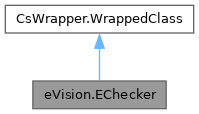
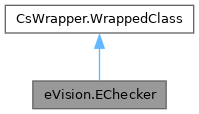
Manages a complete context for the EChecker golden template inspection tool. More...
Public Member Functions | |
| EChecker () | |
| Constructs a golden template inspection context. | |
| EChecker (eVision.EChecker other) | |
| Constructs a golden template inspection context. | |
| void | Train (eVision.EROIBW8[] rois, eVision.EFrame[] frames, eVision.ERegion inspectionRegion) |
| Train. The distribution of noise is estimated for each pixel based on the training images. At inspection, a pixel is validated it if is close enough to the average value on the training set. The size of that interval is proportional to EChecker.InspectionTolerance. | |
| void | Train (eVision.EROIBW8[] rois, eVision.EFrame[] frames) |
| Train. The distribution of noise is estimated for each pixel based on the training images. At inspection, a pixel is validated it if is close enough to the average value on the training set. The size of that interval is proportional to EChecker.InspectionTolerance. | |
| void | Train (eVision.EROIBW8[] rois, eVision.ERegion inspectionRegion) |
| Train. The distribution of noise is estimated for each pixel based on the training images. At inspection, a pixel is validated it if is close enough to the average value on the training set. The size of that interval is proportional to EChecker.InspectionTolerance. | |
| void | Train (eVision.EROIBW8[] rois) |
| Train. The distribution of noise is estimated for each pixel based on the training images. At inspection, a pixel is validated it if is close enough to the average value on the training set. The size of that interval is proportional to EChecker.InspectionTolerance. | |
| void | TrainOnSingleImage (eVision.EROIBW8 roi, eVision.EFrame frame, eVision.ERegion inspectionRegion, uint geometricTolerance, uint grayLevelTolerance) |
| Train on a single image. At inspection, a pixel is validated if it is above "the smallest pixel in a geometricTolerance vicinity" - grayLevelTolerance and below "the biggest pixel in a geometricTolerance vicinity" + grayLevelTolerance. EChecker.InspectionTolerance and EChecker.TrainingMode are ignored by this method. | |
| void | TrainOnSingleImage (eVision.EROIBW8 roi, eVision.EFrame frame, uint geometricTolerance, uint grayLevelTolerance) |
| Train on a single image. At inspection, a pixel is validated if it is above "the smallest pixel in a geometricTolerance vicinity" - grayLevelTolerance and below "the biggest pixel in a geometricTolerance vicinity" + grayLevelTolerance. EChecker.InspectionTolerance and EChecker.TrainingMode are ignored by this method. | |
| void | TrainOnSingleImage (eVision.EROIBW8 roi, eVision.ERegion inspectionRegion, uint geometricTolerance, uint grayLevelTolerance) |
| Train on a single image. At inspection, a pixel is validated if it is above "the smallest pixel in a geometricTolerance vicinity" - grayLevelTolerance and below "the biggest pixel in a geometricTolerance vicinity" + grayLevelTolerance. EChecker.InspectionTolerance and EChecker.TrainingMode are ignored by this method. | |
| void | TrainOnSingleImage (eVision.EROIBW8 roi, uint geometricTolerance, uint grayLevelTolerance) |
| Train on a single image. At inspection, a pixel is validated if it is above "the smallest pixel in a geometricTolerance vicinity" - grayLevelTolerance and below "the biggest pixel in a geometricTolerance vicinity" + grayLevelTolerance. EChecker.InspectionTolerance and EChecker.TrainingMode are ignored by this method. | |
| void | ResetTraining () |
| Reset training. Use this if you want to reset the state of the object. | |
| void | Inspect (eVision.EROIBW8 roi, eVision.EFrame frame, eVision.ECodedImage2 defects) |
| Inspect the image. The defects are returned in the referential images aligned on the inspection region. See EChecker.LowThresholdImage, EChecker.HighThresholdImage and EChecker.LastRegisteredImage. | |
| void | Inspect (eVision.EROIBW8 roi, eVision.ECodedImage2 defects) |
| Inspect the image. The defects are returned in the referential images aligned on the inspection region. See EChecker.LowThresholdImage, EChecker.HighThresholdImage and EChecker.LastRegisteredImage. | |
| void | DrawInspectionRegion (eVision.EDrawAdapter graphicContext, float zoomX, float zoomY, float panX, float panY) |
| Draws the inspection region on EChecker.LowThresholdImage, EChecker.HighThresholdImage or EChecker.LastRegisteredImage. | |
| void | DrawInspectionRegion (eVision.EDrawAdapter graphicContext, float zoomX, float zoomY, float panX) |
| Draws the inspection region on EChecker.LowThresholdImage, EChecker.HighThresholdImage or EChecker.LastRegisteredImage. | |
| void | DrawInspectionRegion (eVision.EDrawAdapter graphicContext, float zoomX, float zoomY) |
| Draws the inspection region on EChecker.LowThresholdImage, EChecker.HighThresholdImage or EChecker.LastRegisteredImage. | |
| void | DrawInspectionRegion (eVision.EDrawAdapter graphicContext, float zoomX) |
| Draws the inspection region on EChecker.LowThresholdImage, EChecker.HighThresholdImage or EChecker.LastRegisteredImage. | |
| void | DrawInspectionRegion (eVision.EDrawAdapter graphicContext) |
| Draws the inspection region on EChecker.LowThresholdImage, EChecker.HighThresholdImage or EChecker.LastRegisteredImage. | |
| void | Load (string file) |
| Load an inspection model. | |
| void | Load (eVision.ESerializer serializer) |
| Load an inspection model. | |
| void | Save (eVision.ESerializer serializer) |
| Save the inspection model. | |
| void | Save (string file) |
| Save the inspection model. | |
Properties | |
| eVision.ETrainingMode | TrainingMode [get, set] |
| Training mode. The training mode determines which process will be used to build the threshold images used for inspection. EChecker has two training modes: A Quick mode, efficient for crude defects and stable images, and a Precise mode, designed for more subtle defects and handling more variability in the images. Default: Precise training mode. | |
| eVision.ENormalizationMode | NormalizationMode [get, set] |
| Normalization mode. This setting allows you to specify if you want to enable normalization, and if yes, which type. Normalization allows the training and inspection processes to automatically correct global illumination differences between the images. Default: Moments based normalization. | |
| float | InspectionTolerance [get, set] |
| Inspection Tolerance factor. If you need to be more tolerant towards noise, texture or illumination irregularities, raise this value. If you have clean images, low texture and some defects are missed, lower this value. Default value: 4.0. | |
| eVision.EImageBW8 | LowThresholdImage [get] |
| Low threshold image. | |
| eVision.EImageBW8 | HighThresholdImage [get] |
| High threshold image. | |
| eVision.EImageBW8 | LastRegisteredImage [get] |
| Represents the last source image, after it has been aligned with the reference image and normalized. | |
| eVision.ERegion | InspectionRegion [get] |
| Represents the inspection region, overlayed on EChecker.LowThresholdImage, EChecker.HighThresholdImage or EChecker.LastRegisteredImage. | |
| bool | IsTrained [get] |
| Application state. Has the checker been trained. | |
Manages a complete context for the EChecker golden template inspection tool.
License(s): EasyObject
| eVision.EChecker.EChecker | ( | ) |
Constructs a golden template inspection context.
| eVision.EChecker.EChecker | ( | eVision.EChecker | other | ) |
Constructs a golden template inspection context.
| other | The EChecker to copy into this one. |
| void eVision.EChecker.DrawInspectionRegion | ( | eVision.EDrawAdapter | graphicContext | ) |
Draws the inspection region on EChecker.LowThresholdImage, EChecker.HighThresholdImage or EChecker.LastRegisteredImage.
| graphicContext | Device context of the drawing window. |
| void eVision.EChecker.DrawInspectionRegion | ( | eVision.EDrawAdapter | graphicContext, |
| float | zoomX ) |
Draws the inspection region on EChecker.LowThresholdImage, EChecker.HighThresholdImage or EChecker.LastRegisteredImage.
| graphicContext | Device context of the drawing window. |
| zoomX | Magnification factor for zooming in or out in the horizontal direction. By default, the image is displayed in true scale. |
| void eVision.EChecker.DrawInspectionRegion | ( | eVision.EDrawAdapter | graphicContext, |
| float | zoomX, | ||
| float | zoomY ) |
Draws the inspection region on EChecker.LowThresholdImage, EChecker.HighThresholdImage or EChecker.LastRegisteredImage.
| graphicContext | Device context of the drawing window. |
| zoomX | Magnification factor for zooming in or out in the horizontal direction. By default, the image is displayed in true scale. |
| zoomY | Magnification factor for zooming in or out in the vertical direction. Setting a 0 value (which is the default) will result in isotropic scaling (i.e. equal horizontal and vertical factors). |
| void eVision.EChecker.DrawInspectionRegion | ( | eVision.EDrawAdapter | graphicContext, |
| float | zoomX, | ||
| float | zoomY, | ||
| float | panX ) |
Draws the inspection region on EChecker.LowThresholdImage, EChecker.HighThresholdImage or EChecker.LastRegisteredImage.
| graphicContext | Device context of the drawing window. |
| zoomX | Magnification factor for zooming in or out in the horizontal direction. By default, the image is displayed in true scale. |
| zoomY | Magnification factor for zooming in or out in the vertical direction. Setting a 0 value (which is the default) will result in isotropic scaling (i.e. equal horizontal and vertical factors). |
| panX | Horizontal panning factor. By default, no panning occurs. |
| void eVision.EChecker.DrawInspectionRegion | ( | eVision.EDrawAdapter | graphicContext, |
| float | zoomX, | ||
| float | zoomY, | ||
| float | panX, | ||
| float | panY ) |
Draws the inspection region on EChecker.LowThresholdImage, EChecker.HighThresholdImage or EChecker.LastRegisteredImage.
| graphicContext | Device context of the drawing window. |
| zoomX | Magnification factor for zooming in or out in the horizontal direction. By default, the image is displayed in true scale. |
| zoomY | Magnification factor for zooming in or out in the vertical direction. Setting a 0 value (which is the default) will result in isotropic scaling (i.e. equal horizontal and vertical factors). |
| panX | Horizontal panning factor. By default, no panning occurs. |
| panY | Vertical panning factor. By default, no panning occurs. |
| void eVision.EChecker.Inspect | ( | eVision.EROIBW8 | roi, |
| eVision.ECodedImage2 | defects ) |
Inspect the image. The defects are returned in the referential images aligned on the inspection region. See EChecker.LowThresholdImage, EChecker.HighThresholdImage and EChecker.LastRegisteredImage.
Frame is assumed to be a default frame when not specified.
| roi | ROI or Image to inspect. |
| defects | List of defects returned by the inspection. |
| void eVision.EChecker.Inspect | ( | eVision.EROIBW8 | roi, |
| eVision.EFrame | frame, | ||
| eVision.ECodedImage2 | defects ) |
Inspect the image. The defects are returned in the referential images aligned on the inspection region. See EChecker.LowThresholdImage, EChecker.HighThresholdImage and EChecker.LastRegisteredImage.
Frame is assumed to be a default frame when not specified.
| roi | ROI or Image to inspect. |
| frame | Frame relative to roi. |
| defects | List of defects returned by the inspection. |
| void eVision.EChecker.Load | ( | eVision.ESerializer | serializer | ) |
Load an inspection model.
| serializer | Serializer. Must be in read mode |
| void eVision.EChecker.Load | ( | string | file | ) |
Load an inspection model.
| file | File path |
| void eVision.EChecker.ResetTraining | ( | ) |
Reset training. Use this if you want to reset the state of the object.
| void eVision.EChecker.Save | ( | eVision.ESerializer | serializer | ) |
Save the inspection model.
| serializer | Serializer. Must be in write mode |
| void eVision.EChecker.Save | ( | string | file | ) |
Save the inspection model.
| file | File path |
| void eVision.EChecker.Train | ( | eVision.EROIBW8[] | rois | ) |
Train. The distribution of noise is estimated for each pixel based on the training images. At inspection, a pixel is validated it if is close enough to the average value on the training set. The size of that interval is proportional to EChecker.InspectionTolerance.
Frames argument is assumed to be default frames if not specified (no transformation performed). Inspection region is assumed to be the whole image when not specified.
| rois | ROI or Images to train on. |
| void eVision.EChecker.Train | ( | eVision.EROIBW8[] | rois, |
| eVision.EFrame[] | frames ) |
Train. The distribution of noise is estimated for each pixel based on the training images. At inspection, a pixel is validated it if is close enough to the average value on the training set. The size of that interval is proportional to EChecker.InspectionTolerance.
Frames argument is assumed to be default frames if not specified (no transformation performed). Inspection region is assumed to be the whole image when not specified.
| rois | ROI or Images to train on. |
| frames | Frames that correspond to each of the rois. |
| void eVision.EChecker.Train | ( | eVision.EROIBW8[] | rois, |
| eVision.EFrame[] | frames, | ||
| eVision.ERegion | inspectionRegion ) |
Train. The distribution of noise is estimated for each pixel based on the training images. At inspection, a pixel is validated it if is close enough to the average value on the training set. The size of that interval is proportional to EChecker.InspectionTolerance.
Frames argument is assumed to be default frames if not specified (no transformation performed). Inspection region is assumed to be the whole image when not specified.
| rois | ROI or Images to train on. |
| frames | Frames that correspond to each of the rois. |
| inspectionRegion | Region used for the inspection process. |
| void eVision.EChecker.Train | ( | eVision.EROIBW8[] | rois, |
| eVision.ERegion | inspectionRegion ) |
Train. The distribution of noise is estimated for each pixel based on the training images. At inspection, a pixel is validated it if is close enough to the average value on the training set. The size of that interval is proportional to EChecker.InspectionTolerance.
Frames argument is assumed to be default frames if not specified (no transformation performed). Inspection region is assumed to be the whole image when not specified.
| rois | ROI or Images to train on. |
| inspectionRegion | Region used for the inspection process. |
| void eVision.EChecker.TrainOnSingleImage | ( | eVision.EROIBW8 | roi, |
| eVision.EFrame | frame, | ||
| eVision.ERegion | inspectionRegion, | ||
| uint | geometricTolerance, | ||
| uint | grayLevelTolerance ) |
Train on a single image. At inspection, a pixel is validated if it is above "the smallest pixel in a geometricTolerance vicinity" - grayLevelTolerance and below "the biggest pixel in a geometricTolerance vicinity" + grayLevelTolerance. EChecker.InspectionTolerance and EChecker.TrainingMode are ignored by this method.
Frame argument is assumed to be a default frame if not specified (no transformation performed). Inspection region is assumed to be the whole image when not specified.
| roi | ROI or Image to train on. |
| frame | Frame that correspond to the roi. |
| inspectionRegion | Region used for the inspection process. |
| geometricTolerance | Tolerance in geometric space (in pixels). |
| grayLevelTolerance | Tolerance in gray level space. |
| void eVision.EChecker.TrainOnSingleImage | ( | eVision.EROIBW8 | roi, |
| eVision.EFrame | frame, | ||
| uint | geometricTolerance, | ||
| uint | grayLevelTolerance ) |
Train on a single image. At inspection, a pixel is validated if it is above "the smallest pixel in a geometricTolerance vicinity" - grayLevelTolerance and below "the biggest pixel in a geometricTolerance vicinity" + grayLevelTolerance. EChecker.InspectionTolerance and EChecker.TrainingMode are ignored by this method.
Frame argument is assumed to be a default frame if not specified (no transformation performed). Inspection region is assumed to be the whole image when not specified.
| roi | ROI or Image to train on. |
| frame | Frame that correspond to the roi. |
| geometricTolerance | Tolerance in geometric space (in pixels). |
| grayLevelTolerance | Tolerance in gray level space. |
| void eVision.EChecker.TrainOnSingleImage | ( | eVision.EROIBW8 | roi, |
| eVision.ERegion | inspectionRegion, | ||
| uint | geometricTolerance, | ||
| uint | grayLevelTolerance ) |
Train on a single image. At inspection, a pixel is validated if it is above "the smallest pixel in a geometricTolerance vicinity" - grayLevelTolerance and below "the biggest pixel in a geometricTolerance vicinity" + grayLevelTolerance. EChecker.InspectionTolerance and EChecker.TrainingMode are ignored by this method.
Frame argument is assumed to be a default frame if not specified (no transformation performed). Inspection region is assumed to be the whole image when not specified.
| roi | ROI or Image to train on. |
| inspectionRegion | Region used for the inspection process. |
| geometricTolerance | Tolerance in geometric space (in pixels). |
| grayLevelTolerance | Tolerance in gray level space. |
| void eVision.EChecker.TrainOnSingleImage | ( | eVision.EROIBW8 | roi, |
| uint | geometricTolerance, | ||
| uint | grayLevelTolerance ) |
Train on a single image. At inspection, a pixel is validated if it is above "the smallest pixel in a geometricTolerance vicinity" - grayLevelTolerance and below "the biggest pixel in a geometricTolerance vicinity" + grayLevelTolerance. EChecker.InspectionTolerance and EChecker.TrainingMode are ignored by this method.
Frame argument is assumed to be a default frame if not specified (no transformation performed). Inspection region is assumed to be the whole image when not specified.
| roi | ROI or Image to train on. |
| geometricTolerance | Tolerance in geometric space (in pixels). |
| grayLevelTolerance | Tolerance in gray level space. |
|
get |
High threshold image.
|
get |
Represents the inspection region, overlayed on EChecker.LowThresholdImage, EChecker.HighThresholdImage or EChecker.LastRegisteredImage.
|
getset |
Inspection Tolerance factor. If you need to be more tolerant towards noise, texture or illumination irregularities, raise this value. If you have clean images, low texture and some defects are missed, lower this value. Default value: 4.0.
|
get |
Application state. Has the checker been trained.
|
get |
Represents the last source image, after it has been aligned with the reference image and normalized.
|
get |
Low threshold image.
|
getset |
Normalization mode. This setting allows you to specify if you want to enable normalization, and if yes, which type. Normalization allows the training and inspection processes to automatically correct global illumination differences between the images. Default: Moments based normalization.
If you have consistent illumination between your images, using normalization can prove detrimental, as in that case the defect themselves might be enough to shift the global contrast.
|
getset |
Training mode. The training mode determines which process will be used to build the threshold images used for inspection. EChecker has two training modes: A Quick mode, efficient for crude defects and stable images, and a Precise mode, designed for more subtle defects and handling more variability in the images. Default: Precise training mode.
 1.17.0