 |
eVision .NET API
|
|
eVision .NET API
|
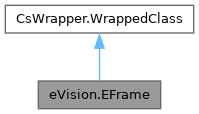
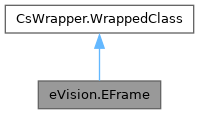
Represents a geometrical frame of reference. More...
Public Member Functions | |
| EFrame () | |
| Constructs a EFrame object. | |
| EFrame (float centerX, float centerY, float angle, float scaleX, float scaleY) | |
| Constructs a EFrame object. | |
| EFrame (float centerX, float centerY, float angle, float scaleX) | |
| Constructs a EFrame object. | |
| EFrame (float centerX, float centerY, float angle) | |
| Constructs a EFrame object. | |
| EFrame (float centerX, float centerY) | |
| Constructs a EFrame object. | |
| EFrame (float centerX, float centerY, float angle, float scaleX, float scaleY, eVision.ECameraCalibration calibration) | |
| Constructs a EFrame object. | |
| EFrame (eVision.EFrame parent, float centerX, float centerY, float angle, float scaleX, float scaleY) | |
| Constructs a EFrame object. | |
| EFrame (eVision.EPoint center, float angle, float scaleX, float scaleY) | |
| Constructs a EFrame object. | |
| EFrame (eVision.EFrame parent, eVision.EPoint center, float angle, float scaleX, float scaleY) | |
| Constructs a EFrame object. | |
| EFrame (eVision.EPoint center, float angle, float scaleX, float scaleY, eVision.ECameraCalibration calibration) | |
| Constructs a EFrame object. | |
| EFrame (eVision.EFrame other) | |
| Constructs a EFrame object. | |
| EFrame (eVision.ECameraCalibration calibration) | |
| Constructs a EFrame object. | |
| void | CopyTo (eVision.EFrame other) |
| Copies all the data from the current EFrame object into another EFrame object, and returns it. | |
| bool | IsCalibrationDirect () |
| Whether the EFrame.CameraCalibration is direct or inverse. | |
| bool | IsDirect () |
| Whether the transformation to world coordinates is direct or inverse. | |
| bool | IsIdentity () |
| Whether the frame is center on (0,0) with a scale of (1,1), angle of 0° and no calibration. | |
| bool | IsIsotropic () |
| Whether the frame is isotropic, i.e. has the scales along the X and Y axis have the same absolute value. | |
| bool | IsLocalToSensorAffine () |
| Whether the transformation to sensor coordinates is affine. | |
| bool | IsLocalToSensorIsotropic () |
| Whether the transformation to sensor coordinates is affine and isotropic (the scale along the X and Y axis have the same absolute value). | |
| bool | IsLocalToSensorDirect () |
| Whether the transformation to sensor coordinates is direct or inverse. | |
| bool | IsCalibrated () |
| Whether the frame has a ECameraCalibration or not. | |
| eVision.EPoint | LocalToWorld (eVision.EPoint local) |
| Transforms a geometrical element from local to world coordinates. | |
| eVision.EFrame | LocalToWorld (eVision.EFrame local) |
| Transforms a geometrical element from local to world coordinates. | |
| eVision.ELine | LocalToWorld (eVision.ELine local) |
| Transforms a geometrical element from local to world coordinates. | |
| eVision.EEllipse | LocalToWorld (eVision.ECircle local) |
| Transforms a geometrical element from local to world coordinates. | |
| eVision.EEllipse | LocalToWorld (eVision.EEllipse local) |
| Transforms a geometrical element from local to world coordinates. | |
| eVision.EPolygon | LocalToWorld (eVision.EPolygon local) |
| Transforms a geometrical element from local to world coordinates. | |
| eVision.ECircle | LocalToWorldIsotropic (eVision.ECircle local) |
| Transforms an ECircle or an EWedge from local to world coordinates in an isotropic EFrame. | |
| eVision.EWedge | LocalToWorldIsotropic (eVision.EWedge local) |
| Transforms an ECircle or an EWedge from local to world coordinates in an isotropic EFrame. | |
| eVision.EPoint | WorldToLocal (eVision.EPoint world) |
| Transforms a geometrical element from world to local coordinates. | |
| eVision.EFrame | WorldToLocal (eVision.EFrame world) |
| Transforms a geometrical element from world to local coordinates. | |
| eVision.EPolygon | WorldToLocal (eVision.EPolygon world) |
| Transforms a geometrical element from world to local coordinates. | |
| eVision.EPoint | LocalToSensor (eVision.EPoint local) |
| Transforms a geometrical element from local to sensor coordinates. | |
| eVision.ELine | LocalToSensor (eVision.ELine local) |
| Transforms a geometrical element from local to sensor coordinates. | |
| eVision.EEllipse | LocalToSensor (eVision.ECircle local) |
| Transforms a geometrical element from local to sensor coordinates. | |
| eVision.EEllipse | LocalToSensor (eVision.EEllipse local) |
| Transforms a geometrical element from local to sensor coordinates. | |
| eVision.EWedge | LocalToSensor (eVision.EWedge local) |
| Transforms a geometrical element from local to sensor coordinates. | |
| eVision.EPoint | SensorToLocal (eVision.EPoint sensor) |
| Transforms a geometrical element from sensor to local coordinates. | |
| eVision.EPoint | SensorToWorld (eVision.EPoint sensor) |
| Transforms a geometrical element from sensor to local coordinates. | |
| void | Load (string path) |
| Load the EFrame configuration. The given ESerializer must have been created for reading. | |
| void | Load (eVision.ESerializer serializer) |
| Load the EFrame configuration. The given ESerializer must have been created for reading. | |
| void | Save (string path) |
| Save the EFrame configuration. The given ESerializer must have been created for writing. | |
| void | Save (eVision.ESerializer serializer) |
| Save the EFrame configuration. The given ESerializer must have been created for writing. | |
| bool | IsDisplaySizeSet () |
| Whether the display size was set using EFrame.DisplaySize or it is a default value. | |
| eVision.EEditionMode | HitTest (int x, int y, float zoomX, float zoomY, float panX, float panY) |
| Detects if the cursor is placed over one of the handles and returns the edition mode represented by the handle. | |
| eVision.EEditionMode | HitTest (int x, int y, float zoomX, float zoomY, float panX) |
| Detects if the cursor is placed over one of the handles and returns the edition mode represented by the handle. | |
| eVision.EEditionMode | HitTest (int x, int y, float zoomX, float zoomY) |
| Detects if the cursor is placed over one of the handles and returns the edition mode represented by the handle. | |
| eVision.EEditionMode | HitTest (int x, int y, float zoomX) |
| Detects if the cursor is placed over one of the handles and returns the edition mode represented by the handle. | |
| eVision.EEditionMode | HitTest (int x, int y) |
| Detects if the cursor is placed over one of the handles and returns the edition mode represented by the handle. | |
| eVision.EEditionMode | HitTest (int x, int y, eVision.EFrame frame, float zoomX, float zoomY, float panX, float panY) |
| Detects if the cursor is placed over one of the handles and returns the edition mode represented by the handle. | |
| eVision.EEditionMode | HitTest (int x, int y, eVision.EFrame frame, float zoomX, float zoomY, float panX) |
| Detects if the cursor is placed over one of the handles and returns the edition mode represented by the handle. | |
| eVision.EEditionMode | HitTest (int x, int y, eVision.EFrame frame, float zoomX, float zoomY) |
| Detects if the cursor is placed over one of the handles and returns the edition mode represented by the handle. | |
| eVision.EEditionMode | HitTest (int x, int y, eVision.EFrame frame, float zoomX) |
| Detects if the cursor is placed over one of the handles and returns the edition mode represented by the handle. | |
| eVision.EEditionMode | HitTest (int x, int y, eVision.EFrame frame) |
| Detects if the cursor is placed over one of the handles and returns the edition mode represented by the handle. | |
| void | Drag (int x, int y, float zoomX, float zoomY, float panX, float panY) |
| Moves the specified handle to a new position and updates all placement parameters of the region. | |
| void | Drag (int x, int y, float zoomX, float zoomY, float panX) |
| Moves the specified handle to a new position and updates all placement parameters of the region. | |
| void | Drag (int x, int y, float zoomX, float zoomY) |
| Moves the specified handle to a new position and updates all placement parameters of the region. | |
| void | Drag (int x, int y, float zoomX) |
| Moves the specified handle to a new position and updates all placement parameters of the region. | |
| void | Drag (int x, int y) |
| Moves the specified handle to a new position and updates all placement parameters of the region. | |
| void | Drag (int x, int y, eVision.EFrame frame, float zoomX, float zoomY, float panX, float panY) |
| Moves the specified handle to a new position and updates all placement parameters of the region. | |
| void | Drag (int x, int y, eVision.EFrame frame, float zoomX, float zoomY, float panX) |
| Moves the specified handle to a new position and updates all placement parameters of the region. | |
| void | Drag (int x, int y, eVision.EFrame frame, float zoomX, float zoomY) |
| Moves the specified handle to a new position and updates all placement parameters of the region. | |
| void | Drag (int x, int y, eVision.EFrame frame, float zoomX) |
| Moves the specified handle to a new position and updates all placement parameters of the region. | |
| void | Drag (int x, int y, eVision.EFrame frame) |
| Moves the specified handle to a new position and updates all placement parameters of the region. | |
| void | Draw (eVision.EDrawAdapter graphicContext, float zoomX, float zoomY, float panX, float panY) |
| Draws the world coordinate axis. | |
| void | Draw (eVision.EDrawAdapter graphicContext, float zoomX, float zoomY, float panX) |
| Draws the world coordinate axis. | |
| void | Draw (eVision.EDrawAdapter graphicContext, float zoomX, float zoomY) |
| Draws the world coordinate axis. | |
| void | Draw (eVision.EDrawAdapter graphicContext, float zoomX) |
| Draws the world coordinate axis. | |
| void | Draw (eVision.EDrawAdapter graphicContext) |
| Draws the world coordinate axis. | |
| void | Draw (eVision.EDrawAdapter graphicContext, eVision.ERGBColor xAxisColor, eVision.ERGBColor yAxisColor, float zoomX, float zoomY, float panX, float panY) |
| Draws the world coordinate axis. | |
| void | Draw (eVision.EDrawAdapter graphicContext, eVision.ERGBColor xAxisColor, eVision.ERGBColor yAxisColor, float zoomX, float zoomY, float panX) |
| Draws the world coordinate axis. | |
| void | Draw (eVision.EDrawAdapter graphicContext, eVision.ERGBColor xAxisColor, eVision.ERGBColor yAxisColor, float zoomX, float zoomY) |
| Draws the world coordinate axis. | |
| void | Draw (eVision.EDrawAdapter graphicContext, eVision.ERGBColor xAxisColor, eVision.ERGBColor yAxisColor, float zoomX) |
| Draws the world coordinate axis. | |
| void | Draw (eVision.EDrawAdapter graphicContext, eVision.EFrame frame, float zoomX, float zoomY, float panX, float panY) |
| Draws the world coordinate axis. | |
| void | Draw (eVision.EDrawAdapter graphicContext, eVision.EFrame frame, float zoomX, float zoomY, float panX) |
| Draws the world coordinate axis. | |
| void | Draw (eVision.EDrawAdapter graphicContext, eVision.EFrame frame, float zoomX, float zoomY) |
| Draws the world coordinate axis. | |
| void | Draw (eVision.EDrawAdapter graphicContext, eVision.EFrame frame, float zoomX) |
| Draws the world coordinate axis. | |
| void | Draw (eVision.EDrawAdapter graphicContext, eVision.EFrame frame) |
| Draws the world coordinate axis. | |
| void | Draw (eVision.EDrawAdapter graphicContext, eVision.ERGBColor xAxisColor, eVision.ERGBColor yAxisColor, eVision.EFrame frame, float zoomX, float zoomY, float panX, float panY) |
| Draws the world coordinate axis. | |
| void | Draw (eVision.EDrawAdapter graphicContext, eVision.ERGBColor xAxisColor, eVision.ERGBColor yAxisColor, eVision.EFrame frame, float zoomX, float zoomY, float panX) |
| Draws the world coordinate axis. | |
| void | Draw (eVision.EDrawAdapter graphicContext, eVision.ERGBColor xAxisColor, eVision.ERGBColor yAxisColor, eVision.EFrame frame, float zoomX, float zoomY) |
| Draws the world coordinate axis. | |
| void | Draw (eVision.EDrawAdapter graphicContext, eVision.ERGBColor xAxisColor, eVision.ERGBColor yAxisColor, eVision.EFrame frame, float zoomX) |
| Draws the world coordinate axis. | |
| bool | IsEqual (eVision.EFrame other) |
| Compares this frame with the other. | |
Properties | |
| float | Angle [get, set] |
| Orientation of the frame. | |
| float | ScaleX [get, set] |
| Scale along the X axis. | |
| float | ScaleY [get, set] |
| Scale along the Y axis. | |
| float | CenterX [get, set] |
| Abscissa of the origin point of the frame. | |
| float | CenterY [get, set] |
| Ordinate of the origin point of the frame. | |
| eVision.EPoint | Center [get, set] |
| Center coordinates of a EFrame object. | |
| eVision.EPoint | SensorCenter [get] |
| Coordinates of the center of the frame in the sensor frame. | |
| float | SensorCenterX [get] |
| X coordinate of the center of the frame in the sensor frame. | |
| float | SensorCenterY [get] |
| Y coordinate of the center of the frame in the sensor frame. | |
| float | SensorScaleX [get] |
| Scale along the X axis in the sensor frame at the EFrame.SensorCenter. | |
| float | SensorScaleY [get] |
| Scale along the Y axis in the sensor frame at the EFrame.SensorCenter. | |
| float | SensorAngle [get] |
| Orientation of the frame in the sensor frame. | |
| eVision.ECameraCalibration | CameraCalibration [get, set] |
| Camera calibration of the frame. | |
| eVision.EEditionMode | EditionMode [get, set] |
| Graphical edition modes. | |
| float | DisplaySize [get, set] |
| Display size of the axis of the frame (in world unit). | |
Represents a geometrical frame of reference.
In the context of a frame, we have the following coordinates:
The frame of reference can be calibrated or not. When it is calibrated (EFrame.IsCalibrated), the frame is defined with respect to the world frame of reference. In this case, going from a local coordinate to a sensor coordinate (LocalToSensor(x)) is equivalent to WorldToSensor(LocalToWorld(x)). When the frame is not calibrated, we assume that the world and sensor frame are the same.
A frame can be built using a parent frame. The specified parameters are related to the parent frame. However, the frame center, angle and scale will be different from those specified because EFrame.Center, EFrame.Angle, EFrame.ScaleX, and EFrame.ScaleY are expressed with respect to the world frame. Constructing a frame with a parent is equivalent to doing parent.LocalToWorld(child).
License(s): BasicTypes
| eVision.EFrame.EFrame | ( | ) |
Constructs a EFrame object.
When constructing a frame using a parent frame, the specified center, angle and scales are expressed in the parent local frame. The center, angle, and scales of the resulting frame will be computed to be expressed with respect to the world frame.
| eVision.EFrame.EFrame | ( | float | centerX, |
| float | centerY, | ||
| float | angle, | ||
| float | scaleX, | ||
| float | scaleY ) |
Constructs a EFrame object.
| centerX | Abscissa of the center point of the frame. |
| centerY | Ordinate of the center point of the frame. |
| angle | Orientation of the frame. |
| scaleX | Horizontal sensor resolution. |
| scaleY | Vertical sensor resolution. |
When constructing a frame using a parent frame, the specified center, angle and scales are expressed in the parent local frame. The center, angle, and scales of the resulting frame will be computed to be expressed with respect to the world frame.
| eVision.EFrame.EFrame | ( | float | centerX, |
| float | centerY, | ||
| float | angle, | ||
| float | scaleX ) |
Constructs a EFrame object.
| centerX | Abscissa of the center point of the frame. |
| centerY | Ordinate of the center point of the frame. |
| angle | Orientation of the frame. |
| scaleX | Horizontal sensor resolution. |
When constructing a frame using a parent frame, the specified center, angle and scales are expressed in the parent local frame. The center, angle, and scales of the resulting frame will be computed to be expressed with respect to the world frame.
| eVision.EFrame.EFrame | ( | float | centerX, |
| float | centerY, | ||
| float | angle ) |
Constructs a EFrame object.
| centerX | Abscissa of the center point of the frame. |
| centerY | Ordinate of the center point of the frame. |
| angle | Orientation of the frame. |
When constructing a frame using a parent frame, the specified center, angle and scales are expressed in the parent local frame. The center, angle, and scales of the resulting frame will be computed to be expressed with respect to the world frame.
| eVision.EFrame.EFrame | ( | float | centerX, |
| float | centerY ) |
Constructs a EFrame object.
| centerX | Abscissa of the center point of the frame. |
| centerY | Ordinate of the center point of the frame. |
When constructing a frame using a parent frame, the specified center, angle and scales are expressed in the parent local frame. The center, angle, and scales of the resulting frame will be computed to be expressed with respect to the world frame.
| eVision.EFrame.EFrame | ( | float | centerX, |
| float | centerY, | ||
| float | angle, | ||
| float | scaleX, | ||
| float | scaleY, | ||
| eVision.ECameraCalibration | calibration ) |
Constructs a EFrame object.
| centerX | Abscissa of the center point of the frame. |
| centerY | Ordinate of the center point of the frame. |
| angle | Orientation of the frame. |
| scaleX | Horizontal sensor resolution. |
| scaleY | Vertical sensor resolution. |
| calibration | Camera calibration |
When constructing a frame using a parent frame, the specified center, angle and scales are expressed in the parent local frame. The center, angle, and scales of the resulting frame will be computed to be expressed with respect to the world frame.
| eVision.EFrame.EFrame | ( | eVision.EFrame | parent, |
| float | centerX, | ||
| float | centerY, | ||
| float | angle, | ||
| float | scaleX, | ||
| float | scaleY ) |
Constructs a EFrame object.
| parent | Frame in which the center, angle and scales are expressed. |
| centerX | Abscissa of the center point of the frame. |
| centerY | Ordinate of the center point of the frame. |
| angle | Orientation of the frame. |
| scaleX | Horizontal sensor resolution. |
| scaleY | Vertical sensor resolution. |
When constructing a frame using a parent frame, the specified center, angle and scales are expressed in the parent local frame. The center, angle, and scales of the resulting frame will be computed to be expressed with respect to the world frame.
| eVision.EFrame.EFrame | ( | eVision.EPoint | center, |
| float | angle, | ||
| float | scaleX, | ||
| float | scaleY ) |
Constructs a EFrame object.
| center | Coordinates of the center point of the frame. |
| angle | Orientation of the frame. |
| scaleX | Horizontal sensor resolution. |
| scaleY | Vertical sensor resolution. |
When constructing a frame using a parent frame, the specified center, angle and scales are expressed in the parent local frame. The center, angle, and scales of the resulting frame will be computed to be expressed with respect to the world frame.
| eVision.EFrame.EFrame | ( | eVision.EFrame | parent, |
| eVision.EPoint | center, | ||
| float | angle, | ||
| float | scaleX, | ||
| float | scaleY ) |
Constructs a EFrame object.
| parent | Frame in which the center, angle and scales are expressed. |
| center | Coordinates of the center point of the frame. |
| angle | Orientation of the frame. |
| scaleX | Horizontal sensor resolution. |
| scaleY | Vertical sensor resolution. |
When constructing a frame using a parent frame, the specified center, angle and scales are expressed in the parent local frame. The center, angle, and scales of the resulting frame will be computed to be expressed with respect to the world frame.
| eVision.EFrame.EFrame | ( | eVision.EPoint | center, |
| float | angle, | ||
| float | scaleX, | ||
| float | scaleY, | ||
| eVision.ECameraCalibration | calibration ) |
Constructs a EFrame object.
| center | Coordinates of the center point of the frame. |
| angle | Orientation of the frame. |
| scaleX | Horizontal sensor resolution. |
| scaleY | Vertical sensor resolution. |
| calibration | Camera calibration |
When constructing a frame using a parent frame, the specified center, angle and scales are expressed in the parent local frame. The center, angle, and scales of the resulting frame will be computed to be expressed with respect to the world frame.
| eVision.EFrame.EFrame | ( | eVision.EFrame | other | ) |
Constructs a EFrame object.
| other | Other EFrame object to copy from. |
When constructing a frame using a parent frame, the specified center, angle and scales are expressed in the parent local frame. The center, angle, and scales of the resulting frame will be computed to be expressed with respect to the world frame.
| eVision.EFrame.EFrame | ( | eVision.ECameraCalibration | calibration | ) |
Constructs a EFrame object.
| calibration | Camera calibration |
When constructing a frame using a parent frame, the specified center, angle and scales are expressed in the parent local frame. The center, angle, and scales of the resulting frame will be computed to be expressed with respect to the world frame.
| void eVision.EFrame.CopyTo | ( | eVision.EFrame | other | ) |
Copies all the data from the current EFrame object into another EFrame object, and returns it.
| other | Pointer to the EFrame object in which the current EFrame object data have to be copied. |
In the overload taking a pointer, in case of a NULL pointer, a new EFrame object will be created and returned.
| void eVision.EFrame.Drag | ( | int | x, |
| int | y ) |
Moves the specified handle to a new position and updates all placement parameters of the region.
| x | x-coordinate of the mouse cursor. |
| y | y-coordinate of the mouse cursor. |
| void eVision.EFrame.Drag | ( | int | x, |
| int | y, | ||
| eVision.EFrame | frame ) |
Moves the specified handle to a new position and updates all placement parameters of the region.
| x | x-coordinate of the mouse cursor. |
| y | y-coordinate of the mouse cursor. |
| frame | Frame of reference in which the shape is defined. |
| void eVision.EFrame.Drag | ( | int | x, |
| int | y, | ||
| eVision.EFrame | frame, | ||
| float | zoomX ) |
Moves the specified handle to a new position and updates all placement parameters of the region.
| x | x-coordinate of the mouse cursor. |
| y | y-coordinate of the mouse cursor. |
| frame | Frame of reference in which the shape is defined. |
| zoomX | Horizontal zoom factor. By default, true scale is used. |
| void eVision.EFrame.Drag | ( | int | x, |
| int | y, | ||
| eVision.EFrame | frame, | ||
| float | zoomX, | ||
| float | zoomY ) |
Moves the specified handle to a new position and updates all placement parameters of the region.
| x | x-coordinate of the mouse cursor. |
| y | y-coordinate of the mouse cursor. |
| frame | Frame of reference in which the shape is defined. |
| zoomX | Horizontal zoom factor. By default, true scale is used. |
| zoomY | Vertical zoom factor. By default, true scale is used. |
| void eVision.EFrame.Drag | ( | int | x, |
| int | y, | ||
| eVision.EFrame | frame, | ||
| float | zoomX, | ||
| float | zoomY, | ||
| float | panX ) |
Moves the specified handle to a new position and updates all placement parameters of the region.
| x | x-coordinate of the mouse cursor. |
| y | y-coordinate of the mouse cursor. |
| frame | Frame of reference in which the shape is defined. |
| zoomX | Horizontal zoom factor. By default, true scale is used. |
| zoomY | Vertical zoom factor. By default, true scale is used. |
| panX | Horizontal pan offset. By default, no pan is added. |
| void eVision.EFrame.Drag | ( | int | x, |
| int | y, | ||
| eVision.EFrame | frame, | ||
| float | zoomX, | ||
| float | zoomY, | ||
| float | panX, | ||
| float | panY ) |
Moves the specified handle to a new position and updates all placement parameters of the region.
| x | x-coordinate of the mouse cursor. |
| y | y-coordinate of the mouse cursor. |
| frame | Frame of reference in which the shape is defined. |
| zoomX | Horizontal zoom factor. By default, true scale is used. |
| zoomY | Vertical zoom factor. By default, true scale is used. |
| panX | Horizontal pan offset. By default, no pan is added. |
| panY | Vertical pan offset. By default, no pan is added. |
| void eVision.EFrame.Drag | ( | int | x, |
| int | y, | ||
| float | zoomX ) |
Moves the specified handle to a new position and updates all placement parameters of the region.
| x | x-coordinate of the mouse cursor. |
| y | y-coordinate of the mouse cursor. |
| zoomX | Horizontal zoom factor. By default, true scale is used. |
| void eVision.EFrame.Drag | ( | int | x, |
| int | y, | ||
| float | zoomX, | ||
| float | zoomY ) |
Moves the specified handle to a new position and updates all placement parameters of the region.
| x | x-coordinate of the mouse cursor. |
| y | y-coordinate of the mouse cursor. |
| zoomX | Horizontal zoom factor. By default, true scale is used. |
| zoomY | Vertical zoom factor. By default, true scale is used. |
| void eVision.EFrame.Drag | ( | int | x, |
| int | y, | ||
| float | zoomX, | ||
| float | zoomY, | ||
| float | panX ) |
Moves the specified handle to a new position and updates all placement parameters of the region.
| x | x-coordinate of the mouse cursor. |
| y | y-coordinate of the mouse cursor. |
| zoomX | Horizontal zoom factor. By default, true scale is used. |
| zoomY | Vertical zoom factor. By default, true scale is used. |
| panX | Horizontal pan offset. By default, no pan is added. |
| void eVision.EFrame.Drag | ( | int | x, |
| int | y, | ||
| float | zoomX, | ||
| float | zoomY, | ||
| float | panX, | ||
| float | panY ) |
Moves the specified handle to a new position and updates all placement parameters of the region.
| x | x-coordinate of the mouse cursor. |
| y | y-coordinate of the mouse cursor. |
| zoomX | Horizontal zoom factor. By default, true scale is used. |
| zoomY | Vertical zoom factor. By default, true scale is used. |
| panX | Horizontal pan offset. By default, no pan is added. |
| panY | Vertical pan offset. By default, no pan is added. |
| void eVision.EFrame.Draw | ( | eVision.EDrawAdapter | graphicContext | ) |
Draws the world coordinate axis.
| graphicContext | Handle of the device context on which to draw. |
| void eVision.EFrame.Draw | ( | eVision.EDrawAdapter | graphicContext, |
| eVision.EFrame | frame ) |
Draws the world coordinate axis.
| graphicContext | Handle of the device context on which to draw. |
| frame | Frame of reference in which the shape is defined. |
| void eVision.EFrame.Draw | ( | eVision.EDrawAdapter | graphicContext, |
| eVision.EFrame | frame, | ||
| float | zoomX ) |
Draws the world coordinate axis.
| graphicContext | Handle of the device context on which to draw. |
| frame | Frame of reference in which the shape is defined. |
| zoomX | Horizontal zooming factor. By default, true scale is used. |
| void eVision.EFrame.Draw | ( | eVision.EDrawAdapter | graphicContext, |
| eVision.EFrame | frame, | ||
| float | zoomX, | ||
| float | zoomY ) |
Draws the world coordinate axis.
| graphicContext | Handle of the device context on which to draw. |
| frame | Frame of reference in which the shape is defined. |
| zoomX | Horizontal zooming factor. By default, true scale is used. |
| zoomY | Vertical zooming factor. If set to 0 (default), the horizontal zooming factor is used instead, so as to provide isotropic zooming. |
| void eVision.EFrame.Draw | ( | eVision.EDrawAdapter | graphicContext, |
| eVision.EFrame | frame, | ||
| float | zoomX, | ||
| float | zoomY, | ||
| float | panX ) |
Draws the world coordinate axis.
| graphicContext | Handle of the device context on which to draw. |
| frame | Frame of reference in which the shape is defined. |
| zoomX | Horizontal zooming factor. By default, true scale is used. |
| zoomY | Vertical zooming factor. If set to 0 (default), the horizontal zooming factor is used instead, so as to provide isotropic zooming. |
| panX | Horizontal panning value expressed in pixels. By default, no panning occurs. |
| void eVision.EFrame.Draw | ( | eVision.EDrawAdapter | graphicContext, |
| eVision.EFrame | frame, | ||
| float | zoomX, | ||
| float | zoomY, | ||
| float | panX, | ||
| float | panY ) |
Draws the world coordinate axis.
| graphicContext | Handle of the device context on which to draw. |
| frame | Frame of reference in which the shape is defined. |
| zoomX | Horizontal zooming factor. By default, true scale is used. |
| zoomY | Vertical zooming factor. If set to 0 (default), the horizontal zooming factor is used instead, so as to provide isotropic zooming. |
| panX | Horizontal panning value expressed in pixels. By default, no panning occurs. |
| panY | Vertical panning value expressed in pixels. By default, no panning occurs. |
| void eVision.EFrame.Draw | ( | eVision.EDrawAdapter | graphicContext, |
| eVision.ERGBColor | xAxisColor, | ||
| eVision.ERGBColor | yAxisColor, | ||
| eVision.EFrame | frame, | ||
| float | zoomX ) |
Draws the world coordinate axis.
| graphicContext | Handle of the device context on which to draw. |
| xAxisColor | Color with which to draw the X axis (default: red) |
| yAxisColor | Color with which to draw the Y axis (default: blue) |
| frame | Frame of reference in which the shape is defined. |
| zoomX | Horizontal zooming factor. By default, true scale is used. |
| void eVision.EFrame.Draw | ( | eVision.EDrawAdapter | graphicContext, |
| eVision.ERGBColor | xAxisColor, | ||
| eVision.ERGBColor | yAxisColor, | ||
| eVision.EFrame | frame, | ||
| float | zoomX, | ||
| float | zoomY ) |
Draws the world coordinate axis.
| graphicContext | Handle of the device context on which to draw. |
| xAxisColor | Color with which to draw the X axis (default: red) |
| yAxisColor | Color with which to draw the Y axis (default: blue) |
| frame | Frame of reference in which the shape is defined. |
| zoomX | Horizontal zooming factor. By default, true scale is used. |
| zoomY | Vertical zooming factor. If set to 0 (default), the horizontal zooming factor is used instead, so as to provide isotropic zooming. |
| void eVision.EFrame.Draw | ( | eVision.EDrawAdapter | graphicContext, |
| eVision.ERGBColor | xAxisColor, | ||
| eVision.ERGBColor | yAxisColor, | ||
| eVision.EFrame | frame, | ||
| float | zoomX, | ||
| float | zoomY, | ||
| float | panX ) |
Draws the world coordinate axis.
| graphicContext | Handle of the device context on which to draw. |
| xAxisColor | Color with which to draw the X axis (default: red) |
| yAxisColor | Color with which to draw the Y axis (default: blue) |
| frame | Frame of reference in which the shape is defined. |
| zoomX | Horizontal zooming factor. By default, true scale is used. |
| zoomY | Vertical zooming factor. If set to 0 (default), the horizontal zooming factor is used instead, so as to provide isotropic zooming. |
| panX | Horizontal panning value expressed in pixels. By default, no panning occurs. |
| void eVision.EFrame.Draw | ( | eVision.EDrawAdapter | graphicContext, |
| eVision.ERGBColor | xAxisColor, | ||
| eVision.ERGBColor | yAxisColor, | ||
| eVision.EFrame | frame, | ||
| float | zoomX, | ||
| float | zoomY, | ||
| float | panX, | ||
| float | panY ) |
Draws the world coordinate axis.
| graphicContext | Handle of the device context on which to draw. |
| xAxisColor | Color with which to draw the X axis (default: red) |
| yAxisColor | Color with which to draw the Y axis (default: blue) |
| frame | Frame of reference in which the shape is defined. |
| zoomX | Horizontal zooming factor. By default, true scale is used. |
| zoomY | Vertical zooming factor. If set to 0 (default), the horizontal zooming factor is used instead, so as to provide isotropic zooming. |
| panX | Horizontal panning value expressed in pixels. By default, no panning occurs. |
| panY | Vertical panning value expressed in pixels. By default, no panning occurs. |
| void eVision.EFrame.Draw | ( | eVision.EDrawAdapter | graphicContext, |
| eVision.ERGBColor | xAxisColor, | ||
| eVision.ERGBColor | yAxisColor, | ||
| float | zoomX ) |
Draws the world coordinate axis.
| graphicContext | Handle of the device context on which to draw. |
| xAxisColor | Color with which to draw the X axis (default: red) |
| yAxisColor | Color with which to draw the Y axis (default: blue) |
| zoomX | Horizontal zooming factor. By default, true scale is used. |
| void eVision.EFrame.Draw | ( | eVision.EDrawAdapter | graphicContext, |
| eVision.ERGBColor | xAxisColor, | ||
| eVision.ERGBColor | yAxisColor, | ||
| float | zoomX, | ||
| float | zoomY ) |
Draws the world coordinate axis.
| graphicContext | Handle of the device context on which to draw. |
| xAxisColor | Color with which to draw the X axis (default: red) |
| yAxisColor | Color with which to draw the Y axis (default: blue) |
| zoomX | Horizontal zooming factor. By default, true scale is used. |
| zoomY | Vertical zooming factor. If set to 0 (default), the horizontal zooming factor is used instead, so as to provide isotropic zooming. |
| void eVision.EFrame.Draw | ( | eVision.EDrawAdapter | graphicContext, |
| eVision.ERGBColor | xAxisColor, | ||
| eVision.ERGBColor | yAxisColor, | ||
| float | zoomX, | ||
| float | zoomY, | ||
| float | panX ) |
Draws the world coordinate axis.
| graphicContext | Handle of the device context on which to draw. |
| xAxisColor | Color with which to draw the X axis (default: red) |
| yAxisColor | Color with which to draw the Y axis (default: blue) |
| zoomX | Horizontal zooming factor. By default, true scale is used. |
| zoomY | Vertical zooming factor. If set to 0 (default), the horizontal zooming factor is used instead, so as to provide isotropic zooming. |
| panX | Horizontal panning value expressed in pixels. By default, no panning occurs. |
| void eVision.EFrame.Draw | ( | eVision.EDrawAdapter | graphicContext, |
| eVision.ERGBColor | xAxisColor, | ||
| eVision.ERGBColor | yAxisColor, | ||
| float | zoomX, | ||
| float | zoomY, | ||
| float | panX, | ||
| float | panY ) |
Draws the world coordinate axis.
| graphicContext | Handle of the device context on which to draw. |
| xAxisColor | Color with which to draw the X axis (default: red) |
| yAxisColor | Color with which to draw the Y axis (default: blue) |
| zoomX | Horizontal zooming factor. By default, true scale is used. |
| zoomY | Vertical zooming factor. If set to 0 (default), the horizontal zooming factor is used instead, so as to provide isotropic zooming. |
| panX | Horizontal panning value expressed in pixels. By default, no panning occurs. |
| panY | Vertical panning value expressed in pixels. By default, no panning occurs. |
| void eVision.EFrame.Draw | ( | eVision.EDrawAdapter | graphicContext, |
| float | zoomX ) |
Draws the world coordinate axis.
| graphicContext | Handle of the device context on which to draw. |
| zoomX | Horizontal zooming factor. By default, true scale is used. |
| void eVision.EFrame.Draw | ( | eVision.EDrawAdapter | graphicContext, |
| float | zoomX, | ||
| float | zoomY ) |
Draws the world coordinate axis.
| graphicContext | Handle of the device context on which to draw. |
| zoomX | Horizontal zooming factor. By default, true scale is used. |
| zoomY | Vertical zooming factor. If set to 0 (default), the horizontal zooming factor is used instead, so as to provide isotropic zooming. |
| void eVision.EFrame.Draw | ( | eVision.EDrawAdapter | graphicContext, |
| float | zoomX, | ||
| float | zoomY, | ||
| float | panX ) |
Draws the world coordinate axis.
| graphicContext | Handle of the device context on which to draw. |
| zoomX | Horizontal zooming factor. By default, true scale is used. |
| zoomY | Vertical zooming factor. If set to 0 (default), the horizontal zooming factor is used instead, so as to provide isotropic zooming. |
| panX | Horizontal panning value expressed in pixels. By default, no panning occurs. |
| void eVision.EFrame.Draw | ( | eVision.EDrawAdapter | graphicContext, |
| float | zoomX, | ||
| float | zoomY, | ||
| float | panX, | ||
| float | panY ) |
Draws the world coordinate axis.
| graphicContext | Handle of the device context on which to draw. |
| zoomX | Horizontal zooming factor. By default, true scale is used. |
| zoomY | Vertical zooming factor. If set to 0 (default), the horizontal zooming factor is used instead, so as to provide isotropic zooming. |
| panX | Horizontal panning value expressed in pixels. By default, no panning occurs. |
| panY | Vertical panning value expressed in pixels. By default, no panning occurs. |
| eVision.EEditionMode eVision.EFrame.HitTest | ( | int | x, |
| int | y ) |
Detects if the cursor is placed over one of the handles and returns the edition mode represented by the handle.
| x | x-coordinate of the mouse cursor. |
| y | y-coordinate of the mouse cursor. |
Returns the edition mode corresponding to the handle.
If zooming and/or panning were used when drawing the frame, the same values must be used with EFrame.Drag.
| eVision.EEditionMode eVision.EFrame.HitTest | ( | int | x, |
| int | y, | ||
| eVision.EFrame | frame ) |
Detects if the cursor is placed over one of the handles and returns the edition mode represented by the handle.
| x | x-coordinate of the mouse cursor. |
| y | y-coordinate of the mouse cursor. |
| frame | Frame of reference in which the shape is defined. |
Returns the edition mode corresponding to the handle.
If zooming and/or panning were used when drawing the frame, the same values must be used with EFrame.Drag.
| eVision.EEditionMode eVision.EFrame.HitTest | ( | int | x, |
| int | y, | ||
| eVision.EFrame | frame, | ||
| float | zoomX ) |
Detects if the cursor is placed over one of the handles and returns the edition mode represented by the handle.
| x | x-coordinate of the mouse cursor. |
| y | y-coordinate of the mouse cursor. |
| frame | Frame of reference in which the shape is defined. |
| zoomX | Horizontal zoom factor. By default, true scale is used. |
Returns the edition mode corresponding to the handle.
If zooming and/or panning were used when drawing the frame, the same values must be used with EFrame.Drag.
| eVision.EEditionMode eVision.EFrame.HitTest | ( | int | x, |
| int | y, | ||
| eVision.EFrame | frame, | ||
| float | zoomX, | ||
| float | zoomY ) |
Detects if the cursor is placed over one of the handles and returns the edition mode represented by the handle.
| x | x-coordinate of the mouse cursor. |
| y | y-coordinate of the mouse cursor. |
| frame | Frame of reference in which the shape is defined. |
| zoomX | Horizontal zoom factor. By default, true scale is used. |
| zoomY | Vertical zoom factor. By default, true scale is used. |
Returns the edition mode corresponding to the handle.
If zooming and/or panning were used when drawing the frame, the same values must be used with EFrame.Drag.
| eVision.EEditionMode eVision.EFrame.HitTest | ( | int | x, |
| int | y, | ||
| eVision.EFrame | frame, | ||
| float | zoomX, | ||
| float | zoomY, | ||
| float | panX ) |
Detects if the cursor is placed over one of the handles and returns the edition mode represented by the handle.
| x | x-coordinate of the mouse cursor. |
| y | y-coordinate of the mouse cursor. |
| frame | Frame of reference in which the shape is defined. |
| zoomX | Horizontal zoom factor. By default, true scale is used. |
| zoomY | Vertical zoom factor. By default, true scale is used. |
| panX | Horizontal pan offset. By default, no pan is added. |
Returns the edition mode corresponding to the handle.
If zooming and/or panning were used when drawing the frame, the same values must be used with EFrame.Drag.
| eVision.EEditionMode eVision.EFrame.HitTest | ( | int | x, |
| int | y, | ||
| eVision.EFrame | frame, | ||
| float | zoomX, | ||
| float | zoomY, | ||
| float | panX, | ||
| float | panY ) |
Detects if the cursor is placed over one of the handles and returns the edition mode represented by the handle.
| x | x-coordinate of the mouse cursor. |
| y | y-coordinate of the mouse cursor. |
| frame | Frame of reference in which the shape is defined. |
| zoomX | Horizontal zoom factor. By default, true scale is used. |
| zoomY | Vertical zoom factor. By default, true scale is used. |
| panX | Horizontal pan offset. By default, no pan is added. |
| panY | Vertical pan offset. By default, no pan is added. |
Returns the edition mode corresponding to the handle.
If zooming and/or panning were used when drawing the frame, the same values must be used with EFrame.Drag.
| eVision.EEditionMode eVision.EFrame.HitTest | ( | int | x, |
| int | y, | ||
| float | zoomX ) |
Detects if the cursor is placed over one of the handles and returns the edition mode represented by the handle.
| x | x-coordinate of the mouse cursor. |
| y | y-coordinate of the mouse cursor. |
| zoomX | Horizontal zoom factor. By default, true scale is used. |
Returns the edition mode corresponding to the handle.
If zooming and/or panning were used when drawing the frame, the same values must be used with EFrame.Drag.
| eVision.EEditionMode eVision.EFrame.HitTest | ( | int | x, |
| int | y, | ||
| float | zoomX, | ||
| float | zoomY ) |
Detects if the cursor is placed over one of the handles and returns the edition mode represented by the handle.
| x | x-coordinate of the mouse cursor. |
| y | y-coordinate of the mouse cursor. |
| zoomX | Horizontal zoom factor. By default, true scale is used. |
| zoomY | Vertical zoom factor. By default, true scale is used. |
Returns the edition mode corresponding to the handle.
If zooming and/or panning were used when drawing the frame, the same values must be used with EFrame.Drag.
| eVision.EEditionMode eVision.EFrame.HitTest | ( | int | x, |
| int | y, | ||
| float | zoomX, | ||
| float | zoomY, | ||
| float | panX ) |
Detects if the cursor is placed over one of the handles and returns the edition mode represented by the handle.
| x | x-coordinate of the mouse cursor. |
| y | y-coordinate of the mouse cursor. |
| zoomX | Horizontal zoom factor. By default, true scale is used. |
| zoomY | Vertical zoom factor. By default, true scale is used. |
| panX | Horizontal pan offset. By default, no pan is added. |
Returns the edition mode corresponding to the handle.
If zooming and/or panning were used when drawing the frame, the same values must be used with EFrame.Drag.
| eVision.EEditionMode eVision.EFrame.HitTest | ( | int | x, |
| int | y, | ||
| float | zoomX, | ||
| float | zoomY, | ||
| float | panX, | ||
| float | panY ) |
Detects if the cursor is placed over one of the handles and returns the edition mode represented by the handle.
| x | x-coordinate of the mouse cursor. |
| y | y-coordinate of the mouse cursor. |
| zoomX | Horizontal zoom factor. By default, true scale is used. |
| zoomY | Vertical zoom factor. By default, true scale is used. |
| panX | Horizontal pan offset. By default, no pan is added. |
| panY | Vertical pan offset. By default, no pan is added. |
Returns the edition mode corresponding to the handle.
If zooming and/or panning were used when drawing the frame, the same values must be used with EFrame.Drag.
| bool eVision.EFrame.IsCalibrated | ( | ) |
Whether the frame has a ECameraCalibration or not.
A non-calibrated frame means that its world and sensor frame are the same.
| bool eVision.EFrame.IsCalibrationDirect | ( | ) |
Whether the EFrame.CameraCalibration is direct or inverse.
When the field of view is calibrated, the coordinate system is said to be direct, the abscissa extends rightwards and the ordinate extends upwards.
When the field of view is not calibrated, the coordinate system is said to be inverse the abscissa extends rightwards and the ordinate extends downwards.
| bool eVision.EFrame.IsDirect | ( | ) |
Whether the transformation to world coordinates is direct or inverse.
In a direct transformation, a counter-clockwise rotation is considered positive.
In an inverse transformation, a clockwise rotation is considered positive.
| bool eVision.EFrame.IsDisplaySizeSet | ( | ) |
Whether the display size was set using EFrame.DisplaySize or it is a default value.
| bool eVision.EFrame.IsEqual | ( | eVision.EFrame | other | ) |
Compares this frame with the other.
| other | Other EFrame object. |
| bool eVision.EFrame.IsIdentity | ( | ) |
Whether the frame is center on (0,0) with a scale of (1,1), angle of 0° and no calibration.
| bool eVision.EFrame.IsIsotropic | ( | ) |
Whether the frame is isotropic, i.e. has the scales along the X and Y axis have the same absolute value.
| bool eVision.EFrame.IsLocalToSensorAffine | ( | ) |
Whether the transformation to sensor coordinates is affine.
The transformation is not affine when the frame is calibrated and the calibration modes includes ECalibrationMode.ECalibrationMode_Radial, ECalibrationMode.ECalibrationMode_Advanced, ECalibrationMode.ECalibrationMode_Tilted or ECalibrationMode.ECalibrationMode_Quadratic.
| bool eVision.EFrame.IsLocalToSensorDirect | ( | ) |
Whether the transformation to sensor coordinates is direct or inverse.
In a direct transformation, a counter-clockwise rotation is considered positive. This is the case for a calibrated field of view or the frame of a ZMap.
In an inverse transformation, a clockwise rotation is considered positive. This is the case for a non calibration field of view.
| bool eVision.EFrame.IsLocalToSensorIsotropic | ( | ) |
Whether the transformation to sensor coordinates is affine and isotropic (the scale along the X and Y axis have the same absolute value).
| void eVision.EFrame.Load | ( | eVision.ESerializer | serializer | ) |
Load the EFrame configuration. The given ESerializer must have been created for reading.
| serializer | The serializer. |
| void eVision.EFrame.Load | ( | string | path | ) |
Load the EFrame configuration. The given ESerializer must have been created for reading.
| path | The file path. |
| eVision.EEllipse eVision.EFrame.LocalToSensor | ( | eVision.ECircle | local | ) |
Transforms a geometrical element from local to sensor coordinates.
| local | The element, expressed in local coordinates. |
| eVision.EEllipse eVision.EFrame.LocalToSensor | ( | eVision.EEllipse | local | ) |
Transforms a geometrical element from local to sensor coordinates.
| local | The element, expressed in local coordinates. |
| eVision.ELine eVision.EFrame.LocalToSensor | ( | eVision.ELine | local | ) |
Transforms a geometrical element from local to sensor coordinates.
| local | The element, expressed in local coordinates. |
| eVision.EPoint eVision.EFrame.LocalToSensor | ( | eVision.EPoint | local | ) |
Transforms a geometrical element from local to sensor coordinates.
| local | The element, expressed in local coordinates. |
| eVision.EWedge eVision.EFrame.LocalToSensor | ( | eVision.EWedge | local | ) |
Transforms a geometrical element from local to sensor coordinates.
| local | The element, expressed in local coordinates. |
| eVision.EEllipse eVision.EFrame.LocalToWorld | ( | eVision.ECircle | local | ) |
Transforms a geometrical element from local to world coordinates.
| local | The element, expressed in local coordinates. |
| eVision.EEllipse eVision.EFrame.LocalToWorld | ( | eVision.EEllipse | local | ) |
Transforms a geometrical element from local to world coordinates.
| local | The element, expressed in local coordinates. |
| eVision.EFrame eVision.EFrame.LocalToWorld | ( | eVision.EFrame | local | ) |
Transforms a geometrical element from local to world coordinates.
| local | The element, expressed in local coordinates. |
| eVision.ELine eVision.EFrame.LocalToWorld | ( | eVision.ELine | local | ) |
Transforms a geometrical element from local to world coordinates.
| local | The element, expressed in local coordinates. |
| eVision.EPoint eVision.EFrame.LocalToWorld | ( | eVision.EPoint | local | ) |
Transforms a geometrical element from local to world coordinates.
| local | The element, expressed in local coordinates. |
| eVision.EPolygon eVision.EFrame.LocalToWorld | ( | eVision.EPolygon | local | ) |
Transforms a geometrical element from local to world coordinates.
| local | The element, expressed in local coordinates. |
| eVision.ECircle eVision.EFrame.LocalToWorldIsotropic | ( | eVision.ECircle | local | ) |
| eVision.EWedge eVision.EFrame.LocalToWorldIsotropic | ( | eVision.EWedge | local | ) |
| void eVision.EFrame.Save | ( | eVision.ESerializer | serializer | ) |
Save the EFrame configuration. The given ESerializer must have been created for writing.
| serializer | The serializer. |
| void eVision.EFrame.Save | ( | string | path | ) |
Save the EFrame configuration. The given ESerializer must have been created for writing.
| path | The file path. |
| eVision.EPoint eVision.EFrame.SensorToLocal | ( | eVision.EPoint | sensor | ) |
Transforms a geometrical element from sensor to local coordinates.
| sensor | The element, expressed in sensor coordinates. |
| eVision.EPoint eVision.EFrame.SensorToWorld | ( | eVision.EPoint | sensor | ) |
Transforms a geometrical element from sensor to local coordinates.
| sensor | The element, expressed in sensor coordinates. |
| eVision.EFrame eVision.EFrame.WorldToLocal | ( | eVision.EFrame | world | ) |
Transforms a geometrical element from world to local coordinates.
| world | The element, expressed in world coordinates. |
| eVision.EPoint eVision.EFrame.WorldToLocal | ( | eVision.EPoint | world | ) |
Transforms a geometrical element from world to local coordinates.
| world | The element, expressed in world coordinates. |
| eVision.EPolygon eVision.EFrame.WorldToLocal | ( | eVision.EPolygon | world | ) |
Transforms a geometrical element from world to local coordinates.
| world | The element, expressed in world coordinates. |
|
getset |
Orientation of the frame.
|
getset |
Camera calibration of the frame.
|
getset |
Center coordinates of a EFrame object.
|
getset |
Abscissa of the origin point of the frame.
|
getset |
Ordinate of the origin point of the frame.
|
getset |
Display size of the axis of the frame (in world unit).
The default value is
|
getset |
Graphical edition modes.
|
getset |
Scale along the X axis.
|
getset |
Scale along the Y axis.
|
get |
Orientation of the frame in the sensor frame.
|
get |
Coordinates of the center of the frame in the sensor frame.
|
get |
X coordinate of the center of the frame in the sensor frame.
|
get |
Y coordinate of the center of the frame in the sensor frame.
|
get |
Scale along the X axis in the sensor frame at the EFrame.SensorCenter.
If EFrame.IsLocalToSensorAffine is true, then the scale is the same every where in the image. Otherwise, the scale will change according to perspective or distortion effects.
|
get |
Scale along the Y axis in the sensor frame at the EFrame.SensorCenter.
If EFrame.IsLocalToSensorAffine is true, then the scale is the same every where in the image. Otherwise, the scale will change according to perspective or distortion effects.
 1.17.0