 |
eVision .NET API
|
|
eVision .NET API
|
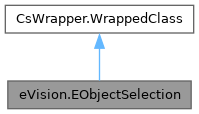
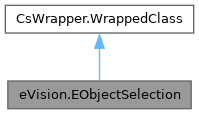
This container class handles the selection of a subset of coded elements taken from a coded image. More...
Public Member Functions | |
| EObjectSelection () | |
| Constructs an EObjectSelection. | |
| EObjectSelection (eVision.ERegion region, eVision.EFrame frame, eVision.EEncodingConnexity connexity) | |
| Constructs an EObjectSelection. | |
| EObjectSelection (eVision.ERegion region, eVision.EFrame frame) | |
| Constructs an EObjectSelection. | |
| EObjectSelection (eVision.ERegion region) | |
| Constructs an EObjectSelection. | |
| EObjectSelection (eVision.EObjectSelection other) | |
| Constructs an EObjectSelection. | |
| void | Clear () |
| Remove all the coded elements that are contained in the selection. | |
| void | Add (eVision.ECodedElement element) |
| Add a coded element to the selection. | |
| void | Remove (eVision.ECodedElement element) |
| Remove a coded element from the selection. | |
| eVision.ECodedElement | GetElement (uint index) |
| Index-based access to the coded elements of the selection. | |
| uint | GetIndexOfElement (eVision.ECodedElement element) |
| Retrieves the index of a given coded element in the selection. | |
| void | AddObjects (eVision.ECodedImage2 image) |
| Adds all the objects of all the layers of a given coded image. | |
| void | ClearFeatureCache () |
| Clears the internal cache for the computed features. | |
| bool | IsSelected (eVision.ECodedElement element) |
| Tests whether a given coded element is present in the selection. | |
| bool | IsSelected (eVision.ECodedImage2 codedImage, uint objectIndex) |
| Tests whether a given coded element is present in the selection. | |
| bool | IsSelected (eVision.ECodedImage2 codedImage, uint layerIndex, uint objectIndex) |
| Tests whether a given coded element is present in the selection. | |
| bool | IsSelected (eVision.ECodedImage2 codedImage, uint layerIndex, uint objectIndex, uint holeIndex) |
| Tests whether a given coded element is present in the selection. | |
| void | AddLayer (eVision.ECodedImage2 codedImage, uint layerIndex) |
| Adds all the objects of a single layer in a coded image. | |
| void | AddLayer (eVision.ECodedImage2 codedImage) |
| Adds all the objects of a single layer in a coded image. | |
| void | RemoveLayer (eVision.ECodedImage2 codedImage) |
| Removes all the objects of a single layer in a coded image. | |
| void | RemoveLayer (eVision.ECodedImage2 codedImage, uint layerIndex) |
| Removes all the objects of a single layer in a coded image. | |
| void | AddObject (eVision.ECodedImage2 codedImage, uint objectIndex) |
| Adds a single object of a layer in a coded image. | |
| void | AddObject (eVision.ECodedImage2 codedImage, uint layerIndex, uint objectIndex) |
| Adds a single object of a layer in a coded image. | |
| void | RemoveObject (eVision.ECodedImage2 codedImage, uint objectIndex) |
| Removes a single object of a layer in a coded image. | |
| void | RemoveObject (eVision.ECodedImage2 codedImage, uint layerIndex, uint objectIndex) |
| Removes a single object of a layer in a coded image. | |
| void | AddHole (eVision.ECodedImage2 codedImage, uint objectIndex, uint holeIndex) |
| Adds a single hole of a coded image. | |
| void | AddHole (eVision.ECodedImage2 codedImage, uint layerIndex, uint objectIndex, uint holeIndex) |
| Adds a single hole of a coded image. | |
| void | RemoveHole (eVision.ECodedImage2 codedImage, uint objectIndex, uint holeIndex) |
| Removes a single hole of a coded image. | |
| void | RemoveHole (eVision.ECodedImage2 codedImage, uint layerIndex, uint objectIndex, uint holeIndex) |
| Removes a single hole of a coded image. | |
| void | AddHolesOfSelectedObjects () |
| Adds the holes of all the objects that are currently selected. | |
| void | AddHoles (eVision.ECodedImage2 codedImage) |
| Adds all the holes contained in an object, in a layer or in a coded image. | |
| void | AddHoles (eVision.ECodedImage2 codedImage, uint layerIndex) |
| Adds all the holes contained in an object, in a layer or in a coded image. | |
| void | AddHoles (eVision.ECodedImage2 codedImage, uint layerIndex, uint objectIndex) |
| Adds all the holes contained in an object, in a layer or in a coded image. | |
| void | RemoveSelectedHoles () |
| Remove all the holes that are currently present in the selection. | |
| void | RemoveHoles (eVision.ECodedImage2 codedImage) |
| Removes all the holes contained in an object, in a layer or in a coded image. | |
| void | RemoveHoles (eVision.ECodedImage2 codedImage, uint layerIndex) |
| Removes all the holes contained in an object, in a layer or in a coded image. | |
| void | RemoveHoles (eVision.ECodedImage2 codedImage, uint layerIndex, uint objectIndex) |
| Removes all the holes contained in an object, in a layer or in a coded image. | |
| void | AddRegionAsObjects (eVision.ERegion region, eVision.EFrame frame, eVision.EEncodingConnexity connexity) |
| Add the objects corresponding to the given region to the EObjectSelection. | |
| void | AddRegionAsObjects (eVision.ERegion region, eVision.EFrame frame) |
| Add the objects corresponding to the given region to the EObjectSelection. | |
| void | AddRegionAsObjects (eVision.ERegion region) |
| Add the objects corresponding to the given region to the EObjectSelection. | |
| void | AddObjectUsingPosition (eVision.ECodedImage2 codedImage, int x, int y) |
| Adds the object of a coded image that lies at a particular location. | |
| void | AddObjectUsingPosition (eVision.ECodedImage2 codedImage, eVision.EPoint position, eVision.EFrame frame) |
| Adds the object of a coded image that lies at a particular location. | |
| void | AddObjectUsingPosition (eVision.ECodedImage2 codedImage, eVision.EPoint position) |
| Adds the object of a coded image that lies at a particular location. | |
| void | RemoveObjectUsingPosition (eVision.ECodedImage2 codedImage, int x, int y) |
| Removes the object of a coded image that lies at a particular location. | |
| void | RemoveObjectUsingPosition (eVision.ECodedImage2 codedImage, eVision.EPoint position, eVision.EFrame frame) |
| Removes the object of a coded image that lies at a particular location. | |
| void | RemoveObjectUsingPosition (eVision.ECodedImage2 codedImage, eVision.EPoint position) |
| Removes the object of a coded image that lies at a particular location. | |
| void | AddObjectsUsingRegion (eVision.ECodedImage2 codedImage, uint layerIndex, eVision.ERegion region, eVision.ERectangleMode mode) |
| Adds all the objects of a coded image whose location fullfil a criterion based on an arbitrary region. | |
| void | AddObjectsUsingRegion (eVision.ECodedImage2 codedImage, uint layerIndex, eVision.ERegion region, eVision.EFrame frame, eVision.ERectangleMode mode) |
| Adds all the objects of a coded image whose location fullfil a criterion based on an arbitrary region. | |
| void | AddObjectsUsingRegion (eVision.ECodedImage2 codedImage, eVision.ERegion region, eVision.ERectangleMode mode) |
| Adds all the objects of a coded image whose location fullfil a criterion based on an arbitrary region. | |
| void | AddObjectsUsingRegion (eVision.ECodedImage2 codedImage, eVision.ERegion region, eVision.EFrame frame, eVision.ERectangleMode mode) |
| Adds all the objects of a coded image whose location fullfil a criterion based on an arbitrary region. | |
| void | RemoveObjectsUsingRegion (eVision.ECodedImage2 codedImage, uint layerIndex, eVision.ERegion region, eVision.ERectangleMode mode) |
| Removes all the objects of a coded image whose location fullfil a criterion based on an arbitrary region. | |
| void | RemoveObjectsUsingRegion (eVision.ECodedImage2 codedImage, uint layerIndex, eVision.ERegion region, eVision.EFrame frame, eVision.ERectangleMode mode) |
| Removes all the objects of a coded image whose location fullfil a criterion based on an arbitrary region. | |
| void | RemoveObjectsUsingRegion (eVision.ECodedImage2 codedImage, eVision.ERegion region, eVision.ERectangleMode mode) |
| Removes all the objects of a coded image whose location fullfil a criterion based on an arbitrary region. | |
| void | RemoveObjectsUsingRegion (eVision.ECodedImage2 codedImage, eVision.ERegion region, eVision.EFrame frame, eVision.ERectangleMode mode) |
| Removes all the objects of a coded image whose location fullfil a criterion based on an arbitrary region. | |
| void | AddObjectsUsingRectangle (eVision.ECodedImage2 codedImage, int x, int y, uint width, uint height, eVision.ERectangleMode mode) |
| Adds all the objects of a coded image whose location fullfil a criterion based on a rectangle. | |
| void | AddObjectsUsingRectangle (eVision.ECodedImage2 codedImage, eVision.ERectangle rectangle, eVision.EFrame frame, eVision.ERectangleMode mode) |
| Adds all the objects of a coded image whose location fullfil a criterion based on a rectangle. | |
| void | AddObjectsUsingRectangle (eVision.ECodedImage2 codedImage, eVision.ERectangle rectangle, eVision.ERectangleMode mode) |
| Adds all the objects of a coded image whose location fullfil a criterion based on a rectangle. | |
| void | AddObjectsUsingRectangle (eVision.ECodedImage2 codedImage, uint layerIndex, int x, int y, uint width, uint height, eVision.ERectangleMode mode) |
| Adds all the objects of a coded image whose location fullfil a criterion based on a rectangle. | |
| void | AddObjectsUsingRectangle (eVision.ECodedImage2 codedImage, uint layerIndex, eVision.ERectangle rectangle, eVision.EFrame frame, eVision.ERectangleMode mode) |
| Adds all the objects of a coded image whose location fullfil a criterion based on a rectangle. | |
| void | AddObjectsUsingRectangle (eVision.ECodedImage2 codedImage, uint layerIndex, eVision.ERectangle rectangle, eVision.ERectangleMode mode) |
| Adds all the objects of a coded image whose location fullfil a criterion based on a rectangle. | |
| void | RemoveObjectsUsingRectangle (eVision.ECodedImage2 codedImage, int x, int y, uint width, uint height, eVision.ERectangleMode mode) |
| Removes all the objects of a coded image whose location fullfil a criterion based on a rectangle. | |
| void | RemoveObjectsUsingRectangle (eVision.ECodedImage2 codedImage, eVision.ERectangle rectangle, eVision.EFrame frame, eVision.ERectangleMode mode) |
| Removes all the objects of a coded image whose location fullfil a criterion based on a rectangle. | |
| void | RemoveObjectsUsingRectangle (eVision.ECodedImage2 codedImage, eVision.ERectangle rectangle, eVision.ERectangleMode mode) |
| Removes all the objects of a coded image whose location fullfil a criterion based on a rectangle. | |
| void | RemoveObjectsUsingRectangle (eVision.ECodedImage2 codedImage, uint layerIndex, int x, int y, uint width, uint height, eVision.ERectangleMode mode) |
| Removes all the objects of a coded image whose location fullfil a criterion based on a rectangle. | |
| void | RemoveObjectsUsingRectangle (eVision.ECodedImage2 codedImage, uint layerIndex, eVision.ERectangle rectangle, eVision.EFrame frame, eVision.ERectangleMode mode) |
| Removes all the objects of a coded image whose location fullfil a criterion based on a rectangle. | |
| void | RemoveObjectsUsingRectangle (eVision.ECodedImage2 codedImage, uint layerIndex, eVision.ERectangle rectangle, eVision.ERectangleMode mode) |
| Removes all the objects of a coded image whose location fullfil a criterion based on a rectangle. | |
| void | RenderMask (eVision.EROIBW8 result, int offsetX, int offsetY) |
| Creates a Flexible Mask from the selection. | |
| void | RenderMask (eVision.EROIBW8 result) |
| Creates a Flexible Mask from the selection. | |
| eVision.ERegion | ToRegion () |
| Converts the object selection to a region. | |
| void | AddObjectsUsingUnsignedIntegerFeature (eVision.ECodedImage2 codedImage, uint layerIndex, eVision.EFeature feature, uint threshold, eVision.ESingleThresholdMode mode) |
| Selects the objects that fullfil a condition on an unsigned integer feature. | |
| void | AddObjectsUsingUnsignedIntegerFeature (eVision.ECodedImage2 codedImage, eVision.EFeature feature, uint threshold, eVision.ESingleThresholdMode mode) |
| Selects the objects that fullfil a condition on an unsigned integer feature. | |
| void | AddObjectsUsingUnsignedIntegerFeature (eVision.ECodedImage2 codedImage, uint layerIndex, eVision.EFeature feature, uint lowBound, uint highBound, eVision.EDoubleThresholdMode mode) |
| Selects the objects that fullfil a condition on an unsigned integer feature. | |
| void | AddObjectsUsingUnsignedIntegerFeature (eVision.ECodedImage2 codedImage, eVision.EFeature feature, uint lowBound, uint highBound, eVision.EDoubleThresholdMode mode) |
| Selects the objects that fullfil a condition on an unsigned integer feature. | |
| void | AddObjectsUsingIntegerFeature (eVision.ECodedImage2 codedImage, uint layerIndex, eVision.EFeature feature, int threshold, eVision.ESingleThresholdMode mode) |
| Selects the objects that fullfil a condition on an integer feature. | |
| void | AddObjectsUsingIntegerFeature (eVision.ECodedImage2 codedImage, uint layerIndex, eVision.EFeature feature, int lowBound, int highBound, eVision.EDoubleThresholdMode mode) |
| Selects the objects that fullfil a condition on an integer feature. | |
| void | AddObjectsUsingIntegerFeature (eVision.ECodedImage2 codedImage, eVision.EFeature feature, int threshold, eVision.ESingleThresholdMode mode) |
| Selects the objects that fullfil a condition on an integer feature. | |
| void | AddObjectsUsingIntegerFeature (eVision.ECodedImage2 codedImage, eVision.EFeature feature, int lowBound, int highBound, eVision.EDoubleThresholdMode mode) |
| Selects the objects that fullfil a condition on an integer feature. | |
| void | AddObjectsUsingFloatFeature (eVision.ECodedImage2 codedImage, uint layerIndex, eVision.EFeature feature, float threshold, eVision.ESingleThresholdMode mode) |
| Selects the objects that fullfil a condition on a floating-point feature. | |
| void | AddObjectsUsingFloatFeature (eVision.ECodedImage2 codedImage, uint layerIndex, eVision.EFeature feature, float lowBound, float highBound, eVision.EDoubleThresholdMode mode) |
| Selects the objects that fullfil a condition on a floating-point feature. | |
| void | AddObjectsUsingFloatFeature (eVision.ECodedImage2 codedImage, eVision.EFeature feature, float threshold, eVision.ESingleThresholdMode mode) |
| Selects the objects that fullfil a condition on a floating-point feature. | |
| void | AddObjectsUsingFloatFeature (eVision.ECodedImage2 codedImage, eVision.EFeature feature, float lowBound, float highBound, eVision.EDoubleThresholdMode mode) |
| Selects the objects that fullfil a condition on a floating-point feature. | |
| void | RemoveUsingUnsignedIntegerFeature (eVision.EFeature feature, uint threshold, eVision.ESingleThresholdMode mode) |
| Removes the selected coded elements that fullfil a condition on an unsigned integer feature. | |
| void | RemoveUsingUnsignedIntegerFeature (eVision.EFeature feature, uint low, uint high, eVision.EDoubleThresholdMode mode) |
| Removes the selected coded elements that fullfil a condition on an unsigned integer feature. | |
| void | RemoveUsingIntegerFeature (eVision.EFeature feature, int threshold, eVision.ESingleThresholdMode mode) |
| Removes the selected coded elements that fullfil a condition on an unsigned integer feature. | |
| void | RemoveUsingIntegerFeature (eVision.EFeature feature, int low, int high, eVision.EDoubleThresholdMode mode) |
| Removes the selected coded elements that fullfil a condition on an unsigned integer feature. | |
| void | RemoveUsingFloatFeature (eVision.EFeature feature, float threshold, eVision.ESingleThresholdMode mode) |
| Removes the selected coded elements that fullfil a condition on a floating-point feature. | |
| void | RemoveUsingFloatFeature (eVision.EFeature feature, float low, float high, eVision.EDoubleThresholdMode mode) |
| Removes the selected coded elements that fullfil a condition on a floating-point feature. | |
| uint | GetUnsignedIntegerFeature (uint index, eVision.EFeature feature) |
| Returns the value of an unsigned integer feature for a selected coded element. | |
| int | GetIntegerFeature (uint index, eVision.EFeature feature) |
| Returns the value of an integer feature for a selected coded element. | |
| float | GetFloatFeature (uint index, eVision.EFeature feature) |
| Returns the value of a floating-point feature for a selected coded element. | |
| void | Sort (eVision.EFeature feature) |
| Sorts the selected coded elements according to the value of a feature. | |
| void | Sort (eVision.EFeature feature, eVision.ESortDirection direction) |
| Sorts the selected coded elements according to the value of a feature. | |
| float | FeatureAverage (eVision.EFeature feature) |
| Computes the average of the values of the given feature across the selection. | |
| float | FeatureDeviation (eVision.EFeature feature) |
| Computes the standard deviation of the values of the given feature across the selection. | |
| float | FeatureVariance (eVision.EFeature feature) |
| Computes the variance of the values of the given feature across the selection. | |
| uint | UnsignedIntegerFeatureMinimum (eVision.EFeature feature) |
| Computes the minimum value of the given feature across the selection. | |
| int | IntegerFeatureMinimum (eVision.EFeature feature) |
| Computes the minimum value of the given feature across the selection. | |
| float | FloatFeatureMinimum (eVision.EFeature feature) |
| Computes the minimum value of the given feature across the selection. | |
| uint | UnsignedIntegerFeatureMaximum (eVision.EFeature feature) |
| Computes the maximum value of the given feature across the selection. | |
| int | IntegerFeatureMaximum (eVision.EFeature feature) |
| Computes the maximum value of the given feature across the selection. | |
| float | FloatFeatureMaximum (eVision.EFeature feature) |
| Computes the maximum value of the given feature across the selection. | |
| void | DrawFeature (eVision.EDrawAdapter drawAdapter, eVision.EDrawableFeature feature, uint elementIndex, float zoomX, float zoomY, float panX, float panY, bool drawDiagonals) |
| Draw a given feature of all the coded elements from EObjectSelection. | |
| void | DrawFeature (eVision.EDrawAdapter drawAdapter, eVision.EDrawableFeature feature, uint elementIndex, float zoomX, float zoomY, float panX, float panY) |
| Draw a given feature of all the coded elements from EObjectSelection. | |
| void | DrawFeature (eVision.EDrawAdapter drawAdapter, eVision.EDrawableFeature feature, uint elementIndex, float zoomX, float zoomY, float panX) |
| Draw a given feature of all the coded elements from EObjectSelection. | |
| void | DrawFeature (eVision.EDrawAdapter drawAdapter, eVision.EDrawableFeature feature, uint elementIndex, float zoomX, float zoomY) |
| Draw a given feature of all the coded elements from EObjectSelection. | |
| void | DrawFeature (eVision.EDrawAdapter drawAdapter, eVision.EDrawableFeature feature, uint elementIndex, float zoomX) |
| Draw a given feature of all the coded elements from EObjectSelection. | |
| void | DrawFeature (eVision.EDrawAdapter drawAdapter, eVision.EDrawableFeature feature, uint elementIndex) |
| Draw a given feature of all the coded elements from EObjectSelection. | |
| void | DrawFeature (eVision.EDrawAdapter drawAdapter, eVision.EDrawableFeature feature, uint elementIndex, eVision.EFrame frame, float zoomX, float zoomY, float panX, float panY, bool drawDiagonals) |
| Draw a given feature of all the coded elements from EObjectSelection. | |
| void | DrawFeature (eVision.EDrawAdapter drawAdapter, eVision.EDrawableFeature feature, uint elementIndex, eVision.EFrame frame, float zoomX, float zoomY, float panX, float panY) |
| Draw a given feature of all the coded elements from EObjectSelection. | |
| void | DrawFeature (eVision.EDrawAdapter drawAdapter, eVision.EDrawableFeature feature, uint elementIndex, eVision.EFrame frame, float zoomX, float zoomY, float panX) |
| Draw a given feature of all the coded elements from EObjectSelection. | |
| void | DrawFeature (eVision.EDrawAdapter drawAdapter, eVision.EDrawableFeature feature, uint elementIndex, eVision.EFrame frame, float zoomX, float zoomY) |
| Draw a given feature of all the coded elements from EObjectSelection. | |
| void | DrawFeature (eVision.EDrawAdapter drawAdapter, eVision.EDrawableFeature feature, uint elementIndex, eVision.EFrame frame, float zoomX) |
| Draw a given feature of all the coded elements from EObjectSelection. | |
| void | DrawFeature (eVision.EDrawAdapter drawAdapter, eVision.EDrawableFeature feature, uint elementIndex, eVision.EFrame frame) |
| Draw a given feature of all the coded elements from EObjectSelection. | |
Properties | |
| eVision.ECodedElement[] | AllElements [get] |
| All elements in the object selection. | |
| uint | ElementCount [get] |
| Returns the number of coded elements selection. | |
| eVision.EROIBW8 | AttachedImage [get, set] |
| Returns the currently attached image. | |
| float | FeretAngle [get, set] |
| Angle of the Feret box (in the current angle units). | |
This container class handles the selection of a subset of coded elements taken from a coded image.
This class provides methods to perform a selection of objects or holes and to retrieve the features of the coded elements in the collection.
License(s): EasyObject
| eVision.EObjectSelection.EObjectSelection | ( | ) |
Constructs an EObjectSelection.
| eVision.EObjectSelection.EObjectSelection | ( | eVision.ERegion | region, |
| eVision.EFrame | frame, | ||
| eVision.EEncodingConnexity | connexity ) |
Constructs an EObjectSelection.
| region | Region to construct the EObjectSelection from. All contiguous elements on the region are grouped together to form objects. |
| frame | Frame associated with the region. Defaults to identity frame. |
| connexity | The connexity mode that specifies the conditions that must hold for neighboring pixels to belong to the same object. Defaults to EEncodingConnexity.EEncodingConnexity_Eight. |
| eVision.EObjectSelection.EObjectSelection | ( | eVision.ERegion | region, |
| eVision.EFrame | frame ) |
Constructs an EObjectSelection.
| region | Region to construct the EObjectSelection from. All contiguous elements on the region are grouped together to form objects. |
| frame | Frame associated with the region. Defaults to identity frame. |
| eVision.EObjectSelection.EObjectSelection | ( | eVision.ERegion | region | ) |
Constructs an EObjectSelection.
| region | Region to construct the EObjectSelection from. All contiguous elements on the region are grouped together to form objects. |
| eVision.EObjectSelection.EObjectSelection | ( | eVision.EObjectSelection | other | ) |
Constructs an EObjectSelection.
| other | The other EObjectSelection to copy into this one. |
| void eVision.EObjectSelection.Add | ( | eVision.ECodedElement | element | ) |
Add a coded element to the selection.
| element | The coded element. |
| void eVision.EObjectSelection.AddHole | ( | eVision.ECodedImage2 | codedImage, |
| uint | layerIndex, | ||
| uint | objectIndex, | ||
| uint | holeIndex ) |
Adds a single hole of a coded image.
| codedImage | The coded image. |
| layerIndex | The index of the layer of interest. If this parameter is left unspecified, the default layer will be taken into consideration. |
| objectIndex | The index of the parent object in the layer. |
| holeIndex | The index of the hole in the parent object. |
This methods throws an exception if no layer index is specified and if, simultaneously, the coded image contains several layers. Indeed, in such a case, no default layer exists.
| void eVision.EObjectSelection.AddHole | ( | eVision.ECodedImage2 | codedImage, |
| uint | objectIndex, | ||
| uint | holeIndex ) |
Adds a single hole of a coded image.
| codedImage | The coded image. |
| objectIndex | The index of the parent object in the layer. |
| holeIndex | The index of the hole in the parent object. |
This methods throws an exception if no layer index is specified and if, simultaneously, the coded image contains several layers. Indeed, in such a case, no default layer exists.
| void eVision.EObjectSelection.AddHoles | ( | eVision.ECodedImage2 | codedImage | ) |
Adds all the holes contained in an object, in a layer or in a coded image.
| codedImage | The source coded image. |
| void eVision.EObjectSelection.AddHoles | ( | eVision.ECodedImage2 | codedImage, |
| uint | layerIndex ) |
Adds all the holes contained in an object, in a layer or in a coded image.
| codedImage | The source coded image. |
| layerIndex | The index of the layer of interest. If this parameter is left unspecified, all the layers are taken into consideration. |
| void eVision.EObjectSelection.AddHoles | ( | eVision.ECodedImage2 | codedImage, |
| uint | layerIndex, | ||
| uint | objectIndex ) |
Adds all the holes contained in an object, in a layer or in a coded image.
| codedImage | The source coded image. |
| layerIndex | The index of the layer of interest. If this parameter is left unspecified, all the layers are taken into consideration. |
| objectIndex | The index of the parent object. If this parameter is left unspecified, all the objects are taken into consideration. |
| void eVision.EObjectSelection.AddHolesOfSelectedObjects | ( | ) |
Adds the holes of all the objects that are currently selected.
| void eVision.EObjectSelection.AddLayer | ( | eVision.ECodedImage2 | codedImage | ) |
Adds all the objects of a single layer in a coded image.
| codedImage | The coded image. |
This methods throws an exception if no layer index is specified and if, simultaneously, the coded image contains several layers. Indeed, in such a case, no default layer exists.
| void eVision.EObjectSelection.AddLayer | ( | eVision.ECodedImage2 | codedImage, |
| uint | layerIndex ) |
Adds all the objects of a single layer in a coded image.
| codedImage | The coded image. |
| layerIndex | The index of the layer of interest. If this parameter is left unspecified, the default layer will be taken into consideration. |
This methods throws an exception if no layer index is specified and if, simultaneously, the coded image contains several layers. Indeed, in such a case, no default layer exists.
| void eVision.EObjectSelection.AddObject | ( | eVision.ECodedImage2 | codedImage, |
| uint | layerIndex, | ||
| uint | objectIndex ) |
Adds a single object of a layer in a coded image.
| codedImage | The coded image. |
| layerIndex | The index of the layer of interest. If this parameter is left unspecified, the default layer will be taken into consideration. |
| objectIndex | The index of the object in the layer. |
This methods throws an exception if no layer index is specified and if, simultaneously, the coded image contains several layers. Indeed, in such a case, no default layer exists.
| void eVision.EObjectSelection.AddObject | ( | eVision.ECodedImage2 | codedImage, |
| uint | objectIndex ) |
Adds a single object of a layer in a coded image.
| codedImage | The coded image. |
| objectIndex | The index of the object in the layer. |
This methods throws an exception if no layer index is specified and if, simultaneously, the coded image contains several layers. Indeed, in such a case, no default layer exists.
| void eVision.EObjectSelection.AddObjects | ( | eVision.ECodedImage2 | image | ) |
Adds all the objects of all the layers of a given coded image.
| image | The coded image. |
| void eVision.EObjectSelection.AddObjectsUsingFloatFeature | ( | eVision.ECodedImage2 | codedImage, |
| eVision.EFeature | feature, | ||
| float | lowBound, | ||
| float | highBound, | ||
| eVision.EDoubleThresholdMode | mode ) |
Selects the objects that fullfil a condition on a floating-point feature.
| codedImage | The source coded image. |
| feature | The feature that serves as a filter. |
| lowBound | The low bound of the range on the feature. |
| highBound | The high bound of the range on the feature. |
| mode | Specifies the way the threshold is interpreted. |
Most features are floating-point. These methods thus tend to be the most widely used.
| void eVision.EObjectSelection.AddObjectsUsingFloatFeature | ( | eVision.ECodedImage2 | codedImage, |
| eVision.EFeature | feature, | ||
| float | threshold, | ||
| eVision.ESingleThresholdMode | mode ) |
Selects the objects that fullfil a condition on a floating-point feature.
| codedImage | The source coded image. |
| feature | The feature that serves as a filter. |
| threshold | The single threshold on the feature. |
| mode | Specifies the way the threshold is interpreted. |
Most features are floating-point. These methods thus tend to be the most widely used.
| void eVision.EObjectSelection.AddObjectsUsingFloatFeature | ( | eVision.ECodedImage2 | codedImage, |
| uint | layerIndex, | ||
| eVision.EFeature | feature, | ||
| float | lowBound, | ||
| float | highBound, | ||
| eVision.EDoubleThresholdMode | mode ) |
Selects the objects that fullfil a condition on a floating-point feature.
| codedImage | The source coded image. |
| layerIndex | The index of the layer of interest. If left unspecified, all the layers are taken into consideration. |
| feature | The feature that serves as a filter. |
| lowBound | The low bound of the range on the feature. |
| highBound | The high bound of the range on the feature. |
| mode | Specifies the way the threshold is interpreted. |
Most features are floating-point. These methods thus tend to be the most widely used.
| void eVision.EObjectSelection.AddObjectsUsingFloatFeature | ( | eVision.ECodedImage2 | codedImage, |
| uint | layerIndex, | ||
| eVision.EFeature | feature, | ||
| float | threshold, | ||
| eVision.ESingleThresholdMode | mode ) |
Selects the objects that fullfil a condition on a floating-point feature.
| codedImage | The source coded image. |
| layerIndex | The index of the layer of interest. If left unspecified, all the layers are taken into consideration. |
| feature | The feature that serves as a filter. |
| threshold | The single threshold on the feature. |
| mode | Specifies the way the threshold is interpreted. |
Most features are floating-point. These methods thus tend to be the most widely used.
| void eVision.EObjectSelection.AddObjectsUsingIntegerFeature | ( | eVision.ECodedImage2 | codedImage, |
| eVision.EFeature | feature, | ||
| int | lowBound, | ||
| int | highBound, | ||
| eVision.EDoubleThresholdMode | mode ) |
Selects the objects that fullfil a condition on an integer feature.
| codedImage | The source coded image. |
| feature | The feature that serves as a filter. |
| lowBound | The low bound of the range on the feature. |
| highBound | The high bound of the range on the feature. |
| mode | Specifies the way the threshold is interpreted. |
| void eVision.EObjectSelection.AddObjectsUsingIntegerFeature | ( | eVision.ECodedImage2 | codedImage, |
| eVision.EFeature | feature, | ||
| int | threshold, | ||
| eVision.ESingleThresholdMode | mode ) |
Selects the objects that fullfil a condition on an integer feature.
| codedImage | The source coded image. |
| feature | The feature that serves as a filter. |
| threshold | The single threshold on the feature. |
| mode | Specifies the way the threshold is interpreted. |
| void eVision.EObjectSelection.AddObjectsUsingIntegerFeature | ( | eVision.ECodedImage2 | codedImage, |
| uint | layerIndex, | ||
| eVision.EFeature | feature, | ||
| int | lowBound, | ||
| int | highBound, | ||
| eVision.EDoubleThresholdMode | mode ) |
Selects the objects that fullfil a condition on an integer feature.
| codedImage | The source coded image. |
| layerIndex | The index of the layer of interest. If left unspecified, all the layers are taken into consideration. |
| feature | The feature that serves as a filter. |
| lowBound | The low bound of the range on the feature. |
| highBound | The high bound of the range on the feature. |
| mode | Specifies the way the threshold is interpreted. |
| void eVision.EObjectSelection.AddObjectsUsingIntegerFeature | ( | eVision.ECodedImage2 | codedImage, |
| uint | layerIndex, | ||
| eVision.EFeature | feature, | ||
| int | threshold, | ||
| eVision.ESingleThresholdMode | mode ) |
Selects the objects that fullfil a condition on an integer feature.
| codedImage | The source coded image. |
| layerIndex | The index of the layer of interest. If left unspecified, all the layers are taken into consideration. |
| feature | The feature that serves as a filter. |
| threshold | The single threshold on the feature. |
| mode | Specifies the way the threshold is interpreted. |
| void eVision.EObjectSelection.AddObjectsUsingRectangle | ( | eVision.ECodedImage2 | codedImage, |
| eVision.ERectangle | rectangle, | ||
| eVision.EFrame | frame, | ||
| eVision.ERectangleMode | mode ) |
Adds all the objects of a coded image whose location fullfil a criterion based on a rectangle.
| codedImage | The source coded image. |
| rectangle | The selection rectangle. |
| frame | The frame of reference in which the selection rectangle was defined. |
| mode | The comparison mode with respect to the selection rectangle. |
| void eVision.EObjectSelection.AddObjectsUsingRectangle | ( | eVision.ECodedImage2 | codedImage, |
| eVision.ERectangle | rectangle, | ||
| eVision.ERectangleMode | mode ) |
Adds all the objects of a coded image whose location fullfil a criterion based on a rectangle.
| codedImage | The source coded image. |
| rectangle | The selection rectangle. |
| mode | The comparison mode with respect to the selection rectangle. |
| void eVision.EObjectSelection.AddObjectsUsingRectangle | ( | eVision.ECodedImage2 | codedImage, |
| int | x, | ||
| int | y, | ||
| uint | width, | ||
| uint | height, | ||
| eVision.ERectangleMode | mode ) |
Adds all the objects of a coded image whose location fullfil a criterion based on a rectangle.
| codedImage | The source coded image. |
| x | The X-coordinate of the top-left corner of the selection rectangle. |
| y | The Y-coordinate of the top-left corner of the selection rectangle. |
| width | The width of the selection rectangle. |
| height | The height of the selection rectangle. |
| mode | The comparison mode with respect to the selection rectangle. |
| void eVision.EObjectSelection.AddObjectsUsingRectangle | ( | eVision.ECodedImage2 | codedImage, |
| uint | layerIndex, | ||
| eVision.ERectangle | rectangle, | ||
| eVision.EFrame | frame, | ||
| eVision.ERectangleMode | mode ) |
Adds all the objects of a coded image whose location fullfil a criterion based on a rectangle.
| codedImage | The source coded image. |
| layerIndex | If specified, only the specified layer is taken into consideration. |
| rectangle | The selection rectangle. |
| frame | The frame of reference in which the selection rectangle was defined. |
| mode | The comparison mode with respect to the selection rectangle. |
| void eVision.EObjectSelection.AddObjectsUsingRectangle | ( | eVision.ECodedImage2 | codedImage, |
| uint | layerIndex, | ||
| eVision.ERectangle | rectangle, | ||
| eVision.ERectangleMode | mode ) |
Adds all the objects of a coded image whose location fullfil a criterion based on a rectangle.
| codedImage | The source coded image. |
| layerIndex | If specified, only the specified layer is taken into consideration. |
| rectangle | The selection rectangle. |
| mode | The comparison mode with respect to the selection rectangle. |
| void eVision.EObjectSelection.AddObjectsUsingRectangle | ( | eVision.ECodedImage2 | codedImage, |
| uint | layerIndex, | ||
| int | x, | ||
| int | y, | ||
| uint | width, | ||
| uint | height, | ||
| eVision.ERectangleMode | mode ) |
Adds all the objects of a coded image whose location fullfil a criterion based on a rectangle.
| codedImage | The source coded image. |
| layerIndex | If specified, only the specified layer is taken into consideration. |
| x | The X-coordinate of the top-left corner of the selection rectangle. |
| y | The Y-coordinate of the top-left corner of the selection rectangle. |
| width | The width of the selection rectangle. |
| height | The height of the selection rectangle. |
| mode | The comparison mode with respect to the selection rectangle. |
| void eVision.EObjectSelection.AddObjectsUsingRegion | ( | eVision.ECodedImage2 | codedImage, |
| eVision.ERegion | region, | ||
| eVision.EFrame | frame, | ||
| eVision.ERectangleMode | mode ) |
Adds all the objects of a coded image whose location fullfil a criterion based on an arbitrary region.
| codedImage | The source coded image. |
| region | The region defining the geometric domain. |
| frame | The frame of reference in which the region was defined. |
| mode | The comparison mode with respect to the region. |
| void eVision.EObjectSelection.AddObjectsUsingRegion | ( | eVision.ECodedImage2 | codedImage, |
| eVision.ERegion | region, | ||
| eVision.ERectangleMode | mode ) |
Adds all the objects of a coded image whose location fullfil a criterion based on an arbitrary region.
| codedImage | The source coded image. |
| region | The region defining the geometric domain. |
| mode | The comparison mode with respect to the region. |
| void eVision.EObjectSelection.AddObjectsUsingRegion | ( | eVision.ECodedImage2 | codedImage, |
| uint | layerIndex, | ||
| eVision.ERegion | region, | ||
| eVision.EFrame | frame, | ||
| eVision.ERectangleMode | mode ) |
Adds all the objects of a coded image whose location fullfil a criterion based on an arbitrary region.
| codedImage | The source coded image. |
| layerIndex | If specified, only the specified layer is taken into consideration. |
| region | The region defining the geometric domain. |
| frame | The frame of reference in which the region was defined. |
| mode | The comparison mode with respect to the region. |
| void eVision.EObjectSelection.AddObjectsUsingRegion | ( | eVision.ECodedImage2 | codedImage, |
| uint | layerIndex, | ||
| eVision.ERegion | region, | ||
| eVision.ERectangleMode | mode ) |
Adds all the objects of a coded image whose location fullfil a criterion based on an arbitrary region.
| codedImage | The source coded image. |
| layerIndex | If specified, only the specified layer is taken into consideration. |
| region | The region defining the geometric domain. |
| mode | The comparison mode with respect to the region. |
| void eVision.EObjectSelection.AddObjectsUsingUnsignedIntegerFeature | ( | eVision.ECodedImage2 | codedImage, |
| eVision.EFeature | feature, | ||
| uint | lowBound, | ||
| uint | highBound, | ||
| eVision.EDoubleThresholdMode | mode ) |
Selects the objects that fullfil a condition on an unsigned integer feature.
| codedImage | The source coded image. |
| feature | The feature that serves as a filter. |
| lowBound | The low bound of the range on the feature. |
| highBound | The high bound of the range on the feature. |
| mode | Specifies the way the threshold is interpreted. |
| void eVision.EObjectSelection.AddObjectsUsingUnsignedIntegerFeature | ( | eVision.ECodedImage2 | codedImage, |
| eVision.EFeature | feature, | ||
| uint | threshold, | ||
| eVision.ESingleThresholdMode | mode ) |
Selects the objects that fullfil a condition on an unsigned integer feature.
| codedImage | The source coded image. |
| feature | The feature that serves as a filter. |
| threshold | The single threshold on the feature. |
| mode | Specifies the way the threshold is interpreted. |
| void eVision.EObjectSelection.AddObjectsUsingUnsignedIntegerFeature | ( | eVision.ECodedImage2 | codedImage, |
| uint | layerIndex, | ||
| eVision.EFeature | feature, | ||
| uint | lowBound, | ||
| uint | highBound, | ||
| eVision.EDoubleThresholdMode | mode ) |
Selects the objects that fullfil a condition on an unsigned integer feature.
| codedImage | The source coded image. |
| layerIndex | The index of the layer of interest. If left unspecified, all the layers are taken into consideration. |
| feature | The feature that serves as a filter. |
| lowBound | The low bound of the range on the feature. |
| highBound | The high bound of the range on the feature. |
| mode | Specifies the way the threshold is interpreted. |
| void eVision.EObjectSelection.AddObjectsUsingUnsignedIntegerFeature | ( | eVision.ECodedImage2 | codedImage, |
| uint | layerIndex, | ||
| eVision.EFeature | feature, | ||
| uint | threshold, | ||
| eVision.ESingleThresholdMode | mode ) |
Selects the objects that fullfil a condition on an unsigned integer feature.
| codedImage | The source coded image. |
| layerIndex | The index of the layer of interest. If left unspecified, all the layers are taken into consideration. |
| feature | The feature that serves as a filter. |
| threshold | The single threshold on the feature. |
| mode | Specifies the way the threshold is interpreted. |
| void eVision.EObjectSelection.AddObjectUsingPosition | ( | eVision.ECodedImage2 | codedImage, |
| eVision.EPoint | position ) |
Adds the object of a coded image that lies at a particular location.
| codedImage | The source coded image. |
| position | The position of the object. |
If no object lies at the specified coordinate, the selection is not changed.
| void eVision.EObjectSelection.AddObjectUsingPosition | ( | eVision.ECodedImage2 | codedImage, |
| eVision.EPoint | position, | ||
| eVision.EFrame | frame ) |
Adds the object of a coded image that lies at a particular location.
| codedImage | The source coded image. |
| position | The position of the object. |
| frame | The frame of reference in which the position was defined. |
If no object lies at the specified coordinate, the selection is not changed.
| void eVision.EObjectSelection.AddObjectUsingPosition | ( | eVision.ECodedImage2 | codedImage, |
| int | x, | ||
| int | y ) |
Adds the object of a coded image that lies at a particular location.
| codedImage | The source coded image. |
| x | The X-coordinate of the object. |
| y | The Y-coordinate of the object. |
If no object lies at the specified coordinate, the selection is not changed.
| void eVision.EObjectSelection.AddRegionAsObjects | ( | eVision.ERegion | region | ) |
Add the objects corresponding to the given region to the EObjectSelection.
| region | Region to add the objects from. All contiguous elements on the region are grouped together to form objects. |
| void eVision.EObjectSelection.AddRegionAsObjects | ( | eVision.ERegion | region, |
| eVision.EFrame | frame ) |
Add the objects corresponding to the given region to the EObjectSelection.
| region | Region to add the objects from. All contiguous elements on the region are grouped together to form objects. |
| frame | Frame associated with the region. Defaults to identity frame. |
| void eVision.EObjectSelection.AddRegionAsObjects | ( | eVision.ERegion | region, |
| eVision.EFrame | frame, | ||
| eVision.EEncodingConnexity | connexity ) |
Add the objects corresponding to the given region to the EObjectSelection.
| region | Region to add the objects from. All contiguous elements on the region are grouped together to form objects. |
| frame | Frame associated with the region. Defaults to identity frame. |
| connexity | The connexity mode that specifies the conditions that must hold for neighboring pixels to belong to the same object. Defaults to EEncodingConnexity.EEncodingConnexity_Eight. |
| void eVision.EObjectSelection.Clear | ( | ) |
Remove all the coded elements that are contained in the selection.
| void eVision.EObjectSelection.ClearFeatureCache | ( | ) |
Clears the internal cache for the computed features.
This is useful to reduce memory consumption.
| void eVision.EObjectSelection.DrawFeature | ( | eVision.EDrawAdapter | drawAdapter, |
| eVision.EDrawableFeature | feature, | ||
| uint | elementIndex ) |
Draw a given feature of all the coded elements from EObjectSelection.
| drawAdapter | Graphic context on which to draw. |
| feature | The feature of interest. |
| elementIndex | The index in the selection of the coded element to draw. If no element index is specified, all the elements of the selection are take into consideration. |
| void eVision.EObjectSelection.DrawFeature | ( | eVision.EDrawAdapter | drawAdapter, |
| eVision.EDrawableFeature | feature, | ||
| uint | elementIndex, | ||
| eVision.EFrame | frame ) |
Draw a given feature of all the coded elements from EObjectSelection.
| drawAdapter | Graphic context on which to draw. |
| feature | The feature of interest. |
| elementIndex | The index in the selection of the coded element to draw. If no element index is specified, all the elements of the selection are take into consideration. |
| frame | Frame of reference used to compute the coded image. |
| void eVision.EObjectSelection.DrawFeature | ( | eVision.EDrawAdapter | drawAdapter, |
| eVision.EDrawableFeature | feature, | ||
| uint | elementIndex, | ||
| eVision.EFrame | frame, | ||
| float | zoomX ) |
Draw a given feature of all the coded elements from EObjectSelection.
| drawAdapter | Graphic context on which to draw. |
| feature | The feature of interest. |
| elementIndex | The index in the selection of the coded element to draw. If no element index is specified, all the elements of the selection are take into consideration. |
| frame | Frame of reference used to compute the coded image. |
| zoomX | Horizontal zooming factor. By default, true scale is used. |
| void eVision.EObjectSelection.DrawFeature | ( | eVision.EDrawAdapter | drawAdapter, |
| eVision.EDrawableFeature | feature, | ||
| uint | elementIndex, | ||
| eVision.EFrame | frame, | ||
| float | zoomX, | ||
| float | zoomY ) |
Draw a given feature of all the coded elements from EObjectSelection.
| drawAdapter | Graphic context on which to draw. |
| feature | The feature of interest. |
| elementIndex | The index in the selection of the coded element to draw. If no element index is specified, all the elements of the selection are take into consideration. |
| frame | Frame of reference used to compute the coded image. |
| zoomX | Horizontal zooming factor. By default, true scale is used. |
| zoomY | Vertical zooming factor. If set to 0 (default), the horizontal zooming factor is used instead, so as to provide isotropic zooming. |
| void eVision.EObjectSelection.DrawFeature | ( | eVision.EDrawAdapter | drawAdapter, |
| eVision.EDrawableFeature | feature, | ||
| uint | elementIndex, | ||
| eVision.EFrame | frame, | ||
| float | zoomX, | ||
| float | zoomY, | ||
| float | panX ) |
Draw a given feature of all the coded elements from EObjectSelection.
| drawAdapter | Graphic context on which to draw. |
| feature | The feature of interest. |
| elementIndex | The index in the selection of the coded element to draw. If no element index is specified, all the elements of the selection are take into consideration. |
| frame | Frame of reference used to compute the coded image. |
| zoomX | Horizontal zooming factor. By default, true scale is used. |
| zoomY | Vertical zooming factor. If set to 0 (default), the horizontal zooming factor is used instead, so as to provide isotropic zooming. |
| panX | Horizontal panning value expressed in pixels. By default, no panning occurs. |
| void eVision.EObjectSelection.DrawFeature | ( | eVision.EDrawAdapter | drawAdapter, |
| eVision.EDrawableFeature | feature, | ||
| uint | elementIndex, | ||
| eVision.EFrame | frame, | ||
| float | zoomX, | ||
| float | zoomY, | ||
| float | panX, | ||
| float | panY ) |
Draw a given feature of all the coded elements from EObjectSelection.
| drawAdapter | Graphic context on which to draw. |
| feature | The feature of interest. |
| elementIndex | The index in the selection of the coded element to draw. If no element index is specified, all the elements of the selection are take into consideration. |
| frame | Frame of reference used to compute the coded image. |
| zoomX | Horizontal zooming factor. By default, true scale is used. |
| zoomY | Vertical zooming factor. If set to 0 (default), the horizontal zooming factor is used instead, so as to provide isotropic zooming. |
| panX | Horizontal panning value expressed in pixels. By default, no panning occurs. |
| panY | Vertical panning value expressed in pixels. By default, no panning occurs. |
| void eVision.EObjectSelection.DrawFeature | ( | eVision.EDrawAdapter | drawAdapter, |
| eVision.EDrawableFeature | feature, | ||
| uint | elementIndex, | ||
| eVision.EFrame | frame, | ||
| float | zoomX, | ||
| float | zoomY, | ||
| float | panX, | ||
| float | panY, | ||
| bool | drawDiagonals ) |
Draw a given feature of all the coded elements from EObjectSelection.
| drawAdapter | Graphic context on which to draw. |
| feature | The feature of interest. |
| elementIndex | The index in the selection of the coded element to draw. If no element index is specified, all the elements of the selection are take into consideration. |
| frame | Frame of reference used to compute the coded image. |
| zoomX | Horizontal zooming factor. By default, true scale is used. |
| zoomY | Vertical zooming factor. If set to 0 (default), the horizontal zooming factor is used instead, so as to provide isotropic zooming. |
| panX | Horizontal panning value expressed in pixels. By default, no panning occurs. |
| panY | Vertical panning value expressed in pixels. By default, no panning occurs. |
| drawDiagonals | Specifies whether or not the diagonals of the ellipses and of the rectangles are to be drawn. Defaults to false. |
| void eVision.EObjectSelection.DrawFeature | ( | eVision.EDrawAdapter | drawAdapter, |
| eVision.EDrawableFeature | feature, | ||
| uint | elementIndex, | ||
| float | zoomX ) |
Draw a given feature of all the coded elements from EObjectSelection.
| drawAdapter | Graphic context on which to draw. |
| feature | The feature of interest. |
| elementIndex | The index in the selection of the coded element to draw. If no element index is specified, all the elements of the selection are take into consideration. |
| zoomX | Horizontal zooming factor. By default, true scale is used. |
| void eVision.EObjectSelection.DrawFeature | ( | eVision.EDrawAdapter | drawAdapter, |
| eVision.EDrawableFeature | feature, | ||
| uint | elementIndex, | ||
| float | zoomX, | ||
| float | zoomY ) |
Draw a given feature of all the coded elements from EObjectSelection.
| drawAdapter | Graphic context on which to draw. |
| feature | The feature of interest. |
| elementIndex | The index in the selection of the coded element to draw. If no element index is specified, all the elements of the selection are take into consideration. |
| zoomX | Horizontal zooming factor. By default, true scale is used. |
| zoomY | Vertical zooming factor. If set to 0 (default), the horizontal zooming factor is used instead, so as to provide isotropic zooming. |
| void eVision.EObjectSelection.DrawFeature | ( | eVision.EDrawAdapter | drawAdapter, |
| eVision.EDrawableFeature | feature, | ||
| uint | elementIndex, | ||
| float | zoomX, | ||
| float | zoomY, | ||
| float | panX ) |
Draw a given feature of all the coded elements from EObjectSelection.
| drawAdapter | Graphic context on which to draw. |
| feature | The feature of interest. |
| elementIndex | The index in the selection of the coded element to draw. If no element index is specified, all the elements of the selection are take into consideration. |
| zoomX | Horizontal zooming factor. By default, true scale is used. |
| zoomY | Vertical zooming factor. If set to 0 (default), the horizontal zooming factor is used instead, so as to provide isotropic zooming. |
| panX | Horizontal panning value expressed in pixels. By default, no panning occurs. |
| void eVision.EObjectSelection.DrawFeature | ( | eVision.EDrawAdapter | drawAdapter, |
| eVision.EDrawableFeature | feature, | ||
| uint | elementIndex, | ||
| float | zoomX, | ||
| float | zoomY, | ||
| float | panX, | ||
| float | panY ) |
Draw a given feature of all the coded elements from EObjectSelection.
| drawAdapter | Graphic context on which to draw. |
| feature | The feature of interest. |
| elementIndex | The index in the selection of the coded element to draw. If no element index is specified, all the elements of the selection are take into consideration. |
| zoomX | Horizontal zooming factor. By default, true scale is used. |
| zoomY | Vertical zooming factor. If set to 0 (default), the horizontal zooming factor is used instead, so as to provide isotropic zooming. |
| panX | Horizontal panning value expressed in pixels. By default, no panning occurs. |
| panY | Vertical panning value expressed in pixels. By default, no panning occurs. |
| void eVision.EObjectSelection.DrawFeature | ( | eVision.EDrawAdapter | drawAdapter, |
| eVision.EDrawableFeature | feature, | ||
| uint | elementIndex, | ||
| float | zoomX, | ||
| float | zoomY, | ||
| float | panX, | ||
| float | panY, | ||
| bool | drawDiagonals ) |
Draw a given feature of all the coded elements from EObjectSelection.
| drawAdapter | Graphic context on which to draw. |
| feature | The feature of interest. |
| elementIndex | The index in the selection of the coded element to draw. If no element index is specified, all the elements of the selection are take into consideration. |
| zoomX | Horizontal zooming factor. By default, true scale is used. |
| zoomY | Vertical zooming factor. If set to 0 (default), the horizontal zooming factor is used instead, so as to provide isotropic zooming. |
| panX | Horizontal panning value expressed in pixels. By default, no panning occurs. |
| panY | Vertical panning value expressed in pixels. By default, no panning occurs. |
| drawDiagonals | Specifies whether or not the diagonals of the ellipses and of the rectangles are to be drawn. Defaults to false. |
| float eVision.EObjectSelection.FeatureAverage | ( | eVision.EFeature | feature | ) |
Computes the average of the values of the given feature across the selection.
| feature | The feature of interest. |
| float eVision.EObjectSelection.FeatureDeviation | ( | eVision.EFeature | feature | ) |
Computes the standard deviation of the values of the given feature across the selection.
| feature | The feature of interest. |
| float eVision.EObjectSelection.FeatureVariance | ( | eVision.EFeature | feature | ) |
Computes the variance of the values of the given feature across the selection.
| feature | The feature of interest. |
| float eVision.EObjectSelection.FloatFeatureMaximum | ( | eVision.EFeature | feature | ) |
Computes the maximum value of the given feature across the selection.
| feature | The feature of interest. |
Most features are floating-point. This method thus tends to be the most widely used.
| float eVision.EObjectSelection.FloatFeatureMinimum | ( | eVision.EFeature | feature | ) |
Computes the minimum value of the given feature across the selection.
| feature | The feature of interest. |
Most features are floating-point. This method thus tends to be the most widely used.
| eVision.ECodedElement eVision.EObjectSelection.GetElement | ( | uint | index | ) |
Index-based access to the coded elements of the selection.
| index | The index of the coded element of interest. |
| float eVision.EObjectSelection.GetFloatFeature | ( | uint | index, |
| eVision.EFeature | feature ) |
Returns the value of a floating-point feature for a selected coded element.
| index | The index of the selected coded element. |
| feature | The feature of interest. |
Most features are floating-point. This method thus tends to be the most widely used.
| uint eVision.EObjectSelection.GetIndexOfElement | ( | eVision.ECodedElement | element | ) |
Retrieves the index of a given coded element in the selection.
| element | The coded element of interest. |
An exception is thrown if the coded element is not present in the selection.
| int eVision.EObjectSelection.GetIntegerFeature | ( | uint | index, |
| eVision.EFeature | feature ) |
Returns the value of an integer feature for a selected coded element.
| index | The index of the selected coded element. |
| feature | The feature of interest. |
| uint eVision.EObjectSelection.GetUnsignedIntegerFeature | ( | uint | index, |
| eVision.EFeature | feature ) |
Returns the value of an unsigned integer feature for a selected coded element.
| index | The index of the selected coded element. |
| feature | The feature of interest. |
| int eVision.EObjectSelection.IntegerFeatureMaximum | ( | eVision.EFeature | feature | ) |
Computes the maximum value of the given feature across the selection.
| feature | The feature of interest. |
| int eVision.EObjectSelection.IntegerFeatureMinimum | ( | eVision.EFeature | feature | ) |
Computes the minimum value of the given feature across the selection.
| feature | The feature of interest. |
| bool eVision.EObjectSelection.IsSelected | ( | eVision.ECodedElement | element | ) |
Tests whether a given coded element is present in the selection.
| element | The coded element. |
This methods throws an exception if no layer index is specified and if, simultaneously, the coded image contains several layers. Indeed, in such a case, no default layer exists.
| bool eVision.EObjectSelection.IsSelected | ( | eVision.ECodedImage2 | codedImage, |
| uint | layerIndex, | ||
| uint | objectIndex ) |
Tests whether a given coded element is present in the selection.
| codedImage | The coded image. |
| layerIndex | The index of the layer of interest. If this parameter is left unspecified, the default layer will be taken into consideration. |
| objectIndex | The index of the object in the layer of interest. |
This methods throws an exception if no layer index is specified and if, simultaneously, the coded image contains several layers. Indeed, in such a case, no default layer exists.
| bool eVision.EObjectSelection.IsSelected | ( | eVision.ECodedImage2 | codedImage, |
| uint | layerIndex, | ||
| uint | objectIndex, | ||
| uint | holeIndex ) |
Tests whether a given coded element is present in the selection.
| codedImage | The coded image. |
| layerIndex | The index of the layer of interest. If this parameter is left unspecified, the default layer will be taken into consideration. |
| objectIndex | The index of the object in the layer of interest. |
| holeIndex | If specified, the index of the hole in the object. If unspecified, one tests the presence of the object. |
This methods throws an exception if no layer index is specified and if, simultaneously, the coded image contains several layers. Indeed, in such a case, no default layer exists.
| bool eVision.EObjectSelection.IsSelected | ( | eVision.ECodedImage2 | codedImage, |
| uint | objectIndex ) |
Tests whether a given coded element is present in the selection.
| codedImage | The coded image. |
| objectIndex | The index of the object in the layer of interest. |
This methods throws an exception if no layer index is specified and if, simultaneously, the coded image contains several layers. Indeed, in such a case, no default layer exists.
| void eVision.EObjectSelection.Remove | ( | eVision.ECodedElement | element | ) |
Remove a coded element from the selection.
| element | The coded element. |
| void eVision.EObjectSelection.RemoveHole | ( | eVision.ECodedImage2 | codedImage, |
| uint | layerIndex, | ||
| uint | objectIndex, | ||
| uint | holeIndex ) |
Removes a single hole of a coded image.
| codedImage | The coded image. |
| layerIndex | The index of the layer of interest. If this parameter is left unspecified, the default layer will be taken into consideration. |
| objectIndex | The index of the parent object in the layer. |
| holeIndex | The index of the hole in the parent object. |
This methods throws an exception if no layer index is specified and if, simultaneously, the coded image contains several layers. Indeed, in such a case, no default layer exists.
| void eVision.EObjectSelection.RemoveHole | ( | eVision.ECodedImage2 | codedImage, |
| uint | objectIndex, | ||
| uint | holeIndex ) |
Removes a single hole of a coded image.
| codedImage | The coded image. |
| objectIndex | The index of the parent object in the layer. |
| holeIndex | The index of the hole in the parent object. |
This methods throws an exception if no layer index is specified and if, simultaneously, the coded image contains several layers. Indeed, in such a case, no default layer exists.
| void eVision.EObjectSelection.RemoveHoles | ( | eVision.ECodedImage2 | codedImage | ) |
Removes all the holes contained in an object, in a layer or in a coded image.
| codedImage | The source coded image. |
| void eVision.EObjectSelection.RemoveHoles | ( | eVision.ECodedImage2 | codedImage, |
| uint | layerIndex ) |
Removes all the holes contained in an object, in a layer or in a coded image.
| codedImage | The source coded image. |
| layerIndex | The index of the layer of interest. If this parameter is left unspecified, all the layers are taken into consideration. |
| void eVision.EObjectSelection.RemoveHoles | ( | eVision.ECodedImage2 | codedImage, |
| uint | layerIndex, | ||
| uint | objectIndex ) |
Removes all the holes contained in an object, in a layer or in a coded image.
| codedImage | The source coded image. |
| layerIndex | The index of the layer of interest. If this parameter is left unspecified, all the layers are taken into consideration. |
| objectIndex | The index of the parent object. If this parameter is left unspecified, all the objects are taken into consideration. |
| void eVision.EObjectSelection.RemoveLayer | ( | eVision.ECodedImage2 | codedImage | ) |
Removes all the objects of a single layer in a coded image.
| codedImage | The coded image. |
This methods throws an exception if no layer index is specified and if, simultaneously, the coded image contains several layers. Indeed, in such a case, no default layer exists.
| void eVision.EObjectSelection.RemoveLayer | ( | eVision.ECodedImage2 | codedImage, |
| uint | layerIndex ) |
Removes all the objects of a single layer in a coded image.
| codedImage | The coded image. |
| layerIndex | The index of the layer of interest. If this parameter is left unspecified, the default layer will be taken into consideration. |
This methods throws an exception if no layer index is specified and if, simultaneously, the coded image contains several layers. Indeed, in such a case, no default layer exists.
| void eVision.EObjectSelection.RemoveObject | ( | eVision.ECodedImage2 | codedImage, |
| uint | layerIndex, | ||
| uint | objectIndex ) |
Removes a single object of a layer in a coded image.
| codedImage | The coded image. |
| layerIndex | The index of the layer of interest. If this parameter is left unspecified, the default layer will be taken into consideration. |
| objectIndex | The index of the object in the layer. |
This methods throws an exception if no layer index is specified and if, simultaneously, the coded image contains several layers. Indeed, in such a case, no default layer exists.
| void eVision.EObjectSelection.RemoveObject | ( | eVision.ECodedImage2 | codedImage, |
| uint | objectIndex ) |
Removes a single object of a layer in a coded image.
| codedImage | The coded image. |
| objectIndex | The index of the object in the layer. |
This methods throws an exception if no layer index is specified and if, simultaneously, the coded image contains several layers. Indeed, in such a case, no default layer exists.
| void eVision.EObjectSelection.RemoveObjectsUsingRectangle | ( | eVision.ECodedImage2 | codedImage, |
| eVision.ERectangle | rectangle, | ||
| eVision.EFrame | frame, | ||
| eVision.ERectangleMode | mode ) |
Removes all the objects of a coded image whose location fullfil a criterion based on a rectangle.
| codedImage | The source coded image. |
| rectangle | The selection rectangle. |
| frame | The frame of reference in which the selection rectangle was defined. |
| mode | The comparison mode with respect to the selection rectangle. |
| void eVision.EObjectSelection.RemoveObjectsUsingRectangle | ( | eVision.ECodedImage2 | codedImage, |
| eVision.ERectangle | rectangle, | ||
| eVision.ERectangleMode | mode ) |
Removes all the objects of a coded image whose location fullfil a criterion based on a rectangle.
| codedImage | The source coded image. |
| rectangle | The selection rectangle. |
| mode | The comparison mode with respect to the selection rectangle. |
| void eVision.EObjectSelection.RemoveObjectsUsingRectangle | ( | eVision.ECodedImage2 | codedImage, |
| int | x, | ||
| int | y, | ||
| uint | width, | ||
| uint | height, | ||
| eVision.ERectangleMode | mode ) |
Removes all the objects of a coded image whose location fullfil a criterion based on a rectangle.
| codedImage | The source coded image. |
| x | The X-coordinate of the top-left corner of the selection rectangle. |
| y | The Y-coordinate of the top-left corner of the selection rectangle. |
| width | The width of the selection rectangle. |
| height | The height of the selection rectangle. |
| mode | The comparison mode with respect to the selection rectangle. |
| void eVision.EObjectSelection.RemoveObjectsUsingRectangle | ( | eVision.ECodedImage2 | codedImage, |
| uint | layerIndex, | ||
| eVision.ERectangle | rectangle, | ||
| eVision.EFrame | frame, | ||
| eVision.ERectangleMode | mode ) |
Removes all the objects of a coded image whose location fullfil a criterion based on a rectangle.
| codedImage | The source coded image. |
| layerIndex | If specified, only the specified layer is taken into consideration. |
| rectangle | The selection rectangle. |
| frame | The frame of reference in which the selection rectangle was defined. |
| mode | The comparison mode with respect to the selection rectangle. |
| void eVision.EObjectSelection.RemoveObjectsUsingRectangle | ( | eVision.ECodedImage2 | codedImage, |
| uint | layerIndex, | ||
| eVision.ERectangle | rectangle, | ||
| eVision.ERectangleMode | mode ) |
Removes all the objects of a coded image whose location fullfil a criterion based on a rectangle.
| codedImage | The source coded image. |
| layerIndex | If specified, only the specified layer is taken into consideration. |
| rectangle | The selection rectangle. |
| mode | The comparison mode with respect to the selection rectangle. |
| void eVision.EObjectSelection.RemoveObjectsUsingRectangle | ( | eVision.ECodedImage2 | codedImage, |
| uint | layerIndex, | ||
| int | x, | ||
| int | y, | ||
| uint | width, | ||
| uint | height, | ||
| eVision.ERectangleMode | mode ) |
Removes all the objects of a coded image whose location fullfil a criterion based on a rectangle.
| codedImage | The source coded image. |
| layerIndex | If specified, only the specified layer is taken into consideration. |
| x | The X-coordinate of the top-left corner of the selection rectangle. |
| y | The Y-coordinate of the top-left corner of the selection rectangle. |
| width | The width of the selection rectangle. |
| height | The height of the selection rectangle. |
| mode | The comparison mode with respect to the selection rectangle. |
| void eVision.EObjectSelection.RemoveObjectsUsingRegion | ( | eVision.ECodedImage2 | codedImage, |
| eVision.ERegion | region, | ||
| eVision.EFrame | frame, | ||
| eVision.ERectangleMode | mode ) |
Removes all the objects of a coded image whose location fullfil a criterion based on an arbitrary region.
| codedImage | The source coded image. |
| region | The region defining the geometric domain. |
| frame | The frame of reference in which the region was defined. |
| mode | The comparison mode with respect to the region. |
| void eVision.EObjectSelection.RemoveObjectsUsingRegion | ( | eVision.ECodedImage2 | codedImage, |
| eVision.ERegion | region, | ||
| eVision.ERectangleMode | mode ) |
Removes all the objects of a coded image whose location fullfil a criterion based on an arbitrary region.
| codedImage | The source coded image. |
| region | The region defining the geometric domain. |
| mode | The comparison mode with respect to the region. |
| void eVision.EObjectSelection.RemoveObjectsUsingRegion | ( | eVision.ECodedImage2 | codedImage, |
| uint | layerIndex, | ||
| eVision.ERegion | region, | ||
| eVision.EFrame | frame, | ||
| eVision.ERectangleMode | mode ) |
Removes all the objects of a coded image whose location fullfil a criterion based on an arbitrary region.
| codedImage | The source coded image. |
| layerIndex | If specified, only the specified layer is taken into consideration. |
| region | The region defining the geometric domain. |
| frame | The frame of reference in which the region was defined. |
| mode | The comparison mode with respect to the region. |
| void eVision.EObjectSelection.RemoveObjectsUsingRegion | ( | eVision.ECodedImage2 | codedImage, |
| uint | layerIndex, | ||
| eVision.ERegion | region, | ||
| eVision.ERectangleMode | mode ) |
Removes all the objects of a coded image whose location fullfil a criterion based on an arbitrary region.
| codedImage | The source coded image. |
| layerIndex | If specified, only the specified layer is taken into consideration. |
| region | The region defining the geometric domain. |
| mode | The comparison mode with respect to the region. |
| void eVision.EObjectSelection.RemoveObjectUsingPosition | ( | eVision.ECodedImage2 | codedImage, |
| eVision.EPoint | position ) |
Removes the object of a coded image that lies at a particular location.
| codedImage | The source coded image. |
| position | The position of the object. |
If no object lies at the specified coordinate, the selection is not changed.
| void eVision.EObjectSelection.RemoveObjectUsingPosition | ( | eVision.ECodedImage2 | codedImage, |
| eVision.EPoint | position, | ||
| eVision.EFrame | frame ) |
Removes the object of a coded image that lies at a particular location.
| codedImage | The source coded image. |
| position | The position of the object. |
| frame | The frame of reference in which the point was defined. |
If no object lies at the specified coordinate, the selection is not changed.
| void eVision.EObjectSelection.RemoveObjectUsingPosition | ( | eVision.ECodedImage2 | codedImage, |
| int | x, | ||
| int | y ) |
Removes the object of a coded image that lies at a particular location.
| codedImage | The source coded image. |
| x | The X-coordinate of the object. |
| y | The Y-coordinate of the object. |
If no object lies at the specified coordinate, the selection is not changed.
| void eVision.EObjectSelection.RemoveSelectedHoles | ( | ) |
Remove all the holes that are currently present in the selection.
| void eVision.EObjectSelection.RemoveUsingFloatFeature | ( | eVision.EFeature | feature, |
| float | low, | ||
| float | high, | ||
| eVision.EDoubleThresholdMode | mode ) |
Removes the selected coded elements that fullfil a condition on a floating-point feature.
| feature | The feature that serves as a filter. |
| low | The low bound of the range on the feature. |
| high | The high bound of the range on the feature. |
| mode | Specifies the way the threshold is interpreted. |
Most features are floating-point. These methods thus tend to be the most widely used.
| void eVision.EObjectSelection.RemoveUsingFloatFeature | ( | eVision.EFeature | feature, |
| float | threshold, | ||
| eVision.ESingleThresholdMode | mode ) |
Removes the selected coded elements that fullfil a condition on a floating-point feature.
| feature | The feature that serves as a filter. |
| threshold | The single threshold on the feature. |
| mode | Specifies the way the threshold is interpreted. |
Most features are floating-point. These methods thus tend to be the most widely used.
| void eVision.EObjectSelection.RemoveUsingIntegerFeature | ( | eVision.EFeature | feature, |
| int | low, | ||
| int | high, | ||
| eVision.EDoubleThresholdMode | mode ) |
Removes the selected coded elements that fullfil a condition on an unsigned integer feature.
| feature | The feature that serves as a filter. |
| low | The low bound of the range on the feature. |
| high | The high bound of the range on the feature. |
| mode | Specifies the way the threshold is interpreted. |
| void eVision.EObjectSelection.RemoveUsingIntegerFeature | ( | eVision.EFeature | feature, |
| int | threshold, | ||
| eVision.ESingleThresholdMode | mode ) |
Removes the selected coded elements that fullfil a condition on an unsigned integer feature.
| feature | The feature that serves as a filter. |
| threshold | The single threshold on the feature. |
| mode | Specifies the way the threshold is interpreted. |
| void eVision.EObjectSelection.RemoveUsingUnsignedIntegerFeature | ( | eVision.EFeature | feature, |
| uint | low, | ||
| uint | high, | ||
| eVision.EDoubleThresholdMode | mode ) |
Removes the selected coded elements that fullfil a condition on an unsigned integer feature.
| feature | The feature that serves as a filter. |
| low | The low bound of the range on the feature. |
| high | The high bound of the range on the feature. |
| mode | Specifies the way the threshold is interpreted. |
| void eVision.EObjectSelection.RemoveUsingUnsignedIntegerFeature | ( | eVision.EFeature | feature, |
| uint | threshold, | ||
| eVision.ESingleThresholdMode | mode ) |
Removes the selected coded elements that fullfil a condition on an unsigned integer feature.
| feature | The feature that serves as a filter. |
| threshold | The single threshold on the feature. |
| mode | Specifies the way the threshold is interpreted. |
| void eVision.EObjectSelection.RenderMask | ( | eVision.EROIBW8 | result | ) |
Creates a Flexible Mask from the selection.
| result | The image in which the generated mask will be stored. |
The size of the result image will not be changed: It must be properly sized beforehand.
This method generates an exception if several layers are encoded, in which case no default layer exists.
| void eVision.EObjectSelection.RenderMask | ( | eVision.EROIBW8 | result, |
| int | offsetX, | ||
| int | offsetY ) |
Creates a Flexible Mask from the selection.
| result | The image in which the generated mask will be stored. |
| offsetX | The X-offset that must be applied to bring the zero X-coordinate in the coded image on the first column of the result image (defaults to zero). |
| offsetY | The Y-offset that must be applied to bring the zero Y-coordinate in the coded image on the first row of the result image (defaults to zero). |
The size of the result image will not be changed: It must be properly sized beforehand.
This method generates an exception if several layers are encoded, in which case no default layer exists.
| void eVision.EObjectSelection.Sort | ( | eVision.EFeature | feature | ) |
Sorts the selected coded elements according to the value of a feature.
| feature | The feature to sort with. |
| void eVision.EObjectSelection.Sort | ( | eVision.EFeature | feature, |
| eVision.ESortDirection | direction ) |
Sorts the selected coded elements according to the value of a feature.
| feature | The feature to sort with. |
| direction | The sorting direction. By default, the features are sorted by increasing values. |
| eVision.ERegion eVision.EObjectSelection.ToRegion | ( | ) |
Converts the object selection to a region.
| uint eVision.EObjectSelection.UnsignedIntegerFeatureMaximum | ( | eVision.EFeature | feature | ) |
Computes the maximum value of the given feature across the selection.
| feature | The feature of interest. |
| uint eVision.EObjectSelection.UnsignedIntegerFeatureMinimum | ( | eVision.EFeature | feature | ) |
Computes the minimum value of the given feature across the selection.
| feature | The feature of interest. |
|
get |
All elements in the object selection.
|
getset |
Returns the currently attached image.
|
get |
Returns the number of coded elements selection.
|
getset |
Angle of the Feret box (in the current angle units).
A Feret angle must be set for the following features: EFeature.EFeature_FeretBoxCenterX, EFeature.EFeature_FeretBoxCenterY, EFeature.EFeature_FeretBoxWidth, EFeature.EFeature_FeretBoxHeight.
 1.17.0