 |
eVision .NET API
|
|
eVision .NET API
|
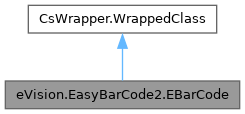
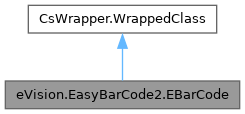
Represents a 1D Bar Code. More...
Public Member Functions | |
| EBarCode (eVision.EasyBarCode2.EBarCode other) | |
| Constructs a EBarCode context. | |
| EBarCode () | |
| Constructs a EBarCode context. | |
| eVision.ERegion | ToRegion () |
| Creates an ERegion from the EBarCode. | |
| eVision.EFrame | ToFrame (bool useAngle, eVision.EFrameScaling frameScaling) |
| Creates an EFrame from the EBarCode. | |
| eVision.EFrame | ToFrame (bool useAngle, eVision.EFrameScaling frameScaling, eVision.EFrame frame) |
| Creates an EFrame from the EBarCode. | |
| void | DrawDecodedString (eVision.EDrawAdapter drawAdapter, bool showHumanReadableForGS1, bool includeChecksum, float zoomX, float zoomY, float panX, float panY) |
| Draws the decoded string below the position of the EBarCode. The text color is the one of the pen of the drawAdapter or white if no pen is defined. The background color is the one of the brush of the drawAdapter or black if no brush is defined. | |
| void | DrawDecodedString (eVision.EDrawAdapter drawAdapter, bool showHumanReadableForGS1, bool includeChecksum, float zoomX, float zoomY, float panX) |
| Draws the decoded string below the position of the EBarCode. The text color is the one of the pen of the drawAdapter or white if no pen is defined. The background color is the one of the brush of the drawAdapter or black if no brush is defined. | |
| void | DrawDecodedString (eVision.EDrawAdapter drawAdapter, bool showHumanReadableForGS1, bool includeChecksum, float zoomX, float zoomY) |
| Draws the decoded string below the position of the EBarCode. The text color is the one of the pen of the drawAdapter or white if no pen is defined. The background color is the one of the brush of the drawAdapter or black if no brush is defined. | |
| void | DrawDecodedString (eVision.EDrawAdapter drawAdapter, bool showHumanReadableForGS1, bool includeChecksum, float zoomX) |
| Draws the decoded string below the position of the EBarCode. The text color is the one of the pen of the drawAdapter or white if no pen is defined. The background color is the one of the brush of the drawAdapter or black if no brush is defined. | |
| void | DrawDecodedString (eVision.EDrawAdapter drawAdapter, bool showHumanReadableForGS1, bool includeChecksum) |
| Draws the decoded string below the position of the EBarCode. The text color is the one of the pen of the drawAdapter or white if no pen is defined. The background color is the one of the brush of the drawAdapter or black if no brush is defined. | |
| void | DrawDecodedString (eVision.EDrawAdapter drawAdapter, bool showHumanReadableForGS1) |
| Draws the decoded string below the position of the EBarCode. The text color is the one of the pen of the drawAdapter or white if no pen is defined. The background color is the one of the brush of the drawAdapter or black if no brush is defined. | |
| void | DrawDecodedString (eVision.EDrawAdapter drawAdapter) |
| Draws the decoded string below the position of the EBarCode. The text color is the one of the pen of the drawAdapter or white if no pen is defined. The background color is the one of the brush of the drawAdapter or black if no brush is defined. | |
| void | DrawDecodedString (eVision.EDrawAdapter drawAdapter, eVision.EFrame frame, bool showHumanReadableForGS1, bool includeChecksum, float zoomX, float zoomY, float panX, float panY) |
| Draws the decoded string below the position of the EBarCode. The text color is the one of the pen of the drawAdapter or white if no pen is defined. The background color is the one of the brush of the drawAdapter or black if no brush is defined. | |
| void | DrawDecodedString (eVision.EDrawAdapter drawAdapter, eVision.EFrame frame, bool showHumanReadableForGS1, bool includeChecksum, float zoomX, float zoomY, float panX) |
| Draws the decoded string below the position of the EBarCode. The text color is the one of the pen of the drawAdapter or white if no pen is defined. The background color is the one of the brush of the drawAdapter or black if no brush is defined. | |
| void | DrawDecodedString (eVision.EDrawAdapter drawAdapter, eVision.EFrame frame, bool showHumanReadableForGS1, bool includeChecksum, float zoomX, float zoomY) |
| Draws the decoded string below the position of the EBarCode. The text color is the one of the pen of the drawAdapter or white if no pen is defined. The background color is the one of the brush of the drawAdapter or black if no brush is defined. | |
| void | DrawDecodedString (eVision.EDrawAdapter drawAdapter, eVision.EFrame frame, bool showHumanReadableForGS1, bool includeChecksum, float zoomX) |
| Draws the decoded string below the position of the EBarCode. The text color is the one of the pen of the drawAdapter or white if no pen is defined. The background color is the one of the brush of the drawAdapter or black if no brush is defined. | |
| void | DrawDecodedString (eVision.EDrawAdapter drawAdapter, eVision.EFrame frame, bool showHumanReadableForGS1, bool includeChecksum) |
| Draws the decoded string below the position of the EBarCode. The text color is the one of the pen of the drawAdapter or white if no pen is defined. The background color is the one of the brush of the drawAdapter or black if no brush is defined. | |
| void | DrawDecodedString (eVision.EDrawAdapter drawAdapter, eVision.EFrame frame, bool showHumanReadableForGS1) |
| Draws the decoded string below the position of the EBarCode. The text color is the one of the pen of the drawAdapter or white if no pen is defined. The background color is the one of the brush of the drawAdapter or black if no brush is defined. | |
| void | DrawDecodedString (eVision.EDrawAdapter drawAdapter, eVision.EFrame frame) |
| Draws the decoded string below the position of the EBarCode. The text color is the one of the pen of the drawAdapter or white if no pen is defined. The background color is the one of the brush of the drawAdapter or black if no brush is defined. | |
| void | DrawDecodedString (eVision.EDrawAdapter drawAdapter, eVision.EasyBarCode2.EBarCodeSymbologies symbology, bool showHumanReadableForGS1, bool includeChecksum, float zoomX, float zoomY, float panX, float panY) |
| Draws the decoded string below the position of the EBarCode. The text color is the one of the pen of the drawAdapter or white if no pen is defined. The background color is the one of the brush of the drawAdapter or black if no brush is defined. | |
| void | DrawDecodedString (eVision.EDrawAdapter drawAdapter, eVision.EasyBarCode2.EBarCodeSymbologies symbology, bool showHumanReadableForGS1, bool includeChecksum, float zoomX, float zoomY, float panX) |
| Draws the decoded string below the position of the EBarCode. The text color is the one of the pen of the drawAdapter or white if no pen is defined. The background color is the one of the brush of the drawAdapter or black if no brush is defined. | |
| void | DrawDecodedString (eVision.EDrawAdapter drawAdapter, eVision.EasyBarCode2.EBarCodeSymbologies symbology, bool showHumanReadableForGS1, bool includeChecksum, float zoomX, float zoomY) |
| Draws the decoded string below the position of the EBarCode. The text color is the one of the pen of the drawAdapter or white if no pen is defined. The background color is the one of the brush of the drawAdapter or black if no brush is defined. | |
| void | DrawDecodedString (eVision.EDrawAdapter drawAdapter, eVision.EasyBarCode2.EBarCodeSymbologies symbology, bool showHumanReadableForGS1, bool includeChecksum, float zoomX) |
| Draws the decoded string below the position of the EBarCode. The text color is the one of the pen of the drawAdapter or white if no pen is defined. The background color is the one of the brush of the drawAdapter or black if no brush is defined. | |
| void | DrawDecodedString (eVision.EDrawAdapter drawAdapter, eVision.EasyBarCode2.EBarCodeSymbologies symbology, bool showHumanReadableForGS1, bool includeChecksum) |
| Draws the decoded string below the position of the EBarCode. The text color is the one of the pen of the drawAdapter or white if no pen is defined. The background color is the one of the brush of the drawAdapter or black if no brush is defined. | |
| void | DrawDecodedString (eVision.EDrawAdapter drawAdapter, eVision.EasyBarCode2.EBarCodeSymbologies symbology, bool showHumanReadableForGS1) |
| Draws the decoded string below the position of the EBarCode. The text color is the one of the pen of the drawAdapter or white if no pen is defined. The background color is the one of the brush of the drawAdapter or black if no brush is defined. | |
| void | DrawDecodedString (eVision.EDrawAdapter drawAdapter, eVision.EasyBarCode2.EBarCodeSymbologies symbology) |
| Draws the decoded string below the position of the EBarCode. The text color is the one of the pen of the drawAdapter or white if no pen is defined. The background color is the one of the brush of the drawAdapter or black if no brush is defined. | |
| void | DrawDecodedString (eVision.EDrawAdapter drawAdapter, eVision.EFrame frame, eVision.EasyBarCode2.EBarCodeSymbologies symbology, bool showHumanReadableForGS1, bool includeChecksum, float zoomX, float zoomY, float panX, float panY) |
| Draws the decoded string below the position of the EBarCode. The text color is the one of the pen of the drawAdapter or white if no pen is defined. The background color is the one of the brush of the drawAdapter or black if no brush is defined. | |
| void | DrawDecodedString (eVision.EDrawAdapter drawAdapter, eVision.EFrame frame, eVision.EasyBarCode2.EBarCodeSymbologies symbology, bool showHumanReadableForGS1, bool includeChecksum, float zoomX, float zoomY, float panX) |
| Draws the decoded string below the position of the EBarCode. The text color is the one of the pen of the drawAdapter or white if no pen is defined. The background color is the one of the brush of the drawAdapter or black if no brush is defined. | |
| void | DrawDecodedString (eVision.EDrawAdapter drawAdapter, eVision.EFrame frame, eVision.EasyBarCode2.EBarCodeSymbologies symbology, bool showHumanReadableForGS1, bool includeChecksum, float zoomX, float zoomY) |
| Draws the decoded string below the position of the EBarCode. The text color is the one of the pen of the drawAdapter or white if no pen is defined. The background color is the one of the brush of the drawAdapter or black if no brush is defined. | |
| void | DrawDecodedString (eVision.EDrawAdapter drawAdapter, eVision.EFrame frame, eVision.EasyBarCode2.EBarCodeSymbologies symbology, bool showHumanReadableForGS1, bool includeChecksum, float zoomX) |
| Draws the decoded string below the position of the EBarCode. The text color is the one of the pen of the drawAdapter or white if no pen is defined. The background color is the one of the brush of the drawAdapter or black if no brush is defined. | |
| void | DrawDecodedString (eVision.EDrawAdapter drawAdapter, eVision.EFrame frame, eVision.EasyBarCode2.EBarCodeSymbologies symbology, bool showHumanReadableForGS1, bool includeChecksum) |
| Draws the decoded string below the position of the EBarCode. The text color is the one of the pen of the drawAdapter or white if no pen is defined. The background color is the one of the brush of the drawAdapter or black if no brush is defined. | |
| void | DrawDecodedString (eVision.EDrawAdapter drawAdapter, eVision.EFrame frame, eVision.EasyBarCode2.EBarCodeSymbologies symbology, bool showHumanReadableForGS1) |
| Draws the decoded string below the position of the EBarCode. The text color is the one of the pen of the drawAdapter or white if no pen is defined. The background color is the one of the brush of the drawAdapter or black if no brush is defined. | |
| void | DrawDecodedString (eVision.EDrawAdapter drawAdapter, eVision.EFrame frame, eVision.EasyBarCode2.EBarCodeSymbologies symbology) |
| Draws the decoded string below the position of the EBarCode. The text color is the one of the pen of the drawAdapter or white if no pen is defined. The background color is the one of the brush of the drawAdapter or black if no brush is defined. | |
| void | DrawPosition (eVision.EDrawAdapter drawAdapter, float zoomX, float zoomY, float panX, float panY) |
| Draws the position of the EBarCode. This consists in drawing lines connecting the outer corners of the code. | |
| void | DrawPosition (eVision.EDrawAdapter drawAdapter, float zoomX, float zoomY, float panX) |
| Draws the position of the EBarCode. This consists in drawing lines connecting the outer corners of the code. | |
| void | DrawPosition (eVision.EDrawAdapter drawAdapter, float zoomX, float zoomY) |
| Draws the position of the EBarCode. This consists in drawing lines connecting the outer corners of the code. | |
| void | DrawPosition (eVision.EDrawAdapter drawAdapter, float zoomX) |
| Draws the position of the EBarCode. This consists in drawing lines connecting the outer corners of the code. | |
| void | DrawPosition (eVision.EDrawAdapter drawAdapter) |
| Draws the position of the EBarCode. This consists in drawing lines connecting the outer corners of the code. | |
| void | DrawPosition (eVision.EDrawAdapter drawAdapter, eVision.EFrame frame, float zoomX, float zoomY, float panX, float panY) |
| Draws the position of the EBarCode. This consists in drawing lines connecting the outer corners of the code. | |
| void | DrawPosition (eVision.EDrawAdapter drawAdapter, eVision.EFrame frame, float zoomX, float zoomY, float panX) |
| Draws the position of the EBarCode. This consists in drawing lines connecting the outer corners of the code. | |
| void | DrawPosition (eVision.EDrawAdapter drawAdapter, eVision.EFrame frame, float zoomX, float zoomY) |
| Draws the position of the EBarCode. This consists in drawing lines connecting the outer corners of the code. | |
| void | DrawPosition (eVision.EDrawAdapter drawAdapter, eVision.EFrame frame, float zoomX) |
| Draws the position of the EBarCode. This consists in drawing lines connecting the outer corners of the code. | |
| void | DrawPosition (eVision.EDrawAdapter drawAdapter, eVision.EFrame frame) |
| Draws the position of the EBarCode. This consists in drawing lines connecting the outer corners of the code. | |
| void | DrawPosition (eVision.EDrawAdapter drawAdapter, eVision.ERGBColor color, float zoomX, float zoomY, float panX, float panY) |
| Draws the position of the EBarCode. This consists in drawing lines connecting the outer corners of the code. | |
| void | DrawPosition (eVision.EDrawAdapter drawAdapter, eVision.ERGBColor color, float zoomX, float zoomY, float panX) |
| Draws the position of the EBarCode. This consists in drawing lines connecting the outer corners of the code. | |
| void | DrawPosition (eVision.EDrawAdapter drawAdapter, eVision.ERGBColor color, float zoomX, float zoomY) |
| Draws the position of the EBarCode. This consists in drawing lines connecting the outer corners of the code. | |
| void | DrawPosition (eVision.EDrawAdapter drawAdapter, eVision.ERGBColor color, float zoomX) |
| Draws the position of the EBarCode. This consists in drawing lines connecting the outer corners of the code. | |
| void | DrawPosition (eVision.EDrawAdapter drawAdapter, eVision.ERGBColor color) |
| Draws the position of the EBarCode. This consists in drawing lines connecting the outer corners of the code. | |
| void | DrawPosition (eVision.EDrawAdapter drawAdapter, eVision.EFrame frame, eVision.ERGBColor color, float zoomX, float zoomY, float panX, float panY) |
| Draws the position of the EBarCode. This consists in drawing lines connecting the outer corners of the code. | |
| void | DrawPosition (eVision.EDrawAdapter drawAdapter, eVision.EFrame frame, eVision.ERGBColor color, float zoomX, float zoomY, float panX) |
| Draws the position of the EBarCode. This consists in drawing lines connecting the outer corners of the code. | |
| void | DrawPosition (eVision.EDrawAdapter drawAdapter, eVision.EFrame frame, eVision.ERGBColor color, float zoomX, float zoomY) |
| Draws the position of the EBarCode. This consists in drawing lines connecting the outer corners of the code. | |
| void | DrawPosition (eVision.EDrawAdapter drawAdapter, eVision.EFrame frame, eVision.ERGBColor color, float zoomX) |
| Draws the position of the EBarCode. This consists in drawing lines connecting the outer corners of the code. | |
| void | DrawPosition (eVision.EDrawAdapter drawAdapter, eVision.EFrame frame, eVision.ERGBColor color) |
| Draws the position of the EBarCode. This consists in drawing lines connecting the outer corners of the code. | |
| void | DrawPosition (IntPtr drawAdapter, float zoomX, float zoomY, float panX, float panY) |
| Draws the position of the EBarCode. This consists in drawing lines connecting the outer corners of the code. | |
| void | DrawPosition (IntPtr drawAdapter, float zoomX, float zoomY, float panX) |
| Draws the position of the EBarCode. This consists in drawing lines connecting the outer corners of the code. | |
| void | DrawPosition (IntPtr drawAdapter, float zoomX, float zoomY) |
| Draws the position of the EBarCode. This consists in drawing lines connecting the outer corners of the code. | |
| void | DrawPosition (IntPtr drawAdapter, float zoomX) |
| Draws the position of the EBarCode. This consists in drawing lines connecting the outer corners of the code. | |
| void | DrawPosition (IntPtr drawAdapter) |
| Draws the position of the EBarCode. This consists in drawing lines connecting the outer corners of the code. | |
| void | DrawPositionWithCurrentPen (IntPtr hDC, float zoomX, float zoomY, float panX, float panY) |
| Draws the BarCode Position using the pen currently set in the graphical context. | |
| void | DrawPositionWithCurrentPen (IntPtr hDC, float zoomX, float zoomY, float panX) |
| Draws the BarCode Position using the pen currently set in the graphical context. | |
| void | DrawPositionWithCurrentPen (IntPtr hDC, float zoomX, float zoomY) |
| Draws the BarCode Position using the pen currently set in the graphical context. | |
| void | DrawPositionWithCurrentPen (IntPtr hDC, float zoomX) |
| Draws the BarCode Position using the pen currently set in the graphical context. | |
| void | DrawPositionWithCurrentPen (IntPtr hDC) |
| Draws the BarCode Position using the pen currently set in the graphical context. | |
| string | GetDecodedString (bool includeChecksum) |
| Decoded bar code string. | |
| string | GetDecodedString () |
| Decoded bar code string. | |
| string | GetDecodedString (eVision.EasyBarCode2.EBarCodeSymbologies symbology, bool includeChecksum) |
| Decoded bar code string. | |
| string | GetDecodedString (eVision.EasyBarCode2.EBarCodeSymbologies symbology) |
| Decoded bar code string. | |
| bool | GetChecksumOK () |
| Checksum validity status. | |
| bool | GetChecksumOK (eVision.EasyBarCode2.EBarCodeSymbologies symbology) |
| Checksum validity status. | |
| bool | GetPatternCorrectionUsed () |
| Whether EBarCodeReader.EnablePatternCorrection was used to decode the current EBarCode (for selected symbology). | |
| bool | GetPatternCorrectionUsed (eVision.EasyBarCode2.EBarCodeSymbologies symbology) |
| Whether EBarCodeReader.EnablePatternCorrection was used to decode the current EBarCode (for selected symbology). | |
| bool | GetAdvancedDecodingUsed () |
| Whether EBarCodeReader.EnableAdvancedDecoding was used to decode the current EBarCode (for selected symbology). | |
| bool | GetAdvancedDecodingUsed (eVision.EasyBarCode2.EBarCodeSymbologies symbology) |
| Whether EBarCodeReader.EnableAdvancedDecoding was used to decode the current EBarCode (for selected symbology). | |
| bool | GetPrintingErrorCorrectionUsed () |
| Whether EBarCodeReader.EnablePrintingErrorCorrection was used to decode the current EBarCode (for selected symbology). | |
| bool | GetPrintingErrorCorrectionUsed (eVision.EasyBarCode2.EBarCodeSymbologies symbology) |
| Whether EBarCodeReader.EnablePrintingErrorCorrection was used to decode the current EBarCode (for selected symbology). | |
| bool | GetIsGS1 (eVision.EasyBarCode2.EBarCodeSymbologies symbology) |
| Returns whether the given symbology implements the GS1 standard. | |
| bool | HasGradingParameters () |
| Returns whether the EBarCode contains Grading Parameters. | |
| void | DrawPosition (System.Drawing.Graphics drawAdapter, float zoomX, float zoomY, float panX, float panY) |
| Draws the position of the EBarCode. This consists in drawing lines connecting the outer corners of the code. | |
| void | DrawPosition (System.Drawing.Graphics drawAdapter, float zoomX, float zoomY, float panX) |
| Draws the position of the EBarCode. This consists in drawing lines connecting the outer corners of the code. | |
| void | DrawPosition (System.Drawing.Graphics drawAdapter, float zoomX, float zoomY) |
| Draws the position of the EBarCode. This consists in drawing lines connecting the outer corners of the code. | |
| void | DrawPosition (System.Drawing.Graphics drawAdapter, float zoomX) |
| Draws the position of the EBarCode. This consists in drawing lines connecting the outer corners of the code. | |
| void | DrawPosition (System.Drawing.Graphics drawAdapter) |
| Draws the position of the EBarCode. This consists in drawing lines connecting the outer corners of the code. | |
Properties | |
| eVision.EQuadrangle | Position [get] |
| Position of the barcode. | |
| eVision.EPoint | Center [get] |
| Returns the center of the EBarCode. | |
| float | SizeX [get] |
| Returns the size of the EBarCode on its X axis. This corresponds to the mean between the sizes of the top and bottom sides of the EBarCode. | |
| float | SizeY [get] |
| Returns the size of the EBarCode on its Y axis. This corresponds to the mean between the sizes of the left and right sides of the EBarCode. | |
| float | Angle [get] |
| Returns the angle of the EBarCode as if it was an ERectangle. | |
| eVision.EasyBarCode2.EBarCodeSymbologies | Symbology [get] |
| Returns the most likely compatible symbology. | |
| eVision.EasyBarCode2.EBarCodeSymbologies[] | Symbologies [get] |
| Returns all compatible symbologies, in order of likelyhood. | |
| bool | IsGS1 [get] |
| Returns whether the most likely symbology implements the GS1 standard. | |
| eVision.EasyBarCode2.EBarCodeGradingParameters | GradingParameters [get] |
| Grading Parameters according to ISO 15416. | |
Represents a 1D Bar Code.
License(s): EasyBarCode
| eVision.EasyBarCode2.EBarCode.EBarCode | ( | eVision.EasyBarCode2.EBarCode | other | ) |
Constructs a EBarCode context.
The default constructor constructs an uninitialized EBarCode object. All properties are initialized to their respective default values. The copy constructor constructs a EBarCode context based on a pre-existing EBarCode object. All properties and internal data are copied.
| eVision.EasyBarCode2.EBarCode.EBarCode | ( | ) |
Constructs a EBarCode context.
The default constructor constructs an uninitialized EBarCode object. All properties are initialized to their respective default values. The copy constructor constructs a EBarCode context based on a pre-existing EBarCode object. All properties and internal data are copied.
| void eVision.EasyBarCode2.EBarCode.DrawDecodedString | ( | eVision.EDrawAdapter | drawAdapter | ) |
Draws the decoded string below the position of the EBarCode. The text color is the one of the pen of the drawAdapter or white if no pen is defined. The background color is the one of the brush of the drawAdapter or black if no brush is defined.
| drawAdapter | Handle of the graphics context on which to draw. |
| void eVision.EasyBarCode2.EBarCode.DrawDecodedString | ( | eVision.EDrawAdapter | drawAdapter, |
| bool | showHumanReadableForGS1 ) |
Draws the decoded string below the position of the EBarCode. The text color is the one of the pen of the drawAdapter or white if no pen is defined. The background color is the one of the brush of the drawAdapter or black if no brush is defined.
| drawAdapter | Handle of the graphics context on which to draw. |
| showHumanReadableForGS1 | Whether we show Human readable or machine readable version of GS1 codes. Defaults to true. |
| void eVision.EasyBarCode2.EBarCode.DrawDecodedString | ( | eVision.EDrawAdapter | drawAdapter, |
| bool | showHumanReadableForGS1, | ||
| bool | includeChecksum ) |
Draws the decoded string below the position of the EBarCode. The text color is the one of the pen of the drawAdapter or white if no pen is defined. The background color is the one of the brush of the drawAdapter or black if no brush is defined.
| drawAdapter | Handle of the graphics context on which to draw. |
| showHumanReadableForGS1 | Whether we show Human readable or machine readable version of GS1 codes. Defaults to true. |
| includeChecksum | Whether the checksum is drawned alongside the code or not. Defaults to true. |
| void eVision.EasyBarCode2.EBarCode.DrawDecodedString | ( | eVision.EDrawAdapter | drawAdapter, |
| bool | showHumanReadableForGS1, | ||
| bool | includeChecksum, | ||
| float | zoomX ) |
Draws the decoded string below the position of the EBarCode. The text color is the one of the pen of the drawAdapter or white if no pen is defined. The background color is the one of the brush of the drawAdapter or black if no brush is defined.
| drawAdapter | Handle of the graphics context on which to draw. |
| showHumanReadableForGS1 | Whether we show Human readable or machine readable version of GS1 codes. Defaults to true. |
| includeChecksum | Whether the checksum is drawned alongside the code or not. Defaults to true. |
| zoomX | Horizontal zooming factor. By default, true scale is used. |
| void eVision.EasyBarCode2.EBarCode.DrawDecodedString | ( | eVision.EDrawAdapter | drawAdapter, |
| bool | showHumanReadableForGS1, | ||
| bool | includeChecksum, | ||
| float | zoomX, | ||
| float | zoomY ) |
Draws the decoded string below the position of the EBarCode. The text color is the one of the pen of the drawAdapter or white if no pen is defined. The background color is the one of the brush of the drawAdapter or black if no brush is defined.
| drawAdapter | Handle of the graphics context on which to draw. |
| showHumanReadableForGS1 | Whether we show Human readable or machine readable version of GS1 codes. Defaults to true. |
| includeChecksum | Whether the checksum is drawned alongside the code or not. Defaults to true. |
| zoomX | Horizontal zooming factor. By default, true scale is used. |
| zoomY | Vertical zooming factor. If set to 0 (default), the horizontal zooming factor is used instead, so as to provide isotropic zooming. |
| void eVision.EasyBarCode2.EBarCode.DrawDecodedString | ( | eVision.EDrawAdapter | drawAdapter, |
| bool | showHumanReadableForGS1, | ||
| bool | includeChecksum, | ||
| float | zoomX, | ||
| float | zoomY, | ||
| float | panX ) |
Draws the decoded string below the position of the EBarCode. The text color is the one of the pen of the drawAdapter or white if no pen is defined. The background color is the one of the brush of the drawAdapter or black if no brush is defined.
| drawAdapter | Handle of the graphics context on which to draw. |
| showHumanReadableForGS1 | Whether we show Human readable or machine readable version of GS1 codes. Defaults to true. |
| includeChecksum | Whether the checksum is drawned alongside the code or not. Defaults to true. |
| zoomX | Horizontal zooming factor. By default, true scale is used. |
| zoomY | Vertical zooming factor. If set to 0 (default), the horizontal zooming factor is used instead, so as to provide isotropic zooming. |
| panX | Horizontal panning value expressed in pixels. By default, no panning occurs. |
| void eVision.EasyBarCode2.EBarCode.DrawDecodedString | ( | eVision.EDrawAdapter | drawAdapter, |
| bool | showHumanReadableForGS1, | ||
| bool | includeChecksum, | ||
| float | zoomX, | ||
| float | zoomY, | ||
| float | panX, | ||
| float | panY ) |
Draws the decoded string below the position of the EBarCode. The text color is the one of the pen of the drawAdapter or white if no pen is defined. The background color is the one of the brush of the drawAdapter or black if no brush is defined.
| drawAdapter | Handle of the graphics context on which to draw. |
| showHumanReadableForGS1 | Whether we show Human readable or machine readable version of GS1 codes. Defaults to true. |
| includeChecksum | Whether the checksum is drawned alongside the code or not. Defaults to true. |
| zoomX | Horizontal zooming factor. By default, true scale is used. |
| zoomY | Vertical zooming factor. If set to 0 (default), the horizontal zooming factor is used instead, so as to provide isotropic zooming. |
| panX | Horizontal panning value expressed in pixels. By default, no panning occurs. |
| panY | Vertical panning value expressed in pixels. By default, no panning occurs. |
| void eVision.EasyBarCode2.EBarCode.DrawDecodedString | ( | eVision.EDrawAdapter | drawAdapter, |
| eVision.EasyBarCode2.EBarCodeSymbologies | symbology ) |
Draws the decoded string below the position of the EBarCode. The text color is the one of the pen of the drawAdapter or white if no pen is defined. The background color is the one of the brush of the drawAdapter or black if no brush is defined.
| drawAdapter | Handle of the graphics context on which to draw. |
| symbology | Chosen symbology. If not specified, the most likely symbology is used. |
| void eVision.EasyBarCode2.EBarCode.DrawDecodedString | ( | eVision.EDrawAdapter | drawAdapter, |
| eVision.EasyBarCode2.EBarCodeSymbologies | symbology, | ||
| bool | showHumanReadableForGS1 ) |
Draws the decoded string below the position of the EBarCode. The text color is the one of the pen of the drawAdapter or white if no pen is defined. The background color is the one of the brush of the drawAdapter or black if no brush is defined.
| drawAdapter | Handle of the graphics context on which to draw. |
| symbology | Chosen symbology. If not specified, the most likely symbology is used. |
| showHumanReadableForGS1 | Whether we show Human readable or machine readable version of GS1 codes. Defaults to true. |
| void eVision.EasyBarCode2.EBarCode.DrawDecodedString | ( | eVision.EDrawAdapter | drawAdapter, |
| eVision.EasyBarCode2.EBarCodeSymbologies | symbology, | ||
| bool | showHumanReadableForGS1, | ||
| bool | includeChecksum ) |
Draws the decoded string below the position of the EBarCode. The text color is the one of the pen of the drawAdapter or white if no pen is defined. The background color is the one of the brush of the drawAdapter or black if no brush is defined.
| drawAdapter | Handle of the graphics context on which to draw. |
| symbology | Chosen symbology. If not specified, the most likely symbology is used. |
| showHumanReadableForGS1 | Whether we show Human readable or machine readable version of GS1 codes. Defaults to true. |
| includeChecksum | Whether the checksum is drawned alongside the code or not. Defaults to true. |
| void eVision.EasyBarCode2.EBarCode.DrawDecodedString | ( | eVision.EDrawAdapter | drawAdapter, |
| eVision.EasyBarCode2.EBarCodeSymbologies | symbology, | ||
| bool | showHumanReadableForGS1, | ||
| bool | includeChecksum, | ||
| float | zoomX ) |
Draws the decoded string below the position of the EBarCode. The text color is the one of the pen of the drawAdapter or white if no pen is defined. The background color is the one of the brush of the drawAdapter or black if no brush is defined.
| drawAdapter | Handle of the graphics context on which to draw. |
| symbology | Chosen symbology. If not specified, the most likely symbology is used. |
| showHumanReadableForGS1 | Whether we show Human readable or machine readable version of GS1 codes. Defaults to true. |
| includeChecksum | Whether the checksum is drawned alongside the code or not. Defaults to true. |
| zoomX | Horizontal zooming factor. By default, true scale is used. |
| void eVision.EasyBarCode2.EBarCode.DrawDecodedString | ( | eVision.EDrawAdapter | drawAdapter, |
| eVision.EasyBarCode2.EBarCodeSymbologies | symbology, | ||
| bool | showHumanReadableForGS1, | ||
| bool | includeChecksum, | ||
| float | zoomX, | ||
| float | zoomY ) |
Draws the decoded string below the position of the EBarCode. The text color is the one of the pen of the drawAdapter or white if no pen is defined. The background color is the one of the brush of the drawAdapter or black if no brush is defined.
| drawAdapter | Handle of the graphics context on which to draw. |
| symbology | Chosen symbology. If not specified, the most likely symbology is used. |
| showHumanReadableForGS1 | Whether we show Human readable or machine readable version of GS1 codes. Defaults to true. |
| includeChecksum | Whether the checksum is drawned alongside the code or not. Defaults to true. |
| zoomX | Horizontal zooming factor. By default, true scale is used. |
| zoomY | Vertical zooming factor. If set to 0 (default), the horizontal zooming factor is used instead, so as to provide isotropic zooming. |
| void eVision.EasyBarCode2.EBarCode.DrawDecodedString | ( | eVision.EDrawAdapter | drawAdapter, |
| eVision.EasyBarCode2.EBarCodeSymbologies | symbology, | ||
| bool | showHumanReadableForGS1, | ||
| bool | includeChecksum, | ||
| float | zoomX, | ||
| float | zoomY, | ||
| float | panX ) |
Draws the decoded string below the position of the EBarCode. The text color is the one of the pen of the drawAdapter or white if no pen is defined. The background color is the one of the brush of the drawAdapter or black if no brush is defined.
| drawAdapter | Handle of the graphics context on which to draw. |
| symbology | Chosen symbology. If not specified, the most likely symbology is used. |
| showHumanReadableForGS1 | Whether we show Human readable or machine readable version of GS1 codes. Defaults to true. |
| includeChecksum | Whether the checksum is drawned alongside the code or not. Defaults to true. |
| zoomX | Horizontal zooming factor. By default, true scale is used. |
| zoomY | Vertical zooming factor. If set to 0 (default), the horizontal zooming factor is used instead, so as to provide isotropic zooming. |
| panX | Horizontal panning value expressed in pixels. By default, no panning occurs. |
| void eVision.EasyBarCode2.EBarCode.DrawDecodedString | ( | eVision.EDrawAdapter | drawAdapter, |
| eVision.EasyBarCode2.EBarCodeSymbologies | symbology, | ||
| bool | showHumanReadableForGS1, | ||
| bool | includeChecksum, | ||
| float | zoomX, | ||
| float | zoomY, | ||
| float | panX, | ||
| float | panY ) |
Draws the decoded string below the position of the EBarCode. The text color is the one of the pen of the drawAdapter or white if no pen is defined. The background color is the one of the brush of the drawAdapter or black if no brush is defined.
| drawAdapter | Handle of the graphics context on which to draw. |
| symbology | Chosen symbology. If not specified, the most likely symbology is used. |
| showHumanReadableForGS1 | Whether we show Human readable or machine readable version of GS1 codes. Defaults to true. |
| includeChecksum | Whether the checksum is drawned alongside the code or not. Defaults to true. |
| zoomX | Horizontal zooming factor. By default, true scale is used. |
| zoomY | Vertical zooming factor. If set to 0 (default), the horizontal zooming factor is used instead, so as to provide isotropic zooming. |
| panX | Horizontal panning value expressed in pixels. By default, no panning occurs. |
| panY | Vertical panning value expressed in pixels. By default, no panning occurs. |
| void eVision.EasyBarCode2.EBarCode.DrawDecodedString | ( | eVision.EDrawAdapter | drawAdapter, |
| eVision.EFrame | frame ) |
Draws the decoded string below the position of the EBarCode. The text color is the one of the pen of the drawAdapter or white if no pen is defined. The background color is the one of the brush of the drawAdapter or black if no brush is defined.
| drawAdapter | Handle of the graphics context on which to draw. |
| frame | Frame associated with the bar code. |
| void eVision.EasyBarCode2.EBarCode.DrawDecodedString | ( | eVision.EDrawAdapter | drawAdapter, |
| eVision.EFrame | frame, | ||
| bool | showHumanReadableForGS1 ) |
Draws the decoded string below the position of the EBarCode. The text color is the one of the pen of the drawAdapter or white if no pen is defined. The background color is the one of the brush of the drawAdapter or black if no brush is defined.
| drawAdapter | Handle of the graphics context on which to draw. |
| frame | Frame associated with the bar code. |
| showHumanReadableForGS1 | Whether we show Human readable or machine readable version of GS1 codes. Defaults to true. |
| void eVision.EasyBarCode2.EBarCode.DrawDecodedString | ( | eVision.EDrawAdapter | drawAdapter, |
| eVision.EFrame | frame, | ||
| bool | showHumanReadableForGS1, | ||
| bool | includeChecksum ) |
Draws the decoded string below the position of the EBarCode. The text color is the one of the pen of the drawAdapter or white if no pen is defined. The background color is the one of the brush of the drawAdapter or black if no brush is defined.
| drawAdapter | Handle of the graphics context on which to draw. |
| frame | Frame associated with the bar code. |
| showHumanReadableForGS1 | Whether we show Human readable or machine readable version of GS1 codes. Defaults to true. |
| includeChecksum | Whether the checksum is drawned alongside the code or not. Defaults to true. |
| void eVision.EasyBarCode2.EBarCode.DrawDecodedString | ( | eVision.EDrawAdapter | drawAdapter, |
| eVision.EFrame | frame, | ||
| bool | showHumanReadableForGS1, | ||
| bool | includeChecksum, | ||
| float | zoomX ) |
Draws the decoded string below the position of the EBarCode. The text color is the one of the pen of the drawAdapter or white if no pen is defined. The background color is the one of the brush of the drawAdapter or black if no brush is defined.
| drawAdapter | Handle of the graphics context on which to draw. |
| frame | Frame associated with the bar code. |
| showHumanReadableForGS1 | Whether we show Human readable or machine readable version of GS1 codes. Defaults to true. |
| includeChecksum | Whether the checksum is drawned alongside the code or not. Defaults to true. |
| zoomX | Horizontal zooming factor. By default, true scale is used. |
| void eVision.EasyBarCode2.EBarCode.DrawDecodedString | ( | eVision.EDrawAdapter | drawAdapter, |
| eVision.EFrame | frame, | ||
| bool | showHumanReadableForGS1, | ||
| bool | includeChecksum, | ||
| float | zoomX, | ||
| float | zoomY ) |
Draws the decoded string below the position of the EBarCode. The text color is the one of the pen of the drawAdapter or white if no pen is defined. The background color is the one of the brush of the drawAdapter or black if no brush is defined.
| drawAdapter | Handle of the graphics context on which to draw. |
| frame | Frame associated with the bar code. |
| showHumanReadableForGS1 | Whether we show Human readable or machine readable version of GS1 codes. Defaults to true. |
| includeChecksum | Whether the checksum is drawned alongside the code or not. Defaults to true. |
| zoomX | Horizontal zooming factor. By default, true scale is used. |
| zoomY | Vertical zooming factor. If set to 0 (default), the horizontal zooming factor is used instead, so as to provide isotropic zooming. |
| void eVision.EasyBarCode2.EBarCode.DrawDecodedString | ( | eVision.EDrawAdapter | drawAdapter, |
| eVision.EFrame | frame, | ||
| bool | showHumanReadableForGS1, | ||
| bool | includeChecksum, | ||
| float | zoomX, | ||
| float | zoomY, | ||
| float | panX ) |
Draws the decoded string below the position of the EBarCode. The text color is the one of the pen of the drawAdapter or white if no pen is defined. The background color is the one of the brush of the drawAdapter or black if no brush is defined.
| drawAdapter | Handle of the graphics context on which to draw. |
| frame | Frame associated with the bar code. |
| showHumanReadableForGS1 | Whether we show Human readable or machine readable version of GS1 codes. Defaults to true. |
| includeChecksum | Whether the checksum is drawned alongside the code or not. Defaults to true. |
| zoomX | Horizontal zooming factor. By default, true scale is used. |
| zoomY | Vertical zooming factor. If set to 0 (default), the horizontal zooming factor is used instead, so as to provide isotropic zooming. |
| panX | Horizontal panning value expressed in pixels. By default, no panning occurs. |
| void eVision.EasyBarCode2.EBarCode.DrawDecodedString | ( | eVision.EDrawAdapter | drawAdapter, |
| eVision.EFrame | frame, | ||
| bool | showHumanReadableForGS1, | ||
| bool | includeChecksum, | ||
| float | zoomX, | ||
| float | zoomY, | ||
| float | panX, | ||
| float | panY ) |
Draws the decoded string below the position of the EBarCode. The text color is the one of the pen of the drawAdapter or white if no pen is defined. The background color is the one of the brush of the drawAdapter or black if no brush is defined.
| drawAdapter | Handle of the graphics context on which to draw. |
| frame | Frame associated with the bar code. |
| showHumanReadableForGS1 | Whether we show Human readable or machine readable version of GS1 codes. Defaults to true. |
| includeChecksum | Whether the checksum is drawned alongside the code or not. Defaults to true. |
| zoomX | Horizontal zooming factor. By default, true scale is used. |
| zoomY | Vertical zooming factor. If set to 0 (default), the horizontal zooming factor is used instead, so as to provide isotropic zooming. |
| panX | Horizontal panning value expressed in pixels. By default, no panning occurs. |
| panY | Vertical panning value expressed in pixels. By default, no panning occurs. |
| void eVision.EasyBarCode2.EBarCode.DrawDecodedString | ( | eVision.EDrawAdapter | drawAdapter, |
| eVision.EFrame | frame, | ||
| eVision.EasyBarCode2.EBarCodeSymbologies | symbology ) |
Draws the decoded string below the position of the EBarCode. The text color is the one of the pen of the drawAdapter or white if no pen is defined. The background color is the one of the brush of the drawAdapter or black if no brush is defined.
| drawAdapter | Handle of the graphics context on which to draw. |
| frame | Frame associated with the bar code. |
| symbology | Chosen symbology. If not specified, the most likely symbology is used. |
| void eVision.EasyBarCode2.EBarCode.DrawDecodedString | ( | eVision.EDrawAdapter | drawAdapter, |
| eVision.EFrame | frame, | ||
| eVision.EasyBarCode2.EBarCodeSymbologies | symbology, | ||
| bool | showHumanReadableForGS1 ) |
Draws the decoded string below the position of the EBarCode. The text color is the one of the pen of the drawAdapter or white if no pen is defined. The background color is the one of the brush of the drawAdapter or black if no brush is defined.
| drawAdapter | Handle of the graphics context on which to draw. |
| frame | Frame associated with the bar code. |
| symbology | Chosen symbology. If not specified, the most likely symbology is used. |
| showHumanReadableForGS1 | Whether we show Human readable or machine readable version of GS1 codes. Defaults to true. |
| void eVision.EasyBarCode2.EBarCode.DrawDecodedString | ( | eVision.EDrawAdapter | drawAdapter, |
| eVision.EFrame | frame, | ||
| eVision.EasyBarCode2.EBarCodeSymbologies | symbology, | ||
| bool | showHumanReadableForGS1, | ||
| bool | includeChecksum ) |
Draws the decoded string below the position of the EBarCode. The text color is the one of the pen of the drawAdapter or white if no pen is defined. The background color is the one of the brush of the drawAdapter or black if no brush is defined.
| drawAdapter | Handle of the graphics context on which to draw. |
| frame | Frame associated with the bar code. |
| symbology | Chosen symbology. If not specified, the most likely symbology is used. |
| showHumanReadableForGS1 | Whether we show Human readable or machine readable version of GS1 codes. Defaults to true. |
| includeChecksum | Whether the checksum is drawned alongside the code or not. Defaults to true. |
| void eVision.EasyBarCode2.EBarCode.DrawDecodedString | ( | eVision.EDrawAdapter | drawAdapter, |
| eVision.EFrame | frame, | ||
| eVision.EasyBarCode2.EBarCodeSymbologies | symbology, | ||
| bool | showHumanReadableForGS1, | ||
| bool | includeChecksum, | ||
| float | zoomX ) |
Draws the decoded string below the position of the EBarCode. The text color is the one of the pen of the drawAdapter or white if no pen is defined. The background color is the one of the brush of the drawAdapter or black if no brush is defined.
| drawAdapter | Handle of the graphics context on which to draw. |
| frame | Frame associated with the bar code. |
| symbology | Chosen symbology. If not specified, the most likely symbology is used. |
| showHumanReadableForGS1 | Whether we show Human readable or machine readable version of GS1 codes. Defaults to true. |
| includeChecksum | Whether the checksum is drawned alongside the code or not. Defaults to true. |
| zoomX | Horizontal zooming factor. By default, true scale is used. |
| void eVision.EasyBarCode2.EBarCode.DrawDecodedString | ( | eVision.EDrawAdapter | drawAdapter, |
| eVision.EFrame | frame, | ||
| eVision.EasyBarCode2.EBarCodeSymbologies | symbology, | ||
| bool | showHumanReadableForGS1, | ||
| bool | includeChecksum, | ||
| float | zoomX, | ||
| float | zoomY ) |
Draws the decoded string below the position of the EBarCode. The text color is the one of the pen of the drawAdapter or white if no pen is defined. The background color is the one of the brush of the drawAdapter or black if no brush is defined.
| drawAdapter | Handle of the graphics context on which to draw. |
| frame | Frame associated with the bar code. |
| symbology | Chosen symbology. If not specified, the most likely symbology is used. |
| showHumanReadableForGS1 | Whether we show Human readable or machine readable version of GS1 codes. Defaults to true. |
| includeChecksum | Whether the checksum is drawned alongside the code or not. Defaults to true. |
| zoomX | Horizontal zooming factor. By default, true scale is used. |
| zoomY | Vertical zooming factor. If set to 0 (default), the horizontal zooming factor is used instead, so as to provide isotropic zooming. |
| void eVision.EasyBarCode2.EBarCode.DrawDecodedString | ( | eVision.EDrawAdapter | drawAdapter, |
| eVision.EFrame | frame, | ||
| eVision.EasyBarCode2.EBarCodeSymbologies | symbology, | ||
| bool | showHumanReadableForGS1, | ||
| bool | includeChecksum, | ||
| float | zoomX, | ||
| float | zoomY, | ||
| float | panX ) |
Draws the decoded string below the position of the EBarCode. The text color is the one of the pen of the drawAdapter or white if no pen is defined. The background color is the one of the brush of the drawAdapter or black if no brush is defined.
| drawAdapter | Handle of the graphics context on which to draw. |
| frame | Frame associated with the bar code. |
| symbology | Chosen symbology. If not specified, the most likely symbology is used. |
| showHumanReadableForGS1 | Whether we show Human readable or machine readable version of GS1 codes. Defaults to true. |
| includeChecksum | Whether the checksum is drawned alongside the code or not. Defaults to true. |
| zoomX | Horizontal zooming factor. By default, true scale is used. |
| zoomY | Vertical zooming factor. If set to 0 (default), the horizontal zooming factor is used instead, so as to provide isotropic zooming. |
| panX | Horizontal panning value expressed in pixels. By default, no panning occurs. |
| void eVision.EasyBarCode2.EBarCode.DrawDecodedString | ( | eVision.EDrawAdapter | drawAdapter, |
| eVision.EFrame | frame, | ||
| eVision.EasyBarCode2.EBarCodeSymbologies | symbology, | ||
| bool | showHumanReadableForGS1, | ||
| bool | includeChecksum, | ||
| float | zoomX, | ||
| float | zoomY, | ||
| float | panX, | ||
| float | panY ) |
Draws the decoded string below the position of the EBarCode. The text color is the one of the pen of the drawAdapter or white if no pen is defined. The background color is the one of the brush of the drawAdapter or black if no brush is defined.
| drawAdapter | Handle of the graphics context on which to draw. |
| frame | Frame associated with the bar code. |
| symbology | Chosen symbology. If not specified, the most likely symbology is used. |
| showHumanReadableForGS1 | Whether we show Human readable or machine readable version of GS1 codes. Defaults to true. |
| includeChecksum | Whether the checksum is drawned alongside the code or not. Defaults to true. |
| zoomX | Horizontal zooming factor. By default, true scale is used. |
| zoomY | Vertical zooming factor. If set to 0 (default), the horizontal zooming factor is used instead, so as to provide isotropic zooming. |
| panX | Horizontal panning value expressed in pixels. By default, no panning occurs. |
| panY | Vertical panning value expressed in pixels. By default, no panning occurs. |
| void eVision.EasyBarCode2.EBarCode.DrawPosition | ( | eVision.EDrawAdapter | drawAdapter | ) |
Draws the position of the EBarCode. This consists in drawing lines connecting the outer corners of the code.
| drawAdapter | Handle of the graphics context on which to draw. |
| void eVision.EasyBarCode2.EBarCode.DrawPosition | ( | eVision.EDrawAdapter | drawAdapter, |
| eVision.EFrame | frame ) |
Draws the position of the EBarCode. This consists in drawing lines connecting the outer corners of the code.
| drawAdapter | Handle of the graphics context on which to draw. |
| frame | Frame associated with the bar code. |
| void eVision.EasyBarCode2.EBarCode.DrawPosition | ( | eVision.EDrawAdapter | drawAdapter, |
| eVision.EFrame | frame, | ||
| eVision.ERGBColor | color ) |
Draws the position of the EBarCode. This consists in drawing lines connecting the outer corners of the code.
| drawAdapter | Handle of the graphics context on which to draw. |
| frame | Frame associated with the bar code. |
| color | The color in which to draw the overlay. |
| void eVision.EasyBarCode2.EBarCode.DrawPosition | ( | eVision.EDrawAdapter | drawAdapter, |
| eVision.EFrame | frame, | ||
| eVision.ERGBColor | color, | ||
| float | zoomX ) |
Draws the position of the EBarCode. This consists in drawing lines connecting the outer corners of the code.
| drawAdapter | Handle of the graphics context on which to draw. |
| frame | Frame associated with the bar code. |
| color | The color in which to draw the overlay. |
| zoomX | Horizontal zooming factor. By default, true scale is used. |
| void eVision.EasyBarCode2.EBarCode.DrawPosition | ( | eVision.EDrawAdapter | drawAdapter, |
| eVision.EFrame | frame, | ||
| eVision.ERGBColor | color, | ||
| float | zoomX, | ||
| float | zoomY ) |
Draws the position of the EBarCode. This consists in drawing lines connecting the outer corners of the code.
| drawAdapter | Handle of the graphics context on which to draw. |
| frame | Frame associated with the bar code. |
| color | The color in which to draw the overlay. |
| zoomX | Horizontal zooming factor. By default, true scale is used. |
| zoomY | Vertical zooming factor. If set to 0 (default), the horizontal zooming factor is used instead, so as to provide isotropic zooming. |
| void eVision.EasyBarCode2.EBarCode.DrawPosition | ( | eVision.EDrawAdapter | drawAdapter, |
| eVision.EFrame | frame, | ||
| eVision.ERGBColor | color, | ||
| float | zoomX, | ||
| float | zoomY, | ||
| float | panX ) |
Draws the position of the EBarCode. This consists in drawing lines connecting the outer corners of the code.
| drawAdapter | Handle of the graphics context on which to draw. |
| frame | Frame associated with the bar code. |
| color | The color in which to draw the overlay. |
| zoomX | Horizontal zooming factor. By default, true scale is used. |
| zoomY | Vertical zooming factor. If set to 0 (default), the horizontal zooming factor is used instead, so as to provide isotropic zooming. |
| panX | Horizontal panning value expressed in pixels. By default, no panning occurs. |
| void eVision.EasyBarCode2.EBarCode.DrawPosition | ( | eVision.EDrawAdapter | drawAdapter, |
| eVision.EFrame | frame, | ||
| eVision.ERGBColor | color, | ||
| float | zoomX, | ||
| float | zoomY, | ||
| float | panX, | ||
| float | panY ) |
Draws the position of the EBarCode. This consists in drawing lines connecting the outer corners of the code.
| drawAdapter | Handle of the graphics context on which to draw. |
| frame | Frame associated with the bar code. |
| color | The color in which to draw the overlay. |
| zoomX | Horizontal zooming factor. By default, true scale is used. |
| zoomY | Vertical zooming factor. If set to 0 (default), the horizontal zooming factor is used instead, so as to provide isotropic zooming. |
| panX | Horizontal panning value expressed in pixels. By default, no panning occurs. |
| panY | Vertical panning value expressed in pixels. By default, no panning occurs. |
| void eVision.EasyBarCode2.EBarCode.DrawPosition | ( | eVision.EDrawAdapter | drawAdapter, |
| eVision.EFrame | frame, | ||
| float | zoomX ) |
Draws the position of the EBarCode. This consists in drawing lines connecting the outer corners of the code.
| drawAdapter | Handle of the graphics context on which to draw. |
| frame | Frame associated with the bar code. |
| zoomX | Horizontal zooming factor. By default, true scale is used. |
| void eVision.EasyBarCode2.EBarCode.DrawPosition | ( | eVision.EDrawAdapter | drawAdapter, |
| eVision.EFrame | frame, | ||
| float | zoomX, | ||
| float | zoomY ) |
Draws the position of the EBarCode. This consists in drawing lines connecting the outer corners of the code.
| drawAdapter | Handle of the graphics context on which to draw. |
| frame | Frame associated with the bar code. |
| zoomX | Horizontal zooming factor. By default, true scale is used. |
| zoomY | Vertical zooming factor. If set to 0 (default), the horizontal zooming factor is used instead, so as to provide isotropic zooming. |
| void eVision.EasyBarCode2.EBarCode.DrawPosition | ( | eVision.EDrawAdapter | drawAdapter, |
| eVision.EFrame | frame, | ||
| float | zoomX, | ||
| float | zoomY, | ||
| float | panX ) |
Draws the position of the EBarCode. This consists in drawing lines connecting the outer corners of the code.
| drawAdapter | Handle of the graphics context on which to draw. |
| frame | Frame associated with the bar code. |
| zoomX | Horizontal zooming factor. By default, true scale is used. |
| zoomY | Vertical zooming factor. If set to 0 (default), the horizontal zooming factor is used instead, so as to provide isotropic zooming. |
| panX | Horizontal panning value expressed in pixels. By default, no panning occurs. |
| void eVision.EasyBarCode2.EBarCode.DrawPosition | ( | eVision.EDrawAdapter | drawAdapter, |
| eVision.EFrame | frame, | ||
| float | zoomX, | ||
| float | zoomY, | ||
| float | panX, | ||
| float | panY ) |
Draws the position of the EBarCode. This consists in drawing lines connecting the outer corners of the code.
| drawAdapter | Handle of the graphics context on which to draw. |
| frame | Frame associated with the bar code. |
| zoomX | Horizontal zooming factor. By default, true scale is used. |
| zoomY | Vertical zooming factor. If set to 0 (default), the horizontal zooming factor is used instead, so as to provide isotropic zooming. |
| panX | Horizontal panning value expressed in pixels. By default, no panning occurs. |
| panY | Vertical panning value expressed in pixels. By default, no panning occurs. |
| void eVision.EasyBarCode2.EBarCode.DrawPosition | ( | eVision.EDrawAdapter | drawAdapter, |
| eVision.ERGBColor | color ) |
Draws the position of the EBarCode. This consists in drawing lines connecting the outer corners of the code.
| drawAdapter | Handle of the graphics context on which to draw. |
| color | The color in which to draw the overlay. |
| void eVision.EasyBarCode2.EBarCode.DrawPosition | ( | eVision.EDrawAdapter | drawAdapter, |
| eVision.ERGBColor | color, | ||
| float | zoomX ) |
Draws the position of the EBarCode. This consists in drawing lines connecting the outer corners of the code.
| drawAdapter | Handle of the graphics context on which to draw. |
| color | The color in which to draw the overlay. |
| zoomX | Horizontal zooming factor. By default, true scale is used. |
| void eVision.EasyBarCode2.EBarCode.DrawPosition | ( | eVision.EDrawAdapter | drawAdapter, |
| eVision.ERGBColor | color, | ||
| float | zoomX, | ||
| float | zoomY ) |
Draws the position of the EBarCode. This consists in drawing lines connecting the outer corners of the code.
| drawAdapter | Handle of the graphics context on which to draw. |
| color | The color in which to draw the overlay. |
| zoomX | Horizontal zooming factor. By default, true scale is used. |
| zoomY | Vertical zooming factor. If set to 0 (default), the horizontal zooming factor is used instead, so as to provide isotropic zooming. |
| void eVision.EasyBarCode2.EBarCode.DrawPosition | ( | eVision.EDrawAdapter | drawAdapter, |
| eVision.ERGBColor | color, | ||
| float | zoomX, | ||
| float | zoomY, | ||
| float | panX ) |
Draws the position of the EBarCode. This consists in drawing lines connecting the outer corners of the code.
| drawAdapter | Handle of the graphics context on which to draw. |
| color | The color in which to draw the overlay. |
| zoomX | Horizontal zooming factor. By default, true scale is used. |
| zoomY | Vertical zooming factor. If set to 0 (default), the horizontal zooming factor is used instead, so as to provide isotropic zooming. |
| panX | Horizontal panning value expressed in pixels. By default, no panning occurs. |
| void eVision.EasyBarCode2.EBarCode.DrawPosition | ( | eVision.EDrawAdapter | drawAdapter, |
| eVision.ERGBColor | color, | ||
| float | zoomX, | ||
| float | zoomY, | ||
| float | panX, | ||
| float | panY ) |
Draws the position of the EBarCode. This consists in drawing lines connecting the outer corners of the code.
| drawAdapter | Handle of the graphics context on which to draw. |
| color | The color in which to draw the overlay. |
| zoomX | Horizontal zooming factor. By default, true scale is used. |
| zoomY | Vertical zooming factor. If set to 0 (default), the horizontal zooming factor is used instead, so as to provide isotropic zooming. |
| panX | Horizontal panning value expressed in pixels. By default, no panning occurs. |
| panY | Vertical panning value expressed in pixels. By default, no panning occurs. |
| void eVision.EasyBarCode2.EBarCode.DrawPosition | ( | eVision.EDrawAdapter | drawAdapter, |
| float | zoomX ) |
Draws the position of the EBarCode. This consists in drawing lines connecting the outer corners of the code.
| drawAdapter | Handle of the graphics context on which to draw. |
| zoomX | Horizontal zooming factor. By default, true scale is used. |
| void eVision.EasyBarCode2.EBarCode.DrawPosition | ( | eVision.EDrawAdapter | drawAdapter, |
| float | zoomX, | ||
| float | zoomY ) |
Draws the position of the EBarCode. This consists in drawing lines connecting the outer corners of the code.
| drawAdapter | Handle of the graphics context on which to draw. |
| zoomX | Horizontal zooming factor. By default, true scale is used. |
| zoomY | Vertical zooming factor. If set to 0 (default), the horizontal zooming factor is used instead, so as to provide isotropic zooming. |
| void eVision.EasyBarCode2.EBarCode.DrawPosition | ( | eVision.EDrawAdapter | drawAdapter, |
| float | zoomX, | ||
| float | zoomY, | ||
| float | panX ) |
Draws the position of the EBarCode. This consists in drawing lines connecting the outer corners of the code.
| drawAdapter | Handle of the graphics context on which to draw. |
| zoomX | Horizontal zooming factor. By default, true scale is used. |
| zoomY | Vertical zooming factor. If set to 0 (default), the horizontal zooming factor is used instead, so as to provide isotropic zooming. |
| panX | Horizontal panning value expressed in pixels. By default, no panning occurs. |
| void eVision.EasyBarCode2.EBarCode.DrawPosition | ( | eVision.EDrawAdapter | drawAdapter, |
| float | zoomX, | ||
| float | zoomY, | ||
| float | panX, | ||
| float | panY ) |
Draws the position of the EBarCode. This consists in drawing lines connecting the outer corners of the code.
| drawAdapter | Handle of the graphics context on which to draw. |
| zoomX | Horizontal zooming factor. By default, true scale is used. |
| zoomY | Vertical zooming factor. If set to 0 (default), the horizontal zooming factor is used instead, so as to provide isotropic zooming. |
| panX | Horizontal panning value expressed in pixels. By default, no panning occurs. |
| panY | Vertical panning value expressed in pixels. By default, no panning occurs. |
| void eVision.EasyBarCode2.EBarCode.DrawPosition | ( | IntPtr | drawAdapter | ) |
Draws the position of the EBarCode. This consists in drawing lines connecting the outer corners of the code.
| drawAdapter | Handle of the graphics context on which to draw. |
Use the overload taking an EDrawAdapter by using an instance of EWindowsDrawAdapter.
Deprecated in version 23.12. Scheduled to be removed in version 27.6.
| void eVision.EasyBarCode2.EBarCode.DrawPosition | ( | IntPtr | drawAdapter, |
| float | zoomX ) |
Draws the position of the EBarCode. This consists in drawing lines connecting the outer corners of the code.
| drawAdapter | Handle of the graphics context on which to draw. |
| zoomX | Horizontal zooming factor. By default, true scale is used. |
Use the overload taking an EDrawAdapter by using an instance of EWindowsDrawAdapter.
Deprecated in version 23.12. Scheduled to be removed in version 27.6.
| void eVision.EasyBarCode2.EBarCode.DrawPosition | ( | IntPtr | drawAdapter, |
| float | zoomX, | ||
| float | zoomY ) |
Draws the position of the EBarCode. This consists in drawing lines connecting the outer corners of the code.
| drawAdapter | Handle of the graphics context on which to draw. |
| zoomX | Horizontal zooming factor. By default, true scale is used. |
| zoomY | Vertical zooming factor. If set to 0 (default), the horizontal zooming factor is used instead, so as to provide isotropic zooming. |
Use the overload taking an EDrawAdapter by using an instance of EWindowsDrawAdapter.
Deprecated in version 23.12. Scheduled to be removed in version 27.6.
| void eVision.EasyBarCode2.EBarCode.DrawPosition | ( | IntPtr | drawAdapter, |
| float | zoomX, | ||
| float | zoomY, | ||
| float | panX ) |
Draws the position of the EBarCode. This consists in drawing lines connecting the outer corners of the code.
| drawAdapter | Handle of the graphics context on which to draw. |
| zoomX | Horizontal zooming factor. By default, true scale is used. |
| zoomY | Vertical zooming factor. If set to 0 (default), the horizontal zooming factor is used instead, so as to provide isotropic zooming. |
| panX | Horizontal panning value expressed in pixels. By default, no panning occurs. |
Use the overload taking an EDrawAdapter by using an instance of EWindowsDrawAdapter.
Deprecated in version 23.12. Scheduled to be removed in version 27.6.
| void eVision.EasyBarCode2.EBarCode.DrawPosition | ( | IntPtr | drawAdapter, |
| float | zoomX, | ||
| float | zoomY, | ||
| float | panX, | ||
| float | panY ) |
Draws the position of the EBarCode. This consists in drawing lines connecting the outer corners of the code.
| drawAdapter | Handle of the graphics context on which to draw. |
| zoomX | Horizontal zooming factor. By default, true scale is used. |
| zoomY | Vertical zooming factor. If set to 0 (default), the horizontal zooming factor is used instead, so as to provide isotropic zooming. |
| panX | Horizontal panning value expressed in pixels. By default, no panning occurs. |
| panY | Vertical panning value expressed in pixels. By default, no panning occurs. |
Use the overload taking an EDrawAdapter by using an instance of EWindowsDrawAdapter.
Deprecated in version 23.12. Scheduled to be removed in version 27.6.
| void eVision.EasyBarCode2.EBarCode.DrawPosition | ( | System.Drawing.Graphics | drawAdapter | ) |
Draws the position of the EBarCode. This consists in drawing lines connecting the outer corners of the code.
| drawAdapter | Handle of the graphics context on which to draw. |
Use the overload taking an EDrawAdapter by using an instance of EWindowsDrawAdapter.
Deprecated in version 23.12. Scheduled to be removed in version 27.6.
| void eVision.EasyBarCode2.EBarCode.DrawPosition | ( | System.Drawing.Graphics | drawAdapter, |
| float | zoomX ) |
Draws the position of the EBarCode. This consists in drawing lines connecting the outer corners of the code.
| drawAdapter | Handle of the graphics context on which to draw. |
| zoomX | Horizontal zooming factor. By default, true scale is used. |
Use the overload taking an EDrawAdapter by using an instance of EWindowsDrawAdapter.
Deprecated in version 23.12. Scheduled to be removed in version 27.6.
| void eVision.EasyBarCode2.EBarCode.DrawPosition | ( | System.Drawing.Graphics | drawAdapter, |
| float | zoomX, | ||
| float | zoomY ) |
Draws the position of the EBarCode. This consists in drawing lines connecting the outer corners of the code.
| drawAdapter | Handle of the graphics context on which to draw. |
| zoomX | Horizontal zooming factor. By default, true scale is used. |
| zoomY | Vertical zooming factor. If set to 0 (default), the horizontal zooming factor is used instead, so as to provide isotropic zooming. |
Use the overload taking an EDrawAdapter by using an instance of EWindowsDrawAdapter.
Deprecated in version 23.12. Scheduled to be removed in version 27.6.
| void eVision.EasyBarCode2.EBarCode.DrawPosition | ( | System.Drawing.Graphics | drawAdapter, |
| float | zoomX, | ||
| float | zoomY, | ||
| float | panX ) |
Draws the position of the EBarCode. This consists in drawing lines connecting the outer corners of the code.
| drawAdapter | Handle of the graphics context on which to draw. |
| zoomX | Horizontal zooming factor. By default, true scale is used. |
| zoomY | Vertical zooming factor. If set to 0 (default), the horizontal zooming factor is used instead, so as to provide isotropic zooming. |
| panX | Horizontal panning value expressed in pixels. By default, no panning occurs. |
Use the overload taking an EDrawAdapter by using an instance of EWindowsDrawAdapter.
Deprecated in version 23.12. Scheduled to be removed in version 27.6.
| void eVision.EasyBarCode2.EBarCode.DrawPosition | ( | System.Drawing.Graphics | drawAdapter, |
| float | zoomX, | ||
| float | zoomY, | ||
| float | panX, | ||
| float | panY ) |
Draws the position of the EBarCode. This consists in drawing lines connecting the outer corners of the code.
| drawAdapter | Handle of the graphics context on which to draw. |
| zoomX | Horizontal zooming factor. By default, true scale is used. |
| zoomY | Vertical zooming factor. If set to 0 (default), the horizontal zooming factor is used instead, so as to provide isotropic zooming. |
| panX | Horizontal panning value expressed in pixels. By default, no panning occurs. |
| panY | Vertical panning value expressed in pixels. By default, no panning occurs. |
Use the overload taking an EDrawAdapter by using an instance of EWindowsDrawAdapter.
Deprecated in version 23.12. Scheduled to be removed in version 27.6.
| void eVision.EasyBarCode2.EBarCode.DrawPositionWithCurrentPen | ( | IntPtr | hDC | ) |
Draws the BarCode Position using the pen currently set in the graphical context.
| hDC | Handle of the device context on which to draw. |
Use the overload of EBarCode.DrawPosition taking an EDrawAdapter by using an instance of EWindowsDrawAdapter.
Deprecated in version 23.12. Scheduled to be removed in version 27.6.
| void eVision.EasyBarCode2.EBarCode.DrawPositionWithCurrentPen | ( | IntPtr | hDC, |
| float | zoomX ) |
Draws the BarCode Position using the pen currently set in the graphical context.
| hDC | Handle of the device context on which to draw. |
| zoomX | Horizontal zooming factor. By default, true scale is used. |
Use the overload of EBarCode.DrawPosition taking an EDrawAdapter by using an instance of EWindowsDrawAdapter.
Deprecated in version 23.12. Scheduled to be removed in version 27.6.
| void eVision.EasyBarCode2.EBarCode.DrawPositionWithCurrentPen | ( | IntPtr | hDC, |
| float | zoomX, | ||
| float | zoomY ) |
Draws the BarCode Position using the pen currently set in the graphical context.
| hDC | Handle of the device context on which to draw. |
| zoomX | Horizontal zooming factor. By default, true scale is used. |
| zoomY | Vertical zooming factor. If set to 0 (default), the horizontal zooming factor is used instead, so as to provide isotropic zooming. |
Use the overload of EBarCode.DrawPosition taking an EDrawAdapter by using an instance of EWindowsDrawAdapter.
Deprecated in version 23.12. Scheduled to be removed in version 27.6.
| void eVision.EasyBarCode2.EBarCode.DrawPositionWithCurrentPen | ( | IntPtr | hDC, |
| float | zoomX, | ||
| float | zoomY, | ||
| float | panX ) |
Draws the BarCode Position using the pen currently set in the graphical context.
| hDC | Handle of the device context on which to draw. |
| zoomX | Horizontal zooming factor. By default, true scale is used. |
| zoomY | Vertical zooming factor. If set to 0 (default), the horizontal zooming factor is used instead, so as to provide isotropic zooming. |
| panX | Horizontal panning value expressed in pixels. By default, no panning occurs. |
Use the overload of EBarCode.DrawPosition taking an EDrawAdapter by using an instance of EWindowsDrawAdapter.
Deprecated in version 23.12. Scheduled to be removed in version 27.6.
| void eVision.EasyBarCode2.EBarCode.DrawPositionWithCurrentPen | ( | IntPtr | hDC, |
| float | zoomX, | ||
| float | zoomY, | ||
| float | panX, | ||
| float | panY ) |
Draws the BarCode Position using the pen currently set in the graphical context.
| hDC | Handle of the device context on which to draw. |
| zoomX | Horizontal zooming factor. By default, true scale is used. |
| zoomY | Vertical zooming factor. If set to 0 (default), the horizontal zooming factor is used instead, so as to provide isotropic zooming. |
| panX | Horizontal panning value expressed in pixels. By default, no panning occurs. |
| panY | Vertical panning value expressed in pixels. By default, no panning occurs. |
Use the overload of EBarCode.DrawPosition taking an EDrawAdapter by using an instance of EWindowsDrawAdapter.
Deprecated in version 23.12. Scheduled to be removed in version 27.6.
| bool eVision.EasyBarCode2.EBarCode.GetAdvancedDecodingUsed | ( | ) |
Whether EBarCodeReader.EnableAdvancedDecoding was used to decode the current EBarCode (for selected symbology).
If the symbology parameter is omitted, the property returns the value pertaining to the barcode's most likely symbology.
| bool eVision.EasyBarCode2.EBarCode.GetAdvancedDecodingUsed | ( | eVision.EasyBarCode2.EBarCodeSymbologies | symbology | ) |
Whether EBarCodeReader.EnableAdvancedDecoding was used to decode the current EBarCode (for selected symbology).
| symbology | Chosen symbology |
If the symbology parameter is omitted, the property returns the value pertaining to the barcode's most likely symbology.
| bool eVision.EasyBarCode2.EBarCode.GetChecksumOK | ( | ) |
Checksum validity status.
If the symbology parameter is omitted, the property returns the value pertaining to the barcode's most likely symbology.
| bool eVision.EasyBarCode2.EBarCode.GetChecksumOK | ( | eVision.EasyBarCode2.EBarCodeSymbologies | symbology | ) |
Checksum validity status.
| symbology | Chosen symbology |
If the symbology parameter is omitted, the property returns the value pertaining to the barcode's most likely symbology.
| string eVision.EasyBarCode2.EBarCode.GetDecodedString | ( | ) |
Decoded bar code string.
If the symbology parameter is omitted, the property returns the value pertaining to the barcode's most likely symbology. If you choose to exclude the check character and you use a symbology where it is optional, be sure it is included as the character corresponding to the checksum position will be removed in all cases. When the symbology is EBarCodeSymbologies.EBarCodeSymbologies_Gs1_128, no checksum is returned no matter the value of includeChecksum as it would break the parsing of the machine readable Gs1 code.
| string eVision.EasyBarCode2.EBarCode.GetDecodedString | ( | bool | includeChecksum | ) |
Decoded bar code string.
| includeChecksum | Indicates if the returned string should include the check character (default: true) |
If the symbology parameter is omitted, the property returns the value pertaining to the barcode's most likely symbology. If you choose to exclude the check character and you use a symbology where it is optional, be sure it is included as the character corresponding to the checksum position will be removed in all cases. When the symbology is EBarCodeSymbologies.EBarCodeSymbologies_Gs1_128, no checksum is returned no matter the value of includeChecksum as it would break the parsing of the machine readable Gs1 code.
| string eVision.EasyBarCode2.EBarCode.GetDecodedString | ( | eVision.EasyBarCode2.EBarCodeSymbologies | symbology | ) |
Decoded bar code string.
| symbology | Chosen symbology |
If the symbology parameter is omitted, the property returns the value pertaining to the barcode's most likely symbology. If you choose to exclude the check character and you use a symbology where it is optional, be sure it is included as the character corresponding to the checksum position will be removed in all cases. When the symbology is EBarCodeSymbologies.EBarCodeSymbologies_Gs1_128, no checksum is returned no matter the value of includeChecksum as it would break the parsing of the machine readable Gs1 code.
| string eVision.EasyBarCode2.EBarCode.GetDecodedString | ( | eVision.EasyBarCode2.EBarCodeSymbologies | symbology, |
| bool | includeChecksum ) |
Decoded bar code string.
| symbology | Chosen symbology |
| includeChecksum | Indicates if the returned string should include the check character (default: true) |
If the symbology parameter is omitted, the property returns the value pertaining to the barcode's most likely symbology. If you choose to exclude the check character and you use a symbology where it is optional, be sure it is included as the character corresponding to the checksum position will be removed in all cases. When the symbology is EBarCodeSymbologies.EBarCodeSymbologies_Gs1_128, no checksum is returned no matter the value of includeChecksum as it would break the parsing of the machine readable Gs1 code.
| bool eVision.EasyBarCode2.EBarCode.GetIsGS1 | ( | eVision.EasyBarCode2.EBarCodeSymbologies | symbology | ) |
Returns whether the given symbology implements the GS1 standard.
| symbology | Chosen symbology |
| bool eVision.EasyBarCode2.EBarCode.GetPatternCorrectionUsed | ( | ) |
Whether EBarCodeReader.EnablePatternCorrection was used to decode the current EBarCode (for selected symbology).
If the symbology parameter is omitted, the property returns the value pertaining to the barcode's most likely symbology.
| bool eVision.EasyBarCode2.EBarCode.GetPatternCorrectionUsed | ( | eVision.EasyBarCode2.EBarCodeSymbologies | symbology | ) |
Whether EBarCodeReader.EnablePatternCorrection was used to decode the current EBarCode (for selected symbology).
| symbology | Chosen symbology |
If the symbology parameter is omitted, the property returns the value pertaining to the barcode's most likely symbology.
| bool eVision.EasyBarCode2.EBarCode.GetPrintingErrorCorrectionUsed | ( | ) |
Whether EBarCodeReader.EnablePrintingErrorCorrection was used to decode the current EBarCode (for selected symbology).
If the symbology parameter is omitted, the property returns the value pertaining to the barcode's most likely symbology.
| bool eVision.EasyBarCode2.EBarCode.GetPrintingErrorCorrectionUsed | ( | eVision.EasyBarCode2.EBarCodeSymbologies | symbology | ) |
Whether EBarCodeReader.EnablePrintingErrorCorrection was used to decode the current EBarCode (for selected symbology).
| symbology | Chosen symbology |
If the symbology parameter is omitted, the property returns the value pertaining to the barcode's most likely symbology.
| bool eVision.EasyBarCode2.EBarCode.HasGradingParameters | ( | ) |
Returns whether the EBarCode contains Grading Parameters.
| eVision.EFrame eVision.EasyBarCode2.EBarCode.ToFrame | ( | bool | useAngle, |
| eVision.EFrameScaling | frameScaling ) |
Creates an EFrame from the EBarCode.
| useAngle | Whether to use the angle of the EBarCode in the frame. |
| frameScaling | How to handle the scale of the frame. EFrameScaling.EFrameScaling_UseScaling is not supported. |
| eVision.EFrame eVision.EasyBarCode2.EBarCode.ToFrame | ( | bool | useAngle, |
| eVision.EFrameScaling | frameScaling, | ||
| eVision.EFrame | frame ) |
Creates an EFrame from the EBarCode.
| useAngle | Whether to use the angle of the EBarCode in the frame. |
| frameScaling | How to handle the scale of the frame. EFrameScaling.EFrameScaling_UseScaling is not supported. |
| frame | Parent frame. Used when the EBarCode was read using a frame. |
| eVision.ERegion eVision.EasyBarCode2.EBarCode.ToRegion | ( | ) |
|
get |
Returns the angle of the EBarCode as if it was an ERectangle.
|
get |
Returns the center of the EBarCode.
|
get |
Grading Parameters according to ISO 15416.
If the most likely symbology does not support grading parameters or EBarCodeReader.ComputeGrading is false, an exception is thrown.
|
get |
Returns whether the most likely symbology implements the GS1 standard.
|
get |
Position of the barcode.
The EQuadrangle's corners are in the following order: top left, top right, bottom right, bottom left.
|
get |
|
get |
|
get |
Returns all compatible symbologies, in order of likelyhood.
|
get |
Returns the most likely compatible symbology.
 1.17.0