 |
eVision .NET API
|
|
eVision .NET API
|
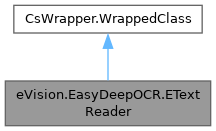
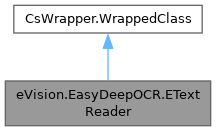
A ETextReader aims to find and read texts inside a given ROI, through ETextReader.Read. The returned texts can be filtered by providing a ETopology. An optimization phase can be performed before starting to read, to increase the processing speed of ETextReader. This optimization phase can be launched with ETextReader.Optimize. More...
Public Member Functions | |
| ETextReader () | |
| Creates a ETextReader. | |
| ETextReader (eVision.EasyDeepOCR.ETextReader other) | |
| Creates a ETextReader. | |
| bool | IsEqual (eVision.EasyDeepOCR.ETextReader other) |
| Checks if this ETextReader instance is strictly equal to another ETextReader instance. | |
| void | Load (string path) |
| Loads the ETextReader. | |
| void | Load (eVision.ESerializer serializer) |
| Loads the ETextReader. | |
| void | Save (string path) |
| Saves the ETextReader. | |
| void | Save (eVision.ESerializer serializer) |
| Saves the ETextReader. | |
| void | Initialize () |
| Initializes the ETextReader. ETextReader must be initialized before using ETextReader.Read. | |
| bool | IsInitialized () |
| Returns true if the ETextReader is initialized. | |
| void | ResetTopology () |
| Forgets the ETopology previously set. | |
| void | SetTextLineHeight (int minHeight, int maxHeight) |
| Sets the range for the text line height. All returned text lines will have a height in the range [minHeight, maxHeight]. Any text line that does not fit this constraint, will be discarded. By default, it is not set, so no filtering is applied. | |
| void | UnsetTextAngle () |
| Unsets the text angle hint. | |
| eVision.EasyDeepOCR.EOptimizationReport | Optimize (eVision.EasyDeepOCR.ESampleList samples) |
| Sets the optimal internal parameters by finding the text in the corresponding input image, for each ESample. | |
| eVision.EasyDeepOCR.EOptimizationReport | Optimize (eVision.EasyDeepOCR.ESampleList samples, eVision.EImageType imageType) |
| Sets the optimal internal parameters by finding the text in the corresponding input image, for each ESample. | |
| eVision.EasyDeepOCR.EOptimizationReport | Optimize (eVision.EasyDeepOCR.EOptimizationReport optimizationReport) |
| Sets the optimal internal parameters by finding the text in the corresponding input image, for each ESample. | |
| bool | IsOptimized () |
| Returns true if the ETextReader has been optimized with a call to ETextReader.Optimize, and false otherwise. | |
| void | ResetOptimization () |
| Forgets the optimal parameters previously set by ETextReader.Optimize. | |
| void | ResetLocationCustomModel () |
| Removes any location custom model that was previously set and use the default location model. | |
| void | ResetRecognitionCustomModel () |
| Removes any recognition custom model that was previously set and use the default recognition model. | |
| void | ResetOrientationCustomModel () |
| Removes any orientation custom model that was previously set and use the default orientation model. | |
| eVision.EasyDeepOCR.EText[] | Read (eVision.EBaseROI roi) |
| Reads texts inside an EBaseROI. Texts are returned as EText. Texts comply with the ETopology previously specified with ETextReader.Topology, if any. The processing speed can be increased with ETextReader.Optimize. | |
| eVision.EasyDeepOCR.EText[] | Read (eVision.EBaseROI roi, eVision.ERegion region) |
| Reads texts inside an EBaseROI. Texts are returned as EText. Texts comply with the ETopology previously specified with ETextReader.Topology, if any. The processing speed can be increased with ETextReader.Optimize. | |
| eVision.EasyDeepOCR.EText[] | Read (eVision.EBaseROI roi, eVision.ERegion region, eVision.EFrame frame) |
| Reads texts inside an EBaseROI. Texts are returned as EText. Texts comply with the ETopology previously specified with ETextReader.Topology, if any. The processing speed can be increased with ETextReader.Optimize. | |
| eVision.EasyDeepOCR.EText[] | Read (eVision.EBaseROI roi, eVision.EFrame frame) |
| Reads texts inside an EBaseROI. Texts are returned as EText. Texts comply with the ETopology previously specified with ETextReader.Topology, if any. The processing speed can be increased with ETextReader.Optimize. | |
| eVision.ERectangle[] | Localize (eVision.EBaseROI roi) |
| Localizes the texts within a specified region of interest (ROI). Returns the detected text areas as ERectangles. | |
| eVision.ERectangle[] | Localize (eVision.EBaseROI roi, eVision.ERegion region) |
| Localizes the texts within a specified region of interest (ROI). Returns the detected text areas as ERectangles. | |
| eVision.ERectangle[] | Localize (eVision.EBaseROI roi, eVision.ERegion region, eVision.EFrame frame) |
| Localizes the texts within a specified region of interest (ROI). Returns the detected text areas as ERectangles. | |
| eVision.ERectangle[] | Localize (eVision.EBaseROI roi, eVision.EFrame frame) |
| Localizes the texts within a specified region of interest (ROI). Returns the detected text areas as ERectangles. | |
| eVision.ERectangle[] | Locate (eVision.EBaseROI roi) |
| Locates the texts within a specified region of interest (ROI). Returns the detected text areas as ERectangles. | |
| eVision.ERectangle[] | Locate (eVision.EBaseROI roi, eVision.ERegion region) |
| Locates the texts within a specified region of interest (ROI). Returns the detected text areas as ERectangles. | |
| eVision.ERectangle[] | Locate (eVision.EBaseROI roi, eVision.ERegion region, eVision.EFrame frame) |
| Locates the texts within a specified region of interest (ROI). Returns the detected text areas as ERectangles. | |
| eVision.ERectangle[] | Locate (eVision.EBaseROI roi, eVision.EFrame frame) |
| Locates the texts within a specified region of interest (ROI). Returns the detected text areas as ERectangles. | |
| eVision.EasyDeepOCR.ETextLine | Recognize (eVision.EBaseROI miniature, bool automaticReadingDirection) |
| Recognizes a text within a miniature image and returns it as an ETextLine. The returned text will conform to the ETopologyLine if one is provided via the topologyLineIndex parameter. The miniature image can be provided directly or extracted from a larger ROI using an ERectangle or an ERegion. If the text in the miniature image is not oriented along the standard reading direction, setting automaticReadingDirection to true will attempt to detect and adjust for the correct reading orientation. When ETextReader.HasTextAngle is true, automaticReadingDirection is ignored and the reading orientation is chosen as the closest to ETextReader.TextAngle. Otherewise, To ensure the oriented rectangle obtained from the region is deterministic, the reader will always snap the orientation to the horizontal axis (changing the width and height accordingly). | |
| eVision.EasyDeepOCR.ETextLine | Recognize (eVision.EBaseROI miniature) |
| Recognizes a text within a miniature image and returns it as an ETextLine. The returned text will conform to the ETopologyLine if one is provided via the topologyLineIndex parameter. The miniature image can be provided directly or extracted from a larger ROI using an ERectangle or an ERegion. If the text in the miniature image is not oriented along the standard reading direction, setting automaticReadingDirection to true will attempt to detect and adjust for the correct reading orientation. When ETextReader.HasTextAngle is true, automaticReadingDirection is ignored and the reading orientation is chosen as the closest to ETextReader.TextAngle. Otherewise, To ensure the oriented rectangle obtained from the region is deterministic, the reader will always snap the orientation to the horizontal axis (changing the width and height accordingly). | |
| eVision.EasyDeepOCR.ETextLine | Recognize (eVision.EBaseROI miniature, uint topologyLineIndex, bool automaticReadingDirection) |
| Recognizes a text within a miniature image and returns it as an ETextLine. The returned text will conform to the ETopologyLine if one is provided via the topologyLineIndex parameter. The miniature image can be provided directly or extracted from a larger ROI using an ERectangle or an ERegion. If the text in the miniature image is not oriented along the standard reading direction, setting automaticReadingDirection to true will attempt to detect and adjust for the correct reading orientation. When ETextReader.HasTextAngle is true, automaticReadingDirection is ignored and the reading orientation is chosen as the closest to ETextReader.TextAngle. Otherewise, To ensure the oriented rectangle obtained from the region is deterministic, the reader will always snap the orientation to the horizontal axis (changing the width and height accordingly). | |
| eVision.EasyDeepOCR.ETextLine | Recognize (eVision.EBaseROI miniature, uint topologyLineIndex) |
| Recognizes a text within a miniature image and returns it as an ETextLine. The returned text will conform to the ETopologyLine if one is provided via the topologyLineIndex parameter. The miniature image can be provided directly or extracted from a larger ROI using an ERectangle or an ERegion. If the text in the miniature image is not oriented along the standard reading direction, setting automaticReadingDirection to true will attempt to detect and adjust for the correct reading orientation. When ETextReader.HasTextAngle is true, automaticReadingDirection is ignored and the reading orientation is chosen as the closest to ETextReader.TextAngle. Otherewise, To ensure the oriented rectangle obtained from the region is deterministic, the reader will always snap the orientation to the horizontal axis (changing the width and height accordingly). | |
| eVision.EasyDeepOCR.ETextLine | Recognize (eVision.EBaseROI roi, eVision.ERectangle rectangle, bool automaticReadingDirection) |
| Recognizes a text within a miniature image and returns it as an ETextLine. The returned text will conform to the ETopologyLine if one is provided via the topologyLineIndex parameter. The miniature image can be provided directly or extracted from a larger ROI using an ERectangle or an ERegion. If the text in the miniature image is not oriented along the standard reading direction, setting automaticReadingDirection to true will attempt to detect and adjust for the correct reading orientation. When ETextReader.HasTextAngle is true, automaticReadingDirection is ignored and the reading orientation is chosen as the closest to ETextReader.TextAngle. Otherewise, To ensure the oriented rectangle obtained from the region is deterministic, the reader will always snap the orientation to the horizontal axis (changing the width and height accordingly). | |
| eVision.EasyDeepOCR.ETextLine | Recognize (eVision.EBaseROI roi, eVision.ERectangle rectangle) |
| Recognizes a text within a miniature image and returns it as an ETextLine. The returned text will conform to the ETopologyLine if one is provided via the topologyLineIndex parameter. The miniature image can be provided directly or extracted from a larger ROI using an ERectangle or an ERegion. If the text in the miniature image is not oriented along the standard reading direction, setting automaticReadingDirection to true will attempt to detect and adjust for the correct reading orientation. When ETextReader.HasTextAngle is true, automaticReadingDirection is ignored and the reading orientation is chosen as the closest to ETextReader.TextAngle. Otherewise, To ensure the oriented rectangle obtained from the region is deterministic, the reader will always snap the orientation to the horizontal axis (changing the width and height accordingly). | |
| eVision.EasyDeepOCR.ETextLine | Recognize (eVision.EBaseROI roi, eVision.ERectangle rectangle, uint topologyLineIndex, bool automaticReadingDirection) |
| Recognizes a text within a miniature image and returns it as an ETextLine. The returned text will conform to the ETopologyLine if one is provided via the topologyLineIndex parameter. The miniature image can be provided directly or extracted from a larger ROI using an ERectangle or an ERegion. If the text in the miniature image is not oriented along the standard reading direction, setting automaticReadingDirection to true will attempt to detect and adjust for the correct reading orientation. When ETextReader.HasTextAngle is true, automaticReadingDirection is ignored and the reading orientation is chosen as the closest to ETextReader.TextAngle. Otherewise, To ensure the oriented rectangle obtained from the region is deterministic, the reader will always snap the orientation to the horizontal axis (changing the width and height accordingly). | |
| eVision.EasyDeepOCR.ETextLine | Recognize (eVision.EBaseROI roi, eVision.ERectangle rectangle, uint topologyLineIndex) |
| Recognizes a text within a miniature image and returns it as an ETextLine. The returned text will conform to the ETopologyLine if one is provided via the topologyLineIndex parameter. The miniature image can be provided directly or extracted from a larger ROI using an ERectangle or an ERegion. If the text in the miniature image is not oriented along the standard reading direction, setting automaticReadingDirection to true will attempt to detect and adjust for the correct reading orientation. When ETextReader.HasTextAngle is true, automaticReadingDirection is ignored and the reading orientation is chosen as the closest to ETextReader.TextAngle. Otherewise, To ensure the oriented rectangle obtained from the region is deterministic, the reader will always snap the orientation to the horizontal axis (changing the width and height accordingly). | |
| eVision.EasyDeepOCR.ETextLine | Recognize (eVision.EBaseROI roi, eVision.ERectangle rectangle, eVision.EFrame frame, bool automaticReadingDirection) |
| Recognizes a text within a miniature image and returns it as an ETextLine. The returned text will conform to the ETopologyLine if one is provided via the topologyLineIndex parameter. The miniature image can be provided directly or extracted from a larger ROI using an ERectangle or an ERegion. If the text in the miniature image is not oriented along the standard reading direction, setting automaticReadingDirection to true will attempt to detect and adjust for the correct reading orientation. When ETextReader.HasTextAngle is true, automaticReadingDirection is ignored and the reading orientation is chosen as the closest to ETextReader.TextAngle. Otherewise, To ensure the oriented rectangle obtained from the region is deterministic, the reader will always snap the orientation to the horizontal axis (changing the width and height accordingly). | |
| eVision.EasyDeepOCR.ETextLine | Recognize (eVision.EBaseROI roi, eVision.ERectangle rectangle, eVision.EFrame frame) |
| Recognizes a text within a miniature image and returns it as an ETextLine. The returned text will conform to the ETopologyLine if one is provided via the topologyLineIndex parameter. The miniature image can be provided directly or extracted from a larger ROI using an ERectangle or an ERegion. If the text in the miniature image is not oriented along the standard reading direction, setting automaticReadingDirection to true will attempt to detect and adjust for the correct reading orientation. When ETextReader.HasTextAngle is true, automaticReadingDirection is ignored and the reading orientation is chosen as the closest to ETextReader.TextAngle. Otherewise, To ensure the oriented rectangle obtained from the region is deterministic, the reader will always snap the orientation to the horizontal axis (changing the width and height accordingly). | |
| eVision.EasyDeepOCR.ETextLine | Recognize (eVision.EBaseROI roi, eVision.ERectangle rectangle, eVision.EFrame frame, uint topologyLineIndex, bool automaticReadingDirection) |
| Recognizes a text within a miniature image and returns it as an ETextLine. The returned text will conform to the ETopologyLine if one is provided via the topologyLineIndex parameter. The miniature image can be provided directly or extracted from a larger ROI using an ERectangle or an ERegion. If the text in the miniature image is not oriented along the standard reading direction, setting automaticReadingDirection to true will attempt to detect and adjust for the correct reading orientation. When ETextReader.HasTextAngle is true, automaticReadingDirection is ignored and the reading orientation is chosen as the closest to ETextReader.TextAngle. Otherewise, To ensure the oriented rectangle obtained from the region is deterministic, the reader will always snap the orientation to the horizontal axis (changing the width and height accordingly). | |
| eVision.EasyDeepOCR.ETextLine | Recognize (eVision.EBaseROI roi, eVision.ERectangle rectangle, eVision.EFrame frame, uint topologyLineIndex) |
| Recognizes a text within a miniature image and returns it as an ETextLine. The returned text will conform to the ETopologyLine if one is provided via the topologyLineIndex parameter. The miniature image can be provided directly or extracted from a larger ROI using an ERectangle or an ERegion. If the text in the miniature image is not oriented along the standard reading direction, setting automaticReadingDirection to true will attempt to detect and adjust for the correct reading orientation. When ETextReader.HasTextAngle is true, automaticReadingDirection is ignored and the reading orientation is chosen as the closest to ETextReader.TextAngle. Otherewise, To ensure the oriented rectangle obtained from the region is deterministic, the reader will always snap the orientation to the horizontal axis (changing the width and height accordingly). | |
| eVision.EasyDeepOCR.ETextLine | Recognize (eVision.EBaseROI roi, eVision.ERegion region, bool automaticReadingDirection) |
| Recognizes a text within a miniature image and returns it as an ETextLine. The returned text will conform to the ETopologyLine if one is provided via the topologyLineIndex parameter. The miniature image can be provided directly or extracted from a larger ROI using an ERectangle or an ERegion. If the text in the miniature image is not oriented along the standard reading direction, setting automaticReadingDirection to true will attempt to detect and adjust for the correct reading orientation. When ETextReader.HasTextAngle is true, automaticReadingDirection is ignored and the reading orientation is chosen as the closest to ETextReader.TextAngle. Otherewise, To ensure the oriented rectangle obtained from the region is deterministic, the reader will always snap the orientation to the horizontal axis (changing the width and height accordingly). | |
| eVision.EasyDeepOCR.ETextLine | Recognize (eVision.EBaseROI roi, eVision.ERegion region) |
| Recognizes a text within a miniature image and returns it as an ETextLine. The returned text will conform to the ETopologyLine if one is provided via the topologyLineIndex parameter. The miniature image can be provided directly or extracted from a larger ROI using an ERectangle or an ERegion. If the text in the miniature image is not oriented along the standard reading direction, setting automaticReadingDirection to true will attempt to detect and adjust for the correct reading orientation. When ETextReader.HasTextAngle is true, automaticReadingDirection is ignored and the reading orientation is chosen as the closest to ETextReader.TextAngle. Otherewise, To ensure the oriented rectangle obtained from the region is deterministic, the reader will always snap the orientation to the horizontal axis (changing the width and height accordingly). | |
| eVision.EasyDeepOCR.ETextLine | Recognize (eVision.EBaseROI roi, eVision.ERegion region, uint topologyLineIndex, bool automaticReadingDirection) |
| Recognizes a text within a miniature image and returns it as an ETextLine. The returned text will conform to the ETopologyLine if one is provided via the topologyLineIndex parameter. The miniature image can be provided directly or extracted from a larger ROI using an ERectangle or an ERegion. If the text in the miniature image is not oriented along the standard reading direction, setting automaticReadingDirection to true will attempt to detect and adjust for the correct reading orientation. When ETextReader.HasTextAngle is true, automaticReadingDirection is ignored and the reading orientation is chosen as the closest to ETextReader.TextAngle. Otherewise, To ensure the oriented rectangle obtained from the region is deterministic, the reader will always snap the orientation to the horizontal axis (changing the width and height accordingly). | |
| eVision.EasyDeepOCR.ETextLine | Recognize (eVision.EBaseROI roi, eVision.ERegion region, uint topologyLineIndex) |
| Recognizes a text within a miniature image and returns it as an ETextLine. The returned text will conform to the ETopologyLine if one is provided via the topologyLineIndex parameter. The miniature image can be provided directly or extracted from a larger ROI using an ERectangle or an ERegion. If the text in the miniature image is not oriented along the standard reading direction, setting automaticReadingDirection to true will attempt to detect and adjust for the correct reading orientation. When ETextReader.HasTextAngle is true, automaticReadingDirection is ignored and the reading orientation is chosen as the closest to ETextReader.TextAngle. Otherewise, To ensure the oriented rectangle obtained from the region is deterministic, the reader will always snap the orientation to the horizontal axis (changing the width and height accordingly). | |
| eVision.EasyDeepOCR.ETextLine | Recognize (eVision.EBaseROI roi, eVision.ERegion region, eVision.EFrame frame, bool automaticReadingDirection) |
| Recognizes a text within a miniature image and returns it as an ETextLine. The returned text will conform to the ETopologyLine if one is provided via the topologyLineIndex parameter. The miniature image can be provided directly or extracted from a larger ROI using an ERectangle or an ERegion. If the text in the miniature image is not oriented along the standard reading direction, setting automaticReadingDirection to true will attempt to detect and adjust for the correct reading orientation. When ETextReader.HasTextAngle is true, automaticReadingDirection is ignored and the reading orientation is chosen as the closest to ETextReader.TextAngle. Otherewise, To ensure the oriented rectangle obtained from the region is deterministic, the reader will always snap the orientation to the horizontal axis (changing the width and height accordingly). | |
| eVision.EasyDeepOCR.ETextLine | Recognize (eVision.EBaseROI roi, eVision.ERegion region, eVision.EFrame frame) |
| Recognizes a text within a miniature image and returns it as an ETextLine. The returned text will conform to the ETopologyLine if one is provided via the topologyLineIndex parameter. The miniature image can be provided directly or extracted from a larger ROI using an ERectangle or an ERegion. If the text in the miniature image is not oriented along the standard reading direction, setting automaticReadingDirection to true will attempt to detect and adjust for the correct reading orientation. When ETextReader.HasTextAngle is true, automaticReadingDirection is ignored and the reading orientation is chosen as the closest to ETextReader.TextAngle. Otherewise, To ensure the oriented rectangle obtained from the region is deterministic, the reader will always snap the orientation to the horizontal axis (changing the width and height accordingly). | |
| eVision.EasyDeepOCR.ETextLine | Recognize (eVision.EBaseROI roi, eVision.ERegion region, eVision.EFrame frame, uint topologyLineIndex, bool automaticReadingDirection) |
| Recognizes a text within a miniature image and returns it as an ETextLine. The returned text will conform to the ETopologyLine if one is provided via the topologyLineIndex parameter. The miniature image can be provided directly or extracted from a larger ROI using an ERectangle or an ERegion. If the text in the miniature image is not oriented along the standard reading direction, setting automaticReadingDirection to true will attempt to detect and adjust for the correct reading orientation. When ETextReader.HasTextAngle is true, automaticReadingDirection is ignored and the reading orientation is chosen as the closest to ETextReader.TextAngle. Otherewise, To ensure the oriented rectangle obtained from the region is deterministic, the reader will always snap the orientation to the horizontal axis (changing the width and height accordingly). | |
| eVision.EasyDeepOCR.ETextLine | Recognize (eVision.EBaseROI roi, eVision.ERegion region, eVision.EFrame frame, uint topologyLineIndex) |
| Recognizes a text within a miniature image and returns it as an ETextLine. The returned text will conform to the ETopologyLine if one is provided via the topologyLineIndex parameter. The miniature image can be provided directly or extracted from a larger ROI using an ERectangle or an ERegion. If the text in the miniature image is not oriented along the standard reading direction, setting automaticReadingDirection to true will attempt to detect and adjust for the correct reading orientation. When ETextReader.HasTextAngle is true, automaticReadingDirection is ignored and the reading orientation is chosen as the closest to ETextReader.TextAngle. Otherewise, To ensure the oriented rectangle obtained from the region is deterministic, the reader will always snap the orientation to the horizontal axis (changing the width and height accordingly). | |
| eVision.EasyDeepOCR.EText[] | Merge (eVision.EasyDeepOCR.ETextLine[] textlines) |
| Merges geometrically consistent ETextLines into structured ETexts satisfying the specified ETextReader.Topology. Throws if no ETextReader.Topology has been specified. | |
Properties | |
| eVision.ETopology | Topology [get, set] |
| ETopology of the ETextReader. | |
| bool | HasTopology [get] |
| Returns true if the ETopology is set. | |
| eVision.EasyDeepLearning.EDeepLearningExecutionSettings | ExecutionSettings [get, set] |
| EDeepLearningExecutionSettings used by the ETextReader. | |
| eVision.EFloatRange | TextLineHeight [get] |
| Gets the range for the text line height. Throws if not previously set. By default, it is not set, so no filtering is applied. | |
| float | TextAngle [get, set] |
| Angle hint for the text to be found. | |
| bool | HasTextAngle [get] |
| Returns true if the text angle hint is defined. | |
| string | LocationCustomModelPath [set] |
| Sets a location custom model using the path to a saved EDeepOCRTool (user trained model). | |
| eVision.EasyDeepLearning.EDeepOCRTool | LocationCustomModel [set] |
| Sets a location custom model from a EDeepOCRTool object (user trained model). | |
| bool | HasLocationCustomModel [get] |
| Whether the reader has a location custom model. | |
| string | RecognitionCustomModelPath [set] |
| Sets a recognition custom model using the path to a saved EDeepOCRTool (user trained model). | |
| eVision.EasyDeepLearning.EDeepOCRTool | RecognitionCustomModel [set] |
| Sets a recognition custom model from a EDeepOCRTool object (user trained model). | |
| bool | HasRecognitionCustomModel [get] |
| Whether the reader has a recognition custom model. | |
| string | OrientationCustomModelPath [set] |
| Sets an orientation custom model using the path to a saved EDeepOCRTool (user trained model). | |
| eVision.EasyDeepLearning.EDeepOCRTool | OrientationCustomModel [set] |
| Sets an orientation custom model from a EDeepOCRTool object (user trained model). | |
| bool | HasOrientationCustomModel [get] |
| Whether the reader has a orientation custom model. | |
A ETextReader aims to find and read texts inside a given ROI, through ETextReader.Read. The returned texts can be filtered by providing a ETopology. An optimization phase can be performed before starting to read, to increase the processing speed of ETextReader. This optimization phase can be launched with ETextReader.Optimize.
License(s): EasyDeepOCR
| eVision.EasyDeepOCR.ETextReader.ETextReader | ( | ) |
Creates a ETextReader.
| eVision.EasyDeepOCR.ETextReader.ETextReader | ( | eVision.EasyDeepOCR.ETextReader | other | ) |
Creates a ETextReader.
| other | Another ETextReader to be copied in the new ETextReader. |
| void eVision.EasyDeepOCR.ETextReader.Initialize | ( | ) |
Initializes the ETextReader. ETextReader must be initialized before using ETextReader.Read.
| bool eVision.EasyDeepOCR.ETextReader.IsEqual | ( | eVision.EasyDeepOCR.ETextReader | other | ) |
Checks if this ETextReader instance is strictly equal to another ETextReader instance.
| other | Reference to the ETextReader instance to compare with |
| bool eVision.EasyDeepOCR.ETextReader.IsInitialized | ( | ) |
Returns true if the ETextReader is initialized.
| bool eVision.EasyDeepOCR.ETextReader.IsOptimized | ( | ) |
Returns true if the ETextReader has been optimized with a call to ETextReader.Optimize, and false otherwise.
| void eVision.EasyDeepOCR.ETextReader.Load | ( | eVision.ESerializer | serializer | ) |
Loads the ETextReader.
| serializer |
| void eVision.EasyDeepOCR.ETextReader.Load | ( | string | path | ) |
Loads the ETextReader.
| path | Path where to save the ETextReader. |
| eVision.ERectangle[] eVision.EasyDeepOCR.ETextReader.Localize | ( | eVision.EBaseROI | roi | ) |
Localizes the texts within a specified region of interest (ROI). Returns the detected text areas as ERectangles.
| roi | The region of interest (ROI) in which to search for text. Only EROIBW8 and EROIC24 are supported. |
Use ETextReader.Locate instead.
Deprecated in version 26.6. Scheduled to be removed in version 27.6.
| eVision.ERectangle[] eVision.EasyDeepOCR.ETextReader.Localize | ( | eVision.EBaseROI | roi, |
| eVision.EFrame | frame ) |
Localizes the texts within a specified region of interest (ROI). Returns the detected text areas as ERectangles.
| roi | The region of interest (ROI) in which to search for text. Only EROIBW8 and EROIC24 are supported. |
| frame | Reference frame of the input region. |
Use ETextReader.Locate instead.
Deprecated in version 26.6. Scheduled to be removed in version 27.6.
| eVision.ERectangle[] eVision.EasyDeepOCR.ETextReader.Localize | ( | eVision.EBaseROI | roi, |
| eVision.ERegion | region ) |
Localizes the texts within a specified region of interest (ROI). Returns the detected text areas as ERectangles.
| roi | The region of interest (ROI) in which to search for text. Only EROIBW8 and EROIC24 are supported. |
| region | Optional parameter that specifies a sub-region within the ROI to limit the text search area. |
Use ETextReader.Locate instead.
Deprecated in version 26.6. Scheduled to be removed in version 27.6.
| eVision.ERectangle[] eVision.EasyDeepOCR.ETextReader.Localize | ( | eVision.EBaseROI | roi, |
| eVision.ERegion | region, | ||
| eVision.EFrame | frame ) |
Localizes the texts within a specified region of interest (ROI). Returns the detected text areas as ERectangles.
| roi | The region of interest (ROI) in which to search for text. Only EROIBW8 and EROIC24 are supported. |
| region | Optional parameter that specifies a sub-region within the ROI to limit the text search area. |
| frame | Reference frame of the input region. |
Use ETextReader.Locate instead.
Deprecated in version 26.6. Scheduled to be removed in version 27.6.
| eVision.ERectangle[] eVision.EasyDeepOCR.ETextReader.Locate | ( | eVision.EBaseROI | roi | ) |
Locates the texts within a specified region of interest (ROI). Returns the detected text areas as ERectangles.
| eVision.ERectangle[] eVision.EasyDeepOCR.ETextReader.Locate | ( | eVision.EBaseROI | roi, |
| eVision.EFrame | frame ) |
Locates the texts within a specified region of interest (ROI). Returns the detected text areas as ERectangles.
| eVision.ERectangle[] eVision.EasyDeepOCR.ETextReader.Locate | ( | eVision.EBaseROI | roi, |
| eVision.ERegion | region ) |
Locates the texts within a specified region of interest (ROI). Returns the detected text areas as ERectangles.
| eVision.ERectangle[] eVision.EasyDeepOCR.ETextReader.Locate | ( | eVision.EBaseROI | roi, |
| eVision.ERegion | region, | ||
| eVision.EFrame | frame ) |
Locates the texts within a specified region of interest (ROI). Returns the detected text areas as ERectangles.
| eVision.EasyDeepOCR.EText[] eVision.EasyDeepOCR.ETextReader.Merge | ( | eVision.EasyDeepOCR.ETextLine[] | textlines | ) |
Merges geometrically consistent ETextLines into structured ETexts satisfying the specified ETextReader.Topology. Throws if no ETextReader.Topology has been specified.
| textlines | A collection of ETextLine candidates to be merged. |
| eVision.EasyDeepOCR.EOptimizationReport eVision.EasyDeepOCR.ETextReader.Optimize | ( | eVision.EasyDeepOCR.EOptimizationReport | optimizationReport | ) |
Sets the optimal internal parameters by finding the text in the corresponding input image, for each ESample.
| optimizationReport | Optimization report to be restored. |
Once an optimization is performed, the ETextReader is specialized and only returns texts sharing geometrical properties with the ones it has learned from.
| eVision.EasyDeepOCR.EOptimizationReport eVision.EasyDeepOCR.ETextReader.Optimize | ( | eVision.EasyDeepOCR.ESampleList | samples | ) |
Sets the optimal internal parameters by finding the text in the corresponding input image, for each ESample.
| samples | Samples to be optimized from. |
Once an optimization is performed, the ETextReader is specialized and only returns texts sharing geometrical properties with the ones it has learned from.
| eVision.EasyDeepOCR.EOptimizationReport eVision.EasyDeepOCR.ETextReader.Optimize | ( | eVision.EasyDeepOCR.ESampleList | samples, |
| eVision.EImageType | imageType ) |
Sets the optimal internal parameters by finding the text in the corresponding input image, for each ESample.
| samples | Samples to be optimized from. |
| imageType | Specifies the image type for loading the sample images. If not provided, the image type will be automatically determined based on the sample image files. |
Once an optimization is performed, the ETextReader is specialized and only returns texts sharing geometrical properties with the ones it has learned from.
| eVision.EasyDeepOCR.EText[] eVision.EasyDeepOCR.ETextReader.Read | ( | eVision.EBaseROI | roi | ) |
Reads texts inside an EBaseROI. Texts are returned as EText. Texts comply with the ETopology previously specified with ETextReader.Topology, if any. The processing speed can be increased with ETextReader.Optimize.
| eVision.EasyDeepOCR.EText[] eVision.EasyDeepOCR.ETextReader.Read | ( | eVision.EBaseROI | roi, |
| eVision.EFrame | frame ) |
Reads texts inside an EBaseROI. Texts are returned as EText. Texts comply with the ETopology previously specified with ETextReader.Topology, if any. The processing speed can be increased with ETextReader.Optimize.
| eVision.EasyDeepOCR.EText[] eVision.EasyDeepOCR.ETextReader.Read | ( | eVision.EBaseROI | roi, |
| eVision.ERegion | region ) |
Reads texts inside an EBaseROI. Texts are returned as EText. Texts comply with the ETopology previously specified with ETextReader.Topology, if any. The processing speed can be increased with ETextReader.Optimize.
| eVision.EasyDeepOCR.EText[] eVision.EasyDeepOCR.ETextReader.Read | ( | eVision.EBaseROI | roi, |
| eVision.ERegion | region, | ||
| eVision.EFrame | frame ) |
Reads texts inside an EBaseROI. Texts are returned as EText. Texts comply with the ETopology previously specified with ETextReader.Topology, if any. The processing speed can be increased with ETextReader.Optimize.
| eVision.EasyDeepOCR.ETextLine eVision.EasyDeepOCR.ETextReader.Recognize | ( | eVision.EBaseROI | miniature | ) |
Recognizes a text within a miniature image and returns it as an ETextLine. The returned text will conform to the ETopologyLine if one is provided via the topologyLineIndex parameter. The miniature image can be provided directly or extracted from a larger ROI using an ERectangle or an ERegion. If the text in the miniature image is not oriented along the standard reading direction, setting automaticReadingDirection to true will attempt to detect and adjust for the correct reading orientation. When ETextReader.HasTextAngle is true, automaticReadingDirection is ignored and the reading orientation is chosen as the closest to ETextReader.TextAngle. Otherewise, To ensure the oriented rectangle obtained from the region is deterministic, the reader will always snap the orientation to the horizontal axis (changing the width and height accordingly).
| miniature | The ROI containing the miniature image with text to recognize. |
| eVision.EasyDeepOCR.ETextLine eVision.EasyDeepOCR.ETextReader.Recognize | ( | eVision.EBaseROI | miniature, |
| bool | automaticReadingDirection ) |
Recognizes a text within a miniature image and returns it as an ETextLine. The returned text will conform to the ETopologyLine if one is provided via the topologyLineIndex parameter. The miniature image can be provided directly or extracted from a larger ROI using an ERectangle or an ERegion. If the text in the miniature image is not oriented along the standard reading direction, setting automaticReadingDirection to true will attempt to detect and adjust for the correct reading orientation. When ETextReader.HasTextAngle is true, automaticReadingDirection is ignored and the reading orientation is chosen as the closest to ETextReader.TextAngle. Otherewise, To ensure the oriented rectangle obtained from the region is deterministic, the reader will always snap the orientation to the horizontal axis (changing the width and height accordingly).
| miniature | The ROI containing the miniature image with text to recognize. |
| automaticReadingDirection | When true, automatically detects the reading direction of the text. Default is false. |
| eVision.EasyDeepOCR.ETextLine eVision.EasyDeepOCR.ETextReader.Recognize | ( | eVision.EBaseROI | miniature, |
| uint | topologyLineIndex ) |
Recognizes a text within a miniature image and returns it as an ETextLine. The returned text will conform to the ETopologyLine if one is provided via the topologyLineIndex parameter. The miniature image can be provided directly or extracted from a larger ROI using an ERectangle or an ERegion. If the text in the miniature image is not oriented along the standard reading direction, setting automaticReadingDirection to true will attempt to detect and adjust for the correct reading orientation. When ETextReader.HasTextAngle is true, automaticReadingDirection is ignored and the reading orientation is chosen as the closest to ETextReader.TextAngle. Otherewise, To ensure the oriented rectangle obtained from the region is deterministic, the reader will always snap the orientation to the horizontal axis (changing the width and height accordingly).
| miniature | The ROI containing the miniature image with text to recognize. |
| topologyLineIndex | The index of the ETopologyLine to use for text recognition constraints. |
| eVision.EasyDeepOCR.ETextLine eVision.EasyDeepOCR.ETextReader.Recognize | ( | eVision.EBaseROI | miniature, |
| uint | topologyLineIndex, | ||
| bool | automaticReadingDirection ) |
Recognizes a text within a miniature image and returns it as an ETextLine. The returned text will conform to the ETopologyLine if one is provided via the topologyLineIndex parameter. The miniature image can be provided directly or extracted from a larger ROI using an ERectangle or an ERegion. If the text in the miniature image is not oriented along the standard reading direction, setting automaticReadingDirection to true will attempt to detect and adjust for the correct reading orientation. When ETextReader.HasTextAngle is true, automaticReadingDirection is ignored and the reading orientation is chosen as the closest to ETextReader.TextAngle. Otherewise, To ensure the oriented rectangle obtained from the region is deterministic, the reader will always snap the orientation to the horizontal axis (changing the width and height accordingly).
| miniature | The ROI containing the miniature image with text to recognize. |
| topologyLineIndex | The index of the ETopologyLine to use for text recognition constraints. |
| automaticReadingDirection | When true, automatically detects the reading direction of the text. Default is false. |
| eVision.EasyDeepOCR.ETextLine eVision.EasyDeepOCR.ETextReader.Recognize | ( | eVision.EBaseROI | roi, |
| eVision.ERectangle | rectangle ) |
Recognizes a text within a miniature image and returns it as an ETextLine. The returned text will conform to the ETopologyLine if one is provided via the topologyLineIndex parameter. The miniature image can be provided directly or extracted from a larger ROI using an ERectangle or an ERegion. If the text in the miniature image is not oriented along the standard reading direction, setting automaticReadingDirection to true will attempt to detect and adjust for the correct reading orientation. When ETextReader.HasTextAngle is true, automaticReadingDirection is ignored and the reading orientation is chosen as the closest to ETextReader.TextAngle. Otherewise, To ensure the oriented rectangle obtained from the region is deterministic, the reader will always snap the orientation to the horizontal axis (changing the width and height accordingly).
| roi | The source ROI from which to extract the miniature image. |
| rectangle | Defines the area within the source ROI to extract as the miniature image. |
| eVision.EasyDeepOCR.ETextLine eVision.EasyDeepOCR.ETextReader.Recognize | ( | eVision.EBaseROI | roi, |
| eVision.ERectangle | rectangle, | ||
| bool | automaticReadingDirection ) |
Recognizes a text within a miniature image and returns it as an ETextLine. The returned text will conform to the ETopologyLine if one is provided via the topologyLineIndex parameter. The miniature image can be provided directly or extracted from a larger ROI using an ERectangle or an ERegion. If the text in the miniature image is not oriented along the standard reading direction, setting automaticReadingDirection to true will attempt to detect and adjust for the correct reading orientation. When ETextReader.HasTextAngle is true, automaticReadingDirection is ignored and the reading orientation is chosen as the closest to ETextReader.TextAngle. Otherewise, To ensure the oriented rectangle obtained from the region is deterministic, the reader will always snap the orientation to the horizontal axis (changing the width and height accordingly).
| roi | The source ROI from which to extract the miniature image. |
| rectangle | Defines the area within the source ROI to extract as the miniature image. |
| automaticReadingDirection | When true, automatically detects the reading direction of the text. Default is false. |
| eVision.EasyDeepOCR.ETextLine eVision.EasyDeepOCR.ETextReader.Recognize | ( | eVision.EBaseROI | roi, |
| eVision.ERectangle | rectangle, | ||
| eVision.EFrame | frame ) |
Recognizes a text within a miniature image and returns it as an ETextLine. The returned text will conform to the ETopologyLine if one is provided via the topologyLineIndex parameter. The miniature image can be provided directly or extracted from a larger ROI using an ERectangle or an ERegion. If the text in the miniature image is not oriented along the standard reading direction, setting automaticReadingDirection to true will attempt to detect and adjust for the correct reading orientation. When ETextReader.HasTextAngle is true, automaticReadingDirection is ignored and the reading orientation is chosen as the closest to ETextReader.TextAngle. Otherewise, To ensure the oriented rectangle obtained from the region is deterministic, the reader will always snap the orientation to the horizontal axis (changing the width and height accordingly).
| roi | The source ROI from which to extract the miniature image. |
| rectangle | Defines the area within the source ROI to extract as the miniature image. |
| frame | Reference frame of the input region. |
| eVision.EasyDeepOCR.ETextLine eVision.EasyDeepOCR.ETextReader.Recognize | ( | eVision.EBaseROI | roi, |
| eVision.ERectangle | rectangle, | ||
| eVision.EFrame | frame, | ||
| bool | automaticReadingDirection ) |
Recognizes a text within a miniature image and returns it as an ETextLine. The returned text will conform to the ETopologyLine if one is provided via the topologyLineIndex parameter. The miniature image can be provided directly or extracted from a larger ROI using an ERectangle or an ERegion. If the text in the miniature image is not oriented along the standard reading direction, setting automaticReadingDirection to true will attempt to detect and adjust for the correct reading orientation. When ETextReader.HasTextAngle is true, automaticReadingDirection is ignored and the reading orientation is chosen as the closest to ETextReader.TextAngle. Otherewise, To ensure the oriented rectangle obtained from the region is deterministic, the reader will always snap the orientation to the horizontal axis (changing the width and height accordingly).
| roi | The source ROI from which to extract the miniature image. |
| rectangle | Defines the area within the source ROI to extract as the miniature image. |
| frame | Reference frame of the input region. |
| automaticReadingDirection | When true, automatically detects the reading direction of the text. Default is false. |
| eVision.EasyDeepOCR.ETextLine eVision.EasyDeepOCR.ETextReader.Recognize | ( | eVision.EBaseROI | roi, |
| eVision.ERectangle | rectangle, | ||
| eVision.EFrame | frame, | ||
| uint | topologyLineIndex ) |
Recognizes a text within a miniature image and returns it as an ETextLine. The returned text will conform to the ETopologyLine if one is provided via the topologyLineIndex parameter. The miniature image can be provided directly or extracted from a larger ROI using an ERectangle or an ERegion. If the text in the miniature image is not oriented along the standard reading direction, setting automaticReadingDirection to true will attempt to detect and adjust for the correct reading orientation. When ETextReader.HasTextAngle is true, automaticReadingDirection is ignored and the reading orientation is chosen as the closest to ETextReader.TextAngle. Otherewise, To ensure the oriented rectangle obtained from the region is deterministic, the reader will always snap the orientation to the horizontal axis (changing the width and height accordingly).
| roi | The source ROI from which to extract the miniature image. |
| rectangle | Defines the area within the source ROI to extract as the miniature image. |
| frame | Reference frame of the input region. |
| topologyLineIndex | The index of the ETopologyLine to use for text recognition constraints. |
| eVision.EasyDeepOCR.ETextLine eVision.EasyDeepOCR.ETextReader.Recognize | ( | eVision.EBaseROI | roi, |
| eVision.ERectangle | rectangle, | ||
| eVision.EFrame | frame, | ||
| uint | topologyLineIndex, | ||
| bool | automaticReadingDirection ) |
Recognizes a text within a miniature image and returns it as an ETextLine. The returned text will conform to the ETopologyLine if one is provided via the topologyLineIndex parameter. The miniature image can be provided directly or extracted from a larger ROI using an ERectangle or an ERegion. If the text in the miniature image is not oriented along the standard reading direction, setting automaticReadingDirection to true will attempt to detect and adjust for the correct reading orientation. When ETextReader.HasTextAngle is true, automaticReadingDirection is ignored and the reading orientation is chosen as the closest to ETextReader.TextAngle. Otherewise, To ensure the oriented rectangle obtained from the region is deterministic, the reader will always snap the orientation to the horizontal axis (changing the width and height accordingly).
| roi | The source ROI from which to extract the miniature image. |
| rectangle | Defines the area within the source ROI to extract as the miniature image. |
| frame | Reference frame of the input region. |
| topologyLineIndex | The index of the ETopologyLine to use for text recognition constraints. |
| automaticReadingDirection | When true, automatically detects the reading direction of the text. Default is false. |
| eVision.EasyDeepOCR.ETextLine eVision.EasyDeepOCR.ETextReader.Recognize | ( | eVision.EBaseROI | roi, |
| eVision.ERectangle | rectangle, | ||
| uint | topologyLineIndex ) |
Recognizes a text within a miniature image and returns it as an ETextLine. The returned text will conform to the ETopologyLine if one is provided via the topologyLineIndex parameter. The miniature image can be provided directly or extracted from a larger ROI using an ERectangle or an ERegion. If the text in the miniature image is not oriented along the standard reading direction, setting automaticReadingDirection to true will attempt to detect and adjust for the correct reading orientation. When ETextReader.HasTextAngle is true, automaticReadingDirection is ignored and the reading orientation is chosen as the closest to ETextReader.TextAngle. Otherewise, To ensure the oriented rectangle obtained from the region is deterministic, the reader will always snap the orientation to the horizontal axis (changing the width and height accordingly).
| roi | The source ROI from which to extract the miniature image. |
| rectangle | Defines the area within the source ROI to extract as the miniature image. |
| topologyLineIndex | The index of the ETopologyLine to use for text recognition constraints. |
| eVision.EasyDeepOCR.ETextLine eVision.EasyDeepOCR.ETextReader.Recognize | ( | eVision.EBaseROI | roi, |
| eVision.ERectangle | rectangle, | ||
| uint | topologyLineIndex, | ||
| bool | automaticReadingDirection ) |
Recognizes a text within a miniature image and returns it as an ETextLine. The returned text will conform to the ETopologyLine if one is provided via the topologyLineIndex parameter. The miniature image can be provided directly or extracted from a larger ROI using an ERectangle or an ERegion. If the text in the miniature image is not oriented along the standard reading direction, setting automaticReadingDirection to true will attempt to detect and adjust for the correct reading orientation. When ETextReader.HasTextAngle is true, automaticReadingDirection is ignored and the reading orientation is chosen as the closest to ETextReader.TextAngle. Otherewise, To ensure the oriented rectangle obtained from the region is deterministic, the reader will always snap the orientation to the horizontal axis (changing the width and height accordingly).
| roi | The source ROI from which to extract the miniature image. |
| rectangle | Defines the area within the source ROI to extract as the miniature image. |
| topologyLineIndex | The index of the ETopologyLine to use for text recognition constraints. |
| automaticReadingDirection | When true, automatically detects the reading direction of the text. Default is false. |
| eVision.EasyDeepOCR.ETextLine eVision.EasyDeepOCR.ETextReader.Recognize | ( | eVision.EBaseROI | roi, |
| eVision.ERegion | region ) |
Recognizes a text within a miniature image and returns it as an ETextLine. The returned text will conform to the ETopologyLine if one is provided via the topologyLineIndex parameter. The miniature image can be provided directly or extracted from a larger ROI using an ERectangle or an ERegion. If the text in the miniature image is not oriented along the standard reading direction, setting automaticReadingDirection to true will attempt to detect and adjust for the correct reading orientation. When ETextReader.HasTextAngle is true, automaticReadingDirection is ignored and the reading orientation is chosen as the closest to ETextReader.TextAngle. Otherewise, To ensure the oriented rectangle obtained from the region is deterministic, the reader will always snap the orientation to the horizontal axis (changing the width and height accordingly).
| roi | The source ROI from which to extract the miniature image. |
| region | Defines the area within the source ROI to extract as the miniature image. |
| eVision.EasyDeepOCR.ETextLine eVision.EasyDeepOCR.ETextReader.Recognize | ( | eVision.EBaseROI | roi, |
| eVision.ERegion | region, | ||
| bool | automaticReadingDirection ) |
Recognizes a text within a miniature image and returns it as an ETextLine. The returned text will conform to the ETopologyLine if one is provided via the topologyLineIndex parameter. The miniature image can be provided directly or extracted from a larger ROI using an ERectangle or an ERegion. If the text in the miniature image is not oriented along the standard reading direction, setting automaticReadingDirection to true will attempt to detect and adjust for the correct reading orientation. When ETextReader.HasTextAngle is true, automaticReadingDirection is ignored and the reading orientation is chosen as the closest to ETextReader.TextAngle. Otherewise, To ensure the oriented rectangle obtained from the region is deterministic, the reader will always snap the orientation to the horizontal axis (changing the width and height accordingly).
| roi | The source ROI from which to extract the miniature image. |
| region | Defines the area within the source ROI to extract as the miniature image. |
| automaticReadingDirection | When true, automatically detects the reading direction of the text. Default is false. |
| eVision.EasyDeepOCR.ETextLine eVision.EasyDeepOCR.ETextReader.Recognize | ( | eVision.EBaseROI | roi, |
| eVision.ERegion | region, | ||
| eVision.EFrame | frame ) |
Recognizes a text within a miniature image and returns it as an ETextLine. The returned text will conform to the ETopologyLine if one is provided via the topologyLineIndex parameter. The miniature image can be provided directly or extracted from a larger ROI using an ERectangle or an ERegion. If the text in the miniature image is not oriented along the standard reading direction, setting automaticReadingDirection to true will attempt to detect and adjust for the correct reading orientation. When ETextReader.HasTextAngle is true, automaticReadingDirection is ignored and the reading orientation is chosen as the closest to ETextReader.TextAngle. Otherewise, To ensure the oriented rectangle obtained from the region is deterministic, the reader will always snap the orientation to the horizontal axis (changing the width and height accordingly).
| roi | The source ROI from which to extract the miniature image. |
| region | Defines the area within the source ROI to extract as the miniature image. |
| frame | Reference frame of the input region. |
| eVision.EasyDeepOCR.ETextLine eVision.EasyDeepOCR.ETextReader.Recognize | ( | eVision.EBaseROI | roi, |
| eVision.ERegion | region, | ||
| eVision.EFrame | frame, | ||
| bool | automaticReadingDirection ) |
Recognizes a text within a miniature image and returns it as an ETextLine. The returned text will conform to the ETopologyLine if one is provided via the topologyLineIndex parameter. The miniature image can be provided directly or extracted from a larger ROI using an ERectangle or an ERegion. If the text in the miniature image is not oriented along the standard reading direction, setting automaticReadingDirection to true will attempt to detect and adjust for the correct reading orientation. When ETextReader.HasTextAngle is true, automaticReadingDirection is ignored and the reading orientation is chosen as the closest to ETextReader.TextAngle. Otherewise, To ensure the oriented rectangle obtained from the region is deterministic, the reader will always snap the orientation to the horizontal axis (changing the width and height accordingly).
| roi | The source ROI from which to extract the miniature image. |
| region | Defines the area within the source ROI to extract as the miniature image. |
| frame | Reference frame of the input region. |
| automaticReadingDirection | When true, automatically detects the reading direction of the text. Default is false. |
| eVision.EasyDeepOCR.ETextLine eVision.EasyDeepOCR.ETextReader.Recognize | ( | eVision.EBaseROI | roi, |
| eVision.ERegion | region, | ||
| eVision.EFrame | frame, | ||
| uint | topologyLineIndex ) |
Recognizes a text within a miniature image and returns it as an ETextLine. The returned text will conform to the ETopologyLine if one is provided via the topologyLineIndex parameter. The miniature image can be provided directly or extracted from a larger ROI using an ERectangle or an ERegion. If the text in the miniature image is not oriented along the standard reading direction, setting automaticReadingDirection to true will attempt to detect and adjust for the correct reading orientation. When ETextReader.HasTextAngle is true, automaticReadingDirection is ignored and the reading orientation is chosen as the closest to ETextReader.TextAngle. Otherewise, To ensure the oriented rectangle obtained from the region is deterministic, the reader will always snap the orientation to the horizontal axis (changing the width and height accordingly).
| roi | The source ROI from which to extract the miniature image. |
| region | Defines the area within the source ROI to extract as the miniature image. |
| frame | Reference frame of the input region. |
| topologyLineIndex | The index of the ETopologyLine to use for text recognition constraints. |
| eVision.EasyDeepOCR.ETextLine eVision.EasyDeepOCR.ETextReader.Recognize | ( | eVision.EBaseROI | roi, |
| eVision.ERegion | region, | ||
| eVision.EFrame | frame, | ||
| uint | topologyLineIndex, | ||
| bool | automaticReadingDirection ) |
Recognizes a text within a miniature image and returns it as an ETextLine. The returned text will conform to the ETopologyLine if one is provided via the topologyLineIndex parameter. The miniature image can be provided directly or extracted from a larger ROI using an ERectangle or an ERegion. If the text in the miniature image is not oriented along the standard reading direction, setting automaticReadingDirection to true will attempt to detect and adjust for the correct reading orientation. When ETextReader.HasTextAngle is true, automaticReadingDirection is ignored and the reading orientation is chosen as the closest to ETextReader.TextAngle. Otherewise, To ensure the oriented rectangle obtained from the region is deterministic, the reader will always snap the orientation to the horizontal axis (changing the width and height accordingly).
| roi | The source ROI from which to extract the miniature image. |
| region | Defines the area within the source ROI to extract as the miniature image. |
| frame | Reference frame of the input region. |
| topologyLineIndex | The index of the ETopologyLine to use for text recognition constraints. |
| automaticReadingDirection | When true, automatically detects the reading direction of the text. Default is false. |
| eVision.EasyDeepOCR.ETextLine eVision.EasyDeepOCR.ETextReader.Recognize | ( | eVision.EBaseROI | roi, |
| eVision.ERegion | region, | ||
| uint | topologyLineIndex ) |
Recognizes a text within a miniature image and returns it as an ETextLine. The returned text will conform to the ETopologyLine if one is provided via the topologyLineIndex parameter. The miniature image can be provided directly or extracted from a larger ROI using an ERectangle or an ERegion. If the text in the miniature image is not oriented along the standard reading direction, setting automaticReadingDirection to true will attempt to detect and adjust for the correct reading orientation. When ETextReader.HasTextAngle is true, automaticReadingDirection is ignored and the reading orientation is chosen as the closest to ETextReader.TextAngle. Otherewise, To ensure the oriented rectangle obtained from the region is deterministic, the reader will always snap the orientation to the horizontal axis (changing the width and height accordingly).
| roi | The source ROI from which to extract the miniature image. |
| region | Defines the area within the source ROI to extract as the miniature image. |
| topologyLineIndex | The index of the ETopologyLine to use for text recognition constraints. |
| eVision.EasyDeepOCR.ETextLine eVision.EasyDeepOCR.ETextReader.Recognize | ( | eVision.EBaseROI | roi, |
| eVision.ERegion | region, | ||
| uint | topologyLineIndex, | ||
| bool | automaticReadingDirection ) |
Recognizes a text within a miniature image and returns it as an ETextLine. The returned text will conform to the ETopologyLine if one is provided via the topologyLineIndex parameter. The miniature image can be provided directly or extracted from a larger ROI using an ERectangle or an ERegion. If the text in the miniature image is not oriented along the standard reading direction, setting automaticReadingDirection to true will attempt to detect and adjust for the correct reading orientation. When ETextReader.HasTextAngle is true, automaticReadingDirection is ignored and the reading orientation is chosen as the closest to ETextReader.TextAngle. Otherewise, To ensure the oriented rectangle obtained from the region is deterministic, the reader will always snap the orientation to the horizontal axis (changing the width and height accordingly).
| roi | The source ROI from which to extract the miniature image. |
| region | Defines the area within the source ROI to extract as the miniature image. |
| topologyLineIndex | The index of the ETopologyLine to use for text recognition constraints. |
| automaticReadingDirection | When true, automatically detects the reading direction of the text. Default is false. |
| void eVision.EasyDeepOCR.ETextReader.ResetLocationCustomModel | ( | ) |
Removes any location custom model that was previously set and use the default location model.
| void eVision.EasyDeepOCR.ETextReader.ResetOptimization | ( | ) |
Forgets the optimal parameters previously set by ETextReader.Optimize.
| void eVision.EasyDeepOCR.ETextReader.ResetOrientationCustomModel | ( | ) |
Removes any orientation custom model that was previously set and use the default orientation model.
| void eVision.EasyDeepOCR.ETextReader.ResetRecognitionCustomModel | ( | ) |
Removes any recognition custom model that was previously set and use the default recognition model.
| void eVision.EasyDeepOCR.ETextReader.ResetTopology | ( | ) |
Forgets the ETopology previously set.
| void eVision.EasyDeepOCR.ETextReader.Save | ( | eVision.ESerializer | serializer | ) |
Saves the ETextReader.
| serializer |
| void eVision.EasyDeepOCR.ETextReader.Save | ( | string | path | ) |
Saves the ETextReader.
| path | Path where to save the ETextReader. |
| void eVision.EasyDeepOCR.ETextReader.SetTextLineHeight | ( | int | minHeight, |
| int | maxHeight ) |
Sets the range for the text line height. All returned text lines will have a height in the range [minHeight, maxHeight]. Any text line that does not fit this constraint, will be discarded. By default, it is not set, so no filtering is applied.
| minHeight | Lower bound for the line height range. |
| maxHeight | Upper bound for the line height range. |
| void eVision.EasyDeepOCR.ETextReader.UnsetTextAngle | ( | ) |
Unsets the text angle hint.
|
getset |
EDeepLearningExecutionSettings used by the ETextReader.
|
get |
Whether the reader has a location custom model.
|
get |
Whether the reader has a orientation custom model.
|
get |
Whether the reader has a recognition custom model.
|
get |
Returns true if the text angle hint is defined.
|
get |
Returns true if the ETopology is set.
|
set |
Sets a location custom model from a EDeepOCRTool object (user trained model).
Note that the location custom model will be serialized as part of the text reader.
|
set |
Sets a location custom model using the path to a saved EDeepOCRTool (user trained model).
Note that the location custom model will be serialized as part of the text reader.
|
set |
Sets an orientation custom model from a EDeepOCRTool object (user trained model).
Note that the orientation custom model will be serialized as part of the text reader.
|
set |
Sets an orientation custom model using the path to a saved EDeepOCRTool (user trained model).
Note that the orientation custom model will be serialized as part of the text reader.
|
set |
Sets a recognition custom model from a EDeepOCRTool object (user trained model).
Note that the recognition custom model will be serialized as part of the text reader.
|
set |
Sets a recognition custom model using the path to a saved EDeepOCRTool (user trained model).
Note that the recognition custom model will be serialized as part of the text reader.
|
getset |
Angle hint for the text to be found.
|
get |
Gets the range for the text line height. Throws if not previously set. By default, it is not set, so no filtering is applied.
|
getset |
ETopology of the ETextReader.
 1.17.0