 |
eVision .NET API
|
|
eVision .NET API
|
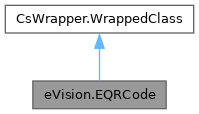
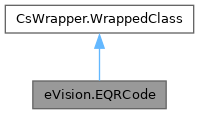
Represents a QR code found in the search field. More...
Public Member Functions | |
| EQRCode () | |
| Creates an EQRCode object. | |
| EQRCode (eVision.EQRCode other) | |
| Creates an EQRCode object. | |
| eVision.ERegion | ToRegion () |
| Creates an ERegion from the EQRCode. | |
| eVision.EFrame | ToFrame (bool useAngle, eVision.EFrameScaling frameScaling) |
| Creates an EFrame from the EQRCode. | |
| eVision.EFrame | ToFrame (bool useAngle, eVision.EFrameScaling frameScaling, eVision.EFrame frame) |
| Creates an EFrame from the EQRCode. | |
| string | GetDecodedString () |
| String containing the concatenated decoded data of the decoded stream. | |
| string | GetDecodedString (eVision.EByteInterpretationMode byteInterpretationMode) |
| String containing the concatenated decoded data of the decoded stream. | |
| bool | IsGS1 () |
| Return true if the decoded string uses the GS1 standard. | |
| eVision.EQuadrangle | GetCellPosition (int x, int y) |
| Position of a cell of the QR code in the Image/ROI. | |
| eVision.EQuadrangle | GetCellPosition (eVision.EMatrixPosition position) |
| Position of a cell of the QR code in the Image/ROI. | |
| void | DrawPosition (eVision.EDrawAdapter drawAdapter, float zoomX, float zoomY, float panX, float panY) |
| Draws the position of the QR code. This consists in drawing lines connecting the outer corners of the code. | |
| void | DrawPosition (eVision.EDrawAdapter drawAdapter, float zoomX, float zoomY, float panX) |
| Draws the position of the QR code. This consists in drawing lines connecting the outer corners of the code. | |
| void | DrawPosition (eVision.EDrawAdapter drawAdapter, float zoomX, float zoomY) |
| Draws the position of the QR code. This consists in drawing lines connecting the outer corners of the code. | |
| void | DrawPosition (eVision.EDrawAdapter drawAdapter, float zoomX) |
| Draws the position of the QR code. This consists in drawing lines connecting the outer corners of the code. | |
| void | DrawPosition (eVision.EDrawAdapter drawAdapter) |
| Draws the position of the QR code. This consists in drawing lines connecting the outer corners of the code. | |
| void | DrawPosition (eVision.EDrawAdapter drawAdapter, eVision.ERGBColor color, float zoomX, float zoomY, float panX, float panY) |
| Draws the position of the QR code. This consists in drawing lines connecting the outer corners of the code. | |
| void | DrawPosition (eVision.EDrawAdapter drawAdapter, eVision.ERGBColor color, float zoomX, float zoomY, float panX) |
| Draws the position of the QR code. This consists in drawing lines connecting the outer corners of the code. | |
| void | DrawPosition (eVision.EDrawAdapter drawAdapter, eVision.ERGBColor color, float zoomX, float zoomY) |
| Draws the position of the QR code. This consists in drawing lines connecting the outer corners of the code. | |
| void | DrawPosition (eVision.EDrawAdapter drawAdapter, eVision.ERGBColor color, float zoomX) |
| Draws the position of the QR code. This consists in drawing lines connecting the outer corners of the code. | |
| void | DrawPosition (eVision.EDrawAdapter drawAdapter, eVision.ERGBColor color) |
| Draws the position of the QR code. This consists in drawing lines connecting the outer corners of the code. | |
| void | DrawPosition (eVision.EDrawAdapter drawAdapter, eVision.EFrame frame, float zoomX, float zoomY, float panX, float panY) |
| Draws the position of the QR code. This consists in drawing lines connecting the outer corners of the code. | |
| void | DrawPosition (eVision.EDrawAdapter drawAdapter, eVision.EFrame frame, float zoomX, float zoomY, float panX) |
| Draws the position of the QR code. This consists in drawing lines connecting the outer corners of the code. | |
| void | DrawPosition (eVision.EDrawAdapter drawAdapter, eVision.EFrame frame, float zoomX, float zoomY) |
| Draws the position of the QR code. This consists in drawing lines connecting the outer corners of the code. | |
| void | DrawPosition (eVision.EDrawAdapter drawAdapter, eVision.EFrame frame, float zoomX) |
| Draws the position of the QR code. This consists in drawing lines connecting the outer corners of the code. | |
| void | DrawPosition (eVision.EDrawAdapter drawAdapter, eVision.EFrame frame) |
| Draws the position of the QR code. This consists in drawing lines connecting the outer corners of the code. | |
| void | DrawPosition (eVision.EDrawAdapter drawAdapter, eVision.EFrame frame, eVision.ERGBColor color, float zoomX, float zoomY, float panX, float panY) |
| Draws the position of the QR code. This consists in drawing lines connecting the outer corners of the code. | |
| void | DrawPosition (eVision.EDrawAdapter drawAdapter, eVision.EFrame frame, eVision.ERGBColor color, float zoomX, float zoomY, float panX) |
| Draws the position of the QR code. This consists in drawing lines connecting the outer corners of the code. | |
| void | DrawPosition (eVision.EDrawAdapter drawAdapter, eVision.EFrame frame, eVision.ERGBColor color, float zoomX, float zoomY) |
| Draws the position of the QR code. This consists in drawing lines connecting the outer corners of the code. | |
| void | DrawPosition (eVision.EDrawAdapter drawAdapter, eVision.EFrame frame, eVision.ERGBColor color, float zoomX) |
| Draws the position of the QR code. This consists in drawing lines connecting the outer corners of the code. | |
| void | DrawPosition (eVision.EDrawAdapter drawAdapter, eVision.EFrame frame, eVision.ERGBColor color) |
| Draws the position of the QR code. This consists in drawing lines connecting the outer corners of the code. | |
| void | DrawGrid (eVision.EDrawAdapter drawAdapter, float zoomX, float zoomY, float panX, float panY) |
| Draws the grid of the QR code. This consists in drawing lines connecting the outer corners of each cell of the code. | |
| void | DrawGrid (eVision.EDrawAdapter drawAdapter, float zoomX, float zoomY, float panX) |
| Draws the grid of the QR code. This consists in drawing lines connecting the outer corners of each cell of the code. | |
| void | DrawGrid (eVision.EDrawAdapter drawAdapter, float zoomX, float zoomY) |
| Draws the grid of the QR code. This consists in drawing lines connecting the outer corners of each cell of the code. | |
| void | DrawGrid (eVision.EDrawAdapter drawAdapter, float zoomX) |
| Draws the grid of the QR code. This consists in drawing lines connecting the outer corners of each cell of the code. | |
| void | DrawGrid (eVision.EDrawAdapter drawAdapter) |
| Draws the grid of the QR code. This consists in drawing lines connecting the outer corners of each cell of the code. | |
| void | DrawGrid (eVision.EDrawAdapter drawAdapter, eVision.ERGBColor color, float zoomX, float zoomY, float panX, float panY) |
| Draws the grid of the QR code. This consists in drawing lines connecting the outer corners of each cell of the code. | |
| void | DrawGrid (eVision.EDrawAdapter drawAdapter, eVision.ERGBColor color, float zoomX, float zoomY, float panX) |
| Draws the grid of the QR code. This consists in drawing lines connecting the outer corners of each cell of the code. | |
| void | DrawGrid (eVision.EDrawAdapter drawAdapter, eVision.ERGBColor color, float zoomX, float zoomY) |
| Draws the grid of the QR code. This consists in drawing lines connecting the outer corners of each cell of the code. | |
| void | DrawGrid (eVision.EDrawAdapter drawAdapter, eVision.ERGBColor color, float zoomX) |
| Draws the grid of the QR code. This consists in drawing lines connecting the outer corners of each cell of the code. | |
| void | DrawGrid (eVision.EDrawAdapter drawAdapter, eVision.ERGBColor color) |
| Draws the grid of the QR code. This consists in drawing lines connecting the outer corners of each cell of the code. | |
| void | DrawGrid (eVision.EDrawAdapter drawAdapter, eVision.EFrame frame, float zoomX, float zoomY, float panX, float panY) |
| Draws the grid of the QR code. This consists in drawing lines connecting the outer corners of each cell of the code. | |
| void | DrawGrid (eVision.EDrawAdapter drawAdapter, eVision.EFrame frame, float zoomX, float zoomY, float panX) |
| Draws the grid of the QR code. This consists in drawing lines connecting the outer corners of each cell of the code. | |
| void | DrawGrid (eVision.EDrawAdapter drawAdapter, eVision.EFrame frame, float zoomX, float zoomY) |
| Draws the grid of the QR code. This consists in drawing lines connecting the outer corners of each cell of the code. | |
| void | DrawGrid (eVision.EDrawAdapter drawAdapter, eVision.EFrame frame, float zoomX) |
| Draws the grid of the QR code. This consists in drawing lines connecting the outer corners of each cell of the code. | |
| void | DrawGrid (eVision.EDrawAdapter drawAdapter, eVision.EFrame frame) |
| Draws the grid of the QR code. This consists in drawing lines connecting the outer corners of each cell of the code. | |
| void | DrawGrid (eVision.EDrawAdapter drawAdapter, eVision.EFrame frame, eVision.ERGBColor color, float zoomX, float zoomY, float panX, float panY) |
| Draws the grid of the QR code. This consists in drawing lines connecting the outer corners of each cell of the code. | |
| void | DrawGrid (eVision.EDrawAdapter drawAdapter, eVision.EFrame frame, eVision.ERGBColor color, float zoomX, float zoomY, float panX) |
| Draws the grid of the QR code. This consists in drawing lines connecting the outer corners of each cell of the code. | |
| void | DrawGrid (eVision.EDrawAdapter drawAdapter, eVision.EFrame frame, eVision.ERGBColor color, float zoomX, float zoomY) |
| Draws the grid of the QR code. This consists in drawing lines connecting the outer corners of each cell of the code. | |
| void | DrawGrid (eVision.EDrawAdapter drawAdapter, eVision.EFrame frame, eVision.ERGBColor color, float zoomX) |
| Draws the grid of the QR code. This consists in drawing lines connecting the outer corners of each cell of the code. | |
| void | DrawGrid (eVision.EDrawAdapter drawAdapter, eVision.EFrame frame, eVision.ERGBColor color) |
| Draws the grid of the QR code. This consists in drawing lines connecting the outer corners of each cell of the code. | |
| void | DrawDecodedString (eVision.EDrawAdapter drawAdapter, bool showHumanReadableForGS1, float zoomX, float zoomY, float panX, float panY) |
| Draws the decoded string below the position of the EQRCode. If EQRCode cannot be decoded automatically, nothing is displayed. The text color is the one of the pen of the drawAdapter or white if no pen is defined. The background color is the one of the brush of the drawAdapter or black if no brush is defined. | |
| void | DrawDecodedString (eVision.EDrawAdapter drawAdapter, bool showHumanReadableForGS1, float zoomX, float zoomY, float panX) |
| Draws the decoded string below the position of the EQRCode. If EQRCode cannot be decoded automatically, nothing is displayed. The text color is the one of the pen of the drawAdapter or white if no pen is defined. The background color is the one of the brush of the drawAdapter or black if no brush is defined. | |
| void | DrawDecodedString (eVision.EDrawAdapter drawAdapter, bool showHumanReadableForGS1, float zoomX, float zoomY) |
| Draws the decoded string below the position of the EQRCode. If EQRCode cannot be decoded automatically, nothing is displayed. The text color is the one of the pen of the drawAdapter or white if no pen is defined. The background color is the one of the brush of the drawAdapter or black if no brush is defined. | |
| void | DrawDecodedString (eVision.EDrawAdapter drawAdapter, bool showHumanReadableForGS1, float zoomX) |
| Draws the decoded string below the position of the EQRCode. If EQRCode cannot be decoded automatically, nothing is displayed. The text color is the one of the pen of the drawAdapter or white if no pen is defined. The background color is the one of the brush of the drawAdapter or black if no brush is defined. | |
| void | DrawDecodedString (eVision.EDrawAdapter drawAdapter, bool showHumanReadableForGS1) |
| Draws the decoded string below the position of the EQRCode. If EQRCode cannot be decoded automatically, nothing is displayed. The text color is the one of the pen of the drawAdapter or white if no pen is defined. The background color is the one of the brush of the drawAdapter or black if no brush is defined. | |
| void | DrawDecodedString (eVision.EDrawAdapter drawAdapter) |
| Draws the decoded string below the position of the EQRCode. If EQRCode cannot be decoded automatically, nothing is displayed. The text color is the one of the pen of the drawAdapter or white if no pen is defined. The background color is the one of the brush of the drawAdapter or black if no brush is defined. | |
| void | DrawDecodedString (eVision.EDrawAdapter drawAdapter, eVision.EFrame frame, bool showHumanReadableForGS1, float zoomX, float zoomY, float panX, float panY) |
| Draws the decoded string below the position of the EQRCode. If EQRCode cannot be decoded automatically, nothing is displayed. The text color is the one of the pen of the drawAdapter or white if no pen is defined. The background color is the one of the brush of the drawAdapter or black if no brush is defined. | |
| void | DrawDecodedString (eVision.EDrawAdapter drawAdapter, eVision.EFrame frame, bool showHumanReadableForGS1, float zoomX, float zoomY, float panX) |
| Draws the decoded string below the position of the EQRCode. If EQRCode cannot be decoded automatically, nothing is displayed. The text color is the one of the pen of the drawAdapter or white if no pen is defined. The background color is the one of the brush of the drawAdapter or black if no brush is defined. | |
| void | DrawDecodedString (eVision.EDrawAdapter drawAdapter, eVision.EFrame frame, bool showHumanReadableForGS1, float zoomX, float zoomY) |
| Draws the decoded string below the position of the EQRCode. If EQRCode cannot be decoded automatically, nothing is displayed. The text color is the one of the pen of the drawAdapter or white if no pen is defined. The background color is the one of the brush of the drawAdapter or black if no brush is defined. | |
| void | DrawDecodedString (eVision.EDrawAdapter drawAdapter, eVision.EFrame frame, bool showHumanReadableForGS1, float zoomX) |
| Draws the decoded string below the position of the EQRCode. If EQRCode cannot be decoded automatically, nothing is displayed. The text color is the one of the pen of the drawAdapter or white if no pen is defined. The background color is the one of the brush of the drawAdapter or black if no brush is defined. | |
| void | DrawDecodedString (eVision.EDrawAdapter drawAdapter, eVision.EFrame frame, bool showHumanReadableForGS1) |
| Draws the decoded string below the position of the EQRCode. If EQRCode cannot be decoded automatically, nothing is displayed. The text color is the one of the pen of the drawAdapter or white if no pen is defined. The background color is the one of the brush of the drawAdapter or black if no brush is defined. | |
| void | DrawDecodedString (eVision.EDrawAdapter drawAdapter, eVision.EFrame frame) |
| Draws the decoded string below the position of the EQRCode. If EQRCode cannot be decoded automatically, nothing is displayed. The text color is the one of the pen of the drawAdapter or white if no pen is defined. The background color is the one of the brush of the drawAdapter or black if no brush is defined. | |
| void | Draw (eVision.EDrawAdapter drawAdapter, float zoomX, float zoomY, float panX, float panY) |
| Draws the QR code using a pre-defined pen. | |
| void | Draw (eVision.EDrawAdapter drawAdapter, float zoomX, float zoomY, float panX) |
| Draws the QR code using a pre-defined pen. | |
| void | Draw (eVision.EDrawAdapter drawAdapter, float zoomX, float zoomY) |
| Draws the QR code using a pre-defined pen. | |
| void | Draw (eVision.EDrawAdapter drawAdapter, float zoomX) |
| Draws the QR code using a pre-defined pen. | |
| void | Draw (eVision.EDrawAdapter drawAdapter) |
| Draws the QR code using a pre-defined pen. | |
| void | Draw (eVision.EDrawAdapter drawAdapter, eVision.EFrame frame, float zoomX, float zoomY, float panX, float panY) |
| Draws the QR code using a pre-defined pen. | |
| void | Draw (eVision.EDrawAdapter drawAdapter, eVision.EFrame frame, float zoomX, float zoomY, float panX) |
| Draws the QR code using a pre-defined pen. | |
| void | Draw (eVision.EDrawAdapter drawAdapter, eVision.EFrame frame, float zoomX, float zoomY) |
| Draws the QR code using a pre-defined pen. | |
| void | Draw (eVision.EDrawAdapter drawAdapter, eVision.EFrame frame, float zoomX) |
| Draws the QR code using a pre-defined pen. | |
| void | Draw (eVision.EDrawAdapter drawAdapter, eVision.EFrame frame) |
| Draws the QR code using a pre-defined pen. | |
| void | Draw (IntPtr hDC, float zoomX, float zoomY, float panX, float panY) |
| Draws the QR code using a pre-defined pen. | |
| void | Draw (IntPtr hDC, float zoomX, float zoomY, float panX) |
| Draws the QR code using a pre-defined pen. | |
| void | Draw (IntPtr hDC, float zoomX, float zoomY) |
| Draws the QR code using a pre-defined pen. | |
| void | Draw (IntPtr hDC, float zoomX) |
| Draws the QR code using a pre-defined pen. | |
| void | Draw (IntPtr hDC) |
| Draws the QR code using a pre-defined pen. | |
| void | DrawWithCurrentPen (IntPtr hDC, float zoomX, float zoomY, float panX, float panY) |
| Draws the QR code using the pen currently set in the graphical context. | |
| void | DrawWithCurrentPen (IntPtr hDC, float zoomX, float zoomY, float panX) |
| Draws the QR code using the pen currently set in the graphical context. | |
| void | DrawWithCurrentPen (IntPtr hDC, float zoomX, float zoomY) |
| Draws the QR code using the pen currently set in the graphical context. | |
| void | DrawWithCurrentPen (IntPtr hDC, float zoomX) |
| Draws the QR code using the pen currently set in the graphical context. | |
| void | DrawWithCurrentPen (IntPtr hDC) |
| Draws the QR code using the pen currently set in the graphical context. | |
| void | DrawErrors (eVision.EDrawAdapter drawAdapter, float zoomX, float zoomY, float panX, float panY) |
| Draws the detected errors of the QR code. This consists in drawing lines connecting the outer corners of each erroneous cell of the code. | |
| void | DrawErrors (eVision.EDrawAdapter drawAdapter, float zoomX, float zoomY, float panX) |
| Draws the detected errors of the QR code. This consists in drawing lines connecting the outer corners of each erroneous cell of the code. | |
| void | DrawErrors (eVision.EDrawAdapter drawAdapter, float zoomX, float zoomY) |
| Draws the detected errors of the QR code. This consists in drawing lines connecting the outer corners of each erroneous cell of the code. | |
| void | DrawErrors (eVision.EDrawAdapter drawAdapter, float zoomX) |
| Draws the detected errors of the QR code. This consists in drawing lines connecting the outer corners of each erroneous cell of the code. | |
| void | DrawErrors (eVision.EDrawAdapter drawAdapter) |
| Draws the detected errors of the QR code. This consists in drawing lines connecting the outer corners of each erroneous cell of the code. | |
| void | DrawErrors (eVision.EDrawAdapter drawAdapter, eVision.ERGBColor color, float zoomX, float zoomY, float panX, float panY) |
| Draws the detected errors of the QR code. This consists in drawing lines connecting the outer corners of each erroneous cell of the code. | |
| void | DrawErrors (eVision.EDrawAdapter drawAdapter, eVision.ERGBColor color, float zoomX, float zoomY, float panX) |
| Draws the detected errors of the QR code. This consists in drawing lines connecting the outer corners of each erroneous cell of the code. | |
| void | DrawErrors (eVision.EDrawAdapter drawAdapter, eVision.ERGBColor color, float zoomX, float zoomY) |
| Draws the detected errors of the QR code. This consists in drawing lines connecting the outer corners of each erroneous cell of the code. | |
| void | DrawErrors (eVision.EDrawAdapter drawAdapter, eVision.ERGBColor color, float zoomX) |
| Draws the detected errors of the QR code. This consists in drawing lines connecting the outer corners of each erroneous cell of the code. | |
| void | DrawErrors (eVision.EDrawAdapter drawAdapter, eVision.ERGBColor color) |
| Draws the detected errors of the QR code. This consists in drawing lines connecting the outer corners of each erroneous cell of the code. | |
| void | DrawErrors (eVision.EDrawAdapter drawAdapter, eVision.EFrame frame, float zoomX, float zoomY, float panX, float panY) |
| Draws the detected errors of the QR code. This consists in drawing lines connecting the outer corners of each erroneous cell of the code. | |
| void | DrawErrors (eVision.EDrawAdapter drawAdapter, eVision.EFrame frame, float zoomX, float zoomY, float panX) |
| Draws the detected errors of the QR code. This consists in drawing lines connecting the outer corners of each erroneous cell of the code. | |
| void | DrawErrors (eVision.EDrawAdapter drawAdapter, eVision.EFrame frame, float zoomX, float zoomY) |
| Draws the detected errors of the QR code. This consists in drawing lines connecting the outer corners of each erroneous cell of the code. | |
| void | DrawErrors (eVision.EDrawAdapter drawAdapter, eVision.EFrame frame, float zoomX) |
| Draws the detected errors of the QR code. This consists in drawing lines connecting the outer corners of each erroneous cell of the code. | |
| void | DrawErrors (eVision.EDrawAdapter drawAdapter, eVision.EFrame frame) |
| Draws the detected errors of the QR code. This consists in drawing lines connecting the outer corners of each erroneous cell of the code. | |
| void | DrawErrors (eVision.EDrawAdapter drawAdapter, eVision.EFrame frame, eVision.ERGBColor color, float zoomX, float zoomY, float panX, float panY) |
| Draws the detected errors of the QR code. This consists in drawing lines connecting the outer corners of each erroneous cell of the code. | |
| void | DrawErrors (eVision.EDrawAdapter drawAdapter, eVision.EFrame frame, eVision.ERGBColor color, float zoomX, float zoomY, float panX) |
| Draws the detected errors of the QR code. This consists in drawing lines connecting the outer corners of each erroneous cell of the code. | |
| void | DrawErrors (eVision.EDrawAdapter drawAdapter, eVision.EFrame frame, eVision.ERGBColor color, float zoomX, float zoomY) |
| Draws the detected errors of the QR code. This consists in drawing lines connecting the outer corners of each erroneous cell of the code. | |
| void | DrawErrors (eVision.EDrawAdapter drawAdapter, eVision.EFrame frame, eVision.ERGBColor color, float zoomX) |
| Draws the detected errors of the QR code. This consists in drawing lines connecting the outer corners of each erroneous cell of the code. | |
| void | DrawErrors (eVision.EDrawAdapter drawAdapter, eVision.EFrame frame, eVision.ERGBColor color) |
| Draws the detected errors of the QR code. This consists in drawing lines connecting the outer corners of each erroneous cell of the code. | |
| void | DrawErrors (IntPtr hDC, float zoomX, float zoomY, float panX, float panY) |
| Draws the detected errors of the QR code. This consists in drawing lines connecting the outer corners of each erroneous cell of the code. | |
| void | DrawErrors (IntPtr hDC, float zoomX, float zoomY, float panX) |
| Draws the detected errors of the QR code. This consists in drawing lines connecting the outer corners of each erroneous cell of the code. | |
| void | DrawErrors (IntPtr hDC, float zoomX, float zoomY) |
| Draws the detected errors of the QR code. This consists in drawing lines connecting the outer corners of each erroneous cell of the code. | |
| void | DrawErrors (IntPtr hDC, float zoomX) |
| Draws the detected errors of the QR code. This consists in drawing lines connecting the outer corners of each erroneous cell of the code. | |
| void | DrawErrors (IntPtr hDC) |
| Draws the detected errors of the QR code. This consists in drawing lines connecting the outer corners of each erroneous cell of the code. | |
| void | DrawErrorsWithCurrentPen (IntPtr hDC, float zoomX, float zoomY, float panX, float panY) |
| Draws the detected errors using the pen currently set in the graphical context. | |
| void | DrawErrorsWithCurrentPen (IntPtr hDC, float zoomX, float zoomY, float panX) |
| Draws the detected errors using the pen currently set in the graphical context. | |
| void | DrawErrorsWithCurrentPen (IntPtr hDC, float zoomX, float zoomY) |
| Draws the detected errors using the pen currently set in the graphical context. | |
| void | DrawErrorsWithCurrentPen (IntPtr hDC, float zoomX) |
| Draws the detected errors using the pen currently set in the graphical context. | |
| void | DrawErrorsWithCurrentPen (IntPtr hDC) |
| Draws the detected errors using the pen currently set in the graphical context. | |
| void | Draw (System.Drawing.Graphics hDC, float zoomX, float zoomY, float panX, float panY) |
| Draws the QR code using a pre-defined pen. | |
| void | Draw (System.Drawing.Graphics hDC, float zoomX, float zoomY, float panX) |
| Draws the QR code using a pre-defined pen. | |
| void | Draw (System.Drawing.Graphics hDC, float zoomX, float zoomY) |
| Draws the QR code using a pre-defined pen. | |
| void | Draw (System.Drawing.Graphics hDC, float zoomX) |
| Draws the QR code using a pre-defined pen. | |
| void | Draw (System.Drawing.Graphics hDC) |
| Draws the QR code using a pre-defined pen. | |
| void | DrawErrors (System.Drawing.Graphics hDC, float zoomX, float zoomY, float panX, float panY) |
| Draws the detected errors of the QR code. This consists in drawing lines connecting the outer corners of each erroneous cell of the code. | |
| void | DrawErrors (System.Drawing.Graphics hDC, float zoomX, float zoomY, float panX) |
| Draws the detected errors of the QR code. This consists in drawing lines connecting the outer corners of each erroneous cell of the code. | |
| void | DrawErrors (System.Drawing.Graphics hDC, float zoomX, float zoomY) |
| Draws the detected errors of the QR code. This consists in drawing lines connecting the outer corners of each erroneous cell of the code. | |
| void | DrawErrors (System.Drawing.Graphics hDC, float zoomX) |
| Draws the detected errors of the QR code. This consists in drawing lines connecting the outer corners of each erroneous cell of the code. | |
| void | DrawErrors (System.Drawing.Graphics hDC) |
| Draws the detected errors of the QR code. This consists in drawing lines connecting the outer corners of each erroneous cell of the code. | |
Properties | |
| eVision.EQRCodeModel | Model [get] |
| Model of the QR code. | |
| uint | Version [get] |
| Version of the QR code. | |
| eVision.EQRCodeLevel | Level [get] |
| Error correction level of the QR code. | |
| eVision.EQRCodeGeometry | Geometry [get] |
| Geometry of the QR code returned as an EQRCodeGeometry object. | |
| eVision.EPoint | Center [get] |
| Returns the center of the EQRCode. | |
| float | SizeX [get] |
| Returns the size of the EQRCode on its X axis. This corresponds to the mean between the sizes of the top and bottom sides of the EQRCode. | |
| float | SizeY [get] |
| Returns the size of the EQRCode on its Y axis. This corresponds to the mean between the sizes of the left and right sides of the EQRCode. | |
| float | Angle [get] |
| Returns the angle of the EQRCode as if it was an ERectangle. | |
| eVision.EQRCodeDecodedStream | DecodedStream [get] |
| Decoded stream extracted from the QR Code, returned as an EQRCodeDecodedStream object. | |
| float | UnusedErrorCorrection [get] |
| Unused error correction. | |
| bool | IsDecodingReliable [get] |
| Decoding reliability. | |
| eVision.EQRCodeIso15415GradingParameters | Iso15415GradingParameters [get] |
| ISO/IEC 15415 grading parameters. | |
| eVision.EQRCodeIso29158GradingParameters | Iso29158GradingParameters [get] |
| ISO/IEC 29158 grading parameters. | |
| eVision.EMatrixPosition[] | Errors [get] |
| Retrieves the position of the errors detected in the QR code symbol. | |
| string | Reserved1 [get] |
Represents a QR code found in the search field.
License(s): EasyQRCode
| eVision.EQRCode.EQRCode | ( | ) |
Creates an EQRCode object.
| eVision.EQRCode.EQRCode | ( | eVision.EQRCode | other | ) |
| void eVision.EQRCode.Draw | ( | eVision.EDrawAdapter | drawAdapter | ) |
Draws the QR code using a pre-defined pen.
| drawAdapter | Draw adapter. |
| void eVision.EQRCode.Draw | ( | eVision.EDrawAdapter | drawAdapter, |
| eVision.EFrame | frame ) |
Draws the QR code using a pre-defined pen.
| drawAdapter | Draw adapter. |
| frame | Frame associated with the QR code. Usually, frame used to detect and read the qr code. |
| void eVision.EQRCode.Draw | ( | eVision.EDrawAdapter | drawAdapter, |
| eVision.EFrame | frame, | ||
| float | zoomX ) |
Draws the QR code using a pre-defined pen.
| drawAdapter | Draw adapter. |
| frame | Frame associated with the QR code. Usually, frame used to detect and read the qr code. |
| zoomX | Horizontal zooming factor. By default, true scale is used. |
| void eVision.EQRCode.Draw | ( | eVision.EDrawAdapter | drawAdapter, |
| eVision.EFrame | frame, | ||
| float | zoomX, | ||
| float | zoomY ) |
Draws the QR code using a pre-defined pen.
| drawAdapter | Draw adapter. |
| frame | Frame associated with the QR code. Usually, frame used to detect and read the qr code. |
| zoomX | Horizontal zooming factor. By default, true scale is used. |
| zoomY | Vertical zooming factor. If set to 0 (default), the horizontal zooming factor is used instead, so as to provide isotropic zooming. |
| void eVision.EQRCode.Draw | ( | eVision.EDrawAdapter | drawAdapter, |
| eVision.EFrame | frame, | ||
| float | zoomX, | ||
| float | zoomY, | ||
| float | panX ) |
Draws the QR code using a pre-defined pen.
| drawAdapter | Draw adapter. |
| frame | Frame associated with the QR code. Usually, frame used to detect and read the qr code. |
| zoomX | Horizontal zooming factor. By default, true scale is used. |
| zoomY | Vertical zooming factor. If set to 0 (default), the horizontal zooming factor is used instead, so as to provide isotropic zooming. |
| panX | Horizontal panning value expressed in pixels. By default, no panning occurs. |
| void eVision.EQRCode.Draw | ( | eVision.EDrawAdapter | drawAdapter, |
| eVision.EFrame | frame, | ||
| float | zoomX, | ||
| float | zoomY, | ||
| float | panX, | ||
| float | panY ) |
Draws the QR code using a pre-defined pen.
| drawAdapter | Draw adapter. |
| frame | Frame associated with the QR code. Usually, frame used to detect and read the qr code. |
| zoomX | Horizontal zooming factor. By default, true scale is used. |
| zoomY | Vertical zooming factor. If set to 0 (default), the horizontal zooming factor is used instead, so as to provide isotropic zooming. |
| panX | Horizontal panning value expressed in pixels. By default, no panning occurs. |
| panY | Vertical panning value expressed in pixels. By default, no panning occurs. |
| void eVision.EQRCode.Draw | ( | eVision.EDrawAdapter | drawAdapter, |
| float | zoomX ) |
Draws the QR code using a pre-defined pen.
| drawAdapter | Draw adapter. |
| zoomX | Horizontal zooming factor. By default, true scale is used. |
| void eVision.EQRCode.Draw | ( | eVision.EDrawAdapter | drawAdapter, |
| float | zoomX, | ||
| float | zoomY ) |
Draws the QR code using a pre-defined pen.
| drawAdapter | Draw adapter. |
| zoomX | Horizontal zooming factor. By default, true scale is used. |
| zoomY | Vertical zooming factor. If set to 0 (default), the horizontal zooming factor is used instead, so as to provide isotropic zooming. |
| void eVision.EQRCode.Draw | ( | eVision.EDrawAdapter | drawAdapter, |
| float | zoomX, | ||
| float | zoomY, | ||
| float | panX ) |
Draws the QR code using a pre-defined pen.
| drawAdapter | Draw adapter. |
| zoomX | Horizontal zooming factor. By default, true scale is used. |
| zoomY | Vertical zooming factor. If set to 0 (default), the horizontal zooming factor is used instead, so as to provide isotropic zooming. |
| panX | Horizontal panning value expressed in pixels. By default, no panning occurs. |
| void eVision.EQRCode.Draw | ( | eVision.EDrawAdapter | drawAdapter, |
| float | zoomX, | ||
| float | zoomY, | ||
| float | panX, | ||
| float | panY ) |
Draws the QR code using a pre-defined pen.
| drawAdapter | Draw adapter. |
| zoomX | Horizontal zooming factor. By default, true scale is used. |
| zoomY | Vertical zooming factor. If set to 0 (default), the horizontal zooming factor is used instead, so as to provide isotropic zooming. |
| panX | Horizontal panning value expressed in pixels. By default, no panning occurs. |
| panY | Vertical panning value expressed in pixels. By default, no panning occurs. |
| void eVision.EQRCode.Draw | ( | IntPtr | hDC | ) |
Draws the QR code using a pre-defined pen.
| hDC | Handle of the device context on which to draw. |
Use the overload taking an EDrawAdapter by using an instance of EWindowsDrawAdapter.
Deprecated in version 23.12. Scheduled to be removed in version 27.6.
| void eVision.EQRCode.Draw | ( | IntPtr | hDC, |
| float | zoomX ) |
Draws the QR code using a pre-defined pen.
| hDC | Handle of the device context on which to draw. |
| zoomX | Horizontal zooming factor. By default, true scale is used. |
Use the overload taking an EDrawAdapter by using an instance of EWindowsDrawAdapter.
Deprecated in version 23.12. Scheduled to be removed in version 27.6.
| void eVision.EQRCode.Draw | ( | IntPtr | hDC, |
| float | zoomX, | ||
| float | zoomY ) |
Draws the QR code using a pre-defined pen.
| hDC | Handle of the device context on which to draw. |
| zoomX | Horizontal zooming factor. By default, true scale is used. |
| zoomY | Vertical zooming factor. If set to 0 (default), the horizontal zooming factor is used instead, so as to provide isotropic zooming. |
Use the overload taking an EDrawAdapter by using an instance of EWindowsDrawAdapter.
Deprecated in version 23.12. Scheduled to be removed in version 27.6.
| void eVision.EQRCode.Draw | ( | IntPtr | hDC, |
| float | zoomX, | ||
| float | zoomY, | ||
| float | panX ) |
Draws the QR code using a pre-defined pen.
| hDC | Handle of the device context on which to draw. |
| zoomX | Horizontal zooming factor. By default, true scale is used. |
| zoomY | Vertical zooming factor. If set to 0 (default), the horizontal zooming factor is used instead, so as to provide isotropic zooming. |
| panX | Horizontal panning value expressed in pixels. By default, no panning occurs. |
Use the overload taking an EDrawAdapter by using an instance of EWindowsDrawAdapter.
Deprecated in version 23.12. Scheduled to be removed in version 27.6.
| void eVision.EQRCode.Draw | ( | IntPtr | hDC, |
| float | zoomX, | ||
| float | zoomY, | ||
| float | panX, | ||
| float | panY ) |
Draws the QR code using a pre-defined pen.
| hDC | Handle of the device context on which to draw. |
| zoomX | Horizontal zooming factor. By default, true scale is used. |
| zoomY | Vertical zooming factor. If set to 0 (default), the horizontal zooming factor is used instead, so as to provide isotropic zooming. |
| panX | Horizontal panning value expressed in pixels. By default, no panning occurs. |
| panY | Vertical panning value expressed in pixels. By default, no panning occurs. |
Use the overload taking an EDrawAdapter by using an instance of EWindowsDrawAdapter.
Deprecated in version 23.12. Scheduled to be removed in version 27.6.
| void eVision.EQRCode.Draw | ( | System.Drawing.Graphics | hDC | ) |
Draws the QR code using a pre-defined pen.
| hDC | Handle of the device context on which to draw. |
Use the overload taking an EDrawAdapter by using an instance of EWindowsDrawAdapter.
Deprecated in version 23.12. Scheduled to be removed in version 27.6.
| void eVision.EQRCode.Draw | ( | System.Drawing.Graphics | hDC, |
| float | zoomX ) |
Draws the QR code using a pre-defined pen.
| hDC | Handle of the device context on which to draw. |
| zoomX | Horizontal zooming factor. By default, true scale is used. |
Use the overload taking an EDrawAdapter by using an instance of EWindowsDrawAdapter.
Deprecated in version 23.12. Scheduled to be removed in version 27.6.
| void eVision.EQRCode.Draw | ( | System.Drawing.Graphics | hDC, |
| float | zoomX, | ||
| float | zoomY ) |
Draws the QR code using a pre-defined pen.
| hDC | Handle of the device context on which to draw. |
| zoomX | Horizontal zooming factor. By default, true scale is used. |
| zoomY | Vertical zooming factor. If set to 0 (default), the horizontal zooming factor is used instead, so as to provide isotropic zooming. |
Use the overload taking an EDrawAdapter by using an instance of EWindowsDrawAdapter.
Deprecated in version 23.12. Scheduled to be removed in version 27.6.
| void eVision.EQRCode.Draw | ( | System.Drawing.Graphics | hDC, |
| float | zoomX, | ||
| float | zoomY, | ||
| float | panX ) |
Draws the QR code using a pre-defined pen.
| hDC | Handle of the device context on which to draw. |
| zoomX | Horizontal zooming factor. By default, true scale is used. |
| zoomY | Vertical zooming factor. If set to 0 (default), the horizontal zooming factor is used instead, so as to provide isotropic zooming. |
| panX | Horizontal panning value expressed in pixels. By default, no panning occurs. |
Use the overload taking an EDrawAdapter by using an instance of EWindowsDrawAdapter.
Deprecated in version 23.12. Scheduled to be removed in version 27.6.
| void eVision.EQRCode.Draw | ( | System.Drawing.Graphics | hDC, |
| float | zoomX, | ||
| float | zoomY, | ||
| float | panX, | ||
| float | panY ) |
Draws the QR code using a pre-defined pen.
| hDC | Handle of the device context on which to draw. |
| zoomX | Horizontal zooming factor. By default, true scale is used. |
| zoomY | Vertical zooming factor. If set to 0 (default), the horizontal zooming factor is used instead, so as to provide isotropic zooming. |
| panX | Horizontal panning value expressed in pixels. By default, no panning occurs. |
| panY | Vertical panning value expressed in pixels. By default, no panning occurs. |
Use the overload taking an EDrawAdapter by using an instance of EWindowsDrawAdapter.
Deprecated in version 23.12. Scheduled to be removed in version 27.6.
| void eVision.EQRCode.DrawDecodedString | ( | eVision.EDrawAdapter | drawAdapter | ) |
Draws the decoded string below the position of the EQRCode. If EQRCode cannot be decoded automatically, nothing is displayed. The text color is the one of the pen of the drawAdapter or white if no pen is defined. The background color is the one of the brush of the drawAdapter or black if no brush is defined.
| drawAdapter | Handle of the graphics context on which to draw. |
| void eVision.EQRCode.DrawDecodedString | ( | eVision.EDrawAdapter | drawAdapter, |
| bool | showHumanReadableForGS1 ) |
Draws the decoded string below the position of the EQRCode. If EQRCode cannot be decoded automatically, nothing is displayed. The text color is the one of the pen of the drawAdapter or white if no pen is defined. The background color is the one of the brush of the drawAdapter or black if no brush is defined.
| drawAdapter | Handle of the graphics context on which to draw. |
| showHumanReadableForGS1 | Whether we show Human readable or machine readable version of GS1 codes. Defaults to True. |
| void eVision.EQRCode.DrawDecodedString | ( | eVision.EDrawAdapter | drawAdapter, |
| bool | showHumanReadableForGS1, | ||
| float | zoomX ) |
Draws the decoded string below the position of the EQRCode. If EQRCode cannot be decoded automatically, nothing is displayed. The text color is the one of the pen of the drawAdapter or white if no pen is defined. The background color is the one of the brush of the drawAdapter or black if no brush is defined.
| drawAdapter | Handle of the graphics context on which to draw. |
| showHumanReadableForGS1 | Whether we show Human readable or machine readable version of GS1 codes. Defaults to True. |
| zoomX | Horizontal zooming factor. By default, true scale is used. |
| void eVision.EQRCode.DrawDecodedString | ( | eVision.EDrawAdapter | drawAdapter, |
| bool | showHumanReadableForGS1, | ||
| float | zoomX, | ||
| float | zoomY ) |
Draws the decoded string below the position of the EQRCode. If EQRCode cannot be decoded automatically, nothing is displayed. The text color is the one of the pen of the drawAdapter or white if no pen is defined. The background color is the one of the brush of the drawAdapter or black if no brush is defined.
| drawAdapter | Handle of the graphics context on which to draw. |
| showHumanReadableForGS1 | Whether we show Human readable or machine readable version of GS1 codes. Defaults to True. |
| zoomX | Horizontal zooming factor. By default, true scale is used. |
| zoomY | Vertical zooming factor. If set to 0 (default), the horizontal zooming factor is used instead, so as to provide isotropic zooming. |
| void eVision.EQRCode.DrawDecodedString | ( | eVision.EDrawAdapter | drawAdapter, |
| bool | showHumanReadableForGS1, | ||
| float | zoomX, | ||
| float | zoomY, | ||
| float | panX ) |
Draws the decoded string below the position of the EQRCode. If EQRCode cannot be decoded automatically, nothing is displayed. The text color is the one of the pen of the drawAdapter or white if no pen is defined. The background color is the one of the brush of the drawAdapter or black if no brush is defined.
| drawAdapter | Handle of the graphics context on which to draw. |
| showHumanReadableForGS1 | Whether we show Human readable or machine readable version of GS1 codes. Defaults to True. |
| zoomX | Horizontal zooming factor. By default, true scale is used. |
| zoomY | Vertical zooming factor. If set to 0 (default), the horizontal zooming factor is used instead, so as to provide isotropic zooming. |
| panX | Horizontal panning value expressed in pixels. By default, no panning occurs. |
| void eVision.EQRCode.DrawDecodedString | ( | eVision.EDrawAdapter | drawAdapter, |
| bool | showHumanReadableForGS1, | ||
| float | zoomX, | ||
| float | zoomY, | ||
| float | panX, | ||
| float | panY ) |
Draws the decoded string below the position of the EQRCode. If EQRCode cannot be decoded automatically, nothing is displayed. The text color is the one of the pen of the drawAdapter or white if no pen is defined. The background color is the one of the brush of the drawAdapter or black if no brush is defined.
| drawAdapter | Handle of the graphics context on which to draw. |
| showHumanReadableForGS1 | Whether we show Human readable or machine readable version of GS1 codes. Defaults to True. |
| zoomX | Horizontal zooming factor. By default, true scale is used. |
| zoomY | Vertical zooming factor. If set to 0 (default), the horizontal zooming factor is used instead, so as to provide isotropic zooming. |
| panX | Horizontal panning value expressed in pixels. By default, no panning occurs. |
| panY | Vertical panning value expressed in pixels. By default, no panning occurs. |
| void eVision.EQRCode.DrawDecodedString | ( | eVision.EDrawAdapter | drawAdapter, |
| eVision.EFrame | frame ) |
Draws the decoded string below the position of the EQRCode. If EQRCode cannot be decoded automatically, nothing is displayed. The text color is the one of the pen of the drawAdapter or white if no pen is defined. The background color is the one of the brush of the drawAdapter or black if no brush is defined.
| drawAdapter | Handle of the graphics context on which to draw. |
| frame | Frame associated with the bar code. |
| void eVision.EQRCode.DrawDecodedString | ( | eVision.EDrawAdapter | drawAdapter, |
| eVision.EFrame | frame, | ||
| bool | showHumanReadableForGS1 ) |
Draws the decoded string below the position of the EQRCode. If EQRCode cannot be decoded automatically, nothing is displayed. The text color is the one of the pen of the drawAdapter or white if no pen is defined. The background color is the one of the brush of the drawAdapter or black if no brush is defined.
| drawAdapter | Handle of the graphics context on which to draw. |
| frame | Frame associated with the bar code. |
| showHumanReadableForGS1 | Whether we show Human readable or machine readable version of GS1 codes. Defaults to True. |
| void eVision.EQRCode.DrawDecodedString | ( | eVision.EDrawAdapter | drawAdapter, |
| eVision.EFrame | frame, | ||
| bool | showHumanReadableForGS1, | ||
| float | zoomX ) |
Draws the decoded string below the position of the EQRCode. If EQRCode cannot be decoded automatically, nothing is displayed. The text color is the one of the pen of the drawAdapter or white if no pen is defined. The background color is the one of the brush of the drawAdapter or black if no brush is defined.
| drawAdapter | Handle of the graphics context on which to draw. |
| frame | Frame associated with the bar code. |
| showHumanReadableForGS1 | Whether we show Human readable or machine readable version of GS1 codes. Defaults to True. |
| zoomX | Horizontal zooming factor. By default, true scale is used. |
| void eVision.EQRCode.DrawDecodedString | ( | eVision.EDrawAdapter | drawAdapter, |
| eVision.EFrame | frame, | ||
| bool | showHumanReadableForGS1, | ||
| float | zoomX, | ||
| float | zoomY ) |
Draws the decoded string below the position of the EQRCode. If EQRCode cannot be decoded automatically, nothing is displayed. The text color is the one of the pen of the drawAdapter or white if no pen is defined. The background color is the one of the brush of the drawAdapter or black if no brush is defined.
| drawAdapter | Handle of the graphics context on which to draw. |
| frame | Frame associated with the bar code. |
| showHumanReadableForGS1 | Whether we show Human readable or machine readable version of GS1 codes. Defaults to True. |
| zoomX | Horizontal zooming factor. By default, true scale is used. |
| zoomY | Vertical zooming factor. If set to 0 (default), the horizontal zooming factor is used instead, so as to provide isotropic zooming. |
| void eVision.EQRCode.DrawDecodedString | ( | eVision.EDrawAdapter | drawAdapter, |
| eVision.EFrame | frame, | ||
| bool | showHumanReadableForGS1, | ||
| float | zoomX, | ||
| float | zoomY, | ||
| float | panX ) |
Draws the decoded string below the position of the EQRCode. If EQRCode cannot be decoded automatically, nothing is displayed. The text color is the one of the pen of the drawAdapter or white if no pen is defined. The background color is the one of the brush of the drawAdapter or black if no brush is defined.
| drawAdapter | Handle of the graphics context on which to draw. |
| frame | Frame associated with the bar code. |
| showHumanReadableForGS1 | Whether we show Human readable or machine readable version of GS1 codes. Defaults to True. |
| zoomX | Horizontal zooming factor. By default, true scale is used. |
| zoomY | Vertical zooming factor. If set to 0 (default), the horizontal zooming factor is used instead, so as to provide isotropic zooming. |
| panX | Horizontal panning value expressed in pixels. By default, no panning occurs. |
| void eVision.EQRCode.DrawDecodedString | ( | eVision.EDrawAdapter | drawAdapter, |
| eVision.EFrame | frame, | ||
| bool | showHumanReadableForGS1, | ||
| float | zoomX, | ||
| float | zoomY, | ||
| float | panX, | ||
| float | panY ) |
Draws the decoded string below the position of the EQRCode. If EQRCode cannot be decoded automatically, nothing is displayed. The text color is the one of the pen of the drawAdapter or white if no pen is defined. The background color is the one of the brush of the drawAdapter or black if no brush is defined.
| drawAdapter | Handle of the graphics context on which to draw. |
| frame | Frame associated with the bar code. |
| showHumanReadableForGS1 | Whether we show Human readable or machine readable version of GS1 codes. Defaults to True. |
| zoomX | Horizontal zooming factor. By default, true scale is used. |
| zoomY | Vertical zooming factor. If set to 0 (default), the horizontal zooming factor is used instead, so as to provide isotropic zooming. |
| panX | Horizontal panning value expressed in pixels. By default, no panning occurs. |
| panY | Vertical panning value expressed in pixels. By default, no panning occurs. |
| void eVision.EQRCode.DrawErrors | ( | eVision.EDrawAdapter | drawAdapter | ) |
Draws the detected errors of the QR code. This consists in drawing lines connecting the outer corners of each erroneous cell of the code.
| drawAdapter | Draw adapter. |
| void eVision.EQRCode.DrawErrors | ( | eVision.EDrawAdapter | drawAdapter, |
| eVision.EFrame | frame ) |
Draws the detected errors of the QR code. This consists in drawing lines connecting the outer corners of each erroneous cell of the code.
| drawAdapter | Draw adapter. |
| frame | Frame associated with the QR code. |
| void eVision.EQRCode.DrawErrors | ( | eVision.EDrawAdapter | drawAdapter, |
| eVision.EFrame | frame, | ||
| eVision.ERGBColor | color ) |
Draws the detected errors of the QR code. This consists in drawing lines connecting the outer corners of each erroneous cell of the code.
| drawAdapter | Draw adapter. |
| frame | Frame associated with the QR code. |
| color | The color in which to draw the overlay. |
| void eVision.EQRCode.DrawErrors | ( | eVision.EDrawAdapter | drawAdapter, |
| eVision.EFrame | frame, | ||
| eVision.ERGBColor | color, | ||
| float | zoomX ) |
Draws the detected errors of the QR code. This consists in drawing lines connecting the outer corners of each erroneous cell of the code.
| drawAdapter | Draw adapter. |
| frame | Frame associated with the QR code. |
| color | The color in which to draw the overlay. |
| zoomX | Horizontal zooming factor. By default, true scale is used. |
| void eVision.EQRCode.DrawErrors | ( | eVision.EDrawAdapter | drawAdapter, |
| eVision.EFrame | frame, | ||
| eVision.ERGBColor | color, | ||
| float | zoomX, | ||
| float | zoomY ) |
Draws the detected errors of the QR code. This consists in drawing lines connecting the outer corners of each erroneous cell of the code.
| drawAdapter | Draw adapter. |
| frame | Frame associated with the QR code. |
| color | The color in which to draw the overlay. |
| zoomX | Horizontal zooming factor. By default, true scale is used. |
| zoomY | Vertical zooming factor. If set to 0 (default), the horizontal zooming factor is used instead, so as to provide isotropic zooming. |
| void eVision.EQRCode.DrawErrors | ( | eVision.EDrawAdapter | drawAdapter, |
| eVision.EFrame | frame, | ||
| eVision.ERGBColor | color, | ||
| float | zoomX, | ||
| float | zoomY, | ||
| float | panX ) |
Draws the detected errors of the QR code. This consists in drawing lines connecting the outer corners of each erroneous cell of the code.
| drawAdapter | Draw adapter. |
| frame | Frame associated with the QR code. |
| color | The color in which to draw the overlay. |
| zoomX | Horizontal zooming factor. By default, true scale is used. |
| zoomY | Vertical zooming factor. If set to 0 (default), the horizontal zooming factor is used instead, so as to provide isotropic zooming. |
| panX | Horizontal panning value expressed in pixels. By default, no panning occurs. |
| void eVision.EQRCode.DrawErrors | ( | eVision.EDrawAdapter | drawAdapter, |
| eVision.EFrame | frame, | ||
| eVision.ERGBColor | color, | ||
| float | zoomX, | ||
| float | zoomY, | ||
| float | panX, | ||
| float | panY ) |
Draws the detected errors of the QR code. This consists in drawing lines connecting the outer corners of each erroneous cell of the code.
| drawAdapter | Draw adapter. |
| frame | Frame associated with the QR code. |
| color | The color in which to draw the overlay. |
| zoomX | Horizontal zooming factor. By default, true scale is used. |
| zoomY | Vertical zooming factor. If set to 0 (default), the horizontal zooming factor is used instead, so as to provide isotropic zooming. |
| panX | Horizontal panning value expressed in pixels. By default, no panning occurs. |
| panY | Vertical panning value expressed in pixels. By default, no panning occurs. |
| void eVision.EQRCode.DrawErrors | ( | eVision.EDrawAdapter | drawAdapter, |
| eVision.EFrame | frame, | ||
| float | zoomX ) |
Draws the detected errors of the QR code. This consists in drawing lines connecting the outer corners of each erroneous cell of the code.
| drawAdapter | Draw adapter. |
| frame | Frame associated with the QR code. |
| zoomX | Horizontal zooming factor. By default, true scale is used. |
| void eVision.EQRCode.DrawErrors | ( | eVision.EDrawAdapter | drawAdapter, |
| eVision.EFrame | frame, | ||
| float | zoomX, | ||
| float | zoomY ) |
Draws the detected errors of the QR code. This consists in drawing lines connecting the outer corners of each erroneous cell of the code.
| drawAdapter | Draw adapter. |
| frame | Frame associated with the QR code. |
| zoomX | Horizontal zooming factor. By default, true scale is used. |
| zoomY | Vertical zooming factor. If set to 0 (default), the horizontal zooming factor is used instead, so as to provide isotropic zooming. |
| void eVision.EQRCode.DrawErrors | ( | eVision.EDrawAdapter | drawAdapter, |
| eVision.EFrame | frame, | ||
| float | zoomX, | ||
| float | zoomY, | ||
| float | panX ) |
Draws the detected errors of the QR code. This consists in drawing lines connecting the outer corners of each erroneous cell of the code.
| drawAdapter | Draw adapter. |
| frame | Frame associated with the QR code. |
| zoomX | Horizontal zooming factor. By default, true scale is used. |
| zoomY | Vertical zooming factor. If set to 0 (default), the horizontal zooming factor is used instead, so as to provide isotropic zooming. |
| panX | Horizontal panning value expressed in pixels. By default, no panning occurs. |
| void eVision.EQRCode.DrawErrors | ( | eVision.EDrawAdapter | drawAdapter, |
| eVision.EFrame | frame, | ||
| float | zoomX, | ||
| float | zoomY, | ||
| float | panX, | ||
| float | panY ) |
Draws the detected errors of the QR code. This consists in drawing lines connecting the outer corners of each erroneous cell of the code.
| drawAdapter | Draw adapter. |
| frame | Frame associated with the QR code. |
| zoomX | Horizontal zooming factor. By default, true scale is used. |
| zoomY | Vertical zooming factor. If set to 0 (default), the horizontal zooming factor is used instead, so as to provide isotropic zooming. |
| panX | Horizontal panning value expressed in pixels. By default, no panning occurs. |
| panY | Vertical panning value expressed in pixels. By default, no panning occurs. |
| void eVision.EQRCode.DrawErrors | ( | eVision.EDrawAdapter | drawAdapter, |
| eVision.ERGBColor | color ) |
Draws the detected errors of the QR code. This consists in drawing lines connecting the outer corners of each erroneous cell of the code.
| drawAdapter | Draw adapter. |
| color | The color in which to draw the overlay. |
| void eVision.EQRCode.DrawErrors | ( | eVision.EDrawAdapter | drawAdapter, |
| eVision.ERGBColor | color, | ||
| float | zoomX ) |
Draws the detected errors of the QR code. This consists in drawing lines connecting the outer corners of each erroneous cell of the code.
| drawAdapter | Draw adapter. |
| color | The color in which to draw the overlay. |
| zoomX | Horizontal zooming factor. By default, true scale is used. |
| void eVision.EQRCode.DrawErrors | ( | eVision.EDrawAdapter | drawAdapter, |
| eVision.ERGBColor | color, | ||
| float | zoomX, | ||
| float | zoomY ) |
Draws the detected errors of the QR code. This consists in drawing lines connecting the outer corners of each erroneous cell of the code.
| drawAdapter | Draw adapter. |
| color | The color in which to draw the overlay. |
| zoomX | Horizontal zooming factor. By default, true scale is used. |
| zoomY | Vertical zooming factor. If set to 0 (default), the horizontal zooming factor is used instead, so as to provide isotropic zooming. |
| void eVision.EQRCode.DrawErrors | ( | eVision.EDrawAdapter | drawAdapter, |
| eVision.ERGBColor | color, | ||
| float | zoomX, | ||
| float | zoomY, | ||
| float | panX ) |
Draws the detected errors of the QR code. This consists in drawing lines connecting the outer corners of each erroneous cell of the code.
| drawAdapter | Draw adapter. |
| color | The color in which to draw the overlay. |
| zoomX | Horizontal zooming factor. By default, true scale is used. |
| zoomY | Vertical zooming factor. If set to 0 (default), the horizontal zooming factor is used instead, so as to provide isotropic zooming. |
| panX | Horizontal panning value expressed in pixels. By default, no panning occurs. |
| void eVision.EQRCode.DrawErrors | ( | eVision.EDrawAdapter | drawAdapter, |
| eVision.ERGBColor | color, | ||
| float | zoomX, | ||
| float | zoomY, | ||
| float | panX, | ||
| float | panY ) |
Draws the detected errors of the QR code. This consists in drawing lines connecting the outer corners of each erroneous cell of the code.
| drawAdapter | Draw adapter. |
| color | The color in which to draw the overlay. |
| zoomX | Horizontal zooming factor. By default, true scale is used. |
| zoomY | Vertical zooming factor. If set to 0 (default), the horizontal zooming factor is used instead, so as to provide isotropic zooming. |
| panX | Horizontal panning value expressed in pixels. By default, no panning occurs. |
| panY | Vertical panning value expressed in pixels. By default, no panning occurs. |
| void eVision.EQRCode.DrawErrors | ( | eVision.EDrawAdapter | drawAdapter, |
| float | zoomX ) |
Draws the detected errors of the QR code. This consists in drawing lines connecting the outer corners of each erroneous cell of the code.
| drawAdapter | Draw adapter. |
| zoomX | Horizontal zooming factor. By default, true scale is used. |
| void eVision.EQRCode.DrawErrors | ( | eVision.EDrawAdapter | drawAdapter, |
| float | zoomX, | ||
| float | zoomY ) |
Draws the detected errors of the QR code. This consists in drawing lines connecting the outer corners of each erroneous cell of the code.
| drawAdapter | Draw adapter. |
| zoomX | Horizontal zooming factor. By default, true scale is used. |
| zoomY | Vertical zooming factor. If set to 0 (default), the horizontal zooming factor is used instead, so as to provide isotropic zooming. |
| void eVision.EQRCode.DrawErrors | ( | eVision.EDrawAdapter | drawAdapter, |
| float | zoomX, | ||
| float | zoomY, | ||
| float | panX ) |
Draws the detected errors of the QR code. This consists in drawing lines connecting the outer corners of each erroneous cell of the code.
| drawAdapter | Draw adapter. |
| zoomX | Horizontal zooming factor. By default, true scale is used. |
| zoomY | Vertical zooming factor. If set to 0 (default), the horizontal zooming factor is used instead, so as to provide isotropic zooming. |
| panX | Horizontal panning value expressed in pixels. By default, no panning occurs. |
| void eVision.EQRCode.DrawErrors | ( | eVision.EDrawAdapter | drawAdapter, |
| float | zoomX, | ||
| float | zoomY, | ||
| float | panX, | ||
| float | panY ) |
Draws the detected errors of the QR code. This consists in drawing lines connecting the outer corners of each erroneous cell of the code.
| drawAdapter | Draw adapter. |
| zoomX | Horizontal zooming factor. By default, true scale is used. |
| zoomY | Vertical zooming factor. If set to 0 (default), the horizontal zooming factor is used instead, so as to provide isotropic zooming. |
| panX | Horizontal panning value expressed in pixels. By default, no panning occurs. |
| panY | Vertical panning value expressed in pixels. By default, no panning occurs. |
| void eVision.EQRCode.DrawErrors | ( | IntPtr | hDC | ) |
Draws the detected errors of the QR code. This consists in drawing lines connecting the outer corners of each erroneous cell of the code.
| hDC | Handle of the device context on which to draw. |
Use the overload taking an EDrawAdapter by using an instance of EWindowsDrawAdapter.
Deprecated in version 23.12. Scheduled to be removed in version 27.6.
| void eVision.EQRCode.DrawErrors | ( | IntPtr | hDC, |
| float | zoomX ) |
Draws the detected errors of the QR code. This consists in drawing lines connecting the outer corners of each erroneous cell of the code.
| hDC | Handle of the device context on which to draw. |
| zoomX | Horizontal zooming factor. By default, true scale is used. |
Use the overload taking an EDrawAdapter by using an instance of EWindowsDrawAdapter.
Deprecated in version 23.12. Scheduled to be removed in version 27.6.
| void eVision.EQRCode.DrawErrors | ( | IntPtr | hDC, |
| float | zoomX, | ||
| float | zoomY ) |
Draws the detected errors of the QR code. This consists in drawing lines connecting the outer corners of each erroneous cell of the code.
| hDC | Handle of the device context on which to draw. |
| zoomX | Horizontal zooming factor. By default, true scale is used. |
| zoomY | Vertical zooming factor. If set to 0 (default), the horizontal zooming factor is used instead, so as to provide isotropic zooming. |
Use the overload taking an EDrawAdapter by using an instance of EWindowsDrawAdapter.
Deprecated in version 23.12. Scheduled to be removed in version 27.6.
| void eVision.EQRCode.DrawErrors | ( | IntPtr | hDC, |
| float | zoomX, | ||
| float | zoomY, | ||
| float | panX ) |
Draws the detected errors of the QR code. This consists in drawing lines connecting the outer corners of each erroneous cell of the code.
| hDC | Handle of the device context on which to draw. |
| zoomX | Horizontal zooming factor. By default, true scale is used. |
| zoomY | Vertical zooming factor. If set to 0 (default), the horizontal zooming factor is used instead, so as to provide isotropic zooming. |
| panX | Horizontal panning value expressed in pixels. By default, no panning occurs. |
Use the overload taking an EDrawAdapter by using an instance of EWindowsDrawAdapter.
Deprecated in version 23.12. Scheduled to be removed in version 27.6.
| void eVision.EQRCode.DrawErrors | ( | IntPtr | hDC, |
| float | zoomX, | ||
| float | zoomY, | ||
| float | panX, | ||
| float | panY ) |
Draws the detected errors of the QR code. This consists in drawing lines connecting the outer corners of each erroneous cell of the code.
| hDC | Handle of the device context on which to draw. |
| zoomX | Horizontal zooming factor. By default, true scale is used. |
| zoomY | Vertical zooming factor. If set to 0 (default), the horizontal zooming factor is used instead, so as to provide isotropic zooming. |
| panX | Horizontal panning value expressed in pixels. By default, no panning occurs. |
| panY | Vertical panning value expressed in pixels. By default, no panning occurs. |
Use the overload taking an EDrawAdapter by using an instance of EWindowsDrawAdapter.
Deprecated in version 23.12. Scheduled to be removed in version 27.6.
| void eVision.EQRCode.DrawErrors | ( | System.Drawing.Graphics | hDC | ) |
Draws the detected errors of the QR code. This consists in drawing lines connecting the outer corners of each erroneous cell of the code.
| hDC | Handle of the device context on which to draw. |
Use the overload taking an EDrawAdapter by using an instance of EWindowsDrawAdapter.
Deprecated in version 23.12. Scheduled to be removed in version 27.6.
| void eVision.EQRCode.DrawErrors | ( | System.Drawing.Graphics | hDC, |
| float | zoomX ) |
Draws the detected errors of the QR code. This consists in drawing lines connecting the outer corners of each erroneous cell of the code.
| hDC | Handle of the device context on which to draw. |
| zoomX | Horizontal zooming factor. By default, true scale is used. |
Use the overload taking an EDrawAdapter by using an instance of EWindowsDrawAdapter.
Deprecated in version 23.12. Scheduled to be removed in version 27.6.
| void eVision.EQRCode.DrawErrors | ( | System.Drawing.Graphics | hDC, |
| float | zoomX, | ||
| float | zoomY ) |
Draws the detected errors of the QR code. This consists in drawing lines connecting the outer corners of each erroneous cell of the code.
| hDC | Handle of the device context on which to draw. |
| zoomX | Horizontal zooming factor. By default, true scale is used. |
| zoomY | Vertical zooming factor. If set to 0 (default), the horizontal zooming factor is used instead, so as to provide isotropic zooming. |
Use the overload taking an EDrawAdapter by using an instance of EWindowsDrawAdapter.
Deprecated in version 23.12. Scheduled to be removed in version 27.6.
| void eVision.EQRCode.DrawErrors | ( | System.Drawing.Graphics | hDC, |
| float | zoomX, | ||
| float | zoomY, | ||
| float | panX ) |
Draws the detected errors of the QR code. This consists in drawing lines connecting the outer corners of each erroneous cell of the code.
| hDC | Handle of the device context on which to draw. |
| zoomX | Horizontal zooming factor. By default, true scale is used. |
| zoomY | Vertical zooming factor. If set to 0 (default), the horizontal zooming factor is used instead, so as to provide isotropic zooming. |
| panX | Horizontal panning value expressed in pixels. By default, no panning occurs. |
Use the overload taking an EDrawAdapter by using an instance of EWindowsDrawAdapter.
Deprecated in version 23.12. Scheduled to be removed in version 27.6.
| void eVision.EQRCode.DrawErrors | ( | System.Drawing.Graphics | hDC, |
| float | zoomX, | ||
| float | zoomY, | ||
| float | panX, | ||
| float | panY ) |
Draws the detected errors of the QR code. This consists in drawing lines connecting the outer corners of each erroneous cell of the code.
| hDC | Handle of the device context on which to draw. |
| zoomX | Horizontal zooming factor. By default, true scale is used. |
| zoomY | Vertical zooming factor. If set to 0 (default), the horizontal zooming factor is used instead, so as to provide isotropic zooming. |
| panX | Horizontal panning value expressed in pixels. By default, no panning occurs. |
| panY | Vertical panning value expressed in pixels. By default, no panning occurs. |
Use the overload taking an EDrawAdapter by using an instance of EWindowsDrawAdapter.
Deprecated in version 23.12. Scheduled to be removed in version 27.6.
| void eVision.EQRCode.DrawErrorsWithCurrentPen | ( | IntPtr | hDC | ) |
Draws the detected errors using the pen currently set in the graphical context.
| hDC | Handle of the device context on which to draw. |
Use the overload of EQRCode.DrawErrors taking an EDrawAdapter by using an instance of EWindowsDrawAdapter.
Deprecated in version 23.12. Scheduled to be removed in version 27.6.
| void eVision.EQRCode.DrawErrorsWithCurrentPen | ( | IntPtr | hDC, |
| float | zoomX ) |
Draws the detected errors using the pen currently set in the graphical context.
| hDC | Handle of the device context on which to draw. |
| zoomX | Horizontal zooming factor. By default, true scale is used. |
Use the overload of EQRCode.DrawErrors taking an EDrawAdapter by using an instance of EWindowsDrawAdapter.
Deprecated in version 23.12. Scheduled to be removed in version 27.6.
| void eVision.EQRCode.DrawErrorsWithCurrentPen | ( | IntPtr | hDC, |
| float | zoomX, | ||
| float | zoomY ) |
Draws the detected errors using the pen currently set in the graphical context.
| hDC | Handle of the device context on which to draw. |
| zoomX | Horizontal zooming factor. By default, true scale is used. |
| zoomY | Vertical zooming factor. If set to 0 (default), the horizontal zooming factor is used instead, so as to provide isotropic zooming. |
Use the overload of EQRCode.DrawErrors taking an EDrawAdapter by using an instance of EWindowsDrawAdapter.
Deprecated in version 23.12. Scheduled to be removed in version 27.6.
| void eVision.EQRCode.DrawErrorsWithCurrentPen | ( | IntPtr | hDC, |
| float | zoomX, | ||
| float | zoomY, | ||
| float | panX ) |
Draws the detected errors using the pen currently set in the graphical context.
| hDC | Handle of the device context on which to draw. |
| zoomX | Horizontal zooming factor. By default, true scale is used. |
| zoomY | Vertical zooming factor. If set to 0 (default), the horizontal zooming factor is used instead, so as to provide isotropic zooming. |
| panX | Horizontal panning value expressed in pixels. By default, no panning occurs. |
Use the overload of EQRCode.DrawErrors taking an EDrawAdapter by using an instance of EWindowsDrawAdapter.
Deprecated in version 23.12. Scheduled to be removed in version 27.6.
| void eVision.EQRCode.DrawErrorsWithCurrentPen | ( | IntPtr | hDC, |
| float | zoomX, | ||
| float | zoomY, | ||
| float | panX, | ||
| float | panY ) |
Draws the detected errors using the pen currently set in the graphical context.
| hDC | Handle of the device context on which to draw. |
| zoomX | Horizontal zooming factor. By default, true scale is used. |
| zoomY | Vertical zooming factor. If set to 0 (default), the horizontal zooming factor is used instead, so as to provide isotropic zooming. |
| panX | Horizontal panning value expressed in pixels. By default, no panning occurs. |
| panY | Vertical panning value expressed in pixels. By default, no panning occurs. |
Use the overload of EQRCode.DrawErrors taking an EDrawAdapter by using an instance of EWindowsDrawAdapter.
Deprecated in version 23.12. Scheduled to be removed in version 27.6.
| void eVision.EQRCode.DrawGrid | ( | eVision.EDrawAdapter | drawAdapter | ) |
Draws the grid of the QR code. This consists in drawing lines connecting the outer corners of each cell of the code.
| drawAdapter | Draw adapter. |
| void eVision.EQRCode.DrawGrid | ( | eVision.EDrawAdapter | drawAdapter, |
| eVision.EFrame | frame ) |
Draws the grid of the QR code. This consists in drawing lines connecting the outer corners of each cell of the code.
| drawAdapter | Draw adapter. |
| frame | Frame associated with the QR code. |
| void eVision.EQRCode.DrawGrid | ( | eVision.EDrawAdapter | drawAdapter, |
| eVision.EFrame | frame, | ||
| eVision.ERGBColor | color ) |
Draws the grid of the QR code. This consists in drawing lines connecting the outer corners of each cell of the code.
| drawAdapter | Draw adapter. |
| frame | Frame associated with the QR code. |
| color | The color in which to draw the overlay. |
| void eVision.EQRCode.DrawGrid | ( | eVision.EDrawAdapter | drawAdapter, |
| eVision.EFrame | frame, | ||
| eVision.ERGBColor | color, | ||
| float | zoomX ) |
Draws the grid of the QR code. This consists in drawing lines connecting the outer corners of each cell of the code.
| drawAdapter | Draw adapter. |
| frame | Frame associated with the QR code. |
| color | The color in which to draw the overlay. |
| zoomX | Horizontal zooming factor. By default, true scale is used. |
| void eVision.EQRCode.DrawGrid | ( | eVision.EDrawAdapter | drawAdapter, |
| eVision.EFrame | frame, | ||
| eVision.ERGBColor | color, | ||
| float | zoomX, | ||
| float | zoomY ) |
Draws the grid of the QR code. This consists in drawing lines connecting the outer corners of each cell of the code.
| drawAdapter | Draw adapter. |
| frame | Frame associated with the QR code. |
| color | The color in which to draw the overlay. |
| zoomX | Horizontal zooming factor. By default, true scale is used. |
| zoomY | Vertical zooming factor. If set to 0 (default), the horizontal zooming factor is used instead, so as to provide isotropic zooming. |
| void eVision.EQRCode.DrawGrid | ( | eVision.EDrawAdapter | drawAdapter, |
| eVision.EFrame | frame, | ||
| eVision.ERGBColor | color, | ||
| float | zoomX, | ||
| float | zoomY, | ||
| float | panX ) |
Draws the grid of the QR code. This consists in drawing lines connecting the outer corners of each cell of the code.
| drawAdapter | Draw adapter. |
| frame | Frame associated with the QR code. |
| color | The color in which to draw the overlay. |
| zoomX | Horizontal zooming factor. By default, true scale is used. |
| zoomY | Vertical zooming factor. If set to 0 (default), the horizontal zooming factor is used instead, so as to provide isotropic zooming. |
| panX | Horizontal panning value expressed in pixels. By default, no panning occurs. |
| void eVision.EQRCode.DrawGrid | ( | eVision.EDrawAdapter | drawAdapter, |
| eVision.EFrame | frame, | ||
| eVision.ERGBColor | color, | ||
| float | zoomX, | ||
| float | zoomY, | ||
| float | panX, | ||
| float | panY ) |
Draws the grid of the QR code. This consists in drawing lines connecting the outer corners of each cell of the code.
| drawAdapter | Draw adapter. |
| frame | Frame associated with the QR code. |
| color | The color in which to draw the overlay. |
| zoomX | Horizontal zooming factor. By default, true scale is used. |
| zoomY | Vertical zooming factor. If set to 0 (default), the horizontal zooming factor is used instead, so as to provide isotropic zooming. |
| panX | Horizontal panning value expressed in pixels. By default, no panning occurs. |
| panY | Vertical panning value expressed in pixels. By default, no panning occurs. |
| void eVision.EQRCode.DrawGrid | ( | eVision.EDrawAdapter | drawAdapter, |
| eVision.EFrame | frame, | ||
| float | zoomX ) |
Draws the grid of the QR code. This consists in drawing lines connecting the outer corners of each cell of the code.
| drawAdapter | Draw adapter. |
| frame | Frame associated with the QR code. |
| zoomX | Horizontal zooming factor. By default, true scale is used. |
| void eVision.EQRCode.DrawGrid | ( | eVision.EDrawAdapter | drawAdapter, |
| eVision.EFrame | frame, | ||
| float | zoomX, | ||
| float | zoomY ) |
Draws the grid of the QR code. This consists in drawing lines connecting the outer corners of each cell of the code.
| drawAdapter | Draw adapter. |
| frame | Frame associated with the QR code. |
| zoomX | Horizontal zooming factor. By default, true scale is used. |
| zoomY | Vertical zooming factor. If set to 0 (default), the horizontal zooming factor is used instead, so as to provide isotropic zooming. |
| void eVision.EQRCode.DrawGrid | ( | eVision.EDrawAdapter | drawAdapter, |
| eVision.EFrame | frame, | ||
| float | zoomX, | ||
| float | zoomY, | ||
| float | panX ) |
Draws the grid of the QR code. This consists in drawing lines connecting the outer corners of each cell of the code.
| drawAdapter | Draw adapter. |
| frame | Frame associated with the QR code. |
| zoomX | Horizontal zooming factor. By default, true scale is used. |
| zoomY | Vertical zooming factor. If set to 0 (default), the horizontal zooming factor is used instead, so as to provide isotropic zooming. |
| panX | Horizontal panning value expressed in pixels. By default, no panning occurs. |
| void eVision.EQRCode.DrawGrid | ( | eVision.EDrawAdapter | drawAdapter, |
| eVision.EFrame | frame, | ||
| float | zoomX, | ||
| float | zoomY, | ||
| float | panX, | ||
| float | panY ) |
Draws the grid of the QR code. This consists in drawing lines connecting the outer corners of each cell of the code.
| drawAdapter | Draw adapter. |
| frame | Frame associated with the QR code. |
| zoomX | Horizontal zooming factor. By default, true scale is used. |
| zoomY | Vertical zooming factor. If set to 0 (default), the horizontal zooming factor is used instead, so as to provide isotropic zooming. |
| panX | Horizontal panning value expressed in pixels. By default, no panning occurs. |
| panY | Vertical panning value expressed in pixels. By default, no panning occurs. |
| void eVision.EQRCode.DrawGrid | ( | eVision.EDrawAdapter | drawAdapter, |
| eVision.ERGBColor | color ) |
Draws the grid of the QR code. This consists in drawing lines connecting the outer corners of each cell of the code.
| drawAdapter | Draw adapter. |
| color | The color in which to draw the overlay. |
| void eVision.EQRCode.DrawGrid | ( | eVision.EDrawAdapter | drawAdapter, |
| eVision.ERGBColor | color, | ||
| float | zoomX ) |
Draws the grid of the QR code. This consists in drawing lines connecting the outer corners of each cell of the code.
| drawAdapter | Draw adapter. |
| color | The color in which to draw the overlay. |
| zoomX | Horizontal zooming factor. By default, true scale is used. |
| void eVision.EQRCode.DrawGrid | ( | eVision.EDrawAdapter | drawAdapter, |
| eVision.ERGBColor | color, | ||
| float | zoomX, | ||
| float | zoomY ) |
Draws the grid of the QR code. This consists in drawing lines connecting the outer corners of each cell of the code.
| drawAdapter | Draw adapter. |
| color | The color in which to draw the overlay. |
| zoomX | Horizontal zooming factor. By default, true scale is used. |
| zoomY | Vertical zooming factor. If set to 0 (default), the horizontal zooming factor is used instead, so as to provide isotropic zooming. |
| void eVision.EQRCode.DrawGrid | ( | eVision.EDrawAdapter | drawAdapter, |
| eVision.ERGBColor | color, | ||
| float | zoomX, | ||
| float | zoomY, | ||
| float | panX ) |
Draws the grid of the QR code. This consists in drawing lines connecting the outer corners of each cell of the code.
| drawAdapter | Draw adapter. |
| color | The color in which to draw the overlay. |
| zoomX | Horizontal zooming factor. By default, true scale is used. |
| zoomY | Vertical zooming factor. If set to 0 (default), the horizontal zooming factor is used instead, so as to provide isotropic zooming. |
| panX | Horizontal panning value expressed in pixels. By default, no panning occurs. |
| void eVision.EQRCode.DrawGrid | ( | eVision.EDrawAdapter | drawAdapter, |
| eVision.ERGBColor | color, | ||
| float | zoomX, | ||
| float | zoomY, | ||
| float | panX, | ||
| float | panY ) |
Draws the grid of the QR code. This consists in drawing lines connecting the outer corners of each cell of the code.
| drawAdapter | Draw adapter. |
| color | The color in which to draw the overlay. |
| zoomX | Horizontal zooming factor. By default, true scale is used. |
| zoomY | Vertical zooming factor. If set to 0 (default), the horizontal zooming factor is used instead, so as to provide isotropic zooming. |
| panX | Horizontal panning value expressed in pixels. By default, no panning occurs. |
| panY | Vertical panning value expressed in pixels. By default, no panning occurs. |
| void eVision.EQRCode.DrawGrid | ( | eVision.EDrawAdapter | drawAdapter, |
| float | zoomX ) |
Draws the grid of the QR code. This consists in drawing lines connecting the outer corners of each cell of the code.
| drawAdapter | Draw adapter. |
| zoomX | Horizontal zooming factor. By default, true scale is used. |
| void eVision.EQRCode.DrawGrid | ( | eVision.EDrawAdapter | drawAdapter, |
| float | zoomX, | ||
| float | zoomY ) |
Draws the grid of the QR code. This consists in drawing lines connecting the outer corners of each cell of the code.
| drawAdapter | Draw adapter. |
| zoomX | Horizontal zooming factor. By default, true scale is used. |
| zoomY | Vertical zooming factor. If set to 0 (default), the horizontal zooming factor is used instead, so as to provide isotropic zooming. |
| void eVision.EQRCode.DrawGrid | ( | eVision.EDrawAdapter | drawAdapter, |
| float | zoomX, | ||
| float | zoomY, | ||
| float | panX ) |
Draws the grid of the QR code. This consists in drawing lines connecting the outer corners of each cell of the code.
| drawAdapter | Draw adapter. |
| zoomX | Horizontal zooming factor. By default, true scale is used. |
| zoomY | Vertical zooming factor. If set to 0 (default), the horizontal zooming factor is used instead, so as to provide isotropic zooming. |
| panX | Horizontal panning value expressed in pixels. By default, no panning occurs. |
| void eVision.EQRCode.DrawGrid | ( | eVision.EDrawAdapter | drawAdapter, |
| float | zoomX, | ||
| float | zoomY, | ||
| float | panX, | ||
| float | panY ) |
Draws the grid of the QR code. This consists in drawing lines connecting the outer corners of each cell of the code.
| drawAdapter | Draw adapter. |
| zoomX | Horizontal zooming factor. By default, true scale is used. |
| zoomY | Vertical zooming factor. If set to 0 (default), the horizontal zooming factor is used instead, so as to provide isotropic zooming. |
| panX | Horizontal panning value expressed in pixels. By default, no panning occurs. |
| panY | Vertical panning value expressed in pixels. By default, no panning occurs. |
| void eVision.EQRCode.DrawPosition | ( | eVision.EDrawAdapter | drawAdapter | ) |
Draws the position of the QR code. This consists in drawing lines connecting the outer corners of the code.
| drawAdapter | Draw adapter. |
| void eVision.EQRCode.DrawPosition | ( | eVision.EDrawAdapter | drawAdapter, |
| eVision.EFrame | frame ) |
Draws the position of the QR code. This consists in drawing lines connecting the outer corners of the code.
| drawAdapter | Draw adapter. |
| frame | Frame associated with the QR code. |
| void eVision.EQRCode.DrawPosition | ( | eVision.EDrawAdapter | drawAdapter, |
| eVision.EFrame | frame, | ||
| eVision.ERGBColor | color ) |
Draws the position of the QR code. This consists in drawing lines connecting the outer corners of the code.
| drawAdapter | Draw adapter. |
| frame | Frame associated with the QR code. |
| color | The color in which to draw the overlay. |
| void eVision.EQRCode.DrawPosition | ( | eVision.EDrawAdapter | drawAdapter, |
| eVision.EFrame | frame, | ||
| eVision.ERGBColor | color, | ||
| float | zoomX ) |
Draws the position of the QR code. This consists in drawing lines connecting the outer corners of the code.
| drawAdapter | Draw adapter. |
| frame | Frame associated with the QR code. |
| color | The color in which to draw the overlay. |
| zoomX | Horizontal zooming factor. By default, true scale is used. |
| void eVision.EQRCode.DrawPosition | ( | eVision.EDrawAdapter | drawAdapter, |
| eVision.EFrame | frame, | ||
| eVision.ERGBColor | color, | ||
| float | zoomX, | ||
| float | zoomY ) |
Draws the position of the QR code. This consists in drawing lines connecting the outer corners of the code.
| drawAdapter | Draw adapter. |
| frame | Frame associated with the QR code. |
| color | The color in which to draw the overlay. |
| zoomX | Horizontal zooming factor. By default, true scale is used. |
| zoomY | Vertical zooming factor. If set to 0 (default), the horizontal zooming factor is used instead, so as to provide isotropic zooming. |
| void eVision.EQRCode.DrawPosition | ( | eVision.EDrawAdapter | drawAdapter, |
| eVision.EFrame | frame, | ||
| eVision.ERGBColor | color, | ||
| float | zoomX, | ||
| float | zoomY, | ||
| float | panX ) |
Draws the position of the QR code. This consists in drawing lines connecting the outer corners of the code.
| drawAdapter | Draw adapter. |
| frame | Frame associated with the QR code. |
| color | The color in which to draw the overlay. |
| zoomX | Horizontal zooming factor. By default, true scale is used. |
| zoomY | Vertical zooming factor. If set to 0 (default), the horizontal zooming factor is used instead, so as to provide isotropic zooming. |
| panX | Horizontal panning value expressed in pixels. By default, no panning occurs. |
| void eVision.EQRCode.DrawPosition | ( | eVision.EDrawAdapter | drawAdapter, |
| eVision.EFrame | frame, | ||
| eVision.ERGBColor | color, | ||
| float | zoomX, | ||
| float | zoomY, | ||
| float | panX, | ||
| float | panY ) |
Draws the position of the QR code. This consists in drawing lines connecting the outer corners of the code.
| drawAdapter | Draw adapter. |
| frame | Frame associated with the QR code. |
| color | The color in which to draw the overlay. |
| zoomX | Horizontal zooming factor. By default, true scale is used. |
| zoomY | Vertical zooming factor. If set to 0 (default), the horizontal zooming factor is used instead, so as to provide isotropic zooming. |
| panX | Horizontal panning value expressed in pixels. By default, no panning occurs. |
| panY | Vertical panning value expressed in pixels. By default, no panning occurs. |
| void eVision.EQRCode.DrawPosition | ( | eVision.EDrawAdapter | drawAdapter, |
| eVision.EFrame | frame, | ||
| float | zoomX ) |
Draws the position of the QR code. This consists in drawing lines connecting the outer corners of the code.
| drawAdapter | Draw adapter. |
| frame | Frame associated with the QR code. |
| zoomX | Horizontal zooming factor. By default, true scale is used. |
| void eVision.EQRCode.DrawPosition | ( | eVision.EDrawAdapter | drawAdapter, |
| eVision.EFrame | frame, | ||
| float | zoomX, | ||
| float | zoomY ) |
Draws the position of the QR code. This consists in drawing lines connecting the outer corners of the code.
| drawAdapter | Draw adapter. |
| frame | Frame associated with the QR code. |
| zoomX | Horizontal zooming factor. By default, true scale is used. |
| zoomY | Vertical zooming factor. If set to 0 (default), the horizontal zooming factor is used instead, so as to provide isotropic zooming. |
| void eVision.EQRCode.DrawPosition | ( | eVision.EDrawAdapter | drawAdapter, |
| eVision.EFrame | frame, | ||
| float | zoomX, | ||
| float | zoomY, | ||
| float | panX ) |
Draws the position of the QR code. This consists in drawing lines connecting the outer corners of the code.
| drawAdapter | Draw adapter. |
| frame | Frame associated with the QR code. |
| zoomX | Horizontal zooming factor. By default, true scale is used. |
| zoomY | Vertical zooming factor. If set to 0 (default), the horizontal zooming factor is used instead, so as to provide isotropic zooming. |
| panX | Horizontal panning value expressed in pixels. By default, no panning occurs. |
| void eVision.EQRCode.DrawPosition | ( | eVision.EDrawAdapter | drawAdapter, |
| eVision.EFrame | frame, | ||
| float | zoomX, | ||
| float | zoomY, | ||
| float | panX, | ||
| float | panY ) |
Draws the position of the QR code. This consists in drawing lines connecting the outer corners of the code.
| drawAdapter | Draw adapter. |
| frame | Frame associated with the QR code. |
| zoomX | Horizontal zooming factor. By default, true scale is used. |
| zoomY | Vertical zooming factor. If set to 0 (default), the horizontal zooming factor is used instead, so as to provide isotropic zooming. |
| panX | Horizontal panning value expressed in pixels. By default, no panning occurs. |
| panY | Vertical panning value expressed in pixels. By default, no panning occurs. |
| void eVision.EQRCode.DrawPosition | ( | eVision.EDrawAdapter | drawAdapter, |
| eVision.ERGBColor | color ) |
Draws the position of the QR code. This consists in drawing lines connecting the outer corners of the code.
| drawAdapter | Draw adapter. |
| color | The color in which to draw the overlay. |
| void eVision.EQRCode.DrawPosition | ( | eVision.EDrawAdapter | drawAdapter, |
| eVision.ERGBColor | color, | ||
| float | zoomX ) |
Draws the position of the QR code. This consists in drawing lines connecting the outer corners of the code.
| drawAdapter | Draw adapter. |
| color | The color in which to draw the overlay. |
| zoomX | Horizontal zooming factor. By default, true scale is used. |
| void eVision.EQRCode.DrawPosition | ( | eVision.EDrawAdapter | drawAdapter, |
| eVision.ERGBColor | color, | ||
| float | zoomX, | ||
| float | zoomY ) |
Draws the position of the QR code. This consists in drawing lines connecting the outer corners of the code.
| drawAdapter | Draw adapter. |
| color | The color in which to draw the overlay. |
| zoomX | Horizontal zooming factor. By default, true scale is used. |
| zoomY | Vertical zooming factor. If set to 0 (default), the horizontal zooming factor is used instead, so as to provide isotropic zooming. |
| void eVision.EQRCode.DrawPosition | ( | eVision.EDrawAdapter | drawAdapter, |
| eVision.ERGBColor | color, | ||
| float | zoomX, | ||
| float | zoomY, | ||
| float | panX ) |
Draws the position of the QR code. This consists in drawing lines connecting the outer corners of the code.
| drawAdapter | Draw adapter. |
| color | The color in which to draw the overlay. |
| zoomX | Horizontal zooming factor. By default, true scale is used. |
| zoomY | Vertical zooming factor. If set to 0 (default), the horizontal zooming factor is used instead, so as to provide isotropic zooming. |
| panX | Horizontal panning value expressed in pixels. By default, no panning occurs. |
| void eVision.EQRCode.DrawPosition | ( | eVision.EDrawAdapter | drawAdapter, |
| eVision.ERGBColor | color, | ||
| float | zoomX, | ||
| float | zoomY, | ||
| float | panX, | ||
| float | panY ) |
Draws the position of the QR code. This consists in drawing lines connecting the outer corners of the code.
| drawAdapter | Draw adapter. |
| color | The color in which to draw the overlay. |
| zoomX | Horizontal zooming factor. By default, true scale is used. |
| zoomY | Vertical zooming factor. If set to 0 (default), the horizontal zooming factor is used instead, so as to provide isotropic zooming. |
| panX | Horizontal panning value expressed in pixels. By default, no panning occurs. |
| panY | Vertical panning value expressed in pixels. By default, no panning occurs. |
| void eVision.EQRCode.DrawPosition | ( | eVision.EDrawAdapter | drawAdapter, |
| float | zoomX ) |
Draws the position of the QR code. This consists in drawing lines connecting the outer corners of the code.
| drawAdapter | Draw adapter. |
| zoomX | Horizontal zooming factor. By default, true scale is used. |
| void eVision.EQRCode.DrawPosition | ( | eVision.EDrawAdapter | drawAdapter, |
| float | zoomX, | ||
| float | zoomY ) |
Draws the position of the QR code. This consists in drawing lines connecting the outer corners of the code.
| drawAdapter | Draw adapter. |
| zoomX | Horizontal zooming factor. By default, true scale is used. |
| zoomY | Vertical zooming factor. If set to 0 (default), the horizontal zooming factor is used instead, so as to provide isotropic zooming. |
| void eVision.EQRCode.DrawPosition | ( | eVision.EDrawAdapter | drawAdapter, |
| float | zoomX, | ||
| float | zoomY, | ||
| float | panX ) |
Draws the position of the QR code. This consists in drawing lines connecting the outer corners of the code.
| drawAdapter | Draw adapter. |
| zoomX | Horizontal zooming factor. By default, true scale is used. |
| zoomY | Vertical zooming factor. If set to 0 (default), the horizontal zooming factor is used instead, so as to provide isotropic zooming. |
| panX | Horizontal panning value expressed in pixels. By default, no panning occurs. |
| void eVision.EQRCode.DrawPosition | ( | eVision.EDrawAdapter | drawAdapter, |
| float | zoomX, | ||
| float | zoomY, | ||
| float | panX, | ||
| float | panY ) |
Draws the position of the QR code. This consists in drawing lines connecting the outer corners of the code.
| drawAdapter | Draw adapter. |
| zoomX | Horizontal zooming factor. By default, true scale is used. |
| zoomY | Vertical zooming factor. If set to 0 (default), the horizontal zooming factor is used instead, so as to provide isotropic zooming. |
| panX | Horizontal panning value expressed in pixels. By default, no panning occurs. |
| panY | Vertical panning value expressed in pixels. By default, no panning occurs. |
| void eVision.EQRCode.DrawWithCurrentPen | ( | IntPtr | hDC | ) |
Draws the QR code using the pen currently set in the graphical context.
| hDC | Handle of the device context on which to draw. |
Use the overload of EQRCode.Draw taking an EDrawAdapter by using an instance of EWindowsDrawAdapter.
Deprecated in version 23.12. Scheduled to be removed in version 27.6.
| void eVision.EQRCode.DrawWithCurrentPen | ( | IntPtr | hDC, |
| float | zoomX ) |
Draws the QR code using the pen currently set in the graphical context.
| hDC | Handle of the device context on which to draw. |
| zoomX | Horizontal zooming factor. By default, true scale is used. |
Use the overload of EQRCode.Draw taking an EDrawAdapter by using an instance of EWindowsDrawAdapter.
Deprecated in version 23.12. Scheduled to be removed in version 27.6.
| void eVision.EQRCode.DrawWithCurrentPen | ( | IntPtr | hDC, |
| float | zoomX, | ||
| float | zoomY ) |
Draws the QR code using the pen currently set in the graphical context.
| hDC | Handle of the device context on which to draw. |
| zoomX | Horizontal zooming factor. By default, true scale is used. |
| zoomY | Vertical zooming factor. If set to 0 (default), the horizontal zooming factor is used instead, so as to provide isotropic zooming. |
Use the overload of EQRCode.Draw taking an EDrawAdapter by using an instance of EWindowsDrawAdapter.
Deprecated in version 23.12. Scheduled to be removed in version 27.6.
| void eVision.EQRCode.DrawWithCurrentPen | ( | IntPtr | hDC, |
| float | zoomX, | ||
| float | zoomY, | ||
| float | panX ) |
Draws the QR code using the pen currently set in the graphical context.
| hDC | Handle of the device context on which to draw. |
| zoomX | Horizontal zooming factor. By default, true scale is used. |
| zoomY | Vertical zooming factor. If set to 0 (default), the horizontal zooming factor is used instead, so as to provide isotropic zooming. |
| panX | Horizontal panning value expressed in pixels. By default, no panning occurs. |
Use the overload of EQRCode.Draw taking an EDrawAdapter by using an instance of EWindowsDrawAdapter.
Deprecated in version 23.12. Scheduled to be removed in version 27.6.
| void eVision.EQRCode.DrawWithCurrentPen | ( | IntPtr | hDC, |
| float | zoomX, | ||
| float | zoomY, | ||
| float | panX, | ||
| float | panY ) |
Draws the QR code using the pen currently set in the graphical context.
| hDC | Handle of the device context on which to draw. |
| zoomX | Horizontal zooming factor. By default, true scale is used. |
| zoomY | Vertical zooming factor. If set to 0 (default), the horizontal zooming factor is used instead, so as to provide isotropic zooming. |
| panX | Horizontal panning value expressed in pixels. By default, no panning occurs. |
| panY | Vertical panning value expressed in pixels. By default, no panning occurs. |
Use the overload of EQRCode.Draw taking an EDrawAdapter by using an instance of EWindowsDrawAdapter.
Deprecated in version 23.12. Scheduled to be removed in version 27.6.
| eVision.EQuadrangle eVision.EQRCode.GetCellPosition | ( | eVision.EMatrixPosition | position | ) |
Position of a cell of the QR code in the Image/ROI.
| position | The position of the cell in the QR code symbol. |
| eVision.EQuadrangle eVision.EQRCode.GetCellPosition | ( | int | x, |
| int | y ) |
Position of a cell of the QR code in the Image/ROI.
| x | The horizontal index of the cell in the QR code symbol. |
| y | The vertical index of the cell in the QR code symbol. |
| string eVision.EQRCode.GetDecodedString | ( | ) |
String containing the concatenated decoded data of the decoded stream.
No parameter is required if no bytes are encoded or if the ECI byte encoding mode is supported. Exception will be thrown if a parameter is required or if a wrong one is used.
The EByteInterpretationMode.EByteInterpretationMode_Hexadecimal parameter throws no exception and will return the bytes hexadecimal values wrapped between '0xEFBFBD'. This mode overrides the ECI mode. Sample : RC -> EFBFBD + RC + EFBFBD -> EFBFBD5243EFBFBD
See EByteInterpretationMode for more options.
| string eVision.EQRCode.GetDecodedString | ( | eVision.EByteInterpretationMode | byteInterpretationMode | ) |
String containing the concatenated decoded data of the decoded stream.
| byteInterpretationMode | The EByteInterpretationMode that should be used to interpret bytes. |
No parameter is required if no bytes are encoded or if the ECI byte encoding mode is supported. Exception will be thrown if a parameter is required or if a wrong one is used.
The EByteInterpretationMode.EByteInterpretationMode_Hexadecimal parameter throws no exception and will return the bytes hexadecimal values wrapped between '0xEFBFBD'. This mode overrides the ECI mode. Sample : RC -> EFBFBD + RC + EFBFBD -> EFBFBD5243EFBFBD
See EByteInterpretationMode for more options.
| bool eVision.EQRCode.IsGS1 | ( | ) |
Return true if the decoded string uses the GS1 standard.
| eVision.EFrame eVision.EQRCode.ToFrame | ( | bool | useAngle, |
| eVision.EFrameScaling | frameScaling ) |
Creates an EFrame from the EQRCode.
| useAngle | Whether to use the angle of the EQRCode in the frame. |
| frameScaling | How to handle the scale of the frame. EFrameScaling.EFrameScaling_UseScaling is not supported. |
| eVision.EFrame eVision.EQRCode.ToFrame | ( | bool | useAngle, |
| eVision.EFrameScaling | frameScaling, | ||
| eVision.EFrame | frame ) |
Creates an EFrame from the EQRCode.
| useAngle | Whether to use the angle of the EQRCode in the frame. |
| frameScaling | How to handle the scale of the frame. EFrameScaling.EFrameScaling_UseScaling is not supported. |
| frame | Parent frame. Used when the EQRCode was read using a frame. |
| eVision.ERegion eVision.EQRCode.ToRegion | ( | ) |
|
get |
Returns the angle of the EQRCode as if it was an ERectangle.
|
get |
Returns the center of the EQRCode.
|
get |
Decoded stream extracted from the QR Code, returned as an EQRCodeDecodedStream object.
|
get |
Retrieves the position of the errors detected in the QR code symbol.
|
get |
Geometry of the QR code returned as an EQRCodeGeometry object.
The geometry of an EQRCode.EQRCode objects is described by its position and by the position of its finder pattern centers.
|
get |
Decoding reliability.
|
get |
ISO/IEC 15415 grading parameters.
Grading will only be computed if EQRCodeReader.ComputeGrading is set to true.
|
get |
ISO/IEC 29158 grading parameters.
Grading will only be computed if EQRCodeReader.ComputeGrading is set to true. Retrieves the grading parameters specific to ISO29158. For parameters common with ISO15415, refer to the EQRCode.Iso15415GradingParameters.
|
get |
Error correction level of the QR code.
The EQRCodeLevel enum contains the four possible values, L, M, Q, H.
|
get |
Model of the QR code.
Possible values are part of the EQRCodeModel enum.
|
get |
|
get |
|
get |
|
get |
Unused error correction.
Returns the amount of unused error correction as a percentage.
This parameter ranges from 0 to 1. Returns -1 if error correction failed (too many errors).
|
get |
Version of the QR code.
The version of a QR code indicates its size in terms of module number per line (number of module per line = 17+4*version).
 1.17.0