 |
eVision .NET API
|
|
eVision .NET API
|
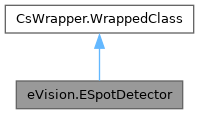
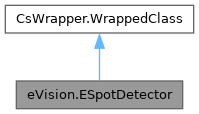
ESpotDetector is dedicated to the detection of spots, particles and scratches on images. It is especially efficient at detecting faint contaminations on noisy surface images. It produces a list of ESpot objects. More...
Public Member Functions | |
| ESpotDetector () | |
| Constructs an ESpotDetector with default configuration. | |
| ESpotDetector (eVision.ESpotDetector other) | |
| Copy constructor for ESpotDetector. | |
| void | Load (string path) |
| Loads the ESpotDetector. The given ESerializer must have been created for reading. | |
| void | Load (eVision.ESerializer serializer) |
| Loads the ESpotDetector. The given ESerializer must have been created for reading. | |
| void | Save (string path) |
| Saves the ESpotDetector. The given ESerializer must have been created for writing. | |
| void | Save (eVision.ESerializer serializer) |
| Saves the ESpotDetector. The given ESerializer must have been created for writing. | |
| void | GetParticleDetectionParameters (ref eVision.EParticleDetectionParameters parameters) |
| Gets the particle detection parameters. | |
| void | GetScratchDetectionParameters (ref eVision.EScratchDetectionParameters parameters) |
| Gets the scratch detection parameters. | |
| uint | Detect (eVision.EROIBW8 sourceImage) |
| Performs the spot detection in the given EROIBW8. It returns the number of spot detected. Use ESpotDetector.Spots the retrieve the list of detected spots. | |
| uint | Detect (eVision.EROIBW8 sourceImage, eVision.ERegion region) |
| Performs the spot detection in the given EROIBW8. It returns the number of spot detected. Use ESpotDetector.Spots the retrieve the list of detected spots. | |
| uint | Detect (eVision.EROIBW8 sourceImage, eVision.EFrame frame) |
| Performs the spot detection in the given EROIBW8. It returns the number of spot detected. Use ESpotDetector.Spots the retrieve the list of detected spots. | |
| uint | Detect (eVision.EROIBW8 sourceImage, eVision.ERegion region, eVision.EFrame frame) |
| Performs the spot detection in the given EROIBW8. It returns the number of spot detected. Use ESpotDetector.Spots the retrieve the list of detected spots. | |
| void | GenerateSegmentationMap (eVision.EImageBW8 map) |
| Returns the last computed segmentation map. | |
| void | Draw (eVision.EDrawAdapter drawAdapter, eVision.ERGBColor color, float zoomX, float zoomY, float panX, float panY) |
| Draw the ESpotDetector. | |
| void | Draw (eVision.EDrawAdapter drawAdapter, eVision.ERGBColor color, float zoomX, float zoomY, float panX) |
| Draw the ESpotDetector. | |
| void | Draw (eVision.EDrawAdapter drawAdapter, eVision.ERGBColor color, float zoomX, float zoomY) |
| Draw the ESpotDetector. | |
| void | Draw (eVision.EDrawAdapter drawAdapter, eVision.ERGBColor color, float zoomX) |
| Draw the ESpotDetector. | |
| void | Draw (eVision.EDrawAdapter drawAdapter, eVision.ERGBColor color) |
| Draw the ESpotDetector. | |
| void | Draw (eVision.EDrawAdapter drawAdapter) |
| Draw the ESpotDetector. | |
| void | Draw (IntPtr graphicContext, eVision.ERGBColor color, float zoomX, float zoomY, float panX, float panY) |
| Draw the ESpotDetector. | |
| void | Draw (IntPtr graphicContext, eVision.ERGBColor color, float zoomX, float zoomY, float panX) |
| Draw the ESpotDetector. | |
| void | Draw (IntPtr graphicContext, eVision.ERGBColor color, float zoomX, float zoomY) |
| Draw the ESpotDetector. | |
| void | Draw (IntPtr graphicContext, eVision.ERGBColor color, float zoomX) |
| Draw the ESpotDetector. | |
| void | Draw (IntPtr graphicContext, eVision.ERGBColor color) |
| Draw the ESpotDetector. | |
| void | Draw (IntPtr graphicContext) |
| Draw the ESpotDetector. | |
| uint | AddDetectedSpotsToDLProject (string projectPath, uint roiExtension, string imageName, uint noDefectSamples, string noDefectLabel) |
| To be called after ESpotDetector.Detect to add the detected spots to a new or existing EDeepLearningProject. This method returns the number of spots added. | |
| uint | AddDetectedSpotsToDLProject (string projectPath, uint roiExtension, string imageName, uint noDefectSamples) |
| To be called after ESpotDetector.Detect to add the detected spots to a new or existing EDeepLearningProject. This method returns the number of spots added. | |
| uint | AddDetectedSpotsToDLProject (string projectPath, uint roiExtension, string imageName) |
| To be called after ESpotDetector.Detect to add the detected spots to a new or existing EDeepLearningProject. This method returns the number of spots added. | |
| uint | AddDetectedSpotsToDLProject (string projectPath, uint roiExtension) |
| To be called after ESpotDetector.Detect to add the detected spots to a new or existing EDeepLearningProject. This method returns the number of spots added. | |
| uint | AddDetectedSpotsToDLProject (string projectPath) |
| To be called after ESpotDetector.Detect to add the detected spots to a new or existing EDeepLearningProject. This method returns the number of spots added. | |
| void | UnsetDLClassifier () |
| Disable the usage of the Deep Learning classifier. | |
| bool | IsDLClassifierSet () |
| Returns True if a classifier has been loaded. | |
| void | Draw (System.Drawing.Graphics graphicContext, eVision.ERGBColor color, float zoomX, float zoomY, float panX, float panY) |
| Draw the ESpotDetector. | |
| void | Draw (System.Drawing.Graphics graphicContext, eVision.ERGBColor color, float zoomX, float zoomY, float panX) |
| Draw the ESpotDetector. | |
| void | Draw (System.Drawing.Graphics graphicContext, eVision.ERGBColor color, float zoomX, float zoomY) |
| Draw the ESpotDetector. | |
| void | Draw (System.Drawing.Graphics graphicContext, eVision.ERGBColor color, float zoomX) |
| Draw the ESpotDetector. | |
| void | Draw (System.Drawing.Graphics graphicContext, eVision.ERGBColor color) |
| Draw the ESpotDetector. | |
| void | Draw (System.Drawing.Graphics graphicContext) |
| Draw the ESpotDetector. | |
Properties | |
| bool | EnableAlignment [get, set] |
| Enables or disables the optional alignment process. The alignment area and the tolerance must be set as well, see ESpotDetector.AlignmentArea and ESpotDetector.AlignmentTolerance. | |
| eVision.ERectangle | AlignmentArea [get, set] |
| Sets/Gets an initial estimate of the rectangle on which spots will be detected in the image. The alignment process is enabled with ESpotDetector.EnableAlignment. To perform the alignment, a tolerance must be set as well, see ESpotDetector.AlignmentTolerance. | |
| uint | AlignmentTolerance [get, set] |
| Sets/Gets the tolerance around the initial estimate of the alignment area, in pixels. The default is 100 pixels. See also ESpotDetector.AlignmentArea. | |
| eVision.EGuardBand | GuardBand [get, set] |
| Sets/Gets the EGuardBand. | |
| bool | EnableParticleDetection [get, set] |
| Sets/Gets the particle detection processing. | |
| bool | EnableScratchDetection [get, set] |
| Sets/Gets the scratch detection processing. | |
| eVision.EParticleDetectionParameters | ParticleDetectionParameters [set] |
| Sets the particle detection parameters. | |
| eVision.EScratchDetectionParameters | ScratchDetectionParameters [set] |
| Sets the scratch detection parameters. | |
| eVision.ESpot[] | Spots [get] |
| Gets the spots detected by a previous call to ESpotDetector.Detect. | |
| uint | NumSpots [get] |
| Gets the number of spots detected by a previous call to ESpotDetector.Detect. | |
| eVision.EROIBW8 | SourceROI [get] |
| Gets the last used Region Of Interest, after optionnal alignment and guard band clipping. No image is attached to that EROIBW8. See also ESpotDetector.EnableAlignment and ESpotDetector.GuardBand. | |
| string | DLClassifierPath [get, set] |
| Opens a DL classifier and use it to classify all further detected spots. The resulting class is stored in ESpot. Use ESpotDetector.UnsetDLClassifier to remove the Deep Learning classification. Setting a Deep Learning Classifier triggers an initialization of the model. The initialization can take a few milliseconds to several minutes depending on the engine and device selected. | |
| eVision.EasyDeepLearning.EDeepLearningExecutionSettings | DLExecutionSettings [get, set] |
| Controls the execution settings of the DL Classifier. Set the class EDeepLearningExecutionSettings to choose between engines, devices and other inference parameters. Changing the execution settings triggers an initialization of the deep learning model. The initialization can take a few milliseconds to several minutes depending on the engine and device selected. | |
ESpotDetector is dedicated to the detection of spots, particles and scratches on images. It is especially efficient at detecting faint contaminations on noisy surface images. It produces a list of ESpot objects.
License(s): EasySpotDetector
| eVision.ESpotDetector.ESpotDetector | ( | ) |
Constructs an ESpotDetector with default configuration.
| eVision.ESpotDetector.ESpotDetector | ( | eVision.ESpotDetector | other | ) |
Copy constructor for ESpotDetector.
| other | The other ESpotDetector that we will copy into this one. |
| uint eVision.ESpotDetector.AddDetectedSpotsToDLProject | ( | string | projectPath | ) |
To be called after ESpotDetector.Detect to add the detected spots to a new or existing EDeepLearningProject. This method returns the number of spots added.
The image used by ESpotDetector.Detect is copied to a subdirectory 'Images' of the project file and linked in the project. All detected spots are added to the project as ROI of the image, with the label depending on the spot type ('Particle' or 'Scratch'). Optional parameter roiExtension can be used to increase the ROI size by a pixel amount. It could help the deep learning inference to have a 'context' around the ROI. Automatic image names are generated unless the parameter imageName is set. All images must have a different name. The optional parameter noDefectSamples sets the number of extra ROIs added to the project representing areas without defect. The label of these defects are given by parameter noDefectLabel.
| projectPath | The path to the Deep Learning project (usually a file with edlproject extension). |
| uint eVision.ESpotDetector.AddDetectedSpotsToDLProject | ( | string | projectPath, |
| uint | roiExtension ) |
To be called after ESpotDetector.Detect to add the detected spots to a new or existing EDeepLearningProject. This method returns the number of spots added.
The image used by ESpotDetector.Detect is copied to a subdirectory 'Images' of the project file and linked in the project. All detected spots are added to the project as ROI of the image, with the label depending on the spot type ('Particle' or 'Scratch'). Optional parameter roiExtension can be used to increase the ROI size by a pixel amount. It could help the deep learning inference to have a 'context' around the ROI. Automatic image names are generated unless the parameter imageName is set. All images must have a different name. The optional parameter noDefectSamples sets the number of extra ROIs added to the project representing areas without defect. The label of these defects are given by parameter noDefectLabel.
| projectPath | The path to the Deep Learning project (usually a file with edlproject extension). |
| roiExtension | The ROI extension in pixels. Default value is 5. |
| uint eVision.ESpotDetector.AddDetectedSpotsToDLProject | ( | string | projectPath, |
| uint | roiExtension, | ||
| string | imageName ) |
To be called after ESpotDetector.Detect to add the detected spots to a new or existing EDeepLearningProject. This method returns the number of spots added.
The image used by ESpotDetector.Detect is copied to a subdirectory 'Images' of the project file and linked in the project. All detected spots are added to the project as ROI of the image, with the label depending on the spot type ('Particle' or 'Scratch'). Optional parameter roiExtension can be used to increase the ROI size by a pixel amount. It could help the deep learning inference to have a 'context' around the ROI. Automatic image names are generated unless the parameter imageName is set. All images must have a different name. The optional parameter noDefectSamples sets the number of extra ROIs added to the project representing areas without defect. The label of these defects are given by parameter noDefectLabel.
| projectPath | The path to the Deep Learning project (usually a file with edlproject extension). |
| roiExtension | The ROI extension in pixels. Default value is 5. |
| imageName | Override the default image name. |
| uint eVision.ESpotDetector.AddDetectedSpotsToDLProject | ( | string | projectPath, |
| uint | roiExtension, | ||
| string | imageName, | ||
| uint | noDefectSamples ) |
To be called after ESpotDetector.Detect to add the detected spots to a new or existing EDeepLearningProject. This method returns the number of spots added.
The image used by ESpotDetector.Detect is copied to a subdirectory 'Images' of the project file and linked in the project. All detected spots are added to the project as ROI of the image, with the label depending on the spot type ('Particle' or 'Scratch'). Optional parameter roiExtension can be used to increase the ROI size by a pixel amount. It could help the deep learning inference to have a 'context' around the ROI. Automatic image names are generated unless the parameter imageName is set. All images must have a different name. The optional parameter noDefectSamples sets the number of extra ROIs added to the project representing areas without defect. The label of these defects are given by parameter noDefectLabel.
| projectPath | The path to the Deep Learning project (usually a file with edlproject extension). |
| roiExtension | The ROI extension in pixels. Default value is 5. |
| imageName | Override the default image name. |
| noDefectSamples | Number of extra ROI to be created to represent areas without defect. Default value is 0. |
| uint eVision.ESpotDetector.AddDetectedSpotsToDLProject | ( | string | projectPath, |
| uint | roiExtension, | ||
| string | imageName, | ||
| uint | noDefectSamples, | ||
| string | noDefectLabel ) |
To be called after ESpotDetector.Detect to add the detected spots to a new or existing EDeepLearningProject. This method returns the number of spots added.
The image used by ESpotDetector.Detect is copied to a subdirectory 'Images' of the project file and linked in the project. All detected spots are added to the project as ROI of the image, with the label depending on the spot type ('Particle' or 'Scratch'). Optional parameter roiExtension can be used to increase the ROI size by a pixel amount. It could help the deep learning inference to have a 'context' around the ROI. Automatic image names are generated unless the parameter imageName is set. All images must have a different name. The optional parameter noDefectSamples sets the number of extra ROIs added to the project representing areas without defect. The label of these defects are given by parameter noDefectLabel.
| projectPath | The path to the Deep Learning project (usually a file with edlproject extension). |
| roiExtension | The ROI extension in pixels. Default value is 5. |
| imageName | Override the default image name. |
| noDefectSamples | Number of extra ROI to be created to represent areas without defect. Default value is 0. |
| noDefectLabel | The label for the extra ROI (if noDefectSamples>0). Default value is 'NotADefect'. |
| uint eVision.ESpotDetector.Detect | ( | eVision.EROIBW8 | sourceImage | ) |
Performs the spot detection in the given EROIBW8. It returns the number of spot detected. Use ESpotDetector.Spots the retrieve the list of detected spots.
| sourceImage | The image in which the spots are detected. |
| uint eVision.ESpotDetector.Detect | ( | eVision.EROIBW8 | sourceImage, |
| eVision.EFrame | frame ) |
Performs the spot detection in the given EROIBW8. It returns the number of spot detected. Use ESpotDetector.Spots the retrieve the list of detected spots.
| sourceImage | The image in which the spots are detected. |
| frame | Reference frame of the input region |
| uint eVision.ESpotDetector.Detect | ( | eVision.EROIBW8 | sourceImage, |
| eVision.ERegion | region ) |
Performs the spot detection in the given EROIBW8. It returns the number of spot detected. Use ESpotDetector.Spots the retrieve the list of detected spots.
| sourceImage | The image in which the spots are detected. |
| region | The region on which the image is processed. |
| uint eVision.ESpotDetector.Detect | ( | eVision.EROIBW8 | sourceImage, |
| eVision.ERegion | region, | ||
| eVision.EFrame | frame ) |
Performs the spot detection in the given EROIBW8. It returns the number of spot detected. Use ESpotDetector.Spots the retrieve the list of detected spots.
| sourceImage | The image in which the spots are detected. |
| region | The region on which the image is processed. |
| frame | Reference frame of the input region |
| void eVision.ESpotDetector.Draw | ( | eVision.EDrawAdapter | drawAdapter | ) |
Draw the ESpotDetector.
| drawAdapter | EDrawAdapter that will be used to draw. |
| void eVision.ESpotDetector.Draw | ( | eVision.EDrawAdapter | drawAdapter, |
| eVision.ERGBColor | color ) |
Draw the ESpotDetector.
| drawAdapter | EDrawAdapter that will be used to draw. |
| color | Color of the drawn rectangle. |
| void eVision.ESpotDetector.Draw | ( | eVision.EDrawAdapter | drawAdapter, |
| eVision.ERGBColor | color, | ||
| float | zoomX ) |
Draw the ESpotDetector.
| drawAdapter | EDrawAdapter that will be used to draw. |
| color | Color of the drawn rectangle. |
| zoomX | Horizontal zooming factor. By default, true scale is used. |
| void eVision.ESpotDetector.Draw | ( | eVision.EDrawAdapter | drawAdapter, |
| eVision.ERGBColor | color, | ||
| float | zoomX, | ||
| float | zoomY ) |
Draw the ESpotDetector.
| drawAdapter | EDrawAdapter that will be used to draw. |
| color | Color of the drawn rectangle. |
| zoomX | Horizontal zooming factor. By default, true scale is used. |
| zoomY | Vertical zooming factor. If set to 0 (default), the horizontal zooming factor is used instead, so as to provide isotropic zooming. |
| void eVision.ESpotDetector.Draw | ( | eVision.EDrawAdapter | drawAdapter, |
| eVision.ERGBColor | color, | ||
| float | zoomX, | ||
| float | zoomY, | ||
| float | panX ) |
Draw the ESpotDetector.
| drawAdapter | EDrawAdapter that will be used to draw. |
| color | Color of the drawn rectangle. |
| zoomX | Horizontal zooming factor. By default, true scale is used. |
| zoomY | Vertical zooming factor. If set to 0 (default), the horizontal zooming factor is used instead, so as to provide isotropic zooming. |
| panX | Horizontal panning value expressed in pixels. By default, no panning occurs. |
| void eVision.ESpotDetector.Draw | ( | eVision.EDrawAdapter | drawAdapter, |
| eVision.ERGBColor | color, | ||
| float | zoomX, | ||
| float | zoomY, | ||
| float | panX, | ||
| float | panY ) |
Draw the ESpotDetector.
| drawAdapter | EDrawAdapter that will be used to draw. |
| color | Color of the drawn rectangle. |
| zoomX | Horizontal zooming factor. By default, true scale is used. |
| zoomY | Vertical zooming factor. If set to 0 (default), the horizontal zooming factor is used instead, so as to provide isotropic zooming. |
| panX | Horizontal panning value expressed in pixels. By default, no panning occurs. |
| panY | Vertical panning value expressed in pixels. By default, no panning occurs. |
| void eVision.ESpotDetector.Draw | ( | IntPtr | graphicContext | ) |
Draw the ESpotDetector.
| graphicContext | Handle of the graphics context on which to draw. |
Use the overload taking an EDrawAdapter by using an instance of EWindowsDrawAdapter.
Deprecated in version 23.12. Scheduled to be removed in version 27.6.
| void eVision.ESpotDetector.Draw | ( | IntPtr | graphicContext, |
| eVision.ERGBColor | color ) |
Draw the ESpotDetector.
| graphicContext | Handle of the graphics context on which to draw. |
| color | Color of the drawn rectangle. |
Use the overload taking an EDrawAdapter by using an instance of EWindowsDrawAdapter.
Deprecated in version 23.12. Scheduled to be removed in version 27.6.
| void eVision.ESpotDetector.Draw | ( | IntPtr | graphicContext, |
| eVision.ERGBColor | color, | ||
| float | zoomX ) |
Draw the ESpotDetector.
| graphicContext | Handle of the graphics context on which to draw. |
| color | Color of the drawn rectangle. |
| zoomX | Horizontal zooming factor. By default, true scale is used. |
Use the overload taking an EDrawAdapter by using an instance of EWindowsDrawAdapter.
Deprecated in version 23.12. Scheduled to be removed in version 27.6.
| void eVision.ESpotDetector.Draw | ( | IntPtr | graphicContext, |
| eVision.ERGBColor | color, | ||
| float | zoomX, | ||
| float | zoomY ) |
Draw the ESpotDetector.
| graphicContext | Handle of the graphics context on which to draw. |
| color | Color of the drawn rectangle. |
| zoomX | Horizontal zooming factor. By default, true scale is used. |
| zoomY | Vertical zooming factor. If set to 0 (default), the horizontal zooming factor is used instead, so as to provide isotropic zooming. |
Use the overload taking an EDrawAdapter by using an instance of EWindowsDrawAdapter.
Deprecated in version 23.12. Scheduled to be removed in version 27.6.
| void eVision.ESpotDetector.Draw | ( | IntPtr | graphicContext, |
| eVision.ERGBColor | color, | ||
| float | zoomX, | ||
| float | zoomY, | ||
| float | panX ) |
Draw the ESpotDetector.
| graphicContext | Handle of the graphics context on which to draw. |
| color | Color of the drawn rectangle. |
| zoomX | Horizontal zooming factor. By default, true scale is used. |
| zoomY | Vertical zooming factor. If set to 0 (default), the horizontal zooming factor is used instead, so as to provide isotropic zooming. |
| panX | Horizontal panning value expressed in pixels. By default, no panning occurs. |
Use the overload taking an EDrawAdapter by using an instance of EWindowsDrawAdapter.
Deprecated in version 23.12. Scheduled to be removed in version 27.6.
| void eVision.ESpotDetector.Draw | ( | IntPtr | graphicContext, |
| eVision.ERGBColor | color, | ||
| float | zoomX, | ||
| float | zoomY, | ||
| float | panX, | ||
| float | panY ) |
Draw the ESpotDetector.
| graphicContext | Handle of the graphics context on which to draw. |
| color | Color of the drawn rectangle. |
| zoomX | Horizontal zooming factor. By default, true scale is used. |
| zoomY | Vertical zooming factor. If set to 0 (default), the horizontal zooming factor is used instead, so as to provide isotropic zooming. |
| panX | Horizontal panning value expressed in pixels. By default, no panning occurs. |
| panY | Vertical panning value expressed in pixels. By default, no panning occurs. |
Use the overload taking an EDrawAdapter by using an instance of EWindowsDrawAdapter.
Deprecated in version 23.12. Scheduled to be removed in version 27.6.
| void eVision.ESpotDetector.Draw | ( | System.Drawing.Graphics | graphicContext | ) |
Draw the ESpotDetector.
| graphicContext | Handle of the graphics context on which to draw. |
Use the overload taking an EDrawAdapter by using an instance of EWindowsDrawAdapter.
Deprecated in version 23.12. Scheduled to be removed in version 27.6.
| void eVision.ESpotDetector.Draw | ( | System.Drawing.Graphics | graphicContext, |
| eVision.ERGBColor | color ) |
Draw the ESpotDetector.
| graphicContext | Handle of the graphics context on which to draw. |
| color | Color of the drawn rectangle. |
Use the overload taking an EDrawAdapter by using an instance of EWindowsDrawAdapter.
Deprecated in version 23.12. Scheduled to be removed in version 27.6.
| void eVision.ESpotDetector.Draw | ( | System.Drawing.Graphics | graphicContext, |
| eVision.ERGBColor | color, | ||
| float | zoomX ) |
Draw the ESpotDetector.
| graphicContext | Handle of the graphics context on which to draw. |
| color | Color of the drawn rectangle. |
| zoomX | Horizontal zooming factor. By default, true scale is used. |
Use the overload taking an EDrawAdapter by using an instance of EWindowsDrawAdapter.
Deprecated in version 23.12. Scheduled to be removed in version 27.6.
| void eVision.ESpotDetector.Draw | ( | System.Drawing.Graphics | graphicContext, |
| eVision.ERGBColor | color, | ||
| float | zoomX, | ||
| float | zoomY ) |
Draw the ESpotDetector.
| graphicContext | Handle of the graphics context on which to draw. |
| color | Color of the drawn rectangle. |
| zoomX | Horizontal zooming factor. By default, true scale is used. |
| zoomY | Vertical zooming factor. If set to 0 (default), the horizontal zooming factor is used instead, so as to provide isotropic zooming. |
Use the overload taking an EDrawAdapter by using an instance of EWindowsDrawAdapter.
Deprecated in version 23.12. Scheduled to be removed in version 27.6.
| void eVision.ESpotDetector.Draw | ( | System.Drawing.Graphics | graphicContext, |
| eVision.ERGBColor | color, | ||
| float | zoomX, | ||
| float | zoomY, | ||
| float | panX ) |
Draw the ESpotDetector.
| graphicContext | Handle of the graphics context on which to draw. |
| color | Color of the drawn rectangle. |
| zoomX | Horizontal zooming factor. By default, true scale is used. |
| zoomY | Vertical zooming factor. If set to 0 (default), the horizontal zooming factor is used instead, so as to provide isotropic zooming. |
| panX | Horizontal panning value expressed in pixels. By default, no panning occurs. |
Use the overload taking an EDrawAdapter by using an instance of EWindowsDrawAdapter.
Deprecated in version 23.12. Scheduled to be removed in version 27.6.
| void eVision.ESpotDetector.Draw | ( | System.Drawing.Graphics | graphicContext, |
| eVision.ERGBColor | color, | ||
| float | zoomX, | ||
| float | zoomY, | ||
| float | panX, | ||
| float | panY ) |
Draw the ESpotDetector.
| graphicContext | Handle of the graphics context on which to draw. |
| color | Color of the drawn rectangle. |
| zoomX | Horizontal zooming factor. By default, true scale is used. |
| zoomY | Vertical zooming factor. If set to 0 (default), the horizontal zooming factor is used instead, so as to provide isotropic zooming. |
| panX | Horizontal panning value expressed in pixels. By default, no panning occurs. |
| panY | Vertical panning value expressed in pixels. By default, no panning occurs. |
Use the overload taking an EDrawAdapter by using an instance of EWindowsDrawAdapter.
Deprecated in version 23.12. Scheduled to be removed in version 27.6.
| void eVision.ESpotDetector.GenerateSegmentationMap | ( | eVision.EImageBW8 | map | ) |
Returns the last computed segmentation map.
| map | The destination image for the segmentation map. |
| void eVision.ESpotDetector.GetParticleDetectionParameters | ( | ref eVision.EParticleDetectionParameters | parameters | ) |
Gets the particle detection parameters.
| parameters | From EParticleDetectionParameters. |
| void eVision.ESpotDetector.GetScratchDetectionParameters | ( | ref eVision.EScratchDetectionParameters | parameters | ) |
Gets the scratch detection parameters.
| parameters | From EScratchDetectionParameters. |
| bool eVision.ESpotDetector.IsDLClassifierSet | ( | ) |
Returns True if a classifier has been loaded.
See also ESpotDetector.DLClassifierPath and ESpotDetector.UnsetDLClassifier.
| void eVision.ESpotDetector.Load | ( | eVision.ESerializer | serializer | ) |
Loads the ESpotDetector. The given ESerializer must have been created for reading.
| serializer | The serializer. |
| void eVision.ESpotDetector.Load | ( | string | path | ) |
Loads the ESpotDetector. The given ESerializer must have been created for reading.
| path | The file path. |
| void eVision.ESpotDetector.Save | ( | eVision.ESerializer | serializer | ) |
Saves the ESpotDetector. The given ESerializer must have been created for writing.
| serializer | The ESerializer object that is written to. |
| void eVision.ESpotDetector.Save | ( | string | path | ) |
Saves the ESpotDetector. The given ESerializer must have been created for writing.
| path | The file path. |
| void eVision.ESpotDetector.UnsetDLClassifier | ( | ) |
Disable the usage of the Deep Learning classifier.
See also ESpotDetector.DLClassifierPath and ESpotDetector.IsDLClassifierSet.
|
getset |
Sets/Gets an initial estimate of the rectangle on which spots will be detected in the image. The alignment process is enabled with ESpotDetector.EnableAlignment. To perform the alignment, a tolerance must be set as well, see ESpotDetector.AlignmentTolerance.
|
getset |
Sets/Gets the tolerance around the initial estimate of the alignment area, in pixels. The default is 100 pixels. See also ESpotDetector.AlignmentArea.
|
getset |
Opens a DL classifier and use it to classify all further detected spots. The resulting class is stored in ESpot. Use ESpotDetector.UnsetDLClassifier to remove the Deep Learning classification. Setting a Deep Learning Classifier triggers an initialization of the model. The initialization can take a few milliseconds to several minutes depending on the engine and device selected.
|
getset |
Controls the execution settings of the DL Classifier. Set the class EDeepLearningExecutionSettings to choose between engines, devices and other inference parameters. Changing the execution settings triggers an initialization of the deep learning model. The initialization can take a few milliseconds to several minutes depending on the engine and device selected.
|
getset |
Enables or disables the optional alignment process. The alignment area and the tolerance must be set as well, see ESpotDetector.AlignmentArea and ESpotDetector.AlignmentTolerance.
|
getset |
Sets/Gets the particle detection processing.
|
getset |
Sets/Gets the scratch detection processing.
|
getset |
Sets/Gets the EGuardBand.
|
get |
Gets the number of spots detected by a previous call to ESpotDetector.Detect.
|
set |
Sets the particle detection parameters.
|
set |
Sets the scratch detection parameters.
|
get |
Gets the last used Region Of Interest, after optionnal alignment and guard band clipping. No image is attached to that EROIBW8. See also ESpotDetector.EnableAlignment and ESpotDetector.GuardBand.
|
get |
Gets the spots detected by a previous call to ESpotDetector.Detect.
 1.17.0