 |
eVision .NET API
|
|
eVision .NET API
|
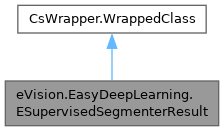
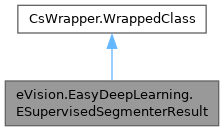
An ESupervisedSegmenterResult object represents the result of a supervised segmenter. More...
Public Member Functions | |
| ESupervisedSegmenterResult () | |
| Constructs a non-valid ESupervisedSegmenterResult. | |
| ESupervisedSegmenterResult (eVision.EasyDeepLearning.ESupervisedSegmenterResult other) | |
| Copy constructor of an ESupervisedSegmenterResult object. | |
| bool | IsValid () |
| Indicates whether the result is valid and ready to be used. | |
| eVision.ERegion | ToRegion () |
| Returns the region. | |
| eVision.ERegion | GetRegionForLabel (string label) |
| Region corresponding to the given label. | |
| eVision.EImageBW8 | GetProbabilityMap (string label) |
| Probability map for the given label. The probability values are mapped between 0 and 255. | |
| int | GetNumBlobs (string label) |
| Number of detected blobs for all labels or for the specified label. | |
| int | GetNumBlobs () |
| Number of detected blobs for all labels or for the specified label. | |
| eVision.EasyDeepLearning.ESupervisedSegmenterBlob[] | GetBlobs () |
| Detected blobs for all labels or for the specified label. | |
| eVision.EasyDeepLearning.ESupervisedSegmenterBlob[] | GetBlobs (string label) |
| Detected blobs for all labels or for the specified label. | |
| bool | HasForegroundSegments () |
| Whether the predicted segmentation contains non-background pixels. | |
| string | GetLabel (int labelIndex) |
| Label at the given index. | |
| eVision.ERGBColor | GetLabelColor (int i) |
| Color of a label. | |
| eVision.ERGBColor | GetLabelColor (string label) |
| Color of a label. | |
| bool | HasGroundtruthSegmentation () |
| Whether the result is associated with a ground truth segmentation map. | |
| void | RemoveGroundtruthSegmentation () |
| Removes any ground truth associated with the result. | |
| void | Draw (eVision.EDrawAdapter drawAdapter, float zoomX, float zoomY, float panX, float panY) |
| Draws the segmentation. | |
| void | Draw (eVision.EDrawAdapter drawAdapter, float zoomX, float zoomY, float panX) |
| Draws the segmentation. | |
| void | Draw (eVision.EDrawAdapter drawAdapter, float zoomX, float zoomY) |
| Draws the segmentation. | |
| void | Draw (eVision.EDrawAdapter drawAdapter, float zoomX) |
| Draws the segmentation. | |
| void | Draw (eVision.EDrawAdapter drawAdapter) |
| Draws the segmentation. | |
| void | Draw (eVision.EDrawAdapter drawAdapter, eVision.EFrame frame, float zoomX, float zoomY, float panX, float panY) |
| Draws the segmentation. | |
| void | Draw (eVision.EDrawAdapter drawAdapter, eVision.EFrame frame, float zoomX, float zoomY, float panX) |
| Draws the segmentation. | |
| void | Draw (eVision.EDrawAdapter drawAdapter, eVision.EFrame frame, float zoomX, float zoomY) |
| Draws the segmentation. | |
| void | Draw (eVision.EDrawAdapter drawAdapter, eVision.EFrame frame, float zoomX) |
| Draws the segmentation. | |
| void | Draw (eVision.EDrawAdapter drawAdapter, eVision.EFrame frame) |
| Draws the segmentation. | |
| void | Draw (IntPtr graphicsContext, float zoomX, float zoomY, float panX, float panY) |
| Draws the segmentation. | |
| void | Draw (IntPtr graphicsContext, float zoomX, float zoomY, float panX) |
| Draws the segmentation. | |
| void | Draw (IntPtr graphicsContext, float zoomX, float zoomY) |
| Draws the segmentation. | |
| void | Draw (IntPtr graphicsContext, float zoomX) |
| Draws the segmentation. | |
| void | Draw (IntPtr graphicsContext) |
| Draws the segmentation. | |
| void | Draw (System.Drawing.Graphics graphicsContext, float zoomX, float zoomY, float panX, float panY) |
| Draws the segmentation. | |
| void | Draw (System.Drawing.Graphics graphicsContext, float zoomX, float zoomY, float panX) |
| Draws the segmentation. | |
| void | Draw (System.Drawing.Graphics graphicsContext, float zoomX, float zoomY) |
| Draws the segmentation. | |
| void | Draw (System.Drawing.Graphics graphicsContext, float zoomX) |
| Draws the segmentation. | |
| void | Draw (System.Drawing.Graphics graphicsContext) |
| Draws the segmentation. | |
Properties | |
| eVision.EImageBW16 | SegmentationMap [get] |
| Segmentation result. | |
| eVision.ECodedImage2 | CodedImage [get] |
| Returns the coded image obtained during the segmentation. | |
| eVision.EFrame | Frame [get, set] |
| Gets the frame in which the result was computed. | |
| eVision.EImageC24 | ColorizedSegmentation [get] |
| Colorized version of the segmentation map. | |
| eVision.EImageC24A | ColorizedSegmentationWithTransparency [get] |
| Colorized version of the segmentation map with transparency. | |
| eVision.EasyDeepLearning.ESupervisedSegmenterMetrics | ImageMetrics [get] |
| Metrics for the image. | |
| eVision.EImageBW16 | GroundtruthSegmentationMap [get, set] |
| Ground truth segmentation map. | |
| int | NumLabels [get] |
| Number of segmentation labels of the supervised segmenter that produced this result. | |
| float | Score [get] |
| Score used to determine whether the result contains segments that are not background. | |
| float | ClassificationThreshold [get, set] |
| Classification threshold for determining whether the image contains blobs with a label different than background. | |
| int | Width [get] |
| Width of the source image and of the segmentation result. | |
| int | Height [get] |
| Height of the source image and of the segmentation result. | |
An ESupervisedSegmenterResult object represents the result of a supervised segmenter.
License(s): BasicTypes
| eVision.EasyDeepLearning.ESupervisedSegmenterResult.ESupervisedSegmenterResult | ( | ) |
Constructs a non-valid ESupervisedSegmenterResult.
| eVision.EasyDeepLearning.ESupervisedSegmenterResult.ESupervisedSegmenterResult | ( | eVision.EasyDeepLearning.ESupervisedSegmenterResult | other | ) |
Copy constructor of an ESupervisedSegmenterResult object.
| other | Reference to the ESupervisedSegmenterResult object that should be copied |
| void eVision.EasyDeepLearning.ESupervisedSegmenterResult.Draw | ( | eVision.EDrawAdapter | drawAdapter | ) |
Draws the segmentation.
The detected segment are drawn with the label color specified in the dataset used for training. The pixel classified as background are transparent.
| drawAdapter | A pointer to an EDrawAdapter (like the EWindowsDrawAdapter). |
| void eVision.EasyDeepLearning.ESupervisedSegmenterResult.Draw | ( | eVision.EDrawAdapter | drawAdapter, |
| eVision.EFrame | frame ) |
Draws the segmentation.
The detected segment are drawn with the label color specified in the dataset used for training. The pixel classified as background are transparent.
| drawAdapter | A pointer to an EDrawAdapter (like the EWindowsDrawAdapter). |
| frame | Frame of reference in which this result was computed. |
| void eVision.EasyDeepLearning.ESupervisedSegmenterResult.Draw | ( | eVision.EDrawAdapter | drawAdapter, |
| eVision.EFrame | frame, | ||
| float | zoomX ) |
Draws the segmentation.
The detected segment are drawn with the label color specified in the dataset used for training. The pixel classified as background are transparent.
| drawAdapter | A pointer to an EDrawAdapter (like the EWindowsDrawAdapter). |
| frame | Frame of reference in which this result was computed. |
| zoomX | Horizontal zooming factor. A value greater than 1 means zoom in. By default, true scale is used. |
| void eVision.EasyDeepLearning.ESupervisedSegmenterResult.Draw | ( | eVision.EDrawAdapter | drawAdapter, |
| eVision.EFrame | frame, | ||
| float | zoomX, | ||
| float | zoomY ) |
Draws the segmentation.
The detected segment are drawn with the label color specified in the dataset used for training. The pixel classified as background are transparent.
| drawAdapter | A pointer to an EDrawAdapter (like the EWindowsDrawAdapter). |
| frame | Frame of reference in which this result was computed. |
| zoomX | Horizontal zooming factor. A value greater than 1 means zoom in. By default, true scale is used. |
| zoomY | Vertical zooming factor. A value greater than 1 means zoom in. If set to 0, the default value, the horizontal zooming factor is used instead, so as to provide isotropic zooming. |
| void eVision.EasyDeepLearning.ESupervisedSegmenterResult.Draw | ( | eVision.EDrawAdapter | drawAdapter, |
| eVision.EFrame | frame, | ||
| float | zoomX, | ||
| float | zoomY, | ||
| float | panX ) |
Draws the segmentation.
The detected segment are drawn with the label color specified in the dataset used for training. The pixel classified as background are transparent.
| drawAdapter | A pointer to an EDrawAdapter (like the EWindowsDrawAdapter). |
| frame | Frame of reference in which this result was computed. |
| zoomX | Horizontal zooming factor. A value greater than 1 means zoom in. By default, true scale is used. |
| zoomY | Vertical zooming factor. A value greater than 1 means zoom in. If set to 0, the default value, the horizontal zooming factor is used instead, so as to provide isotropic zooming. |
| panX | Horizontal panning value expressed in pixels. By default, no panning occurs. |
| void eVision.EasyDeepLearning.ESupervisedSegmenterResult.Draw | ( | eVision.EDrawAdapter | drawAdapter, |
| eVision.EFrame | frame, | ||
| float | zoomX, | ||
| float | zoomY, | ||
| float | panX, | ||
| float | panY ) |
Draws the segmentation.
The detected segment are drawn with the label color specified in the dataset used for training. The pixel classified as background are transparent.
| drawAdapter | A pointer to an EDrawAdapter (like the EWindowsDrawAdapter). |
| frame | Frame of reference in which this result was computed. |
| zoomX | Horizontal zooming factor. A value greater than 1 means zoom in. By default, true scale is used. |
| zoomY | Vertical zooming factor. A value greater than 1 means zoom in. If set to 0, the default value, the horizontal zooming factor is used instead, so as to provide isotropic zooming. |
| panX | Horizontal panning value expressed in pixels. By default, no panning occurs. |
| panY | Vertical panning value expressed in pixels. By default, no panning occurs. |
| void eVision.EasyDeepLearning.ESupervisedSegmenterResult.Draw | ( | eVision.EDrawAdapter | drawAdapter, |
| float | zoomX ) |
Draws the segmentation.
The detected segment are drawn with the label color specified in the dataset used for training. The pixel classified as background are transparent.
| drawAdapter | A pointer to an EDrawAdapter (like the EWindowsDrawAdapter). |
| zoomX | Horizontal zooming factor. A value greater than 1 means zoom in. By default, true scale is used. |
| void eVision.EasyDeepLearning.ESupervisedSegmenterResult.Draw | ( | eVision.EDrawAdapter | drawAdapter, |
| float | zoomX, | ||
| float | zoomY ) |
Draws the segmentation.
The detected segment are drawn with the label color specified in the dataset used for training. The pixel classified as background are transparent.
| drawAdapter | A pointer to an EDrawAdapter (like the EWindowsDrawAdapter). |
| zoomX | Horizontal zooming factor. A value greater than 1 means zoom in. By default, true scale is used. |
| zoomY | Vertical zooming factor. A value greater than 1 means zoom in. If set to 0, the default value, the horizontal zooming factor is used instead, so as to provide isotropic zooming. |
| void eVision.EasyDeepLearning.ESupervisedSegmenterResult.Draw | ( | eVision.EDrawAdapter | drawAdapter, |
| float | zoomX, | ||
| float | zoomY, | ||
| float | panX ) |
Draws the segmentation.
The detected segment are drawn with the label color specified in the dataset used for training. The pixel classified as background are transparent.
| drawAdapter | A pointer to an EDrawAdapter (like the EWindowsDrawAdapter). |
| zoomX | Horizontal zooming factor. A value greater than 1 means zoom in. By default, true scale is used. |
| zoomY | Vertical zooming factor. A value greater than 1 means zoom in. If set to 0, the default value, the horizontal zooming factor is used instead, so as to provide isotropic zooming. |
| panX | Horizontal panning value expressed in pixels. By default, no panning occurs. |
| void eVision.EasyDeepLearning.ESupervisedSegmenterResult.Draw | ( | eVision.EDrawAdapter | drawAdapter, |
| float | zoomX, | ||
| float | zoomY, | ||
| float | panX, | ||
| float | panY ) |
Draws the segmentation.
The detected segment are drawn with the label color specified in the dataset used for training. The pixel classified as background are transparent.
| drawAdapter | A pointer to an EDrawAdapter (like the EWindowsDrawAdapter). |
| zoomX | Horizontal zooming factor. A value greater than 1 means zoom in. By default, true scale is used. |
| zoomY | Vertical zooming factor. A value greater than 1 means zoom in. If set to 0, the default value, the horizontal zooming factor is used instead, so as to provide isotropic zooming. |
| panX | Horizontal panning value expressed in pixels. By default, no panning occurs. |
| panY | Vertical panning value expressed in pixels. By default, no panning occurs. |
| void eVision.EasyDeepLearning.ESupervisedSegmenterResult.Draw | ( | IntPtr | graphicsContext | ) |
Draws the segmentation.
The detected segment are drawn with the label color specified in the dataset used for training. The pixel classified as background are transparent.
| graphicsContext | Handle of the device context on which to draw. |
Use the overload taking an EDrawAdapter by using an instance of EWindowsDrawAdapter.
Deprecated in version 23.12. Scheduled to be removed in version 27.6.
| void eVision.EasyDeepLearning.ESupervisedSegmenterResult.Draw | ( | IntPtr | graphicsContext, |
| float | zoomX ) |
Draws the segmentation.
The detected segment are drawn with the label color specified in the dataset used for training. The pixel classified as background are transparent.
| graphicsContext | Handle of the device context on which to draw. |
| zoomX | Horizontal zooming factor. A value greater than 1 means zoom in. By default, true scale is used. |
Use the overload taking an EDrawAdapter by using an instance of EWindowsDrawAdapter.
Deprecated in version 23.12. Scheduled to be removed in version 27.6.
| void eVision.EasyDeepLearning.ESupervisedSegmenterResult.Draw | ( | IntPtr | graphicsContext, |
| float | zoomX, | ||
| float | zoomY ) |
Draws the segmentation.
The detected segment are drawn with the label color specified in the dataset used for training. The pixel classified as background are transparent.
| graphicsContext | Handle of the device context on which to draw. |
| zoomX | Horizontal zooming factor. A value greater than 1 means zoom in. By default, true scale is used. |
| zoomY | Vertical zooming factor. A value greater than 1 means zoom in. If set to 0, the default value, the horizontal zooming factor is used instead, so as to provide isotropic zooming. |
Use the overload taking an EDrawAdapter by using an instance of EWindowsDrawAdapter.
Deprecated in version 23.12. Scheduled to be removed in version 27.6.
| void eVision.EasyDeepLearning.ESupervisedSegmenterResult.Draw | ( | IntPtr | graphicsContext, |
| float | zoomX, | ||
| float | zoomY, | ||
| float | panX ) |
Draws the segmentation.
The detected segment are drawn with the label color specified in the dataset used for training. The pixel classified as background are transparent.
| graphicsContext | Handle of the device context on which to draw. |
| zoomX | Horizontal zooming factor. A value greater than 1 means zoom in. By default, true scale is used. |
| zoomY | Vertical zooming factor. A value greater than 1 means zoom in. If set to 0, the default value, the horizontal zooming factor is used instead, so as to provide isotropic zooming. |
| panX | Horizontal panning value expressed in pixels. By default, no panning occurs. |
Use the overload taking an EDrawAdapter by using an instance of EWindowsDrawAdapter.
Deprecated in version 23.12. Scheduled to be removed in version 27.6.
| void eVision.EasyDeepLearning.ESupervisedSegmenterResult.Draw | ( | IntPtr | graphicsContext, |
| float | zoomX, | ||
| float | zoomY, | ||
| float | panX, | ||
| float | panY ) |
Draws the segmentation.
The detected segment are drawn with the label color specified in the dataset used for training. The pixel classified as background are transparent.
| graphicsContext | Handle of the device context on which to draw. |
| zoomX | Horizontal zooming factor. A value greater than 1 means zoom in. By default, true scale is used. |
| zoomY | Vertical zooming factor. A value greater than 1 means zoom in. If set to 0, the default value, the horizontal zooming factor is used instead, so as to provide isotropic zooming. |
| panX | Horizontal panning value expressed in pixels. By default, no panning occurs. |
| panY | Vertical panning value expressed in pixels. By default, no panning occurs. |
Use the overload taking an EDrawAdapter by using an instance of EWindowsDrawAdapter.
Deprecated in version 23.12. Scheduled to be removed in version 27.6.
| void eVision.EasyDeepLearning.ESupervisedSegmenterResult.Draw | ( | System.Drawing.Graphics | graphicsContext | ) |
Draws the segmentation.
The detected segment are drawn with the label color specified in the dataset used for training. The pixel classified as background are transparent.
| graphicsContext | Handle of the device context on which to draw. |
Use the overload taking an EDrawAdapter by using an instance of EWindowsDrawAdapter.
Deprecated in version 23.12. Scheduled to be removed in version 27.6.
| void eVision.EasyDeepLearning.ESupervisedSegmenterResult.Draw | ( | System.Drawing.Graphics | graphicsContext, |
| float | zoomX ) |
Draws the segmentation.
The detected segment are drawn with the label color specified in the dataset used for training. The pixel classified as background are transparent.
| graphicsContext | Handle of the device context on which to draw. |
| zoomX | Horizontal zooming factor. A value greater than 1 means zoom in. By default, true scale is used. |
Use the overload taking an EDrawAdapter by using an instance of EWindowsDrawAdapter.
Deprecated in version 23.12. Scheduled to be removed in version 27.6.
| void eVision.EasyDeepLearning.ESupervisedSegmenterResult.Draw | ( | System.Drawing.Graphics | graphicsContext, |
| float | zoomX, | ||
| float | zoomY ) |
Draws the segmentation.
The detected segment are drawn with the label color specified in the dataset used for training. The pixel classified as background are transparent.
| graphicsContext | Handle of the device context on which to draw. |
| zoomX | Horizontal zooming factor. A value greater than 1 means zoom in. By default, true scale is used. |
| zoomY | Vertical zooming factor. A value greater than 1 means zoom in. If set to 0, the default value, the horizontal zooming factor is used instead, so as to provide isotropic zooming. |
Use the overload taking an EDrawAdapter by using an instance of EWindowsDrawAdapter.
Deprecated in version 23.12. Scheduled to be removed in version 27.6.
| void eVision.EasyDeepLearning.ESupervisedSegmenterResult.Draw | ( | System.Drawing.Graphics | graphicsContext, |
| float | zoomX, | ||
| float | zoomY, | ||
| float | panX ) |
Draws the segmentation.
The detected segment are drawn with the label color specified in the dataset used for training. The pixel classified as background are transparent.
| graphicsContext | Handle of the device context on which to draw. |
| zoomX | Horizontal zooming factor. A value greater than 1 means zoom in. By default, true scale is used. |
| zoomY | Vertical zooming factor. A value greater than 1 means zoom in. If set to 0, the default value, the horizontal zooming factor is used instead, so as to provide isotropic zooming. |
| panX | Horizontal panning value expressed in pixels. By default, no panning occurs. |
Use the overload taking an EDrawAdapter by using an instance of EWindowsDrawAdapter.
Deprecated in version 23.12. Scheduled to be removed in version 27.6.
| void eVision.EasyDeepLearning.ESupervisedSegmenterResult.Draw | ( | System.Drawing.Graphics | graphicsContext, |
| float | zoomX, | ||
| float | zoomY, | ||
| float | panX, | ||
| float | panY ) |
Draws the segmentation.
The detected segment are drawn with the label color specified in the dataset used for training. The pixel classified as background are transparent.
| graphicsContext | Handle of the device context on which to draw. |
| zoomX | Horizontal zooming factor. A value greater than 1 means zoom in. By default, true scale is used. |
| zoomY | Vertical zooming factor. A value greater than 1 means zoom in. If set to 0, the default value, the horizontal zooming factor is used instead, so as to provide isotropic zooming. |
| panX | Horizontal panning value expressed in pixels. By default, no panning occurs. |
| panY | Vertical panning value expressed in pixels. By default, no panning occurs. |
Use the overload taking an EDrawAdapter by using an instance of EWindowsDrawAdapter.
Deprecated in version 23.12. Scheduled to be removed in version 27.6.
| eVision.EasyDeepLearning.ESupervisedSegmenterBlob[] eVision.EasyDeepLearning.ESupervisedSegmenterResult.GetBlobs | ( | ) |
Detected blobs for all labels or for the specified label.
A blob is a contiguous set of pixels detected to be of the same non-background label. As such, the "background" label never has blobs. The set of detected blobs depends on the threshold.
| eVision.EasyDeepLearning.ESupervisedSegmenterBlob[] eVision.EasyDeepLearning.ESupervisedSegmenterResult.GetBlobs | ( | string | label | ) |
Detected blobs for all labels or for the specified label.
| label | Label |
A blob is a contiguous set of pixels detected to be of the same non-background label. As such, the "background" label never has blobs. The set of detected blobs depends on the threshold.
| string eVision.EasyDeepLearning.ESupervisedSegmenterResult.GetLabel | ( | int | labelIndex | ) |
Label at the given index.
| labelIndex | Index of the label |
The index must be comprised between 0 and ESupervisedSegmenterResult.NumLabels - 1. The labels are the one from the supervised segmenter that produced this result.
| eVision.ERGBColor eVision.EasyDeepLearning.ESupervisedSegmenterResult.GetLabelColor | ( | int | i | ) |
Color of a label.
| i | Index of the label for which to get the color (between 0 and ESupervisedSegmenterResult.NumLabels - 1) |
The label color is controlled at the tool level. To change a color in a result, change the label color in the tool.
| eVision.ERGBColor eVision.EasyDeepLearning.ESupervisedSegmenterResult.GetLabelColor | ( | string | label | ) |
Color of a label.
| label | Label for which to get the color |
The label color is controlled at the tool level. To change a color in a result, change the label color in the tool.
| int eVision.EasyDeepLearning.ESupervisedSegmenterResult.GetNumBlobs | ( | ) |
Number of detected blobs for all labels or for the specified label.
A blob is a contiguous set of pixels detected to be of the same non-background label. As such, the "background" label never has blobs.
| int eVision.EasyDeepLearning.ESupervisedSegmenterResult.GetNumBlobs | ( | string | label | ) |
Number of detected blobs for all labels or for the specified label.
| label | Label |
A blob is a contiguous set of pixels detected to be of the same non-background label. As such, the "background" label never has blobs.
| eVision.EImageBW8 eVision.EasyDeepLearning.ESupervisedSegmenterResult.GetProbabilityMap | ( | string | label | ) |
Probability map for the given label. The probability values are mapped between 0 and 255.
| label | Label |
| eVision.ERegion eVision.EasyDeepLearning.ESupervisedSegmenterResult.GetRegionForLabel | ( | string | label | ) |
Region corresponding to the given label.
| label | Label |
| bool eVision.EasyDeepLearning.ESupervisedSegmenterResult.HasForegroundSegments | ( | ) |
Whether the predicted segmentation contains non-background pixels.
| bool eVision.EasyDeepLearning.ESupervisedSegmenterResult.HasGroundtruthSegmentation | ( | ) |
Whether the result is associated with a ground truth segmentation map.
| bool eVision.EasyDeepLearning.ESupervisedSegmenterResult.IsValid | ( | ) |
Indicates whether the result is valid and ready to be used.
A default constructed ESupervisedSegmenterResult is not valid.
| void eVision.EasyDeepLearning.ESupervisedSegmenterResult.RemoveGroundtruthSegmentation | ( | ) |
Removes any ground truth associated with the result.
| eVision.ERegion eVision.EasyDeepLearning.ESupervisedSegmenterResult.ToRegion | ( | ) |
Returns the region.
|
getset |
Classification threshold for determining whether the image contains blobs with a label different than background.
By default, its value is given by the supervised segmenter that produced this result.
|
get |
Returns the coded image obtained during the segmentation.
|
get |
Colorized version of the segmentation map.
|
get |
Colorized version of the segmentation map with transparency.
|
getset |
Gets the frame in which the result was computed.
|
getset |
Ground truth segmentation map.
By default, the ground truth segmentation map is all background.
|
get |
Height of the source image and of the segmentation result.
|
get |
Metrics for the image.
You must set the ESupervisedSegmenterResult.GroundtruthSegmentationMap before accessing this field.
|
get |
Number of segmentation labels of the supervised segmenter that produced this result.
|
get |
Score used to determine whether the result contains segments that are not background.
|
get |
Segmentation result.
The segmentation map is expressed in the sensor coordinates even if an EFrame was used during the inference of the model.
|
get |
Width of the source image and of the segmentation result.
 1.17.0