 |
eVision Python API
|
|
eVision Python API
|
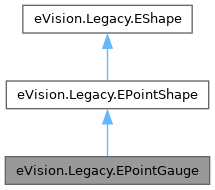
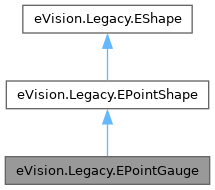
Manages a point location gauge. More...
Public Member Functions | |
| None | __init__ (self) |
| Constructs a point measurement context. | |
| None | __init__ (self, float centerX, float centerY) |
| Constructs a point measurement context. | |
| None | __init__ (self, eVision.Legacy.EPointGauge other) |
| Constructs a point measurement context. | |
| None | SetTolerances (self, float tolerance, float angle) |
| Sets the half length and the rotation angle of the point location gauge. | |
| None | SetTolerances (self, float tolerance) |
| Sets the half length and the rotation angle of the point location gauge. | |
| eVision.EPeak | GetMeasuredPeak (self, int index) |
| Returns information pertaining to the derivative peak associated with the specified edge-crossing point, such as its area, amplitude, start, length and center. | |
| eVision.EPeak | GetMeasuredPeak (self) |
| Returns information pertaining to the derivative peak associated with the specified edge-crossing point, such as its area, amplitude, start, length and center. | |
| None | Plot (self, eVision.EDrawAdapter|None graphicContext, eVision.EPlotItem drawItems, float width, float height, float originX, float originY) |
| Draws the profile that is crossed by a point location gauge, as defined by eVision.EPlotItem. | |
| None | Plot (self, eVision.EDrawAdapter|None graphicContext, eVision.EPlotItem drawItems, float width, float height, float originX) |
| Draws the profile that is crossed by a point location gauge, as defined by eVision.EPlotItem. | |
| None | Plot (self, eVision.EDrawAdapter|None graphicContext, eVision.EPlotItem drawItems, float width, float height) |
| Draws the profile that is crossed by a point location gauge, as defined by eVision.EPlotItem. | |
| None | CopyTo (self, eVision.Legacy.EPointGauge other, bool recursive) |
| Copies all the data of the current eVision.Legacy.EPointGauge object into another eVision.Legacy.EPointGauge object, and returns it. | |
| None | CopyTo (self, eVision.Legacy.EPointGauge other) |
| Copies all the data of the current eVision.Legacy.EPointGauge object into another eVision.Legacy.EPointGauge object, and returns it. | |
| None | SetCenterXY (self, float centerX, float centerY) |
| Sets the center coordinates of a eVision.Legacy.EPointGauge object. | |
| None | Measure (self, eVision.EROIBW8|None sourceImage) |
| Triggers the point location or the model fitting operation. | |
| None | Measure (self, eVision.EROIBW8|None sourceImage, eVision.ERegion region) |
| Triggers the point location or the model fitting operation. | |
| None | Process (self, eVision.EROIBW8|None sourceImage, bool daughters) |
| Triggers the process pertaining to a shape or gauge and all the daughter gauges attach to it. | |
| None | Process (self, eVision.EROIBW8|None sourceImage) |
| Triggers the process pertaining to a shape or gauge and all the daughter gauges attach to it. | |
| None | Process (self, eVision.EROIBW8|None sourceImage, eVision.ERegion region, bool daughters) |
| Triggers the process pertaining to a shape or gauge and all the daughter gauges attach to it. | |
| None | Process (self, eVision.EROIBW8|None sourceImage, eVision.ERegion region) |
| Triggers the process pertaining to a shape or gauge and all the daughter gauges attach to it. | |
| eVision.EPoint | GetMeasuredPoint (self, int index) |
| Returns the coordinates of an edge-crossing point, measured along the unique sample path of the point location gauge. | |
| eVision.EPoint | GetMeasuredPoint (self) |
| Returns the coordinates of an edge-crossing point, measured along the unique sample path of the point location gauge. | |
| None | Draw (self, eVision.EDrawAdapter|None drawAdapter, eVision.EDrawingMode drawingMode, bool daughters) |
| Draws a graphical representation of a point location or model fitting gauge, as defined by eVision.EDrawingMode. | |
| None | Draw (self, eVision.EDrawAdapter|None drawAdapter, eVision.EDrawingMode drawingMode) |
| Draws a graphical representation of a point location or model fitting gauge, as defined by eVision.EDrawingMode. | |
| None | Draw (self, eVision.EDrawAdapter|None drawAdapter) |
| Draws a graphical representation of a point location or model fitting gauge, as defined by eVision.EDrawingMode. | |
| bool | HitTest (self, bool daughters) |
| Checks whether the cursor is positioned over a handle (true) or not (false). | |
| bool | HitTest (self) |
| Checks whether the cursor is positioned over a handle (true) or not (false). | |
| None | Drag (self, int x, int y) |
| Moves a handle to a new position and updates the position parameters of the gauge. | |
| float | Tolerance (self) |
| Half length of the point location gauge. | |
| Tolerance (self, float value) | |
| Half length of the point location gauge. | |
| float | ToleranceAngle (self) |
| Rotation angle of the point location gauge. | |
| ToleranceAngle (self, float value) | |
| Rotation angle of the point location gauge. | |
| bool | HVConstraint (self) |
| Status of the restriction on the orientation of the point location gauge or model fitting sample paths. | |
| HVConstraint (self, bool value) | |
| Status of the restriction on the orientation of the point location gauge or model fitting sample paths. | |
| int | Thickness (self) |
| Number of parallel segments used to extract the data profile. | |
| Thickness (self, int value) | |
| Number of parallel segments used to extract the data profile. | |
| int | Smoothing (self) |
| Number of pixels used for the low-pass filtering operation. | |
| Smoothing (self, int value) | |
| Number of pixels used for the low-pass filtering operation. | |
| eVision.ETransitionType | TransitionType (self) |
| Transition type. | |
| TransitionType (self, eVision.ETransitionType value) | |
| Transition type. | |
| eVision.ETransitionChoice | TransitionChoice (self) |
| Transition choice. | |
| TransitionChoice (self, eVision.ETransitionChoice value) | |
| Transition choice. | |
| int | TransitionIndex (self) |
| Index (from 0 on) of the transition to be retained when the transition choice parameter is set to eVision.ETransitionChoice.NthFromBegin or eVision.ETransitionChoice.NthFromEnd. | |
| TransitionIndex (self, int value) | |
| Index (from 0 on) of the transition to be retained when the transition choice parameter is set to eVision.ETransitionChoice.NthFromBegin or eVision.ETransitionChoice.NthFromEnd. | |
| int | Threshold (self) |
| Threshold level used to delimit significant peaks in the data profile. | |
| Threshold (self, int value) | |
| Threshold level used to delimit significant peaks in the data profile. | |
| int | MinAmplitude (self) |
| Offset added to the Threshold when a peak is to be detected. | |
| MinAmplitude (self, int value) | |
| Offset added to the Threshold when a peak is to be detected. | |
| int | MinArea (self) |
| Minimum area value. | |
| MinArea (self, int value) | |
| Minimum area value. | |
| int | NumMeasuredPoints (self) |
| Number of edge-crossing points along the point location gauge. | |
| list[eVision._eVision.EPeak] | MeasuredPeaks (self) |
| Returns information pertaining to the derivative peak associated with all of the edge-crossing point, such as its area, amplitude, start, length and center. | |
| bool | Valid (self) |
| Flag indicating if at least one valid transition has been found. | |
| eVision.EPoint | Shape (self) |
| eVision.EPoint | Center (self) |
| Center coordinates of a eVision.Legacy.EPointShape object. | |
| Center (self, eVision.EPoint value) | |
| Center coordinates of a eVision.Legacy.EPointShape object. | |
| bool | Active (self) |
| Sets the flag indicating whether the gauge is active or not. | |
| Active (self, bool value) | |
| Sets the flag indicating whether the gauge is active or not. | |
| bool | RectangularSamplingArea (self) |
| Flag indicating whether the sampling area remains a rectangle when rotated, instead of becoming a parallelogram. | |
| RectangularSamplingArea (self, bool value) | |
| Flag indicating whether the sampling area remains a rectangle when rotated, instead of becoming a parallelogram. | |
| list[eVision._eVision.EPoint] | MeasuredPoints (self) |
| Returns the coordinates of all edge-crossing points, measured along the unique sample path of the point location gauge. | |
| eVision.EShapeType | Type (self) |
| Shape type. | |
| Public Member Functions inherited from eVision.Legacy.EPointShape | |
| None | Closest (self) |
| Find the daughter shape that is the closest to this shape. | |
| float | CenterX (self) |
| Abscissa of the origin point of the frame. | |
| float | CenterY (self) |
| Ordinate of the origin point of the frame. | |
| float | Scale (self) |
| Scale (self, float value) | |
| float | Angle (self) |
| Angle (self, float value) | |
| Public Member Functions inherited from eVision.Legacy.EShape | |
| eVision.Legacy.EShape|None | GetShapeNamed (self, str name) |
| Returns a pointer to a daughter gauge or shape specified by its name. | |
| bool | GetFound (self) |
| Flag indicating whether a measured shape has been found. | |
| bool | GetAutoArrange (self) |
| None | SetAutoArrange (self, bool bAutoArrange, bool bDaughters) |
| None | SetAutoArrange (self, bool bAutoArrange) |
| None | SetFound (self, bool bFound, bool bDaughters) |
| None | SetFound (self, bool bFound) |
| bool | GetInspected (self) |
| None | SetInspected (self, bool bFound, bool bDaughters) |
| None | SetInspected (self, bool bFound) |
| bool | GetPassed (self) |
| None | SetPassed (self, bool bFound, bool bDaughters) |
| None | SetPassed (self, bool bFound) |
| bool | GetQuickDraw (self) |
| None | SetQuickDraw (self, bool bFound, bool bDaughters) |
| None | SetQuickDraw (self, bool bFound) |
| bool | GetOptionalDraw (self) |
| None | SetOptionalDraw (self, bool bFound, bool bDaughters) |
| None | SetOptionalDraw (self, bool bFound) |
| bool | GetUserFlag (self) |
| None | SetUserFlag (self, bool bUserFlag, bool bDaughters) |
| None | SetUserFlag (self, bool bUserFlag) |
| bool | GetAllocated (self) |
| Gets the allocated flag. | |
| None | EnableBehaviorFilter (self, eVision.EShapeBehavior behavior, bool value) |
| Modifies the so-called behavior filter that is a conjunction of conditions specifying when a shape or a gauge should be displayed or taken into consideration when monitoring the mouse interactions. | |
| None | EnableBehaviorFilter (self, eVision.EShapeBehavior behavior) |
| Modifies the so-called behavior filter that is a conjunction of conditions specifying when a shape or a gauge should be displayed or taken into consideration when monitoring the mouse interactions. | |
| None | DisableBehaviorFilter (self, eVision.EShapeBehavior behavior) |
| Disables (i.e. | |
| None | Attach (self, eVision.Legacy.EShape|None mother) |
| Attaches the gauge to a mother gauge or shape. | |
| None | Detach (self) |
| Detaches the gauge from its mother gauge or shape. | |
| None | DetachDaughters (self) |
| Detaches the daughter gauges or shapes. | |
| eVision.Legacy.EShape|None | GetDaughter (self, int index) |
| Returns a pointer to the specified daughter gauge or shape. | |
| bool | IsWorld (self) |
| None | InvalidateWorld (self) |
| Invalidates the world shape for this shape and all its ancestors. | |
| eVision.EPoint | LocalToSensor (self, eVision.EPoint LPoint) |
| Transforms a point from local coordinates to sensor coordinates. | |
| eVision.EPoint | SensorToLocal (self, eVision.EPoint SPoint) |
| Transforms a point from sensor coordinates to local coordinates. | |
| None | SetZoom (self, float zoomX, float zoomY) |
| Sets the horizontal and vertical zooming factors for drawing operations. | |
| None | SetZoom (self, float zoomX) |
| Sets the horizontal and vertical zooming factors for drawing operations. | |
| None | SetZoom (self) |
| Sets the horizontal and vertical zooming factors for drawing operations. | |
| None | SetPan (self, float panX, float panY) |
| Sets the horizontal and vertical panning values for drawing operations, expressed in pixels. | |
| None | SetPan (self, float panX) |
| Sets the horizontal and vertical panning values for drawing operations, expressed in pixels. | |
| None | SetPan (self) |
| Sets the horizontal and vertical panning values for drawing operations, expressed in pixels. | |
| None | SetDraggingMode (self, eVision.EDraggingMode eDraggingMode, bool bDaughters) |
| Sets the dragging mode which defines how the shape could be dragged. | |
| None | SetDraggingMode (self, eVision.EDraggingMode eDraggingMode) |
| Sets the dragging mode which defines how the shape could be dragged. | |
| eVision.EDraggingMode | GetDraggingMode (self) |
| Gets the dragging mode which defines how the shape could be dragged. | |
| None | SetCursor (self, int x, int y) |
| Sets the cursor current coordinates. | |
| None | Save (self, str path, bool daughters) |
| Loads a Shape.The given eVision.ESerializer must have been created for writing. | |
| None | Save (self, str path) |
| Loads a Shape.The given eVision.ESerializer must have been created for writing. | |
| None | Save (self, eVision.ESerializer|None serializer, bool daughters) |
| Loads a Shape.The given eVision.ESerializer must have been created for writing. | |
| None | Save (self, eVision.ESerializer|None serializer) |
| Loads a Shape.The given eVision.ESerializer must have been created for writing. | |
| None | Load (self, str path, bool daughters) |
| Loads a Shape.The given eVision.ESerializer must have been created for reading. | |
| None | Load (self, str path) |
| Loads a Shape.The given eVision.ESerializer must have been created for reading. | |
| None | Load (self, eVision.ESerializer|None serializer, bool daughters) |
| Loads a Shape.The given eVision.ESerializer must have been created for reading. | |
| None | Load (self, eVision.ESerializer|None serializer) |
| Loads a Shape.The given eVision.ESerializer must have been created for reading. | |
| bool | HasProperty (self, str aProperty) |
| Returns whether a eVision.Legacy.EShape has a property named aProperty. | |
| str | GetProperty (self, str aProperty) |
| Gets the value of property aProperty. | |
| None | SetProperty (self, str aProperty, str aValue) |
| Sets the value of property aProperty to aValue for this eVision.Legacy.EShape. | |
| None | SetPropertyRecursive (self, str aProperty, str aValue) |
| Sets the value of property aProperty to aValue for this eVision.Legacy.EShape and all of its daughters. | |
| None | RemoveProperty (self, str aProperty) |
| Removes the property name aProperty from the eVision.Legacy.EShape. | |
| bool | HasValidPolarityProperty (self) |
| Returns whether the eVision.Legacy.EShape has a valid polarity property. | |
| None | EnableTypeFilter (self, int un32Types) |
| Enables the filter of the specified shape type. | |
| None | DisableTypeFilter (self) |
| Enables all shape types. | |
| str | Name (self) |
| Name of the eVision.Legacy.EShape object. | |
| Name (self, str value) | |
| Name of the eVision.Legacy.EShape object. | |
| bool | Visible (self) |
| Flag indicating whether the shape is visible or not. | |
| Visible (self, bool value) | |
| Flag indicating whether the shape is visible or not. | |
| bool | Selected (self) |
| Flag indicating whether the shape is selected or not. | |
| Selected (self, bool value) | |
| Flag indicating whether the shape is selected or not. | |
| bool | Selectable (self) |
| Flag indicating whether the shape can be selected or not. | |
| Selectable (self, bool value) | |
| Flag indicating whether the shape can be selected or not. | |
| bool | Dragable (self) |
| Flag indicating whether the shape can be dragged or not. | |
| Dragable (self, bool value) | |
| Flag indicating whether the shape can be dragged or not. | |
| bool | Resizable (self) |
| Flag indicating whether the shape can be resized or not. | |
| Resizable (self, bool value) | |
| Flag indicating whether the shape can be resized or not. | |
| bool | Rotatable (self) |
| Flag indicating whether the shape can be rotated or not. | |
| Rotatable (self, bool value) | |
| Flag indicating whether the shape can be rotated or not. | |
| bool | Labeled (self) |
| Flag indicating whether the shape label should be displayed or not. | |
| Labeled (self, bool value) | |
| Flag indicating whether the shape label should be displayed or not. | |
| bool | ActualShape (self) |
| Flag indicating whether an inquiry returns a result pertaining to the nominal gauge (false, default) or the fitted model (true). | |
| ActualShape (self, bool value) | |
| Flag indicating whether an inquiry returns a result pertaining to the nominal gauge (false, default) or the fitted model (true). | |
| int | NumDaughters (self) |
| Number of daughters attached to the shape. | |
| eVision.Legacy.EShape|None | Mother (self) |
| Pointer to the mother shape. | |
| eVision.Legacy.EWorldShape|None | WorldShape (self) |
| World ancestor. | |
| float | ZoomX (self) |
| Current horizontal zooming factor for drawing operations. | |
| float | ZoomY (self) |
| Current vertical zooming factor for drawing operations. | |
| float | PanX (self) |
| Current horizontal panning value for drawing operations, expressed in pixels. | |
| float | PanY (self) |
| Current vertical panning value for drawing operations, expressed in pixels. | |
| eVision.EDragHandle | HitHandle (self) |
| Handle currently under the cursor. | |
| eVision.Legacy.EShape|None | HitShape (self) |
| Pointer to the shape currently under the cursor. | |
| eVision.Legacy.EShape|None | ClosestShape (self) |
| Closest shape among the daughters. | |
Additional Inherited Members | |
| Protected Member Functions inherited from eVision.Legacy.EShape | |
| _VisibleRecursive__setter (self, bool value) | |
| Sets the flag indicating whether the shape and its daughter shapes are visible or not. | |
| _SelectedRecursive__setter (self, bool value) | |
| Sets the flag indicating whether the shape and all its daughters are selected or not. | |
| _SelectableRecursive__setter (self, bool value) | |
| Sets the flag indicating whether the shape and all its daughters can be selected or not. | |
| _DragableRecursive__setter (self, bool value) | |
| Sets the flag indicating whether the shape and all its daughters can be dragged or not. | |
| _ResizableRecursive__setter (self, bool value) | |
| Sets the flag indicating whether the shape and all its daughters can be resized or not. | |
| _RotatableRecursive__setter (self, bool value) | |
| Sets the flag indicating whether the shape and all its daughters can be rotated or not. | |
| _LabeledRecursive__setter (self, bool value) | |
| Sets the flag indicating whether the shape label should be displayed or not. | |
| _ActiveRecursive__setter (self, bool value) | |
| Sets the flag indicating whether the shape and all its daughters are active or not. | |
| _ActualShapeRecursive__setter (self, bool value) | |
| Sets the flag indicating whether an inquiry returns a result pertaining to the nominal gauge (false, default) or the fitted model (true). | |
| Properties inherited from eVision.Legacy.EShape | |
| VisibleRecursive | |
| SelectedRecursive | |
| SelectableRecursive | |
| DragableRecursive | |
| ResizableRecursive | |
| RotatableRecursive | |
| LabeledRecursive | |
| ActiveRecursive | |
| ActualShapeRecursive | |
Manages a point location gauge.
Remarks:
License(s): EasyGauge
| None eVision.Legacy.EPointGauge.__init__ | ( | self | ) |
Constructs a point measurement context.
Remarks:
With the default constructor, all the parameters are initialized to their respective default values. With the copy constructor, the constructed point measurement context is based on a pre-existing eVision.Legacy.EPointGauge.__init__ object. The gauge children are also copied. Hierarchy copying through a copy constructor is always recursive. To disable this recursion, use instead the eVision.Legacy.EPointGauge.CopyTo method.
| None eVision.Legacy.EPointGauge.__init__ | ( | self, | |
| float | centerX, | ||
| float | centerY ) |
Constructs a point measurement context.
Remarks:
With the default constructor, all the parameters are initialized to their respective default values. With the copy constructor, the constructed point measurement context is based on a pre-existing eVision.Legacy.EPointGauge.__init__ object. The gauge children are also copied. Hierarchy copying through a copy constructor is always recursive. To disable this recursion, use instead the eVision.Legacy.EPointGauge.CopyTo method.
| centerX | Point X coordinate. |
| centerY | Point Y coordinate. |
| None eVision.Legacy.EPointGauge.__init__ | ( | self, | |
| eVision.Legacy.EPointGauge | other ) |
Constructs a point measurement context.
Remarks:
With the default constructor, all the parameters are initialized to their respective default values. With the copy constructor, the constructed point measurement context is based on a pre-existing eVision.Legacy.EPointGauge.__init__ object. The gauge children are also copied. Hierarchy copying through a copy constructor is always recursive. To disable this recursion, use instead the eVision.Legacy.EPointGauge.CopyTo method.
| other | Another eVision.Legacy.EPointGauge object to be copied in the new eVision.Legacy.EPointGauge object. |
| bool eVision.Legacy.EPointGauge.Active | ( | self | ) |
Sets the flag indicating whether the gauge is active or not.
Remarks:
When complex gauging is required, several gauges can be grouped together. Applying eVision.Legacy.EPointGauge.Process to the mother gauge or shape triggers the measurement of the whole. Only the active gauges will participate in the process. By default, the gauge is active (true).
Reimplemented from eVision.Legacy.EShape.
| eVision.Legacy.EPointGauge.Active | ( | self, | |
| bool | value ) |
Sets the flag indicating whether the gauge is active or not.
Remarks:
When complex gauging is required, several gauges can be grouped together. Applying eVision.Legacy.EPointGauge.Process to the mother gauge or shape triggers the measurement of the whole. Only the active gauges will participate in the process. By default, the gauge is active (true).
Reimplemented from eVision.Legacy.EShape.
| eVision.EPoint eVision.Legacy.EPointGauge.Center | ( | self | ) |
Center coordinates of a eVision.Legacy.EPointShape object.
Reimplemented from eVision.Legacy.EPointShape.
| eVision.Legacy.EPointGauge.Center | ( | self, | |
| eVision.EPoint | value ) |
Center coordinates of a eVision.Legacy.EPointShape object.
Reimplemented from eVision.Legacy.EPointShape.
| None eVision.Legacy.EPointGauge.CopyTo | ( | self, | |
| eVision.Legacy.EPointGauge | other ) |
Copies all the data of the current eVision.Legacy.EPointGauge object into another eVision.Legacy.EPointGauge object, and returns it.
Remarks:
In the overload taking a pointer, in case of a NULL pointer, a new eVision.Legacy.EPointGauge object will be created and returned.
| other | Pointer to the eVision.Legacy.EPointGauge object in which the current eVision.Legacy.EPointGauge object data have to be copied. |
Reimplemented from eVision.Legacy.EPointShape.
| None eVision.Legacy.EPointGauge.CopyTo | ( | self, | |
| eVision.Legacy.EPointGauge | other, | ||
| bool | recursive ) |
Copies all the data of the current eVision.Legacy.EPointGauge object into another eVision.Legacy.EPointGauge object, and returns it.
Remarks:
In the overload taking a pointer, in case of a NULL pointer, a new eVision.Legacy.EPointGauge object will be created and returned.
| other | Pointer to the eVision.Legacy.EPointGauge object in which the current eVision.Legacy.EPointGauge object data have to be copied. |
| recursive | true if the children gauges have to be copied as well, false otherwise. |
Reimplemented from eVision.Legacy.EPointShape.
| None eVision.Legacy.EPointGauge.Drag | ( | self, | |
| int | x, | ||
| int | y ) |
Moves a handle to a new position and updates the position parameters of the gauge.
| x | Cursor current X coordinate. |
| y | Cursor current Y coordinate. |
Reimplemented from eVision.Legacy.EPointShape.
| None eVision.Legacy.EPointGauge.Draw | ( | self, | |
| eVision.EDrawAdapter | None | drawAdapter ) |
Draws a graphical representation of a point location or model fitting gauge, as defined by eVision.EDrawingMode.
| drawAdapter | A pointer to an eVision.EDrawAdapter (like the eVision.EWindowsDrawAdapter). |
Reimplemented from eVision.Legacy.EPointShape.
| None eVision.Legacy.EPointGauge.Draw | ( | self, | |
| eVision.EDrawAdapter | None | drawAdapter, | ||
| eVision.EDrawingMode | drawingMode ) |
Draws a graphical representation of a point location or model fitting gauge, as defined by eVision.EDrawingMode.
| drawAdapter | A pointer to an eVision.EDrawAdapter (like the eVision.EWindowsDrawAdapter). |
| drawingMode | Indicates how the point location or model fitting gauge must be displayed, as defined by eVision.EDrawingMode. |
Reimplemented from eVision.Legacy.EPointShape.
| None eVision.Legacy.EPointGauge.Draw | ( | self, | |
| eVision.EDrawAdapter | None | drawAdapter, | ||
| eVision.EDrawingMode | drawingMode, | ||
| bool | daughters ) |
Draws a graphical representation of a point location or model fitting gauge, as defined by eVision.EDrawingMode.
| drawAdapter | A pointer to an eVision.EDrawAdapter (like the eVision.EWindowsDrawAdapter). |
| drawingMode | Indicates how the point location or model fitting gauge must be displayed, as defined by eVision.EDrawingMode. |
| daughters | true if the daughters gauges are to be displayed also. |
Reimplemented from eVision.Legacy.EPointShape.
| eVision.EPeak eVision.Legacy.EPointGauge.GetMeasuredPeak | ( | self | ) |
Returns information pertaining to the derivative peak associated with the specified edge-crossing point, such as its area, amplitude, start, length and center.
Remarks:
If index is left unchanged from its default value (i.e. ~0 = 0xFFFFFFFF), the peak associated to the default edge-crossing point is inspected. This default point is chosen according to the transition choice parameter that is managed by the eVision.Legacy.EPointGauge.TransitionChoice property.
If you want to query more than 10 peaks, using eVision.Legacy.EPointGauge.MeasuredPeaks should be faster.
| eVision.EPeak eVision.Legacy.EPointGauge.GetMeasuredPeak | ( | self, | |
| int | index ) |
Returns information pertaining to the derivative peak associated with the specified edge-crossing point, such as its area, amplitude, start, length and center.
Remarks:
If index is left unchanged from its default value (i.e. ~0 = 0xFFFFFFFF), the peak associated to the default edge-crossing point is inspected. This default point is chosen according to the transition choice parameter that is managed by the eVision.Legacy.EPointGauge.TransitionChoice property.
If you want to query more than 10 peaks, using eVision.Legacy.EPointGauge.MeasuredPeaks should be faster.
| index | Index of the edge-crossing point along the probed line segment, between 0 and eVision.Legacy.EPointGauge.NumMeasuredPoints (excluded). |
| eVision.EPoint eVision.Legacy.EPointGauge.GetMeasuredPoint | ( | self | ) |
Returns the coordinates of an edge-crossing point, measured along the unique sample path of the point location gauge.
Remarks:
These coordinates pertain to the World space; they are expressed in the reference frame to which the current eVision.Legacy.EPointGauge object belongs. An eVision.Legacy.EPointGauge object features only one sample path, which contrasts with the other kinds of gauges. The argument index specifies the index of the edge-crossing point that is considered along this unique sample path. If index is left unchanged from its default value (i.e. ~0 = 0xFFFFFFFF), the default edge-crossing point is inspected. This default point is chosen according to the transition choice parameter that is managed by the eVision.Legacy.EPointGauge.TransitionChoice property.
If you want to query more than 10 points, using eVision.Legacy.EPointGauge.MeasuredPoints should be faster.
| eVision.EPoint eVision.Legacy.EPointGauge.GetMeasuredPoint | ( | self, | |
| int | index ) |
Returns the coordinates of an edge-crossing point, measured along the unique sample path of the point location gauge.
Remarks:
These coordinates pertain to the World space; they are expressed in the reference frame to which the current eVision.Legacy.EPointGauge object belongs. An eVision.Legacy.EPointGauge object features only one sample path, which contrasts with the other kinds of gauges. The argument index specifies the index of the edge-crossing point that is considered along this unique sample path. If index is left unchanged from its default value (i.e. ~0 = 0xFFFFFFFF), the default edge-crossing point is inspected. This default point is chosen according to the transition choice parameter that is managed by the eVision.Legacy.EPointGauge.TransitionChoice property.
If you want to query more than 10 points, using eVision.Legacy.EPointGauge.MeasuredPoints should be faster.
| index | Index of the edge-crossing point along the probed line segment, between 0 and eVision.Legacy.EPointGauge.NumMeasuredPoints (excluded). |
| bool eVision.Legacy.EPointGauge.HitTest | ( | self | ) |
Checks whether the cursor is positioned over a handle (true) or not (false).
Reimplemented from eVision.Legacy.EPointShape.
| bool eVision.Legacy.EPointGauge.HitTest | ( | self, | |
| bool | daughters ) |
Checks whether the cursor is positioned over a handle (true) or not (false).
| daughters | true if the daughters gauges handles have to be considered as well. |
Reimplemented from eVision.Legacy.EPointShape.
| bool eVision.Legacy.EPointGauge.HVConstraint | ( | self | ) |
Status of the restriction on the orientation of the point location gauge or model fitting sample paths.
Remarks:
Sample paths are the point location gauges placed along the model to be fitted.
| eVision.Legacy.EPointGauge.HVConstraint | ( | self, | |
| bool | value ) |
Status of the restriction on the orientation of the point location gauge or model fitting sample paths.
Remarks:
Sample paths are the point location gauges placed along the model to be fitted.
| None eVision.Legacy.EPointGauge.Measure | ( | self, | |
| eVision.EROIBW8 | None | sourceImage ) |
Triggers the point location or the model fitting operation.
Remarks:
When this method is called, and if not enough valid points are detected, then the method returns directly, and the measured gauge is set to the nominal parameters.
| sourceImage | Pointer to the source image. |
| None eVision.Legacy.EPointGauge.Measure | ( | self, | |
| eVision.EROIBW8 | None | sourceImage, | ||
| eVision.ERegion | region ) |
Triggers the point location or the model fitting operation.
Remarks:
When this method is called, and if not enough valid points are detected, then the method returns directly, and the measured gauge is set to the nominal parameters.
| sourceImage | Pointer to the source image. |
| region | Region to use with the source image. |
| list[eVision._eVision.EPeak] eVision.Legacy.EPointGauge.MeasuredPeaks | ( | self | ) |
Returns information pertaining to the derivative peak associated with all of the edge-crossing point, such as its area, amplitude, start, length and center.
Remarks:
If you want to query less than 10 peaks, using eVision.Legacy.EPointGauge.GetMeasuredPeak should be faster.
| list[eVision._eVision.EPoint] eVision.Legacy.EPointGauge.MeasuredPoints | ( | self | ) |
Returns the coordinates of all edge-crossing points, measured along the unique sample path of the point location gauge.
Remarks:
These coordinates pertain to the World space; they are expressed in the reference frame to which the current eVision.Legacy.EPointGauge object belongs.
If you want to query less than 10 points, using eVision.Legacy.EPointGauge.GetMeasuredPoint should be faster.
| int eVision.Legacy.EPointGauge.MinAmplitude | ( | self | ) |
Offset added to the Threshold when a peak is to be detected.
Remarks:
When analyzing a derivative profile, a peak is made up of consecutive pixel values above Threshold. To detect weak [strong] transitions, lower [raise] the Threshold value. To avoid interference of noise, an additional parameter is provided. The MinAmplitude parameter is an offset added to Threshold when a peak is to be detected. When the pixel values of the derivative profile do not reach Threshold + MinAmplitude, the peak is not taken into account. Anyway, when a peak is taken into account, all the pixels with values above Threshold are considered (for more accuracy). Setting the MinAmplitude value to 0 merely cancels its effect.
| eVision.Legacy.EPointGauge.MinAmplitude | ( | self, | |
| int | value ) |
Offset added to the Threshold when a peak is to be detected.
Remarks:
When analyzing a derivative profile, a peak is made up of consecutive pixel values above Threshold. To detect weak [strong] transitions, lower [raise] the Threshold value. To avoid interference of noise, an additional parameter is provided. The MinAmplitude parameter is an offset added to Threshold when a peak is to be detected. When the pixel values of the derivative profile do not reach Threshold + MinAmplitude, the peak is not taken into account. Anyway, when a peak is taken into account, all the pixels with values above Threshold are considered (for more accuracy). Setting the MinAmplitude value to 0 merely cancels its effect.
| int eVision.Legacy.EPointGauge.MinArea | ( | self | ) |
Minimum area value.
Remarks:
A transition is detected if its derivative peak reaches Threshold + MinAmplitude value, and then declared valid if the area between the peak curve and the horizontal at level Threshold reaches the MinArea value.
| eVision.Legacy.EPointGauge.MinArea | ( | self, | |
| int | value ) |
Minimum area value.
Remarks:
A transition is detected if its derivative peak reaches Threshold + MinAmplitude value, and then declared valid if the area between the peak curve and the horizontal at level Threshold reaches the MinArea value.
| int eVision.Legacy.EPointGauge.NumMeasuredPoints | ( | self | ) |
Number of edge-crossing points along the point location gauge.
| None eVision.Legacy.EPointGauge.Plot | ( | self, | |
| eVision.EDrawAdapter | None | graphicContext, | ||
| eVision.EPlotItem | drawItems, | ||
| float | width, | ||
| float | height ) |
Draws the profile that is crossed by a point location gauge, as defined by eVision.EPlotItem.
| graphicContext | Handle of the device context on which to draw. |
| drawItems | Boolean combination of eVision.EPlotItem members, that indicates which items must be displayed. |
| width | Width of the plot. |
| height | Height of the plot. |
| None eVision.Legacy.EPointGauge.Plot | ( | self, | |
| eVision.EDrawAdapter | None | graphicContext, | ||
| eVision.EPlotItem | drawItems, | ||
| float | width, | ||
| float | height, | ||
| float | originX ) |
Draws the profile that is crossed by a point location gauge, as defined by eVision.EPlotItem.
| graphicContext | Handle of the device context on which to draw. |
| drawItems | Boolean combination of eVision.EPlotItem members, that indicates which items must be displayed. |
| width | Width of the plot. |
| height | Height of the plot. |
| originX | Origin point coordinates of the plot along the X axis. |
| None eVision.Legacy.EPointGauge.Plot | ( | self, | |
| eVision.EDrawAdapter | None | graphicContext, | ||
| eVision.EPlotItem | drawItems, | ||
| float | width, | ||
| float | height, | ||
| float | originX, | ||
| float | originY ) |
Draws the profile that is crossed by a point location gauge, as defined by eVision.EPlotItem.
| graphicContext | Handle of the device context on which to draw. |
| drawItems | Boolean combination of eVision.EPlotItem members, that indicates which items must be displayed. |
| width | Width of the plot. |
| height | Height of the plot. |
| originX | Origin point coordinates of the plot along the X axis. |
| originY | Origin point coordinates of the plot along the Y axis. |
| None eVision.Legacy.EPointGauge.Process | ( | self, | |
| eVision.EROIBW8 | None | sourceImage ) |
Triggers the process pertaining to a shape or gauge and all the daughter gauges attach to it.
Remarks:
When complex gauging is required, several gauges can be grouped together. Applying Process to the mother gauge or shape triggers the measurement of the whole. Only the active gauges will participate in the process.
| sourceImage | Pointer to the source image. |
Reimplemented from eVision.Legacy.EShape.
| None eVision.Legacy.EPointGauge.Process | ( | self, | |
| eVision.EROIBW8 | None | sourceImage, | ||
| bool | daughters ) |
Triggers the process pertaining to a shape or gauge and all the daughter gauges attach to it.
Remarks:
When complex gauging is required, several gauges can be grouped together. Applying Process to the mother gauge or shape triggers the measurement of the whole. Only the active gauges will participate in the process.
| sourceImage | Pointer to the source image. |
| daughters | Flag indicating whether the daughters shapes inherit of the same behavior. |
Reimplemented from eVision.Legacy.EShape.
| None eVision.Legacy.EPointGauge.Process | ( | self, | |
| eVision.EROIBW8 | None | sourceImage, | ||
| eVision.ERegion | region ) |
Triggers the process pertaining to a shape or gauge and all the daughter gauges attach to it.
Remarks:
When complex gauging is required, several gauges can be grouped together. Applying Process to the mother gauge or shape triggers the measurement of the whole. Only the active gauges will participate in the process.
| sourceImage | Pointer to the source image. |
| region | Region to use with the source image. |
Reimplemented from eVision.Legacy.EShape.
| None eVision.Legacy.EPointGauge.Process | ( | self, | |
| eVision.EROIBW8 | None | sourceImage, | ||
| eVision.ERegion | region, | ||
| bool | daughters ) |
Triggers the process pertaining to a shape or gauge and all the daughter gauges attach to it.
Remarks:
When complex gauging is required, several gauges can be grouped together. Applying Process to the mother gauge or shape triggers the measurement of the whole. Only the active gauges will participate in the process.
| sourceImage | Pointer to the source image. |
| region | Region to use with the source image. |
| daughters | Flag indicating whether the daughters shapes inherit of the same behavior. |
Reimplemented from eVision.Legacy.EShape.
| bool eVision.Legacy.EPointGauge.RectangularSamplingArea | ( | self | ) |
Flag indicating whether the sampling area remains a rectangle when rotated, instead of becoming a parallelogram.
Remarks:
By default, this flag is set to true: the sampling area always remains a rectangle. Setting this property is only useful when the thickness transition parameter is greater than 1. In fact, when thickness transition parameter is equal to 1, rectangle and parallelogram reduce to the same segment.
| eVision.Legacy.EPointGauge.RectangularSamplingArea | ( | self, | |
| bool | value ) |
Flag indicating whether the sampling area remains a rectangle when rotated, instead of becoming a parallelogram.
Remarks:
By default, this flag is set to true: the sampling area always remains a rectangle. Setting this property is only useful when the thickness transition parameter is greater than 1. In fact, when thickness transition parameter is equal to 1, rectangle and parallelogram reduce to the same segment.
| None eVision.Legacy.EPointGauge.SetCenterXY | ( | self, | |
| float | centerX, | ||
| float | centerY ) |
Sets the center coordinates of a eVision.Legacy.EPointGauge object.
| centerX | Center coordinates of the eVision.Legacy.EPointGauge object. |
| centerY | Center coordinates of the eVision.Legacy.EPointGauge object. |
Reimplemented from eVision.Legacy.EPointShape.
| None eVision.Legacy.EPointGauge.SetTolerances | ( | self, | |
| float | tolerance ) |
Sets the half length and the rotation angle of the point location gauge.
Remarks:
By default, the point location gauge length value is 20 (2x10), which means 20 pixels when the field of view is not calibrated and 20 "units" in case of a calibrated field of view. The sign of the rotation angle depends whether the field of view is calibrated or not.
| tolerance | Half length of the point location gauge. The default value is 10. |
| None eVision.Legacy.EPointGauge.SetTolerances | ( | self, | |
| float | tolerance, | ||
| float | angle ) |
Sets the half length and the rotation angle of the point location gauge.
Remarks:
By default, the point location gauge length value is 20 (2x10), which means 20 pixels when the field of view is not calibrated and 20 "units" in case of a calibrated field of view. The sign of the rotation angle depends whether the field of view is calibrated or not.
| tolerance | Half length of the point location gauge. The default value is 10. |
| angle | Rotation angle of the point location gauge. The default value is 0. |
| eVision.EPoint eVision.Legacy.EPointGauge.Shape | ( | self | ) |
| int eVision.Legacy.EPointGauge.Smoothing | ( | self | ) |
Number of pixels used for the low-pass filtering operation.
Remarks:
To reduce the effect of noise, the profile data can be low-pass filtered along the point location gauge direction.
| eVision.Legacy.EPointGauge.Smoothing | ( | self, | |
| int | value ) |
Number of pixels used for the low-pass filtering operation.
Remarks:
To reduce the effect of noise, the profile data can be low-pass filtered along the point location gauge direction.
| int eVision.Legacy.EPointGauge.Thickness | ( | self | ) |
Number of parallel segments used to extract the data profile.
Remarks:
To reduce the effect of noise and/or strengthen a transition, several parallel profiles can be accumulated.
| eVision.Legacy.EPointGauge.Thickness | ( | self, | |
| int | value ) |
Number of parallel segments used to extract the data profile.
Remarks:
To reduce the effect of noise and/or strengthen a transition, several parallel profiles can be accumulated.
| int eVision.Legacy.EPointGauge.Threshold | ( | self | ) |
Threshold level used to delimit significant peaks in the data profile.
Remarks:
When analyzing a derivative profile, a peak is made up of consecutive pixel values above Threshold. To detect weak [strong] transitions, lower [raise] the Threshold value. To avoid interference of noise, an additional parameter is provided. The MinAmplitude parameter is an offset added to Threshold when a peak is to be detected. When the pixel values of the derivative profile do not reach Threshold + MinAmplitude, the peak is not taken into account. Anyway, when a peak is taken into account, all the pixels with values above Threshold are considered (for more accuracy). Setting the MinAmplitude value to 0 merely cancels its effect.
| eVision.Legacy.EPointGauge.Threshold | ( | self, | |
| int | value ) |
Threshold level used to delimit significant peaks in the data profile.
Remarks:
When analyzing a derivative profile, a peak is made up of consecutive pixel values above Threshold. To detect weak [strong] transitions, lower [raise] the Threshold value. To avoid interference of noise, an additional parameter is provided. The MinAmplitude parameter is an offset added to Threshold when a peak is to be detected. When the pixel values of the derivative profile do not reach Threshold + MinAmplitude, the peak is not taken into account. Anyway, when a peak is taken into account, all the pixels with values above Threshold are considered (for more accuracy). Setting the MinAmplitude value to 0 merely cancels its effect.
| float eVision.Legacy.EPointGauge.Tolerance | ( | self | ) |
Half length of the point location gauge.
Remarks:
By default, the length of the point location gauge is 20 (2x10), which means 20 pixels when the field of view is not calibrated, and 20 physical units in case of a calibrated field of view.
| eVision.Legacy.EPointGauge.Tolerance | ( | self, | |
| float | value ) |
Half length of the point location gauge.
Remarks:
By default, the length of the point location gauge is 20 (2x10), which means 20 pixels when the field of view is not calibrated, and 20 physical units in case of a calibrated field of view.
| float eVision.Legacy.EPointGauge.ToleranceAngle | ( | self | ) |
Rotation angle of the point location gauge.
Remarks:
By default, the rotation angle of the point location gauge is 0. The sign of the rotation angle depends whether the field of view is calibrated or not.
| eVision.Legacy.EPointGauge.ToleranceAngle | ( | self, | |
| float | value ) |
Rotation angle of the point location gauge.
Remarks:
By default, the rotation angle of the point location gauge is 0. The sign of the rotation angle depends whether the field of view is calibrated or not.
| eVision.ETransitionChoice eVision.Legacy.EPointGauge.TransitionChoice | ( | self | ) |
Transition choice.
Remarks:
Several peaks may be detected along a point location gauge. This parameter helps to select the desired transition. In case of eVision.ETransitionChoice.NthFromBegin or eVision.ETransitionChoice.NthFromEnd transition choice, set eVision.Legacy.EPointGauge.TransitionIndex to specify the desired transition. By default, the selected transition corresponds to the one with the largest amplitude (eVision.ETransitionChoice.LargestAmplitude).
| eVision.Legacy.EPointGauge.TransitionChoice | ( | self, | |
| eVision.ETransitionChoice | value ) |
Transition choice.
Remarks:
Several peaks may be detected along a point location gauge. This parameter helps to select the desired transition. In case of eVision.ETransitionChoice.NthFromBegin or eVision.ETransitionChoice.NthFromEnd transition choice, set eVision.Legacy.EPointGauge.TransitionIndex to specify the desired transition. By default, the selected transition corresponds to the one with the largest amplitude (eVision.ETransitionChoice.LargestAmplitude).
| int eVision.Legacy.EPointGauge.TransitionIndex | ( | self | ) |
Index (from 0 on) of the transition to be retained when the transition choice parameter is set to eVision.ETransitionChoice.NthFromBegin or eVision.ETransitionChoice.NthFromEnd.
Remarks:
Several peaks may be detected along a point location gauge. This parameter helps to select the desired transition. By default, the first transition is retained (the index value is 0).
| eVision.Legacy.EPointGauge.TransitionIndex | ( | self, | |
| int | value ) |
Index (from 0 on) of the transition to be retained when the transition choice parameter is set to eVision.ETransitionChoice.NthFromBegin or eVision.ETransitionChoice.NthFromEnd.
Remarks:
Several peaks may be detected along a point location gauge. This parameter helps to select the desired transition. By default, the first transition is retained (the index value is 0).
| eVision.ETransitionType eVision.Legacy.EPointGauge.TransitionType | ( | self | ) |
Transition type.
Remarks:
The type of a transition tells whether it crosses increasing or decreasing gray-level values. This helps discriminate between nearby edges of an object. By default, the searched transition type is indifferently a black to white or a white to black transition (eVision.ETransitionType.BwOrWb).
| eVision.Legacy.EPointGauge.TransitionType | ( | self, | |
| eVision.ETransitionType | value ) |
Transition type.
Remarks:
The type of a transition tells whether it crosses increasing or decreasing gray-level values. This helps discriminate between nearby edges of an object. By default, the searched transition type is indifferently a black to white or a white to black transition (eVision.ETransitionType.BwOrWb).
| eVision.EShapeType eVision.Legacy.EPointGauge.Type | ( | self | ) |
Shape type.
Reimplemented from eVision.Legacy.EPointShape.
| bool eVision.Legacy.EPointGauge.Valid | ( | self | ) |
Flag indicating if at least one valid transition has been found.
Remarks:
A false value means that no measurement has been performed. A true value means that a transition was found along the sample path defined by the eVision.Legacy.EPointGauge, and thus a point was measured.
 1.17.0