 |
eVision Python API
|
|
eVision Python API
|
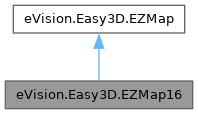
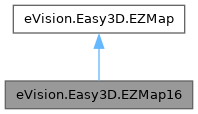
A ZMap16 is a 16bits corrected 2.5D image. More...
Public Member Functions | |
| None | __init__ (self) |
| Creates a 16 bits eVision.Easy3D.EZMap. | |
| None | __init__ (self, int width, int height) |
| Creates a 16 bits eVision.Easy3D.EZMap. | |
| None | __init__ (self, eVision.Easy3D.EZMap16 other) |
| Creates a 16 bits eVision.Easy3D.EZMap. | |
| None | Clear (self) |
| Clears the ZMap: replaces all pixels with the undefined value. | |
| None | FillUndefinedPixelsWithMedian (self, eVision.Easy3D.EZMap16 outMap, int halfOfKernelWidth, int halfOfKernelHeight) |
| Fills undefined pixels, used to fill the "holes" in the ZMap using a median rectangular kernel of odd size. | |
| None | FillUndefinedPixelsWithMedian (self, eVision.Easy3D.EZMap16 outMap, int halfOfKernelWidth) |
| Fills undefined pixels, used to fill the "holes" in the ZMap using a median rectangular kernel of odd size. | |
| None | FillUndefinedPixelsWithMedian (self, eVision.Easy3D.EZMap16 outMap) |
| Fills undefined pixels, used to fill the "holes" in the ZMap using a median rectangular kernel of odd size. | |
| None | FillUndefinedPixels (self, eVision.Easy3D.EZMap16 outMap, eVision.Easy3D.EFillUndefinedPixelsDirection direction, eVision.Easy3D.EFillUndefinedPixelsMethod method) |
| Fills undefined pixels, used to fill the "holes" in the ZMap. | |
| None | FillUndefinedPixels (self, eVision.Easy3D.EZMap16 outMap, eVision.Easy3D.EFillUndefinedPixelsDirection direction) |
| Fills undefined pixels, used to fill the "holes" in the ZMap. | |
| None | FillUndefinedPixels (self, eVision.Easy3D.EZMap16 outMap) |
| Fills undefined pixels, used to fill the "holes" in the ZMap. | |
| None | ResetWorldTransformation (self) |
| Reset the world transformation, Map to World and World to Map matrices become identity matrix. | |
| eVision.Easy3D.E3DPoint | GetWorldPositionFromPixelPosition (self, int u, int v) |
| Returns the 3D world position corresponding to a eVision.Easy3D.EZMap16 pixel position. | |
| eVision.Easy3D.E3DPoint | GetWorldPositionFromMapPosition (self, float x, float y) |
| Returns the 3D world position corresponding to a eVision.Easy3D.EZMap16 2D coordinate. | |
| eVision.Easy3D.E3DPoint | GetZMapPositionFromPixelPosition (self, int u, int v) |
| Returns the corresponding eVision.Easy3D.EZMap16 3D position of a ZMap pixel. | |
| bool | GetPixelPositionFromWorldPosition (self, eVision.Easy3D.E3DPoint world_position, eVision.EIntPoint zmapPosition, eVision.EDepth16 value) |
| Returns the eVision.Easy3D.EZMap16 values corresponding to a 3D world position. | |
| None | SetResolution (self, float rx, float ry, float rz) |
| Sets the resolution. | |
| None | GetZRange (self, eVision.EBW16 min, eVision.EBW16 max) |
| Compute the minimum and maximum pixel values, excluding the undefined pixels. | |
| None | ImageToZMap (self, eVision.EPoint uv, eVision.EPoint xy) |
| Converts a 2D image (sub)pixel coordinate to the eVision.Easy3D.EZMap16 space. | |
| bool | ZMapToImage (self, eVision.EPoint xy, eVision.EPoint uv) |
| Converts a 2D coordinate in the eVision.Easy3D.EZMap16 space to image (sub)pixel space. | |
| None | WorldToZMap (self, eVision.Easy3D.E3DPoint worldPt, eVision.Easy3D.E3DPoint zmapPt) |
| Transforms a 3D world position to a 3D eVision.Easy3D.EZMap16 position. | |
| None | ZMapToWorld (self, eVision.Easy3D.E3DPoint zmapPt, eVision.Easy3D.E3DPoint worldPt) |
| Transforms a 3D eVision.Easy3D.EZMap16 position to a 3D world space position. | |
| bool | WorldToImage (self, eVision.Easy3D.E3DPoint worldPt, eVision.Easy3D.E3DPoint pixelPt) |
| Transforms a 3D world position to a floating point (sub)pixel image position. | |
| None | ImageToWorld (self, eVision.Easy3D.E3DPoint pixelPoint, eVision.Easy3D.E3DPoint worldPoint) |
| Transforms a floating point (sub)pixel image position to a 3D world position. | |
| None | ImageToWorld (self, eVision.EPoint pixel2DPoint, int halfKernelSize, eVision.Easy3D.E3DPoint worldPoint) |
| Transforms a floating point (sub)pixel image position to a 3D world position. | |
| None | ImageToWorld (self, eVision.EPoint pixel2DPoint, eVision.EFrame frame, int halfKernelSize, eVision.Easy3D.E3DPoint worldPoint) |
| Transforms a floating point (sub)pixel image position to a 3D world position. | |
| None | ImageToWorld (self, eVision.EPoint pixel2DPoint, eVision.Easy3D.EZMapImageToWorldKernel kernel, int halfKernelSize, eVision.Easy3D.E3DPoint worldPoint) |
| Transforms a floating point (sub)pixel image position to a 3D world position. | |
| None | ImageToWorld (self, eVision.EPoint pixel2DPoint, eVision.EFrame frame, eVision.Easy3D.EZMapImageToWorldKernel kernel, int halfKernelSize, eVision.Easy3D.E3DPoint worldPoint) |
| Transforms a floating point (sub)pixel image position to a 3D world position. | |
| None | Load (self, str path) |
| Restores the eVision.Easy3D.EZMap16 stored in the given eVision file. | |
| None | Load (self, eVision.ESerializer|None serializer) |
| Restores the eVision.Easy3D.EZMap16 stored in the given eVision file. | |
| None | LoadImage (self, str path, bool withMetadata) |
| Restores the eVision.Easy3D.EZMap16 image stored in the given image file. | |
| None | LoadImage (self, str path) |
| Restores the eVision.Easy3D.EZMap16 image stored in the given image file. | |
| None | Save (self, str path) |
| Saves the eVision.Easy3D.EZMap16 object to the given eVision file. | |
| None | Save (self, eVision.ESerializer|None serializer) |
| Saves the eVision.Easy3D.EZMap16 object to the given eVision file. | |
| None | SaveImage (self, str path, eVision.EImageFileType type, bool withMetadata) |
| Saves the eVision.Easy3D.EZMap16 image to the given image file. | |
| None | SaveImage (self, str path, eVision.EImageFileType type) |
| Saves the eVision.Easy3D.EZMap16 image to the given image file. | |
| None | SaveImage (self, str path) |
| Saves the eVision.Easy3D.EZMap16 image to the given image file. | |
| None | LoadMetadata (self, str path) |
| Loads Metadata in JSON format. | |
| None | SaveMetadata (self, str path) |
| Saves Metadata in JSON format. | |
| None | LoadImageAndMetadata (self, str pathImage, str pathMetadata) |
| Loads image format and Metadata in JSON format. | |
| None | SaveImageAndMetadata (self, str pathImage, str pathMetadata, eVision.EImageFileType type) |
| Saves image format and Metadata JSON format. | |
| None | SaveImageAndMetadata (self, str pathImage, str pathMetadata) |
| Saves image format and Metadata JSON format. | |
| None | AddMetadata (self, str Key, str value) |
| Adds a metadata key (name) and value. | |
| None | ModifyMetadata (self, str Key, str value) |
| Changes an existing metadata key and value. | |
| str | GetMetadata (self, str Key) |
| Returns the string value of the given metadata. | |
| None | DeleteMetadata (self, str Key) |
| Deletes value of this existing metadata key . | |
| None | ClearMetadata (self) |
| Deletes all metadata. | |
| None | CopyMetadataTo (self, eVision.Easy3D.EZMap16 other) |
| Copies all metadata. | |
| bool | IsVoid (self) |
| Tests if the eVision.Easy3D.EZMap16 object size is zero. | |
| eVision.EImageBW16 | AsEImage (self) |
| Returns the eVision.Easy3D.EZMap16 as an eVision.EImageBW16 (16 bits gray scale) to use with existing eVision 2D tools. | |
| ctypes.c_void_p | GetBufferPtr (self) |
| Retrieves the pointer to the internal pixel buffer. | |
| ctypes.c_void_p | GetBufferPtr (self, int x, int y) |
| Retrieves the pointer to the internal pixel buffer. | |
| ctypes.c_void_p | GetCheckedBufferPtr (self, int x, int y) |
| Retrieves the pointer to the pixel buffer. | |
| eVision.EDepth16 | GetPixel (self, int x, int y) |
| Gets the value of a pixel . | |
| float | GetZValue (self, int x, int y) |
| Gets Z value (in metric coordinate) at pixel coordinates. | |
| None | SetZValue (self, float value, int x, int y) |
| Sets Z value (in metric coordinate) at pixel coordinates. | |
| None | SetPixel (self, eVision.EDepth16 value, int x, int y) |
| Sets the value of a pixel . | |
| None | SetBufferPtr (self, int width, int height, ctypes.c_void_p imagePointer, int bitsPerRow) |
| Sets the pointer to an externally allocated image buffer. | |
| None | SetBufferPtr (self, int width, int height, ctypes.c_void_p imagePointer) |
| Sets the pointer to an externally allocated image buffer. | |
| None | UseExternalBuffer (self, int width, int height, ctypes.c_void_p buffer, int rowPitch) |
| Sets the pointer to an externally allocated buffer. | |
| None | SetSize (self, int width, int height) |
| Sets the width and height of the eVision.Easy3D.EZMap16. | |
| None | SetSize (self, eVision.Easy3D.EZMap other) |
| Sets the width and height of the eVision.Easy3D.EZMap16. | |
| None | Draw (self, eVision.EDrawAdapter|None graphicContext, float zoomX, float zoomY, float panX, float panY) |
| Draws an eVision.Easy3D.EZMap16 in a device context. | |
| None | Draw (self, eVision.EDrawAdapter|None graphicContext, float zoomX, float zoomY, float panX) |
| Draws an eVision.Easy3D.EZMap16 in a device context. | |
| None | Draw (self, eVision.EDrawAdapter|None graphicContext, float zoomX, float zoomY) |
| Draws an eVision.Easy3D.EZMap16 in a device context. | |
| None | Draw (self, eVision.EDrawAdapter|None graphicContext, float zoomX) |
| Draws an eVision.Easy3D.EZMap16 in a device context. | |
| None | Draw (self, eVision.EDrawAdapter|None graphicContext) |
| Draws an eVision.Easy3D.EZMap16 in a device context. | |
| None | Draw (self, eVision.EDrawAdapter|None graphicContext, float zoomX, float zoomY, float panX, float panY, eVision.EC24 colorUndefinedPixel) |
| Draws an eVision.Easy3D.EZMap16 in a device context. | |
| None | Draw (self, eVision.EDrawAdapter|None graphicContext, eVision.EC24Vector|None c24Vector, float zoomX, float zoomY, float panX, float panY) |
| Draws an eVision.Easy3D.EZMap16 in a device context. | |
| None | Draw (self, eVision.EDrawAdapter|None graphicContext, eVision.EC24Vector|None c24Vector, float zoomX, float zoomY, float panX) |
| Draws an eVision.Easy3D.EZMap16 in a device context. | |
| None | Draw (self, eVision.EDrawAdapter|None graphicContext, eVision.EC24Vector|None c24Vector, float zoomX, float zoomY) |
| Draws an eVision.Easy3D.EZMap16 in a device context. | |
| None | Draw (self, eVision.EDrawAdapter|None graphicContext, eVision.EC24Vector|None c24Vector, float zoomX) |
| Draws an eVision.Easy3D.EZMap16 in a device context. | |
| None | Draw (self, eVision.EDrawAdapter|None graphicContext, eVision.EC24Vector|None c24Vector) |
| Draws an eVision.Easy3D.EZMap16 in a device context. | |
| None | Draw (self, eVision.EDrawAdapter|None graphicContext, eVision.EC24Vector|None c24Vector, float zoomX, float zoomY, float panX, float panY, eVision.EC24 colorUndefinedPixel) |
| Draws an eVision.Easy3D.EZMap16 in a device context. | |
| None | Draw (self, eVision.EDrawAdapter|None graphicContext, eVision.EBW8Vector|None bw8Vector, float zoomX, float zoomY, float panX, float panY) |
| Draws an eVision.Easy3D.EZMap16 in a device context. | |
| None | Draw (self, eVision.EDrawAdapter|None graphicContext, eVision.EBW8Vector|None bw8Vector, float zoomX, float zoomY, float panX) |
| Draws an eVision.Easy3D.EZMap16 in a device context. | |
| None | Draw (self, eVision.EDrawAdapter|None graphicContext, eVision.EBW8Vector|None bw8Vector, float zoomX, float zoomY) |
| Draws an eVision.Easy3D.EZMap16 in a device context. | |
| None | Draw (self, eVision.EDrawAdapter|None graphicContext, eVision.EBW8Vector|None bw8Vector, float zoomX) |
| Draws an eVision.Easy3D.EZMap16 in a device context. | |
| None | Draw (self, eVision.EDrawAdapter|None graphicContext, eVision.EBW8Vector|None bw8Vector) |
| Draws an eVision.Easy3D.EZMap16 in a device context. | |
| None | Draw (self, eVision.EDrawAdapter|None graphicContext, eVision.EBW8Vector|None bw8Vector, float zoomX, float zoomY, float panX, float panY, eVision.EC24 colorUndefinedPixel) |
| Draws an eVision.Easy3D.EZMap16 in a device context. | |
| None | DrawImage (self, eVision.EDrawAdapter|None graphicContext, float zoomX, float zoomY, float panX, float panY, eVision.EC24 colorUndefinedPixel) |
| Displays the internal image buffer. | |
| None | DrawImage (self, eVision.EDrawAdapter|None graphicContext, float zoomX, float zoomY, float panX, float panY) |
| Displays the internal image buffer. | |
| None | DrawImage (self, eVision.EDrawAdapter|None graphicContext, float zoomX, float zoomY, float panX) |
| Displays the internal image buffer. | |
| None | DrawImage (self, eVision.EDrawAdapter|None graphicContext, float zoomX, float zoomY) |
| Displays the internal image buffer. | |
| None | DrawImage (self, eVision.EDrawAdapter|None graphicContext, float zoomX) |
| Displays the internal image buffer. | |
| None | DrawImage (self, eVision.EDrawAdapter|None graphicContext) |
| Displays the internal image buffer. | |
| None | DrawImage (self, eVision.EDrawAdapter|None graphicContext, eVision.EC24Vector|None c24Vector, float zoomX, float zoomY, float panX, float panY, eVision.EC24 colorUndefinedPixel) |
| Displays the internal image buffer. | |
| None | DrawImage (self, eVision.EDrawAdapter|None graphicContext, eVision.EC24Vector|None c24Vector, float zoomX, float zoomY, float panX, float panY) |
| Displays the internal image buffer. | |
| None | DrawImage (self, eVision.EDrawAdapter|None graphicContext, eVision.EC24Vector|None c24Vector, float zoomX, float zoomY, float panX) |
| Displays the internal image buffer. | |
| None | DrawImage (self, eVision.EDrawAdapter|None graphicContext, eVision.EC24Vector|None c24Vector, float zoomX, float zoomY) |
| Displays the internal image buffer. | |
| None | DrawImage (self, eVision.EDrawAdapter|None graphicContext, eVision.EC24Vector|None c24Vector, float zoomX) |
| Displays the internal image buffer. | |
| None | DrawImage (self, eVision.EDrawAdapter|None graphicContext, eVision.EC24Vector|None c24Vector) |
| Displays the internal image buffer. | |
| None | DrawImage (self, eVision.EDrawAdapter|None graphicContext, eVision.EBW8Vector|None bw8Vector, float zoomX, float zoomY, float panX, float panY, eVision.EC24 colorUndefinedPixel) |
| Displays the internal image buffer. | |
| None | DrawImage (self, eVision.EDrawAdapter|None graphicContext, eVision.EBW8Vector|None bw8Vector, float zoomX, float zoomY, float panX, float panY) |
| Displays the internal image buffer. | |
| None | DrawImage (self, eVision.EDrawAdapter|None graphicContext, eVision.EBW8Vector|None bw8Vector, float zoomX, float zoomY, float panX) |
| Displays the internal image buffer. | |
| None | DrawImage (self, eVision.EDrawAdapter|None graphicContext, eVision.EBW8Vector|None bw8Vector, float zoomX, float zoomY) |
| Displays the internal image buffer. | |
| None | DrawImage (self, eVision.EDrawAdapter|None graphicContext, eVision.EBW8Vector|None bw8Vector, float zoomX) |
| Displays the internal image buffer. | |
| None | DrawImage (self, eVision.EDrawAdapter|None graphicContext, eVision.EBW8Vector|None bw8Vector) |
| Displays the internal image buffer. | |
| eVision.EPoint | ConvertCoordinatesPixelToMap (self, eVision.EIntPoint pixelCoordinates) |
| Converts Pixel coordinates to 3D Map coordinates. | |
| bool | ConvertCoordinatesMapToPixel (self, eVision.EPoint mapCoordinates, eVision.EIntPoint pixelCoordinates) |
| Converts 3D Map coordinates to Pixel coordinates. | |
| eVision.EDepth16 | UndefinedValue (self) |
| Returns the Undefined value. | |
| eVision.Legacy.EWorldShape | WorldShape (self) |
| Returns the eVision.Legacy.EWorldShape for conversion between 2D image and 2D world space coordinates. | |
| eVision.Easy3D.E3DTransformMatrix | MapToWorldMatrix (self) |
| eVision.Easy3D.E3DTransformMatrix that transforms positions from the eVision.Easy3D.EZMap16 space to the world space. | |
| MapToWorldMatrix (self, eVision.Easy3D.E3DTransformMatrix value) | |
| eVision.Easy3D.E3DTransformMatrix that transforms positions from the eVision.Easy3D.EZMap16 space to the world space. | |
| eVision.Easy3D.E3DTransformMatrix | WorldToMapMatrix (self) |
| Sets/Gets the eVision.Easy3D.E3DTransformMatrix that transforms positions from the world space to the eVision.Easy3D.EZMap16 space. | |
| WorldToMapMatrix (self, eVision.Easy3D.E3DTransformMatrix value) | |
| Sets/Gets the eVision.Easy3D.E3DTransformMatrix that transforms positions from the world space to the eVision.Easy3D.EZMap16 space. | |
| eVision.EFrame | ZMapPositionFrame (self) |
| Returns the eVision.EFrame from which the eVision.Easy3D.EZMap16 position of a pixel can be retrieved. | |
| eVision.EPoint | SizeInWorld (self) |
| Returns the dimensions of the eVision.Easy3D.EZMap16 in real world space (e.g metric unit). | |
| eVision.Easy3D.E3DPoint | Resolution (self) |
| Sets the resolution. | |
| Resolution (self, eVision.Easy3D.E3DPoint value) | |
| Sets the resolution. | |
| float | XResolution (self) |
| Resolution of the eVision.Easy3D.EZMap16 along the X axis. | |
| XResolution (self, float value) | |
| Resolution of the eVision.Easy3D.EZMap16 along the X axis. | |
| float | YResolution (self) |
| Resolution of the eVision.Easy3D.EZMap16 along the Y axis. | |
| YResolution (self, float value) | |
| Resolution of the eVision.Easy3D.EZMap16 along the Y axis. | |
| float | ZResolution (self) |
| Resolution of the eVision.Easy3D.EZMap16 along the Z axis. | |
| ZResolution (self, float value) | |
| Resolution of the eVision.Easy3D.EZMap16 along the Z axis. | |
| int | Width (self) |
| Access ZMap Width. | |
| Width (self, int value) | |
| Access ZMap Width. | |
| int | Height (self) |
| Access ZMap Height. | |
| Height (self, int value) | |
| Access ZMap Height. | |
| int | RowPitch (self) |
| Returns the buffer row pitch. | |
| eVision.EImageType | Type (self) |
| Pixel accessor type. | |
| Public Member Functions inherited from eVision.Easy3D.EZMap | |
| eVision.Easy3D.E3DPlane | ProjectionPlane (self) |
| Retrieves the eVision.Easy3D.E3DPlane on which the ZMap was projected. | |
Additional Inherited Members | |
| Static Public Member Functions inherited from eVision.Easy3D.EZMap | |
| eVision.Easy3D.EZMap|None | Create (str path) |
| Factory method to allocate and read a ZMap from a file. | |
A ZMap16 is a 16bits corrected 2.5D image.
ZMap Pixel values (16 bits integers) represent distances from a 3D reference plane. Distances are positive, during the ZMap generation all points below the reference plane are discarded. The EZMap class also stores the transformation from the pixel coordinates to the real world coordinate system. There could be undefined pixels in the ZMap.
Remarks:
License(s): Easy3D
| None eVision.Easy3D.EZMap16.__init__ | ( | self | ) |
Creates a 16 bits eVision.Easy3D.EZMap.
| None eVision.Easy3D.EZMap16.__init__ | ( | self, | |
| int | width, | ||
| int | height ) |
Creates a 16 bits eVision.Easy3D.EZMap.
| width | The width of the new ZMap. |
| height | The height of the new ZMap. |
| None eVision.Easy3D.EZMap16.__init__ | ( | self, | |
| eVision.Easy3D.EZMap16 | other ) |
Creates a 16 bits eVision.Easy3D.EZMap.
| other | Another ZMap. |
| None eVision.Easy3D.EZMap16.AddMetadata | ( | self, | |
| str | Key, | ||
| str | value ) |
Adds a metadata key (name) and value.
If the metadata key already exists, its value will be overwritten.
| Key | The name of the metadata. Names are unique. |
| value | The value for the given metadata. |
Reimplemented from eVision.Easy3D.EZMap.
| eVision.EImageBW16 eVision.Easy3D.EZMap16.AsEImage | ( | self | ) |
Returns the eVision.Easy3D.EZMap16 as an eVision.EImageBW16 (16 bits gray scale) to use with existing eVision 2D tools.
| None eVision.Easy3D.EZMap16.Clear | ( | self | ) |
Clears the ZMap: replaces all pixels with the undefined value.
Reimplemented from eVision.Easy3D.EZMap.
| None eVision.Easy3D.EZMap16.ClearMetadata | ( | self | ) |
Deletes all metadata.
| bool eVision.Easy3D.EZMap16.ConvertCoordinatesMapToPixel | ( | self, | |
| eVision.EPoint | mapCoordinates, | ||
| eVision.EIntPoint | pixelCoordinates ) |
Converts 3D Map coordinates to Pixel coordinates.
| mapCoordinates | The map coordinates to convert from. |
| pixelCoordinates | The pixel coordinates to convert to. |
Reimplemented from eVision.Easy3D.EZMap.
| eVision.EPoint eVision.Easy3D.EZMap16.ConvertCoordinatesPixelToMap | ( | self, | |
| eVision.EIntPoint | pixelCoordinates ) |
Converts Pixel coordinates to 3D Map coordinates.
| pixelCoordinates | The pixel coordinates to convert. |
Reimplemented from eVision.Easy3D.EZMap.
| None eVision.Easy3D.EZMap16.CopyMetadataTo | ( | self, | |
| eVision.Easy3D.EZMap16 | other ) |
Copies all metadata.
| other | An other eVision.Easy3D.EZMap16. |
| None eVision.Easy3D.EZMap16.DeleteMetadata | ( | self, | |
| str | Key ) |
Deletes value of this existing metadata key .
Throws an exception if it does not exist.
| Key | The name of an existing metadata. |
| None eVision.Easy3D.EZMap16.Draw | ( | self, | |
| eVision.EDrawAdapter | None | graphicContext ) |
Draws an eVision.Easy3D.EZMap16 in a device context.
Remarks:
A ZMap can be drawn (its pixels rendered) using a device context. eVision.Easy3D.EZMap16.Draw and eVision.Easy3D.EZMap16.DrawImage produce the same output.
The horizontal and vertical zooming factors can be different but must be in the 1/16..16 range.
(MFC users can use the CDC::GetSafeHdc() method to obtain a suitable device context handle from a CDC instance.)
| graphicContext | Handle to the device context of the destination window. |
Reimplemented from eVision.Easy3D.EZMap.
| None eVision.Easy3D.EZMap16.Draw | ( | self, | |
| eVision.EDrawAdapter | None | graphicContext, | ||
| eVision.EBW8Vector | None | bw8Vector ) |
Draws an eVision.Easy3D.EZMap16 in a device context.
Remarks:
A ZMap can be drawn (its pixels rendered) using a device context. eVision.Easy3D.EZMap16.Draw and eVision.Easy3D.EZMap16.DrawImage produce the same output.
The horizontal and vertical zooming factors can be different but must be in the 1/16..16 range.
(MFC users can use the CDC::GetSafeHdc() method to obtain a suitable device context handle from a CDC instance.)
| graphicContext | Handle to the device context of the destination window. |
| bw8Vector | When supplied, this parameter allows using a LUT that maps from Depth to BW8 when drawing. |
Reimplemented from eVision.Easy3D.EZMap.
| None eVision.Easy3D.EZMap16.Draw | ( | self, | |
| eVision.EDrawAdapter | None | graphicContext, | ||
| eVision.EBW8Vector | None | bw8Vector, | ||
| float | zoomX ) |
Draws an eVision.Easy3D.EZMap16 in a device context.
Remarks:
A ZMap can be drawn (its pixels rendered) using a device context. eVision.Easy3D.EZMap16.Draw and eVision.Easy3D.EZMap16.DrawImage produce the same output.
The horizontal and vertical zooming factors can be different but must be in the 1/16..16 range.
(MFC users can use the CDC::GetSafeHdc() method to obtain a suitable device context handle from a CDC instance.)
| graphicContext | Handle to the device context of the destination window. |
| bw8Vector | When supplied, this parameter allows using a LUT that maps from Depth to BW8 when drawing. |
| zoomX | Magnification factor for zooming in or out in the horizontal direction. By default, the ZMap is displayed in 1:1 scale. |
Reimplemented from eVision.Easy3D.EZMap.
| None eVision.Easy3D.EZMap16.Draw | ( | self, | |
| eVision.EDrawAdapter | None | graphicContext, | ||
| eVision.EBW8Vector | None | bw8Vector, | ||
| float | zoomX, | ||
| float | zoomY ) |
Draws an eVision.Easy3D.EZMap16 in a device context.
Remarks:
A ZMap can be drawn (its pixels rendered) using a device context. eVision.Easy3D.EZMap16.Draw and eVision.Easy3D.EZMap16.DrawImage produce the same output.
The horizontal and vertical zooming factors can be different but must be in the 1/16..16 range.
(MFC users can use the CDC::GetSafeHdc() method to obtain a suitable device context handle from a CDC instance.)
| graphicContext | Handle to the device context of the destination window. |
| bw8Vector | When supplied, this parameter allows using a LUT that maps from Depth to BW8 when drawing. |
| zoomX | Magnification factor for zooming in or out in the horizontal direction. By default, the ZMap is displayed in 1:1 scale. |
| zoomY | Magnification factor for zooming in or out in the vertical direction. Setting a 0 value (which is the default) will result in isotropic scaling (i.e. equal horizontal and vertical factors). |
Reimplemented from eVision.Easy3D.EZMap.
| None eVision.Easy3D.EZMap16.Draw | ( | self, | |
| eVision.EDrawAdapter | None | graphicContext, | ||
| eVision.EBW8Vector | None | bw8Vector, | ||
| float | zoomX, | ||
| float | zoomY, | ||
| float | panX ) |
Draws an eVision.Easy3D.EZMap16 in a device context.
Remarks:
A ZMap can be drawn (its pixels rendered) using a device context. eVision.Easy3D.EZMap16.Draw and eVision.Easy3D.EZMap16.DrawImage produce the same output.
The horizontal and vertical zooming factors can be different but must be in the 1/16..16 range.
(MFC users can use the CDC::GetSafeHdc() method to obtain a suitable device context handle from a CDC instance.)
| graphicContext | Handle to the device context of the destination window. |
| bw8Vector | When supplied, this parameter allows using a LUT that maps from Depth to BW8 when drawing. |
| zoomX | Magnification factor for zooming in or out in the horizontal direction. By default, the ZMap is displayed in 1:1 scale. |
| zoomY | Magnification factor for zooming in or out in the vertical direction. Setting a 0 value (which is the default) will result in isotropic scaling (i.e. equal horizontal and vertical factors). |
| panX | Horizontal panning value expressed in pixels. By default, no panning occurs. |
Reimplemented from eVision.Easy3D.EZMap.
| None eVision.Easy3D.EZMap16.Draw | ( | self, | |
| eVision.EDrawAdapter | None | graphicContext, | ||
| eVision.EBW8Vector | None | bw8Vector, | ||
| float | zoomX, | ||
| float | zoomY, | ||
| float | panX, | ||
| float | panY ) |
Draws an eVision.Easy3D.EZMap16 in a device context.
Remarks:
A ZMap can be drawn (its pixels rendered) using a device context. eVision.Easy3D.EZMap16.Draw and eVision.Easy3D.EZMap16.DrawImage produce the same output.
The horizontal and vertical zooming factors can be different but must be in the 1/16..16 range.
(MFC users can use the CDC::GetSafeHdc() method to obtain a suitable device context handle from a CDC instance.)
| graphicContext | Handle to the device context of the destination window. |
| bw8Vector | When supplied, this parameter allows using a LUT that maps from Depth to BW8 when drawing. |
| zoomX | Magnification factor for zooming in or out in the horizontal direction. By default, the ZMap is displayed in 1:1 scale. |
| zoomY | Magnification factor for zooming in or out in the vertical direction. Setting a 0 value (which is the default) will result in isotropic scaling (i.e. equal horizontal and vertical factors). |
| panX | Horizontal panning value expressed in pixels. By default, no panning occurs. |
| panY | Vertical panning value expressed in pixels. By default, no panning occurs. |
Reimplemented from eVision.Easy3D.EZMap.
| None eVision.Easy3D.EZMap16.Draw | ( | self, | |
| eVision.EDrawAdapter | None | graphicContext, | ||
| eVision.EBW8Vector | None | bw8Vector, | ||
| float | zoomX, | ||
| float | zoomY, | ||
| float | panX, | ||
| float | panY, | ||
| eVision.EC24 | colorUndefinedPixel ) |
Draws an eVision.Easy3D.EZMap16 in a device context.
Remarks:
A ZMap can be drawn (its pixels rendered) using a device context. eVision.Easy3D.EZMap16.Draw and eVision.Easy3D.EZMap16.DrawImage produce the same output.
The horizontal and vertical zooming factors can be different but must be in the 1/16..16 range.
(MFC users can use the CDC::GetSafeHdc() method to obtain a suitable device context handle from a CDC instance.)
| graphicContext | Handle to the device context of the destination window. |
| bw8Vector | When supplied, this parameter allows using a LUT that maps from Depth to BW8 when drawing. |
| zoomX | Magnification factor for zooming in or out in the horizontal direction. By default, the ZMap is displayed in 1:1 scale. |
| zoomY | Magnification factor for zooming in or out in the vertical direction. Setting a 0 value (which is the default) will result in isotropic scaling (i.e. equal horizontal and vertical factors). |
| panX | Horizontal panning value expressed in pixels. By default, no panning occurs. |
| panY | Vertical panning value expressed in pixels. By default, no panning occurs. |
| colorUndefinedPixel | An optional parameter to choose the drawing color of undefined pixels. |
Reimplemented from eVision.Easy3D.EZMap.
| None eVision.Easy3D.EZMap16.Draw | ( | self, | |
| eVision.EDrawAdapter | None | graphicContext, | ||
| eVision.EC24Vector | None | c24Vector ) |
Draws an eVision.Easy3D.EZMap16 in a device context.
Remarks:
A ZMap can be drawn (its pixels rendered) using a device context. eVision.Easy3D.EZMap16.Draw and eVision.Easy3D.EZMap16.DrawImage produce the same output.
The horizontal and vertical zooming factors can be different but must be in the 1/16..16 range.
(MFC users can use the CDC::GetSafeHdc() method to obtain a suitable device context handle from a CDC instance.)
| graphicContext | Handle to the device context of the destination window. |
| c24Vector | When supplied, this parameter allows using a LUT that maps from Depth to C24 when drawing (false colors). |
Reimplemented from eVision.Easy3D.EZMap.
| None eVision.Easy3D.EZMap16.Draw | ( | self, | |
| eVision.EDrawAdapter | None | graphicContext, | ||
| eVision.EC24Vector | None | c24Vector, | ||
| float | zoomX ) |
Draws an eVision.Easy3D.EZMap16 in a device context.
Remarks:
A ZMap can be drawn (its pixels rendered) using a device context. eVision.Easy3D.EZMap16.Draw and eVision.Easy3D.EZMap16.DrawImage produce the same output.
The horizontal and vertical zooming factors can be different but must be in the 1/16..16 range.
(MFC users can use the CDC::GetSafeHdc() method to obtain a suitable device context handle from a CDC instance.)
| graphicContext | Handle to the device context of the destination window. |
| c24Vector | When supplied, this parameter allows using a LUT that maps from Depth to C24 when drawing (false colors). |
| zoomX | Magnification factor for zooming in or out in the horizontal direction. By default, the ZMap is displayed in 1:1 scale. |
Reimplemented from eVision.Easy3D.EZMap.
| None eVision.Easy3D.EZMap16.Draw | ( | self, | |
| eVision.EDrawAdapter | None | graphicContext, | ||
| eVision.EC24Vector | None | c24Vector, | ||
| float | zoomX, | ||
| float | zoomY ) |
Draws an eVision.Easy3D.EZMap16 in a device context.
Remarks:
A ZMap can be drawn (its pixels rendered) using a device context. eVision.Easy3D.EZMap16.Draw and eVision.Easy3D.EZMap16.DrawImage produce the same output.
The horizontal and vertical zooming factors can be different but must be in the 1/16..16 range.
(MFC users can use the CDC::GetSafeHdc() method to obtain a suitable device context handle from a CDC instance.)
| graphicContext | Handle to the device context of the destination window. |
| c24Vector | When supplied, this parameter allows using a LUT that maps from Depth to C24 when drawing (false colors). |
| zoomX | Magnification factor for zooming in or out in the horizontal direction. By default, the ZMap is displayed in 1:1 scale. |
| zoomY | Magnification factor for zooming in or out in the vertical direction. Setting a 0 value (which is the default) will result in isotropic scaling (i.e. equal horizontal and vertical factors). |
Reimplemented from eVision.Easy3D.EZMap.
| None eVision.Easy3D.EZMap16.Draw | ( | self, | |
| eVision.EDrawAdapter | None | graphicContext, | ||
| eVision.EC24Vector | None | c24Vector, | ||
| float | zoomX, | ||
| float | zoomY, | ||
| float | panX ) |
Draws an eVision.Easy3D.EZMap16 in a device context.
Remarks:
A ZMap can be drawn (its pixels rendered) using a device context. eVision.Easy3D.EZMap16.Draw and eVision.Easy3D.EZMap16.DrawImage produce the same output.
The horizontal and vertical zooming factors can be different but must be in the 1/16..16 range.
(MFC users can use the CDC::GetSafeHdc() method to obtain a suitable device context handle from a CDC instance.)
| graphicContext | Handle to the device context of the destination window. |
| c24Vector | When supplied, this parameter allows using a LUT that maps from Depth to C24 when drawing (false colors). |
| zoomX | Magnification factor for zooming in or out in the horizontal direction. By default, the ZMap is displayed in 1:1 scale. |
| zoomY | Magnification factor for zooming in or out in the vertical direction. Setting a 0 value (which is the default) will result in isotropic scaling (i.e. equal horizontal and vertical factors). |
| panX | Horizontal panning value expressed in pixels. By default, no panning occurs. |
Reimplemented from eVision.Easy3D.EZMap.
| None eVision.Easy3D.EZMap16.Draw | ( | self, | |
| eVision.EDrawAdapter | None | graphicContext, | ||
| eVision.EC24Vector | None | c24Vector, | ||
| float | zoomX, | ||
| float | zoomY, | ||
| float | panX, | ||
| float | panY ) |
Draws an eVision.Easy3D.EZMap16 in a device context.
Remarks:
A ZMap can be drawn (its pixels rendered) using a device context. eVision.Easy3D.EZMap16.Draw and eVision.Easy3D.EZMap16.DrawImage produce the same output.
The horizontal and vertical zooming factors can be different but must be in the 1/16..16 range.
(MFC users can use the CDC::GetSafeHdc() method to obtain a suitable device context handle from a CDC instance.)
| graphicContext | Handle to the device context of the destination window. |
| c24Vector | When supplied, this parameter allows using a LUT that maps from Depth to C24 when drawing (false colors). |
| zoomX | Magnification factor for zooming in or out in the horizontal direction. By default, the ZMap is displayed in 1:1 scale. |
| zoomY | Magnification factor for zooming in or out in the vertical direction. Setting a 0 value (which is the default) will result in isotropic scaling (i.e. equal horizontal and vertical factors). |
| panX | Horizontal panning value expressed in pixels. By default, no panning occurs. |
| panY | Vertical panning value expressed in pixels. By default, no panning occurs. |
Reimplemented from eVision.Easy3D.EZMap.
| None eVision.Easy3D.EZMap16.Draw | ( | self, | |
| eVision.EDrawAdapter | None | graphicContext, | ||
| eVision.EC24Vector | None | c24Vector, | ||
| float | zoomX, | ||
| float | zoomY, | ||
| float | panX, | ||
| float | panY, | ||
| eVision.EC24 | colorUndefinedPixel ) |
Draws an eVision.Easy3D.EZMap16 in a device context.
Remarks:
A ZMap can be drawn (its pixels rendered) using a device context. eVision.Easy3D.EZMap16.Draw and eVision.Easy3D.EZMap16.DrawImage produce the same output.
The horizontal and vertical zooming factors can be different but must be in the 1/16..16 range.
(MFC users can use the CDC::GetSafeHdc() method to obtain a suitable device context handle from a CDC instance.)
| graphicContext | Handle to the device context of the destination window. |
| c24Vector | When supplied, this parameter allows using a LUT that maps from Depth to C24 when drawing (false colors). |
| zoomX | Magnification factor for zooming in or out in the horizontal direction. By default, the ZMap is displayed in 1:1 scale. |
| zoomY | Magnification factor for zooming in or out in the vertical direction. Setting a 0 value (which is the default) will result in isotropic scaling (i.e. equal horizontal and vertical factors). |
| panX | Horizontal panning value expressed in pixels. By default, no panning occurs. |
| panY | Vertical panning value expressed in pixels. By default, no panning occurs. |
| colorUndefinedPixel | An optional parameter to choose the drawing color of undefined pixels. |
Reimplemented from eVision.Easy3D.EZMap.
| None eVision.Easy3D.EZMap16.Draw | ( | self, | |
| eVision.EDrawAdapter | None | graphicContext, | ||
| float | zoomX ) |
Draws an eVision.Easy3D.EZMap16 in a device context.
Remarks:
A ZMap can be drawn (its pixels rendered) using a device context. eVision.Easy3D.EZMap16.Draw and eVision.Easy3D.EZMap16.DrawImage produce the same output.
The horizontal and vertical zooming factors can be different but must be in the 1/16..16 range.
(MFC users can use the CDC::GetSafeHdc() method to obtain a suitable device context handle from a CDC instance.)
| graphicContext | Handle to the device context of the destination window. |
| zoomX | Magnification factor for zooming in or out in the horizontal direction. By default, the ZMap is displayed in 1:1 scale. |
Reimplemented from eVision.Easy3D.EZMap.
| None eVision.Easy3D.EZMap16.Draw | ( | self, | |
| eVision.EDrawAdapter | None | graphicContext, | ||
| float | zoomX, | ||
| float | zoomY ) |
Draws an eVision.Easy3D.EZMap16 in a device context.
Remarks:
A ZMap can be drawn (its pixels rendered) using a device context. eVision.Easy3D.EZMap16.Draw and eVision.Easy3D.EZMap16.DrawImage produce the same output.
The horizontal and vertical zooming factors can be different but must be in the 1/16..16 range.
(MFC users can use the CDC::GetSafeHdc() method to obtain a suitable device context handle from a CDC instance.)
| graphicContext | Handle to the device context of the destination window. |
| zoomX | Magnification factor for zooming in or out in the horizontal direction. By default, the ZMap is displayed in 1:1 scale. |
| zoomY | Magnification factor for zooming in or out in the vertical direction. Setting a 0 value (which is the default) will result in isotropic scaling (i.e. equal horizontal and vertical factors). |
Reimplemented from eVision.Easy3D.EZMap.
| None eVision.Easy3D.EZMap16.Draw | ( | self, | |
| eVision.EDrawAdapter | None | graphicContext, | ||
| float | zoomX, | ||
| float | zoomY, | ||
| float | panX ) |
Draws an eVision.Easy3D.EZMap16 in a device context.
Remarks:
A ZMap can be drawn (its pixels rendered) using a device context. eVision.Easy3D.EZMap16.Draw and eVision.Easy3D.EZMap16.DrawImage produce the same output.
The horizontal and vertical zooming factors can be different but must be in the 1/16..16 range.
(MFC users can use the CDC::GetSafeHdc() method to obtain a suitable device context handle from a CDC instance.)
| graphicContext | Handle to the device context of the destination window. |
| zoomX | Magnification factor for zooming in or out in the horizontal direction. By default, the ZMap is displayed in 1:1 scale. |
| zoomY | Magnification factor for zooming in or out in the vertical direction. Setting a 0 value (which is the default) will result in isotropic scaling (i.e. equal horizontal and vertical factors). |
| panX | Horizontal panning value expressed in pixels. By default, no panning occurs. |
Reimplemented from eVision.Easy3D.EZMap.
| None eVision.Easy3D.EZMap16.Draw | ( | self, | |
| eVision.EDrawAdapter | None | graphicContext, | ||
| float | zoomX, | ||
| float | zoomY, | ||
| float | panX, | ||
| float | panY ) |
Draws an eVision.Easy3D.EZMap16 in a device context.
Remarks:
A ZMap can be drawn (its pixels rendered) using a device context. eVision.Easy3D.EZMap16.Draw and eVision.Easy3D.EZMap16.DrawImage produce the same output.
The horizontal and vertical zooming factors can be different but must be in the 1/16..16 range.
(MFC users can use the CDC::GetSafeHdc() method to obtain a suitable device context handle from a CDC instance.)
| graphicContext | Handle to the device context of the destination window. |
| zoomX | Magnification factor for zooming in or out in the horizontal direction. By default, the ZMap is displayed in 1:1 scale. |
| zoomY | Magnification factor for zooming in or out in the vertical direction. Setting a 0 value (which is the default) will result in isotropic scaling (i.e. equal horizontal and vertical factors). |
| panX | Horizontal panning value expressed in pixels. By default, no panning occurs. |
| panY | Vertical panning value expressed in pixels. By default, no panning occurs. |
Reimplemented from eVision.Easy3D.EZMap.
| None eVision.Easy3D.EZMap16.Draw | ( | self, | |
| eVision.EDrawAdapter | None | graphicContext, | ||
| float | zoomX, | ||
| float | zoomY, | ||
| float | panX, | ||
| float | panY, | ||
| eVision.EC24 | colorUndefinedPixel ) |
Draws an eVision.Easy3D.EZMap16 in a device context.
Remarks:
A ZMap can be drawn (its pixels rendered) using a device context. eVision.Easy3D.EZMap16.Draw and eVision.Easy3D.EZMap16.DrawImage produce the same output.
The horizontal and vertical zooming factors can be different but must be in the 1/16..16 range.
(MFC users can use the CDC::GetSafeHdc() method to obtain a suitable device context handle from a CDC instance.)
| graphicContext | Handle to the device context of the destination window. |
| zoomX | Magnification factor for zooming in or out in the horizontal direction. By default, the ZMap is displayed in 1:1 scale. |
| zoomY | Magnification factor for zooming in or out in the vertical direction. Setting a 0 value (which is the default) will result in isotropic scaling (i.e. equal horizontal and vertical factors). |
| panX | Horizontal panning value expressed in pixels. By default, no panning occurs. |
| panY | Vertical panning value expressed in pixels. By default, no panning occurs. |
| colorUndefinedPixel | An optional parameter to choose the drawing color of undefined pixels. |
Reimplemented from eVision.Easy3D.EZMap.
| None eVision.Easy3D.EZMap16.DrawImage | ( | self, | |
| eVision.EDrawAdapter | None | graphicContext ) |
Displays the internal image buffer.
Remarks:
An image can be drawn (its pixels rendered) using a device context. eVision.Easy3D.EZMap16.Draw and eVision.Easy3D.EZMap16.DrawImage produce the same output.
The horizontal and vertical zooming factors can be different but must be in the 1/16..16 range.
(MFC users can use the CDC::GetSafeHdc() method to obtain a suitable device context handle from a CDC instance.)
| graphicContext | Handle to the device context of the destination window. |
Reimplemented from eVision.Easy3D.EZMap.
| None eVision.Easy3D.EZMap16.DrawImage | ( | self, | |
| eVision.EDrawAdapter | None | graphicContext, | ||
| eVision.EBW8Vector | None | bw8Vector ) |
Displays the internal image buffer.
Remarks:
An image can be drawn (its pixels rendered) using a device context. eVision.Easy3D.EZMap16.Draw and eVision.Easy3D.EZMap16.DrawImage produce the same output.
The horizontal and vertical zooming factors can be different but must be in the 1/16..16 range.
(MFC users can use the CDC::GetSafeHdc() method to obtain a suitable device context handle from a CDC instance.)
| graphicContext | Handle to the device context of the destination window. |
| bw8Vector | When supplied, this parameter allows using a LUT that maps from Depth to BW8 when drawing. |
Reimplemented from eVision.Easy3D.EZMap.
| None eVision.Easy3D.EZMap16.DrawImage | ( | self, | |
| eVision.EDrawAdapter | None | graphicContext, | ||
| eVision.EBW8Vector | None | bw8Vector, | ||
| float | zoomX ) |
Displays the internal image buffer.
Remarks:
An image can be drawn (its pixels rendered) using a device context. eVision.Easy3D.EZMap16.Draw and eVision.Easy3D.EZMap16.DrawImage produce the same output.
The horizontal and vertical zooming factors can be different but must be in the 1/16..16 range.
(MFC users can use the CDC::GetSafeHdc() method to obtain a suitable device context handle from a CDC instance.)
| graphicContext | Handle to the device context of the destination window. |
| bw8Vector | When supplied, this parameter allows using a LUT that maps from Depth to BW8 when drawing. |
| zoomX | Magnification factor for zooming in or out in the horizontal direction. By default, the image is displayed in 1:1 scale. |
Reimplemented from eVision.Easy3D.EZMap.
| None eVision.Easy3D.EZMap16.DrawImage | ( | self, | |
| eVision.EDrawAdapter | None | graphicContext, | ||
| eVision.EBW8Vector | None | bw8Vector, | ||
| float | zoomX, | ||
| float | zoomY ) |
Displays the internal image buffer.
Remarks:
An image can be drawn (its pixels rendered) using a device context. eVision.Easy3D.EZMap16.Draw and eVision.Easy3D.EZMap16.DrawImage produce the same output.
The horizontal and vertical zooming factors can be different but must be in the 1/16..16 range.
(MFC users can use the CDC::GetSafeHdc() method to obtain a suitable device context handle from a CDC instance.)
| graphicContext | Handle to the device context of the destination window. |
| bw8Vector | When supplied, this parameter allows using a LUT that maps from Depth to BW8 when drawing. |
| zoomX | Magnification factor for zooming in or out in the horizontal direction. By default, the image is displayed in 1:1 scale. |
| zoomY | Magnification factor for zooming in or out in the vertical direction. Setting a 0 value (which is the default) will result in isotropic scaling (i.e. equal horizontal and vertical factors). |
Reimplemented from eVision.Easy3D.EZMap.
| None eVision.Easy3D.EZMap16.DrawImage | ( | self, | |
| eVision.EDrawAdapter | None | graphicContext, | ||
| eVision.EBW8Vector | None | bw8Vector, | ||
| float | zoomX, | ||
| float | zoomY, | ||
| float | panX ) |
Displays the internal image buffer.
Remarks:
An image can be drawn (its pixels rendered) using a device context. eVision.Easy3D.EZMap16.Draw and eVision.Easy3D.EZMap16.DrawImage produce the same output.
The horizontal and vertical zooming factors can be different but must be in the 1/16..16 range.
(MFC users can use the CDC::GetSafeHdc() method to obtain a suitable device context handle from a CDC instance.)
| graphicContext | Handle to the device context of the destination window. |
| bw8Vector | When supplied, this parameter allows using a LUT that maps from Depth to BW8 when drawing. |
| zoomX | Magnification factor for zooming in or out in the horizontal direction. By default, the image is displayed in 1:1 scale. |
| zoomY | Magnification factor for zooming in or out in the vertical direction. Setting a 0 value (which is the default) will result in isotropic scaling (i.e. equal horizontal and vertical factors). |
| panX | Horizontal panning value expressed in pixels. By default, no panning occurs. |
Reimplemented from eVision.Easy3D.EZMap.
| None eVision.Easy3D.EZMap16.DrawImage | ( | self, | |
| eVision.EDrawAdapter | None | graphicContext, | ||
| eVision.EBW8Vector | None | bw8Vector, | ||
| float | zoomX, | ||
| float | zoomY, | ||
| float | panX, | ||
| float | panY ) |
Displays the internal image buffer.
Remarks:
An image can be drawn (its pixels rendered) using a device context. eVision.Easy3D.EZMap16.Draw and eVision.Easy3D.EZMap16.DrawImage produce the same output.
The horizontal and vertical zooming factors can be different but must be in the 1/16..16 range.
(MFC users can use the CDC::GetSafeHdc() method to obtain a suitable device context handle from a CDC instance.)
| graphicContext | Handle to the device context of the destination window. |
| bw8Vector | When supplied, this parameter allows using a LUT that maps from Depth to BW8 when drawing. |
| zoomX | Magnification factor for zooming in or out in the horizontal direction. By default, the image is displayed in 1:1 scale. |
| zoomY | Magnification factor for zooming in or out in the vertical direction. Setting a 0 value (which is the default) will result in isotropic scaling (i.e. equal horizontal and vertical factors). |
| panX | Horizontal panning value expressed in pixels. By default, no panning occurs. |
| panY | Vertical panning value expressed in pixels. By default, no panning occurs. |
Reimplemented from eVision.Easy3D.EZMap.
| None eVision.Easy3D.EZMap16.DrawImage | ( | self, | |
| eVision.EDrawAdapter | None | graphicContext, | ||
| eVision.EBW8Vector | None | bw8Vector, | ||
| float | zoomX, | ||
| float | zoomY, | ||
| float | panX, | ||
| float | panY, | ||
| eVision.EC24 | colorUndefinedPixel ) |
Displays the internal image buffer.
Remarks:
An image can be drawn (its pixels rendered) using a device context. eVision.Easy3D.EZMap16.Draw and eVision.Easy3D.EZMap16.DrawImage produce the same output.
The horizontal and vertical zooming factors can be different but must be in the 1/16..16 range.
(MFC users can use the CDC::GetSafeHdc() method to obtain a suitable device context handle from a CDC instance.)
| graphicContext | Handle to the device context of the destination window. |
| bw8Vector | When supplied, this parameter allows using a LUT that maps from Depth to BW8 when drawing. |
| zoomX | Magnification factor for zooming in or out in the horizontal direction. By default, the image is displayed in 1:1 scale. |
| zoomY | Magnification factor for zooming in or out in the vertical direction. Setting a 0 value (which is the default) will result in isotropic scaling (i.e. equal horizontal and vertical factors). |
| panX | Horizontal panning value expressed in pixels. By default, no panning occurs. |
| panY | Vertical panning value expressed in pixels. By default, no panning occurs. |
| colorUndefinedPixel | An optional parameter to choose the drawing color of undefined pixels. |
Reimplemented from eVision.Easy3D.EZMap.
| None eVision.Easy3D.EZMap16.DrawImage | ( | self, | |
| eVision.EDrawAdapter | None | graphicContext, | ||
| eVision.EC24Vector | None | c24Vector ) |
Displays the internal image buffer.
Remarks:
An image can be drawn (its pixels rendered) using a device context. eVision.Easy3D.EZMap16.Draw and eVision.Easy3D.EZMap16.DrawImage produce the same output.
The horizontal and vertical zooming factors can be different but must be in the 1/16..16 range.
(MFC users can use the CDC::GetSafeHdc() method to obtain a suitable device context handle from a CDC instance.)
| graphicContext | Handle to the device context of the destination window. |
| c24Vector | When supplied, this parameter allows using a LUT that maps from Depth to C24 when drawing (false colors). |
Reimplemented from eVision.Easy3D.EZMap.
| None eVision.Easy3D.EZMap16.DrawImage | ( | self, | |
| eVision.EDrawAdapter | None | graphicContext, | ||
| eVision.EC24Vector | None | c24Vector, | ||
| float | zoomX ) |
Displays the internal image buffer.
Remarks:
An image can be drawn (its pixels rendered) using a device context. eVision.Easy3D.EZMap16.Draw and eVision.Easy3D.EZMap16.DrawImage produce the same output.
The horizontal and vertical zooming factors can be different but must be in the 1/16..16 range.
(MFC users can use the CDC::GetSafeHdc() method to obtain a suitable device context handle from a CDC instance.)
| graphicContext | Handle to the device context of the destination window. |
| c24Vector | When supplied, this parameter allows using a LUT that maps from Depth to C24 when drawing (false colors). |
| zoomX | Magnification factor for zooming in or out in the horizontal direction. By default, the image is displayed in 1:1 scale. |
Reimplemented from eVision.Easy3D.EZMap.
| None eVision.Easy3D.EZMap16.DrawImage | ( | self, | |
| eVision.EDrawAdapter | None | graphicContext, | ||
| eVision.EC24Vector | None | c24Vector, | ||
| float | zoomX, | ||
| float | zoomY ) |
Displays the internal image buffer.
Remarks:
An image can be drawn (its pixels rendered) using a device context. eVision.Easy3D.EZMap16.Draw and eVision.Easy3D.EZMap16.DrawImage produce the same output.
The horizontal and vertical zooming factors can be different but must be in the 1/16..16 range.
(MFC users can use the CDC::GetSafeHdc() method to obtain a suitable device context handle from a CDC instance.)
| graphicContext | Handle to the device context of the destination window. |
| c24Vector | When supplied, this parameter allows using a LUT that maps from Depth to C24 when drawing (false colors). |
| zoomX | Magnification factor for zooming in or out in the horizontal direction. By default, the image is displayed in 1:1 scale. |
| zoomY | Magnification factor for zooming in or out in the vertical direction. Setting a 0 value (which is the default) will result in isotropic scaling (i.e. equal horizontal and vertical factors). |
Reimplemented from eVision.Easy3D.EZMap.
| None eVision.Easy3D.EZMap16.DrawImage | ( | self, | |
| eVision.EDrawAdapter | None | graphicContext, | ||
| eVision.EC24Vector | None | c24Vector, | ||
| float | zoomX, | ||
| float | zoomY, | ||
| float | panX ) |
Displays the internal image buffer.
Remarks:
An image can be drawn (its pixels rendered) using a device context. eVision.Easy3D.EZMap16.Draw and eVision.Easy3D.EZMap16.DrawImage produce the same output.
The horizontal and vertical zooming factors can be different but must be in the 1/16..16 range.
(MFC users can use the CDC::GetSafeHdc() method to obtain a suitable device context handle from a CDC instance.)
| graphicContext | Handle to the device context of the destination window. |
| c24Vector | When supplied, this parameter allows using a LUT that maps from Depth to C24 when drawing (false colors). |
| zoomX | Magnification factor for zooming in or out in the horizontal direction. By default, the image is displayed in 1:1 scale. |
| zoomY | Magnification factor for zooming in or out in the vertical direction. Setting a 0 value (which is the default) will result in isotropic scaling (i.e. equal horizontal and vertical factors). |
| panX | Horizontal panning value expressed in pixels. By default, no panning occurs. |
Reimplemented from eVision.Easy3D.EZMap.
| None eVision.Easy3D.EZMap16.DrawImage | ( | self, | |
| eVision.EDrawAdapter | None | graphicContext, | ||
| eVision.EC24Vector | None | c24Vector, | ||
| float | zoomX, | ||
| float | zoomY, | ||
| float | panX, | ||
| float | panY ) |
Displays the internal image buffer.
Remarks:
An image can be drawn (its pixels rendered) using a device context. eVision.Easy3D.EZMap16.Draw and eVision.Easy3D.EZMap16.DrawImage produce the same output.
The horizontal and vertical zooming factors can be different but must be in the 1/16..16 range.
(MFC users can use the CDC::GetSafeHdc() method to obtain a suitable device context handle from a CDC instance.)
| graphicContext | Handle to the device context of the destination window. |
| c24Vector | When supplied, this parameter allows using a LUT that maps from Depth to C24 when drawing (false colors). |
| zoomX | Magnification factor for zooming in or out in the horizontal direction. By default, the image is displayed in 1:1 scale. |
| zoomY | Magnification factor for zooming in or out in the vertical direction. Setting a 0 value (which is the default) will result in isotropic scaling (i.e. equal horizontal and vertical factors). |
| panX | Horizontal panning value expressed in pixels. By default, no panning occurs. |
| panY | Vertical panning value expressed in pixels. By default, no panning occurs. |
Reimplemented from eVision.Easy3D.EZMap.
| None eVision.Easy3D.EZMap16.DrawImage | ( | self, | |
| eVision.EDrawAdapter | None | graphicContext, | ||
| eVision.EC24Vector | None | c24Vector, | ||
| float | zoomX, | ||
| float | zoomY, | ||
| float | panX, | ||
| float | panY, | ||
| eVision.EC24 | colorUndefinedPixel ) |
Displays the internal image buffer.
Remarks:
An image can be drawn (its pixels rendered) using a device context. eVision.Easy3D.EZMap16.Draw and eVision.Easy3D.EZMap16.DrawImage produce the same output.
The horizontal and vertical zooming factors can be different but must be in the 1/16..16 range.
(MFC users can use the CDC::GetSafeHdc() method to obtain a suitable device context handle from a CDC instance.)
| graphicContext | Handle to the device context of the destination window. |
| c24Vector | When supplied, this parameter allows using a LUT that maps from Depth to C24 when drawing (false colors). |
| zoomX | Magnification factor for zooming in or out in the horizontal direction. By default, the image is displayed in 1:1 scale. |
| zoomY | Magnification factor for zooming in or out in the vertical direction. Setting a 0 value (which is the default) will result in isotropic scaling (i.e. equal horizontal and vertical factors). |
| panX | Horizontal panning value expressed in pixels. By default, no panning occurs. |
| panY | Vertical panning value expressed in pixels. By default, no panning occurs. |
| colorUndefinedPixel | An optional parameter to choose the drawing color of undefined pixels. |
Reimplemented from eVision.Easy3D.EZMap.
| None eVision.Easy3D.EZMap16.DrawImage | ( | self, | |
| eVision.EDrawAdapter | None | graphicContext, | ||
| float | zoomX ) |
Displays the internal image buffer.
Remarks:
An image can be drawn (its pixels rendered) using a device context. eVision.Easy3D.EZMap16.Draw and eVision.Easy3D.EZMap16.DrawImage produce the same output.
The horizontal and vertical zooming factors can be different but must be in the 1/16..16 range.
(MFC users can use the CDC::GetSafeHdc() method to obtain a suitable device context handle from a CDC instance.)
| graphicContext | Handle to the device context of the destination window. |
| zoomX | Magnification factor for zooming in or out in the horizontal direction. By default, the image is displayed in 1:1 scale. |
Reimplemented from eVision.Easy3D.EZMap.
| None eVision.Easy3D.EZMap16.DrawImage | ( | self, | |
| eVision.EDrawAdapter | None | graphicContext, | ||
| float | zoomX, | ||
| float | zoomY ) |
Displays the internal image buffer.
Remarks:
An image can be drawn (its pixels rendered) using a device context. eVision.Easy3D.EZMap16.Draw and eVision.Easy3D.EZMap16.DrawImage produce the same output.
The horizontal and vertical zooming factors can be different but must be in the 1/16..16 range.
(MFC users can use the CDC::GetSafeHdc() method to obtain a suitable device context handle from a CDC instance.)
| graphicContext | Handle to the device context of the destination window. |
| zoomX | Magnification factor for zooming in or out in the horizontal direction. By default, the image is displayed in 1:1 scale. |
| zoomY | Magnification factor for zooming in or out in the vertical direction. Setting a 0 value (which is the default) will result in isotropic scaling (i.e. equal horizontal and vertical factors). |
Reimplemented from eVision.Easy3D.EZMap.
| None eVision.Easy3D.EZMap16.DrawImage | ( | self, | |
| eVision.EDrawAdapter | None | graphicContext, | ||
| float | zoomX, | ||
| float | zoomY, | ||
| float | panX ) |
Displays the internal image buffer.
Remarks:
An image can be drawn (its pixels rendered) using a device context. eVision.Easy3D.EZMap16.Draw and eVision.Easy3D.EZMap16.DrawImage produce the same output.
The horizontal and vertical zooming factors can be different but must be in the 1/16..16 range.
(MFC users can use the CDC::GetSafeHdc() method to obtain a suitable device context handle from a CDC instance.)
| graphicContext | Handle to the device context of the destination window. |
| zoomX | Magnification factor for zooming in or out in the horizontal direction. By default, the image is displayed in 1:1 scale. |
| zoomY | Magnification factor for zooming in or out in the vertical direction. Setting a 0 value (which is the default) will result in isotropic scaling (i.e. equal horizontal and vertical factors). |
| panX | Horizontal panning value expressed in pixels. By default, no panning occurs. |
Reimplemented from eVision.Easy3D.EZMap.
| None eVision.Easy3D.EZMap16.DrawImage | ( | self, | |
| eVision.EDrawAdapter | None | graphicContext, | ||
| float | zoomX, | ||
| float | zoomY, | ||
| float | panX, | ||
| float | panY ) |
Displays the internal image buffer.
Remarks:
An image can be drawn (its pixels rendered) using a device context. eVision.Easy3D.EZMap16.Draw and eVision.Easy3D.EZMap16.DrawImage produce the same output.
The horizontal and vertical zooming factors can be different but must be in the 1/16..16 range.
(MFC users can use the CDC::GetSafeHdc() method to obtain a suitable device context handle from a CDC instance.)
| graphicContext | Handle to the device context of the destination window. |
| zoomX | Magnification factor for zooming in or out in the horizontal direction. By default, the image is displayed in 1:1 scale. |
| zoomY | Magnification factor for zooming in or out in the vertical direction. Setting a 0 value (which is the default) will result in isotropic scaling (i.e. equal horizontal and vertical factors). |
| panX | Horizontal panning value expressed in pixels. By default, no panning occurs. |
| panY | Vertical panning value expressed in pixels. By default, no panning occurs. |
Reimplemented from eVision.Easy3D.EZMap.
| None eVision.Easy3D.EZMap16.DrawImage | ( | self, | |
| eVision.EDrawAdapter | None | graphicContext, | ||
| float | zoomX, | ||
| float | zoomY, | ||
| float | panX, | ||
| float | panY, | ||
| eVision.EC24 | colorUndefinedPixel ) |
Displays the internal image buffer.
Remarks:
An image can be drawn (its pixels rendered) using a device context. eVision.Easy3D.EZMap16.Draw and eVision.Easy3D.EZMap16.DrawImage produce the same output.
The horizontal and vertical zooming factors can be different but must be in the 1/16..16 range.
(MFC users can use the CDC::GetSafeHdc() method to obtain a suitable device context handle from a CDC instance.)
| graphicContext | Handle to the device context of the destination window. |
| zoomX | Magnification factor for zooming in or out in the horizontal direction. By default, the image is displayed in 1:1 scale. |
| zoomY | Magnification factor for zooming in or out in the vertical direction. Setting a 0 value (which is the default) will result in isotropic scaling (i.e. equal horizontal and vertical factors). |
| panX | Horizontal panning value expressed in pixels. By default, no panning occurs. |
| panY | Vertical panning value expressed in pixels. By default, no panning occurs. |
| colorUndefinedPixel | An optional parameter to choose the drawing color of undefined pixels. |
Reimplemented from eVision.Easy3D.EZMap.
| None eVision.Easy3D.EZMap16.FillUndefinedPixels | ( | self, | |
| eVision.Easy3D.EZMap16 | outMap ) |
Fills undefined pixels, used to fill the "holes" in the ZMap.
| outMap | The destination ZMap. |
| None eVision.Easy3D.EZMap16.FillUndefinedPixels | ( | self, | |
| eVision.Easy3D.EZMap16 | outMap, | ||
| eVision.Easy3D.EFillUndefinedPixelsDirection | direction ) |
Fills undefined pixels, used to fill the "holes" in the ZMap.
| outMap | The destination ZMap. |
| direction | Direction in which the undefined pixels are filled in a ZMap from eVision.Easy3D.EFillUndefinedPixelsDirection. |
| None eVision.Easy3D.EZMap16.FillUndefinedPixels | ( | self, | |
| eVision.Easy3D.EZMap16 | outMap, | ||
| eVision.Easy3D.EFillUndefinedPixelsDirection | direction, | ||
| eVision.Easy3D.EFillUndefinedPixelsMethod | method ) |
Fills undefined pixels, used to fill the "holes" in the ZMap.
| outMap | The destination ZMap. |
| direction | Direction in which the undefined pixels are filled in a ZMap from eVision.Easy3D.EFillUndefinedPixelsDirection. |
| method | Which values used to fill the undefined pixels in a ZMap from eVision.Easy3D.EFillUndefinedPixelsMethod. |
| None eVision.Easy3D.EZMap16.FillUndefinedPixelsWithMedian | ( | self, | |
| eVision.Easy3D.EZMap16 | outMap ) |
Fills undefined pixels, used to fill the "holes" in the ZMap using a median rectangular kernel of odd size.
| outMap | The destination ZMap. |
| None eVision.Easy3D.EZMap16.FillUndefinedPixelsWithMedian | ( | self, | |
| eVision.Easy3D.EZMap16 | outMap, | ||
| int | halfOfKernelWidth ) |
Fills undefined pixels, used to fill the "holes" in the ZMap using a median rectangular kernel of odd size.
| outMap | The destination ZMap. |
| halfOfKernelWidth | Half of the box width minus one (by default, halfOfKernelWidth = 2). |
| None eVision.Easy3D.EZMap16.FillUndefinedPixelsWithMedian | ( | self, | |
| eVision.Easy3D.EZMap16 | outMap, | ||
| int | halfOfKernelWidth, | ||
| int | halfOfKernelHeight ) |
Fills undefined pixels, used to fill the "holes" in the ZMap using a median rectangular kernel of odd size.
| outMap | The destination ZMap. |
| halfOfKernelWidth | Half of the box width minus one (by default, halfOfKernelWidth = 2). |
| halfOfKernelHeight | Half of the box height minus one (by default, same as halfOfKernelWidth). |
| ctypes.c_void_p eVision.Easy3D.EZMap16.GetBufferPtr | ( | self | ) |
Retrieves the pointer to the internal pixel buffer.
Remarks:
This function does not check the value of the parameters. Use carefully.
Reimplemented from eVision.Easy3D.EZMap.
| ctypes.c_void_p eVision.Easy3D.EZMap16.GetBufferPtr | ( | self, | |
| int | x, | ||
| int | y ) |
Retrieves the pointer to the internal pixel buffer.
Remarks:
This function does not check the value of the parameters. Use carefully.
| x | Column of the pixel which we want the address. |
| y | Row of the pixel which we want the address. |
Reimplemented from eVision.Easy3D.EZMap.
| ctypes.c_void_p eVision.Easy3D.EZMap16.GetCheckedBufferPtr | ( | self, | |
| int | x, | ||
| int | y ) |
Retrieves the pointer to the pixel buffer.
| x | Column of the pixel of which we want the address. |
| y | Row of the pixel of which we want the address. |
Reimplemented from eVision.Easy3D.EZMap.
| str eVision.Easy3D.EZMap16.GetMetadata | ( | self, | |
| str | Key ) |
Returns the string value of the given metadata.
Throws an exception if it does not exist.
| Key | The name of an existing metadata. |
Reimplemented from eVision.Easy3D.EZMap.
| eVision.EDepth16 eVision.Easy3D.EZMap16.GetPixel | ( | self, | |
| int | x, | ||
| int | y ) |
Gets the value of a pixel .
| x | Column of the pixel. |
| y | Row of the pixel. |
| bool eVision.Easy3D.EZMap16.GetPixelPositionFromWorldPosition | ( | self, | |
| eVision.Easy3D.E3DPoint | world_position, | ||
| eVision.EIntPoint | zmapPosition, | ||
| eVision.EDepth16 | value ) |
Returns the eVision.Easy3D.EZMap16 values corresponding to a 3D world position.
The world position is projected on the ZMap reference plane to get a position in the ZMap. If the projected position is outside the ZMap, the method returns false.
| world_position | The 3D coordinates of a world position. |
| zmapPosition | X and Y coordinates of the point in the ZMap. |
| value | Value of the pixel. |
| eVision.Easy3D.E3DPoint eVision.Easy3D.EZMap16.GetWorldPositionFromMapPosition | ( | self, | |
| float | x, | ||
| float | y ) |
Returns the 3D world position corresponding to a eVision.Easy3D.EZMap16 2D coordinate.
The world position is in the original point cloud space. (x,y) is the ZMap position (which has the same scale as the world space). The value at position (x, y) must not be undefined in the eVision.Easy3D.EZMap16, otherwise an exception will be thrown.
| x | The X coordinate. |
| y | The Y coordinate. |
Reimplemented from eVision.Easy3D.EZMap.
| eVision.Easy3D.E3DPoint eVision.Easy3D.EZMap16.GetWorldPositionFromPixelPosition | ( | self, | |
| int | u, | ||
| int | v ) |
Returns the 3D world position corresponding to a eVision.Easy3D.EZMap16 pixel position.
The world position is in the original point cloud space. The pixel space origin is at the upper left corner of the image and ranges to (width-1, height-1). The transformation to the world position is calculated using the center of the pixel. The pixel value at position (u,v) must not be undefined, otherwise an exception will be thrown.
| u | Column of the pixel (bounds: [0,width[). |
| v | Row of the pixel (bounds: [0,height[). |
Reimplemented from eVision.Easy3D.EZMap.
| eVision.Easy3D.E3DPoint eVision.Easy3D.EZMap16.GetZMapPositionFromPixelPosition | ( | self, | |
| int | u, | ||
| int | v ) |
Returns the corresponding eVision.Easy3D.EZMap16 3D position of a ZMap pixel.
The ZMap position is in the original point ZMap space. The pixel position origin is the upper left corner of the image and ranges to (width-1, height-1). The center of the pixel is used for the transformation to the ZMap position. Pixel at position (u,v) must be defined, otherwise an exception will be thrown.
| u | Column of the pixel (bounds: [0,width[). |
| v | Row of the pixel (bounds: [0,height[). |
Reimplemented from eVision.Easy3D.EZMap.
| None eVision.Easy3D.EZMap16.GetZRange | ( | self, | |
| eVision.EBW16 | min, | ||
| eVision.EBW16 | max ) |
Compute the minimum and maximum pixel values, excluding the undefined pixels.
| min | The lowest pixel value. |
| max | The highest pixel value. |
| float eVision.Easy3D.EZMap16.GetZValue | ( | self, | |
| int | x, | ||
| int | y ) |
Gets Z value (in metric coordinate) at pixel coordinates.
| x | X Coordinate. |
| y | Y Coordinate. |
| int eVision.Easy3D.EZMap16.Height | ( | self | ) |
Access ZMap Height.
Reimplemented from eVision.Easy3D.EZMap.
| eVision.Easy3D.EZMap16.Height | ( | self, | |
| int | value ) |
Access ZMap Height.
Reimplemented from eVision.Easy3D.EZMap.
| None eVision.Easy3D.EZMap16.ImageToWorld | ( | self, | |
| eVision.Easy3D.E3DPoint | pixelPoint, | ||
| eVision.Easy3D.E3DPoint | worldPoint ) |
Transforms a floating point (sub)pixel image position to a 3D world position.
The image space origin is at the upper left corner of the image and the X/Y unit size is one pixel. The pixel Z value is in grey scale values (its range depends on the ZMap type).
| pixelPoint | Position in the image space. |
| worldPoint | Position in the 3D world space. |
Reimplemented from eVision.Easy3D.EZMap.
| None eVision.Easy3D.EZMap16.ImageToWorld | ( | self, | |
| eVision.EPoint | pixel2DPoint, | ||
| eVision.Easy3D.EZMapImageToWorldKernel | kernel, | ||
| int | halfKernelSize, | ||
| eVision.Easy3D.E3DPoint | worldPoint ) |
Transforms a floating point (sub)pixel image position to a 3D world position.
The image space origin is at the upper left corner of the image and the X/Y unit size is one pixel. The pixel Z value is in grey scale values (its range depends on the ZMap type).
| pixel2DPoint | X and Y position in the image space. |
| kernel | Kernel to use to compute the Z coordinate of the world point. Defaults to eVision.Easy3D.EZMapImageToWorldKernel.Median. |
| halfKernelSize | Half of the size (in pixels) of the square around the pixel2DPoint inside which we compute the average grayscale value. |
| worldPoint | Position in the 3D world space. |
Reimplemented from eVision.Easy3D.EZMap.
| None eVision.Easy3D.EZMap16.ImageToWorld | ( | self, | |
| eVision.EPoint | pixel2DPoint, | ||
| eVision.EFrame | frame, | ||
| eVision.Easy3D.EZMapImageToWorldKernel | kernel, | ||
| int | halfKernelSize, | ||
| eVision.Easy3D.E3DPoint | worldPoint ) |
Transforms a floating point (sub)pixel image position to a 3D world position.
The image space origin is at the upper left corner of the image and the X/Y unit size is one pixel. The pixel Z value is in grey scale values (its range depends on the ZMap type).
| pixel2DPoint | X and Y position in the image space. |
| frame | frame associated with the image space. |
| kernel | Kernel to use to compute the Z coordinate of the world point. Defaults to eVision.Easy3D.EZMapImageToWorldKernel.Median. |
| halfKernelSize | Half of the size (in pixels) of the square around the pixel2DPoint inside which we compute the average grayscale value. |
| worldPoint | Position in the 3D world space. |
Reimplemented from eVision.Easy3D.EZMap.
| None eVision.Easy3D.EZMap16.ImageToWorld | ( | self, | |
| eVision.EPoint | pixel2DPoint, | ||
| eVision.EFrame | frame, | ||
| int | halfKernelSize, | ||
| eVision.Easy3D.E3DPoint | worldPoint ) |
Transforms a floating point (sub)pixel image position to a 3D world position.
The image space origin is at the upper left corner of the image and the X/Y unit size is one pixel. The pixel Z value is in grey scale values (its range depends on the ZMap type).
| pixel2DPoint | X and Y position in the image space. |
| frame | frame associated with the image space. |
| halfKernelSize | Half of the size (in pixels) of the square around the pixel2DPoint inside which we compute the average grayscale value. |
| worldPoint | Position in the 3D world space. |
Reimplemented from eVision.Easy3D.EZMap.
| None eVision.Easy3D.EZMap16.ImageToWorld | ( | self, | |
| eVision.EPoint | pixel2DPoint, | ||
| int | halfKernelSize, | ||
| eVision.Easy3D.E3DPoint | worldPoint ) |
Transforms a floating point (sub)pixel image position to a 3D world position.
The image space origin is at the upper left corner of the image and the X/Y unit size is one pixel. The pixel Z value is in grey scale values (its range depends on the ZMap type).
| pixel2DPoint | X and Y position in the image space. |
| halfKernelSize | Half of the size (in pixels) of the square around the pixel2DPoint inside which we compute the average grayscale value. |
| worldPoint | Position in the 3D world space. |
Reimplemented from eVision.Easy3D.EZMap.
| None eVision.Easy3D.EZMap16.ImageToZMap | ( | self, | |
| eVision.EPoint | uv, | ||
| eVision.EPoint | xy ) |
Converts a 2D image (sub)pixel coordinate to the eVision.Easy3D.EZMap16 space.
| uv | horizontal and vertical coordinates of the pixel as an eVision.EPoint. |
| xy | X and Y coordinates of the pixel as an eVision.EPoint. |
Reimplemented from eVision.Easy3D.EZMap.
| bool eVision.Easy3D.EZMap16.IsVoid | ( | self | ) |
Tests if the eVision.Easy3D.EZMap16 object size is zero.
Remarks:
Returns true if the ZMap size is zero.
Reimplemented from eVision.Easy3D.EZMap.
| None eVision.Easy3D.EZMap16.Load | ( | self, | |
| eVision.ESerializer | None | serializer ) |
Restores the eVision.Easy3D.EZMap16 stored in the given eVision file.
Remarks:
When loading, the ZMap is resized if needed. This function restores all the ZMap attributes.
| serializer | eVision.ESerializer in read mode. |
Reimplemented from eVision.Easy3D.EZMap.
| None eVision.Easy3D.EZMap16.Load | ( | self, | |
| str | path ) |
Restores the eVision.Easy3D.EZMap16 stored in the given eVision file.
Remarks:
When loading, the ZMap is resized if needed. This function restores all the ZMap attributes.
| path | Full path to the file. |
Reimplemented from eVision.Easy3D.EZMap.
| None eVision.Easy3D.EZMap16.LoadImage | ( | self, | |
| str | path ) |
Restores the eVision.Easy3D.EZMap16 image stored in the given image file.
Remarks:
When loading, the ZMap is resized if needed. This function does not restore the ZMap attributes, only the image associated with the eVision.Easy3D.EZMap16 is updated.
| path | Full path to the file. |
Reimplemented from eVision.Easy3D.EZMap.
| None eVision.Easy3D.EZMap16.LoadImage | ( | self, | |
| str | path, | ||
| bool | withMetadata ) |
Restores the eVision.Easy3D.EZMap16 image stored in the given image file.
Remarks:
When loading, the ZMap is resized if needed. This function does not restore the ZMap attributes, only the image associated with the eVision.Easy3D.EZMap16 is updated.
| path | Full path to the file. |
| withMetadata | Parameter to load or not the metadata that has the same filename. False by default. |
Reimplemented from eVision.Easy3D.EZMap.
| None eVision.Easy3D.EZMap16.LoadImageAndMetadata | ( | self, | |
| str | pathImage, | ||
| str | pathMetadata ) |
Loads image format and Metadata in JSON format.
| pathImage | Full path to the file. |
| pathMetadata | Full path to the file. |
Reimplemented from eVision.Easy3D.EZMap.
| None eVision.Easy3D.EZMap16.LoadMetadata | ( | self, | |
| str | path ) |
Loads Metadata in JSON format.
| path | Full path to the file. |
Reimplemented from eVision.Easy3D.EZMap.
| eVision.Easy3D.E3DTransformMatrix eVision.Easy3D.EZMap16.MapToWorldMatrix | ( | self | ) |
eVision.Easy3D.E3DTransformMatrix that transforms positions from the eVision.Easy3D.EZMap16 space to the world space.
This transformation is composed of rotation and translation only, so it is a rigid transformation and preserves distances.
Reimplemented from eVision.Easy3D.EZMap.
| eVision.Easy3D.EZMap16.MapToWorldMatrix | ( | self, | |
| eVision.Easy3D.E3DTransformMatrix | value ) |
eVision.Easy3D.E3DTransformMatrix that transforms positions from the eVision.Easy3D.EZMap16 space to the world space.
This transformation is composed of rotation and translation only, so it is a rigid transformation and preserves distances.
Reimplemented from eVision.Easy3D.EZMap.
| None eVision.Easy3D.EZMap16.ModifyMetadata | ( | self, | |
| str | Key, | ||
| str | value ) |
Changes an existing metadata key and value.
Throws an exception if it does not exist.
| Key | The name of an existing metadata. |
| value | The new value to give to the metadata. |
| None eVision.Easy3D.EZMap16.ResetWorldTransformation | ( | self | ) |
Reset the world transformation, Map to World and World to Map matrices become identity matrix.
Reimplemented from eVision.Easy3D.EZMap.
| eVision.Easy3D.E3DPoint eVision.Easy3D.EZMap16.Resolution | ( | self | ) |
Sets the resolution.
For the X and Y axes, the resolution is expressed in metric units per pixel.
For the Z axis it is expressed in metric units per grey scale value.
Reimplemented from eVision.Easy3D.EZMap.
| eVision.Easy3D.EZMap16.Resolution | ( | self, | |
| eVision.Easy3D.E3DPoint | value ) |
Sets the resolution.
For the X and Y axes, the resolution is expressed in metric units per pixel.
For the Z axis it is expressed in metric units per grey scale value.
Reimplemented from eVision.Easy3D.EZMap.
| int eVision.Easy3D.EZMap16.RowPitch | ( | self | ) |
Returns the buffer row pitch.
Reimplemented from eVision.Easy3D.EZMap.
| None eVision.Easy3D.EZMap16.Save | ( | self, | |
| eVision.ESerializer | None | serializer ) |
Saves the eVision.Easy3D.EZMap16 object to the given eVision file.
Remarks:
This format save the eVision.Easy3D.EZMap16 in a eVision file. This function stores all the ZMap attributes.
| serializer | eVision.ESerializer in write mode. |
Reimplemented from eVision.Easy3D.EZMap.
| None eVision.Easy3D.EZMap16.Save | ( | self, | |
| str | path ) |
Saves the eVision.Easy3D.EZMap16 object to the given eVision file.
Remarks:
This format save the eVision.Easy3D.EZMap16 in a eVision file. This function stores all the ZMap attributes.
| path | The full path to the destination file. |
Reimplemented from eVision.Easy3D.EZMap.
| None eVision.Easy3D.EZMap16.SaveImage | ( | self, | |
| str | path ) |
Saves the eVision.Easy3D.EZMap16 image to the given image file.
Remarks:
This format save the image associated to eVision.Easy3D.EZMap16 in a standard image file and thus does not store ZMap attributes.
| path | The full path to the destination file. |
Reimplemented from eVision.Easy3D.EZMap.
| None eVision.Easy3D.EZMap16.SaveImage | ( | self, | |
| str | path, | ||
| eVision.EImageFileType | type ) |
Saves the eVision.Easy3D.EZMap16 image to the given image file.
Remarks:
This format save the image associated to eVision.Easy3D.EZMap16 in a standard image file and thus does not store ZMap attributes.
| path | The full path to the destination file. |
| type | File format, as defined by eVision.EImageFileType. If not specified, the file format is determined from the file extension. |
Reimplemented from eVision.Easy3D.EZMap.
| None eVision.Easy3D.EZMap16.SaveImage | ( | self, | |
| str | path, | ||
| eVision.EImageFileType | type, | ||
| bool | withMetadata ) |
Saves the eVision.Easy3D.EZMap16 image to the given image file.
Remarks:
This format save the image associated to eVision.Easy3D.EZMap16 in a standard image file and thus does not store ZMap attributes.
| path | The full path to the destination file. |
| type | File format, as defined by eVision.EImageFileType. If not specified, the file format is determined from the file extension. |
| withMetadata | Parameter to save or not the metadata that with the same filename next. False by default. |
Reimplemented from eVision.Easy3D.EZMap.
| None eVision.Easy3D.EZMap16.SaveImageAndMetadata | ( | self, | |
| str | pathImage, | ||
| str | pathMetadata ) |
Saves image format and Metadata JSON format.
| pathImage | The full path to the destination file. |
| pathMetadata | The full path to the destination file. |
Reimplemented from eVision.Easy3D.EZMap.
| None eVision.Easy3D.EZMap16.SaveImageAndMetadata | ( | self, | |
| str | pathImage, | ||
| str | pathMetadata, | ||
| eVision.EImageFileType | type ) |
Saves image format and Metadata JSON format.
| pathImage | The full path to the destination file. |
| pathMetadata | The full path to the destination file. |
| type | File format, as defined by eVision.EImageFileType. If not specified, the file format is determined from the file extension. |
Reimplemented from eVision.Easy3D.EZMap.
| None eVision.Easy3D.EZMap16.SaveMetadata | ( | self, | |
| str | path ) |
Saves Metadata in JSON format.
| path | The full path to the destination file. |
Reimplemented from eVision.Easy3D.EZMap.
| None eVision.Easy3D.EZMap16.SetBufferPtr | ( | self, | |
| int | width, | ||
| int | height, | ||
| ctypes.c_void_p | imagePointer ) |
Sets the pointer to an externally allocated image buffer.
| width | The width of the supplied buffer, in pixels. |
| height | The height of the supplied buffer, in pixels. |
| imagePointer | The pointer (aligned on 4 bytes) to the buffer, which must be large enough to hold the data. |
Reimplemented from eVision.Easy3D.EZMap.
| None eVision.Easy3D.EZMap16.SetBufferPtr | ( | self, | |
| int | width, | ||
| int | height, | ||
| ctypes.c_void_p | imagePointer, | ||
| int | bitsPerRow ) |
Sets the pointer to an externally allocated image buffer.
| width | The width of the supplied buffer, in pixels. |
| height | The height of the supplied buffer, in pixels. |
| imagePointer | The pointer (aligned on 4 bytes) to the buffer, which must be large enough to hold the data. |
| bitsPerRow | The total number of bits contained in a row, padding included. |
Using the value 0 (default) means that this size is computed from the buffer width and the pixel size plus a padding with the smallest possible value that leads to a multiple of 4 bytes (32 bits), which is the minimum padding accepted by eVision.Easy3D.EZMap16.SetBufferPtr.
Reimplemented from eVision.Easy3D.EZMap.
| None eVision.Easy3D.EZMap16.SetPixel | ( | self, | |
| eVision.EDepth16 | value, | ||
| int | x, | ||
| int | y ) |
Sets the value of a pixel .
| value | Value of the pixel. |
| x | Column of the pixel. |
| y | Row of the pixel. |
| None eVision.Easy3D.EZMap16.SetResolution | ( | self, | |
| float | rx, | ||
| float | ry, | ||
| float | rz ) |
Sets the resolution.
For the X and Y axes, the resolution is expressed in metric units per pixel.
For the Z axis it is expressed in metric units per grey scale value.
| rx | Resolution along the X axis. |
| ry | Resolution along the Y axis. |
| rz | Resolution along the Z axis. |
Reimplemented from eVision.Easy3D.EZMap.
| None eVision.Easy3D.EZMap16.SetSize | ( | self, | |
| eVision.Easy3D.EZMap | other ) |
Sets the width and height of the eVision.Easy3D.EZMap16.
Remarks:
eVision will allocate a new image buffer (deallocate the old image buffer) if the supplied width and height are different from the existing ones.
If an external buffer has been specified by means of UseExternalBuffer, it will be kept only if the size does not change.
Creating a new eVision image buffer and setting its size creates a 4-byte aligned buffer, by default. The size of an ZMap is specified as a number of columns (width) and rows (height).
The maximum image dimensions are 2^30 by 2^30. Furthermore, it must fit into the available memory, that depends upon the physical memory, the operating system and the memory already allocated by the process in other modules or libraries.
| other | The other ZMap whose dimensions have to be used for the current object. |
Reimplemented from eVision.Easy3D.EZMap.
| None eVision.Easy3D.EZMap16.SetSize | ( | self, | |
| int | width, | ||
| int | height ) |
Sets the width and height of the eVision.Easy3D.EZMap16.
Remarks:
eVision will allocate a new image buffer (deallocate the old image buffer) if the supplied width and height are different from the existing ones.
If an external buffer has been specified by means of UseExternalBuffer, it will be kept only if the size does not change.
Creating a new eVision image buffer and setting its size creates a 4-byte aligned buffer, by default. The size of an ZMap is specified as a number of columns (width) and rows (height).
The maximum image dimensions are 2^30 by 2^30. Furthermore, it must fit into the available memory, that depends upon the physical memory, the operating system and the memory already allocated by the process in other modules or libraries.
| width | The new requested width. |
| height | The new requested height. |
Reimplemented from eVision.Easy3D.EZMap.
| None eVision.Easy3D.EZMap16.SetZValue | ( | self, | |
| float | value, | ||
| int | x, | ||
| int | y ) |
Sets Z value (in metric coordinate) at pixel coordinates.
Remarks:
The parameter value is limited by the buffer pixel type and the Z resolution.
This value is not checked, if the value is too big only the Least Significant bits are used.
| value | Value of the pixel in metric space. |
| x | X Coordinate. |
| y | Y Coordinate. |
| eVision.EPoint eVision.Easy3D.EZMap16.SizeInWorld | ( | self | ) |
Returns the dimensions of the eVision.Easy3D.EZMap16 in real world space (e.g metric unit).
Reimplemented from eVision.Easy3D.EZMap.
| eVision.EImageType eVision.Easy3D.EZMap16.Type | ( | self | ) |
Pixel accessor type.
Reimplemented from eVision.Easy3D.EZMap.
| eVision.EDepth16 eVision.Easy3D.EZMap16.UndefinedValue | ( | self | ) |
Returns the Undefined value.
That value is used to set to mark pixels with no valid depth value.
| None eVision.Easy3D.EZMap16.UseExternalBuffer | ( | self, | |
| int | width, | ||
| int | height, | ||
| ctypes.c_void_p | buffer, | ||
| int | rowPitch ) |
Sets the pointer to an externally allocated buffer.
| width | The width of the supplied buffer, in pixels. |
| height | The height of the supplied buffer, in pixels. |
| buffer | The pointer (aligned on 4 bytes) to the buffer, which must be large enough to hold the image. |
| rowPitch | The total number of bytes contained in a row, padding included. |
Reimplemented from eVision.Easy3D.EZMap.
| int eVision.Easy3D.EZMap16.Width | ( | self | ) |
Access ZMap Width.
Reimplemented from eVision.Easy3D.EZMap.
| eVision.Easy3D.EZMap16.Width | ( | self, | |
| int | value ) |
Access ZMap Width.
Reimplemented from eVision.Easy3D.EZMap.
| eVision.Legacy.EWorldShape eVision.Easy3D.EZMap16.WorldShape | ( | self | ) |
Returns the eVision.Legacy.EWorldShape for conversion between 2D image and 2D world space coordinates.
This EWorldShape can be used by EasyGauge to do measurements on a eVision.Easy3D.EZMap16 in real space coordinates (e.g mm).
Reimplemented from eVision.Easy3D.EZMap.
| bool eVision.Easy3D.EZMap16.WorldToImage | ( | self, | |
| eVision.Easy3D.E3DPoint | worldPt, | ||
| eVision.Easy3D.E3DPoint | pixelPt ) |
Transforms a 3D world position to a floating point (sub)pixel image position.
The image space origin is at the upper left corner of the image and the X/Y unit size is one pixel. The Z value is given in grey scale value.
Returns true if the pixel position is inside the image limits and the Z value is positive. The parameter pixelPt is filled even if the point is outside the image.
| worldPt | Position in the 3D world space. |
| pixelPt | Position in the image space. |
Reimplemented from eVision.Easy3D.EZMap.
| eVision.Easy3D.E3DTransformMatrix eVision.Easy3D.EZMap16.WorldToMapMatrix | ( | self | ) |
Sets/Gets the eVision.Easy3D.E3DTransformMatrix that transforms positions from the world space to the eVision.Easy3D.EZMap16 space.
This transformation is composed of rotation and translation only, so it is a rigid transformation and it preserves distances.
Reimplemented from eVision.Easy3D.EZMap.
| eVision.Easy3D.EZMap16.WorldToMapMatrix | ( | self, | |
| eVision.Easy3D.E3DTransformMatrix | value ) |
Sets/Gets the eVision.Easy3D.E3DTransformMatrix that transforms positions from the world space to the eVision.Easy3D.EZMap16 space.
This transformation is composed of rotation and translation only, so it is a rigid transformation and it preserves distances.
Reimplemented from eVision.Easy3D.EZMap.
| None eVision.Easy3D.EZMap16.WorldToZMap | ( | self, | |
| eVision.Easy3D.E3DPoint | worldPt, | ||
| eVision.Easy3D.E3DPoint | zmapPt ) |
Transforms a 3D world position to a 3D eVision.Easy3D.EZMap16 position.
The ZMap space origin is at the lower left corner of the image.
The scales of the world space and ZMap space are the same.
Remarks:
Do not use this method with the same variable as input and output. It might lead to incorrect results.
| worldPt | Position in the 3D world space. |
| zmapPt | Position in the ZMap space. |
Reimplemented from eVision.Easy3D.EZMap.
| float eVision.Easy3D.EZMap16.XResolution | ( | self | ) |
Resolution of the eVision.Easy3D.EZMap16 along the X axis.
The resolution is the number of metric units per pixel.
Reimplemented from eVision.Easy3D.EZMap.
| eVision.Easy3D.EZMap16.XResolution | ( | self, | |
| float | value ) |
Resolution of the eVision.Easy3D.EZMap16 along the X axis.
The resolution is the number of metric units per pixel.
Reimplemented from eVision.Easy3D.EZMap.
| float eVision.Easy3D.EZMap16.YResolution | ( | self | ) |
Resolution of the eVision.Easy3D.EZMap16 along the Y axis.
The resolution is the number of metric units per pixel.
Reimplemented from eVision.Easy3D.EZMap.
| eVision.Easy3D.EZMap16.YResolution | ( | self, | |
| float | value ) |
Resolution of the eVision.Easy3D.EZMap16 along the Y axis.
The resolution is the number of metric units per pixel.
Reimplemented from eVision.Easy3D.EZMap.
| eVision.EFrame eVision.Easy3D.EZMap16.ZMapPositionFrame | ( | self | ) |
Returns the eVision.EFrame from which the eVision.Easy3D.EZMap16 position of a pixel can be retrieved.
The ZMap position is in the original point ZMap space.
The returned eVision.EFrame may be used to perform 2D analysis in metric space, for example EasyGauge.
Reimplemented from eVision.Easy3D.EZMap.
| bool eVision.Easy3D.EZMap16.ZMapToImage | ( | self, | |
| eVision.EPoint | xy, | ||
| eVision.EPoint | uv ) |
Converts a 2D coordinate in the eVision.Easy3D.EZMap16 space to image (sub)pixel space.
| xy | X and Y coordinates of the pixel as an eVision.EPoint. |
| uv | horizontal and vertical coordinates of the pixel as an eVision.EPoint. |
Reimplemented from eVision.Easy3D.EZMap.
| None eVision.Easy3D.EZMap16.ZMapToWorld | ( | self, | |
| eVision.Easy3D.E3DPoint | zmapPt, | ||
| eVision.Easy3D.E3DPoint | worldPt ) |
Transforms a 3D eVision.Easy3D.EZMap16 position to a 3D world space position.
The ZMap space origin is at the lower left corner of the image.
Remarks:
Do not use this method with the same variable as input and output. It might lead to incorrect results.
| zmapPt | Position in the ZMap space. |
| worldPt | Position in the 3D world space. |
Reimplemented from eVision.Easy3D.EZMap.
| float eVision.Easy3D.EZMap16.ZResolution | ( | self | ) |
Resolution of the eVision.Easy3D.EZMap16 along the Z axis.
The resolution is the number of metric units per grey value.
Reimplemented from eVision.Easy3D.EZMap.
| eVision.Easy3D.EZMap16.ZResolution | ( | self, | |
| float | value ) |
Resolution of the eVision.Easy3D.EZMap16 along the Z axis.
The resolution is the number of metric units per grey value.
Reimplemented from eVision.Easy3D.EZMap.
 1.17.0