Getting Started with eVision
What is eVision
eVision is a set of powerful image processing tools developed for computer vision applications. They cover most state-of-the-art techniques in digital image processing, from classical algorithms to advanced solutions ready-made for specific tasks.
eVision provides the following tools:
Basic Types and Operations: fundamental objects, types, classes and functions used in all components.
General Purpose Tools: process and optimize your images.
Matching and Measurement Tools: find and measure objects in your images.
Text and Code Reading Tools: decode codes or read texts.
Deep Learning Inspection Tools: inspect images with deep learning technology.
3D Processing Tools: solve computer vision problems using 3D.
Applicative Processing Tools: solve various known computer vision problems.
Many of the available tools are designed to be self-consistent and easy to use. Nevertheless, for more advanced uses, you should find everything you need to build you own workflow by combining the numerous building blocks provided.
eVision is made of a set of C++, .NET and Python classes ready for integration in your application. The tools are in no way a closed solution and do require to be integrated in your own application, leaving you all the freedom to deal with all other aspects of the automation not related to image processing.
Where to Start with eVision
The following pages will help you getting your journey with eVision started:
The Studio Applications
eVision Studio and Deep Learning Studio are software applications that allow you to test all eVision libraries and tools. They speed up and automate the creation of a solution for your vision problem.
You can test the functions to find appropriate parameter values, and generate the code of your operations to copy and paste into your own applications.
The following Studio applications are provided:
|
eVision Studio to evaluate and prototype your application. |
|
|
Deep Learning Studio to train and evaluate your deep learning application. |
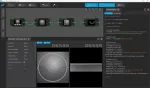
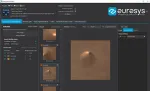
The Studio applications are available in the download area and do not require any license.
The Samples
eVision provides various samples in its installation packages:
sample programs showing how to use eVision libraries with a particular IDE.
demo applications showing how to combine eVision functions and libraries in a variety of combinations and applications (only available on Windows).
sample images to use with these.
The samples are installed in the following folders:
Under Windows
C:\Users\Public\Documents\Allied Vision\eVision 26.10\Sample ProgramsC:\Users\Public\Documents\Allied Vision\eVision 26.10\Demo ApplicationsC:\Users\Public\Documents\Allied Vision\eVision 26.10\Sample Images
Under Linux
/opt/alliedvision/eVision_26_10/Sample Programs/opt/alliedvision/eVision_26_10/Sample Images
Deprecation Warnings in eVision
The eVision tools and libraries are an evolving product, and regular improvements are performed.
Sometimes, to implement these improvements, the API of a library must evolve too.
In this case, the old API is preserved alongside the new one, but is marked as deprecated, indicating that it might be removed in the future.
The deprecations are tagged within the eVision headers using the
[[deprecated]]attribute ([Obsolete]for .NET).eVision raises warnings if you use these deprecated methods in your code.
You can safely ignore these warnings as they only indicate that you should update these API features because, in the future, they might be removed.