Object Template Matcher
The class EObjectTemplateMatcher .NET Python is a tool designed to align and match the output of EasyObject to a reference template. It is designed to efficiently handle thousands of objects.
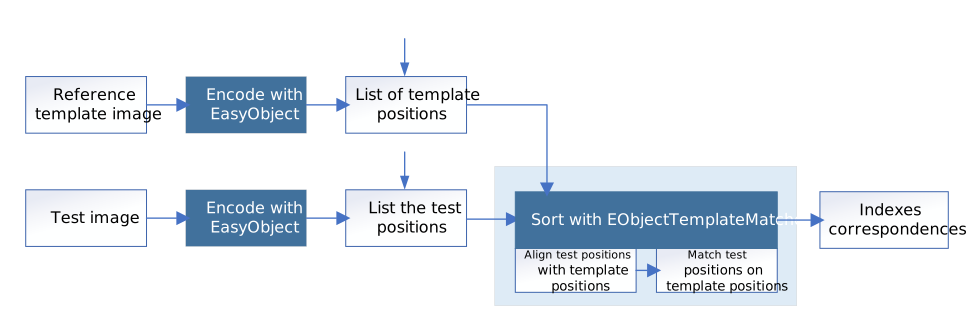
Creating the Reference Template
Use the method BuildTemplate .NET Python to create the reference template, with one of the following parameters:
An
ECodedImage2.NET Python, result of the methodEImageEncoder::Encode.NET Python.An
EObjectSelection.NET Python, a selection (subset) ofECodedImage2.NET Python objects.A list of positions, given by a vector of
points.NET Python.

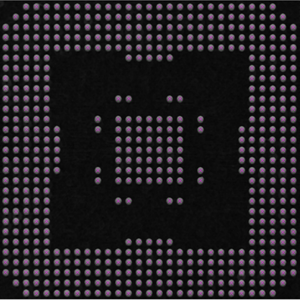
Matching the objects
To perform object matching after setting up the template:
Use the method
Match.NET Python with anEObjectSelection.NET Python as parameter.The bounding box center of the objects is the position used for the matching with the template.
Or use the more generic method
Match.NET Python with astd::vector<EPoint>as parameter.
Before matching, EObjectTemplateMatcher .NET Python performs an optional global rigid alignment of the submitted positions with the defined template.
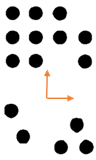 The template.
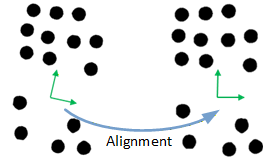 The alignment of the submitted selection.
An alignment consists of a translation and a rotation.
Use the method
SetAlignment.NET Python to enable one of the alignment processes.The available alignment processes are:
EObjectTemplateMatcherAlignment_Fast.NET Python: a fast and global alignment but that is not robust enough for all use cases.EObjectTemplateMatcherAlignment_Local.NET Python: a local alignment that works well if the angle between the template and the selection is small and if there are not too many missing or extra objects.EObjectTemplateMatcherAlignment_Robust.NET Python: a slower but more robust algorithm.
Tip
For EObjectTemplateMatcherAlignment_Fast .NET Python and EObjectTemplateMatcherAlignment_Robust .NET Python, you can also specify a maximum angle with the method SetMaximumAngle .NET Python. This is especially useful when the objects form a (nearly) symmetric pattern.
After the optional alignment, EObjectTemplateMatcher .NET Python matches the submitted positions with the reference template.
It uses the shortest distance criterion to pair these positions with the template.
You can set the maximum distance to constraint the search. This can speed up processing.
Retrieving the Matching Results
Use one of these methods to retrieve the matching results:
GetSelectionIndexes.NET Python returns, for each position in the template, the paired index in the selection. The value-1is used if the object in the template has no correspondence in the selection. Alternatively, use the methodGetMatched.NET Python to retrieve the corresponding objects or points.GetTemplateIndexes.NET Python returns, for each position in the selection, the paired index in the template. The value-1is used if the object in the selection has no correspondence in the template. Alternatively, use the methodGetMatched.NET Python (with the argumentfromSelectionset tofalse) to retrieve the corresponding objects or points.GetUnpairedObjects.NET Python returns the positions in the template and in the selection that have not been paired. Alternatively, use the methodsGetMissing.NET Python andEObjectTemplateMatcher::GetExtra.NET Python to retrieve the corresponding objects or points.
Use the method
GetNumberOfPairedObjects.NET Python to get the total number of paired objects.Use the methods
Save.NET Python andLoad.NET Python to store and retrieve the configuration of anEObjectTemplateMatcher.NET Python object, including the template.
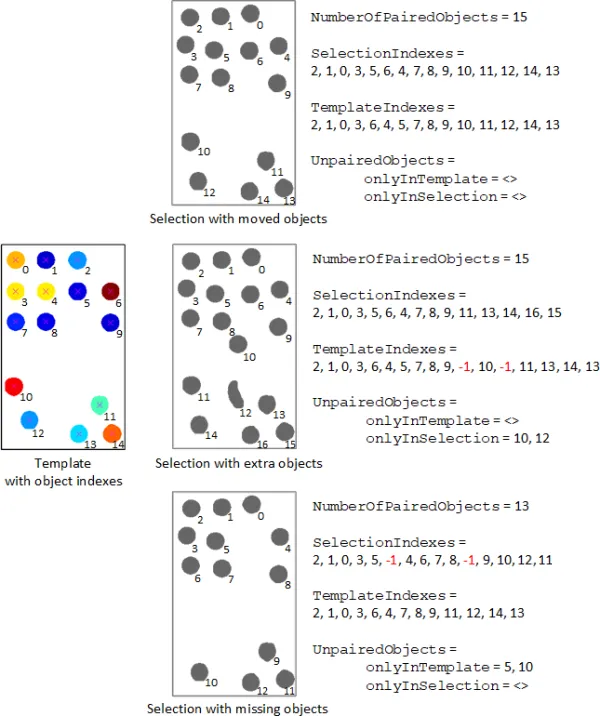
Matching results.