Easy3DLaserLineCalibration
Support |
|
|---|---|
Required licenses |
Easy3DLaserLine |
Recommended images |
The images from the folder |
Location |
|

Purpose
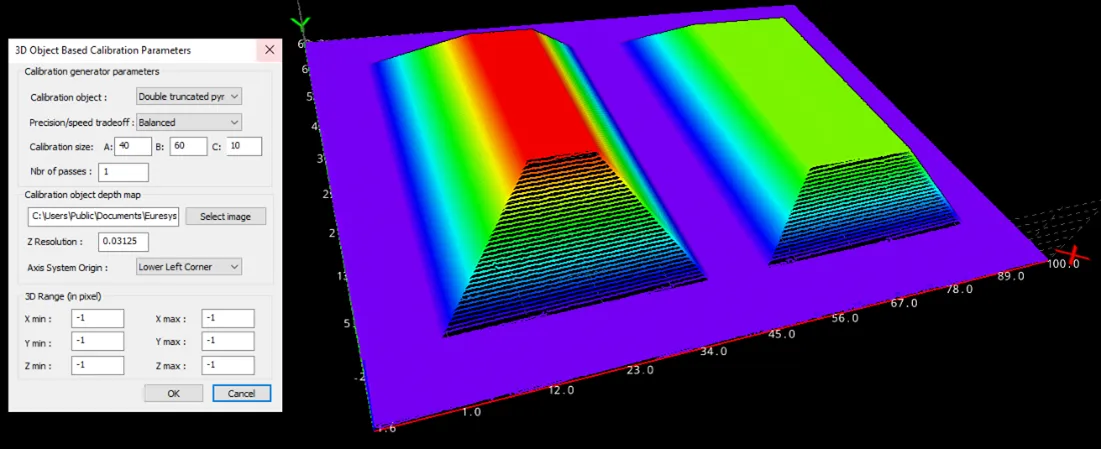
This sample program demonstrates the 3 methods to calibrate a laser triangulation setup. The Object Based Calibration is the preferred method as it infers all the geometric parameters required for the generation of precise 3D data.
This sample program demonstrates how to:
Compute and save the calibration model.
Apply the calibration to a depth map.
Save the resulting point cloud.
Code highlights
Use the recommended images:
ctx1 calibration object.pngis the scan of a calibration object.ctx1 shapes.pngis a scan of the objects in the same configuration.
Set the parameters of an object
EObjectBasedCalibrationGenerator, depending on the physical type and size of the scanned calibration object.calibrationGenerator_->SetCalibrationObjectType(calibrationObject_, calibrationSizeA_, calibrationSizeB_, calibrationSizeC_); calibrationGenerator_->SetPrecisionVsSpeedTradeOff(calibrationTradeOff_);
Compute a calibration model (
EObjectBasedCalibrationModel) from a depth map.*calibrationModel_ = calibrationGenerator_->Compute(dm);
Use the previously computed calibration model to convert a scanned depth map to a metric point cloud.
Easy3D::EDepthMapToPointCloudConverter converter;
converter.SetCalibrationModel(*calibrationModel_);
converter.Convert(sourceDepthMap_, destinationPointCloud_);