EasyColor - Pre-Processing Color Images
EasyColor provides efficient color image processing through color system conversions, lookup table-based transforms, Bayer decoding, and component operations. Several conversion functions mean that any supported color system can be processed.
Color Definition and Supported Systems
What is Color?
The human eye is sensitive to light:
Intensity, or achromatic sensation, captured by grayscale images.
Wavelength, or chromatic sensation, described in red, green, and blue primary colors.
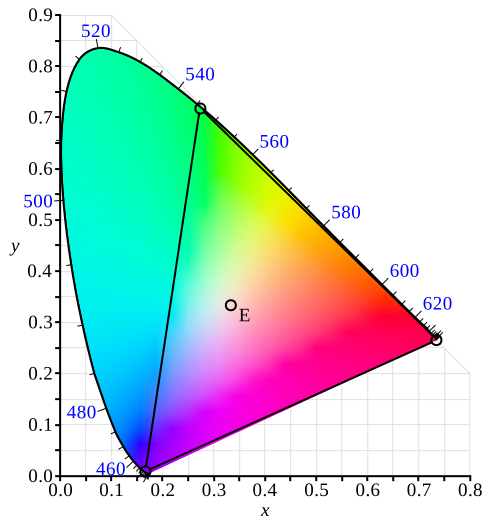
Visible color gamut in the XYZ color space
There are three color systems:
Mixture systems (RGB / XYZ) give the proportions of the three primaries to be combined.
YUV Luma/chroma systems (YUV / L*a*b* / L*u*v* / YCbCr) separate the achromatic (Y) and chromatic sensations (U & V). Used when a black and white image is required as well (television).
Intensity/saturation/hue systems (ISH / LSH / VSH / LCH / YSH) separate achromatic (black and white Intensity) from enhanced chromatic (color Saturation and Hue) sensations. Used to eliminate lighting effects, or to convert RGB images to another color system. More saturated colors are more vivid, less saturated ones are grayer.
In general:
RGB is used by monitors, cameras and other display devices.
YUV / YCbCr is used for efficient transmission of color images by compressing the chrominance information.
XYZ is used for device-independent color representation.
All image processing operations can use quantized coordinates: discrete values in the [0..255] interval, which use a byte representation to store images in a frame buffer.
Color system conversion operations can also use simpler unquantized coordinates: continuous values, often normalized to the [0..1] interval.
Color Image Processing
A color image is a vector field with three components per pixel. All three RGB components reflected by an object have amplitude proportional to the intensity of the light source. By considering the ratio of two color components, one obtains an illumination-independent image. With a clever combination of three pieces of information per pixel, one can extract better features.
There are 3 ways to process a color image:
Component extraction: you can extract the most relevant feature from the triple color information, to reduce the amount of data. For instance, objects may be distinguished by their hue, a pre-processing step could transform the image to a gray-level image containing only hue values.
De-coupled transformation: you can perform operations separately on each color component. For instance, adding two images together adds the red, green and blue components and stores the result, component by component, in a resulting color image.
Coupled transformation: you can combine all three color components to produce three derived components. For example, converting YIQ to RGB.
Supported Color Systems
EasyColor supports color systems RGB, XYZ, L*a*b*, L*u*v*, YUV, YCbCr, YIQ, LCH, ISH / LSH, VSH and YSH.
RGB is the preferred internal representation as it is compatible with 24-bit Windows Bitmaps.
Transform Using LUTs (Lookup Tables)
EasyColor Lookup Tables provide an array of values that define what output corresponds to a given input, so an image can be changed by a user-defined transformation.
A color pixel can take 16,777,216 (\(2^{24}\)) values, a full color LUT with these entries would occupy 50 MB of memory and transforms would be prohibitively time-consuming. Pre-computed LUTs make color transforms feasible.
To transform a color image, you initialize a color LUT using one of the following functions:
This color LUT is then used in a transform operation such as
EasyColor::Transform.NET Python or you can create a custom transform usingEColorLookup.NET Python which takes unquantized values (continuous, normalized to [0..1] intervals), and specifies the source and destination color systems. Some operations use the LUT on-the-fly thus avoid storing the transformed image, for example to alter the U (of YUV) component while the image is in RGB format.The optimum combination of accuracy and speed is determined by the choice of
EColorLookup::GetIndexBits.NET Python andEColorLookup::GetInterpolation.NET Python - the accuracy of the transformed values roughly corresponds to the number of index bits.Fewer table entries mean smaller storage requirements, but less accuracy.
No interpolation gives quicker running time, but less accuracy. Interpolation can recover 8 bits of accuracy per component. When the involved transform is linear (such as YUV to RGB), interpolation always gives exact results, regardless of the number of table entries.
Index Bits |
Number of entries |
Table size (bytes) |
|
|---|---|---|---|
4 |
\(2^{(3 \times 4)} = 4,096\) |
14,739 |
|
5 |
\(2^{(3 \times 5)} = 32,768\) |
107,811 |
|
6 |
\(2^{(3 \times 6)} = 262,144\) |
823,875 |
Discrete Quantized vs. Continuous Unquantized
Color coordinates in the classical systems are normally continuous values, often normalized to the [0..1] interval. Computations on such values, termed unquantized, are simpler.
However, storage of images in a frame buffer imposes a byte representation, corresponding to discrete values, in the [0..255] interval. Such values are termed quantized.
All image processing operations apply to quantized values, but conversion operations can also be specified using unquantized coordinates.
Transform YUV444 / YUV422
YUV images can be minimized without degrading visual quality using function
EasyColor::Format444To422.NET Python to convert from 4:4:4 to 4:2:2 format (or you can convertFormat 422 to 444(EasyColor::Format422To444.NET Python)).4:4:4 uses 3 bytes of information per pixel.
4:2:2 uses 2 bytes of information per pixel. It stores the even pixels of U and V chroma with the even and odd pixels of Y luma as follows:
\( Y_{[even]} U_{[even]} Y_{[odd]} V_{[even]} \)
Merge, Extract, and Color
A color image contains three color planes of continuous tone images.
A gray-level image can be a component of a color system.
Merge and Extract Components
EasyColor can change or extract one plane at a time, or all three together. See
EasyColor::Compose.NET Python,EasyColor::Decompose.NET Python,EasyColor::GetComponent.NET Python,EasyColor::SetComponent.NET Python.These operations can use a color LUT to transform on the fly, for example, to build an RGB image from lightness, saturation and hue planes.
Note
EasyColor functions perform the necessary interleaving / un-interleaving operations to support Windows bitmap format of interleaved color planes (blue, green and red pixels follow each other).
Pseudo-Color to Transform Gray-Level Images to Color
The trick is to define a regular gamut of 256 colors and each color will be assigned to pixels with a corresponding gray-level value.
To define pseudo-color shades, you specify a trajectory in the color space of an arbitrary system. You can then pseudo-color using the drawing functions color palette (see Image and Vector Drawing) then save and/or transform it like any other color image.
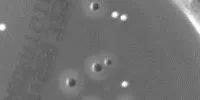
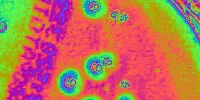
Gray-level and pseudo-colored image.
Separate Color Objects
This EasyColor process takes a set of distinct colors and associates each pixel with the closest color, using a layer index that can then be used in EasyObject with the labeled image segmenter to improve blob creation.
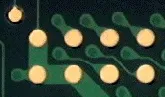
Raw image and segmented image (3 colors).
RGB and BGR Conversion
EasyColor allows you to convert an image brom RGB to BGR. This can be applied to EImageC24 .NET Python and EImageC24A .NET Python.
Please note that eVision uses BGR (A) images internally. Therefore, a color image loaded using EImageC24::Load .NET Python is in the BGR format. When getting a EC24 .NET Python pixel from an image:
See Also
Converting Bayer-encoded images to true color.
Color transforms using precomputed lookup tables.
Easy to understand, ready to copy code snippets.