BasicWPF
Support |
|
|---|---|
Required licenses |
Any |
Recommended images |
Any |
Location |
|

Purpose
This sample program demonstrates how to:
Display an image in a WPF context.
Display and graphically interact with an ROI.
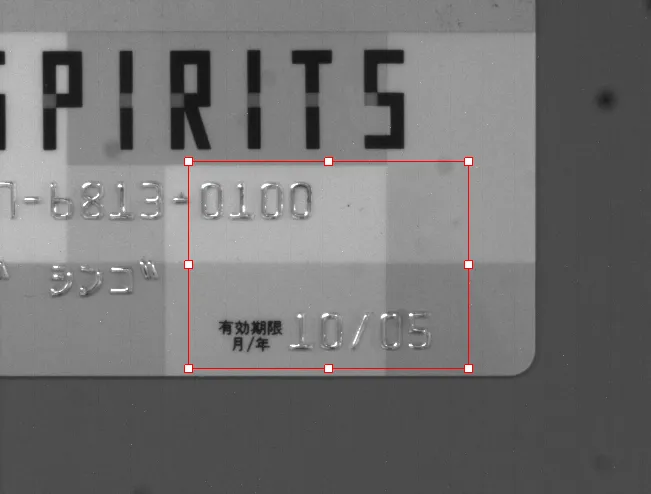
Code highlights
Load an image file from the disk into an
EImageobject.image.Load(...);
Attach (associate) an ROI to the image.
The ROI gives access to the selected part of the image content.
```c++
roi.Attach(image);
```
Position and size the attached ROI on the image.
roi.SetPlacement(orgX, orgY, width, height);
Draw the image in a graphical device context.
image.Draw(drawAdapter);
Draw the frame (the external rectangle) of the ROI in a graphical device context.
The second parameter enables the handles to manually manipulate the ROI position and size.
```c++
roi.DrawFrame(context, true);
```
Retrieve the cursor coordinates after clicking.
handle = roi.HitTest(x, y);
Move the handle to its new retrieved position and modify the ROI accordingly.
roi.Drag(handle, x, y);