Computing the Calibration Model
Manual estimate
You can manually estimate the calibration when no distortion or perspective are required and the accuracy requirements are low.
To estimate the calibration coefficients:
Either locate the limits of the field of view and divide the image resolution by the field of view size,
Or use the following procedure:
Take a picture of the part to inspect or of a calibration target such as a rectangle.
Locate the feature points such as corners in the image (by the eye) and determine their coordinates in pixel units \((i_n, j_n)\).
Use the euclidean distance formula to derive the resolution in pixels per unit (\(D\) is the world distance between the corresponding points in units):
\(R = \frac{\sqrt{(i_1 - i_0)^2 + (j_1 - j_0)^2}}{D}\)
For non-square pixels, repeat this operation for the pairs of horizontal and vertical points, to get the horizontal and the vertical resolutions.
To estimate a skew angle, apply the following formula to 2 points on the X-axis in the world system:
\(\theta = \arctan \frac{j_1 - j_0}{i_1 - i_0}\)
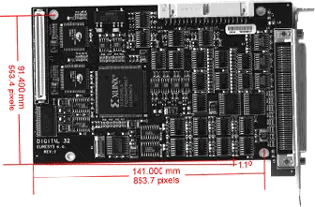
Use ECameraCalibration::SetSensor .NET Python or ECameraCalibration::SetSensorUsingResolution .NET Python to specify the parameters of the calibration:
If there is a skew angle: with the modes
ECalibrationMode_Scaled.NET Python andECalibrationMode_Skewed.NET Python.For non-square pixels: with the mode
ECalibrationMode_Anisotropic.NET Python.
Automatic dot grid calibration
To compute the calibration automatically, use a dot grid pattern as a plane of reference with the method
ECameraCalibration::AutoCalibrateDotGrid.NET Python.It takes the following parameters:
An image containing the dot grid.
The column and the row pitch of the pattern (the horizontal and the vertical spacing between the dots in metric units).
A combination of modes
ECalibrationMode.NET Python to test or decide whether to test the empirical and advanced models.
The method performs the detection of the dots:
It assigns them real world coordinates according to the column and row pitch.
It tries all the possible combination of calibration modes.
It selects the set of modes that gives the lowest calibration score.
Note
All blobs whose area is smaller than 5 pixels or \(1/50000^{th}\) of the whole image area are considered as noise and rejected. Use the method
ECameraCalibration::GetCustomMinDotArea.NET Python to override this criteria.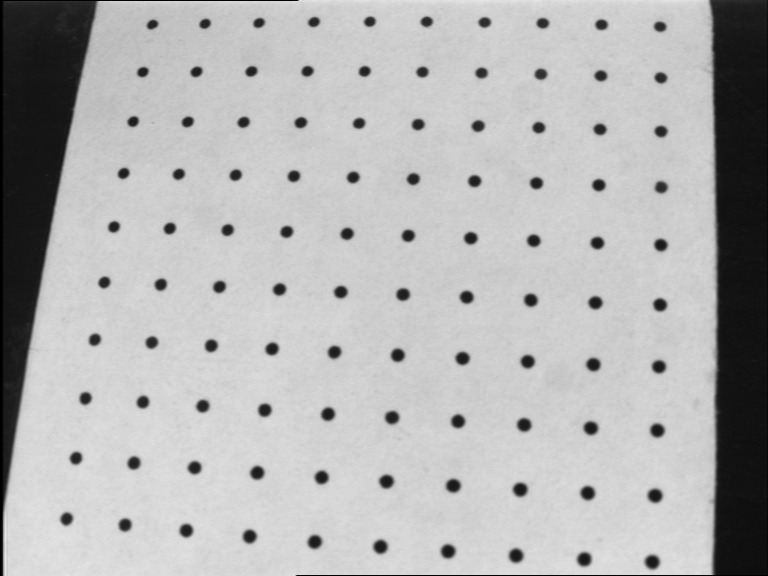
Dot grid pattern
When doing dot grid calibration, make sure that:
Most of the dots of the calibration pattern appear in the image.
The calibration pattern is well lit, with no minimum variance in illumination across the image.
Each part of the image is properly focused.
Landmark calibration
With the landmark calibration, you can specify the image points and their corresponding real-world coordinates to compute the calibration.
Use
ECameraCalibration::AddLandmark.NET Python to add your landmarks.Call
ECameraCalibration::AutoCalibrateLandmarks.NET Python to compute the calibration based on the specified landmarks.