EasyBarCode1 - Reading Bar Codes (deprecated)
Warning
This library is deprecated, use EasyBarCode2 instead.
Why use EasyBarCode2 Instead
Compared to EasyBarCode, EasyBarCode2 has the following advantages:
A faster and more reliable detection of bar codes.
The ability to read multiple bar codes at once (with or without grid).
The ability to use an
ERegion.NET Python to restrict the search domain.The ability to set a timeout.
A better support for many symbologies.
A more flexible support of checksums.
The following examples illustrate bar codes read by EasyBarCode2 that cannot be read by EasyBarCode.
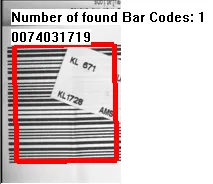
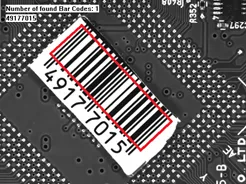
Occluded bar code (left), quiet zone that is too small at the top (right).
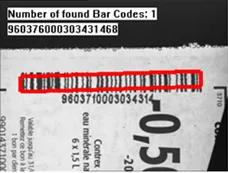
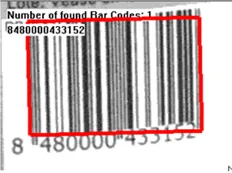
Blurry bar codes.
Basics
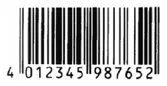
Bar code (EAN 13 symbology).
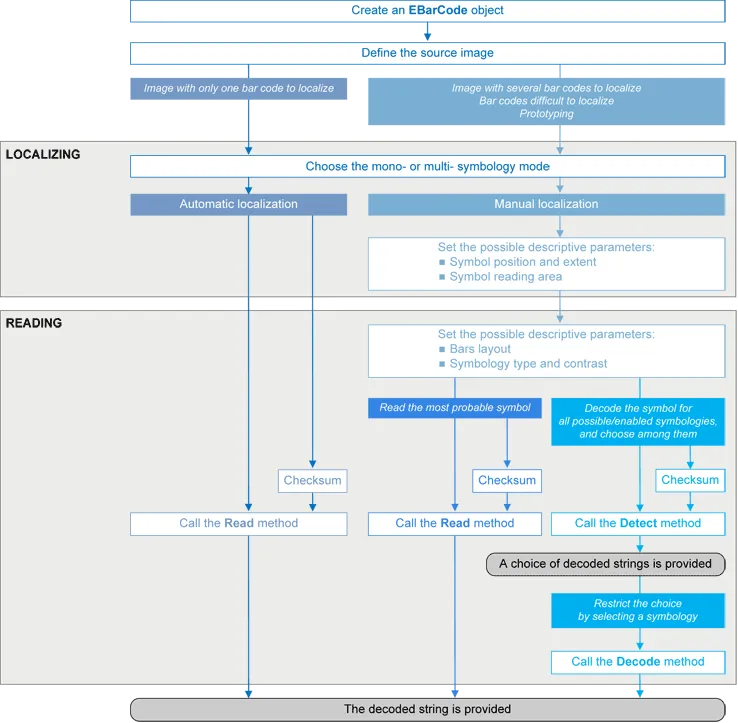
EasyBarCode can locate and read bar codes automatically.
Location can be performed manually for prototyping or when automatic mode results are unsatisfactory.
Workflow
Bar code definition
A bar code is a 2D pattern of parallel bars and spaces of varying thicknesses that represents a character string. It is arranged according to an encoding convention (symbology) that specifies the character set and encoding rules.
The bar code may be black ink on white background or inversely white ink on black background.
The bar code should be preceded and followed by a quiet zone of at least ten times the module width (smallest bar or space thickness).
Bars should be surrounded below and above by a quiet zone of a few pixels.
Bars and spaces widths must be greater than or equal to 2 pixels.
Symbologies
A symbology defines the way a bar code is encoded.
Symbologies can be enabled with EBarCode::SetStandardSymbologies .NET or EBarCode::SetAdditionalSymbologies .NET parameters.
The standard symbologies are enabled by default:
Code 39
Code 128
Code 2/5 5 Interleaved
Codabar
EAN 13
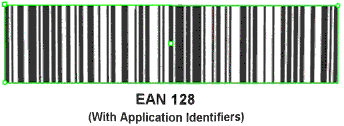
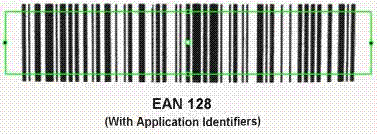
EAN 128
MSI
UPC A
UPC E
Note
EAN 13 and UPC A only differ by the layout of surrounding digits.
Additional symbologies that are supported:
ADS Anker
Binary code
Code 11
Code 13
Code 32
Code 39 Extended (a super-set of Code 39)
Code 39 Reduced (a subset of Code 39)
Code 93
Code 93 Extended
Code 412 SEMI
Code 2/5 3 Bars Datalogic
Code 2/5 3 Bars Matrix
Code 2/5 5 Bars IATA
Code 2/5 5 Bars Industry
Code 2/5 5 Compressed
Code 2/5 5 Inverted
Code BCD Matrix
Code C.I.P
Code STK
EAN 8
IBM Delta Distance A
Plessey
Telepen
Checksum
A checksum character enables the reader to check the bar code validity depending on the symbology:
The checksum may be mandatory and must be checked by the reader.
The checksum may be mandatory but may not need to be checked.
The checksum and its verification may both be optional.
EBarCode::SetVerifyChecksum .NET enables or disables (default) checksum verification.
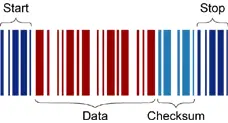
Bar code structure (Code 39).
Read a Bar Code
The Automatic mode reading algorithm locates a bar code in the field of view and uses EBarCode::Read .NET to read it.
If several bar codes are present, only one is located, like a straightforward hand-held bar code reader.
Before reading, the decoding symbologies must be specified in the StandardSymbologies, or AdditionalSymbologies properties.
Mono-symbology mode reads the bar code using the expected symbology type(s) and reports the encoded information (if readable) or the reason for failure (if not readable). There is only one interpretation for the character string.
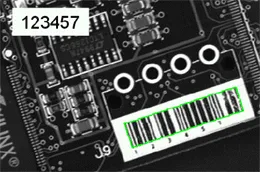
Decoded bar code.
Note
When the bar code contains \0x00 characters, the std::string::c_str method should not be used (since C-strings are terminated by the \0x00 character). An iterator over the characters should be used instead of a C-string.
Advanced Features
Locate and Read Bar Code Manually
If automatic localization fails or for prototyping purposes, the user can provide the bar code position and reading area to manually locate the code.
Bar code position can be provided graphically by a bounding box around the bar code or by its parameters. If several symbols appear in the image, they can be processed one after the other.
The reading area of the bar code is the area that is read. It should be wider than the bar code bounding box width, and less high than the bar code bounding box height. It may also be rotated relative to the bar code bounding box, to take into account slanting bars (Advanced mode!).
Read all Interpretations (Multi-Symbology Mode)
Use EBarCode::Detect .NET to report the number of possible symbologies in the EBarCode::GetNumEnabledSymbologies .NET property, and list the data contents by decreasing likeliness.
Then call the EBarCode::Decode .NET method in a loop, using EBarCode::GetDecodedSymbology .NET to walk through the list of successful symbologies in decreasing order of likelihood.
Quick Links
List of all Classes, Structs and Enumerations of the EasyBarCode library.
Code snippets for the EasyBarCode library.