EasyOcr2Read
Support |
|
|---|---|
Required licenses |
EasyOCR2 |
Recommended images |
Any image from the folder |
Location |
|


Purpose
This sample program demonstrates how to:
Read a text inside the ROI of an image.
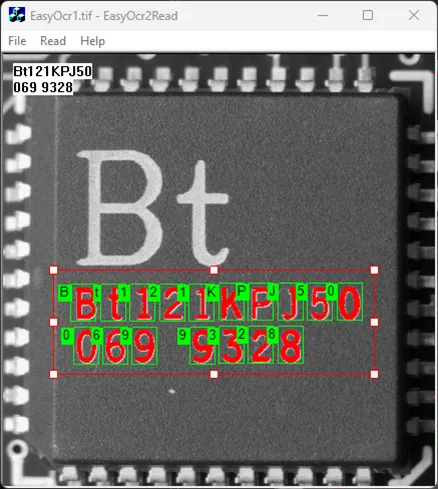
Code highlights
Load the model file including the parameters about the text to read.
m_OCR2.Load(ToUtf8(LoadFont.GetPathName()).GetString());
Read the text present in the ROI of the image.
m_ReadText = m_OCR2.Read(m_Roi);
Draw the blob candidates on the image.
OCR2.DrawSegmentation(drawAdapter, EasyOCR2DrawSegmentationStyle_DrawBlobs, 1.0, 1.0, 0, 0);
Draw the detected character boxes on the image.
OCR2.DrawDetection(drawAdapter, EasyOCR2DrawDetectionStyle_DrawChars, 1.0, 1.0);
Draw the recognized character next to each character box on the image.
OCR2.DrawRecognition(drawAdapter, EasyOCR2DrawRecognitionStyle_LeftTop, 15, 1.0, 1.0);