EasySegmentUnsupervisedInference
Support |
|
|---|---|
Required licenses |
EasySegment |
Recommended images |
In the Deep Learning Additional Resources, the images from the folder |
Location |
|


Purpose
This sample program demonstrates how to:
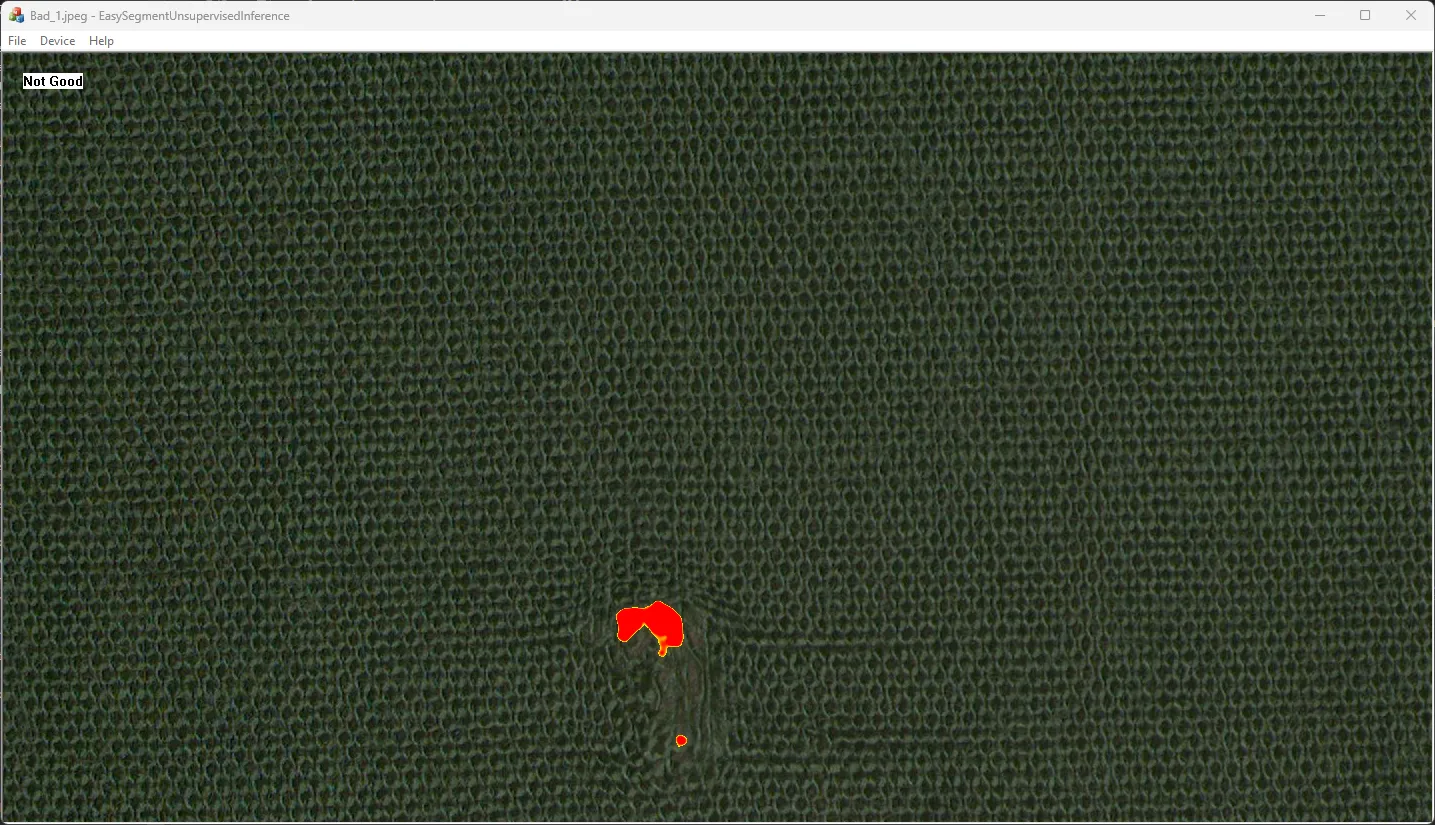
Perform an inference with EasySegment Unsupervised.
Display the results.
Code highlights
In the Deep Learning Additional Resources, use the tool EasySegment Unsupervised/Fabric/Tool 1/Fabric.edltool.
Apply the tool on an image.
EUnsupervisedSegmenterResult m_Result = m_Segmenter.Apply(m_Img);
Draw the image.
if (!pDoc->m_Img.IsVoid())
{
  pDoc->m_Img.Draw(drawAdapter, 2.f, 2.f, -20, -20);
}
Draw the segmentation map.
pDoc->m_Result.Draw(drawAdapter);
Check whether the image is defective and construct a label for this image.
std::wstring label;

if (pDoc->m_Result.IsDefective())
{
  label = L"Not ";
}

label += ToUnicode(pDoc->m_Segmenter.GetGoodLabel().c_str());