Canny Edge Detector
The Canny edge detector facilitates:
Good detection: finds all edges.
Good localization: the found edges are as close as possible to the “real” edges in the image.
Minimal response: one edge response is accepted for each position, i.e. avoiding multiple close or intersecting edge responses.
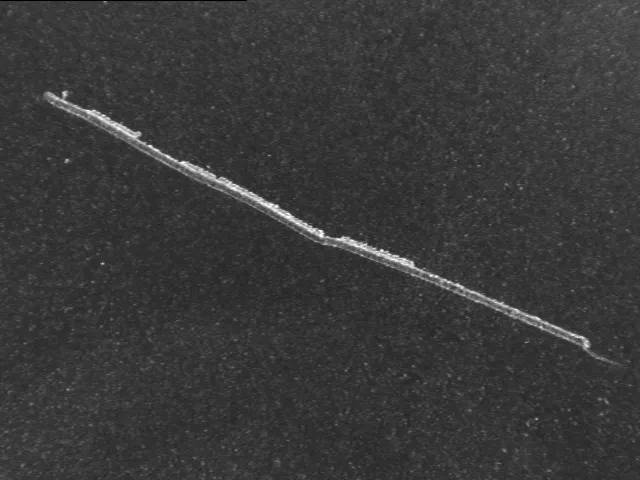
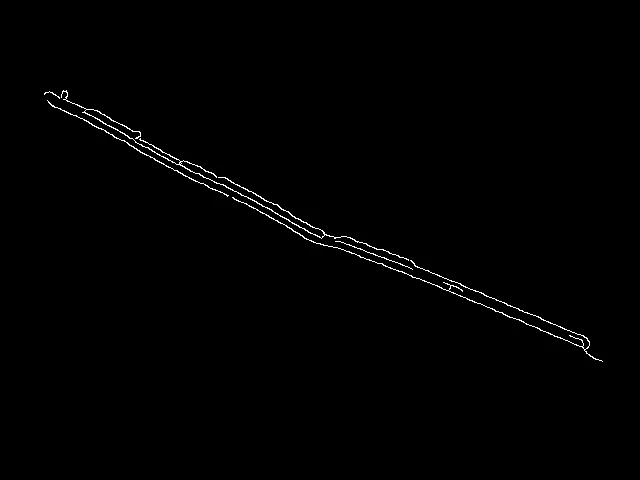
The EasyImage Canny edge detector produces a binary output image where pixels corresponding to edges are set to 255 and all others are set to 0.
The Canny edge detector can be configured with three parameters:
Scale of the features of interest: the standard deviation of the Gaussian filter used to smooth the source image, called the smoothing scale.
Gradient threshold with hysteresis: maximum magnitude of the gradient of the source image expressed as a fraction ranging from 0 to 1 (two values).
Threshold mode: which defines whether the threshold values should be interpreted as absolute or relative.
The API of the Canny edge detector is a single class, ECannyEdgeDetector .NET Python, with the following methods:
ECannyEdgeDetector::Apply.NET Python: applies the Canny edge detector on an image/ROI.ECannyEdgeDetector::GetHighThreshold.NET Python: returns the high hysteresis threshold to consider that a pixel is an edge.ECannyEdgeDetector::GetLowThreshold.NET Python: returns the low hysteresis threshold to consider that a pixel is an edge.ECannyEdgeDetector::GetSmoothingScale.NET Python: returns the scale of the features of interest.ECannyEdgeDetector::GetThresholdingMode.NET Python: returns the mode of the hysteresis thresholding.ECannyEdgeDetector::ResetSmoothingScale.NET Python: prevents the smoothing of the source image by a Gaussian filter.ECannyEdgeDetector::SetHighThreshold.NET Python: sets the high hysteresis threshold to consider that a pixel is an edge.ECannyEdgeDetector::SetLowThreshold.NET Python: sets the low hysteresis threshold to consider that a pixel is an edge.ECannyEdgeDetector::SetSmoothingScale.NET Python: sets the scale of the features of interest.ECannyEdgeDetector::SetThresholdingMode.NET Python: sets the mode of the hysteresis thresholding.
The result image must have the same dimensions as the input image. Its dimension must be set using SetSize .NET Python
See Also
Easy to understand, ready to copy code snippets.
Detect corners in an image.
Using morphological operators to detect edges.
Compute gradient magnitude and direction maps from a grayscale image.