EasySpotDetector
Support |
|
|---|---|
Required licenses |
EasySpotDetector |
Recommended images |
Any image from the folder |
Location |
|

Purpose
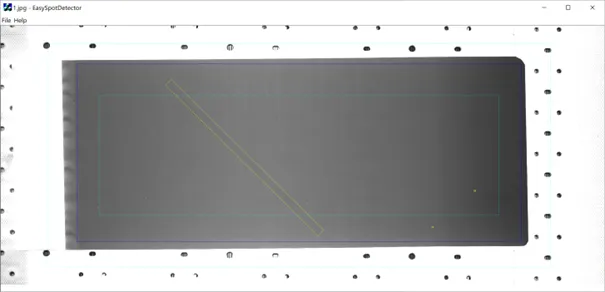
This sample program demonstrates how to:
Load an image and the corresponding model.
Perform the detection of spots (particles and scratches).
Display the results over the image.
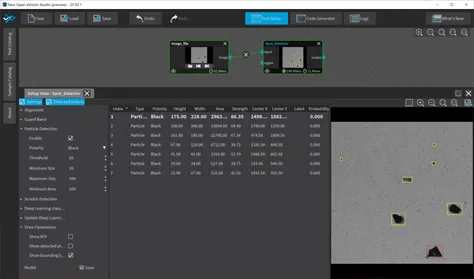
Contexts and eVision Studio
The sample images folder includes 2 samples contexts: Battery and Debris. Each includes images and a model.
You can use the eVision Studio and the EasySpotDetector tool to build and save model files:
Code highlights
Load the image and the model file.
EImageBW8 m_Src;
m_Src.Load(ToUtf8(lpszPathName).GetString());
ESpotDetector m_SpotDetector;
m_SpotDetector.Load(ToUtf8(LoadModel.GetPathName()).GetString());
Perform the detection of the spots and get the results.
m_SpotDetector.Detect(m_Src);

std::vector<ESpot> m_Spots;
m_Spots = m_SpotDetector.GetSpots();
Display the results using the Windows draw adapter.
int viewWidth = viewRect.Width();
int viewHeight = viewRect.Height();

// Render in a color image and blit to view
EImageC24 viewImage(viewWidth, viewHeight, EC24(255, 255, 255));
EWindowsDrawAdapter drawAdapter(&viewImage);

// zoom factor to fit the image in the window
float zoom = min((float)viewWidth / m_Src.GetWidth(), (float)viewHeight / m_Src.GetHeight());

// Draw the source image
m_Src.Draw(&drawAdapter, zoom, zoom);

// Draw the processed ROI and the spots
m_SpotDetector.Draw(&drawAdapter, ERGBColor(0, 0, 255), zoom, zoom);
for (size_t i = 0; i < m_Spots.size(); ++i)
{
   m_Spots [i].Draw(&drawAdapter, 5.f, ERGBColor(255, 255, 0), zoom, zoom);
}