Easy3DObjectExtract
Support |
|
|---|---|
Required licenses |
Easy3DObject |
Recommended images |
The images from the folder |
Location |
|


Purpose
This sample program demonstrates how to:
Load an ZMap image.
Set the X, Y and Z resolutions.
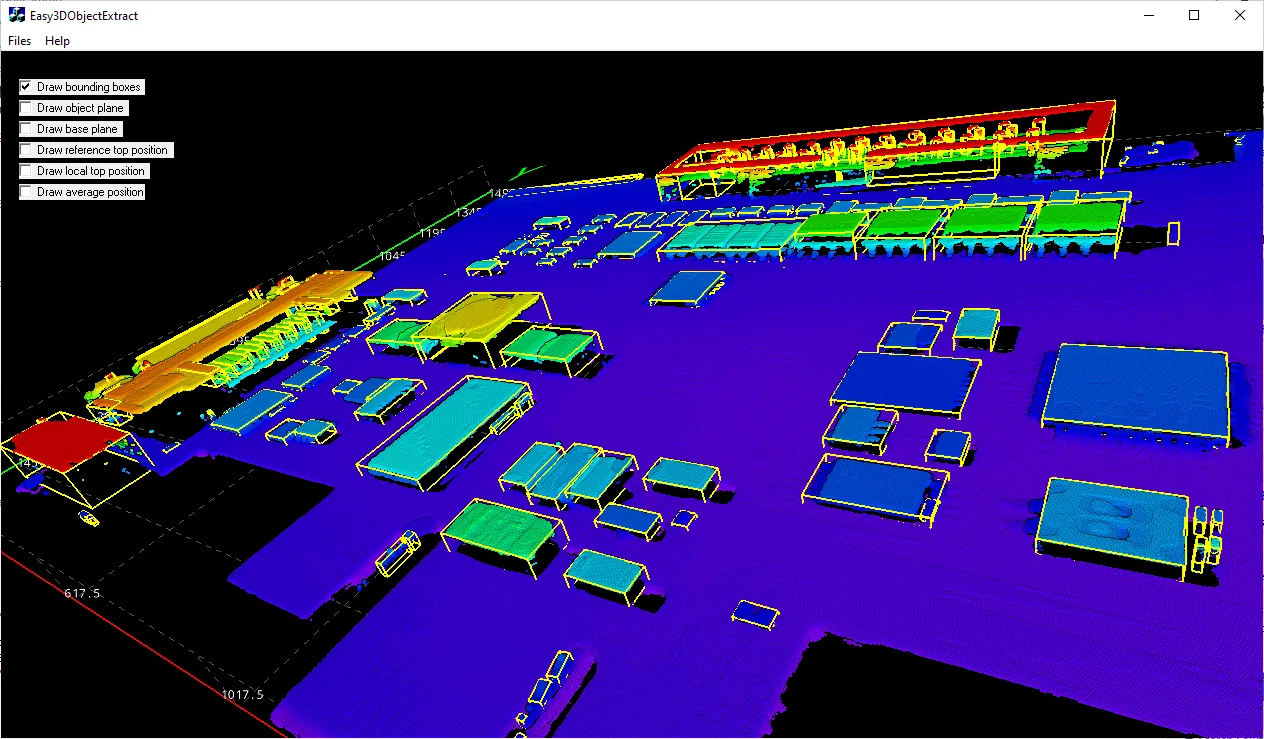
Display the corresponding point cloud and the extracted 3D objects.
Code highlights
Create a ZMap from the given image file.
Zmap.LoadImage(fileName);
Set the resolution of the ZMap along the X, Y and Z axis.
Zmap.SetResolution(rx, ry, rz);
Convert the ZMap to a point cloud.
EPointCloud pc;
EZMapToPointCloudConverter converter;
converter.Convert(Zmap, pc);
Process the ZMap and extracts a list of 3D objects.
E3DObjectExtractor extractor;
extractor.Extract(Zmap);
Set how the
E3DObjectFeatureof all the registeredE3DObjectsshould be rendered.viewer.SetFeatureStyleForAll3DObjects(renderStyle);
Set the
E3DObjectFeatureof all the registeredE3DObjectsto be rendered or hidden.viewer.ShowFeatureForAll3DObjects(objectFeature); viewer.HideFeatureForAll3DObjects(objectFeature);