The Calibration Model
The calibration model is described by the calibration mode, expressed as a combination of options. Use EWorldShape::GetCalibrationModes .NET Python to access it.
The different calibration models are:
A field-of-view calibration model used when the calibration mode is the combination of the options
ECalibrationMode_Scaled.NET Python,ECalibrationMode_Anisotropic.NET Python,ECalibrationMode_Skewed.NET Python,ECalibrationMode_Tilted.NET Python and/orECalibrationMode_Radial.NET Python.An advanced calibration model using a more complex distortion model capable of better calibrating wide-angle lens.
This model does not expose its parameters.
This model is used when the calibration mode is
ECalibrationMode_Advanced.NET Python
Empirical models based either on a quadratic model (
ECalibrationMode_Quadratic.NET Python) or a bilinear model (ECalibrationMode_Bilinear.NET Python).These models do not expose their parameters.
Hint
When using EWorldShape::AutoCalibrateDotGrid .NET Python, pass the combination of options that you want to test. The method selects the model that has the best precision on the calibration image.
Parameters
To tune the field-of-view calibration model, use these parameters:
Sensor Width and Height
The sensor width .NET Python and sensor height .NET Python give the logical image size, in pixels (always integers).
Field-of-View Width and Height
The field-of-view (f-o-v) field width .NET Python and field height .NET Python give the actual image size, in length units, i.e. the size of the rectangle corresponding to the image edges in the world space. These values are related to the pixel resolution by the following equations:
or
By default pixel height is not specified, the pixels are assumed to be square (pixel width = pixel height).
Ratio
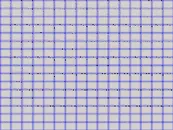
Anisotropic aspect ratio
Center Abscissa and Ordinate
The center abscissa .NET Python (x) and ordinate .NET Python (y) indicate the image origin point (world coordinates (0,0)). Default is the image center.
Skew Angle
The skew angle .NET Python is the angle formed by the real-world reference frame (X-axis) and the image edge (horizontal). The default is no skew.
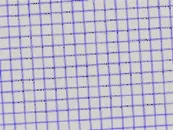
Skew angle
Note
When the pixels are not square, the EWorldShape .NET Python object can convert the angle between the world and sensor spaces.
X and Y Tilt Angles
The X .NET Python and Y .NET Python tilt angles describe the viewing plane direction. They correspond to the required rotations around X and Y axis that bring the Z axis parallel to the optical axis.
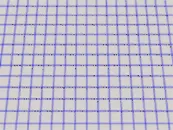
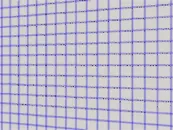
Tilt X and tilt Y angles
Perspective Strength
The perspective strength .NET Python gives a relative measure of the perspective effect. The shorter the focal length, the larger the value.
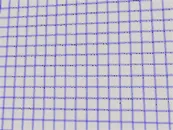
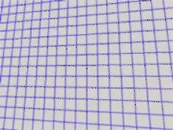
Weak and strong perspective
Distortion Strength
Distortion strength .NET Python gives a relative measure of radial distortion in the image corners, that is the ratio of image diagonal length with and without distortion.
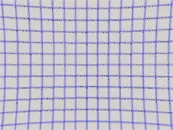
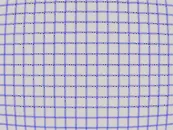
Positive and negative distortion
Calibration modes .NET Python, expressed as a combination of options, can be accessed via EWorldShape::GetCalibrationModes .NET Python.
Effect of the Calibration Coefficients
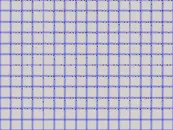
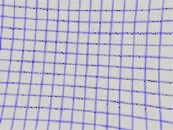
No calibration coefficient: All coefficients combined.