Using Data Augmentation
Data augmentation performs random transformations on images given to a deep learning tool .NET Python during the training.
Experiment different settings to choose the best parameters for your data augmentation.
Configure data augmentation according to your problem. However, flips, shifts (20 - 40 px), brightness (5%), contrast (0.95 to 1.05) or salt and pepper noise (2%) can be useful on many datasets.
Check that the transformations do not change the label of an image (for example a defect that disappears because of a rotation or a contrast change).
Warning
With EasyLocate, we do not recommend to use rotation and shear data augmentation as it is not possible to compute the minimal bounding box surrounding the object after these geometric transformations.
Deep Learning Studio
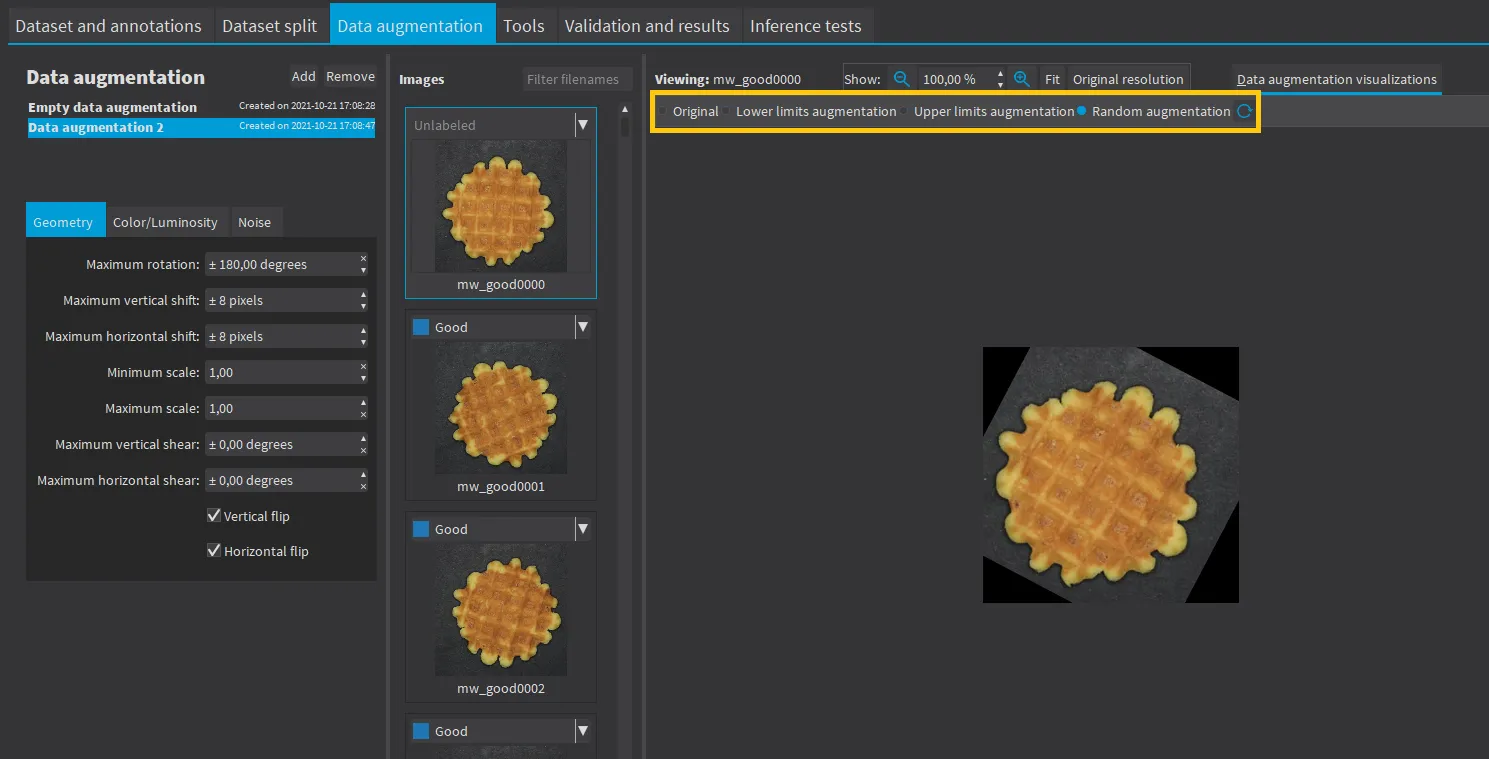
Create and configure the data augmentation settings in the
Data augmentationtab.Display and review the data augmented images with the minimum settings (
Lower limits augmentation), the maximum settings (Upper limits augmentation) or the random settings (Random augmentation).
API
Use an EDataAugmentation .NET Python object to configure the data augmentation settings. You can give this object to the
to enable or disable these transformations or directly use an object EDataAugmentation .NET Python that you give to the Train method of your tool.
Available Transformations
Geometric Transformations
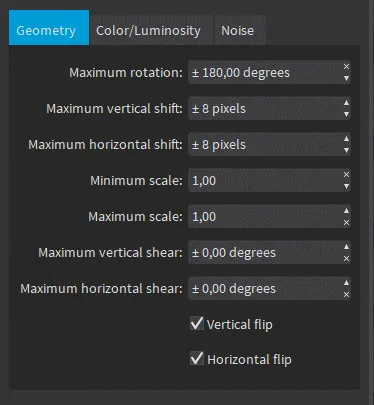
Geometric transformations
Horizontal and vertical flips (enabled with
SetEnableHorizontalFlip.NET Python andSetEnableVerticalFlip.NET Python).Scaling (between a minimum and maximum value defined with
SetMinScale.NET Python andSetMaxScale.NET Python).Horizontal and vertical shifts (between
–maxValueandmaxValuedefined withSetMaxHorizontalShift.NET Python andSetMaxVerticalShift.NET Python).Rotations (between 0 and a maximum value defined with
SetMaxRotationAngle.NET Python).Horizontal and vertical shear (between –
maxValueandmaxValuedefined withSetMaxHorizontalShear.NET Python andSetMaxVerticalShear.NET Python).
Color and Luminosity Transformations
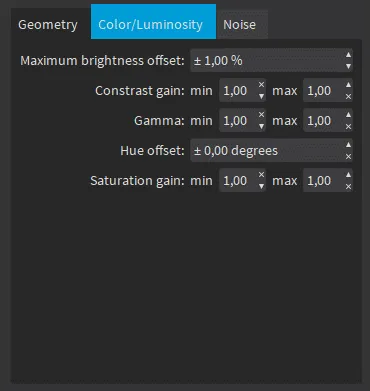
Color/Luminosity transformations
Brightness offset (between –
maxValueandmaxValuedefined withSetMaxBrightnessOffset.NET Python).Contrast gain (between a minimum and maximum value defined with
SetMinContrastGain.NET Python andSetMaxContrastGain.NET Python).Gamma corrections (between a minimum and maximum value defined with
SetMinGamma.NET Python andSetMaxGamma.NET Python).Hue offset (between –
maxValueandmaxValuedefined withSetMaxHueOffset.NET Python).Saturation gain (between a minimum and maximum value defined with
SetMinSaturationGain.NET Python andSetMaxSaturationGain.NET Python).
Noise Transformations
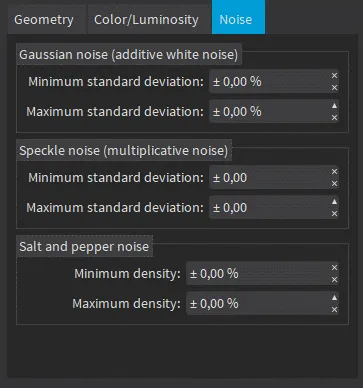
Noise transformations
Gaussian noise, also called additive white noise, generated with a standard deviation (between a minimum and maximum value defined with
SetGaussianNoiseMinimumStandardDeviation.NET Python andSetGaussianNoiseMaximumStandardDeviation.NET Python).Speckle noise, a multiplicative noise, generated from a Gamma distribution with a mean of 1 and a standard deviation (between a minimum and a maximum value defined with
SetSpeckleNoiseMinimumStandardDeviation.NET Python andSetSpeckleNoiseMinimumStandardDeviation.NET Python).Salt and pepper noise generated from a pixel density (between a minimum and a maximum value defined with
SetSaltAndPepperNoiseMinimumDensity.NET Python andSetSaltAndPepperNoiseMaximumDensity.NET Python).
Note
The standard deviation is expressed as a percentage of the maximum pixel value.