Advanced Parameters
Segmentation Parameters
The following parameters are set and used in the process: Detecting the Characters.
Select the Segmentation Method
Use
SetSegmentationMethod.NET Python to select the algorithm used for segmentation:
EOCR2SegmentationMethod_Local.NET Python is more complex and best suited for a non uniform background.Use
SetMaxVariation.NET Python to define how sharp a blob in the image should be in order to be considered a potential character.A region with clearly defined edges is generally considered stable while a blurry region is not.
Set this parameter between 0 and 1 (the default setting is 0.25).
A low setting allows only very stable blobs.
A high setting allows detection of blobs that are more unstable.
Use
SetDetectionDelta.NET Python to set the range of grayscale values used to determine the stability of a blob.Set this parameter between 1 and 127 (the default setting is 12).
With a low setting, the algorithm is more sensitive to noise.
With a high setting, the algorithm is insensitive to blobs that have a low contrast with the background.
EOCR2SegmentationMethod_Global.NET Python is faster and best suited for a clear background.It uses a simple threshold.
Use
SetGlobalSegmentationThresholdMode.NET Python to set the threshold computation method.This parameter is a
EThresholdMode.NET Python.Use
SetGlobalSegmentationAbsoluteThreshold.NET Python to set the threshold value when required.
Use
SetEnableSecondPassGlobalSegmentation.NET Python to perform the segmentation twice during the first pass.It leads to more accurate results when the text background is not just plain.
Warning
This functionality is only available when
GlobalSegmentationThresholdModeis set to the minimum residue (EThresholdMode_MinResidue.NET Python).
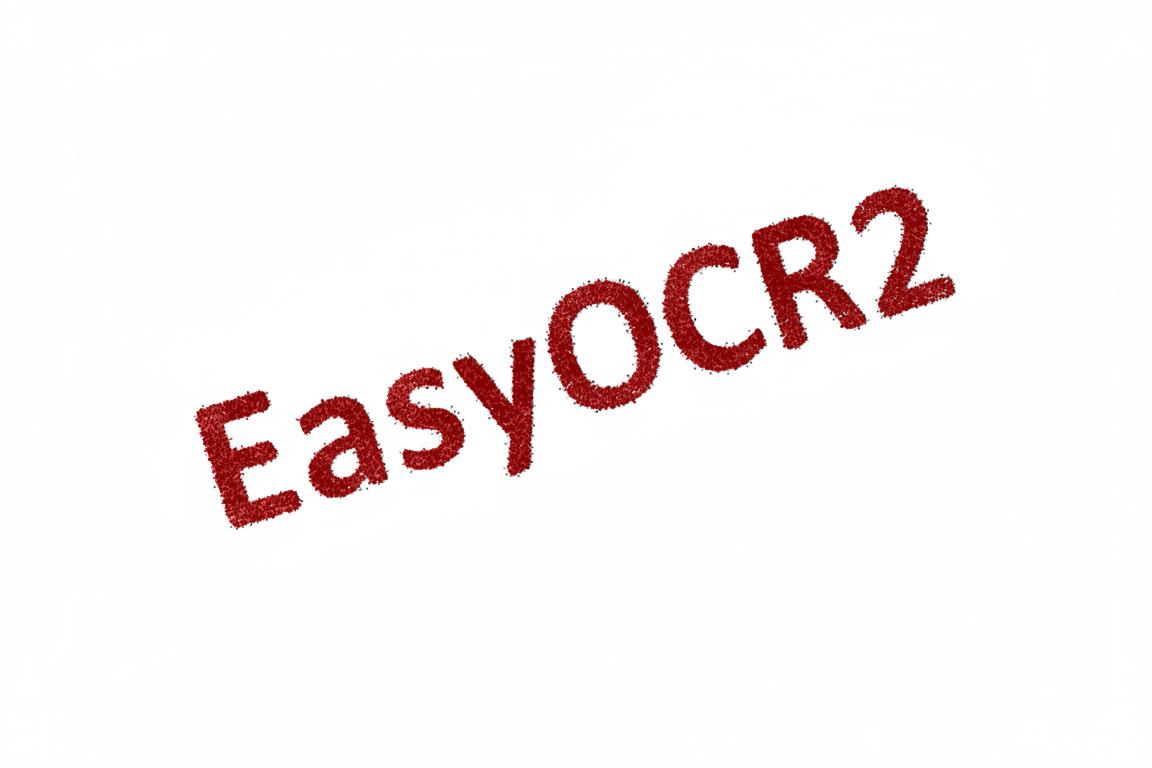
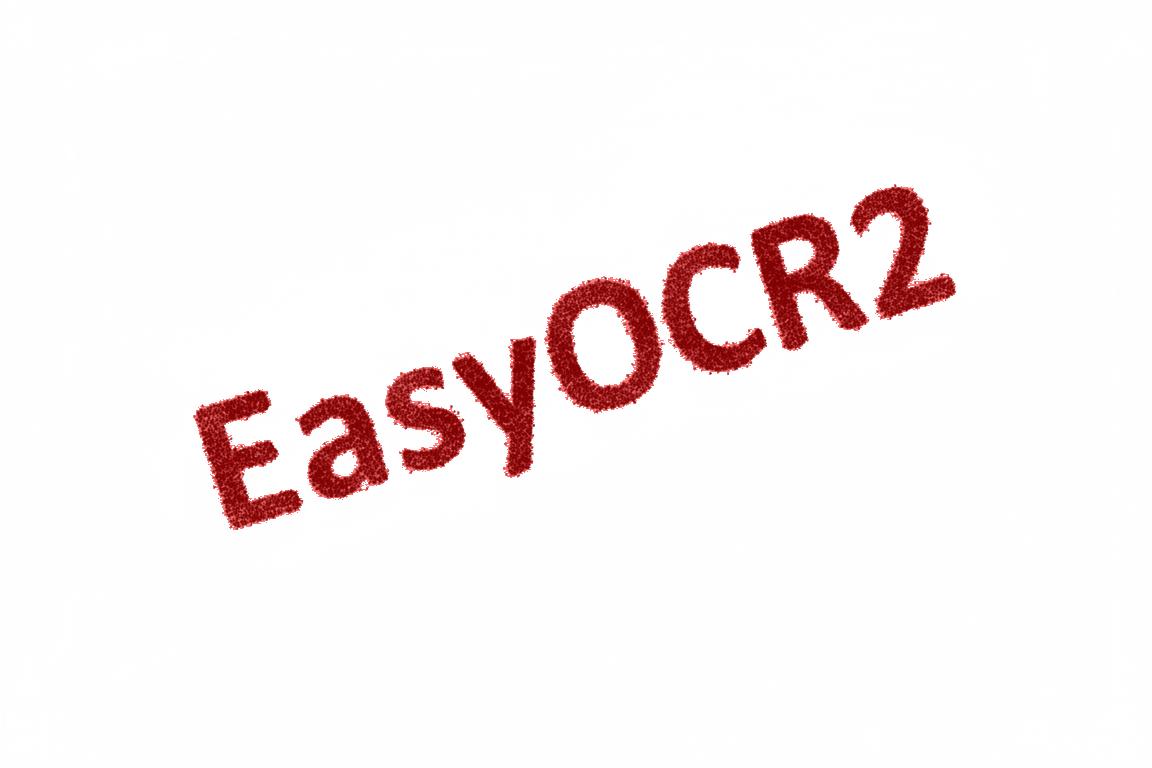
Adjust the Fragmentation
Use
SetCharsMaxFragmentation.NET Python to set how small a blob can be for the segmentation algorithm to consider it as (part of) a character.The minimum allowed area of a blob is given by:
\[\text{minArea} = \text{CharsMaxFragmentation} × \text{CharsHeight} × min(\text{CharsWidthRange})\]Set this parameter between 0 and 1 (the default setting is 0.1).
CharsMaxFragmentation = 0.1 (default):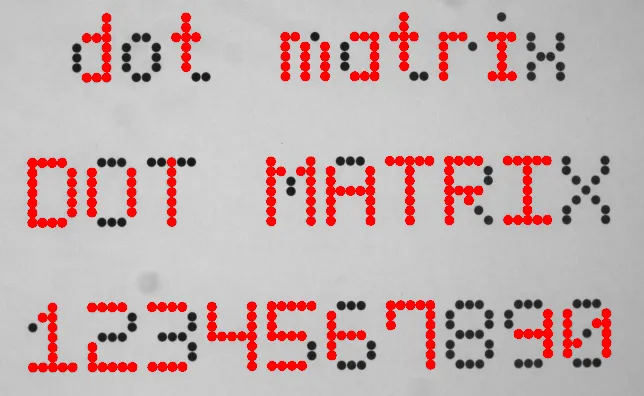
CharsMaxFragmentation = 0.01: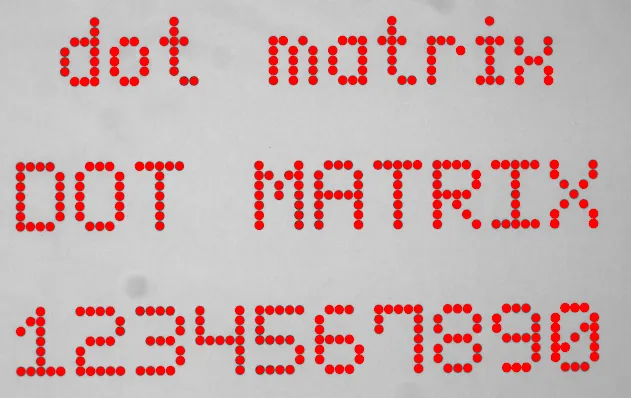
Detection Parameters
The following parameters are set and used in the process: Detecting the Characters.
Select the Detection Method
If the topology is required, use SetDetectionMethod .NET Python to select the algorithm used for fitting:

Supports dotted text.
Use
SetRelativeSpacesWidthRange.NET Python to specify how wide the spaces between the words may be.The box-fitting method tests the following range of spaces:
\[ \begin{align}\begin{aligned}min(RelativeSpacesWidthRange) × min(charsWidthRange)\\≤ space ≤\\max(RelativeSpacesWidthRange) × max(charsWidthRange)\end{aligned}\end{align} \]The upper bound of this parameter is also used when the topology is not required.
Use
SetCharsWidthBias.NET Python to add a bias towards wider or narrower character boxes.Use
SetCharsSpacingBias.NET Python to add a bias towards a smaller or larger spacing between character boxes.

Use
SetEnableCutLargeCharacter.NET Python so that the detection will try to cut wide segmented blobs into smaller boxes.This parameter is also used when the topology is not required.
Warning
With the fixed-width method, all the character boxes have the same width and they do not necessarily fit tightly around the characters.
With the proportional method, the character boxes fit tightly around the characters. If any character falls outside the range of allowed widths, the detection fails.
Set the Text Rotation Angle
Use
SetTextAngleRange.NET Python to specify how the text in the image may be oriented. The box-fitting method tests the following range of rotation angles:\[ min(TextAngleRange) ≤ angle ≤ max(TextAngleRange)\]The angles are defined with respect to the horizontal.
To set the unit for the angles (degrees, radians, revolutions or grades), use
SetAngleUnit.NET Python.The default setting is \([-20, 20]\) degrees.
This parameter is also used when the topology is not required.
Set a Second Detection Pass
Use
SetNumDetectionPasses.NET Python to configure a second pass for the textbox-fitting operation.The first pass fits textboxes to all detected blobs.
The second pass selects only the blobs that are covered by the textboxes from the first pass. It fits textboxes to that subset of blobs, possibly resulting in a more optimal fit.
Set this parameter to either 1 or 2.
The default setting is 1.
This parameter is also used when the topology is not required.
NumDetectionPasses = 1: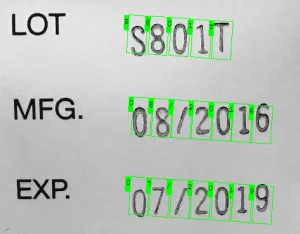
The text angle estimate is slightly off.
NumDetectionPasses = 2: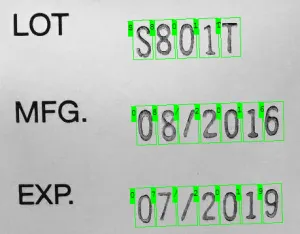
The text angle estimate fits more closely.
No-Topology Mode Parameters
The following parameters are set and used in the process: Detect the Characters.
There are other parameters you can set if you are not using a topology:
Use
SetEnableOffSizeCharacter.NET Python to detect characters whose size (width and height) is out of the range but are in the vicinity of valid characters.
Use
SetRepasteObjects.NET Python to try and group blobs of the same character.It can improve the detection of a clean segmentation with characters close to each other.
When true (default), the detection process tries to merge the blobs.