EasyDeepOCR - Reading Texts with Deep Learning
Purpose
EasyDeepOCR is a new generation OCR library that relies on deep learning technologies to tackle modern text reading challenges.
EasyDeepOCR features:
Zero-configuration text location and recognition
Text filtering through topologies
Improved speed on x86_64 CPUs with OpenVINO and NVIDIA GPUs with TensorRT
Optional further speed optimization using only a few labeled samples
A simple and comprehensive C++, C# and Python API
A fully featured eVision Studio tool and samples showcasing the entire workflow of EasyDeepOCR.
EasyDeepOCR is a major improvement over the EasyOCR and EasyOCR2 libraries, combining ease of use and enhanced capabilities.
Scope
EasyDeepOCR is able to locate and read all texts in a given image, provided they adhere to the following specifications:
Printable ASCII characters:
!"#$%&\'()*+,-./0123456789:;<=>?@ABCDEFGHIJKLMNOPQRSTUVWXYZ[\]^_`abcdefghijklmnopqrstuvwxyz{|}~Industrial fonts
Minimum line height: 12 pixels
Line aspect ratio between 1:1 and 40:1
Maximum characters per line: 50
Gray scale (8-bit) or color (24-bit) images
Near planar images (limited perspective)
Structured Texts
When you specify a topology, the lines are gathered into texts that satisfy the following requirements:
The texts match the topology.
The texts are structured.
Hint
EasyDeepOCR only returns ‘structured texts’ (a concept specific to this tool: see eVision::EasyDeepOCR::ETextLine .NET Python) where the geometric arrangement of lines and words meets a particular definition:
All the lines of a ‘structured text’:
Must be parallel.
Must have the same height.
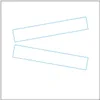
Must be horizontally aligned:
Two lines l₀ and l₁ are horizontally aligned if:
\[ \begin{align}\begin{aligned}l₀^{begin} \le l₁^{begin}\\and\\l₁^{end} \le l₀^{end}\end{aligned}\end{align} \]All the pairs of consecutive lines:
Must not overlap vertically.
Must not be separated by a vertical distance greater than the line height.
All the words of a line:
Must not be separated by a horizontal distance greater than the line height.
|
|
|
|---|---|---|
Parallelism |
|
|
Line height |
|
|
Horizontal alignment |
|
|
Vertical alignment |
|
|
Word spacing |
|
|











Optimization for Custom Use Cases
EasyDeepOCR also offers the possibility to optimize the reader for a custom use case.
When doing so, an additional constraint is added to the list:
The texts must belong to the same custom use case as the one used for the optimization.
This optimization offers two potential benefits:
Increasing the processing speed.
Improving the detection of challenging texts.
In the context of EasyDeepOCR, a custom use case is defined as follows:
It is a batch of images captured in the same conditions that depict a different instance of the same object.
For every image, you must designate a ‘text of interest’.
This ‘text of interest’ is the text that the
ETextReadershould retrieve.From one image to another, all the ‘texts of interest’ must share some geometrical properties.
Specifically, they must have:The same line height (in pixels).
The same font.
The same appearance (such as printed, embossed, dotted).
Note
There can be several ‘texts of interest’ in a given image, but all texts must share the above-mentioned geometrical properties.
Basic Workflow
The full-featured EasyDeepOCR workflow consists of the following steps:
Instantiate an
ETextReader.NET Python(Optional) Set the
EDeepLearningExecutionSettings.NET PythonInitialize
(Optional) Optimize
Read
Extract the
EasyDeepOCR::EText.NET Python results

This complete workflow is broken down and explained in the following sections:
The section Reading a Text goes through the minimal working example, without any optional steps.
The section Specifying a Topology explains how to create the appropriate topology for your use case.
The section Performing an Optimization demonstrates how to optimize the reader for a given use case.
Finally, the section Specifying the Execution Settings explains how to properly set the deep learning execution settings.
Inputs
The reading method of an ETextReader, namely ETextReader::Read(), accepts 2 input arguments:
Outputs
The method ETextReader::Read() returns a vector of EText that contains the following information:
An
ERectanglerepresenting the text position in the imageA text string
A vector of
ETextLine
This vector of ETextLine represents the lines of the text and contains 2 pieces of information:
An
ERectanglerepresenting the line position in the imageA line string