Easy3DMatchMatch
Support |
|
|---|---|
Required licenses |
Easy3DMatch |
Recommended images |
The images from the folder |
Location |
|


Note
In the C# sample, it is not possible to set all the parameters within the GUI.
Purpose
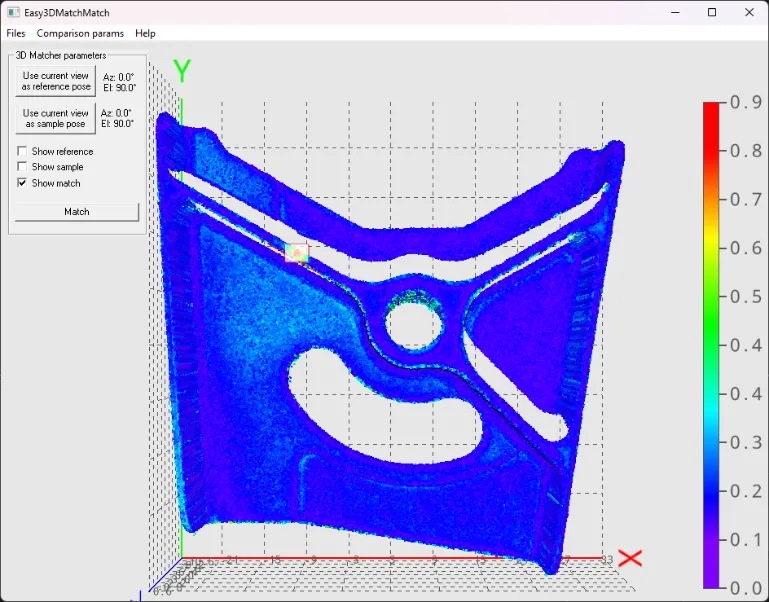
The matching consists in aligning the sample on the reference and comparing both to find defects in the sample.
This sample program demonstrates how to:
Match a sample (point cloud or ZMap) on a reference (3D mesh, point cloud or ZMap).
Code highlights
Use the recommended images:
Reference:
.stlor.plyfile withgoldenScanin the name.Sample:
.plyfile withgoldenScanin the name.Both reference and sample files should come from the same folder (
Object 1orObject 2).In case of
.plyreference, they should both containtopor both containbottom.
This sample contains many options that are not detailed here. Only the main code path is described here.
Set the reference mesh with its viewpoint (azimuth and elevation angle).
matcher_.SetReference(referenceMesh_, azimuthReference_, elevationReference_);
Perform the matching for the given sample point cloud with its viewpoint and retrieves the result.
match_ = matcher_.Match(samplePointCloud_, azimuthSample_, elevationSample_);
Retrieve the result of the comparison as a point cloud containing the point-to-point distances between sample and reference.
matcher_.GetComparisonPointCloud(resultPointCloud_, true, true, showComparisonResultOnReference_, showResultFullModel_);
Highlight the anomalies detected by the
E3DMatcherin the viewer.viewer_.AddRenderSource("anomaly_" + i.ToString(), match_.Anomalies[i].BoundingBox, new EC24(255, 255, 255), 128);