EasyClassifyInference
Support |
|
|---|---|
Required licenses |
EasyClassify |
Recommended images |
In the Deep Learning Additional Resources, the images from the folder |
Location |
|


Purpose
This sample program demonstrates how to:
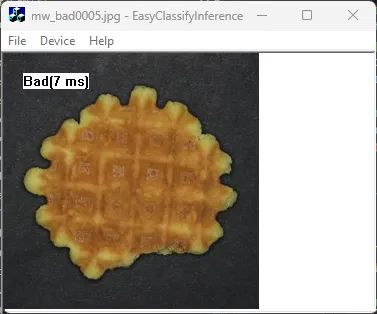
Perform an inference with EasyClassify.
Display the results.
Code highlights
In the Deep Learning Additional Resources, use the tool EasyClassify/MiniWaffles/Tool 1/MiniWaffles.edltool.
Apply the classifier on an image and measure the inference time:
Easy::StartTiming();
m_DetectedClass = m_Classifier.Classify(m_Src).GetBestLabel();
int elapsed = Easy::StopTiming(1000);
m_DetectedClass = m_DetectedClass + "(" + std::to_string(elapsed) + " ms)";