EasyFindLearn
Support |
|
|---|---|
Required licenses |
EasyFind |
Recommended images |
Any gray level image from the folder |
Location |
|


Purpose
EasyFind learns then finds patterns inside images.
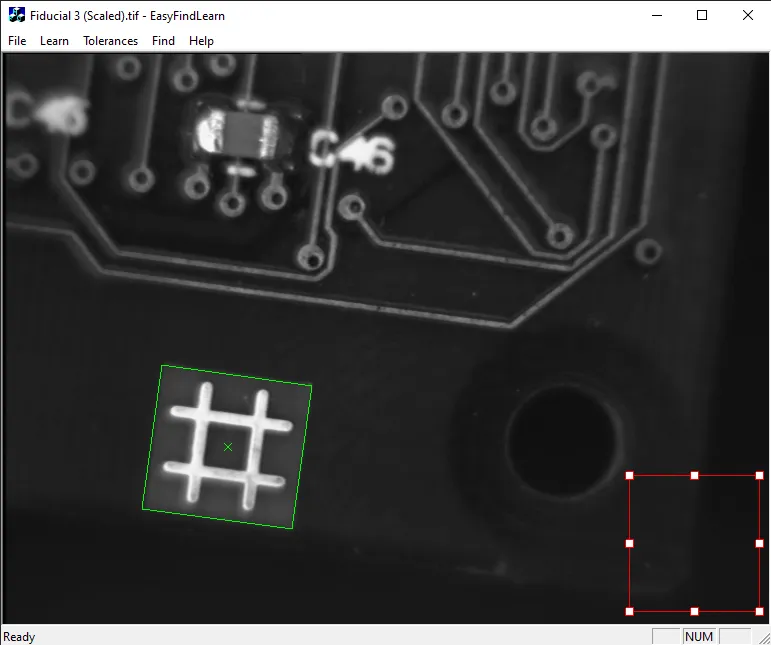
This sample program demonstrates how to:
Load an image.
Move and size the region of interest to define the pattern.
Learn the pattern in the region of interest.
Change the tolerances using the Tolerances menu.
Find the pattern using the Find menu.
Code highlights
Define a pattern finder object that will serve as a vehicle for the search parameters and to learn the search pattern.
EPatternFinder patternfinder;
Modify the parameters of the pattern finder (in this example, an angular tolerance).
patternfinder.SetAngleTolerance(tol);
Learn a pattern.
patternfinder.Learn(pattern);
Find the pattern that you previously learned inside the image. Retrieve the results as a vector of
EFoundPatterns.std::vector<EFoundPattern> foundPatterns = patternfinder.Find(image);
Retrieve the attributes of the found pattern (in this example, the angle inside the image).
foundPatterns[n].GetAngle();
Draw a found pattern in the same reference frame as the search image.
foundPatterns[n].Draw();