Deep Learning Inspection
The Deep Learning inspection tools are based on deep neural networks. By opposition to traditional machine vision techniques, the deep learning tools do not require an explicit model of what to recognize and/or segment inside an image. Instead, they learn this model from a set of example images. Thus, the deep learning tools can solve machine vision problems where an explicit model is too complex to build.
Deep Learning Studio and its resources
The workflow of the Deep Learning inspection tools.
Engines, CPU/GPU acceleration, and memory considerations.
Libraries
EasyClassify
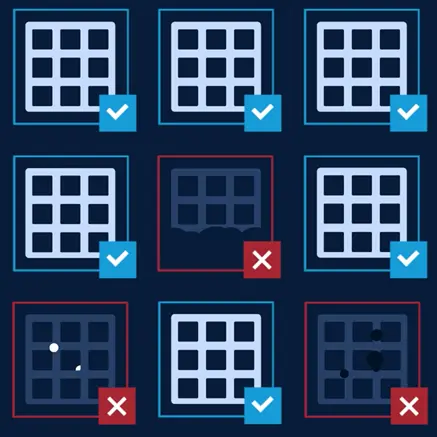
EasyClassify classifies images into a predefined set of classes. Use this tool to identify a product in an image to detect if the product is good or defective.
EasySegment
EasySegment segments images. The library has two modes.
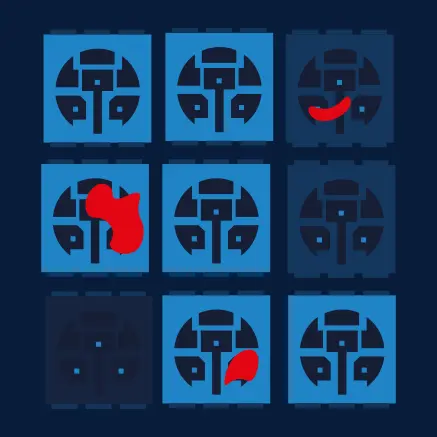
EasySegment Supervised segments defects and/or various elements in images. The training images must be annotated with their expected segmentation (also called the ground truth)
EasySegment Unsupervised detects and segments defects in images. The tool is trained on good products only and segments every thing that deviates from the model it learned on the good product. This technique is also called anomaly detection.
EasyLocate
EasyLocate finds and identifies objects and/or defects in images. The library has two modes.
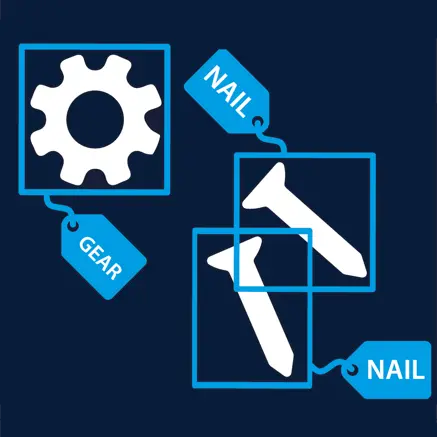
EasyLocate Axis Aligned Bounding Box represents the location of the object with an axis aligned bounding box.
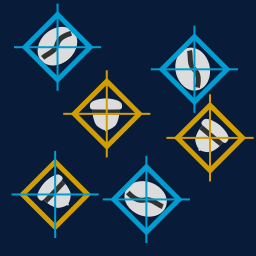
EasyLocate Interest Point represents the location of the object by its position.
Specifications
EasyClassify |
EasySegment Unsupervised |
EasySegment Supervised |
EasyLocate |
|
|---|---|---|---|---|
Minimum image size |
128 x 128 |
64 x 64 |
128 x 128 |
|
Maximum image size |
1024 x 1024 |
10 000 x 10 000 |
500 000 pixels (for ex. 707 x 707 for square images) |
|
Best image size |
224 x 224 |
n.a. |
||
Number of channels |
1 or 3 (grayscale and color images) |
|||
Bit depth |
8 bits, 16 bits |
|||
Number of labels |
2 - 1000 |
2 (good and defective) |
2 - 64 |
|
Minimum number of images per label |
2 |
1 for the good label 0 for the defective label |
1 |
|
Supported formats |
bmp, png, jpeg, j2k, tiff |
|||