Easy3DPCBWarpage
Support |
|
|---|---|
Required licenses |
Easy3D and EasyGauge |
Recommended images |
The images from the folder |
Location |
|

Purpose
This sample program demonstrates how to:
Measure the warpage of a PCB with Easy3D.
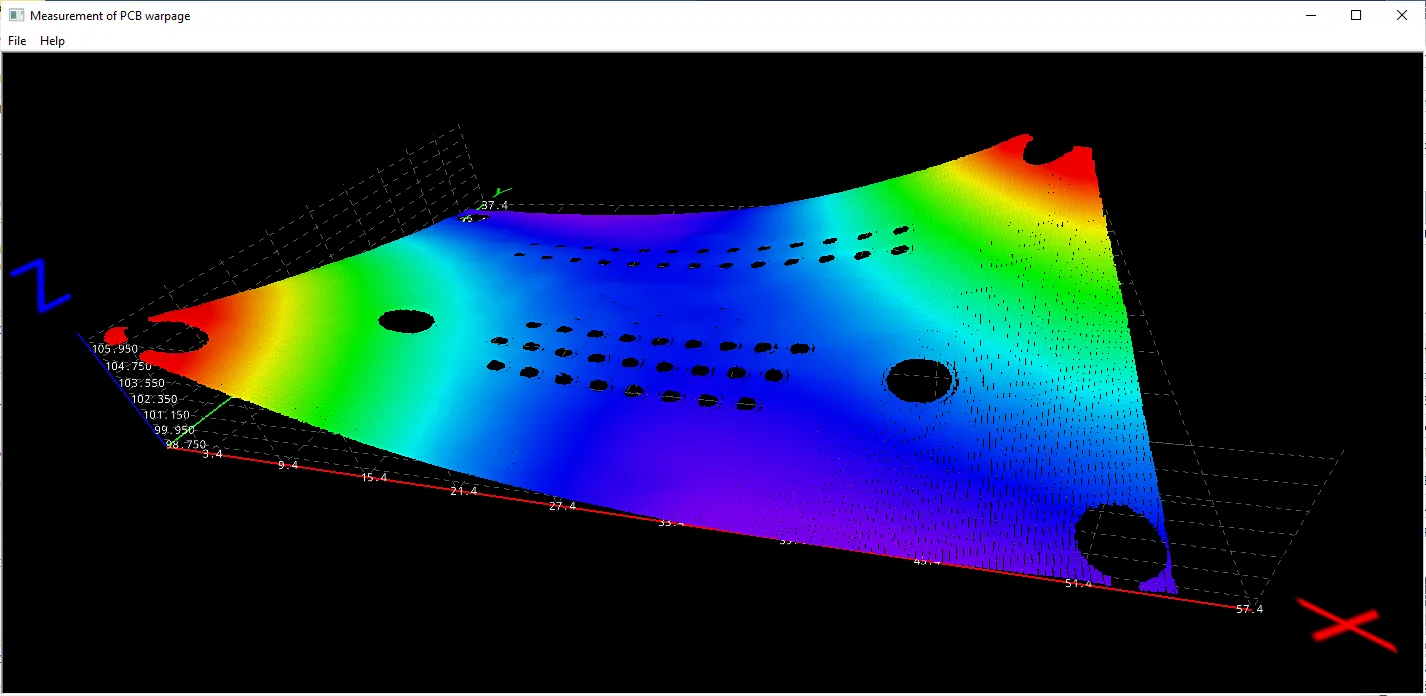
Code highlights
Search for the PCB plane.
float maximumDistanceToPlane = 1.0f; // 1.0 mm (the warpage is assumed to be smaller than this)
EPlaneFinder finder(maximumDistanceToPlane); // tolerance for plane search = 1.0 mm
E3DPlane refPlane1 = finder.Find(pc_); // finds the largest plane in the point cloud
Crop any point distant from PCB plane.
EPlaneCropper cropperPCB(refPlane1); // 'refPlane_1' = ref. plane for the cropper
EPointCloud pcPlaneOnly; // only keep points close to the ref. plane
cropperPCB.Crop(pc_, pcPlaneOnly, EPlaneCropperType_KeepClose, maximumDistanceToPlane);
Apply a noise removal filter:
zmapBeforeAlignment>zmapBeforeAlignmentFilter1.EZMap16 zmapBeforeAlignmentFilter1; // output of the filter zmapBeforeAlignmentFilter1.SetSize(zmapBeforeAlignment); EFilters::RemoveNoise(zmapBeforeAlignment, zmapBeforeAlignmentFilter1, ENoiseRemovalMethod_AbsoluteDifferenceFromMean,halfKernelSizeFilter, thresholdFilter, ratioValidPixelsFilter, false);
Calculate the warpage in metric units.
OEV_UINT32 validCount;
float minValue, maxValue, averageValue;
EStatistics::ComputeStatistics(zmap_, validCount, minValue, maxValue, averageValue);
float warpage = maxValue - minValue;