EasyFind - Matching Geometric Patterns
EasyFind is a pattern matching library that allows users to learn and identify given patterns in an image.
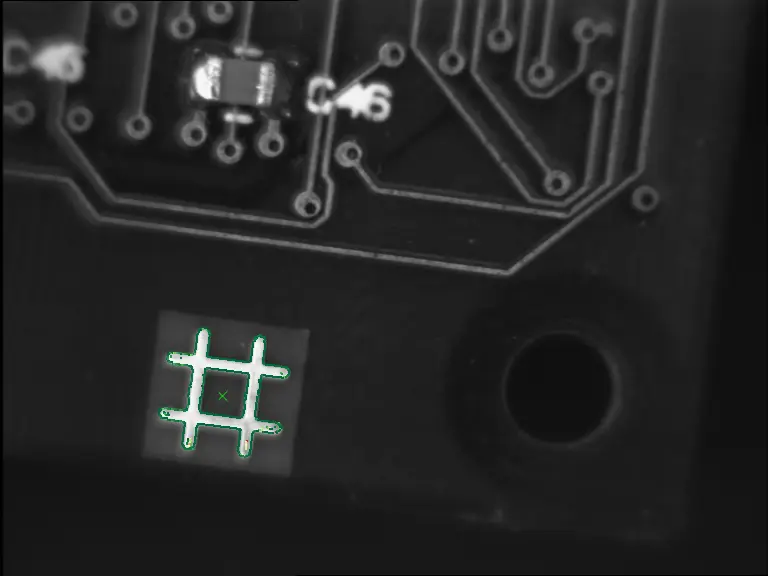
A cross pattern found in an image
Process
Learning
EasyFind learns your pattern from one or several images or a set of shapes.
The pattern is a set of all the feature points that EasyFind computes during the learning process:
EasyFind can extract these points from a bitmap representation of the pattern (see Learn a Pattern from Image(s)).
Or it can use the feature points that are directly given by geometrical shapes (see Learn a Pattern from Vectors).
Finding
EasyFind detects the instances of your pattern in your images as a vector of EFoundPattern .NET Python (see Find Matches).
Each
EFoundPatterncontains aScore,Center,AngleandScale.These
EFoundPatterncan be highly-degraded due to noise, blur, occlusion, missing parts or unstable illumination conditions.To optimize the find process, adjust the search parameters and check what EasyFind has found.
Contents
Purpose and Principles of the EasyFind library.
How to learn a pattern from an image.
How to learn a pattern from an set of shapes or a dxf file.
How to find a learned pattern inside of an image.
Quick Links
List of all Classes, Structs and Enumerations of the EasyFind library.
Code snippets for the EasyFind library.
See also
Some eVision Studio samples illustrate several aspects of the EasyFind library:
Find a pattern: Uses EasyFind to find a pattern in an image.Learn a pattern with a region: UsesERegionto specify pattern precisely.Find a vector pattern: Learns a vector pattern from adxffile.Learn multiple patterns: Learns several patterns with a singleEPatternFinder.