Easy3DViewer
Support |
|
|---|---|
Required licenses |
Easy3D |
Recommended images |
Any point cloud or mesh file in the folder |
Location |
|


Purpose
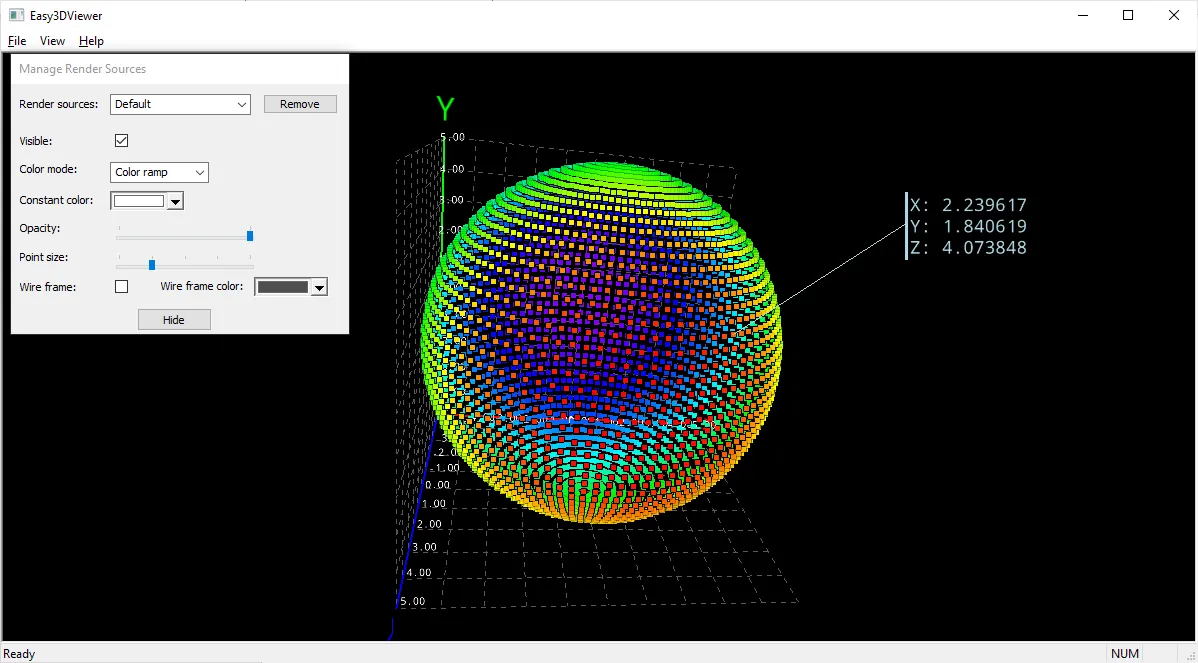
This sample program demonstrates how to:
Use most of the features of the class
E3DViewer:Load and save point clouds and meshes in the supported formats.
Manage several render sources.
Navigate the 3D view.
Change the color ramp.
Manage the display of grid, axis and colors.
Convert 3D files formats.
Use a point picking.
Code highlights
Add a render source to display a point cloud.
viewer_->AddRenderSource(name, pointCloud_);
Change the grid step of the 3D viewer.
Easy3D::E3DPoint step(x, y, z);
viewer_->GetRenderAxisConfiguration().SetRenderGridStep(step);