EasyOcrRead
Support |
|
|---|---|
Required licenses |
EasyOCR |
Recommended images |
Any image from the folder |
Location |
|


Purpose
This sample program demonstrates how to:
Read a text inside the ROI of an image using EasyOCR (superseded by EasyOCR2).
Use a configuration based on a OCR font file (
.ocr).
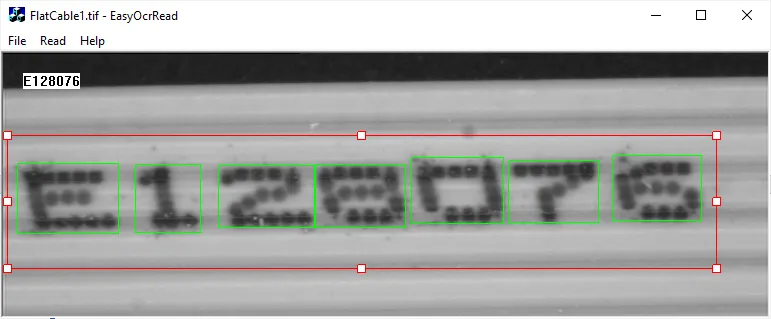
Code highlights
Load an EasyOCR font file.
// Load the font file
EOCR m_Ocr;
m_Ocr.Load(ToUtf8(LoadFont.GetPathName()).GetString());
Read the text.
// Set the threshold mode
m_Ocr.SetThreshold(EThresholdMode_MinResidue);

// Perform recognition
#define NB_MAX_RECO_CHARS 256
m_szOCRRecoText = m_Ocr.Recognize(&m_SrcRoi1, NB_MAX_RECO_CHARS, EOCRClass_AllClasses);
Draw the image, the ROI and the characters bounding boxes
// Display the source image
Src.Draw(drawAdapter);

// Draw the roi frame with its handles
Roi.DrawFrame(drawAdapter, TRUE);

// Draw the character bounding boxes if needed
if (GetDocument()->m_bRead)
{
  const ERGBColor greenPen(0, 255, 0);
  Ocr.DrawChars(drawAdapter, greenPen);
}