EasyFindVectorLearn
Support |
|
|---|---|
Required licenses |
EasyFind |
Recommended images |
Any gray level image from the folder |
Location |
|


Purpose
EasyFind learns then finds patterns inside images.
This sample program demonstrates how to:
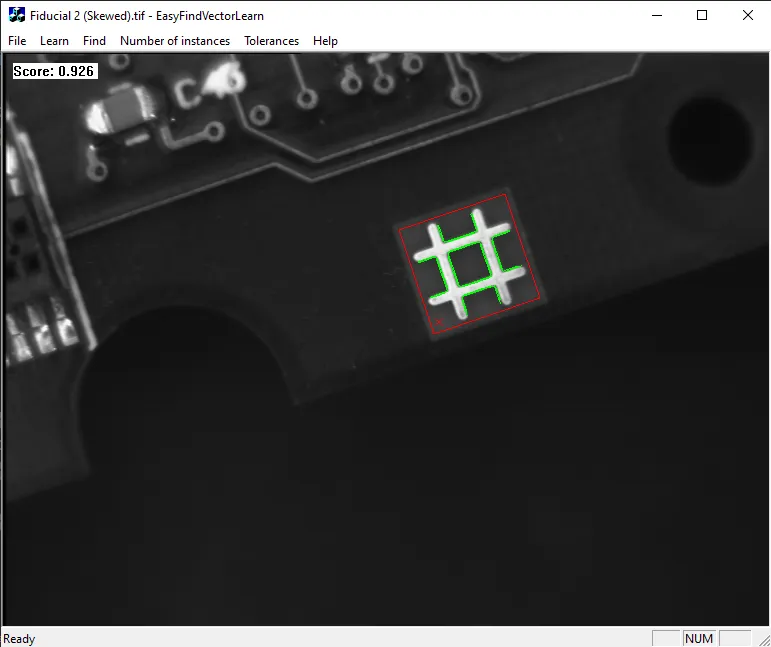
Use with vectorized learning patterns. In this mode, learning is done on collections of 2D geometrical shapes rather than rasterized patterns.
Open a DXF or vector model with File > Open Model. Right-click to change the polarity of a transition.
Save the vector model with the edited polarity.
Learn the pattern with the button Learn.
Open a search image and find the pattern with the button Find .
Code highlights
Define a model as a collection of shapes.
EVectorModel vectorModel;
Load the vector model from a file.
vectorModel.Load(fileName);
Load the vector model from a DXF file.
vectorModel.LoadDXF(fileName);
Set the scale of the vector model with respect to the search image.
vectorModel.GetRoot().GetWorldShape()->SetScale(fScale);
Set the polarity of any shape in the vector model.
shape.SetProperty("polarity", "direct");
Learn a vector pattern.
patternfinder.Learn(vectorModel);
Find the pattern that you previously learned inside the image. Retrieve the results as a vector of
EFoundPatterns.std::vector<EFoundPattern> foundPatterns = patternfinder.Find(image);
Draw the vector model and show the polarity as arrows pointing from a dark to light transition.
vectorModel.Draw(...);
Draw a found pattern in the same reference frame as the search image.
foundPatterns[n].Draw(...);