Easy3DMatch - 3D Alignment and Comparison
Easy3DMatch allows you to:
Align a scanned object with another scan or with a reference mesh.
The Easy3DMatch tool features alignment functions to find the exact pose (position and orientation) of acquired 3D objects using a reference model.
You can specify this model as a reference point cloud or as a 3D mesh from CAD software (using the
stlfile format).
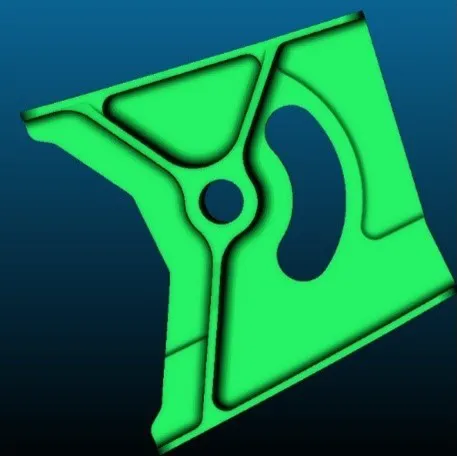 CAD model.
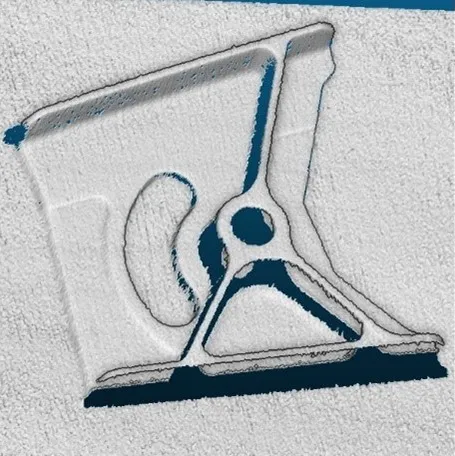 Sample point cloud.
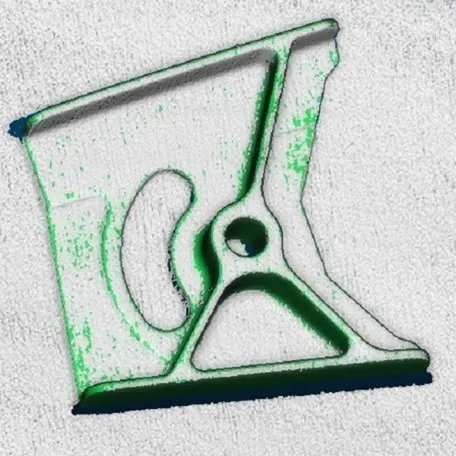 Model and sample aligned.
3D models courtesy of Direct Dimensions.
#include <eVision/Easy3D/Easy3DMatch/E3DAligner.h>
using namespace eVision;
// load the reference mesh and define the pose
Easy3D::E3DAligner aligner;
Easy3D::EMesh cad;
cad.Load("...");
float azimuthReference = 0.f, elevationReference = 90.f;
aligner.SetReference(cad, azimuthReference, elevationReference);
// load the sample
Easy3D::EPointCloud sample;
sample.Load("...");
float azimuthSample = 0.f, elevationSample = -90.f;

// perform alignment
Easy3D::E3DAlignment alignment = aligner.Align(sample, azimuthSample, elevationSample);
using eVision.Easy3D;
// load the reference mesh and define the pose
E3DAligner aligner = new E3DAligner();
EMesh cad = new EMesh();
cad.Load("...");
float azimuthReference = 0.0f, elevationReference = 90.0f;
aligner.SetReference(cad, azimuthReference, elevationReference);

// load the sample
EPointCloud sample = new EPointCloud();
sample.Load("...");
float azimuthSample = 0.0f, elevationSample = -90.0f;

// perform alignment
E3DAlignment alignment = aligner.Align(sample, azimuthSample, elevationSample);
from eVision import Easy3D
# load the reference mesh and define the pose
aligner = Easy3D.E3DAligner()
cad = Easy3D.EMesh()
cad.Load("...")
aligner.SetReference(cad, azimuth=0., elevation=90.)

# load the sample
sample = Easy3D.EPointCloud()
sample.Load("...")

# perform alignment
alignment = aligner.Align(sample, azimuth=0., elevation=-90.)
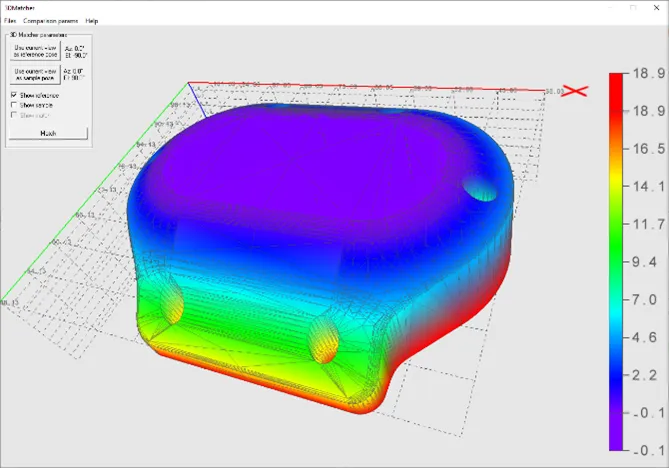
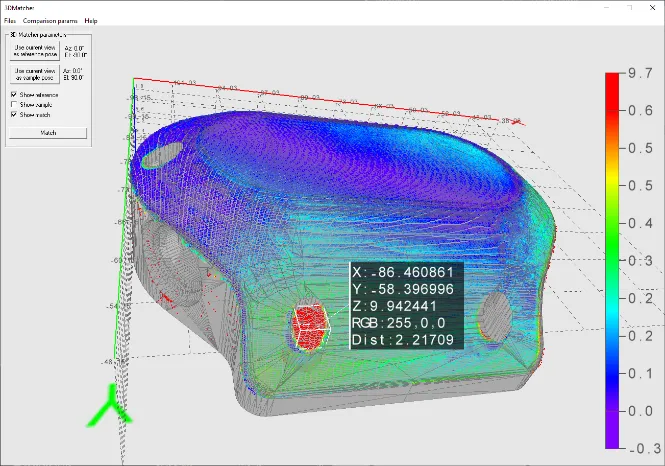
Compare an aligned scan with a reference model or mesh:
Compute the local distances between 3D scans and a golden sample or a reference mesh.
Detect anomalies such as misplaced features, geometric distortions, gaps and bumps.
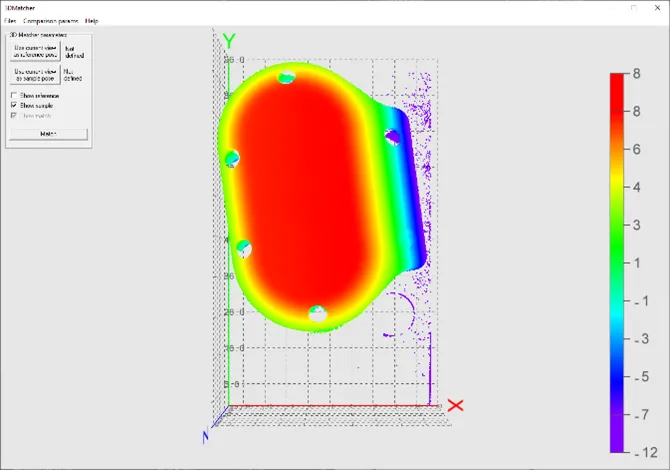 Reference.
 Sample.
3D CAD models courtesy of Direct Dimensions.
#include <eVision/Easy3D/Easy3DMatch/E3DMatcher.h>
using namespace eVision;
using namespace eVision::Easy3D;
// load the reference golden scan and set reference
E3DMatcher matcher;
EPointCloud reference;
float azimuthReference = 0.f, elevationReference = 90.f;
reference.Load("...");
matcher.SetReference(reference, azimuthReference, elevationReference);

// Set thresholds
float distanceThresh = .2f, areaThresh = 1.f;
matcher.SetAnomalyThresholds(EAnomalyThresholds(distanceThresh, areaThresh));
// Prepare data structures (optional)
matcher.PrepareReference();

// load the sample and perform comparison
EPointCloud sample;
float azimuthSample = 0.f, elevationSample = -90.f;
sample.Load("...");
E3DMatch match = matcher.Match(sample, azimuthSample, elevationSample);
std::vector<E3DAnomaly> anomalies = match.GetAnomalies();
//TODO: if (anomalies.size() != 0u): an anomaly was detected: inspect the sample manually? throw it away?

// get cloud to inspect it manually
EPointCloud visualisationCloud;
matcher.GetComparisonPointCloud(visualisationCloud);
using eVision.Easy3D;
// load the reference golden scan and set reference
E3DMatcher matcher = new E3DMatcher();
EPointCloud reference = new EPointCloud();
float azimuthReference = 0.0f, elevationReference = 90.0f;
reference.Load("...");
matcher.SetReference(reference, azimuthReference, elevationReference);

// Set thresholds
float distanceThresh = 0.2f, areaThresh = 1.0f;
matcher.AnomalyThresholds = new EAnomalyThresholds(distanceThresh, areaThresh);
// Prepare data structures (optional)
matcher.PrepareReference();

// load the sample and perform comparison
EPointCloud sample = new EPointCloud();
float azimuthSample = 0.0f, elevationSample = -90.0f;
sample.Load("...");
E3DMatch match = matcher.Match(sample, azimuthSample, elevationSample);
E3DAnomaly[] anomalies = match.Anomalies;
//TODO: if (anomalies.Length != 0): an anomaly was detected: inspect the sample manually? throw it away?

// get cloud to inspect it manually
EPointCloud visualisationCloud = new EPointCloud();
matcher.GetComparisonPointCloud(visualisationCloud);
from eVision import Easy3D
# load the reference golden scan and set reference
matcher = Easy3D.E3DMatcher()
reference = Easy3D.EPointCloud()
reference.Load("...")
matcher.SetReference(reference, azimuth=0., elevation=90.)

# Set thresholds
matcher.AnomalyThresholds = Easy3D.EAnomalyThresholds(distanceThreshold=0.2, areaThreshold=1.)
# Prepare data structures (optional)
matcher.PrepareReference()

# load the sample and perform comparison
sample = Easy3D.EPointCloud()
sample.Load("...")
match = matcher.Match(sample, azimuth=0., elevation=-90.)
anomalies = match.Anomalies
#TODO: if len(anomalies) != 0: an anomaly was detected: inspect the sample manually? throw it away?

# get cloud to inspect it manually
visualisation_cloud = Easy3D.EPointCloud()
matcher.GetComparisonPointCloud(visualisation_cloud)
The basic workflow for using Easy3DMatch is as follows:
Load a reference as:
A mesh (define its viewpoints)
A point cloud (with one viewpoint)
A ZMap
Load a sample, either as:
A point cloud (with one viewpoint)
A ZMap
Perform alignment and/or matching:
Optionally, align the sample and get its
E3DAlignment.NET Python with respect to the reference (E3DAligner.NET Python).Optionally, compare the sample to the reference by defining ROIs as
E3DBox.NET Python (E3DComparer.NET Python).Align the sample and compare it directly to the reference by defining ROIs as an
ERegion.NET Python (E3DMatcher.NET Python).
Use the transformation from sample to model to locate the sample and/or process the detected
E3DAnomaly.NET Python.
Contents
How to perform 3D alignment, comparison and matching.
How to fuse multiple sensors for 3D matching.
Quick Links
List of all Classes, Structs and Enumerations of the Easy3DMatch library.
Code snippets for the Easy3DMatch library.
See also
The 3D point cloud merger sample in eVision Studio illustrates how to use the Easy3DMatch library.